

Unclaimed: Are you working at Paymo?






Paymo Reviews: 4.6/5 — Highly Rated
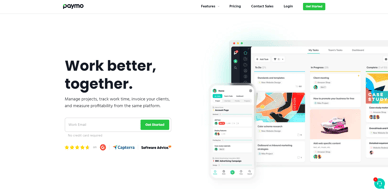
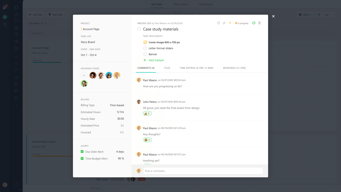
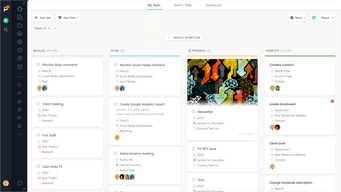
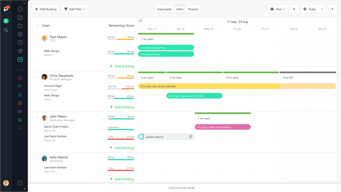
As a project management platform, Paymo has all the functionalities of similar industry-leading tools such as multiple task views, custom workflows, project templates, and tracking, monitoring, and reporting. What separates Paymo from other project management software is its extensive list of project billing features. It offers seamless invoicing from logged billable hours within the system as well as a capability to create accurate costings for new projects. It also has native integrations with top payment processing channels so you can track online payments right from the platform itself. These are all reinforced with a comprehensive list of profitability tracking benefits which include profit margin projection, employee-specific profitability metrics, and a client profitability tracker.





| Capabilities |
API
|
|---|---|
| Segment |
Small Business
Mid Market
Enterprise
|
| Deployment | Cloud / SaaS / Web-Based, Desktop Mac, Desktop Windows, Mobile Android, Mobile iPad, Mobile iPhone |
| Support | 24/7 (Live rep), Chat, Email/Help Desk, FAQs/Forum, Knowledge Base, Phone Support |
| Training | Documentation |
| Languages | English |
Paymo Pros and Cons
- Allows for real time collaboration
- Extensive bird’s eye view of individual tasks
- Supports multiple views
- Features advanced filters and notifications
- While the platform offers a free plan, it does come with a lot of limitations

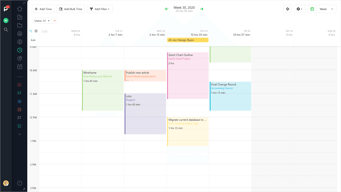
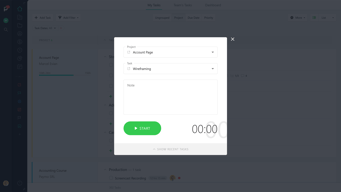
Compare Paymo with other popular tools in the same category.
The time tracking feature (using the native apps for all platforms) and the ability to tie it to certain tasks with automatic stops after inactivity is truly the most beneficial feature. Couple that with the time reports and it's a perfect tool for me.
I wish I had the ability to export my timesheets directly to Quickbooks online time sheets. My client uses that so I still have to run the time report from Paymo and then manually enter the time into Quickbooks online time sheets. I think that the overall API story could be slightly better. There are limitations to the Zapier and/or If-This-Then-That (IfTTT) model of webhooks. There are platforms out there that are just very widely used that Paymo could create specific hooks for (i.e. Quickbooks online) which would greatly enhance this product.
I'm a software developer who bills by the hour so having the ability to show exactly what I was working on for a very accurate amount of time is of great benefit to my clients.
Paymo is very easy to use, clients and projects can be set up very quickly and sync with the Paymo Add-on for tracking time. When I start a job I just select the project I am working on and start the time tracking add-on. If I leave the computer it will ask if I want to count the time I have been away. This is a great feature, and allows me to clearly see what I have been working on throughout the day, and how long I have spent on each project to be able to invoice it to my client later.
The last update on the Paymo add-on for the Mac did not sync correctly. I quickly contacted the Paymo support and they very helpfully provided me with the pervious version, so I could carry on syncing my time and projects. There is no project timeline/calendar, I would love a gantt chart or something to be able to plan project deadline (that blocks of days I have said I am not working) so I can not over book my time. This would be the best feature for Paymo, and I hope they add it in the future.
As a freelancer I can get distracted with different tasks, in Paymo its clear to see what my next tasks for each project are and this help me organise my day and make the most out of the hours that I work. As I can track all the time I have worked on each project so easily, I can the invoice my clients the real amount of hours I have worked, and can also gage when a project has taken too long.
Managing tasks is a feast. A long time ago we wrote our own webapp to manage projects, tasks, invoices and more. The way we wanted the tool to work but never were able to realize is exactly what Paymo does for us. The stopwatch and task templates and of course, the task overviews are what makes Paymo the perfect tool for us.
In a perfect world, we would only need one webapp for projectmanagement and invoicing. The invoicing of Paymo is just not for us. We mainly work for Dutch clients and in the Netherlands the most used online payment tool is iDEAL, which isn't something Paymo supports. So, we have to check hours worked and put them in our invoicing tool. But is that really something I dislike? No. It makes sure you check all the invoices/hours before sending them to your clients.
Keeping track of many projects at once and managing the budget and todo's. With every website we build there is work involved that isn't accounted for from the start. The insight that Paymo gives us keeps your head clear!
Simplicity of use combined with a lot of flexibility. We have some projects that we charge for using an hourly rate and some fixed-price projects - both are easily accommodated.
Not able to share report definitions among users. Although anyone can see the output of a report with a link, we would like to be able to have some reports (same parameters) available to all team members. That way, whoever is free could run the invoicing reports (we don't use Paymo for invoicing), changing the date and customer details as required but having the basic setup the same month-on-month.
We often find ourselves switching between projects and clients during a normal working day. Before Paymo, we'd either have to remember to write everything down, or 'estimate' the time spent on each project at the end of the day. I'm sure we were undercharging - our bottom line has gone up since we started tracking time more effectively. Using the desktop widget is our preferred way of tracking time - it's not intrusive, and fits best with our way of working. We have tried the more automatic time tracking methods, but they just didn't work for us.
the desktop application that could use some upgrade already but still it does the job.
I would welcome more features for desktop application including the ability to add projects right form the pc also a "naked" domain address for links like invoices would be useful.
time saving and ability to track time effortlessly without loosing any while working on several project at the some time
There are so many features I like about Paymo it is hard to pick only one that I like best! But since I'm asked to pick one I will go with the Android addon Application that allows me to instantly start and end tasks from anywhere my cell phone has access. Since I'm constantly starting and stopping tasks from random places it is a great tool to keep track of all my time.
I'd like to have some type of feature that could print out accounting reports for end of year taxes. More features built towards tax reports would be wonderful.
I'm a web software developer servicing the Mining, Auto Motive and retail industries for over 20 years. Once I started using Paymo consistently I started seeing trends in my work flow never known before. Paymo helps me show clients what amount of time goes into each project and task. Many times people will ask where time was spent and because of Paymo I'm able to give them detailed reports on exactly where my time went. I feel having these types of reports instantly builds confidence in my clients towards my organisation.
I like that I can export my timesheets as a pdf more than anything. This was an important feature for me in a time tracking service since I work remotely.
I don't like that I can't change the task I'm working on while I have a timer running and that it seems like if I have two tasks overlapping, it counts the overlapping time twice.
I'm the only employee in my company who works remotely so Paymo is how I keep track of my hours. I love the new progress board view for my tasks. Now I can sort them into the categories that make sense for me. I have quite a few tasks that are continuously ongoing so they never really get marked as "finished" but they're not backlogged or overdue either so the new view really helps me get those tasks into the right place.
The ease of invoicing and managing client payments as well as my time.
there is nothing i dont like, i would love an integration with slack or asana.... or a more asana-like project management feature.
time tracking, organisation and invoicing.
I love the desktop app for time tracking - it makes it easy to start timers for different tasks and even add tasks without having to open Paymo in browser. Another favorite is the project templates (I have ongoing clients, but I do a new project every month for time-tracking purposes. This lets me copy over recurring tasks from month to month) and budget options (project hours budgets and hourly rates are so flexible)! The hours reports are pretty great, too, though I wish they had some graph options.
The dashboard lacks options for apps/widgets that show more project management related things. I would like to see to-do lists or project budget snapshot as an option for the dashboard view, and maybe something that helps me keep an eye on my team, whether that's time tracked by different users or an activity feed. Currently all I can see on my dashboard is related to time-tracking, and I think that to compete with dedicated project management software, Paymo will need to add some dashboard apps that show the project management side of things.
Timekeeping for myself and team members across multiple clients and projects, keeping track of action items, to-do lists, and due dates. Staying within hours budgets, giving hours reports to clients, keeping track of items that I've delegated.
The layout of the web interface is intuitive. It allows me to get see the information that I want to see the most in a very organized way. The "You got paid today" emails are great. they are very easy to read and understand.
I wish that the timesheet tab was more customizable. I have to work under 70 hours every two weeks and its a bother trying to add up the hours I've worked everyday to make sure that I'm under that. If you could add a total hours needed to work tab, which would count down how many hours you have left to work and would split that time up over the remaining weekdays automatically, that would make my life, and the life of my coworkers much more easier.
We solve the problem of a bloated government. We take a look at new laws and policies and determine if they are actually beneficial or not. The benefits that we see if lawmakers making better laws.
The organization system (client/projet/task). It's an effective way organize my time and company. It's easy and fast to create new projects. Few competitors offer this kind of organization. I love the fact that I can automatically add the time from my calendar. It's easy to produce reports and I oftenly don't have to since most of the relevant info is already viewable in the project section.
The fact that I can't plan in advance. I'd love to see a planning feature that allows me to integrate future or active projects in my calendar without adding time to the invoice. The fact that when I create a new task in the calendar, it's not automatically selected. The fact that I can't break an invoice in many payments (50% at the beginning, or split in 2). I always have to create multiple invoices. The fact that I can't merge items in the invoice. Ex: I've done a project (A) that, along the line have merged with an other project (B). When it's time to invoice, I'll have the 2 elements (A and B) on the invoice. If I delete the first one (A) and alter the second (B) to include the time of the first project (A), this project (A) will be marked as unbilled in my system. I can archive it, but it still has unbilled time. I prefered the calendar before. Now, all the shade in a color are similar and hardly identifiable. I'd love to be able to customize the info template of the invoice. I can customize the layout, but not the way the info is displayed (ex: Total Hours: 6 hrs 15 min compared to Total: 6H15).
Before I had to use excel to compile my hours and Indesign to create my invoice. I took me around 30mins to produce an invoice and calculate taxes. And I'm not talking about the filing system! Using Paymo helped me to organized my business and make it more efficient.
I love Paymo's simplicity. It's very easy to use and very practical when it comes to billing your customers for the exact amount of time spent. I also love the shareable time-sheets feature that allows your customers to view live reports as you clock time into their projects.
I honestly couldn't say that I dislike anything.
Accurate billing. Paymo solves this for me, and it's very affordable.
I like the time-tracker because it helps me compartmentalize my projects.
I cant' say there is anything I don't like at this time. I think the more I use the software, the more Iike it. No complaints.
Paymo helps solve the business problem of accurate invoicing. The last thing a business owner wants to worry about is sending and tracking invoices. Paymo does that for me.
I like the time tracker and tasks, it is easy to understand and to use. No big efforts, just drop into paymo and start your project management.
Maybe the presentation of archived projects could be more structured.
I am working as a self employed Designer and Paymo is perfect to manage my time, to see my working hours on different projects, so I am able to write better estimates.
Evolution. Paymo started as a good time recording system but has been progressively expanded into a very capable project management system. Frequency of update and new features is very impressive.
I still have to use a mouse / trackpad much more than I would like. I would really like to be able to run - at least the time recording side - purely with keyboard shortcuts.
I run multiple projects for multiple clients across multiple businesses. I've been recording my time on a minute by minute basis for over 25 years and I can't imagine operating any other way.
The level of organization for my projects and keeping track of how much time is spent has vastly changed the way (for the better) how my co-workers and myself are able to produce, and not only but see where our time is best spent but where we should make our next move. Well worth the $10 a month!
Personally, when I have too many tasks listed it can get a bit difficult to locate what I'm looking for, but that's on my end, not paymo's.
At the moment I have to separate my time between 5 different companies with multiple projects for each, while it can get confusing Paymo has helped tremendously by keeping me organized, on task, and able to see where my time is being spent efficiently.
I like that Paymo is super intuitive platform, and has everything that I need to managed my projects as a freelance graphic designer. The thing that brought me to Paymo was the timer, but it has so much more functionalities, like the reports, the statics, it allows me to see the real cost of time that a project is consuming. I just love the application
There is nothing that i dislike about paymo. Sometimes i got problems with the timer when my internet goes off for a couple of seconds, but that is not the application's problem but my internet vendor.
Time management Calculate how much I spent working on a project base on an hour rate Reports Invoices
I've been using Paymo since 2012 and it has been a great tool for my web development agency. You can easily have an overview of what's happening when and how on each project, what each team member is up to. A particularly great feature is the Estimates module, which I use regularly to communicate with client on project when starting them.
As yet another SaS, sometimes (though the number of times is a single digit for these past four years that I've been using it) the service is unavailable for a while.
Day to day operations, including project management, task management and tracking, team member calendars and estimates to clients. All of these features are great and highly instrumental to our business.
The ability to customize, create templates, and easily modify and share projects. I love the fact that Paymo is constantly improving and is very responsive to our needs and wishes for improvements.
The inability to integrate easily with other apps. This is the single largest thing holding Paymo back. Luckily, they are responsive and show efforts to make integration more widespread.
I've solved my chaos. This project management solution has created a centralized area to create, schedule, and organize my projects, employees, and tasks. It's an all in one place solution with a budget pricetag.
What I like the best is the simplicity but powerful tools that paymo has, for example you have a section to organize multiple files and discussions that all the team in your project can easily access. Their support is great too! you can ask them anything you want and expect a short time in response.
What I don't like is the mobile app, it seems that they have not reached the point of having a competitive app. They have made some improvements but still need work.
- Time management - Invoicing - Organizing all your projects info in one single place
I use the time tracking features daily and produce my work reports with it, I love how I can use it from anywhere, web or mobile and share my reports with the relevant people in the formats they need it in.
I think the todo section needs to be improved, there should be options for import from other sources and perhaps a chrome extension to allow adding notes from other websites.
Time and expenses tracking across multiple projects and tasks, with detailed reports. The product also has invoicing and multi user support which I am not using.
Quick invoice creation and easy report setup. Time tracking app for windows is very simple and intuitive.
Report setup not entirely intuitive, takes a little learning curve
Freelance web developer. Really streamlines invoicing and time tracking.
Paymo is intuitive, straight forward, and well organized. It provides a way for us to easily track our client hours, keep project files and notes in one place, and get a glimpse of where we're at on any and all of our projects on one page, as well as going into greater detail with each click through the project file.
They occasionally make updates to the platform. Sometimes they move things, or discontinue options, and then I spend time scratching my head wondering what just happened. Am I crazy, or couldn't we find that button right here before. But, everytime I check in with them about these occurrences, they are quick to respond and very helpful.
Every day, we're solving the problem of staying on budget, and going beck to the client when their new requests push us beyond the scope of our contract. Paymo helps us stay up to date so we can react accordingly, and in a timely fashion to make changes to projects in need of attention.
Easy to use. Good value. I have had a couple of technical issues and the Paymo team has been very quick to address them
I would like more flexibilty in the Invoicing. I would like to be able to embed my time entries in the Invoice. Paymo let me attach a time report and e-mail from Paymo, but I would prefer to just have the data within the invoice. This is a very minor issue.
I am a 1099 Consultant and need a way to track my time by Client and project, and then bill the client on the agreed upon frequency
Time & Project tracking for multiple projects. We are able to ensure we are on track and performing at a high level. Our customers have expressed how professional the invoices look when we send them out.
Not much not to like here. The application does a lot of things really well. The web app could be a little more user friendly and that is a stretch.
Recurring invoicing, Project timesheets and providing quick quotes are all problems we are able to solve with the application
Timesheets and easy invoicing, reporting.
If I could tie it in with Basecamp somehow, my life would be complete.
invoicing and time tracking and reporting.
It is easy to use, captures all the information I need and priced right. The support has been good. They always respond promptly.
Some new releases have had issues but you can always go back to the prior release and keep going why the bugs are addressed.
I use this to keep time for projects (I bill on an hourly basis and this is great).
reports budgeting time against projects task lists to be able to narrow down the use of time spent
I haven't used the invoicing function to its full advantage yet as I dont feel this includes all that I need for my business
budgeting time against projects has been a big advantage for my business.
Has all the features I need to manage my daily business. Product is also continuously being updated.
There are occasional bugs in the software but the company seems quick in getting fixes for them.
I need a simple way to manage my time expenditures and for that, Paymo works beautifully. In addition, through Paymo's data tracking, I'm able to generate invoices quickly and easily.
Ease of use, intuitive design, quick mobile access, good customer support.
No tie-in for accounts payable. It would be nice to have the same tracking and design on the accounts payable end to parallel invoicing. It would be nice to be able to create invoices in other currencies.
Tracking invoices. Tracking employee hours on specific projects and breaking down billable hours