Unclaimed: Are you working at Adobe Illustrator?
Adobe Illustrator Reviews: 4.6/5 — Highly Rated
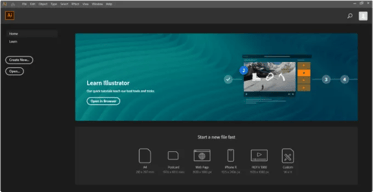
Another go-to design solution from Adobe, Illustrator is the preferred design software for numerous designers and illustrators who want to access an intuitive interface with tools that can simplify the entire design process. The dashboard is simple and streamlined. Collaboration is at the forefront of this platform, with cloud-sharing capabilities supporting document sharing and easy collaboration. Customer support is also available so you can get the most out of your service.

| Capabilities |
AI
|
|---|---|
| Segment |
Small Business
Mid Market
Enterprise
|
| Deployment | Cloud / SaaS / Web-Based, Desktop Mac, Desktop Windows, On-Premise Linux |
| Support | 24/7 (Live rep), Chat, Email/Help Desk, FAQs/Forum, Knowledge Base, Phone Support |
| Training | Documentation |
| Languages | English |
Adobe Illustrator Pros and Cons
- Intuitive experience: Everything about Adobe Illustrator feels like it was built to make your life easier. You can create full patterns with a single click and use AI enhancements to transform your project. It’s slick and streamlined
- Cloud sharing: Like most Adobe products, Illustrator is all about collaboration, you can store your documents in the cloud, share them with your colleagues, and work on everything together.
- Customer support: Aside from giving you a great user experience with the interface, Adobe also ensures that you can get the most out of your service with guides and tutorials.
- Also includes a compulsory installation of unnecessary Adobe CC software
- Cost might be an issue for non-professional users as it is significantly more expensive than more basic vector and illustration tools






Compare Adobe Illustrator with other popular tools in the same category.

Illustrator offers a vast array of powerful design tools and features, which I like the most, that cater to the needs of both beginners and experienced designers. From shape and path creation and pen and pencil tools to advanced gradient and blending options, Illustrator provides a comprehensive set of tools for creating intricate and visually stunning artwork.
The interface of Adobe Illustrator can be complex and overwhelming for some users, particularly those accustomed to more straightforward design software. There is nothing else which i dislike
Illustrator seamlessly integrates with other Adobe Creative Cloud applications, such as Photoshop and InDesign, enabling a smooth workflow between design projects. Designs can be easily imported or exported to these applications, preserving layer properties and ensuring seamless collaboration among team members using different Adobe tools.

The best thing about Adobe Illustrator is that it is best suited for beginners to learn to create vector and digital art. Also, it is used by industry professionals, so once we as beginners know to make vector art on Illustrator, we do not have to work on any other platform for creating vector and digital art.
Sometimes as a beginner, it gets difficult to work using tools with great depth and detail as there are so many options on the interface for a single tool and choosing one tool from so many options gets difficult
Adobe Illustrator helps create vector and digital art, like creating posters for any event, creating diagrams for projects to put on presentations, creating thumbnails, etc.
How in -depth the features can get when creating vectors.
I dislike how complicated it can seem at first.
It helps me create scalable graphics for print.
Illustrator, for me, is the best vectorial software we have right now in the market. I am also working on animation in After Effects; the possible connection with Adobe is unbelievable. So you have the potential to make a file for impression and also for creating an animation for social media.
Adobe Illustrator is lovely; I guess the only thing that will be a vast improvement is the possibility of having the layers in the folders, similar to Photoshop. When you have an imported file with folders (with layers) inside After Effect, create a composition that helps organize the work. So you can prepare the file better to animate.
I use Adobe Illustrator every day. That helps the company explain the product and improve the number of downloads of the app. And I also work to make videos for social media.
I have used Adobe Illustrator for around 20 years, and it simply does everything that one would expect and want a vector design software to do. With Adobe Creative Cloud the hurdle of collaboration and cloud-based storage has been answered.
Price, of course. But you get what you pay for with Adobe Illustrator. Thankfully, their licensing model and method are simple to administer. If I could improve one thing, I would like to see a greater base amount of fonts or default integration with free font sites.
Adobe Illustrator allows us to create custom desktop shortcuts, floorplans, posters, flyers, etc. With its simple user interface and great online tutorials, we can quickly generate shirt designs, brochures, maps, etc.
The flexibility of tools, functionality, and tutorials.
Price. Adobe illustrator used to be more affordable.
Allows me to create custom designs.

Adobe is the leader in Image Editing tools and has been for a long time. Illustrator keeps getting better and is almost perfect. It has some quirks though.
The only feature missing from Illustrator is the ability to add sub-layers. This single feature would go a long way toward improving file organization.
Adobe helps me create everything from logos to brochures to complex diagrams while I'm creating my next product.
The intuitiveness of the software is fantastic. You can keep designs as simple as shapes and text all the way through artwork that you would never believe is vector based.
The limits of the artboard. Not necessarily an illustrator issue but sometimes when working between Adobe programs such as Indesign or Photoshop, some things are called different things to accomplish the same task.
Client file review and design of file needs. Works well for color testing in a print world. Adobe makes it easy to integrate their design suite amongst all the offerings.
Simple tools, features that keep getting better and better, tutorials if you don't know how to use something
sometimes I wish there was more uniformity between Adobe Indesign and Photoshop commands and tools
Adobe Illustrator allows us to create vector graphics, or take existing stock vector graphics and modify to fit our needs. It makes us more productive and allows us to produce high quality icons and infographics used in our marketing materials.
Extremely powerful. An extensive set of tools and seamless integration with all Adobe products, especially Photoshop.
Don't like the subscription-based access to Adobe products but in the end the quality you get and the regular seamless updates makes it acceptable.
Create designs that scale in size easily for various ways of dissemination, e.g., poster, web, etc.
What I liked the most about Adobe Illustrator is how user friendly the software is. When iI first used it all I had to do to learn the basics was by experimenting every tool and reading the additional information given by the softwares support.
What I disliked about Adobe Illustrator was that some fonts and some extra tools were not available by default in the program, so I had to download them from the Internet in order to use them.
Adobe Illustrator is helping me solve the digitalization of hand made drawings, this makes animations and other graphic content more organic looking and also gives me more control over hand made content.
I love how everything can always be changed still. There is freedom in trying things, just to see if they work. And if you need to pivot or go back to another version, you can.
The only thing that occasionally seems to be an issue is that I've noticed there is a limit to how big of an artboard I can make. So when creating a large banner, etc, I'll have to scale down in order to fit the whole image within the document.
I use Illustrator for as much as I can. Even for things like filling out a form digitally, I'll just pull it into Illustrator because it's so much easier. But plenty of things that maybe should be done in another program, I just prefer to use Illustrator. I've become a bit spoiled by it! But obviously creating logos or merch design and things like that are my primary uses.
Adobe Illustrator is a great program for developing concept graphics for client presentations. We use it in our Landscape Architecture office all the time.
It's easy to miss the old licensing but having access to the full Adobe suite of programs comes with its benefits.
Developing attractive concept graphics that help communication proposed landscape architectural solutions.
I think it is the most clear and well-designed Adobe app out of photoshop, Indesign, and After Effects to use starting out as a beginner. And there are so many features that I am still learning how to optimize my time and use shortcuts.
I have problems with it freezing and quitting often and I wish there was an easier way to clear memory, like disk purging in After Effects. I also would like to see more tutorials in the app's function because I think that would be cool.
Adobe Illustrator is the place where I create and edit packaging designs for my job. It's so easy to have the dieline on one layer and new artwork on another. Illustrator makes for ease of use across the board.
I love how you can create anything with Adobe Illustrator. It's like Canva but for pros.
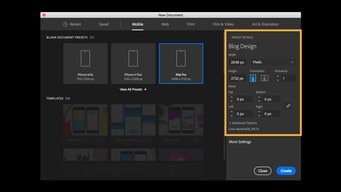
I wish there were better templates for Adobe Illustrator.
I can create custom graphics and social media posts easily in Illustrator.
Many options to customize and make your project unique and stand out.
Adobe Illustrator is a great tool and there is nothing missing to make your project stand out.
Turning a non-vector file into a vector file to utilize in a project requiring a vector file.
great 2D graphic design program above all
it's not as easy as Indesign in a few features like layout pages, inserting images as links
2d print design and compatible with other Adobe products but perhaps indesign and illustrator could be consolidated

I can align digital photos of my own artwork. Problems arise when I try to get this to work with the printer. (long story short; need new printer; paper jams suck!). I have been using AI since 2001. AI has gotten more complicated. It's maddening when it refuses to save the artwork photo with the aligned background. It's also spendy at $20.99 per month. Ooof.
Failure to keep my artwork viewable AFTER I have saved it and printed it. Need new printer that actually prints on heavy card stock. ET isn't it; paperjam killed it. RIP ET. (Epson Tank some number)
AI enables me to design my own business promo kit, as well as fun artwork. Best part is Illustrator's ability to add filters to photos, so I can make special effects!
Bundles together all the tools required to professionally create, design and edit vector graphics
One has to be very patient and seek training or guidance from someone experienced so as to learn tips, tricks and catch up quicker
Creation, editing and design of vector graphics is simplified with Adobe illustrator which bundles up the tools needed to work and deliver quality in record time

Adobe Illustrator is relatively simple to learn, even for a first-time designer. Anyone looking to create powerful, flexible vector graphics can take comfort in knowing that Adobe Illustrator is the best tool to accomplish your goals. Thanks to the new Creative Suite Cloud, you can save essential designs and projects to the cloud and log in at other terminals to resume work. Various third-party plugins are available to import, and Illustrator supports drawing tablets for artists looking to design via a drawing pen (including different stroke sensitivity options). Adobe Illustrator allows me to quickly and effectively create eye-catching, exciting, and bright posters, digital advertisements, newsletters, and more for my organization.
Despite the convenience of picking up work from any computer, I'm still not the biggest fan of cloud subscriptions. Call me old-fashioned, but I prefer the "one-and-done" license purchases that used to come on CDs. Additionally, Adobe Illustrator can be a RAM hog, especially if you're attempting to work on or save huge files or projects that rely on powerful plugins. If you plan to work on massive projects, ensure your GPU, RAM, and processor are up to the task.
I create artwork for various marketing purposes within my organization, including posters, brochures, display ads, social media content, etc. Adobe Illustrator allows me to keep graphic design costs minimal and in-house, decreasing the time waiting for third parties to generate content. In the marketing world, we need to remain agile, so having powerful tools like Adobe Illustrator cuts the time getting messages to the public.

It is easy to integrate with other Adobe Creative Cloud Apps, and it provides a multitude of tools that are quite useful in creating beautiful graphics and illustrations.
There's not much to dislike, honestly. The price of Adobe creative apps is a little high, but other than that, there is nothing bad to say about Illustrator! Perhaps more tutorials would be great!
Illustrator allows you to create custom graphics, and it enables you to integrate illustrations with animations in After Effects and other applications. It is a very useful and key tool in the world of digital graphic and multimedia design.
The interface is well organized and also user friendly.
Some font sizes come off too small even though it is editable.
Its an easy to use graphic tool and very convenient for content creation so I dont have to worry too much..
I love the ease of use. The product is intuitive, especially for those new to it. It is very diverse in the capabilities and tools you can use to design and create. They offer student discounts and gives you short trainings of how to use certain aspects of the product.
It has a lot of tools and options that can maybe be intimidating to newer users.
Creating mockups efficiently.
So many years in the market and it continues to be a leader, for a reason it is! Great interface and many solutions
For some entrepreneurs it can be expensive to pay the monthly fee
Thanks to AI I can vectorize logos, it helps me in my daily work for my online academy
Can do image editing, creation, and layout in one app.
Steep learning curve. Need to follow toolkits or courses to understand full suite.
No more need for multiple apps to edit photos, lay out collateral and create graphics.
Detailed oriented drawing and editing tools, its integration with other Adobe products, high-quality vector graphics
Often it can feel cramped, even with the ability to move things around.
I am able to create illustrations and re-edit them in the future for other products.
Illustrator mi ha aiutato a creare diverse creatività per l'azienda in cui lavoro, partendo da semplici loghi bianco e nero ad illustrazioni più complesse. Non lo definirei facile dato che ha tantitissime funzionalità, ma di sicuro è molto intuitivo.
La barriera di ingresso è molto più elevata rispetto a Phostoshop, in illustrator è necessario partire con solide basi di graphic design, questo lo rende a volte poco intuitivo.
Mi ha aiutato a creare i primi loghi per l'azienda in cui lavoro, grazie alle sue funzionalità vettoriali ho potuto effettuare un "Remake" dei vecchi loghi ormai datati. Da una funzione abbastanza automatizzata, me li ha vettorializzati e io ho eliminato e aggiustato i vari errori di output
I've been using Illustrator for ten years now. It's easy to use, and offers many cool features to create amazing designs.
It lacks a background removal feature where you have to keep going back and forth to Photoshop
As a graphic designer myself, Illustrator is a must-have to create logos, marketing material, branding, etc..
Combination of Indesign and Illustrator, easily create artwork.
Vast interface that makes designing more productive.
I haven.t encountered one as of now.

I love the fact that it's so convenient and easy to use. There are lots of resources available online that allow one to learn Illustrator. As a self-taught designer, Illustrator is all one needs to match industry standards. Illustrator has remained my go-to for graphic designing ever since I learnt it and will continue to do so.
I'm not a fan of Adobe's subscription model. I do not believe that it's ethical to be charging people on a monthly basis for a product that has remained a one-time buy. This is one of the reasons why despite getting many upgrades, I continue with my Adobe CS tools instead of CC.
Illustrator allows one to create vector graphics that are scalable, are pixel perfect, and pretty to look at. Illustrator has remained an industry standard because it helps drive the graphic design industry with its quality set of tools. It's efficient and allows you full control over your design.