
Unclaimed: Are are working at Adobe Illustrator ?
Adobe Illustrator Reviews: 4.6/5 — Highly Rated
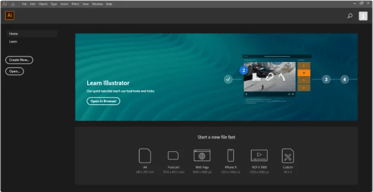
Another go-to design solution from Adobe, Illustrator is the preferred design software for numerous designers and illustrators who want to access an intuitive interface with tools that can simplify the entire design process. The dashboard is simple and streamlined. Collaboration is at the forefront of this platform, with cloud-sharing capabilities supporting document sharing and easy collaboration. Customer support is also available so you can get the most out of your service.

| Capabilities |
AI
|
|---|---|
| Segment |
Small Business
Mid Market
Enterprise
|
| Deployment | Cloud / SaaS / Web-Based, Desktop Mac, Desktop Windows, On-Premise Linux |
| Support | 24/7 (Live rep), Chat, Email/Help Desk, FAQs/Forum, Knowledge Base, Phone Support |
| Training | Documentation |
| Languages | English |
Adobe Illustrator Pros and Cons
- Intuitive experience: Everything about Adobe Illustrator feels like it was built to make your life easier. You can create full patterns with a single click and use AI enhancements to transform your project. It’s slick and streamlined
- Cloud sharing: Like most Adobe products, Illustrator is all about collaboration, you can store your documents in the cloud, share them with your colleagues, and work on everything together.
- Customer support: Aside from giving you a great user experience with the interface, Adobe also ensures that you can get the most out of your service with guides and tutorials.
- Also includes a compulsory installation of unnecessary Adobe CC software
- Cost might be an issue for non-professional users as it is significantly more expensive than more basic vector and illustration tools






Compare Adobe Illustrator with other popular tools in the same category.
Creating vector assets and the feature to edit anchor points in vectors groups. Also the posibility to create layouts and use them in Adobe Photoshop and InDesign.
The time to load the app or certain files. There is also compatibilities issues with other SVG apps and the fact that it still doesnt have a web version.
To create specific assets with required styling and the interoperability with Photoshop and InDesign.
A very intuitive interface. Built to create any project. You can adjust the buttons to your liking depending on how often you use them, and least.
Depending on your project, it takes a long time to load, save, and close. I don't particularly appreciate how it sometimes crashes out of the blue. The software will be beyond slow if I have an older iOS installed on my computer.
It feels as if someone took my analog desk and tools, and created a software.

Adobe Illustrator has got to be one of the best programs to create customizable and editable graphics. One of the things I like most about this software is how you can bring in a picture for inspiration and use the eye dropper tool to extract the colour palette from the image. It is a time saver when you need to follow specific guidelines when creating your vectors!
I love all Adobe products! That being said, it would be great to have a version of illustrator that allows the same level of customization without all the tiny details. Something a little more user friendly could be beneficial to some.
Anytime I get approached to create a logo or graphic element, I jump to Adobe Illustrator without even once considering any other option! So i am using Illustrator to solve all my graphic problems!
adobe cloud provide multiple applications in one place. create easy to design images, edit videos, and themes.I use this product very frequenlty in my company design posters and website photos.
i like your software but all the software only paid version available not any trail or free version. also your customer support is less.
my personal exeperince in adobe cloud has been covered multiple application in one place and not install everyone easily use by adobe cloud. it's ease to use in editing of image, video create new reels and create advertising page. also download platform provide various format jpg,pdf,mp4
Ease of use and possibility to vectorialize easily
Lack of pre-sets and possibility to use existing examples
Reducing time to realize graphics, scalable on multiple definitions
Ease amongst all its apps. Whether it's photoshop, illustrator and indesign
It's subscription is a tad bit expensive
Graphic designing gets easy. I sometimes every prefer it for ui/ux over figma
it's coverd all the creativity and editing application in one cloud is Adobe creative cloud. it is ease to use but if you using the first time then go to website and learn to how to use it. it is very ease to work and how to implement any kind of image or video editing and also ease to integrat of all tools.
adobe creative cloud is over all good but it is not freely use and your company customer support is less. if not frequently use then worst wallet.
first thing is not installed any application simple go to cloud and ease to use. second thing any kind of image and video are simple editing in one place. it is cloud based service that why very fast of work and editing of image or videos.
Very powerful tool. integrates with Artios CAD
it no longer supports Pantone color system
Addig customer graphics to packaging
Adobe illustrator is the best vector illustration software thats out there and it is capable of tackling virtually any use cases
it might be a little scary for a first time user
Crating logos, vector graphics etc.
Faster learning curve Multiple page layouts Works smoothly with the other adobe products such as photoshop, indesign and after effects The ability to create multiple colors variations of a graphic easily with generate recolor tool Smooth tool does a great job cleaning up curves from drawings. Mesh tool is great for creating sophisticated gradients in shapes Greatly Expanded 3D interface. The ability the create 3D objects fast and render them quickly with lights materials and various object types like extruding, revolving, inflating and beveling
Photo editing is limited Autotrace is not always very accurate with both high and low resolution images. Would like an interface for creating frame by frame vector animation similar to photoshop
I use illustrator to create storyboards and artwork to interface with the work I do in Adobe After Effects. I also use the tool for logo creation and illustration work to be used in Indesign, photoshop and after effects.


