
Unclaimed: Are you working at Adobe InDesign?
Adobe InDesign Reviews: 4.6/5 — Highly Rated
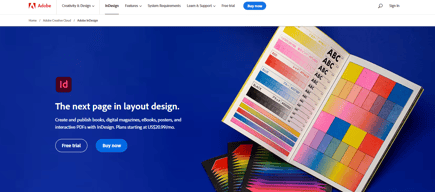
InDesign is another component of the Adobe Creative Cloud ecosystem, available as part of the whole library or as an individual purchase. The software‘s features is specific to publishing and designing online publications, brochures, creating info sheets, and similar materials. Adobe InDesign provides extensive access to stock images, supports team collaboration with robust tools and features, supports a great range of formats, and has access to regular updates and design features.

| Capabilities |
AI
|
|---|---|
| Segment |
Small Business
Mid Market
Enterprise
|
| Deployment | Desktop Mac, Desktop Windows, On-Premise Linux |
| Support | 24/7 (Live rep), Chat, Email/Help Desk, FAQs/Forum, Knowledge Base, Phone Support |
| Training | Documentation |
| Languages | English |
Adobe InDesign Pros and Cons
- Simplicity: Adobe InDesign is much easier to use than other Adobe products like Photoshop. It’s easy to add a range of features to your publication, including tags, anchor text frames, tables, captions, and more.
- HTML support: Adobe offers HTML exporting so you can easily share simple code with your colleagues during the web development process. You’ll also get functionality built into the app to assist with getting rid of DIV tags that aren’t necessary for your code.
- Industry standard: The fact that this product is the industry standard for publishing means you can find plenty of forum support and help out there to get you started.
- Connections to creative cloud: If you choose to do so, you can access InDesign and Photoshop at the same time, alongside other creative apps in the Creative Cloud.
- This is a product designed for people who know how to build publications
- Quite expensive compared to other products
- PDF comment integration is a little clunky in places






Compare Adobe InDesign with other popular tools in the same category.
What I like best about Adobe Indesign is that no matter how big or small the project is, I continue to gravitate toward InDesign for its all-encompassing capabilities. I have used InDesign for creating everything from promotional materials, marketing, even my professional resume. It may not be as straightforward as Canva or another free version, but it is 100% worth taking the time to learn and educate yourself on the software.
I have had multiple issues with versions of InDesign crashing and not saving my working file. It is a significant downside that the application continues to do this, but I have resolved these issues by keeping the application version updated and consistently saving as I go.
Before InDesign, my organization was outsourcing all of its design needs. If anything needed to be updated or edited, they were unable to open the design documents. Now, with Adobe Indesign, we can create designs from scratch and outsource designs and revise and edit them as needed.
I love all of the shortcuts InDesign has, and I love everything that I can create in there. From flyers to newsletters to really simple graphics, it allows me to create everything I need to do my job. The Master pages is probably my favorite feature. I also love how easy they made changing and formatting text.
I am still a beginner at InDesign, but I haven't found too much that I do not like yet. The only complaint I can think of so far is that I wish there was more consistency when switching between the views of the program. I switch back and forth between Essentials and Essentials Classic because there's certain things I need (fit picture to content for example) in Essentials that I cannot find for the life of me in Essentials Classic.
I am new to my position so I was not involved in the decision-making process to use the program. Therefore, I am not entirely familiar with the benefits or problems it is solving. I can say for myself that it allows me the ability to create more professional-looking content than just creating things in MS Word.
I had been an avid QuarkXpress user for many years before job move forced me to switch page layout programs. InDesign was easy to transition to mainly because they give you the option of setting the tool menu to how Quark had it. This program does everything I need it to do and more. I love the libraries and how you can auto-populate sections of your document. Very easy to use.
I can't stand how they handle boundary boxes! You can move the object in the box, or you can move the object box itself. You have to double click to move the image inside the box, and I am always manipulating the wrong one. I dislike this feature. Also, I don't like the page menu, I feel it could be done better. I still think Quark does some things better.
I'm not solving problems; it's a very user-friendly page layout program. The most significant benefit is how seamlessly it integrates art from Illustrator and Photoshop and automatically updates the art when you make a change. Love that! You can also edit the original art and open the native programs from inside InDesign. I could go on and on.
Indesign allows you to pop in PNGs or JPEGS and easily edit them
There are many functions offered by InDesign, but it is not very "beginner" friendly. It can be very overwhelming for someone using the software for the first time.
Able to edit maps, floor plans, site plans which are key for our industry.
Adobe InDesign is a comprehensive page-layout software program that integrates with other Adobe Creative Suite products such as Adobe Illustrator, Photoshop and Adobe Acrobat. I use it to create documents and marketing materials that require multiple pages and layouts. It comes as part of the Adobe Creative Suite subscription with Adobe software products such as Illustrator, Photoshop, Lightroom, and Acrobat.
Adobe Indesign is not a program you can pick up and use, as it does take training and experience to utilize all of the functions and features. However, once you learn how to operate the program, its functionality and capabilities outweigh the time investment to learn. You used to be able to purchase Adobe InDesign but now you have to subscribe to a monthly subscription which becomes more costly over the life of use for the program. It is nice to have access to the most up-to-date version, however.
We utilize Adobe InDesign for page-layout projects such as marketing materials and multi-page proposals, and client-facing documents. The ability to create paragraph and object styles and save our brand colors and design elements speed up our ability to produce and create marketing materials and documents in a timely fashion without having to start from scratch.
I like that Adobe InDesign seamlessly integrates with the rest of the Adobe Creative Suite. I like that you can create bleeds and spot colors within the document. It also exports high resolution PDFs that I sent to my printing company.
Price is a little high, and it will take some training or online tutorials to fully operate and use the software to it's full capabilities.
I use InDesign for flyers, booklets, brochures, invitations, business cards, trade show materials, etc at work and it has been a breeze. It also exports files out in high resolution with crop marks, bleeds, etc. so I can send to my printing team.
Indesign makes it easy to create neat and beautiful presentations. The ability to create guides and snap images and texts to perfectly line up from page to page is very useful. It is an intuitive and easy program to use
There is not anything that I dislike about indesign.
Being able to create presentations and color coded floor plans for projects has been great. It is easy to create layers and hide/show the ones you want to share.
I love every feature about indesign for layout design
nothing, absolutely nothing, i love indesign
i have noticed when it crashes but i have the creative cloud version so it certainly resolves itself after awhile.
Such a powerful engine for creating documents to an exacting design standard. You can keep it simple or get super complex, InDesign can handle it all.
The workspace isn’t exactly intuitive, a lot of learning went into how to use the program.
InDesign allows you to format things with accuracy, no fighting with hanging words or inexplicable spaces or margins like those that appear in Apple Pages or Microsoft Word. The ability to establish a template that can then be used to quickly complete production design for future issues is a super valuable asset. InDesign has so many features that streamline my workflow.
InDesign is great for pieces of collateral with lots of copy. You can apply character and paragraph styles to make styling for large documents easy!
Assets within your documents need to be linked which can be a headache if you aren't connected to the server or the files are not on your local drive.
Multi-page document design; Indesign makes it easy to layout with columns, master pages, etc.
I like that the tools are all streamlined so that they are not only quick to access and use, but that they help you work quickly. The tools allow you to think big-picture and almost without thinking do all of the small stuff, like aligning, distributing, making sure text and colors are standard to your office document style, etc. I like the ease of using InDesign in conjunction with other Adobe products such as Photoshop and Illustrator. Regularly in the InDesign documents I produce, I am incorporating vector graphics from Illustrator and edited photos from Photoshop.
Really the only complaint I can think of is that it can be frustrating being someone who works in other Adobe software because the keyboard shortcuts are different across the programs. It would be really nice if they could match up, at least for the basic tools they share. I also wish that some of the tools from Photoshop could also be available in InDesign. Sometimes you have to do more graphic elements the long way in InDesign when it affects a whole page as opposed to individual images.
InDesign makes it easy to feel confident that all of the small details are taken care of. By using Character and Paragraph Styles, you're able to know that your text is formatted correctly across your document. With master pages, you're able to know that your pages are formatted correctly across your document. At the point of exporting or packaging a document, InDesign will prompt you for broken links, missing text, overset text, etc. which is really convenient. No matter how many times I've checked over my document, the check usually finds something.

This is a must have for publishing. I'm not even kidding you! I love the different page layouts that are possible. I can set up a typical book layout, or I can set up spreads that are more like a brochure. I can also set up multiple spreads with varying page sizes and page numbers. I also love the feature of making alternate layouts. BOOK so easy to do. It's so easy it is to integrate adobe cloud. All of my team members use it as well and are able to easily tap into the files that I am working on. I like that I can seamlessly place images in a document either by dragging and dropping from my folder, or import through the file tab. It's really awesome how much I can check the color separations right in the side pallet.
When importing illustrator images from the cloud, there's a white background. But really there isn't a a whole lot that I don't really like about InDesign. It's literally a must have for publishing. The only downside of using InDesign I think is that you have to have a cloud subscription to use it. It would be so nice if a person from editorial could go in and make the needed text edits.
There are so many business problems that you could solve using InDesignAt my company, we have primarily used Adobe InDesign for book layouts of all of our student editions and teacher's guides. We also use it to set up posters for trade-shows. Another really important use we have for InDesign is to create all the print collateral needed for the Sales teams and Marketing teams. It's extremely handy to be able to work cross platforms (mac and pc).
I use InDesign on a daily basis to produce outstanding graphic layouts. The layout is intuitive and integrates well with external sources.
Creative Cloud does take up a good chunk of storage space, which can present some challenges on smaller hard drives.
Since integrating InDesign into my GIS workflow, I've never looked back. Aside from cartography, I also use it to create report layouts and social media graphics.
Easy to use once you understand the interface. There are lots of free tutorials on YouTube. I was able to learn how to create amazing sales presentations instead of using generic ones from google slides or keynote.
InDesign is a print design program. You can, with some fiddling, make it work for other things such as web design, but it's not, by default, designed for that
I’m able to create sales and marketing presentations that look better than most templates that can be found on slides, keynote, or PowerPoint. There is a lot more flexibility with the fonts and layout.
I love the amount of control you have when you work in Adobe Indesign. Out of all Adobe programs this is my absolute favorite because it easily allows you yo fine tune to perfection. It is the perfect program if you are working with a lot of text and need to fine tune a complicated layout. For a print designer it is an absolute dream to work with, because it has so many tools to help ensure the final print product is perfect saving a lot of time. I also love that it is so simple to import from other Adobe programs.
For people that are just starting out in Adobe Indesign, there is definitely somewhat of a learning curve which can be discouraging. There is a lot of tools and it isn't completely intuitive to use. I find this is the same thing with other Adobe programs as well. Once you get past the initial learning phase it is such an easy and efficient program to use when you need to create documents.
I have realized how easy it is to make a multi-page document (book, magazine, etc). The tools make it easy to create a cohesive document where you can edit the small, but very important details. I have also started to take advantage of the pre-made layouts (business cards, brochures, etc) within InDesign that make it extremely fast to create certain documents.
What's not to like about ID? I've been using it for years and the ease of use, incredible functionality, and straightforward UI will keep me a solid user for life!
Each time there are version releases, it takes a bit of time to get used to the new / revised UI.
Almost every project I work on requires ID. Marketing collateral, email templates, headers, and so much more!
I use InDesign daily and I love easy to use it is. I love how it makes creating my print layouts easy.
The only thing that I do not like is how it sometimes crashes with my very detailed paper layout. My layout is very detailed, and for some reason it doesn't appreciate the level of detail and crashes.
I design advertising and marketing products for a real estate company. It also makes creating flyer templates easy. I love how easy it is to create booklets and brochures as well. I've used my created templates for years.
I love how easy it is to arrange content on a page. It makes putting catalogs and brochures together much faster.
I wish Illustrator and InDesign shared more shortcuts. I work in both, and it's hard sometimes to remember which shortcuts only work in one of the programs versus in both.
I use InDesign to create polished marketing materials for my company.
It does everything. There is no limit to what it can do.
Steep, steep learning curve. But that is expected for a tool that does so much.
Creating graphics, social media posts, designing physical signage and merchandise.

Adobe InDesign is an industry-leading design program for a reason. It has the capability to get the job done for projects of all shapes and sizes. I love the versatility and flexibility that InDesign offers and it is my go-to software for the majority of the projects that I tackle. The variety of features and nice user interface make it an enjoyable program to work with. I love that I am always learning some new feature or ability of InDesign, and the online community is great when it comes to answering questions, providing insight, and just generally being supportive of projects.
Like many Adobe programs, InDesign is not super intuitive. I found it really helpful to take a couple of free online classes and watched (I still do when I don't know the answer to a question) to get me off the ground. Once you learn the features though, it's like learning a second language and you are off to the races! Beyond that, there is not much to dislike about the program.
InDesign is my go-to program for the majority of the projects that I tackle. I am able to use it for posters, newsletters, flyers, proposals, social media designs, advertisements, and some web design. If you can think it, InDesign can probably do it.
I love how user friendly InDesign is! It has countless tools that allow me to showcase my creativity.
InDesign can sometimes be tedious with multiple layers of design.
InDesign allows me to create my own logos, flyers, and promotional materials. It helps me brand my business!
The ease of setting up presentation boards and layouts that carry over to the other sheets.
It can be frustrating having to relink all the images you place in the document if at one point you move them in your computer.
Having to do architectural presentations is a stressful task as is but InDesign helps with displaying all the vard work in a organized way. I alsohave used it to create a book and being able to change a master sheet which results in changing every sheet related to that at once (100 pages) is time saving.
The program is flexible and allows for customized layouts with few steps and requirements. Versatility in options for both web & print design and its relationship with programs like Photoshop and Illustrator makes creating layouts for flyers, brochures and ads simple and less time consuming.
This isn't a disadvantage so much as it is an inconvenience for those who still use legacy software for home use, such as me. Legacy editions, in this case CS6, are no longer compatible with the latest versions of MAC OS and Windows software. New users are essentially pigeonholed into getting a subscription, which is a good deal overall, but considering I only use Indesign at home inadvertently I can't justify the price of a subscription. That being said, it's nice to have CS6 when I need it, but unfortunately, I made the mistake of updating the OS on my Macbook from Mojave to Catalina and reverting back seems like more trouble than it is worth.
I save time every day juggling multiple projects using InDesign. Being able to manage graphic elements on my workspace with ease has allowed me to accomplish more in any given day than using other third-party programs.

Links to Illustrator and Photoshop or other files. Styles are quite sophisticated Find and Replace that can store your own selected together with GREP. Layout features Good RTL. Ability to color different master pages
Crashes occasionally but at least your files are always saved. Would like more extensive search on variables.
Book production in several languages all in one file each with their own TOC. Flyers and brochures.
I love that you have the tools to essentially format a document any way that you would like down to the pixel level. You can move text around, design edge to edge, and make your documents look great without having to outsource design to another company/firm. I love the granularity with which you can use your creativity.
It does take some training, whether reading a book, taking a class, googling how to's or watching YouTube videos, it is unlikely that you will jump in and just get to work, like you would with other more intuitive, easy softwares.
Customization of documents. The benefits are not having to outsource to get a professional design. An example is creation of a proposal, Microsoft word is helpful as a word processor, however to create a professional looking proposal, that doesn't look like a school project, you need a more robust design software and this is it. It is industry standard and top of the line.
InDesign is almost as good as doing things by hand. I love how easy it is to use and how user friendly it is. Not only is the program really flexible, the UX is exceptional. Everything is very intuitive and makes logical sense as far as the labeling of menus go. It works seamlessly with its counterparts in Adobe Photoshop and Illustrator. Via the cloud I can easily access all my files from other adobe products quickly straight from inside InDesign and the Adobe cloud. Swatches transfer easily from photoshop and illustrator as well. When exporting, I have a plethora of options depending on how I want to send the document. I do tons of client meetings in person, and likewise I have plenty to do online, so knowing I can export pretty easily to maximize my presentation to what I need is wonderful.
To be honest, I do a lot what I need on InDesign. If I had to be super picky... PDF formats don't open well on InDesign. Gradients don't work on InDesign natively. You have to go to photoshop to add a gradient.
I create all my proposals for work on InDesign. Consistently, I hear back how professional and beautiful my work is and often close deals without negotiation because I'm able to provide such a beautiful product. I've secured many many new sponsors because of my presentations. In addition, InDesign's easy-to-use interface makes it simple to make quick switches to mass produce proposals on the fly.
InDesign has so many capabilities. It is built for layout and does not fall short of any tool needed for this. It is easy to go from creation to publication, weather it is print or digital.
InDesign is a very large program so sometimes it runs slowly, but the power of this program outweighs this!
Creating portfolios and magazine layouts for marketing. This program allows me to properly layout my pieces to ensure perfection.
I do a lot of print artwork and Indesign is absolutely ideal for what I do. I do a lot of leaflets, brochures and also large out of home marketing, and it's all done on indesign. I find it easy to use and that I have added our brand colours to the library so I can easily access the font and brand colours as and when I need them really quickly. My company has a strict brand guideline which is easy to achieve with the templates I have set up in Indesign.
Sometimes my toolbar randomly detaches itself from the rest, and I have to reset it back to default. I also do find that having to press shift, ctrl and option to resize an image without distortion is a bit much, as default, most people would want to resize an image without distortion so it should be the 'default' drag setting, instead of having to press shift, ctrl and option.
I am not trained at all in graphic design, and agencies can be really expensive when it comes to artwork, so by teaching myself how to use indesign, I have saved my company a lot of money as a lot of what I've done is in-house. I've been using indesign now for 5 years and would say that during this time, I have skilled myself up to the level of a graphic designer.
When it comes to creating documents, magazines, or any other text-rich files, InDesign takes care of just about everything. The development on this program has made some of my largest projects seem like some of the simplest because of the way it's built out. It's a complex toolbox that's designed in a way that makes it easy to navigate and operate. Very few complaints here.
At times, the program struggles to export large files. When I say large files, I mean 100 page catalogs that have 2-4 gb of imagery and artwork stacked into them, so it doesn't come as a surprise that it gets choked out at times. While it's understandable that large files create a bottleneck at export, it does get frustrating when I'm stuck at my desk watching it to make sure the export goes through properly.
InDesign makes creating large, text-rich documents easy by allowing me to address things universally throughout the entire document rather than by artboard or singular design element. I've seen some people try and create their multi-page documents in Illustrator simply to make them more "designed" but it seems to create more work for everyone that attempts to use it. This is why I use Photoshop and Illustrator to create the complex elements before they're used in InDesign.
Adobe InDesign is the industry standard, and we use this software every single day - mainly for our presentation decks to clients. We did have to take a course on how to use this software, but it was well worth it. The interface is intuitive, and the flexibility with images and content (ease of manipulation) is by far the quickest and most precise out of all other design software we've tried. Adobe gives you a lot of options when it comes to exporting documents - including with image compression. All-in-all, we love this software above any of the others we've tried (including free online tools through Google). Since we also use the entire suite, it really helps to be able to move vector elements back and forth from Illustrator when we need to have graphics in true native (also saved on file size).
It's expensive (per month). We pay for the full Adobe Suite so we have access to all of the software - which we use! However, it does come with a hefty price tag. Also, they only give you 2 licenses (computers) to run the software on, so we're limited on who can use it in our company. We used to be able to purchase the software outright, but Adobe switched the way their plans work years ago.
We create all of our pitch decks to clients with Adobe InDesign. It's easy to duplicate, work with the layers, and swap images/content in and out per client all from one document.