
Unclaimed: Are you working at Adobe InDesign?
Adobe InDesign Reviews: 4.6/5 — Highly Rated
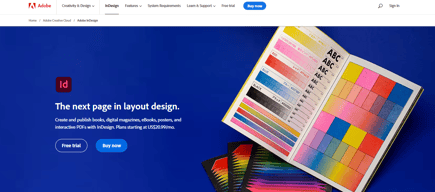
InDesign is another component of the Adobe Creative Cloud ecosystem, available as part of the whole library or as an individual purchase. The software‘s features is specific to publishing and designing online publications, brochures, creating info sheets, and similar materials. Adobe InDesign provides extensive access to stock images, supports team collaboration with robust tools and features, supports a great range of formats, and has access to regular updates and design features.

| Capabilities |
AI
|
|---|---|
| Segment |
Small Business
Mid Market
Enterprise
|
| Deployment | Desktop Mac, Desktop Windows, On-Premise Linux |
| Support | 24/7 (Live rep), Chat, Email/Help Desk, FAQs/Forum, Knowledge Base, Phone Support |
| Training | Documentation |
| Languages | English |
Adobe InDesign Pros and Cons
- Simplicity: Adobe InDesign is much easier to use than other Adobe products like Photoshop. It’s easy to add a range of features to your publication, including tags, anchor text frames, tables, captions, and more.
- HTML support: Adobe offers HTML exporting so you can easily share simple code with your colleagues during the web development process. You’ll also get functionality built into the app to assist with getting rid of DIV tags that aren’t necessary for your code.
- Industry standard: The fact that this product is the industry standard for publishing means you can find plenty of forum support and help out there to get you started.
- Connections to creative cloud: If you choose to do so, you can access InDesign and Photoshop at the same time, alongside other creative apps in the Creative Cloud.
- This is a product designed for people who know how to build publications
- Quite expensive compared to other products
- PDF comment integration is a little clunky in places





Compare Adobe InDesign with other popular tools in the same category.
I was a novice with no design experience and can use InDesign that looks professional.
Can take time to load to make edits to existing content.
Creating training manuals
It is fairly intuitive. I already know some about Photoshop so a lot of the tools are the same across platforms. I am able to use a template for what I need and update it each month with new text and graphics.
There are a lot of different ways to accomplish one task. If you know nothing about Adobe products you are going to be so lost. I am fairly well-versed in Adobe but there are so many functions in InDesign I know nothing about.
I am able to produce monthly reports for a project easily with preset tools and templates. I am able to take this off of someone else's plate with little training.
I love that as an editor I can work well with the designer on my team to produce the best possible report layout for our financial donors. My designer uses this software to create report layouts, and I use it to make text edits or move around components within the layouts.
This may only be an issue on my particular computer, but I frequently lose toolbars within the software that I need in order to do my job well. Whether it's a change in the program's layout with each Adobe update or something that I'm unintentionally doing while in the program, I sometimes do have trouble locating different functions that I need to be able to access.
In the past, my team of writers and editors only had access to look at the final PDF exported from this program by our designer. But now that I have access to InDesign myself, I'm able to save time of back and forth with my designer because I can make text edits myself. I'm able to move and stretch text boxes, and it's nice to have the hands-on experience of being able to alter a design layout as needed.
The whole process of learning the software was pretty seamless. I used this for a large project at work, and I was relatively unfamiliar with InDesign beforehand.
My dislike is not so much the software, but rather the onboarding of it- I wish there was a formal training process to get to know the software more. I suppose that will come with more time spent for sure. Maybe that should have come from my company, but I also would have liked to have more information about it before I began my projects.
I am learning about content creation on a larger scale and enjoy using this over brands I have used in the past. The ease with which I can curate larger projects is fantastic!
I love that I can design a print item as well as web and so much more. InDesign is one of my favorite softwares to use.
That there is still so much to learn! This is powerful software
I am Currently designing books and the ease of use with pagination and different covers is great.
I think Adobe InDesign ticks all the boxes when it comes to publishing software. It's a great all rounder. I use it for a variety of tasks but it hands down beats the free software on the market.
It can be a little bit expensive when you are paying for the entire Adobe Creative Cloud. But regardless it's such a great package to have. I would improve it by updating the interface.
I'm really happy with the features it has at the moment. It takes the guesswork out of a lot of our design/publishing tasks which frees us up to do other tasks in our business.
InDesign makes it easy to create beautifully-designed ready-to-print assets.
I don't like the constant updates, especially when it changes tools, shortcuts, or the locations of things in menus.
Creating marketing materials for my organization. More control over color output settings than other programs out there.
I think that master pages and paragraph styles are my favorites. I also love the fact that you are able to use clipping paths created in photoshop easily and modify the points if needed.
There isn't much that I dislike about InDesign. The mail merge tool is a bit spotty when putting in the dimensions of the label, but a few simple adjustments do the trick.
I am solving almost everything print-related with InDesign. I rarely use Microsoft Word and struggle when I do need to use it. Being able to have more control of how the copy fits with the image is fantastic.
Easy to use, intuitive, adaptable. Support is goid as welll
Sometimes it is difficukt to find thr tools needed
Able to create printed materials easily
Straightforward UI, powerful tools, connecting with other Creative Cloud programs
more cross-references to other files in the InDesign book significantly slows down
production of books, schoolbooks, product catalogs, leaflets and brochures

Manage designs in pages and master pages
Sometimes graphics are difficult to manage
creating business sets, catalogues, etc
Adobe Indesign was originally designed as a tool to compete with Quark Express for editorial design. I learned formally on this tool and probably learned everything I know now based on the robustness and flexibility of InDesign.
There is a bit of inconsistency internally within Adobe Products, so if you're coming from Illustrator or Photoshop, there will be a learning curve. To truly become a power user you'll have to dedicate time and learn about how to set baseline grids, use GREP styles, and understand all the ins and outs of fully unlock the power of InDesign.
InDesign helps us solve our magazine and editorial needs, we publish a quarterly magazine within our membership and it's probably THE only tool I can see giving us the features we need while still being flexible to be creative.
Honestly, everything about this product is the best. It gives you more options to customize your documents than any other software available. You can use this to make amazing, professional documents.
There is a learning curve to this software, and it will take quite a bit of training to be able to use it to full effect. There are much faster to learn, faster to use, and generally more user-friendly design software products available if you don't have the time to dedicate to properly learning this software.
Document Design and Creation
There are different things I like about InDesign; the first one is that you can choose a large number of images to place on a document page or pages without having to select one by one; for example, in my particular case, I use it to design the yearbook for the school I work for and is very handy to have the option of select all the individual pictures of a large group of students at the same time. Another thing I like about InDesign is the different options to export the document depending on the use. And last but not least, I like a lot that the images linked in the document don't enlarge the size of the file, and you can create a package including all the links, fonts, etc.
I can't think of anything I dislike about InDesign.
InDesign helped me a lot since many years ago to create the school's yearbook, and It is very easy to use and understand. You can create very complex designs easily and export them in different formats as well as publish them. The packaging creation is convenient because you can easily share a document, including links, fonts, etc.
The complete tool set required for putting together both text and images in a document specially the content box approach. Integration with other Adobe software's like Photoshop and Illustrator is really amazing.
The color picker needs to be improved. It's not intuitive
I am working on creating reports for publishing in the domain of building energy performance. InDesign has made the process of managing and layouting the content of report very easy and smooth.
Very easy to use. Awesome integration with other Adobe apps, like Photoshop and Illustrator.
Sometimes I've encountered problems with interactive PDFs not retaining formatting or functioning the way they should.
I design all sorts of marketing collateral with InDesign, including ebooks, newsletters, brochures, and sales sheets (as in the sample upload).
Easy to use to build brochures, flyers, and social media graphics.
Updates to software reset toolbars to new defaults and remove useful tools.
We are producing digital and print production for 5 internal departments.

I can do almost anything but image editing in this software
Its so functional and complete that its hard to find anything to dislike
long and short layout, logo design, accessibility hardwiring
InDesign has been around for years and is the absolute most straightforward layout program to work with for our department. The product is actively supported by the super-powerful Adobe product development. The ease of use and the power behind InDesign is why we think it is the best layout program around.
InDesign can have a bit of a learning curve, but the process is worth it; once you get familiar with the program, you will be happy you invested the time.
We use InDesign daily to layout ads, internal communications, and signage for the company and our customers. We can produce beautiful items for our company that maintain our brand standards and allow us to do so quickly.
If you can use PowerPoint, you can start making layouts on InDesign like a pro. Almost everything is drag-and-drop, with great amounts of flexibility and customization. Unlike so many industry-standard design software (like Adobe Illustrator and Photoshop), this is not a software that's scary to new users! It really only takes watching someone else use it once to know how to use it alone (which is definitely not the case for Photoshop) - you don't need your hand held. Just go drag. The format, which kind of looks like Word (which is familiar to almost everyone) is another way users can jump in and go.
I wish it was easier to get outside into the program. The system fonts didn't always have exactly what I was looking for.
I laid out print newspaper pages with InDesign. Learning how to use InDesign meant I knew the industry standard, which will be helpful in the future.
An industry-standard in design and printing, InDesign is my go-to for page layout and design!
Not much to dislike. The system works seamlessly with the other tools I use.
I'm able to create beautiful page layouts with this software. I've been using it for the bulk of my career and highly recco!
Creating layouts can be a cumbersome task, and many options on the market are severely lacking. InDesign is fantastic for helping guide professional designs with depth for all use.
As with many Adobe products, the knowledge barrier is steep. Learning plays a vital role in using the software.
We used to do advertising in Microsoft Publisher, and it was mediocre clip art designs. InDesign has elevated how we advertise our library to professional levels.
The flexibility and freedom to be creative and design what you need is InDesign's biggest benefit.
There could be more guidance and templates included "out of the box"
InDesign lets me create usable documents combining graphics, photographs, tables, and text to communicate rules for land development effectively.

Adobe InDesign is user-friendly and uber-powerful, even for new users. I spent years teaching InDesign to teenagers, and they were quick to learn the basics. By the end of our training session, these students were prepared to use InDesign to create yearbooks with graphics, photos, and complicated text treatments.
The cost can be too much for some to manage on their own. Student discounts help a great deal, though!
I've used Adobe InDesign as my primary design tool — for brochures, books, posters, fliers, and more — since it first launched many years ago. It is so flexible that I started doing simple word processing in InDesign!
I enjoy the vast amount of tools that are available.
There is nothing to dislike. I use this program every day and love it!
This program allows me to create impactful marketing collateral, such as flyers, newsletters, etc. A significant benefit is that InDesign works seamlessly with the other Adobe Creative Suite products.
I like how easy it is to use InDesign to layout brochures, print magazines, PDFs, presentations, banner ads, and print ads. The program works with the rest of the Adobe Creative Suite. The program allows you to place photos easily and copy them into any layout design. The use of layers and master pages helps create templates for other designers to follow and speed up your design time.
InDesign has very few negatives. Adobe does a great job of keeping the program updated and relevant to current designs. Sometimes it isn't easy to work with layers in InDesign. When you copy a page, it will go to the end of the document, and then you have to move it to where you would like it to go. I also would like for the spell check to be improved.
I am creating templates for media kits for other team members to use and duplicate without having to start from scratch. I also am creating house ads for print production as well as brochures.
Powerful softwares that allows you to convert almost any piece of content into an engaging visual
nothing that I can think of. I've been using the tool for over 10 years and never had a issue.
Helping communication professionals make content visual!

I love that InDesign makes flyer creation easy. Yes, it can be not very easy when you're first learning, but it's MUCH more manageable once you're used to the control panel and how it works. InDesign makes our flyers clear and is helpful when sending items to the print shop, as you can designate the bleed and margins.
InDesign can be picky when dropping items into the workspace. Sometimes when dragging a photo into the workspace, it'll go into the wrong layer, and things will be hard to move. A little googling solves the issue, but it's still annoying.
We're able to make professional flyers in-house rather than outsourcing the job. InDesign allows us to save money AND time.
Easy to use, Easy to learn. Works great in conjunction with other Adobe products.
There is noting that I dislike about InDesign
I work in print and InDesign is great for all my needs.

Formatting, formatting, formatting! Adobe Indesign makes good formatting possible for your publications and designs. I've used Canva before and loved it (it's extremely user-friendly), but it didn't have the formatting capabilities of Indesign.
There's definitely a learning curve when it comes to using InDesign. It took a week before I could create a good-looking newsletter, and there's still so much more to learn. On the positive side, that means that there are many more features to explore.
I currently create a monthly newsletter for my department in InDesign. The formatting capabilities of InDesign are superior to Canva, which is what we previously used for our department newsletters. I've also used InDesign to create personalized name tags.