
Unclaimed: Are you working at Adobe InDesign?
Adobe InDesign Reviews: 4.6/5 — Highly Rated
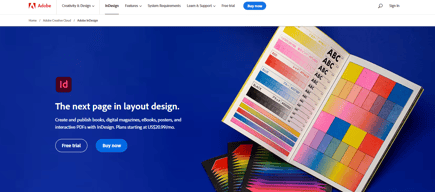
InDesign is another component of the Adobe Creative Cloud ecosystem, available as part of the whole library or as an individual purchase. The software‘s features is specific to publishing and designing online publications, brochures, creating info sheets, and similar materials. Adobe InDesign provides extensive access to stock images, supports team collaboration with robust tools and features, supports a great range of formats, and has access to regular updates and design features.

| Capabilities |
AI
|
|---|---|
| Segment |
Small Business
Mid Market
Enterprise
|
| Deployment | Desktop Mac, Desktop Windows, On-Premise Linux |
| Support | 24/7 (Live rep), Chat, Email/Help Desk, FAQs/Forum, Knowledge Base, Phone Support |
| Training | Documentation |
| Languages | English |
Adobe InDesign Pros and Cons
- Simplicity: Adobe InDesign is much easier to use than other Adobe products like Photoshop. It’s easy to add a range of features to your publication, including tags, anchor text frames, tables, captions, and more.
- HTML support: Adobe offers HTML exporting so you can easily share simple code with your colleagues during the web development process. You’ll also get functionality built into the app to assist with getting rid of DIV tags that aren’t necessary for your code.
- Industry standard: The fact that this product is the industry standard for publishing means you can find plenty of forum support and help out there to get you started.
- Connections to creative cloud: If you choose to do so, you can access InDesign and Photoshop at the same time, alongside other creative apps in the Creative Cloud.
- This is a product designed for people who know how to build publications
- Quite expensive compared to other products
- PDF comment integration is a little clunky in places






Compare Adobe InDesign with other popular tools in the same category.
There is a TON of versatility in making flyers or creating projects
Indesign is not intuitive, in order to use InDesign to its full potential, you should really take some classes on how to use it.
I create flyers, booklets, sign up forms, printouts with ease using InDesign.
I'm able to make invitations and graphics that come out very clean and professional looking
It is not intuitive. I was completely new to the software when I started, and while I did utilize the tutorials online, I wish they had more in depth ones.
As an event planner I do a lot of my own invitations and web posting, In design helps me tremendously.
good ease of use, familiarity, powerful software
monthly fee makes it inaccessible for small freelance designers
graphic design & branding

I have edited multiple print documents using InDesign. It can do pretty much anything, from large high res printable posters, to web resolution PDFs.
InDesign is soooooo freakin' complicated! I wound up with many clients simply because they were so confused as to how to make sinple edits. If you're familiar with Adobe software, you'll be OK, but if you're new to this level of software, it's easy to get lost.
There is nothing more powerful for creating and editing print or web documents. It's full of features offering unprecedented levels of control, enabling users to go ham, whether it's simply adjusting text formatting by a millimeter for the "perfect pdf," or formatting text flow around images on a multi-page document which is going to print.
Adobe InDesign, like the rest of the Creative suite is a very robust set of tools.
The system is almost overwhelming at first. Users new to Adobe might want to familiarize themselves with an easier product like Photoshop Elements before jumping to a product like InDesign.
I have used InDesign to finalize materials digitally before being sent to print. I personally trust myself more than the people at third party office supply stores that supposedly "handle" prints and layouts.
Of the Adobe products I use, I find this one the easiest to learn and implement. Good type tools and I like to work in the Preview mode. InDesign makes it easy to see the "big picture" for your project and edit it accordingly.
The spell check is terrible. In fact, I end up copy and pasting my entire document into Word to spell and grammar check. Type effect are also lacking such as the shadow tool, etc. Some of the tools such as numbering and bullet points are unpredictable which makes a simple task difficult to carry out consistently.
We're able to product solution sheet, product sheets, large banners, brochures, etc. in-house. This tool is more robust than Microsoft Word and handles imagery and graphics well. I appreciate the linked file feature as I will often create a graphic element in another program, place it in InDesign, realize I need to change something, edit it in the other program and then just have to double-click the link once I'm back in InDesign to update my changes.
I like that graphics are easy enough to scale and load.
I dislike long document load times. It would really be great if things could load faster.
Docs available in electronic format and those that must be printed usually run on this.
The ease of separating pages and the print and colour options are the best things about this software. This is mainly used by me for leaflet and poster design, and InDesign allows the exporting in a variety of formats as well as providing a variety of options to print directly from ID.
The Interface is not that great compared to the updated Photoshop interface and but the main issue is the crashing and the speed. After using on multiple Macs, I can say that this software crashes for me a lot, almost as much as Photoshop.
I have used ID to create posters, leaflets and occasionally business cards in the past. The options for print for me were the best benefits of this software.
It's a very useful program when editorial/print files must be organized. For text diagram it has plenty of options so you can really arrange your text depending on the final product; a magazine, a book or a newspaper.
When its about design, illustrations and forms, its more basic and slow than other program specialize in this area.
I just use this program when it requires to organize a lot of pages for printing. But I work as an Illustrator so this is not my daily software companion.
Like all Adobe CS products, the UI and feature set are unparalleled. It's relatively easy to learn and very easy to use once you get the hang of it.
My complaint with InDesign is more a complaint with Adobe's business model. Since changing to a subscription model, Adobe no longer offers a standard one-time purchase for its software. You now have to pay a monthly fee, which is at best frustrating and at worst an impossible cost to justify when there are so many similar applications available.
We create a fair number of pamphlets and flyers in my organization, and we've found that InDesign is the best tool to do so. It's usable enough that staff without extensive training can figure out its basic functionality, so once the essential design features are laid out, we can send the document around and have everyone add information.
Integrates well with other Adobe design apps.
Scaling and cropping features can be difficult.
Very standard app for the industry.
This program is so great! I absolutely love how Adobe InDesign is so user-friendly. This software is great for creating anything you can imagine. I personally use this software at my workplace, JLG Architects. We create proposals for potential clients every day. This program is a life-saver for all of us here in the Marketing department that use it! It helps us create beautiful work to send out to clients.
I dislike how sometimes Adobe InDesign freezes in the middle of working on a project. I've had this happen to me a couple of times, and I had to force the program to shut down since it wouldn't budge. Luckily, it saved my work when I re-opened Adobe InDesign.
I am solving problems in terms of creating beautiful work with this program! Our marketing team at my workplace uses this to create all kinds of things - from proposals to business cards to flyers and mailers - we do it all with this program, Adobe InDesign. I don't know what our team would do without it! We always get complimented on our work and the amazing results that we produce by using this program.
Adobe InDesign is built for publishing. Everything about it is perfect for a flawless print process.
InDesign is becoming a little un-needed. With new updates the Adobe Illustrator program it I find myself using that more for print projects. The user experience is more simplistic than InDesign.
I am working to create the best print items as possible with the easiest process to get there. I'm not sure there are many benefits to use InDesign over Illustrator
It's got the most comprehensive set of design tools and capabilities of any product on the market.
That said, those tools are very intimidating to new users and, at least in my experience, Adobe doesn't do much to tutor new users. It's sink or swim.
I have the option to use it for designing posters, posts, and other design products for the academic program I administer.
I like being able to move my fields anywhere on the page without being limited to pre-existing fields.
Everything else. It is not user friendly without watching multiple instructional videos online. Fields will get buried among one another, becoming impossible to select/move/adjust. Frequently, an image will look great on my screen but when I print it there are fields missing or bleeding off the page.
I have honestly moved most of our uses for InDesign into Google Drawings and Word.
InDesign is friendlier to me than photoshop. I like easily rearranging pages. The ability to create margins, columns and rows — grids are clearly really important to me. Can you imagine InDesign for web! How amazing would my life be. I hate having to translate my design to programmers. There is always a disconnect. Is the future of webdesign on the verge!?
I dont use it as often as illustrator so I have a bit of a learning curve everytime I jump back into it. I wish there was more streamline between adobe in general. Consistent key commands.
Ultimately my clients seem to be more interested in webdesign than print so unless I am creating an interactive presentation I rarely use indesign for my clients. It does come in handy for school though.
Lots of templates. Minimal work needed for creating things like flyers (just change up the text you want to send). Everything is balanced nicely so no art skills at all.
Templates could be more adaptable (compared to powerpoint's design templates that adapt based on what you initially put in the slides). Here, everything is rigid (tools provided to change up the templates make the design look worse because the tools are rudimentary, for example, the paintbrush and the eraser).
Making a flyer. I can make a flyer in like 10 seconds. The tools are also very similar to Adobe Illustrator so if you are already familiar with Illustrator, everything is a breeeze.
The Adobe suite provides an expansive platform for the creative types. With the right knowledge and time to practice it could be highly useful.
There are simply too many tools to adequately master any of them to go from slightly creative to a master creative.
Marketing and social media promotion on a variety of platforms.
It is an acceptable program for books and larger design produced with multiple pages
Very very expensive for the Adobe Creative Cloud. Would never consider using this program for myself. Overpriced. Good alternatives available.
Books and multiple page layouts work well in InDesign. There are alternatives for very low cost including a product made by Serif.
I like that it is apart of creative cloud
It is extremely overwhelming and just a more complicated form of illustrator
I truly wouldn't recommend using if illustrator is available.
It is good for making a bunch of similar pages.
It is not intuitive at all, not really good for design work unless you are dealing with a ton of pages or versions.
Print magazine ads
Only the ability to create high-quality looking documents.
Extremely difficult to self-teach event the basic features and functions, even as a very adept software, coding, and computer user.
Previously used it to create covers and basic quick info sheets.
I like the page interface. It makes design easier and everything on the tool bar is useful and accessible. The dropper tool is easy to make colors the same that previously existed as different web and print materials.
I really dislike the fact that when images are uploaded, they are encompassed by two frames. The first is the image frame, but hidden by the viewing frame. It can be a hassle to move the intended frame and I spend most of my time moving around images that actually designing. It may seem like a small issue, but is the reason that I prefer Adobe Illustrator.
Adobe InDesign has helped me design larger graphics and charts. I have also played around with the template for my business' email newsletter. It is easy to change typeface and colors. It's easy to combine text with graphics and logos.
The finished product. Clean aesthetic, ability to maintain a consistent 'brand' look across projects.
The process of getting to the final product. I use this software infrequently and it is a challenge to use it efficiently if it is not a primary tool.
Typically I use this for resumes and for reports. Main benefit is clean and consistent aesthetic.
The product that you are able to product with InDesign (if you are able to figure out how to use it!) is top notch.
This is not an easy program to learn and is not very intuitive for me.
Designing flyers, etc.