

Unclaimed: Are are working at Avaza ?






Avaza Reviews: 4.5/5 — Highly Rated
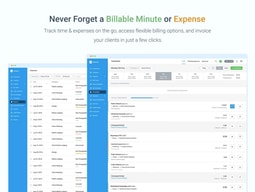
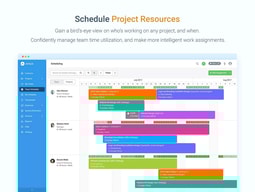
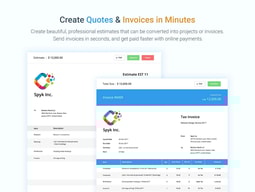
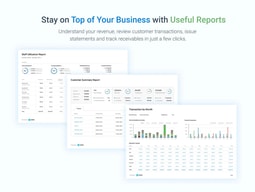
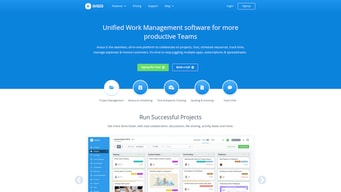
Avaza is a project management software with critical features for resource scheduling, online timesheets, expense management, online invoicing, recurring invoicing, quotes and invoices, and more. With Avaza, users can run their entire client-focused business on the platform and run, projects with support for resource management, project and task tracking, time and expense management, quoting, invoices, and online payments. It also easily integrates with third-party platforms to manage workflows faster and easier.





| Capabilities |
API
|
|---|---|
| Segment |
Small Business
Mid Market
Enterprise
|
| Deployment | Cloud / SaaS / Web-Based, Mobile Android, Mobile iPad, Mobile iPhone |
| Support | 24/7 (Live rep), Chat, Email/Help Desk, FAQs/Forum, Knowledge Base, Phone Support |
| Training | Documentation |
| Languages | English |

Compare Avaza with other popular tools in the same category.
User friendly and professional template.
Finding reports I'm used to in Freshbooks
Keeping track of employee and client work.
The way its designed is pretty handy and understandable that makes it easy to go through the steps for creating a task management platform to perform work related essential task in a more timely and organized manner
Assigning certain roles to team members for which you must have to go through a subscription process. Limited trial options available.
Performing and organizing certain tasks and all of the related things to that are required to run the project including expenses also by putting all the team members in the loop automatically to know about the progress in the process for completing certain project.
Simple, easy to learn, efficient and effective.
Haven't found anything yet! Support has been great at responding promptly
e-Invoicing module implemented, currently implementing project management.
Avaza is clear and easy to navigate for users, my expenses get approved faster!
Nothing I've found yet! Maybe a more built in documentation, or ability to show company policy for each expense item?
Streamlined expense process. Time tracking for projects
I love the ability to track my projects, and time from home. I can also separate my hours and my expenses so they aren't always grouped together.
The interface could be a little more clear, but it only take a week or so to really get in the rhythm.
The previous service would not allow to separate hours and expenses

The best thing about Avaza is that it was thoughtfully developed. The settings in each module and the integration of the modules with one another are intuitive and streamlined. The parameters by which projects can be set up allow users to handle different types of project work. Fixed Rate Billing? Invoicing Project Time? Resource Scheduling? Time Tracking? Project Profit Reporting? Resource Utlization? Avaza has all of this; and so much more--with the best rate and customer service for any similar product (we know; we did the research!).
We've had some kinks to work out with our Quickbooks integration. That's the only growing pain we've seen with Avaza. However, the customer care department has been extremely responsive and helpful in working out these small kinks! Also, we wish there was a more intuitive way to handle PTO requests and tracking.
Our organization found Avaza, when looking for a resource scheduling software. One of the biggest benefits we realized after integration was all the different ways in which the software helps in the area of communication. From internal project communication to communication with clients and date/time stamps when invoices are sent (also, you can see when an external user actually views a sent invoice!!!), communication was clearly considered during development.
Avaza has a very good way to organize the projects, it's simple yet very easy to understand and use. I was struggling to find a good project management system that was easy to understand, with a fair price and with time-tracking control and reports. Also, the price is very fair. Avaza has everything I need and the reports section is just amazing!
The only downpoint so far is that it doesn't has a "testing" status in the kanban board. But it's easily fixed by putting a tag or creating another section for the tasks.
I was struggling to find a good plan with a fair price for a project management system and, also, I wanted to track my time and see the estimation x reality. Avaza is wonderful.

I've researched dozens of tools & it's a challenge to find something makes sense on the three scales of feature-set, friction-less UI (which influences tool adoption in the team) & affordable pricing. I've found Avaza to rank very highly on all 3. To top that, the customer support (prior to pulling the trigger) is awesome - knowledgeable & prompt. We've been using it for a couple of weeks & I'm looking forward to exploring the huge library of reports once we have some more data.
Well, nothing significant but it would be helpful to benchmark it with tools that are sending notifications for status change if tasks. This would be helpful for task followers & spur them into action.
Task management Time tracking Connecting time-tracking with costs & billing (Very important for us)
The best features are the timesheet/approval for timesheet and the overall ease of use.
It would be great if there was a Kanban like feature to help for certain project types. Also a client notes section would be fantastic.
Organization and data management are key problems being solved. The benefits are that you can more professionally management multiple clients and projects with more ease.
Enhances team communication skills with coworkers that are not within the area
Needs an updated iOS Safari app to be able to load the projects
It let's me communicate with other coworkers that are in other cities or countries with out the hassle of mixed communication and misinterpretation while working with various projects. A great time saver and a great choice for project channeling.