

Unclaimed: Are you working at AWeber?
AWeber Reviews: 4.2/5 — Solid Choice
AWeber is one of the more prominent email marketing platforms owing to the brand being around for a while. The platform is known for simplifying email marketing campaigns through an extensive range of tools that help companies grow their contacts. The platform offers pre-built email campaigns, access to Aweber-certified experts to provide deeper marketing insight, easy migration between email platforms, list management, and sign-up forms, curated newsletter content, and data tracking.

| Capabilities |
API
|
|---|---|
| Segment |
Small Business
Mid Market
|
| Deployment | Cloud / SaaS / Web-Based, Mobile Android, Mobile iPhone |
| Support | 24/7 (Live rep), Chat, Email/Help Desk, FAQs/Forum, Knowledge Base, Phone Support |
| Training | Documentation |
| Languages | English |
AWeber Pros and Cons
- Intuitive list management tools
- Supports PayPal integration that provides accurate sales tracking
- Comprehensive education tools and media for tutorials
- Great selection of landing page templates
- Quite expensive versus competitors
- Deliverability rates are below average

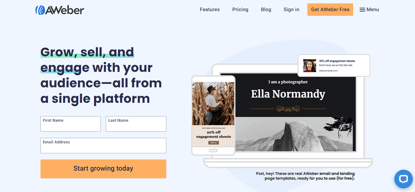
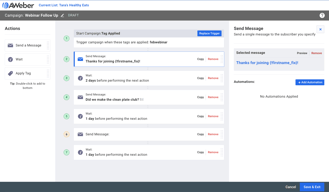


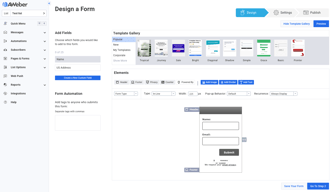







AWeber has been sending marketing email since 1998, which makes it one of the oldest platforms still standing, and that longevity is both its main asset and its main liability. Deliverability relationships built over 27 years are genuinely valuable. An interface built over the same period draws consistent criticism. The pricing has one quirk worth knowing: sending is capped at a multiple of your subscriber count, not a flat number.
- What it is: An email marketing platform covering broadcasts, automations, landing pages, sign-up forms, and a large template library.
- Best for: Small businesses and creators who value deliverability and support over interface polish or automation depth.
- Pricing: Free for up to 500 subscribers. Lite $12.50 and Plus $20.00 per month billed annually, plus a Done For You setup service. Verified in July 2026.
- The honest catch: Sending is limited to 10x your subscriber count on Lite and 12x on Plus, so a small list emailed often hits the ceiling before the subscriber limit.
What Is AWeber?
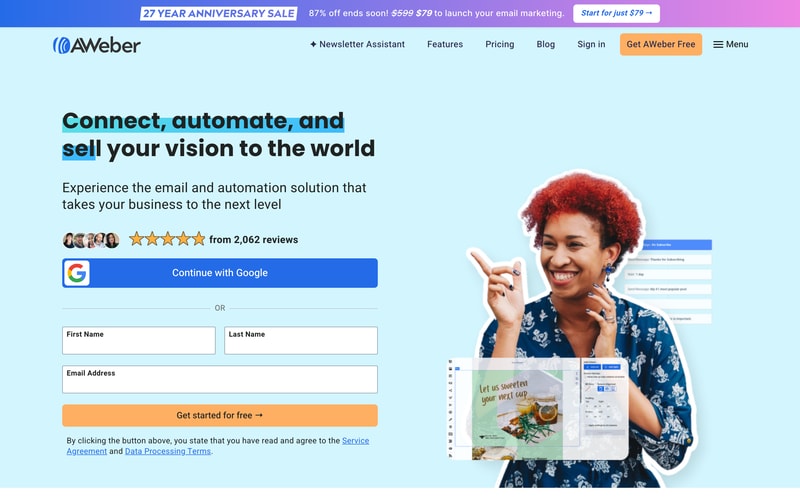
AWeber launched in Pennsylvania in 1998 and is credited with popularizing the autoresponder, the automated email sequence that underpins most email marketing today. Twenty-seven years later it remains independent and bootstrapped, which is unusual in a category that has consolidated heavily.
That history matters practically. Long-standing relationships with inbox providers are a real asset in deliverability, and AWeber’s support reputation is consistently strong, with 24/7 access by phone, chat, and email. Its template library, at over 700 designs, is among the largest available.
The counterweight is age. Reviewers describe the interface as dated and some functions as clunky, and the automation builder lacks the branching and conditional logic that newer competitors treat as standard. This is a mature product rather than an evolving one.
The independent rating is good: 4.4 out of 5 on Capterra across 323 reviews with 89% positive sentiment, and 4.2 on G2 across 641. A note on sourcing: some aggregator sites currently quote a 2.5 Capterra score for AWeber, which does not match Capterra’s own page and appears to be an error worth disregarding.
How AWeber Works
- Broadcasts and autoresponders. The original strength. Scheduled campaigns and sequence-based automation, straightforward to set up.
- Template library. Over 700 designs, considerably more than most competitors, which matters if you would rather pick than build.
- Landing pages and forms. Included on every plan including free, with unlimited landing pages even on the free tier.
- Automation. Functional for sequences and basic triggers. Reviewers consistently note the branching and conditional logic is limited against newer platforms.
- Newsletter Assistant. AI-assisted drafting, including subject line generation, available on the free plan.
- Ecommerce. Basic product selling with transaction fees of 1.0% on Lite and 0.6% on Plus.
AWeber Pricing
Two paid plans and a setup service, with an unusual sending model. Figures verified in USD on AWeber’s pricing page in July 2026, billed annually.

| Plan | Billed annually | Sending limit | Key features |
|---|---|---|---|
| Free | $0 | ~3,000 emails/mo | Up to 500 subscribers, unlimited landing pages and forms, automation, full template library, AI subject lines |
| Lite | $12.50/mo | 10x subscribers/mo | 1 email list, 3 landing pages, 3 automations, 3 users, 1 custom segment, 24/7 support, 1.0% transaction fee |
| Plus | $20.00/mo | 12x subscribers/mo | Unlimited lists, landing pages, automations, segments and users, priority 24/7 support, advanced analytics and landing pages, 0.6% transaction fee |
| Done For You | $20.00/mo + $79 setup | 12x subscribers/mo | Everything in Plus, plus expert setup in 7 days, branded template, landing page, signup form, 1:1 call, 30 days of edits |
The details that matter:
- Sending is a multiple of subscribers, not a flat allowance. 10x on Lite and 12x on Plus. With 500 subscribers on Lite that is 5,000 emails a month, which sounds generous until you send a weekly newsletter plus automations plus resends. Small lists emailed frequently hit this before the subscriber cap.
- Done For You costs the same monthly as Plus. Both are $20 per month; Done For You adds a one-time $79 setup fee, currently discounted from $599, in exchange for AWeber’s team building your templates, landing page, forms, and workflows in seven days. If you value your own setup time above $79, that is straightforwardly good arithmetic.
- The free plan is genuinely useful. 500 subscribers with unlimited landing pages and forms, automation, and the full template library. More generous than MailerLite’s current 250 and less than Kit’s 10,000.
- Transaction fees apply to product sales. 1.0% on Lite, 0.6% on Plus, on top of payment processor fees.
- Prices scale with subscribers. The figures above are entry-level; costs rise through tiers to 150,000+ subscribers, and reviewers specifically note that larger lists get expensive.
- The $79 setup offer is promotional. Framed as a 27-year anniversary sale against a $599 list price, so treat it as time-limited.
Who Should Use AWeber
- Small businesses that value support. 24/7 phone, chat, and email support is rare at this price and is the most praised aspect in reviews.
- Anyone prioritizing deliverability. Nearly three decades of inbox provider relationships is a genuine, if hard to quantify, asset.
- People who want templates rather than design work. 700+ designs is the largest library in this price range.
- Businesses wanting setup handled. Done For You at $79 on top of the normal plan price is unusually good value for a professional setup.
It fits poorly for teams needing sophisticated automation, where the branching limitations are real, for design-led brands who will find the interface dated, and for small lists emailed daily, where the send-multiple cap binds sooner than expected.
Honest Pros and Cons
Strengths
- Excellent support. 24/7 across phone, chat, and email, and the single most-cited positive in reviews.
- Strong deliverability reputation. Built on 27 years of inbox provider relationships.
- The largest template library in its class. Over 700 designs.
- A genuinely useful free plan. 500 subscribers with unlimited landing pages, forms, and automation.
- Done For You is well priced. Professional setup for a one-time $79 above the standard plan.
- Independent and stable. Bootstrapped and unacquired, which in this category is worth something.
Limitations
- The interface is dated. Consistently described as unintuitive and clunky, and the most common criticism.
- Automation lacks depth. Limited branching and conditional logic against ActiveCampaign or even MailerLite.
- Send limits are a multiple of subscribers. 10x or 12x monthly, which constrains frequent senders on small lists.
- Costs escalate with list size. Reviewers report significant increases as lists grow, including one describing a doubling.
- Basic ecommerce. Limited product tooling with transaction fees on top.
- Conflicting deliverability reports. Most sources rate it highly, though some independent testing places it below average, so treat vendor claims and third-party tests as unsettled.
AWeber Alternatives and How It Compares
- MailerLite has a far better editor and interface at a similar price, with a free plan now cut to 250 subscribers.
- Kit is the creator-focused alternative with a 10,000-subscriber free plan and native product selling.
- Brevo charges by emails sent with unlimited contacts, which suits large lists mailed infrequently.
- GetResponse offers deeper automation plus webinars and funnels at a higher price.
- ActiveCampaign is substantially stronger on automation logic and considerably more expensive.
For a broader survey see our guide to the best email marketing software.
The Verdict
AWeber is a dependable, well-supported email platform that has been doing this longer than almost anyone, and its 4.4 rating with 89% positive sentiment reflects users who value reliability and help over novelty. If deliverability and being able to reach a human at 2am matter more to you than interface polish, it remains a sound choice.
Be honest about the trade-off, though. The interface is dated, and the automation builder lacks the branching logic that competitors at this price now include as standard. If your email strategy depends on sophisticated behavioural triggers, you will outgrow AWeber quickly and should look at ActiveCampaign instead.
Two practical notes. Check the send multiple against your actual cadence, because 10x subscribers on Lite is the limit that binds first for anyone emailing weekly with automations running. And if you are starting from nothing, Done For You is genuinely worth considering: it costs the same $20 per month as Plus, plus a one-time $79, and having a professional build your templates and workflows in a week is cheap at that price. Start on the free plan either way, since 500 subscribers is enough to judge both the deliverability and the interface for yourself.
FAQ
Does AWeber have a free plan?
Yes. AWeber’s free plan supports up to 500 subscribers and roughly 3,000 emails per month, and unusually includes unlimited landing pages and sign-up forms, automation, the full 700+ template library, and the AI subject line assistant. It is a genuine product rather than a trial, and more generous than MailerLite’s current free tier.
How much does AWeber cost in 2026?
Billed annually, Lite is $12.50 per month and Plus is $20.00. A Done For You service costs $20.00 per month plus a one-time $79 setup fee, currently discounted from $599. Prices scale with subscriber count, and reviewers note costs rising substantially for larger lists.
What is AWeber’s sending limit?
Sending is capped at a multiple of your subscriber count rather than a flat number: 10 times on Lite and 12 times on Plus, per month. With 500 subscribers on Lite that is 5,000 emails monthly. Anyone sending a weekly newsletter alongside running automations should check this multiple against their real volume, since it often binds before the subscriber limit does.
Is AWeber’s deliverability actually good?
Its reputation is strong, built on 27 years of relationships with inbox providers, and reviewers frequently cite emails reaching the inbox rather than spam. That said, independent deliverability testing is not unanimous, with some studies placing AWeber below average. Treat deliverability claims from any vendor cautiously and test with your own list during the free plan.
What is AWeber best for?
Small businesses and creators who prioritize deliverability, responsive 24/7 support, and a large template library over interface design and advanced automation. It suits people who want email to work reliably rather than those building complex behavioural campaigns.

Compare AWeber with other popular tools in the same category.

Free 30 day trial with all of the functionality. Charges on number of users, not on features, so unlike other platforms, you get all the available functionality upfront.
Not a lot of features, not a lot of customization. Difficult to make edits, things jump around, not very intuitive. File size limit of 2 mb for documents.
Aweber is helping to automate some of our emails and has given us a signup form to use that keeps track of subscribers.
Ok it deliver the mails, so nothing to complain about that
They decide what kind of email marketing tou can or can't do.
I don't solve any problem with eweber
I liked the concept of the platform and the automatic mailing. They also had nice templates for emails.
I consider myself tech savvy and I couldn’t figure the system out. It was way too complicated.
Emailing clients important tips and ideas and following up with potential clients.
The ability to track all the analytics is really good and I like being about to break down my segments for readers.
The price. I don’t really feel like aweber does anything that other mail services do but they charge a lot for their service.
We started building our email list for a book series and you tube learning series. We realized that it is really important to have a mailing list that has analytics because it helps to see if you are targeting the right people.
AWeber makes it possible to send emails to large groups of people.
It's just clunky and the interface isn't intuitive.
email marketing.
Ease of use, drag and drop templates. Ability to go back to previous campaigns and edit
Not enough features compared to other platforms
Email marketing
It's easy to use and if you have any issues then support is sure to be helpful.
The pricing. They should honestly have a super cheap route for one man business operations.
Being able to have an auto response to singups on a web platform.
The auto-save feature. When one is working on an email, Aweber saves progress every minute (and with each action) so it makes it easy to view email version history, and also not worry about losing progress. It's also nice because this feature is comparable to an "undo" or "redo" button.
This email automation platform is not the most advanced, there are others that are more sophisticated and produce a much higher email quality. This email platform changes the resolution of images, Also, adding blocks (for images and text, etc) isn't very flexible as far as the layout design goes. It is also difficult to customize the blocks (borders, sizing, etc). Finally, though Aweber will auto-save your progress, it does not save previously used fonts/colors, so each time you exit then go back into an email, you have to go through the customizing part to add to an existing email. The overall creative and styling process is terribly outdated.
Aweber has been used to send out information about upcoming sales/promos. That's very helpful marketing and it's simple to read the stats on emails (when customers open the email, time of day to send, unsubscribes, subscriber sign up and so on). It's an easy platform that saves previous templates and stores drafts for future use.
All of the options, if only I could have figured out how to use them
So confusing. You have to be a tech expert to understand anything
Communication
I did like the ease to setup automations on the platform
Considering that Aweber is a paid product, they lack features that are becoming more available as part of free options out there.
Sending email newsletters, using as a nurture sequence with automations. It does allow me to setup an opt-in that is a dripped email learning automation.
Their customer support chat is great and easy!
I wish there were easier options for sending content without creating a new list.
It automates my emails for list building and engagement
That it is cheaper than most other platforms. If you can not afford an expensive platform like HubSpot then this is a good one to start with.
It is extremely difficult at first to get used to. It is not user friendly at all as far as uploading lists and learning how to send out an email.
This helps us with sending out lead nurturing emails.
Good low-cost option for sending emails. Good template editor.
Support is not very good (it's very slow) and they are very persnickety about the content of your lists even though you're paying them. UI is not as intuitive as some other platforms, but once you get used to it it's fine.
Sending out emails to our customers and potential customers.
Being able to attache files to mailings.
The menu-structure / mapfiling: I find it difficult to see in which map and document I have to make changes.
Communication problems
Very reliable with delivery to our list.
Since they revised the site, I can't save emails to send to my list. I have to find another computer to do so. The message says my anti-virus is messing things up now, but customer support could not help me overcome it. also, knowledge base does not address my issues (e.g. split testing subject lines).
Getting emails delivered to my list. Automatic list building works well.

Extensive email templates to choose from. Reasonable sign up cost.
The platform feels outdated and cannot keep up with features other (newer) software offers in the market. Also limited integration options.
Basic email marketing tool for my client which is simple enough to use.
AWeber is GDPR and California law compliant. It has pretty much all the bells and whistles you could hope for. If you are a marketing professional, it is especially handy to be able to customize threads based on demographic or sales data.
For the money, there are better, more user-friendly options. Considering how low the ROI is on email marketing in the first place, it really has to be brain dead simple to use for a small business owner who does not have the budget for a full marketing team.
I dropped AWeber when I realized we would never get back what we were investing into the platform.
It's easy to duplicate a broadcast to use again
Analytics are very hard to understand - you can't get too much information and you pay extra for it. The drag & drop feature is very difficult to set up (when you don't have a strong understanding of HTML)
Sending out my monthly newsletter to customers.
For non-technical types, Aweber is pretty easy and intuitive.
It lacks some flexibility that many email platforms offer.
General email communications with customers and prospects. The main benefit is a tool that many on our team can use.
The browser interface is easy to use and the email composer is straight-forward. Adding people to your list is simple, but that's about where it all falls apart.
Everything about AWeber is simply a pain in the backside. You go to the site and set all your CNAME records and verifications as directed. Maybe they verify, maybe they don't. Who can tell? Then you add your subscribers. They show up in the system, but then your landing pages go dead to "be reviewed" for reasons the rep won't explain. You build a newsletter, and days later it's still not sent to "review" your account - for reasons the rep won't tell you. It takes them 2-3 days on average to respond to any support request, all while your email sits in holding for reasons you don't have. In short, AWeber is a massive pain in the butt. Coming from a competing platform, I'm going back I gave them a try, they're awful, I'm out. Absolutely horrendous.
A simple monthly newsletter to a couple hundred customers. But, it fails on nearly every level when the core function it's there for - sending emails - it can't complete. Sure, it's easy to use - but if it doesn't work after you spend the time to configure, author, and send then it's worthless. Service is a joke, and the platform is unresponsive. Look elsewhere.
UI and Deliverability are OK. Has all the basics.
Support by email and on the phone is just worse than bad. Person I spoke with sounded psycho.
Sending emails to ustomers.
They are able to inbox quite well. Not sure what else they have going for them
1. The system would have been considered dated back in the 90's. Its really bad with several bugs. 2. They will disable your account with no good reason. I had my account for well over a year and all open rates, click rates etc etc where the industry standard. My spam complaints were near 0 and well below the 1 out of 1000 the industry considers standard. My account was closed by Josh S with the (invalid) reasons of CANSPAM violations and not unsubscribing. Most of my emails had been reviewed by a lawyer so they were infact CANSPAM compliant. Secondly most unsubs would use awebers unsubscribe link and the few that didn't I would remove well before the 10 day limit. Most within 1-2 days. I reached out to Josh for more information twice and he (quite rudely) ignored my emails. I then in a desperate attempt to get a competent (What was I thinking???) person at Aweber I reached out to John Walder via my person gmail incase my emails were going to their spam. I doubted it but I was desperate. After several followups to him it became clear the the incompetence was a cultural thing with Aweber as he also flat out ignored all my emails. Remember when you pick a ESP to use to factor this in. It is not just how well their inbox or how good their system is. You're putting your business in the hands of people who probably should not be making decisions.
It was ok while it lasted
The only his thing about it is that it integrates with other software
Terrible drag and drop builder, lack of link triggers and automations. Just doesnt hold up to other comparable software like convertkit or active campaign
Only good for a basic email list.
I signed up for AWeber because it was recommended that I have an account for some of the marketing that I was doing. AWeber was NOT an easy platform to use.
This system was not user-friendly by any means. I disliked the functionality of the service.
Nothing.
It is easy to create forms, it is also easy to see how many leads you have.
Emails go straight to spam, constant glitches, forms look terrible and are difficult to make more aesthetically pleasing, half the time phone numbers won’t come through, doesn’t work well with zapier, csv downloads don’t work, impossible to create a good looking email campaign.
We needed a way to collect and store our clients leads.
I like that you can select different lists to send one email too, whereas in MailChimp, you have to duplicate each campaign if you want to send to multiple lists. It also integrates with just about every other software out there so that is helpful. Automation is easy to set up.
I hate the design options for the emails, they are very outdated. It's all about the design for me and what the emails look like when you open them and Aweber does not cut it for me.
Automation and email campaigns.
It was very easy to implement and make use of it
It missed the bandwagon on the marketing automation
Email Marketing
It was cheap, that's about the only thing positive I could say.
Terrible UI. Doesn't scale. Clunky. Geared toward boomers with little to no tech experience.
Basic email marketing, mostly newsletters.
I like the way it used to be best. I am a very unhappy customer who has been loyal since 2006 and I'm leaving. The only positive I can see is that when I complain on social media, someone responds that they want to help. But unless they put back all the things they took away, there is no helping.
Pretty much everything now. The hidden drafts. The drafts that don't keep any of the settings of a copied message. The inability to use their legacy / original editor. The interface. The fact that my long-time customers cannot opt-in to my lists anymore with the same info@ and other similar addresses they have always used. The inane number of steps and drop down boxes just to send a broadcast. It's awful.
I have no idea what this question is asking. What business problems do I solve for my customers? That's irrelevant. What problems does Aweber solve for me? None. I'm moving to Infusionsoft.