
Bigin by Zoho CRM Reviews: 4.5/5 — Highly Rated
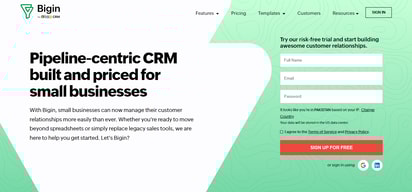
Bigin is well known for being a pipeline-centric CRM built and priced specifically to fit the needs of small businesses. Instead of spreadsheets, it allows small businesses to get started with a CRM easily and swiftly. It’s easy to use, can easily be implemented with no learning curve, and is easy on small business budgets.
| Company | Zoho Corporation |
|---|---|
| Year founded | 2000 |
| Company size | 10,001+ employees |
| Headquarters | Chennai, Tamil Nadu |
| Social Media |

| Capabilities |
API
|
|---|---|
| Segment |
Small Business
Mid Market
|
| Deployment | Cloud / SaaS / Web-Based, Mobile Android, Mobile iPad, Mobile iPhone |
| Support | 24/7 (Live rep), Chat, Email/Help Desk, FAQs/Forum, Knowledge Base, Phone Support |
| Training | Documentation |
| Languages | English |
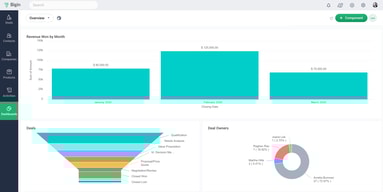
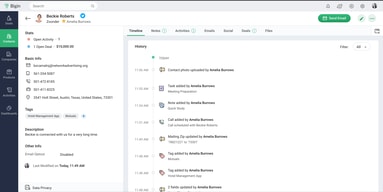





Bigin’s free plan includes a built-in phone, developer APIs, mobile apps, appointment scheduling, and a business card scanner. Most free CRM tiers are a contact list with an upgrade prompt attached; this one is a working CRM for a single user with a 500-record ceiling. And the first paid tier is €7 per user per month, which is roughly what competitors charge for the privilege of adding a second pipeline.
- What it is: A deliberately simplified CRM from Zoho, built around pipelines for small businesses that find full CRM platforms overbuilt.
- Best for: Small teams who want a real pipeline CRM without an implementation project or a per-seat budget.
- Pricing: Free, Express €7, Premier €12, Bigin 360 €18 per user monthly on annual billing. Verified July 2026.
- The honest catch: The free plan is single-user, and records are capped at 500.
What Is Bigin?
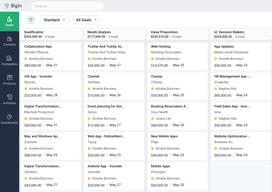
Bigin is Zoho’s answer to a specific complaint: that Zoho CRM, Salesforce, and their peers are more system than a ten-person business needs. It strips the model down to pipelines, contacts, products, and activities, and then makes those genuinely good rather than deliberately limited.
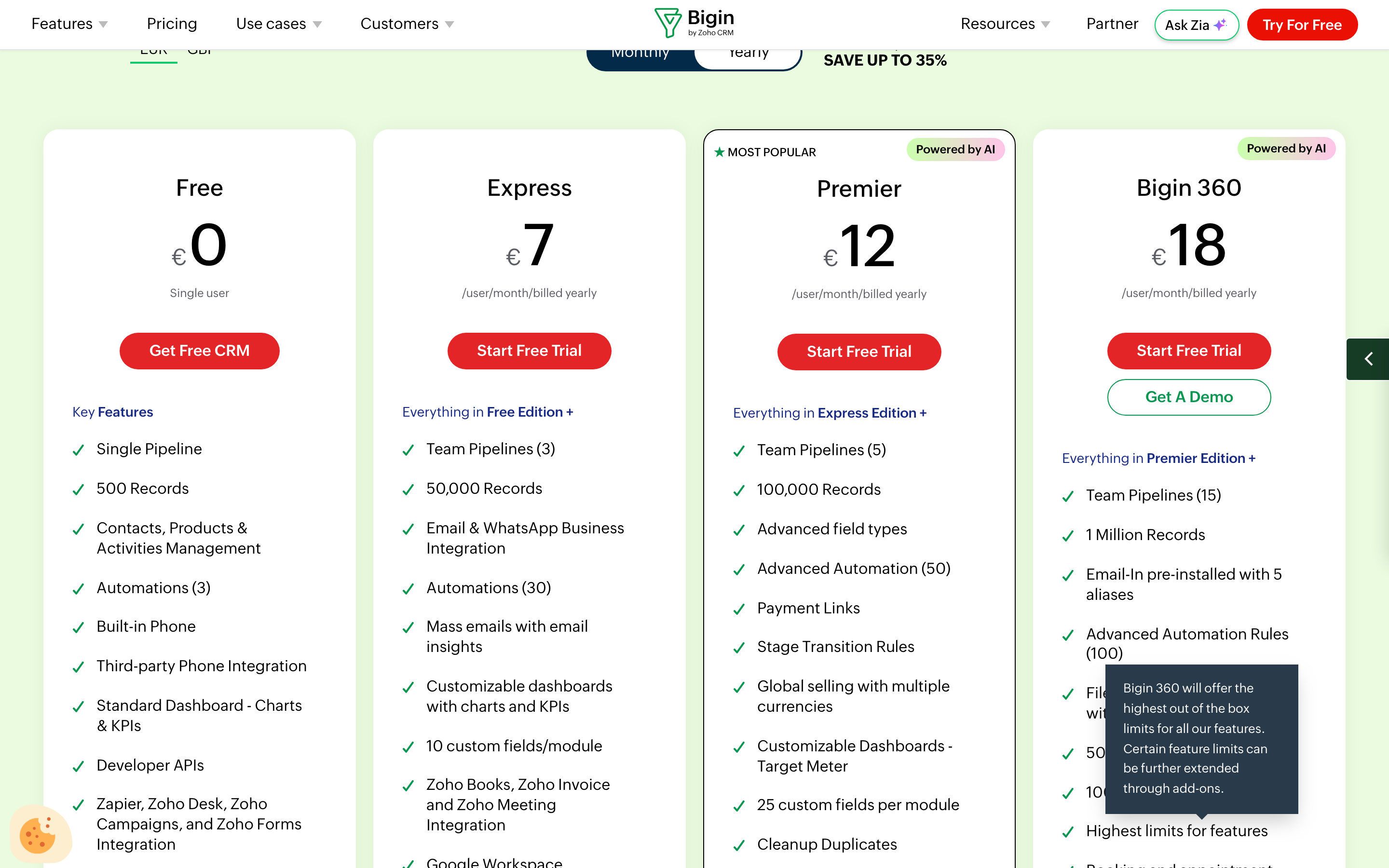
What is notable is how much sits on the free tier. A single user gets one pipeline, 500 records, contacts and activity management, three automations, a built-in phone, third-party phone integration, dashboards, developer APIs, native apps across iOS, Android, and macOS, a business card scanner, no-code forms, appointment scheduling, and Zapier and Zoho integrations. It even lists MCP support, which puts it among the first CRMs to expose itself to AI agents as a matter of course.
Records — not contacts, seats, or emails — are the meter: 500 free, 50,000 on Express, 100,000 on Premier, and a million on Bigin 360.
How Bigin Works
- Priced per user, per month, with a genuinely free single-user tier.
- Records are the primary limit, and they ladder steeply between tiers.
- Pipelines ladder too. One free, then 3, 5, and 15 team pipelines.
- Automations ladder as well. 3, 30, 50, then 100 rules.
- AI arrives at Premier — writing assistant, record summaries, churn analysis, and 1,000 AI credits a month.
- WhatsApp Business integration starts at €7, on the cheapest paid tier.
Bigin Pricing
Captured from Bigin’s pricing page in July 2026 on the euro price list, reading both billing toggles. Bigin also publishes in pounds and localises by region.
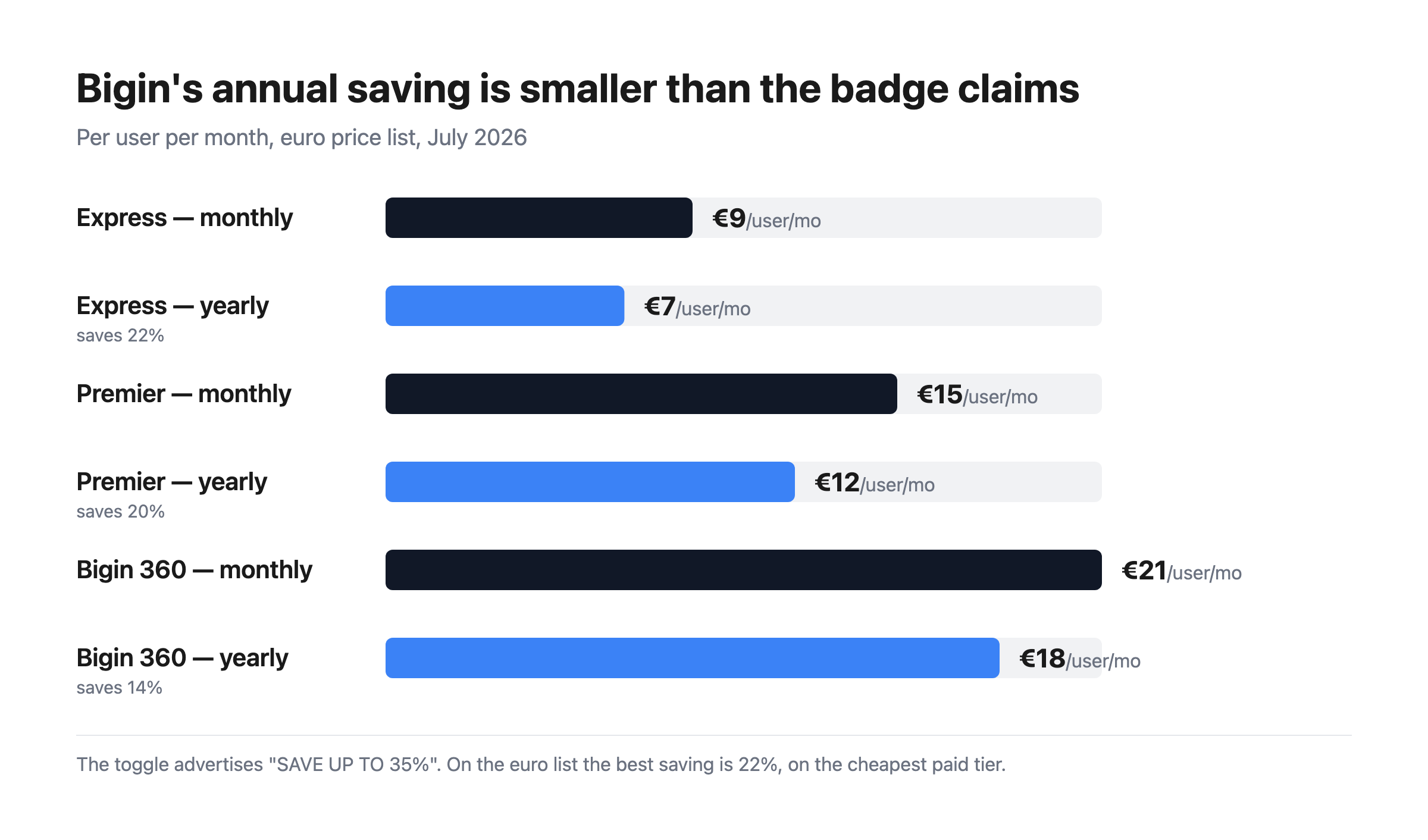
| Plan | Yearly | Monthly | Records | Pipelines | Automations |
|---|---|---|---|---|---|
| Free | €0 | €0 | 500 | 1 | 3 |
| Express | €7 | €9 | 50,000 | 3 | 30 |
| Premier | €12 | €15 | 100,000 | 5 | 50 |
| Bigin 360 | €18 | €21 | 1,000,000 | 15 | 100 |
What actually decides your plan:
- The free tier is a real product, and its limit is people rather than features. 500 records is enough for a genuine solo business, and the feature list is unusually complete. What you cannot do is add a colleague — that costs €7, which is the honest reading of Bigin’s free plan.
- The annual discount is smaller than advertised. The toggle reads “SAVE UP TO 35%”, but on the euro list Express saves 22%, Premier 20%, and Bigin 360 14%. Annual is still worth taking; just do not budget from 35%.
- Records are what push you upward. 500 to 50,000 is a hundredfold jump for €7, so the free-to-Express step is about volume as much as seats. Above that, 100,000 records at €12 is worth comparing directly against Insightly, which caps records at the same 100,000 on a $29 plan.
- WhatsApp Business is on the €7 tier. Worth pausing on, because WhatsApp is routinely a premium gate elsewhere — Landbot puts it on a plan starting at €400 a month. Bigin’s is CRM-side messaging rather than a chatbot platform, but for a small business wanting to talk to customers where they already are, the price difference is stark.
- AI is a Premier feature. Writing assistant, record summaries, email reply drafting, cross-sell suggestions, churn analysis, and 1,000 credits monthly all arrive at €12. If you want none of that, Express is the ceiling worth paying for.
- Bigin 360 is about scale, not capability. A million records and 15 pipelines at €18. Most businesses that need that have outgrown the premise of the product and should be looking at Zoho CRM proper.
Who Should Use Bigin
- Small businesses wanting their first real CRM. The clearest case — pipelines and follow-up without an implementation project.
- Solo operators. The free tier is genuinely sufficient below 500 records, which is more than it sounds.
- Existing Zoho customers. Books, Invoice, Meeting, Desk, Campaigns, and Forms all connect natively.
- Teams selling over WhatsApp. Native Business integration from the cheapest paid tier.
It fits poorly for complex enterprise sales, where the simplification becomes a constraint; for marketing automation, where Keap bundles campaigns; and for teams needing deep customisation, where Zoho CRM or HubSpot offer far more room.
Honest Pros and Cons
Strengths
- An unusually complete free plan, including phone, APIs, and mobile apps.
- €7 per user is among the lowest credible CRM prices available.
- Records, not contacts, are the meter, and 50,000 arrives at the cheapest paid tier.
- WhatsApp Business from €7, where competitors gate it far higher.
- Deep Zoho ecosystem if you already use Books, Desk, or Campaigns.
- A clear upgrade path to Zoho CRM when the simplification stops fitting.
Limitations
- The free plan is single-user. Any collaboration costs money.
- 500 records on free is a real ceiling for a growing business.
- The 35% annual claim overstates it — 22% at best on the euro list.
- AI features require Premier at €12.
- Deliberately limited. Simplicity is the design, so complex processes will chafe.
- Custom fields are tiered — 10, then 25, then 50 per module.
Bigin Alternatives and How It Compares
- Zoho CRM is the same company’s full platform, and the natural destination when Bigin stops fitting.
- HubSpot CRM has a free tier with unlimited users, and costs escalate sharply once you add hubs.
- Pipedrive is the closest philosophical match — pipeline-first and well designed — at a higher price with no free tier.
- OnePageCRM is similarly cheap at €8.95 and gives unlimited records, trading Bigin’s pipeline model for a next-action list.
- Freshsales and monday CRM are the modern-interface options at higher cost.
- Insightly adds project delivery for services businesses, and meters records more expensively.
For a broader survey, browse our CRM directory.
The Verdict
Bigin is the most persuasive answer available to “we know we need a CRM but everything looks like too much”. Pipelines, contacts, activities, and automation are the parts a small business actually uses, and Bigin does them properly rather than doing everything badly. At €7 per user per month it costs less than most competitors charge to unlock a second pipeline, and the free tier is not the usual teaser — a single user gets a built-in phone, developer APIs, native apps, appointment booking, and a business card scanner, which is more than several paid CRMs include.
The free plan’s real limit is people, not features. 500 records and one user is a working setup for a solo consultant or a one-person sales function, and the moment a colleague needs access the price is €7. That is a fair deal and worth stating plainly, because “free CRM” usually means something much thinner. Above that, records drive the ladder: 50,000 on Express, 100,000 on Premier, a million on Bigin 360. Compare the 100,000-record figure directly against Insightly, which caps at the same number on a $29 plan, and the value proposition is obvious.
Two cautions. The advertised annual saving does not survive arithmetic — the toggle promises up to 35%, but on the euro list Express saves 22%, Premier 20%, and Bigin 360 only 14%. Take annual billing anyway; just do not plan around the badge. And remember that Bigin’s simplicity is a design decision rather than a limitation to be worked around. If your sales process has custom objects, complex territories, and multi-stage approvals, you do not want a simplified CRM — you want Zoho CRM, and Zoho will happily sell you that instead.
FAQ
How much does Bigin cost?
On the euro price list captured July 2026: Free at €0 for a single user, Express €7 per user per month billed yearly, Premier €12, and Bigin 360 €18. Paid monthly those become €9, €15, and €21. Record limits are 500, 50,000, 100,000, and 1,000,000 respectively. Bigin also publishes in pounds and localises pricing by region, so check your own market.
Is Bigin’s free plan actually usable?
Yes, within its limits. A single user gets one pipeline, 500 records, contact and activity management, three automations, a built-in phone, third-party phone integration, dashboards, developer APIs, native apps for iOS, Android, and macOS, a business card scanner, no-code forms, and appointment scheduling. The binding constraints are the single seat and the 500 records — adding a second person requires the €7 Express plan.
Does Bigin really save 35% on annual billing?
Not on the euro list. Express is €9 monthly against €7 yearly, a 22% saving; Premier €15 against €12 is 20%; and Bigin 360 €21 against €18 is 14%. The toggle advertises “up to 35%”, which none of the published euro tiers reaches. Annual billing remains worth taking, but budget from roughly a fifth rather than a third.
What is the difference between Bigin and Zoho CRM?
Bigin is a deliberately simplified pipeline CRM for small businesses; Zoho CRM is a full platform with custom modules, territory management, deeper analytics, and extensive customisation. Bigin is cheaper and faster to adopt, and Zoho positions it as an entry point with a migration path upward. Choose Bigin when the full platform feels like more system than your process needs, and Zoho CRM when it does not.
Does Bigin support WhatsApp?
Yes, WhatsApp Business integration is included from the Express plan at €7 per user per month. That is unusually low placement for the channel — chatbot platforms frequently reserve WhatsApp for tiers costing hundreds a month. Bigin’s version is CRM-side customer messaging rather than automated conversational flows, but for a small business that talks to customers on WhatsApp, having it at the entry price is a genuine advantage.

Compare Bigin by Zoho CRM with other popular tools in the same category.

Very easy and helpful, very simple to use
not a lot integrations with other solutions
Lead managment and contact managment

Bigin has the best in class User interface out in the market, when you take the small business CRM. It is a breeze to use and it a simple, no-nonsense experience product to use. The UI is well arranged and showcased and it has a clean and intuitive interface and it feels great to use. You can also use the CRM from the get go. It has some of the best small business features with less complexity. More importantly it has affordable pricing with no hidden costs. Pricing plays an important role for the small businesses and Bigin did a great job on that front. The subscription can be cancelled at any time and you will be refunded for the remaining months. If someone is on Zoho CRM, it will be easy for them to migrate into Bigin CRM and that is an added advantage. Bigin also offers free trail.
Since it is a new software, i dont have much of dislikes right now and i have to explore a bit to understand its cons.
We maintain our real estate clients using this CRM. Since our company manages the landlords and tenants lease documents, we use this software to maintain our customer relationship with all our real estate clients and we are planning to add more in the future.
It is one of the simplest yet most powerful CRM's available with multiple app's to choose from.
Can't say anything negative - it does what I want and need
Everything in one place and easy to use
Very intuitive and the card scanner is great
card scanner and search functionality on app needs improvement
replacing another contact manager. Much easier to use
Me gusta porque es una herramienta sencilla para ordenar tus contactos, hacer seguimiento y concretar negocios.
Por el momento no tengo comentarios sobre este tema.
Orden en la administración de contactos.
As a solopreneur, I depend on ZoHo to keep me organized and moving forward.
I need more assistance in the set up and it's been difficult to get the set up support that I need.
Organization.
Integration with other apps that our organization utilizes. Very Specific, easy to differentiate the contact groupings
I think that all zoho apps should be given the option to auto-note an account's profile page, more often than not, the noting seems to be repetitive and duplicitous.
Carrier Contacts, organization, and increased data points
I was able to import my contacts from Gmail. This is a wonderful cloud and within no time i was up and running. what's more i can easily export my contacts to zoho crm.
Duplicates. I still have alot of duplicates contacts. I hope there is a way i can merge all the duplicate contacts.
I look for leads on the internet. so i copy all the contacts am browsing on the internet to zoho contacts.
So far the integration between all of our different systems has been amazing. While we did have support from a very talented vendor, Ari, there was a lot of ground work we needed to do to prep our own software for exporting to Zoho. Barring the challenge of merging contacts, it's been smooth.
The contact merge is a bit clunky and could use more streamlining. Being able to only merge three contacts at a time is clumsy. If there are more than 10 instances of a single contact it becomes REALLY cumbersome to have to go through several rounds of merging. Some instances are fine when there are only two or three but more than that is tough.
We've been able to track campaigns more closely and the results have yielded more donations. Not only have we been able to target our audiences far more specifically in terms of academics versus programming versus certificate programs and fundraising events, we've been able to TRACK the success of each campaign more effectively.
I like that I can use the app on my phone and I have access to my contacts with needing my computer or tablet. I travel a lot and this is perfect for road warriors like me!
I don't like that I can only email directly from the contact manager if I have Zoho mail.
This is great for tracking potential deals and revenue.
