
Unclaimed: Are you working at Capsule CRM?
Capsule CRM Reviews: 4.6/5 — Highly Rated
Help your customers and audience make easy work of their sales and customer relationships with Capsule's easy-to-use CRM while you build a new revenue stream at the same time.

| Capabilities |
API
|
|---|---|
| Segment |
Small Business
Mid Market
|
| Deployment | Cloud / SaaS / Web-Based, Mobile Android, Mobile iPad, Mobile iPhone |
| Support | 24/7 (Live rep), Chat, Email/Help Desk, FAQs/Forum, Knowledge Base, Phone Support |
| Training | Documentation |
| Languages | English |

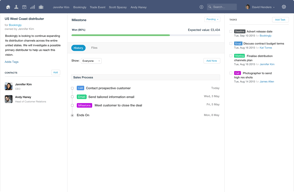
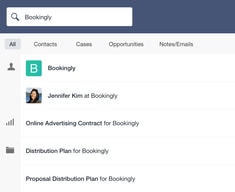
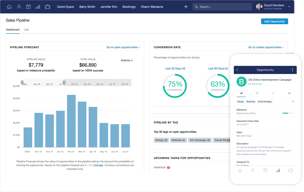
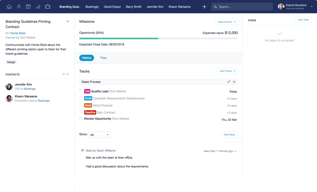





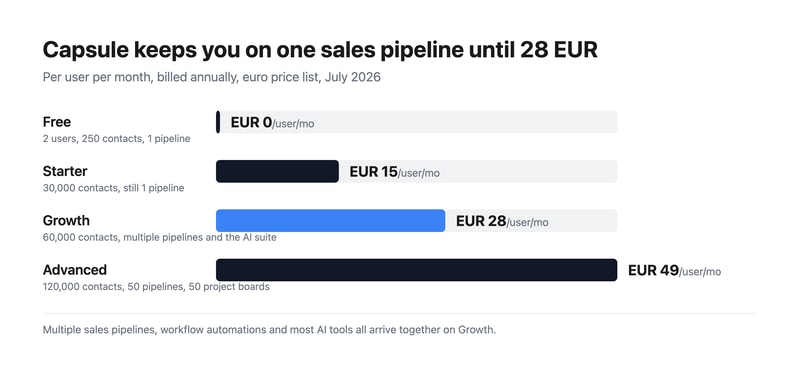
Capsule CRM keeps you on a single sales pipeline until €28 per user per month. The €15 Starter plan raises your contact limit from 250 to 30,000 but does not add a second pipeline — multiple sales pipelines arrive on Growth, alongside workflow automations and most of the AI suite. If your business sells more than one thing in more than one way, that is the number that matters, not the entry price.
- What it is: A straightforward CRM for small businesses, covering contacts, opportunities, tasks, and light project delivery.
- Best for: Small teams who want a tidy, uncomplicated CRM and can live within one pipeline at the entry tier.
- Pricing: Free for 2 users, Starter €15, Growth €28, Advanced €49 per user monthly on annual billing. Verified July 2026.
- The honest catch: The free plan caps at 250 contacts, which is a genuinely small list.
What Is Capsule CRM?
Capsule is a deliberately uncomplicated CRM: contacts, opportunities, tasks, and — from the mid tier — project boards for delivering the work you win. It has been around long enough to be mature without having accumulated the sprawl that makes larger platforms daunting, and it is rated 4.7 on G2 by its own citation.
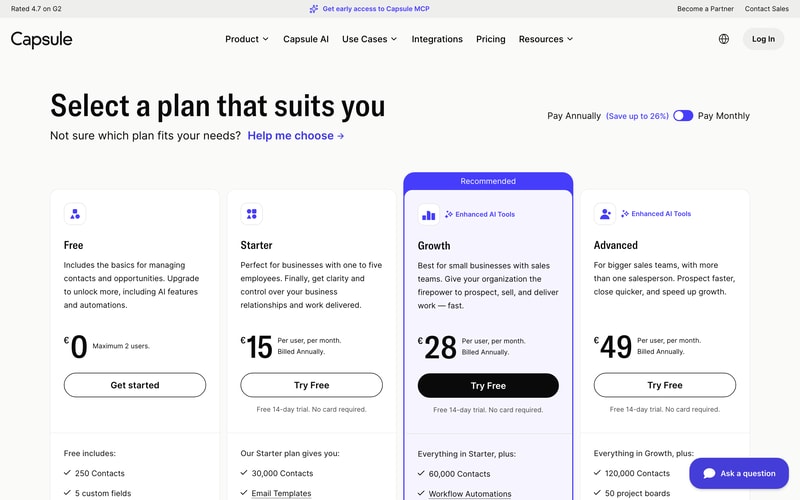
The 2026 product leans into AI across the upper tiers — business enrichment, contact enrichment, summaries, and meeting preparation in beta — and Capsule is currently offering early access to Capsule MCP, which would let AI agents work with your CRM data directly. That places it among a small but growing group of business tools shipping agent access rather than talking about it.
Contacts are the meter: 250 free, then 30,000, 60,000, and 120,000.
How Capsule CRM Works
- Priced per user, per month, with a free tier for up to two people.
- Contacts are the primary limit, rising steeply between tiers.
- One sales pipeline on Free and Starter; multiple from Growth.
- The AI suite lands at Growth — enrichment, summaries, and meeting prep.
- Project management arrives at Growth, with boards laddering to 50 on Advanced.
- A 14-day free trial on every paid plan, no card required.
Capsule CRM Pricing
Captured from Capsule’s pricing page in July 2026 on the euro price list with annual billing, which is the page default. Capsule advertises saving up to 26% on annual billing; we were unable to read the monthly rates directly and so quote only the annual figures the cards label as such.
| Plan | Per user/mo | Users | Contacts | Pipelines | AI |
|---|---|---|---|---|---|
| Free | €0 | Max 2 | 250 | 1 | — |
| Starter | €15 | Unlimited | 30,000 | 1 | Pipeline generator only |
| Growth | €28 | Unlimited | 60,000 | Multiple | Full suite |
| Advanced | €49 | Unlimited | 120,000 | 50 | Full suite |
What actually decides your plan:
- Multiple pipelines start at Growth. Starter’s list of additions is generous — 30,000 contacts, email templates, a shared mailbox, premium integrations with Xero and Zendesk, goals, and an AI pipeline generator — but a second sales pipeline is not among them. A business with two distinct sales motions, or one selling to two segments, needs €28 rather than €15.
- The free plan takes two users, which is unusual. Most free CRM tiers are single-user; Bigin’s is one seat. Two people sharing a CRM at no cost is a real proposition for a founder-and-assistant setup — provided 250 contacts is enough, which for most growing businesses it will not be for long.
- Almost all the AI is on Growth. Starter gets the AI pipeline generator; business enrichment, contact enrichment, summaries, and meeting prep all sit at €28. If AI-assisted prospecting is why you are interested, price from Growth.
- Project management is a Growth feature too. Boards, team and access controls, and advanced reporting all arrive together, which makes Growth a much bigger step in capability than the €13 price gap implies.
- The contact ladder is steep and generous. 30,000 on Starter is far more than most small businesses will ever use, so contacts are unlikely to be what pushes you upward — pipelines and AI will be.
- Compare the entry tier honestly. At €15 for one pipeline and 30,000 contacts, Capsule sits above Bigin at €7 for three pipelines and 50,000 records, and OnePageCRM at €8.95 with unlimited contacts. Capsule’s case rests on interface quality and the project layer rather than on price.
Who Should Use Capsule CRM
- Small teams wanting simplicity. The clearest case — Capsule asks less of you than most CRMs and looks better doing it.
- Two-person businesses. The free tier genuinely supports a pair, which almost no competitor does.
- Services businesses. Project boards from Growth mean you can track delivery as well as sales.
- Xero and Zendesk users. Premium integrations from Starter connect the tools small businesses actually run.
It fits poorly for multi-pipeline sales at a budget, where Bigin gives three pipelines for €7; for very large contact databases, where OnePageCRM’s unlimited model is cheaper; and for marketing automation, where Keap or HubSpot bundle campaigns.
Honest Pros and Cons
Strengths
- A free plan for two users, which is rare in this category.
- Genuinely clean interface, with a 4.7 G2 rating by Capsule’s own citation.
- Generous contact limits — 30,000 from the entry paid tier.
- Project management included from Growth, not sold separately.
- Capsule MCP in early access, ahead of most CRMs on agent support.
- A 14-day trial with no card on every paid plan.
Limitations
- One sales pipeline until €28, on both Free and Starter.
- 250 contacts on the free plan, which is a small list.
- The AI suite requires Growth, not Starter.
- More expensive than close competitors at the entry tier.
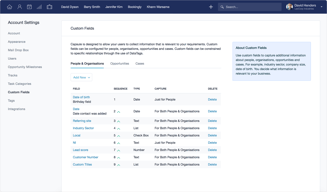
- Custom activity types need Growth, and custom milestones need any paid plan.
- Monthly rates are not shown by default, only the annual figures.
Capsule CRM Alternatives and How It Compares
- Bigin by Zoho CRM is markedly cheaper at €7 with three pipelines and 50,000 records, and a stronger free tier for a single user.
- OnePageCRM gives unlimited contacts on every plan from €8.95, built around a next-action method rather than pipelines.
- Pipedrive is the pipeline-first specialist with stronger deal visualisation, at a higher price and with no free tier.
- HubSpot CRM has a free tier with unlimited users, and costs escalate sharply once you add hubs.
- Insightly is the closest match on the sales-plus-projects combination, metering records more aggressively.
- Freshsales and monday CRM are the modern-interface alternatives at comparable cost.
For a broader survey, browse our CRM directory.
The Verdict
Capsule is a well-made CRM that knows what it is. It does contacts, opportunities, tasks, and — from the middle tier — the projects that follow a won deal, and it does them with an interface that will not intimidate anyone. For a small services business that wants to see both its pipeline and its delivery in one place, that combination is genuinely useful and not especially common at this price.
The gate to check before you buy is pipelines. Both the free plan and the €15 Starter plan give you one sales pipeline. Starter is otherwise a substantial upgrade — 30,000 contacts, shared mailbox, email templates, Xero and Zendesk integrations, goals — but if you sell two different things, or sell to two segments with different stages, you cannot model that until Growth at €28. The same tier also brings workflow automations, project boards, team controls, and the AI suite, so Growth is a much larger step in capability than €13 suggests. Many buyers will find it is the plan they actually needed.
Two other things worth weighing. The free tier takes two users, which is unusual and genuinely useful for a founder plus one — the binding constraint is 250 contacts, not seats. And on price, be clear-eyed: at €15 for one pipeline, Capsule sits above Bigin at €7 for three pipelines and 50,000 records, and above OnePageCRM at €8.95 with unlimited contacts. Capsule’s argument is the quality of the experience and the project layer, not the number on the card — which is a perfectly good argument, provided you know you are making it.
FAQ
How much does Capsule CRM cost?
On the euro price list captured July 2026 with annual billing: Free for up to two users, Starter €15 per user per month, Growth €28, and Advanced €49. Contact limits are 250, 30,000, 60,000, and 120,000 respectively. Capsule advertises saving up to 26% on annual billing; the cards display annual rates by default. All paid plans include a 14-day free trial with no card required.
How many users does Capsule’s free plan allow?
Two. That is unusual — most free CRM tiers allow a single user — and makes Capsule’s free plan genuinely workable for a founder and one colleague. The real constraint is the 250-contact limit and the single sales pipeline, so it suits a very early business rather than one with an established customer list.
Which Capsule plan includes multiple sales pipelines?
Growth, at €28 per user per month on annual billing. Both the Free and Starter plans are limited to one sales pipeline, so a business running two distinct sales processes needs Growth regardless of contact volume. That tier also adds workflow automations, project boards, advanced reporting, team and access controls, and the AI enrichment and summary tools.
What AI features does Capsule CRM include?
Starter includes an AI pipeline generator, which builds a custom sales pipeline from a description. The rest of the suite — AI business enrichment, AI contact enrichment, AI summaries, and AI meeting prep in beta — arrives on Growth at €28. Capsule is also offering early access to Capsule MCP, which would let AI agents interact with CRM data directly.
Is Capsule CRM better than Bigin or OnePageCRM?
It is more expensive and, for many small businesses, better looking and easier to live with. On raw value, Bigin gives three pipelines and 50,000 records for €7 against Capsule’s one pipeline and 30,000 contacts for €15, and OnePageCRM gives unlimited contacts from €8.95. Choose Capsule for interface quality and the built-in project boards; choose the others if pipelines or price are what decide it.

Compare Capsule CRM with other popular tools in the same category.
It's easy to use, has a pleasing UI like Asana. It includes 'Cases' which are customizable multi-user sequential and parallel customer success workflows which can be triggered immediately by sales events like deal close. It integrates with everything! I recommend CRMs to companies in my work. I've used Pipedrive, Salesforce, Active Campaign, Hubspot CRM, MS Dynamics. For small businesses I keep coming back to Capsule CRM for it's ease and simplicity. Low cost is a bonus
A few years ago, there weren't user view settings that restricted people to be able to only see their deals. It was every sees everything by default. That's been fixed. No complaints now.
This software is great for companies that need a lightweight solution that is easy to use and offers just enough customization but not too much. It has a pleasing intuitive interface. The biggest problem with CRMs is adoption by end-users. If there's too much of a learning curve and/or it doesn't integrate into their day/workflow in a frictionless manner, it just won't get used. This is a software I've implemented at multiple small businesses and people like it.
The free version allows a decent amount of customization including adding new fields and tags, which is really useful. It's a very lightweight product that's great if you just need a pretty simple CRM without all the bells and whistles.
It's not a big deal to me, but again, it's not a super high-end CRM, so if you have really complex needs, this probably isn't for you.
I use Zapier to integrate it with all the different customer contact points I have so I can keep my sales funnel organized.
Task managers - setting reminders - connecting directly to your email and recording there - the use of macros is simple and very user friendly We communicate with a team across the united states and this is our HUB for sales and what the entire sales team uses to track leads and to track progress of sales leads, time to close, etc
That Capsule doesn't like properly to my gmail calendar but does work great with the reminders for them. I feel that the sales pipeline could use some updating and be more comprehensive like other CRMs I have reviewed. The sales pipeline for others seems to be more detailed and directed as opposed to simple/basic needs.
Sales pipeline and the use of notes to communicate between out of state sales team members This CRM is paramount to the success of our sales team and even with misuse of the software by poorly skilled team members, it is still easy to figure out what happened, where they left off and what needs to be done next.
Competitively priced and cheaper and easier to use than Sales Force. Cloud based and superior to Act which I have been using between 1998 and 2016.
Calendar and task view can be a little annoying to use when trying to move a task to another month but you do get used to it.
I like the grouping features and this allows me flexibility with customer records, particularly as I am a Manufacturers Rep (Sales Agent) and quite often have one account shared between two or three principals.
Free for longer than most others, integrations, ease of use.
It is set up different than other CRMs I have used so it takes a bit of adjusting but worth it.
Saving money! It costs less and does the job just as well.
I like that Capsule crm helps me organize leads at a very good price.
I dislike the limited support in Capsule.
I am staying organized with my leads without paying a hefty price.
Capsule calendar is superior (in my opinion) for managing and scheduling tasks than Hubspot or Infusionsoft.
The left-hand sidebar for Opportunity/Case info used to be limited in characters (bad), now it seems unlimited but hidden by a "more" click after only a few lines (slightly less bad).
Client management and sales/delivery scheduling.
User interface is very good, Capsule is integrated with other platforms and has the right price
Data analysis and statistics are very poor
I'm managing the sales process of my company.

Simplicity and ease of use are Capsule's main features. The interface is simple and intuitive, and up time is very high. The breadcrumb feature showing recent records which have been visited is very useful. We don;t use the cases feature but it is a good inclusion for small businesses who don't have another help desk/support system. The Capsule API's are very strong and robust so integration with other other systems is possible.
The reporting module is poor with limited flexibility. Email integration is manual, using a BCC for outbound mails and a Gmail gadget for inbound. Messages can be linked to opportunities or contacts, but Capsule sometimes doesn't find all the opportunities. We are about to hit the 50,000 record limit which is causing us some problems. Importing data is a little cumbersome as two passes are required - orgnisations first then contacts. De-duping is also painful.
Capsule handles all our prospect and customer interactions. The integration with MailChimp is very strong and is proving worthwhile.
is a very practical and easy to integrate tool because you can customize it to the interests and needs that are present in the team, it is easy to navigate and understand its operation.
I have nothing negative to say about this tool, it has worked in a very useful, intuitive and easy to use way.
is a very intuitive and practical to use CMR, as it allows you to customize the tool to the needs that are present in the team, managing all the information developing all the data integration, such as a spreadsheet. hCaleCaving access all in one place.
There are a few things I really enjoy about Capsule. One of the greatest things is its ability to export lists into whatever you need. You can get them as CSVs, Worksheets, or even put them straight into MailChimp. The ability to assign tasks is another great feature of Capsule. It's clear who is supposed to be doing what when. It also allows what seems like an unlimited number of fields you can add so you can be as specific as possible. It's nice that there are fields but also tags, so there are a couple different ways to search based on what you're looking for.
I really, really wish this was more searchable. It offers up all of these options for you to be able to leave notes in different accounts. You can leave notes, history, files, create opportunities, but you can't search for anything in the notes! It can be pretty frustrating if you rely on previous comments about people to know if you should be using them or not. It just adds more clicks to the process. It's also frustrating that you can't organize the notes section better or pin things to the top. If you have a lot of notes, things get lost really fast. And because you can't search for content within notes, it means you're stuck digging through extensive notes to find what you're looking for.
We use Capsule to manage client accounts/info and to house all of our information on our freelancers. We are quickly and easily able to see their contact information, the amount of strikes they have against them, their username, their test grades, when thy passed their tests, if they require certain tax documents, if they're active or inactive within our system, which country they live in, etc. That is all thanks to the many fields they allow you to have. It's an awesome way to house and track information if you know how to use it properly.
I like that this is easy on the eyes and does the basics. It isn't overcrowded with unnecessary features, but it is quite customizable which is nice. The theme is simple, not a ton of color variation or shape variation- just squares with basic text. It has a great feature where you can BCC emails to the CRM so your customer interactions are always captured. I wish it were automatic so Id din't have to think of it every time, but still a super super useful feature.
I with that this CRM system had a way for me to "archive" leads that have given me a firm NO so they didn't show up in my list. I always with that I could sort my contacts by location (state, region, etc). I wish states were offered as a drop down box to select options rather than type them in because if there is even one type-o then you can no longer look up individual businesses or contacts by state. A drop down box would eliminate all error. This same concept can be applied in multiple portions of the software.
We are organizing client data, notes, and sales. The benefit is that everything is in one place and multiple users can log in to this software at one time.
Very easy to add custom fields and measure against those fields. Also easy to move items through the pipeline and manage employee effectiveness.
Wish it had a better reporting interface. The only way to get reports of any substance is to export data to a spreadsheet and create your own. Not very efficient.
Using this tool mostly to manage membership details, customer changes and data for our collaborative workspace.
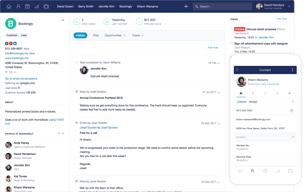
Capsule is very easy-to-use, very straightforward with a nice user interface that gets the job done. There are two features that I really like. The first is the communication history attributed to each contact. I can attach emails, files and my own notes. The second feature is the automatic sourcing of social media links for contacts.
The single biggest downside to Capsule is it's lack of support for user-based permissions and roles. Currently, you can't define user access permissions by group or role. So if you have a sales team and say an account management team, you can not prevent your sales team members from accessing contacts owned by your account management team. In other words, any user with has access to your CRM can see every contact, including communication history, notes, files, etc. This feature has been requested by hundreds, if not thousands, of Capsule users and has largely been ignored for years.
We use capsule as a repository to store notes, emails and important files for our customers, vendors and other contacts.
Cloud stored address book, having the means of accessing phone numbers, emails, addresses from every device is certanely a pro.
Somehow limited, seems that hasn't progressed in years of use, both visually and in regards of functionality. The sales pipeline is very basic
The main benefit is having the possibility of having a unified address book for the whole workplace.
I like that it tabs the recent searches or accounts I looked at. It's cleaner looking than salesforce.
It's hard to navigate and get a grasp of when first starting out. It is also somewhat hard to segment certain groups.
It's a standard CRM. We need a database.
Capsule is a great CRM for a new business not looking to spend money.
Not a great dashboard, and requires quite a bit of work to set up.
Sales increasing
Capsule was easy to customize for our use case, and tagging feature was particularly helpful. For first time users, it was fairly intuitive after a brief introduction. It integrated easily with our email as well.
While there was nothing wrong with the tool in particular, it was outdated and did not provide all the functionality of some of the more recent CRMs. The UI was clunky and did not have a modern aesthetic which made us worried that Capsule was not making frequent improvements to their tool. The reporting features were very basic - you could get the info you needed in a spreadsheet but not much more.
This CRM let us track all activity around our potential and current customers. It allowed us to easily map our customer journey into the tool so that the whole team could track activity around our customers.
It's customization and flexibility are useful.
The software is clunky - there haven't been a lot of new upgrades or features since we started using 2 years ago.
CRM -- helps maintain the flow of onboarding for our clients.

What I liked about Capsule best was that it made it easy to get going with the software; although it would be unfair to call the software complicated (in fact it's probably as easy to use as any of it's competitors) it isn't actually that easy to see how things should work. Capsule has lots of help videos and documents
What Capsule really needs, that in fairness it's competitors don't really have either, is real recommendations on how to get the best out of it's software. What do I really need to do to make using Capsule a success for my business
We needed somewhere where we could track all of our leads and automate our follow-up a little more smartly. In reality we've not used it particularly well and no real benefits have ultimately been utilised.
It's nice that it sends reminders and can be synced with my calendar.
I just started using Capsule and just like Trello, I'm having a hard time falling in love. For weddings it's not very intuitive and seems like a lot of work. Perhaps I just can't get past the main page/ dash board. It's too crowded and I wish there was a way to filter the view (by keywords) or minimize the conversations, or view more of the updates on a particular client without having to click away.
Lead management and follow up