Unclaimed: Are you working at Capsule CRM?
Capsule CRM Reviews: 4.6/5 — Highly Rated
Help your customers and audience make easy work of their sales and customer relationships with Capsule's easy-to-use CRM while you build a new revenue stream at the same time.

| Capabilities |
API
|
|---|---|
| Segment |
Small Business
Mid Market
|
| Deployment | Cloud / SaaS / Web-Based, Mobile Android, Mobile iPad, Mobile iPhone |
| Support | 24/7 (Live rep), Chat, Email/Help Desk, FAQs/Forum, Knowledge Base, Phone Support |
| Training | Documentation |
| Languages | English |

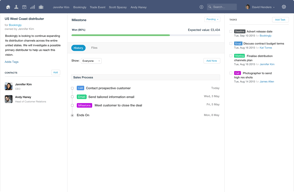
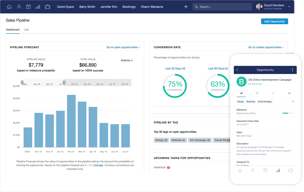
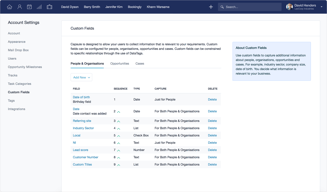
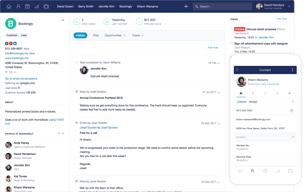





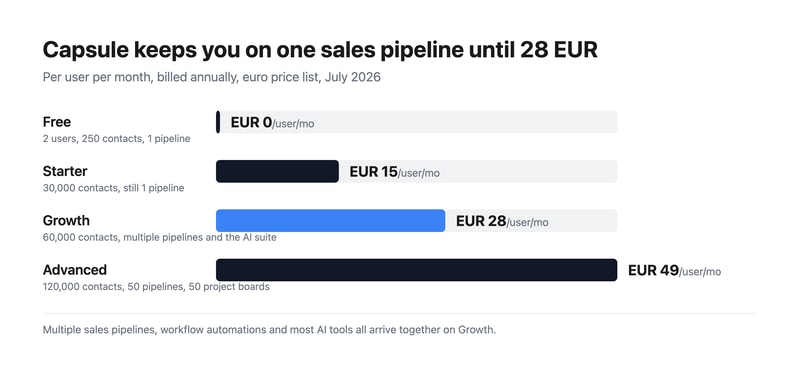
Capsule CRM keeps you on a single sales pipeline until €28 per user per month. The €15 Starter plan raises your contact limit from 250 to 30,000 but does not add a second pipeline — multiple sales pipelines arrive on Growth, alongside workflow automations and most of the AI suite. If your business sells more than one thing in more than one way, that is the number that matters, not the entry price.
- What it is: A straightforward CRM for small businesses, covering contacts, opportunities, tasks, and light project delivery.
- Best for: Small teams who want a tidy, uncomplicated CRM and can live within one pipeline at the entry tier.
- Pricing: Free for 2 users, Starter €15, Growth €28, Advanced €49 per user monthly on annual billing. Verified July 2026.
- The honest catch: The free plan caps at 250 contacts, which is a genuinely small list.
What Is Capsule CRM?
Capsule is a deliberately uncomplicated CRM: contacts, opportunities, tasks, and — from the mid tier — project boards for delivering the work you win. It has been around long enough to be mature without having accumulated the sprawl that makes larger platforms daunting, and it is rated 4.7 on G2 by its own citation.
The 2026 product leans into AI across the upper tiers — business enrichment, contact enrichment, summaries, and meeting preparation in beta — and Capsule is currently offering early access to Capsule MCP, which would let AI agents work with your CRM data directly. That places it among a small but growing group of business tools shipping agent access rather than talking about it.
Contacts are the meter: 250 free, then 30,000, 60,000, and 120,000.
How Capsule CRM Works
- Priced per user, per month, with a free tier for up to two people.
- Contacts are the primary limit, rising steeply between tiers.
- One sales pipeline on Free and Starter; multiple from Growth.
- The AI suite lands at Growth — enrichment, summaries, and meeting prep.
- Project management arrives at Growth, with boards laddering to 50 on Advanced.
- A 14-day free trial on every paid plan, no card required.
Capsule CRM Pricing
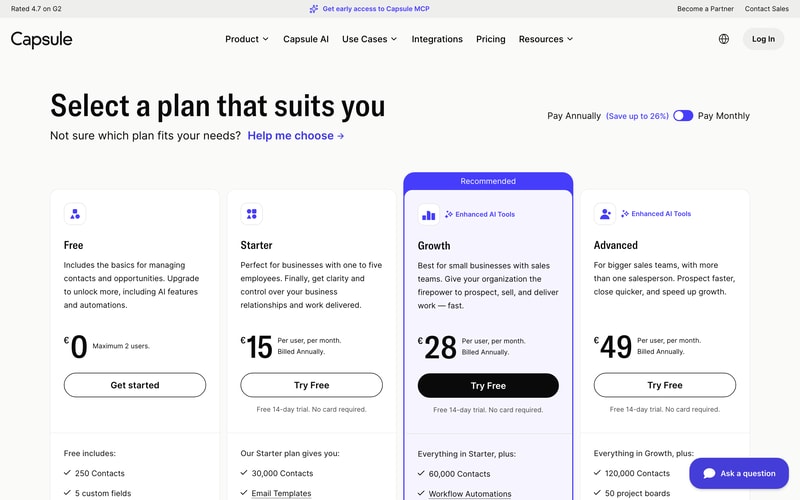
Captured from Capsule’s pricing page in July 2026 on the euro price list with annual billing, which is the page default. Capsule advertises saving up to 26% on annual billing; we were unable to read the monthly rates directly and so quote only the annual figures the cards label as such.
| Plan | Per user/mo | Users | Contacts | Pipelines | AI |
|---|---|---|---|---|---|
| Free | €0 | Max 2 | 250 | 1 | — |
| Starter | €15 | Unlimited | 30,000 | 1 | Pipeline generator only |
| Growth | €28 | Unlimited | 60,000 | Multiple | Full suite |
| Advanced | €49 | Unlimited | 120,000 | 50 | Full suite |
What actually decides your plan:
- Multiple pipelines start at Growth. Starter’s list of additions is generous — 30,000 contacts, email templates, a shared mailbox, premium integrations with Xero and Zendesk, goals, and an AI pipeline generator — but a second sales pipeline is not among them. A business with two distinct sales motions, or one selling to two segments, needs €28 rather than €15.
- The free plan takes two users, which is unusual. Most free CRM tiers are single-user; Bigin’s is one seat. Two people sharing a CRM at no cost is a real proposition for a founder-and-assistant setup — provided 250 contacts is enough, which for most growing businesses it will not be for long.
- Almost all the AI is on Growth. Starter gets the AI pipeline generator; business enrichment, contact enrichment, summaries, and meeting prep all sit at €28. If AI-assisted prospecting is why you are interested, price from Growth.
- Project management is a Growth feature too. Boards, team and access controls, and advanced reporting all arrive together, which makes Growth a much bigger step in capability than the €13 price gap implies.
- The contact ladder is steep and generous. 30,000 on Starter is far more than most small businesses will ever use, so contacts are unlikely to be what pushes you upward — pipelines and AI will be.
- Compare the entry tier honestly. At €15 for one pipeline and 30,000 contacts, Capsule sits above Bigin at €7 for three pipelines and 50,000 records, and OnePageCRM at €8.95 with unlimited contacts. Capsule’s case rests on interface quality and the project layer rather than on price.
Who Should Use Capsule CRM
- Small teams wanting simplicity. The clearest case — Capsule asks less of you than most CRMs and looks better doing it.
- Two-person businesses. The free tier genuinely supports a pair, which almost no competitor does.
- Services businesses. Project boards from Growth mean you can track delivery as well as sales.
- Xero and Zendesk users. Premium integrations from Starter connect the tools small businesses actually run.
It fits poorly for multi-pipeline sales at a budget, where Bigin gives three pipelines for €7; for very large contact databases, where OnePageCRM’s unlimited model is cheaper; and for marketing automation, where Keap or HubSpot bundle campaigns.
Honest Pros and Cons
Strengths
- A free plan for two users, which is rare in this category.
- Genuinely clean interface, with a 4.7 G2 rating by Capsule’s own citation.
- Generous contact limits — 30,000 from the entry paid tier.
- Project management included from Growth, not sold separately.
- Capsule MCP in early access, ahead of most CRMs on agent support.
- A 14-day trial with no card on every paid plan.
Limitations
- One sales pipeline until €28, on both Free and Starter.
- 250 contacts on the free plan, which is a small list.
- The AI suite requires Growth, not Starter.
- More expensive than close competitors at the entry tier.
- Custom activity types need Growth, and custom milestones need any paid plan.
- Monthly rates are not shown by default, only the annual figures.
Capsule CRM Alternatives and How It Compares
- Bigin by Zoho CRM is markedly cheaper at €7 with three pipelines and 50,000 records, and a stronger free tier for a single user.
- OnePageCRM gives unlimited contacts on every plan from €8.95, built around a next-action method rather than pipelines.
- Pipedrive is the pipeline-first specialist with stronger deal visualisation, at a higher price and with no free tier.
- HubSpot CRM has a free tier with unlimited users, and costs escalate sharply once you add hubs.
- Insightly is the closest match on the sales-plus-projects combination, metering records more aggressively.
- Freshsales and monday CRM are the modern-interface alternatives at comparable cost.
For a broader survey, browse our CRM directory.
The Verdict
Capsule is a well-made CRM that knows what it is. It does contacts, opportunities, tasks, and — from the middle tier — the projects that follow a won deal, and it does them with an interface that will not intimidate anyone. For a small services business that wants to see both its pipeline and its delivery in one place, that combination is genuinely useful and not especially common at this price.
The gate to check before you buy is pipelines. Both the free plan and the €15 Starter plan give you one sales pipeline. Starter is otherwise a substantial upgrade — 30,000 contacts, shared mailbox, email templates, Xero and Zendesk integrations, goals — but if you sell two different things, or sell to two segments with different stages, you cannot model that until Growth at €28. The same tier also brings workflow automations, project boards, team controls, and the AI suite, so Growth is a much larger step in capability than €13 suggests. Many buyers will find it is the plan they actually needed.
Two other things worth weighing. The free tier takes two users, which is unusual and genuinely useful for a founder plus one — the binding constraint is 250 contacts, not seats. And on price, be clear-eyed: at €15 for one pipeline, Capsule sits above Bigin at €7 for three pipelines and 50,000 records, and above OnePageCRM at €8.95 with unlimited contacts. Capsule’s argument is the quality of the experience and the project layer, not the number on the card — which is a perfectly good argument, provided you know you are making it.
FAQ
How much does Capsule CRM cost?
On the euro price list captured July 2026 with annual billing: Free for up to two users, Starter €15 per user per month, Growth €28, and Advanced €49. Contact limits are 250, 30,000, 60,000, and 120,000 respectively. Capsule advertises saving up to 26% on annual billing; the cards display annual rates by default. All paid plans include a 14-day free trial with no card required.
How many users does Capsule’s free plan allow?
Two. That is unusual — most free CRM tiers allow a single user — and makes Capsule’s free plan genuinely workable for a founder and one colleague. The real constraint is the 250-contact limit and the single sales pipeline, so it suits a very early business rather than one with an established customer list.
Which Capsule plan includes multiple sales pipelines?
Growth, at €28 per user per month on annual billing. Both the Free and Starter plans are limited to one sales pipeline, so a business running two distinct sales processes needs Growth regardless of contact volume. That tier also adds workflow automations, project boards, advanced reporting, team and access controls, and the AI enrichment and summary tools.
What AI features does Capsule CRM include?
Starter includes an AI pipeline generator, which builds a custom sales pipeline from a description. The rest of the suite — AI business enrichment, AI contact enrichment, AI summaries, and AI meeting prep in beta — arrives on Growth at €28. Capsule is also offering early access to Capsule MCP, which would let AI agents interact with CRM data directly.
Is Capsule CRM better than Bigin or OnePageCRM?
It is more expensive and, for many small businesses, better looking and easier to live with. On raw value, Bigin gives three pipelines and 50,000 records for €7 against Capsule’s one pipeline and 30,000 contacts for €15, and OnePageCRM gives unlimited contacts from €8.95. Choose Capsule for interface quality and the built-in project boards; choose the others if pipelines or price are what decide it.

Compare Capsule CRM with other popular tools in the same category.
I have been using Capsule for just under a year. Looked at many but found it fitted my business needs as a start up. Easy to tailor crm to suit recruitment purpose and great intergrations with other applications.
Nothing really disliked with capsule as it fulfils my needs
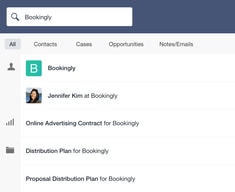
search, candidates and clients listings

I could not run my PR business without Capsule! My remote team and I use it to collaborate on media outreach, client contacts, internal notes and to-do's and so much more. I am the least technical person on the planet and I find Capsule absolutely simple to use and easy to understand. Information management is the hardest part of our job, and Capsule makes it a breeze!
Honestly can't think of anything I don't love about Capsule.
It lets all team members see who's been contacted and keeps us all abreast of ongoing projects without having to ask, have you called so-and-so yet, or what happened at the meeting?

I have used capsule for the last 2 years and it is by far the easiest and well thought out platform of its kind I’ve used in over 20 years. Slick and simple pipeline management and CRM management has contributed to business growth and setting up great internal processes. Would recommend ahead of complicated competitors.
There aren't any downsides for me. It meets all business needs.
Management of contacts, marketing groups and pipeline. All in one place and tagged. Makes it super simple to track growing network for. Growing business
Creating tasks is easy, and process is simple to create opportunities
Reporting. We cannot pull out necessary reporting required on a daily/weekly/monthly basis.
Maintain lead follow-up. We can follow up leads on timely basis.
It's easy to integrate into our workflows and software (email, Slack, Quickbooks)
It could perhaps do with more (or more obvious) user guides - videos or webinars to showcase features.
Lead management and communication tracking, and also making sure a remote-working team can see a central point for customer communication.

- Easy to use. - Does its core job well. The support team is great and super responsive. - Connects with Xero, Microsoft 365, Mailchimp etc. - Excellent value for money. - Developers are open to ideas and improvements. - Simple for one person and scales up with the business.
I don't see any downsides at present with Capsule.
Keeping track of all out leads and contacts and providing metrics showing how we are performing and what channels work best for us.
Capsule CRM was easy to install and use and the data provided has been invaluable to us.
Not sure I can think of anything specific
Capsule has helped us maintain control with our accounts, it has helped us stay in contact with potential clients and identify new sales opportunities to existing clients. We are a small business and never really considered the need for a proper CRM system until we started using Capsule. It really has helped to provide momentum and direction to our business.

Capsule CRM is an incredibly user-friendly and efficient solution for managing your business on a day-to-day basis. One of its greatest strengths is the ability to customise different sections according to your specific requirements. It is not only a cost-effective CRM, but it also exceeds expectations by seamlessly integrating with popular tools like Outlook, Xero, and other essential business software. As a growing business, Capsule has greatly benefited us. It empowers us to track opportunities and share valuable insights among users. The 'task' function allows for seamless follow-up on leads and prospects. I particularly appreciate the feature that enables reporting on the value of opportunities, which helps us create anticipated turnover forecasts. The generated reports are exceptional, providing insightful snapshots of our business. Additionally, these reports can be easily exported and integrated into our monthly reports. Moreover, I have been consistently impressed with Capsule's Customer Services team. They have always been prompt in responding to our queries. Whenever they couldn't support a specific request, they took the time to understand our needs. They either provided alternative solutions or, impressively, created new functions on the platform that benefited other users as well. Having experience with various CRMs in the past, I firmly believe that Capsule is the most cost-effective, user-friendly, and streamlined option available. It stands out as a powerful tool for efficiently managing business operations.
Nothing! Capsule has met all of my CRM needs and more.
Capsule allows us to manage our data base to comply with GDPR and also opportunity tracking

To find contacts and my communication with them. Secondly to keep track of my intentions for further action in any future.
none and I have to repeat this in order to get to maore than 31 characters.
I can find anyone by name of organisation with wihich I had had contacts

uploading/importing contacts details is very easy
the capsule contacts do not merge with whats app contacts straight away and it is required I save the contacts outlook file one by one to get the contact showing on my whats app search
sorting my contacts taging at variouse fileds which makes our work very much easier and faster especialy after the mailchimp integration

I am thoroughly impressed with this CRM! Easily integrated (like 5 minutes!) and using it with almost every transaction/action in the workplace. Its intuitive interface simplifies workflow, making managing contacts a breeze. They have a great pipeline set up that enables us to manage and organise sales stages. The standout feature, however, is the exceptional customer support. The team was responsive, knowledgeable, and goes above and beyond to address any queries promptly. Their dedication ensures a seamless experience, setting this CRM apart from the rest. Highly recommend for businesses seeking not only a robust tool but also top-notch support!
I cant see any downsides- it really is brilliant.
Streamlining the workplace CRM process. Weve been shopping around for so long trying to find something that isnt as complicated as the mainstream 'go - to' processes. It also plugs into our Accounting software. Im SO happy.
Capsule assists our employees to keep track of and report on client specific requirements. By setting up simple tracks and tasks you will not forget to follow up with a client re quote acceptance, billing or revisions. We use Capsule daily because it allows for ease of access to important client or job related information. The integration opportunities are amazing, we can easily track correspondence with a client and any interactions whether it be by meeting, email or phonecall. Installing the mobile app is off great assistance when you are on site and need to check up with a client face to face.
I am struggling to download the app on my PC - I only have access to the online app.
In our industry, especially over high season, we are all stretched quite thin with the sheer amount of jobs we have, capsule allows us to set up tasks and note staff allocations especially when you are on site. Having the integration with Outlook Capsule does not miss much.
We have a number of different users and all of them have different skills and needs. It is very simple to use.
We have yet to find anything material to maon about!
It allows us to have a singular view of our sales Pipeline and, mostly working remotely, complete visibility as to where we are with each opportunity. This allows us to dovetail actions and responsibilities across the Commercial team.
It is priced reasonably with intuitive features and UX/UI.
Perhaps the integration with GMail as currently i am using a BCC extension to get my emails to capsule
It helps to manage my ongoing deals with clients and allows my team to have visbility on each deal.
It's intuitive, and incredibly simple to use. There is a richer, more customisable element to it which we've dipped into as and when, and found it always meets our needs with minimum fuss. We've utilised its import facility regularly, and also built out several integrations using its API to enable us to keep track of our contacts, our comms, and also to publish activities to our slack space to harmonise our business development activities. The sales pipeline view has served as a campfire for us - the team rallying around this on our weekly sales catch up to ensure we're all on the same page and that we know where to focus our efforts.
The one challenge we came up against here was when utilising the import feature. It didn't recognise existing contacts as it used email address as a primary key (something we didn't always capture). We raised a helpdesk ticket and received a prompt response with a really helpful workaround, so no harm done here really.
Helping us keep our sales intel fresh and align our business development activities.
My favorite thing about Capsule CRM is the easy layout that is presented. It is simple enough to understand for those who are fairly new to PM!
The price point is a buit above average than competetors.
Capsule CRM is helping my team with their organizational skills when it comes to PM.
Very easy to set up, excellent and timely support, does everything I need it to do. If there's something that looks like it's not supported, the support team are always able to point out how to. The Outlook integration and mobile app are excellent and mean I can interact with the system anywhere.
I have yet to find any - i have yet to find anything I need it can't do.
Centralising our client data needs with a number of very specific data requirements - means we are able to make Capsule our master data store and run all the reporting we need from it. Its interaction handling is particularly good - our need is less about sales than existing customer relationship management, so being able to log interactions and report on them is key. Capsule is excellent at this as its mobile app makes interaction logging simple when on the move, and Outlook integration means contacts and interactions can be created directly from emails with a couple of buttons. The sales functionality is very useful, particularly the ability to create multiple custom sales pipelines, which we use very heavily.
The ease of use of the sales pipeline and the email storing
It would be great if there was a desktop app and if I could store contacts in separate groups, not just tags
Helps me to keep track of what I am doing with potential customers and make sure I don't miss out of opportunities
Capsule has been an amazing additional to our business. It is fully customizable and so user friendly. I have already recommended it to many of my colleagues and associates. The reports and filters makes it easy to get the information out of the CRM you want easily. The fact that I can email directly from the CRM is so valuable to my organisation, keeping all details of customer and driver interactions in an easy to find place. Our business has had it's best every 2 years and Capsule has played an intergrel role in that. On the odd occasion I have had difficulties, the customer support team has been there to assist in a timely and effecient way. Finally the to do list within Capsule, mean it's my go to each morning to get my day organised and focused. My emails are also intregated so all calendar appointments pop up so I never miss a meeting. I have been using Capsule for about 2 years, I use it daily and look forward to continuing to use it for organising my day, my leads, reporting and measuring for the continued success of my business.
I could NOT say any negative about it at this stage. Anything I have wanted to program to do it has easily been able to. Thanks again.
One of the biggest problems Capsule has helped to solve is the measurability of our data. Capsule is easy to customize and therefore we can capture the data we need and after 2 years of using the program we are now generating reports so that we spend money in the areas where we now know will have the greatest impact. So Capsule is honing our sales and lead generation efforts, saving us money and time and cutting our conversion rates dramatically. Furthermore, we use Capsule for retention of both our drivers and customers. When each new driver or customer is set up in Capsule, we simply add some milestones, click on repeat every 3 months, 6 months or 12 months as needed and are then promoted through the to do list on the front dashboard to reach out, celebrate, congratulate and follow up, all leads and existing customers and drivers at regular intervals to add value to them and continue to build strong partnerships
We can see all of our current and past cases, where each case is up to in terms of tasks and all staff members task lists. We can add notes to advise staff of anything they may need to know about the case without them being in the office.
Haven't found anything yet. It's so much better than our previous software. I don't know how we worked without Capsule.
Communication between staff members is easy. We can see all our cases and where they are up to without having to ask management. If we have clients chasing where a case is up to, we can tell them immediately with one quick search on Capsule. I can see my upcoming tasks and therefore work more independantly.
There is nothing I like best about Capsule, it has many excellent features - the simplicity of inputting and retrieving information, the integrations, the task management - nothing can be forgotten, the truly brilliant customer service. The tag facility, the email integration and calendar - all invaluable. Our team use Capsule every day and we have recently brought in Transpond which is working really well for us. The support from the Capsule team is unmatched. They're really quick to respond to emails and assist you through to the conclusion, which is always positive.
We'd like to be able to send out bulk emails but individualise them - it would be very useful to us.
Capsule allows us to have all our marketing/business development in one place. We each know what tasks the other members of the team are undertaking and when. It keeps us focused and on top of the tasks we need to perform every day which makes for a more efficient business.
The layout is clean and easy to navigate, intuative to learn. The range of tools and connections make the Capsule CRM seemless in operation. I love that the uptime in all the years I have used the platform has been 100% for me and my data is safe, with the additional option to backup my data to csv. The level of support allows to create work flows that I can adapt to different clients. It is easy to create a new client and then create an complete sales funnel in minutes.
The software fits into my business very well and I have nothing to say on the downside.
Aside from the standard sales funnel and sales management, another area I use capsuleCRM for the building out a network map of employees for a companines or businesses I am targeting for future business.
The pipeline and project management tool. Super easy to use and navigate, a daily tool, great integration with email providers and no training required.
Two very minor niggles: 1) When a task is completed, it's wiped from your calendar (i.e. appointments) 2) No time duration functionality on the calendar (i.e. meeting duration)
Keeps everything in one place.
Capsule CRM is everything we want for both of our businesses. We run 2 capsule accounts and they are always sceemles, fast and coming up with new usefull features. There is so much capability which we don't yet use! customer services is quick to respon within a day or two. The integration between Xero is fantastic and updates almost instantly when you change something on Xero. Fantastic for helping with credit control.
The email templates are great but maybe could be tweaked a little better? For example when copying test into the email template body it has a slighty different font & size from if you add test into it. Also, we had to migrate to google to allow the email templating to be used so hopefully they will add add more email hosting clients.
It brilliantly lets us quickly search through multiple customers with their versitile search field. They also mark who adds notes which is good for if anyone makes a mistake it can easily be identified.

I use Capsule to keep track of my coaching clients, using it for session notes, secure contact records, and as a reminder of session dates and any actions. It's very intuitive to use and I'm very happy with it as a platform.
No downsides. I don't use all the integrations so can't comment on those, but it meets my needs as a CRM.
I need a place to capture all my client info and this works perfectly.
The best features are the clear pipeline and ability to integrate with other common tools to get leads in automatically.
The tagging requires some careful planning but that's probably true of all CRM's.
Keeping track of opportunities and capturing progress.

Capsule has really helped us bring our sales together. The pipeline is clear and informative, keeps pushing us to move deals forward.
There is a lot of manual inputting involved. A little extra automation would be great.
Helps communication throughout our team. Also helps us keep deals on track and move them forward.
I like its simplicity and intuitive style - so many other CRMs I looked at either missed the key features - diary, forecasting, account managemnet - or were overblown and complicated,
Nothing springs to mind. It might be too simple for some larger organisations?
Account management is effortless - each client has their own page which all of the team can access/update. Forecasting is transparent- the SMT can see what is in the pipeline and plan cashflow effectively. Diary managemnet is great as is delegating task management.
Super easy to get the hang of and train others to use
Would be great to be able to edit the labels on the tasks to suit your business needs
Great to keep track of contacts with clients
I have used Capsule in work for small businesses in recent years and it is a fantastic system. It is easy to set up, intuititive to use, is well designed, and low cost. There is a help desk and the team are quick to respond to queries by email.
There are no negative comments I would add here.
I have used Capsule to support new business, client managament and basic project management, and it works very well for all these areas.