

Unclaimed: Are are working at Copper ?






Copper Reviews: 4.5/5 — Highly Rated
Formerly known as ProsperWorks CRM, Copper CRM is a software that’s best known for its ability to seamlessly integrate with Google’s collection of cloud applications. To date, it’s recognized as the only sales automation solution that’s endorsed by Google, which makes the platform a top choice for many businesses whose work systems are already operating using tools in the Google ecosystem. Preferred by small to medium enterprises, Copper CRM also boasts streamlined features with a user-friendly interface.




| Capabilities |
API
|
|---|---|
| Segment |
Small Business
Mid Market
|
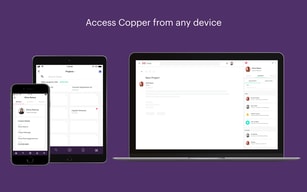
| Deployment | Cloud / SaaS / Web-Based, Mobile Android, Mobile iPad, Mobile iPhone |
| Support | 24/7 (Live rep), Chat, Email/Help Desk, FAQs/Forum, Knowledge Base, Phone Support |
| Training | Documentation |
| Languages | English |

Compare Copper with other popular tools in the same category.
Interface is very convenient, flexible. We highly appreciate the training sessions with qualified coaches and always willing to support us. It helped the management a lot in terms of change management.
We might need a little bit more flexibility in terms of customization.
The purpose was to get our database in one place and support our BD teams on a global scale. We have achieved our mission thanks to Copper and we could manage to make the entire members use it daily.
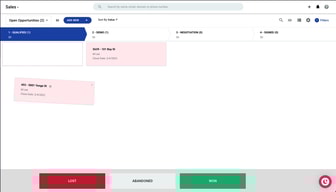
The interface is really straightforward, and I like being able to drag and drop opportunities to their next stages. We tend to use opportunities tab rather than leads and it is excellent for that purpose.
A dedicated account manager if we were having issues would be useful. A tab that collated our entire pipeline value would be good - though not a necessity for the way we forecast
We use it mainly for a space to collate opporunities, the ability to create an opportunity directly from Google Mail is an absolutely game changing feature and saves so much time!
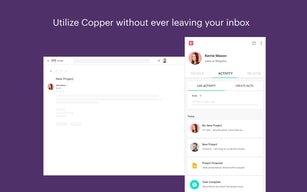
How it integrates with google. The connection with my inbox saves me time. Email templates are great for saving time as well. Logging phone calls is nice too!
Sometimes things don't work as they are supposed to until new update comes. Sometimes I have to login multiple times
Keeping everything in one place. Tracking contacts with customers. Saves me time in following up with potential customers
I love how easy it is to add clients to my Copper CRM. Especially since my new leads exclusively come through email. I love being able to share tasks with my team and track my pipeline. I drop a lot fewer balls with this system. I closed 5 new clients this week who were all at different levels of engagement with me. My team has already onboarded 4 out of the 5. The entire process is in Copper.
It would be great to invoice through Copper and see payment. I use Stripe. How about an integration? Currently, I have to add value and update the pipeline manually when people make payment. I would love a Copper inbox also. When I have a lead in Gmail I add them to Copper. I would love to be able to check new messages in Copper from Copper leads only since those are the ones I care the most about.
Making sure leads do not fall through the cracks. Circling back on leads. Communicating tasks with my team. Emailing Clients in bulk.
The look and feel make it an application I appreciate utilizing. It's genuinely natural, and I love the delightful way much we've had the option to modify to our necessities. It is not difficult to follow the progress and stick to the cutoff times of the undertaking.
A significant chunk of time must pass to become acclimated to the stage and sort out how the contacts/email framework works. It would likewise be extraordinary to append or connect to pictures, as we utilize the potential open doors for project following.
In the past, we involved shared accounting pages for project following and records for client profiles. The undertakings tab additionally assists me with getting what should be done every day and keeping focused.
holds lots of data but works quickly, integrates with other programs like smartsheets, easy to track patients, sales, locations, etc, usage reports,
widgets sometimes dont connect, copper app in chrome/gmail slows down email/browser
tracking customers by location, easier data analysis
I love the automation. It's been a helpful tool in setting reminders and making sure I am following up with contacts. The support is great in helping you understand how to use their available tools properly.
Reporting is hard to understand how best to export the data. Some times it feels like you need to add in extra fields on records to make them more robust.
This is great for project tracking and data reporting. I realized automating the process in following up allows me to have a higher close ratio, and opens me up to creating new opportunities.
Easy to use, a lot of information can be easily imported or exported. Someone is always available to help if needed, which Makes it easy to use.
Nothing yet,still learning the system. So far very pleased.
I am keeping track of my leads and all their information.
It's intuitive and easy to coordinate amongst and across the entire sales team
We are unable to coordinate between people and companies sufficiently
Sales flow, account management, projections and task organization

As with any CRM, there is a bit of initial setup so as to configure the software to the way your particular business operates. But, once that is done, Copper mostly maintains itself – it automatically links to my Gmail account and records all correspondence I have with people in the database. It also has web bots that scour the internet for additional information on people that you have in the database, like social media accounts, descriptions of their businesses from their own website, etc. It does really minimize the amount of typing that you have to do yourself. However, and I like this, it does NOT automatically import every spammer that sends you email. You still control who is included and who is ignored (which is easy with the Gmail extension).
There are a few features I would like to see: 1) a simple .vcf import feature and 2) the ability for People to inherit basic information from their Companies (e.g., Work Phone, Work Address, etc.) without having to Copy & Paste.
We have integrated it into our Dealer Locator on our own website, making its maintenance almost entirely automatic and handled without getting the web folks involved. It tracks a lot of information for us without a lot of admin overhead.
