

Unclaimed: Are you working at HubSpot CMS Hub?
HubSpot CMS Hub Reviews: 4.5/5 — Highly Rated
Hubspot CMS Hub is a content management platform that makes website management simple and accessible so users can focus on managing their audience and customers with ease. It lets users create and manage website pages with personalized features. The platform is also optimized for various devices and conversions making it a particularly powerful and easy-to-use CRM system.

| Capabilities |
AI
API
|
|---|---|
| Segment |
Small Business
Mid Market
Enterprise
|
| Deployment | Cloud / SaaS / Web-Based |
| Support | 24/7 (Live rep), Chat, Email/Help Desk, FAQs/Forum, Knowledge Base, Phone Support |
| Training | Documentation |
| Languages | English |
HubSpot CMS Hub Pros and Cons
- Lets users keep all their marketing data in one centralized place
- Extensive integration partners
- Access to Hubspot Academy
- Platform easily scales to your needs
- More expensive than alternative options
- Limited customizablility and configurations

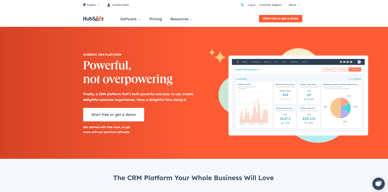






CMS Hub is now HubSpot Content Hub, and the gap between its Starter and Professional tiers is roughly eight times. A three-person team pays about €60 a month on Starter at standard rates and €490 on Professional. There is nothing in between. That cliff, not the feature list, is what decides whether HubSpot is the right CMS for you.
- What it is: A content management system built into HubSpot’s platform, so pages, forms, and CRM records share one database.
- Best for: Companies already running HubSpot CRM or Marketing Hub who want the website on the same system.
- Pricing: Free for 2 users. Starter €20/seat standard (€7 promotional). Professional €490/mo, Enterprise €1,470/mo. Verified July 2026.
- The honest catch: The advertised €7 per seat is a limited-time, new-customers-only rate against a struck-through standard price of €20.
What Is Content Hub?
HubSpot renamed CMS Hub to Content Hub, and the change is more than cosmetic — HubSpot’s own pricing URL for /pricing/cms now redirects to /pricing/content. The repositioning reflects a broader remit than page management: content creation, AI assistance, and multi-format publishing rather than a website builder alone.

Its genuine differentiator has never been the CMS itself, which is competent rather than remarkable. It is that pages, forms, and contact records live in the same database. A visitor fills in a form, becomes a CRM contact, enters a workflow, and their page-level behaviour is visible to sales — with no integration to build or maintain. For companies already inside HubSpot, that is a real advantage no standalone CMS can replicate.
The trade-off is equally clear. Judged purely as a website tool against Webflow or Framer, Content Hub is more constrained and considerably more expensive.
How Content Hub Works
- Native CRM integration. The whole point: pages and contacts share one data layer.
- Priced by Core Seats. Professional includes 3, Enterprise 5, with extras at €45 and €75 a month.
- HubSpot Credits. A newer meter — 500 on Starter, 3,000 on Professional, 5,000 on Enterprise — consumed by AI and certain automated actions.
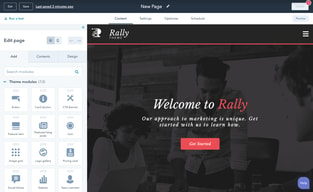
- Drag-and-drop editing with themes and modules, plus developer tooling for custom builds.
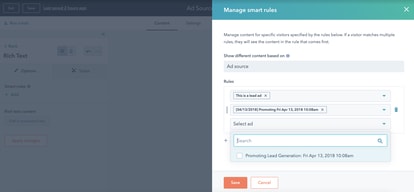
- Personalisation. Content that adapts to CRM data, which is the capability that justifies the price when used.
- A genuine free tier for up to two users, including launching a website.
Content Hub Pricing
Captured from HubSpot’s pricing page in July 2026 in euros; HubSpot localizes currency. Note carefully that the headline figures are promotional.
| Plan | Standard | Promotional | Seats | Credits |
|---|---|---|---|---|
| Free | €0 | — | 2 users | — |
| Starter | €20/seat/mo | €7/seat/mo | Per seat | 500 |
| Professional | €490/mo | €441/mo | 3 Core Seats, +€45 each | 3,000 |
| Enterprise | €1,470/mo | — | 5 Core Seats, +€75 each | 5,000 |

What actually determines your cost:
- Budget from the struck-through price, not the banner. HubSpot displays €7 per seat with €20 crossed out, under a notice reading “Save up to 65% on Starter… New customers only. Select offers available for a limited time.” The €20 is the price you will pay ongoing.
- The Starter-to-Professional cliff is the whole decision. Three seats on Starter is about €60 a month at standard rates. Professional is €490. That is more than eight times, with no intermediate tier, and it is where most Content Hub evaluations actually resolve.
- Professional’s three included seats soften it slightly. At €490 including 3 Core Seats, the per-seat maths is less brutal than the headline — but only if you need three seats and the Professional features.
- Credits are a newer meter worth watching. 500 on Starter against 3,000 on Professional. As HubSpot pushes more AI functionality through credits, this dimension is likely to matter more over time than it does today.
- The free tier is real but capped at two users. Genuinely usable for launching a small site, and a hard stop the moment a third person needs access.
- This is one product in a platform. Most buyers also pay for Marketing or Sales Hub, so Content Hub’s cost is rarely the whole bill — price the bundle.
Who Should Use Content Hub
- Existing HubSpot customers. The clearest case by a wide margin. If your CRM and marketing already run on HubSpot, putting the website on the same data layer removes integration work permanently.
- Marketing teams doing personalisation. Content that adapts to CRM data is the capability worth paying for, and it is genuinely hard to replicate with a standalone CMS plus connectors.
- Companies wanting one vendor and one invoice. Fewer systems, fewer integrations, fewer failure points.
- Small teams on the free tier. Two users and a working website for nothing is a real offer.
It fits poorly for design-led websites, where Webflow and Framer offer far more control at a fraction of the cost; for content-heavy publishing, where WordPress.com is cheaper and more flexible; and for anyone not otherwise using HubSpot, since the integration advantage is the only thing justifying the price.
Honest Pros and Cons
Strengths
- Unmatched CRM integration. Pages, forms, and contacts on one database with nothing to maintain.
- Strong personalisation. Content driven by CRM data, which standalone systems approximate at best.
- A genuine free tier. Two users and a live website, no credit card.
- Included seats at Professional. Three Core Seats bundled rather than charged separately.
- Reliable hosting and security handled entirely by HubSpot.
- One vendor. No integration layer between website and CRM.
Limitations
- An 8x cliff between Starter and Professional. With nothing in between.
- Promotional pricing dominates the page. €7 against a standard €20, new customers only.
- Expensive as a CMS alone. Professional at €490 buys far more website elsewhere.
- Less design freedom than Webflow or Framer.
- Free tier caps at two users. A hard stop for most teams.
- Credits add a second meter whose importance is likely to grow.
Content Hub Alternatives and How It Compares
- Webflow offers far greater design control and is the standard choice for design-led marketing sites.
- WordPress.com is cheaper and more flexible for content-heavy publishing, with a much larger ecosystem.
- Framer suits design-first teams shipping fast, at a small fraction of the cost.
- Wix and Squarespace are simpler and cheaper for straightforward business websites.
- Duda and 10Web target agencies managing many client sites.
- HubSpot CRM is free and the reason most people end up considering Content Hub at all.
For a broader survey, browse our web content management directory.
The Verdict
Content Hub is not really a CMS purchase — it is a decision about consolidation. As a website tool judged on its own, it is competent but constrained, and at €490 a month for Professional it is expensive against Webflow, Framer, or WordPress, all of which give you more website for less money. Nobody should choose it because it builds better pages.
The reason to choose it is that pages and CRM records share one database. A form fill becomes a contact, enters a workflow, and shows up in a sales rep’s view with no integration to build, maintain, or debug. For a company already running HubSpot CRM or Marketing Hub, that removes a recurring category of work, and it is the one thing a standalone CMS plus connectors cannot properly replicate. If you are already in the ecosystem, this is a sensible purchase. If you are not, the price makes very little sense.
Two things to be precise about before committing. The €7 per seat on the pricing page is promotional — new customers only, time-limited, with €20 struck through beside it — so budget from €20. And the step from Starter to Professional is roughly eight times for a three-person team, with no tier in between, which means the real question is not “which plan” but “do I need Professional at all”. Start on the free tier or Starter, and move up only when a specific Professional capability, most likely CRM-driven personalisation, is solving a problem you can name.
FAQ
Is CMS Hub the same as Content Hub?
Yes. HubSpot renamed CMS Hub to Content Hub, and its own pricing URL for /pricing/cms now redirects to /pricing/content. The rename reflects a broader positioning around content creation and AI assistance rather than website management alone. Older reviews and comparisons still refer to CMS Hub, and describe the same product.
How much does HubSpot Content Hub cost?
Captured in euros in July 2026: Free for up to 2 users, Starter at a standard €20 per seat per month (promotionally €7 for new customers), Professional at €490 per month including 3 Core Seats, and Enterprise at €1,470 including 5. Additional Core Seats cost €45 and €75 respectively. HubSpot localizes currency, so check your own market.
Why is the advertised Starter price so low?
Because it is promotional. HubSpot displays €7 per seat with a struck-through €20 alongside, under a banner stating “Save up to 65% on Starter” for new customers only and for a limited time. The €20 figure is the standard ongoing rate and the correct one to budget from, particularly since the discount does not apply to renewals.
Is Content Hub worth it if I do not use HubSpot CRM?
Generally no. Its defining advantage is that website pages and CRM records share one database, which removes integration work entirely. Without the rest of the HubSpot platform you are paying premium prices for a CMS that offers less design freedom than Webflow or Framer and less flexibility than WordPress, both of which cost considerably less.
What is HubSpot Content Hub best for?
Companies already using HubSpot CRM or Marketing Hub that want their website on the same data layer, particularly marketing teams doing personalisation driven by CRM data. It is a poor fit for design-led sites, for content-heavy publishing, and for any organization not otherwise invested in HubSpot’s platform.

Compare HubSpot CMS Hub with other popular tools in the same category.
It starts as a seemingly simple CMS, it almost feels too basic but then you browse the available free and purchasable themes and it starts to make more sense, once you get going, you realize that Design Manager is available and allows you to edit the raw HTML, CSS and JavaScript, then you discover Hubl - a liquid templating language that brings server-side data to the game then, you realize that the whole thing can be connected to Visual Studio Code to allow offline development, testing and publishing before you hit the publish button. Finally, you sit back and look at the credit card statement - it runs from free to $30/month for the starter edition which gives you enterprise hosting, Cloudflare CDN and intergrated metrics. It's pretty unbeatable... then you realize that there's a complete marketing, sales & service CRM solution included on the side - mind blown!
The basic templates aren't as fancy as the ones that you might find on the shelf for Wordpress but then, they can be built and, I think that in time, template creators will build all of the usual fade in/out, slide, etc. etc. stuff.
I need to focus on the performance of inbound leads and not on the health of the website infrastructure. I'm not spending time checking, patching and checking again with WordPress, nor do I spend a second of my day thinking about optimizing the infrastructure - big time saver.
Before using HubSpot, I was working in Implementation. I moved into the Product Marketing role and immediately knew I needed help with the whole "marketing" thing. HubSpot is so easy to use, and it gives you so many insights on how you can use the tool to better market your product. Being able to set up forms and workflows for things I didn't realize were needed is very helpful. It's also very user-friendly, so even though I didn't understand "marketing lingo" at first, I could still navigate my way around the software quite easily.
We get complaints that the highly engaged client area on emails doesn't show more information. Just showing the name and the email doesn't help our team - being able to see the state or even employee contact would be so helpful to know who needs to follow up with those clients or prospects.
We needed to be able to tie emails and content pieces to certain campaigns to show how we were promoting specific products or thought leadership pieces, and we've been very successful using the campaigns feature of HubSpot. It's keeping us from having to "prove" what we're doing as a marketing team!

The ease of use. The content management itself is seamless and I have had many new joiners pick up the CMS within minutes of using it. Whether it's changing pictures or adding new copy, they all find it easy. The file management system is easy to users and files are easy to replace allowing for links to stay live and active across years. SEO tools are super useful and make it easy for us to manage our optimisation and strategy.
The design tools can be intimidating for new users and many of the people I have worked with steer clear of this area and leave it up to the more technically minded. I wouldn't say it's necessarily a dislike but a more visual system could be useful. Personally I think HubSpot's focus for the CMS and website tools is to open up the structural changes of pages for non technical users - I am not even sure that is possible mind you!
The reason we chose HubSpot for our CMS is simply the connectivity to all of the other elements that make up HubSpot as a whole. Having contacts recognised through our CRM and CMS so that we can learn about their behaviour - this is what HubSpot offers that is unmatched. I will be honest, the CMS is similar to many other systems be that Wix, Squarespace, Wordpress, etc but does have a few tools that make it stand it. It's connectivity though, that's what earns HubSpot it's gold medal.
The insight and agility we gain from Hubspot CMS is incredible, It is well thought out and constantly being updated.
Nothing at all, every time we find a limitation, we seem tom post on the community group and it just gets patched a few months later.
Agility in updating our website, and insights into its use, we would be lost without this information, it helps us close deals and intercept opportunities,
HubSpot CMS is awesome for keeping all of our marketing data in one place. We can bring in a lead, reach out to them, and watch them through the sales funnel within one platform -- no one else offers that!
Sometimes it's not as intuitive as it could be to add new things to the website or to find things within the website. The usability on the CMS backend could be improved.
Seeing the customer journey from entrance to sale -- this helps us get customer data, know which customers to follow up with, etc.

Automation of emails, forms and website pages makes follow ups simple
An automated Export of form submissions would be great
With a small team the CMS hub does time consuming work that would usually require an extra employee. Speeds up our response time
Automation and workflows are the most helpful and the best.
Integration is not very wide. A bit limited.
Database and automation. Makes contacting and nurturing our leads a lot easier.
Simplicity. All in 1 platform. Great analytics and integration with the rest of the account and processes. I knew how to send and design emails well on husbpot, and it was the same concept.
The lack of features. There were many times that i wanted to add sections, boxes, features and it didn't offer that option. Another issue, when i tried redesigning my website, i was limited with the options of developers that were willing to work on it. Most preferred or were only willing to work with websites on Wordpress.
I moved to solve my alanylics issue. We were using Jotform before, and Hubspot analytics was considering JotForm a marketing channel, which was merely an application embedded on our site.
Its possibility to sync with other apps and services you have everything in one place. You can get the reports in one place and have an overview of your marketing and sales operations on one user-friendly interface. I love it!
Actually, I haven't seen anything I would complain about.
HubSpot CMS Hub is solving problems of other CMS like lack of security, distributed reporting, no plugins needed to run, having very nice user-friendly interface.
HubSpot helps me keep my communication with clients and processes very organized. I like the Gmail integration. It's the best!
I don't think there's anything I don't like but the mobile app could have some improvements.
I can communicate much faster with my clients and keep their information at the same place. I don't need to search anywhere else.
The free version is really a great tool as a starting point and Hubspot customer support service is one of the best compared to other intelligence tools. Our website is currently with wix and Hubspot integrates very easily with Wix so it's make life easier.
In general Hubspot basic tool are okay but in order to access the full features and be able to track visitors, create additional pages, access the advanced SEO tools, or even create dynamic content. This can be quite pricey and not sustainable for small businesses. As a small enterprise, we often have to think outside the box and despite the fact that Hubspot CMS allows us to combine all of these great features all in one place, we have to be mindful of costs and access these features through our other subscriptions.
For marketers, we can tailor and personalise the customer experience better. Nowadays, customers value that their individual needs are met and it's definitely increases customer loyalty.
I love HubSpot CRM! It is so easy to use! Plus the training/certification that is available is amazing to help make you a super user and set you up for success!
What is there not to like from HubSpot?! I am a fan of it all!
Having everything visible, uniform and easily accessible to the team is important for success. HubSpot provides that for us. The program as a whole is clean and easy to view/use.
you can create tabs to make your life simpler when using hubspot and it saves your work as you are busy updating it so you don't lose everyhting.
none I love using it and I enjoy it it is mazing to use and its user friendly
they check for ways to improve HubSpot to make it friendly and easier to use.
Its DND feature, and free trial with hosting (I mean, Why you are so awesome). I am a CMS developer and I know a few ups and downs, but Hubspot is growing fastly.
Can we have some inbuilt page speed tester? it was from a dev perspective. But as a normal user of HubSpot CMS, sometimes it's hard to get the proper different customization for a Large Desktop. Tablet and Mobile. Add some UI wich helps to understand what customizations are for mobile and what for the desktop. Label are not very convincing sometime
It's like The Flash (that DC superhero), I mean clone a page, drag and drop modules or section customize as per need and done! No need to depend any external plugins that make a heavier.
Hubspot is a powerhouse of a platform that allows us to have all of the tools we need to be successful marketers in one spot! We love Hubspot and would be lost without it!
There are so many capabilities that it can be complex to learn and understand. Sometimes Hubspot moves things around which makes you have to relearn your habits. I don't necessarily think this is bad, it just does come with a learning curve. Worth it for the tools you get out of it though.
Helping us create full scale marketing campaigns and understand the impact of our website and content. Hubspot also has a wonderful learning center that helps us improve our marketing strategies.
Ease of use and ease of updating content,
There aren't any downsides for me right now.
Managing website updates
I like the free templates for the webpages. Makes making sites super easy
It's difficult to know how your site will look in different browsers, and making special changes to accommodate various browsers takes help from a developer
Hubspot CMS allows me to create a marketing site for my company
Providing broad SEO recommendations, rich theme options for the website and the integration of the CRM is incredible. I also really like the constant support which made me feel like we are a team with HubSpot customer service.
As for my opinion; nothing! Actually, I believe that the vast positive facts erase the small mistakes in the platform. I only would recommend, if it's possible, adding an integration tool to add google reviews to websites.
Providing a different point of view for me to reach out to customers. The SEO recommendations definitely opened our view toward clients and the sector. Also, I wouldn't be able to do this much in another platform this fast. So I also gained much in time.

It allows me to perform my tasks without hassle. The marketing hub is user friendly. Building website pages has never been this easy!
Content staging makes me dizzy, maybe you can put in the cloning option an option to "clone to staging" environment. Cause we need to put pages in staging even it's a simple update.
Publishing new website content with Hubspot CMS is easier and faster. During our first year, we rely to our IT people whenever we want new updates on the website. Since the number of IT people in our team is limited, we work and update the websites on a weekly basis. But now, we can update pages anytime, anywhere.
Very powerful and organized CMS, with boundless opportunities for customization and growth. Being able to build assets that have unique tracking ability, like CTAs or modals, are really great for conversion optimization.
Requires specialized knowledge for more advanced customization in functionality or styling. Having more user controls rather than coding requirements would make it better for users or teams with limited capabilities.
There are many tools under one roof just within the CMS Hub, such as dynamic smart content that really help to segment to audiences and deliver custom experiences.

With HubSpot, you create a platform that is the hub of all your marketing activities. We love the automation possibilities in workflows, combined with the possibilities of email marketing. Templates and files are also very important to us and can be managed very cool in HubSpot.
The Marketing Hub attempts an all-around attack and therefore cannot keep up with specialists in some disciplines. For example, the creation of landing pages is not quite as user-friendly as with some competitors. There are also a few technical limitations as soon as you go a little deeper and want to make further adjustments. For example, only a double opt-in email is possible, and only in one language.
First and foremost, we can significantly reduce the manual effort through the HubSpot solution. Email automation and /-personalisation are functions that enable us to communicate with our customers in a targeted manner. With the help of lead scoring and /-nurturing, we are also significantly more efficient in the handover to sales for "sales-qualified leads".
That its user friendly, support articles are extremely straightforward and helpful and if I can't find my answers there their support team is quick to respond with guidance. OUr team now has everything in one place vs. multiple when it comes to content utilization.
Currently having issues since we've transitioned from Marketo to HS with HS landing our emails in spam folders, something we've never experienced with Marketo. Also there's no way to review spam score or domain authority through the platform.
Better clarity into our marketing analytics, a better user experience and a cohesive platform for our brands content assets. I feel more confident in my marketing efforts due to the amount of support that HubSpot provides vs. when we were using Marketo.
I like the fact that everything you need is there. I don't need to go after different apps to do my day-to-day marketing and designing.
Although hubspot has a lot of features, it lacks a bit of design and user friendly-ness.
Anyone in my company can go in and see what I'm doing. It cuts time and helps us be more connected.

Keeping track of all customers and outgoing emails. You can watch the workflow of your marketing team in real time. Hubspot also EASILY integrates with many other platforms for marketing and sales so keeping information in one spot is super simple.
I cannot think of ANYTHING I don't like about Hubspot. It is a super simple platform and can get as complex as you need it. I've never used a CRM before and Hubspot is set up so that learning is easy
We had a problem where our salespeople were the only people that knew who the customers and potential customers were. With Hubspot, I can target our customers with monthly emails. I can also target potential customers and leads, imported from other marketing platforms, with great emails.
How much information we can store on clients
The layout is kind of messy looking and could be improved
Through HubSpot, we can automatically email clients in different stages of our pipelines which saves us a lot of time. We can also run reports with a lot of different options.
HubSpot Marketing Campaigns. Very intuitive. The process is very straight forward and reports are clear
Integrations/Data connections on the back end. We are having many issues connecting HubSpot to our TAS (Talent Acquisition System) Bullhorn
Email Campaigns/mass communication to former businesses, current clients, and prospects. Benefits include automation and workflows to streamline this process
Custom modules and the flexibility they provide vs. older versions of the COS/CMS.
Its small but one of the pieces I dislike the most is when you put an image in the site and change the alt text there is no way to know the original image file name and find it in the file manager. This can become challenging and frustrating at times as the alt text overrides it.
The benefits with custom modules has made the CMS much more versatile for design and speed to deploy. It was the biggest game changer with the CMS in the last 5 years.
The Hubspot Template builder and the downloadable themes that you can access (free!!) make it easy to create an excellent quality website that works perfectly on every device and browser - phones, laptops and tablets. The best practices built-in to the platform remind you to do the simple things required that make each page SEO-friendly. And the information provided takes you through the learning journey of building an inbound-based online business.
Sometimes Hubspot is a bit TOO smart and I feel a little overwhelmed at all the pieces of it that I have not yet got to grips with. So that is not something really to dislike. More a statement that I still have a lot to learn. My next step will be to find someone that really know how to make the Sales processes "sing" using the Hubspot tools.
I could not have relauched TotallyOptimizedProjects without Hubspot. Before we moved across in early 2015, we had SO many different software apps and things in the techstack. Now we only have Hubspot, and one other that hosts all the online courses. Somewhere I remember reading a blog that talked about "frankenspot" and all the platforms that were needed to manage all the things that Hubspot does for me - Website hosting, a fabulous tool for building webpages (and NO MORE wordpress and bazillions of plugin's), auto posting of blog emails and to social media, an excellent CRM and the fastest and most helpful support staff...
Is an easy way to design a website and administrate at the same time. You don't have to be a designer or a developer. The drag and drop method makes it really easy.
Te cost. I want to update to CMS Enterprise, but the difference between these 2 was enormous. It's the only thing I will say I dislike. HubSpot is great! I really love it.
Time. I renovated the website from the company I worked in, in less than a month and in 2 languages. Not only is it an easy way to do a website, but you can also see if your website is working, how many people have seen it.
HubSpot CMS introduce a whole different approach to website construction and design: better security level, no plugin management, no messy websites and a great design experience easy also for non developer
In HUbSpot CMS it seems there is not the same flexibility granted from platform like wordpress and the total number of design template is limited into a defined workplace so, it has not the same evolution, at the moment
we are creatingsome of our client websites granting security and full integration with their CRM and database, this helps a lot when we talk about lead flow, lead generation, traffic measurement