
Unclaimed: Are you working at HubSpot Sales Hub?
HubSpot Sales Hub Reviews: 4.4/5 — Solid Choice
If you want to supercharge your sales process, Hubspot Sales Hub is a powerful and seamless solution that offers sales engagement tools, provides configure-price-quote (CPQ) functionality, and robust sales analytics that is essential for any growing business. Like anything within the Hubspot ecosystem, the platform is rooted in the brand’s powerful and reliable service platform, delivering more in-depth insight, better leads, and better solutions that teams can rely on.

| Capabilities |
AI
API
|
|---|---|
| Segment |
Small Business
Mid Market
Enterprise
|
| Deployment | Cloud / SaaS / Web-Based, Mobile Android, Mobile iPad, Mobile iPhone |
| Support | 24/7 (Live rep), Chat, Email/Help Desk, FAQs/Forum, Knowledge Base, Phone Support |
| Training | Documentation |
| Languages | English |


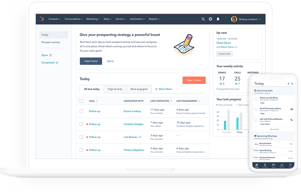
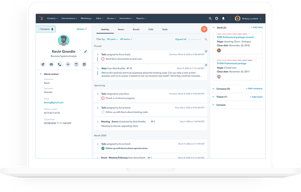


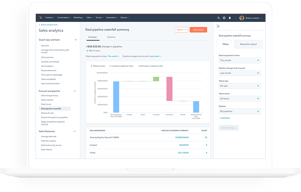






HubSpot Sales Hub has the best free tier in the CRM market and one of the steepest upgrade cliffs, and both facts matter equally when you evaluate it. Getting started costs nothing and the product is genuinely good. The question is not whether you will like it, but what happens to your bill when you outgrow Starter.
- What it is: A sales CRM platform built on HubSpot’s Smart CRM, with pipeline management, calling, sequences, forecasting, and AI agents layered on top.
- Best for: Teams that want a free or cheap start, and mid-market sales organizations that also use HubSpot for marketing and want one connected system.
- Pricing: Free for up to 2 users. Starter from $7/seat/month, Professional from $90/seat/month, Enterprise from $150/seat/month. Verified on HubSpot’s pricing page in July 2026.
- The honest catch: Professional and Enterprise carry mandatory one-time onboarding fees of $1,500 and $3,500 respectively, and Professional requires an annual commitment even if you pay monthly.
What Is HubSpot Sales Hub?

HubSpot began as a marketing software company and built its CRM outward from there. Sales Hub is the sales-facing product in that suite, sharing one contact database, the Smart CRM, with Marketing Hub, Service Hub, Content Hub, and Data Hub. That shared foundation is the strategic argument for HubSpot: if marketing and sales work from the same records, the handoff between them stops being an integration problem.
The free CRM is the reason most people encounter HubSpot at all. It is not a trial and not a crippled demo. Contact management, deal pipelines, email tracking, meeting scheduling, and basic reporting are available at no cost for up to two users, and HubSpot has kept that promise for over a decade. As a growth strategy it works because the free product is good enough to build a business on.
The independent ratings are strong and consistent: roughly 4.4 out of 5 on G2 across more than 12,000 reviews, and about 4.5 out of 5 on Capterra across more than 4,400. Ease of use is the most-cited strength on every platform. Pricing is the most-cited weakness on every platform.
How HubSpot Sales Hub Works
- Smart CRM as the foundation. Contacts, companies, deals, and tickets live in one database shared across every Hub. Buy Marketing Hub later and it reads the same records, with no sync to configure.
- Pipeline and deal management. Customizable pipelines and stages, deal tracking, and task queues. Straightforward and well executed, which is why non-technical teams adopt it quickly.
- Engagement tooling. Email tracking and templates, meeting links, and calling. Sequences for multi-step outreach are the feature most teams eventually need and the one most commonly reported as gated to higher tiers, so confirm its availability on the plan you are pricing.
- AI agents and credits. Breeze Prospecting Agent and Data Agent on Starter, Agent Hub on Professional, and AI transcript enrichment on Enterprise. These run on HubSpot Credits, a consumption currency priced at $9.00 per 1,000 credits on annual billing, with each plan including an allowance of 500, 3,000, or 5,000 credits.
- Analytics and forecasting. Conversation intelligence and forecasting arrive at Professional, alongside the Sales workspace. Deal splits, deal journey analytics, and pipeline approvals are Enterprise features.
The credits model is new enough to deserve attention. Bundled allowances sound generous until agents are used at volume, at which point AI becomes a metered line item on top of per-seat pricing. Ask what your realistic consumption looks like before assuming the included allowance covers it.
HubSpot Sales Hub Pricing
The list prices are only part of the cost. Figures verified in USD on HubSpot’s Sales Hub pricing page in July 2026.

| Plan | Price | Credits included | Mandatory onboarding | Key additions |
|---|---|---|---|---|
| Free | $0 | — | None | Up to 2 users, free marketing, sales, service, content, data and revenue tools |
| Starter | From $7/seat/mo | 500 | None | Calling, Breeze Prospecting Agent, Data Agent, intent signals, task queues |
| Professional | From $90/seat/mo | 3,000 | $1,500 one-time | Agent Hub, conversation intelligence, forecasting, sales workspace |
| Enterprise | From $150/seat/mo | 5,000 | $3,500 one-time | AI transcript enrichment, deal splits, deal journey analytics, lead form routing, pipeline approvals |
The details that decide your real cost:
- The onboarding fees are mandatory, not optional. HubSpot’s own pricing page states that Professional requires a one-time $1,500 onboarding fee and Enterprise requires $3,500. A five-seat Professional deployment is therefore roughly $5,400 in year-one subscription plus $1,500, and no competitor comparison that omits this is honest.
- Professional requires an annual commitment. The billing toggle on Starter offers monthly commitment. On Professional, the monthly option still commits annually. You are signing a year regardless.
- The Starter to Professional jump is more than 12x. From $7 to $90 per seat is the single largest cliff in mainstream CRM pricing. Know which specific feature is forcing the upgrade before you accept it.
- Current prices are discounted. Starter shows $7 struck through from $20 and Professional $90 from $100. Treat the lower numbers as promotional and check what renewal looks like.
- AI is metered separately. Credits at $9.00 per 1,000 on annual billing, on top of seats.
The free tier is genuinely free and genuinely useful, capped at two users. That cap is the real constraint, and it arrives quickly.
Who Should Use HubSpot Sales Hub
- Solo founders and two-person teams. The free plan is the best free CRM available, full stop. There is no reason not to start here.
- Small teams on Starter. At $7 to $20 per seat, Starter is competitive with any entry-level CRM and better connected than most.
- Organizations already running HubSpot Marketing Hub. The shared Smart CRM is a real advantage and the strongest reason to accept Professional pricing.
- Non-technical sales teams. Ease of use is HubSpot’s most consistently praised quality across thousands of reviews, and adoption is usually the hardest part of any CRM rollout.
It is a poor fit for high-volume outbound teams, who report the sequencing and dialing tooling as thinner than purpose-built sales engagement platforms, and for cost-sensitive mid-market teams that need Professional features but not the HubSpot ecosystem. In that second case, Pipedrive or Zoho CRM deliver comparable capability for substantially less.
Honest Pros and Cons
Strengths
- The best free CRM available. Not a trial, not crippled, and sustained for over a decade. For up to two users it is genuinely hard to beat.
- Ease of use. The most-cited positive theme on every review platform, and it translates directly into adoption.
- One shared database across Hubs. If you use HubSpot for marketing, the sales handoff is not an integration problem.
- Strong ecosystem. A large app marketplace, extensive documentation, and a deep pool of agencies and consultants who know the product.
- Starter is well priced. At the current $7 per seat it is competitive with anything in its class.
Limitations
- Mandatory onboarding fees. $1,500 at Professional and $3,500 at Enterprise, disclosed only in footnotes, and frequently omitted from comparison articles.
- The upgrade cliff is severe. More than a twelvefold increase from Starter to Professional, and the most common complaint in independent reviews.
- Annual commitment at Professional. Even the monthly payment option commits you for a year.
- AI costs are metered. Credits at $9.00 per 1,000 are a variable cost layered on top of seats, and consumption is hard to forecast in advance.
- Thin for high-volume outbound. Reviewers scaling SDR teams report limitations in sequencing and dialing that push them to specialist tools.
- Reporting can lag. Dashboard data trailing real-time activity is a recurring complaint, sometimes resolved only by upgrading.
HubSpot Sales Hub Alternatives and How It Compares
- Pipedrive is the strongest value comparison. Purpose-built for sales pipelines, far cheaper at the tier where HubSpot gets expensive, with no onboarding fees. Weaker marketing tooling.
- monday CRM offers more customization for teams whose process does not fit a standard pipeline, with a three-seat minimum to factor in.
- Zoho CRM typically undercuts HubSpot substantially at comparable depth, with a less polished interface and steeper configuration.
- Close and Salesflare are better suited to small outbound teams that need real calling and sequencing rather than a marketing-adjacent CRM.
- Salesforce is the enterprise comparison. More configurable and more expensive, with implementation costs that make HubSpot’s onboarding fee look modest.
For a broader survey see our guides to the best CRM software and the best free CRM software.
The Verdict
HubSpot Sales Hub is two products in commercial terms. Below Professional it is one of the best-value CRMs available, and the free tier is the single strongest starting point for a small team that has never used a CRM. Recommending it at that level is easy.
Above Starter the calculation changes sharply. Professional at $90 per seat plus a mandatory $1,500 onboarding fee, on a compulsory annual commitment, is a serious purchase that deserves a serious comparison. If you also run HubSpot Marketing Hub, the shared database usually justifies it. If you only need sales, Pipedrive or Zoho CRM will deliver most of the same capability for a fraction of the cost, and neither charges you to be onboarded.
The practical advice is to start free, move to Starter when you outgrow two users, and treat the Professional upgrade as a genuine buying decision rather than a natural next step. Identify the one feature forcing the move, then check whether a cheaper specialist tool solves it. And whatever you conclude, factor the onboarding fee into your comparison, because most reviews will not.
FAQ
Is HubSpot Sales Hub really free?
Yes, with a meaningful limit. The free plan supports up to 2 users with no credit card and no time limit, and includes contact and deal management, email tracking, meeting scheduling, and basic reporting. It is a genuine free product rather than a trial. The two-user cap is the constraint most teams hit first.
Does HubSpot charge an onboarding fee?
Yes, on the higher tiers. HubSpot’s pricing page states that Sales Hub Professional requires a one-time onboarding fee of $1,500 and Enterprise requires $3,500. These are mandatory and are additional to the per-seat subscription. Many comparison articles omit them, so factor them into any first-year cost estimate.
How much does HubSpot Sales Hub cost in 2026?
Free for up to 2 users. Starter starts at $7 per seat per month, discounted from a listed $20. Professional starts at $90 per seat per month, discounted from $100, plus the $1,500 onboarding fee. Enterprise starts at $150 per seat per month plus a $3,500 onboarding fee. AI features consume HubSpot Credits, priced at $9.00 per 1,000 on annual billing.
What are HubSpot Credits?
A consumption-based currency that powers HubSpot’s AI agents and features. Starter includes 500 credits, Professional 3,000, and Enterprise 5,000, with additional credits at $9.00 per 1,000 on annual billing. If AI agents are central to your workflow, model your likely usage rather than assuming the bundled allowance is sufficient.
Is HubSpot Sales Hub better than Pipedrive?
For teams that also use HubSpot for marketing, yes, because of the shared database. For teams that only need a sales CRM, Pipedrive is generally the better value: it is purpose-built for pipeline management, substantially cheaper at the tier where HubSpot jumps to $90 per seat, and it charges no onboarding fee.

Compare HubSpot Sales Hub with other popular tools in the same category.
User friendly interface. It's almost impossible to miss out on anything which is in your pipeline. A companion helping to achieve daily, monthly targets.
Requires automagion in few more areas like changing the lead stage, star mark option for important follow ups.
One stop solution for us to track every progress of a lead. Different lead atages helps in differentiating our pipeline. It never creates any confusion and ultimately helps to achieve targets.

The most helpful aspect of HubSpot Sales Hub is its ability to streamline the sales process. It provides an easy-to-use interface that allows sales professionals to quickly create, track and manage leads, contacts, opportunities, and activities. It also provides automated workflows to ensure that tasks are completed on time and efficiently. Additionally, HubSpot Sales Hub integrates with other HubSpot products, giving you access to powerful analytics and insights. The upsides of using HubSpot Sales Hub include: 1. Automation of repetitive sales activities 2. Easier tracking and management of leads, contacts, opportunities and activities 3. Insights into customer behaviors 4. Ability to quickly create personalized emails 5. Access to powerful analytics tools 6. Seamless integration with other products in the HubSpot suite
The least helpful aspect of HubSpot Sales Hub is that it can be difficult to navigate and use without proper training. Additionally, some users find the interface to be clunky and unintuitive. The lack of customization options may also be a downside for some users. Finally, the cost of using HubSpot Sales Hub can be prohibitive for many businesses.
HubSpot Sales Hub is helping businesses streamline and optimize their sales process. It provides tools to help sales teams identify and close more deals faster, automate manual tasks, and track performance. It also provides insights into customer behavior and preferences so teams can tailor their approach to each customer. The benefit of using HubSpot Sales Hub is that it makes the sales process more efficient and effective, allowing businesses to maximize their profits without sacrificing customer experience.
Easy to use, it can be integrated with a lot of tools, easy to implement.
Should accept other calling tools to be integrated with, not only 1.
Keeping an eye constantly on the upcoming tasks and due tasks.
It gives you a good analytics view, it keeps track of everything
it doesn't give you the record of the calls you make
Connect with prospects
hubspot is very user friendly folr sales management
as of now nothing everything is perfect
managing my follow up customers (deals)
The way I can manage all my customers and understand their path to conversion.
I think HubSpot in general could have a more focused system for B2C markets. I had to create by myself a lot of solutions using HubSpot tools do manage our b2c customer base. It would be very helpful if b2c market had the same attention as b2b has inside HubSpot.
HubSpot helps us managing funnels and understating the best conversion points about our customer base. Besides, we can manage all of our communication throughout all of our channels
The Hubspot sales platform enhances our sales processes, enabling us to find, track, and close deals all in one place. Easily imlimented and Integrated into our core business email software, which we use on a daily basis to full effect. With great support and how to videos and tutorials enabling us to understand its core features and ongoing useage of this brilliant products
there is nothing that we dislike about hubspot and would highly recommend it as a great product
Its enabling us to focus on the targeting of clients more effectively ,and ensuring that we dont miss sales opportunites in the process.
Facilidad de uso e integración con mis herramientas de trabajo.
Las funcionalidades más avanzadas tienen un coste elevado.
La gestión del equipo comercial y control de los clientes.
its help us to maintain the sales lead or easy to use
Nothing everything is good about Huspot.
It help us to avoid lead clashes
Interface and Userfriendlyness options and everything.
Nothing everything is good no lag no data lost.
In every proportion till now I have gained enough sales data maintainance availabilty as required end to end
A great Platform the perform all type of Sales automation features avaialbe these days
analytics and reporting doesnt really offer helpful data and hard to understand or present
it made the sales process in one place including features such as contact management, email tracking, deal tracking, document sharing, sales automation
Hubspot makes it very easy to correctly track all of my actions (Emails, calls, meetings..etc) with my current clients and making sure that I stay on top of checking in with them.
It seems to have a little higher rate or errors/ the website being down then other platforms that we use as a company.
Hubspot makes easy to execute communicate with my current clients all in one place.
I like having all of my clients information in one spot and being able to see all communication we have ever had with them easily. I also appreciate all of their training material.
There isn't really anything I dislike about the platform.
Hubspot gives us the ability to keep track of all of our clients and know where they are at in their onboarding process.
I love how it connects into virtually every system I have. Keeps everything in one place.
It's a little odd categorizing people sometimes. I can't just create folders or categories of where I met someone.
Helping me keep track of my contacts and leads and lets me know when they open something I send them.
1. Easy to use 2. Multiple filters 3. Can manupulate data before using 4. Dashboards & reports 5. Clear forcasting 6. Distribution of Data
It is one of the best CRM ever used in my life
Data Management

The system is easy to navigate, easy to share info or assign tasks to colleagues and keep a record of correspondence relating to deals. I can access the system from my ipad and phone when out and about just as easily as on my pc at work. We found it was very straightforward and painless to import multiple contacts and companies from previous system. If there is something you are unsure of, there are numerous videos to check or can access the academy section.
I previously used Pipedrive and you could add a new company, contact, deal etc from any part of the system. With hubspot I can only add a new company by navigating to the specific page that permits it.
Having activity of sales reps visible all in one place, rarher than dispersed. With e-mail tracking built in we are now aware of which messages are being read. Ability to call direct from hubspot prevents duplication of making a call then typing up notes, can be done concurrently.
I absolutely love using HubSpot! Having everything in one place makes my work as a salesperson incredibly efficient. The platform is not only easy to use but also highly customizable, allowing me to tailor it to my specific needs. HubSpot is truly a great tool for any sales professional.
What I dislike about HubSpot Sales Hub is that occasionally it experiences downtimes and doesn't update information appropriately. This can be a bit frustrating when relying on real-time data for sales activities.
Having all the information available, real time.

HubSpot is a simple, yet very powerful tool. On one hand, it is very easy to use for beginners. On the other hand - it provides really rich and powerful functionality for professionals. I learn new stuff every day!
The only drawback of HubSpot is the weird way it integrates with Gmail. It does look up Gmail automatically, but to manage conversations properly, you have to install an addon - which is rather annoying. Also, if the Client writes you an email, it does not get to HubSpot until you manually make it there. All future messages in the thread will get to HubSpot automatically, even if you do not have the addon... I would definitely like to have more automation there.
I have all records in one place, I can see what my colleagues doing, and they see what I am doing. I can easily send messages to Clients, using very comfortable accelerators - like snippets and templates. I can also track my pipeline in a very comfortable way.
Probably the best feature of Hubspot is the recording feature as the call can be relistened to if an email address was incorrectly entered and the email bounced. If I assign a task to a team member like to make a call or site visit they can listen to my call before they go into a meeting and have the gist of what was discussed.
That you can only enter an email address once. There needs to be a dropdown box you can select for when contacts share the same email address which is common in industry and retail. EG factory@hubspot.com or sales@hubspot.com
miscommunications
easy to use, implement and has many features.
Works as intended and is always responsive.
Helps in tracking different queries, ensuring everything is answered and routed to correct departments for quick action
provides a centralized hub for all our Revenue and customer success departments activities , its very user-friendly interface , and my favourite part at all times is the powerful analytics tools and the automation.
I wish if the data extraction is more user friendly , sometimes i feel its impossible to extract the details data based on some fields
Before HupSpot we were using a different CRM and it was just hell , as a sales manager I truly strugeled with the following and implementing Hubspot was the best decision we made : 1.Managing leads effectively and keeping them organized was a significant challenge. Without a centralized system, leads were easily lost or overlooked. HubSpot's provides a unified platform for lead management, ensuring that all leads are systematically organized, tracked, and easily accessible. This has eliminated the risk of overlooking potential opportunities and enhanced our ability to nurture leads effectively. 2.Maintaining consistent and meaningful communication with leads and clients was a struggle. Our team lacked a streamlined approach to engage prospects at various stages of the sales funnel. With HubSpot, we can automate personalized communication through email sequences and workflows. This has not only saved time but has also improved the overall quality and relevance of our interactions, leading to better engagement and stronger connections with leads. 3.Lack of comprehensive analytics and insights made it challenging to make informed decisions. We needed a solution that could provide real-time data on sales performance. HubSpot's powerful analytics tools offer detailed insights into sales metrics, customer interactions, and deal progression. This data-driven approach enables us to identify trends, optimize our sales strategy, and make informed decisions that directly impact our success. 4.Our team spent too much time on manual and repetitive tasks, reducing overall productivity and efficiency. HubSpot's automation capabilities have been a game-changer. By automating routine tasks such as follow-up emails, data entry, and lead nurturing, our team can focus more on high-value activities, significantly increasing productivity and allowing us to allocate time strategically

Specific stored information, easy to find, and search for contacts.
The cost as well as the annual contracts.
Storing data
Lightning fast navigation leads to me breezing through my daily tasks. No bloated UIX or infrastructure to hold me back. It's easy for me to train my team on and apply to every aspect of our sales hub.
That these tools where not available to me in previous sales roles.
Sales Hub connects all platforms of our sales and marketing machine into a cohesive environment offering high visibility to our sales process.

Very easy to track all of my current opporunites and oingoing prospecting on a daily basis. I like that it integrates well with gmail for email tracking. I use this tool every day.
No current issues with anything on the HubSpot platform.
All of the features that I use with Hubspot on a daily basis are: email cadence sequcing for propsecting and business generation, CRM tools to track deals and sales engagement monitoring. It helps me connect closer wiht my sales manager and close more deals, faster.

The simplicity to navigate between deals, companies and contacts and the ability to include plenty of details accross each of those attributes is very simple and seamless, alsmost any experienced sales peron can use it natively without even being trained. I personally can't live without it during my working hours. I use iit alsmost every day. We were previously using Pipedrive and decided to move to Hubspot because of the diversity of features that completely fit our business. The integration using the Hubspot Pipedrive plugin took some time but in general Hubspot did a good job and continously enhancing the plugin. Support is always there and there is plenty of mateiral online.
The interface needs uplifting in terms of colors and display which isn't a big deal afterall for such a transactional and operational solution.
Lead capturing and management. Daily task and follow up management. Revenue reporting and stats. Automation between departments (Marketing, Sales, Customer Success, Ticketing)
I use the dashboard everyday to track my sales against other agents in our department.
No complaints here. If I ever have a issue with a task, I contact the customer support who guides me in the rigt direction.
Sales Hub helps track my email to meeting to sale conversion rates.

The ease of use. I really apprecaite that my Sales Team has a good grasp of the tool and an eagerness to work with me in getting campaigns out.
Not crazy about how often it asks me to sign in.
It has really helped improve our email open rates. Contacts are much more receptive to these than regular HubSpot emails.

1. Organizing and managing contact in one location. 2. It helps for getting insight for your emails, when people clicking on your links, all kind of tracking. 3. Support for hubspot and non-hubspot forms. (non-hubspot forms are quite useful when we integrate with website builder tools like webflow or wordpress). 4. Workflow automation - Reduce repetative task by creating and automated workflows. 5. Anlytics - Get insights for sales analytics abut website performance, number of pages visited etc. 6. Support for creating user defined fields that can be use with non-hubspot forms. 7. Workflows are easy to implement. 8. 24x7 customer support, queries answered in real quick, and also we can share questions in discussion forums.
I am using hubspot since last 8 months and I encounter one flaws in it. Customization for Hubspot forms are limited, like styling hubspot forms inside a website builder tool is complex, so we need to go with non-hubspot forms.
I am using a tool for website builder and I need to capture user details who are visiting my website, so I use hubspot for that. We also capture details like demo contact forms, bootcamp details registration etc, for that we are using hubspot forms.

Without a doubt, HubSpot's capabilities makes it one of the best marketing platforms out there, and arguably the best for inbound marketing.
At times , fails to track the inbound activities
Educational business Sales and Marketing
Great that it has Sequences, will advocate in my next role.
N/A. I have no complaints. Very cool CRM
I used the email features alot and took advantage of tracking ability to call the contact when I saw them click on the email thread.