
Unclaimed: Are you working at iContact?
iContact Reviews: 4.1/5 — Solid Choice
iContact delivers professional email marketing features to ensure that it provides extensive features and tools across different stages and sizes to get real results for your campaigns. The platform is ideal for small businesses to want to leverage better campaigns with high-volume senders and subscribers.

| Capabilities |
API
|
|---|---|
| Segment |
Small Business
Mid Market
|
| Deployment | Cloud / SaaS / Web-Based |
| Support | 24/7 (Live rep), Chat, Email/Help Desk, FAQs/Forum, Knowledge Base, Phone Support |
| Training | Documentation |
| Languages | English |







Compare iContact with other popular tools in the same category.
very good and efficient, nice to use. much needed
not user friendly and has some obstacles
anything from media to sales to marketing
I really liked how user friendly this was
It would take a while to update and save
Landing pages / email blasts
I like that you can easily persobnilze templates to match client tastes
I dont like that the landing pages aren’t as user friendly as the email template. It’s hard to personalize landing pages to get the “professional graphics” look.
We are currently using I contact for email blast. We use it within our company and with clients. It helps communicate wants, needs, info and services.
Easy to navigate and communicate with coworkers and set up team meetings
I believe that the services were too pricey in comparison to others
Makes it easy to merge contacts with phone
The wysiwyg interface used to be decent, not accurate but predictable.
Performance is spotty, reliability of design is poor, previews are inaccurate.
Email marketing is a critical business need. Reliable, effective tools are important, they often make the difference between getting things done and getting them done well!
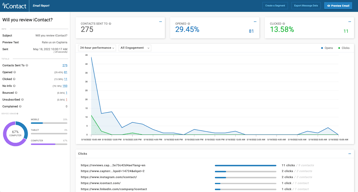
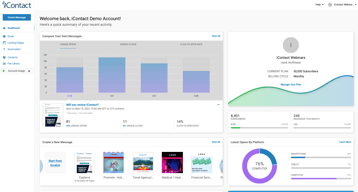
I like the ease of the reporting dashboard with the app.
I don't like that the reporting dashboard isn't customizable. I'd like to be able to see the data that is most relevant to me and be able to download reports that are also customizable.
I use the data from iContact to increase traffic from and engagement with all of our newsletter properties. I'd like to take a deeper dive with the data, however. Some heatmapping would be a great feature to add.
The ease of finding distribution lists that have been used and the clear analytics the program provides once the email is sent out.
The limited design structure of the emails. The email templates do not allow for much creativity when it comes to placement of text and images.
Provides an easy way of determining old/stale email addresses. As well as provides clear data on the performance of emails.

I liked the feature of being able to check how many opened emails I had
It was very tempermenal and it was hard to use the features sometimes
Being able to email a large group of people at one time
Easy set up, easy to use and figure out along the way. Smooth process to send out an email blast.
Many of our email addresses are bad. Even though they may have once been clients, we don't scrub our database as it's very time-consuming. If you have too many bad emails it will kick you out after only one use.
Reaching tons of clients via email.
The thing that I like most about iContact is the ability to schedule posts in the future, and ease of creating mailing lists.
iContact doesn't use any kind of optimization tools to tell you when the ideal time to post would be, and their layouts are really basic and uninteresting.
We use iContact to let the people on our mailing list know when we are doing fundraisers, and when new issues of our journal are published.
I like that I can do marketing quickly online
It wasn’t easy to navigate and took a while to get the hang of it
We have been able to make more contacts and keep in contact with customers

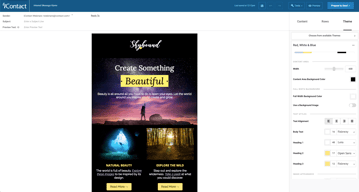
Setting up emails using the editor was very easy. There are almost never any formatting errors and emails always deploy without a problem.
The Salesforce integration isn't the best - You have to go through several steps to deploy an email with a Salesforce list. This leaves you with difficulty in training and prone to errors.
I used iContact for selveral years, as recently as earlier this year. The email deployment software is very good an getting your text and images to look good. In a smaller business, you are always just looking for the cleanest and most efficient way to send your message.
The easy template makes it straightforward
How dated the platform is, and design is not the most creative.
Pushing product to our clients. Benefits are the reports and reach each blast has.
It's a good email service provider. Pretty basic in it's functions but has good reporting for opens and actions taken on the emails.
It's not an intuitive interface and I find the flow awkward. I like MailChimp much better for example. Some of the link names are counter-intuitive and I wish there was more data mining available.
We're using iContact to email customers about specials and upcoming events. The benefits have been the same as using other email providers, we have about the same open rate and click-throughs. Overall, email marketing is a benefit to our business for sure.
iContactPro is a great tool for smaller businesses with simple marketing campaigns. I like that on one platform you can create and send emails, create landing pages, and use marketing automation. Customer service is also very responsive.
As a web designer I find iContactPro to be very limiting. There are many small things that seem to have been overlooked by developers, for instance, I cannot duplicate a landing page without using the same naming convention as the one I duplicated from. When creating landing pages, it's difficult to get elements to align perfectly, and objects overlap each other with disregard to the order in which they created, or my "send backward" commands. Also my browser often freezes on landing page creation pages. iContact landing pages do not work well with Google Analytics, and there is no way through iContact to track where my visitors are coming from. I cannot search my sent emails alphabetically or by sender. Also, sometimes emails I have created disappear for no reason.
My colleagues and I are able to create simple email marketing campaigns, and iContactPro has been a good tool to introduce us to marketing automation.
Low price, non-profit discount, decent templates, and access to full archive of sent messages, draft, and data
No mobile interface, low-quality HTML editing experience, and miserable pre-send experience of flagging existence of errors without directing user to specific error or assisting in any resolution.
Low-cost broad outreach to membership
How you can cut and paste multiple emails to your email lists
-program is not user friendly -You go to type something in a box and it automatically takes you back to the top of the page -I don't like how when you edit something, it is in a different format in an email -Needs more options for editing
Only benefit is emailing our residents
The products ease of use is good for beginners and anyone looking to keep it simple.
Customization is lacking and the more you use the product and get used to it, the more you wish it could do additional things.
Using this email program is better than trying to keep in touch with a large group of customers manually. It has been adequate, but leaves something to be desired.
Staff are always responsive to issues and follow through with resolving concerns.
Limitations on the service decreased my overall rating and would like to see more administrative improvements when it comes to billing.
That there are not a whole of extra vendors I need to pay to customize it like I do with Salesforce
It wasn't very clear when we signed up that the services to actually consult on our marketing costs thousands of dollars more. I understand it's a great piece of software but we were under the impression that $13,500 included a fair amount of direct communication with people who could create workflows and campaigns with us. Not for us but if you make it so easy why can't they create the emails and landing pages for us quickly.
I provide financial planning for middle America. And I am responsible for marketing on behalf of other financial planners that I have to keep busy. Vocus allows me to collect names of people who are at least mildly interested in talking to us, and to document credibility when that prospect inevitable googles us.
they have good way to get your email into Inbox
pricey as you get more # of emails. Plus their template system does not work well.
sell remote access to video surveillance equipment
It is a good beginner email marketing tool.
It is a little clunky to use at times. Does not give you very accurate metrics on emails.
Helped us launch email campaigns.
The software is easy to use and offers enough flexibility to get our messaging out to our residents. Rapid distribution is helpful, particularly when time is of the essence- as in an announcement that is time sensitive. At our business, we appreciate the timed releases, simple platform, and easy-to-access data following an email release. It's easy to use as long as you don't try to get creative. I also like that you can copy a previous email and use it as a template for a new email - much quicker.
I would like to see more seamless integrations with other software and extensions, such as a text-to-join feature. There are UI areas in the software that can be improved. The creation and management of segments needs to be easier. Limited framework of colors, boxes, etc. The former software had more flexibility in layout. When the changeover was made, the help desk was booked a week out. The one thing I wish I could do is edit images within the document if the sizing is not quite right. If they can ever get this functionality going, it will be perfect!
It makes my life loads easier. I can use my graphic design abilities to make eye catching emails and that intrigues people which leads them to want more information about our church. I can whip up an email in less than half the time it took prior to contracting with iContact. Also, being able to call customer support and rarely have to be on hold is a benefit along with the support coming from people who are easy to talk to, who converse as real people rather sounding mawkish.
Allows custom DKIM, drag and drop creator is fairly easy to use.
Lacks mobile app, very few improvements to the platform over the last few years, few built-in integrations with other SAAS platforms.
Deliverability is pretty good and negotiated pricing is reasonable for a list of 70,000+, but there’s nothing to get excited about here.
There were a lot of templates but you needed to pay.
There are similar products out there for free. Also the artwork was rejected by Google emails so a lot my designs didn't carry over to the email.
Emailing marketing, reaching out to patients via newsletters
The best thing I liked about iContact is that I could send emails to lists, which is the basic function of the systems.
Not compatible with Wild Apricot. I could not navigate between campaigns and clicks easily.
I didn't find the systems solved any issues, so I switched to another system.
It is relatively user friendly. The layout is fairly simple and easy to navigate.
You are not longer able to track who opens what. I can no longer reach out to hot prospects according to who opened what email multiple times or who click on our links. This is VERY pivotal to my role and what I do to convert leads to clients.
I am able to stay in contact with people over an amount of time with minimal work with the autoresponders. We've had several people contact us on their terms with this style of drip marketing.

Creating Marketing campaigns is fairly simple using iContact. Data imports was also very easy to do.
I was not impressed with the subscription cost and the limited number of email recipients associated. I feel like they overprice campaign management which is essentially just a simple module within many CRM solutions. I did not feel that the cost was justified and discontinued use.
Marketing Campaign management, planning, execution and monitoring.
Their customer support. Whenever I've had issues (unfortunately often) their chat feature works wonderfully. I always get people who are eager and willing to help. Honestly, it is what has kept me with them for so long at this point.
They have two ways of creating a message - through MessageBuilder or using HTML code. I'm not a coder, but we've had lots of instances where the Message Builder had a bug show up and then it had to be fixed in HTML (by their customer support - which does great). However, once they do that, you have to work from HTML and that is very limiting. We've also had issues with sending emails out using their program and receiving them in our Outlook. Can't figure out if it's a problem on their end or with our firewall, but it still means I have to create a work-around for actual delivery of the messages and then I can't track opens.
We needed to send out a quarterly newsletter. Their format has been working for us for 1-2 years, but I don't know if they are keeping up with fresh looks when it comes to templates
Our support contact is available, competent and eager to find ways for us to improve our understanding and performance.
The technology. We have never used an ESP that can't track conversions (which is what we've been told on numerous occasions). It's unthinkable. We also have deliverability issues we never had with prior ESPs. FInally, at peak season we've seen the platform falter and even fail for an extended period of time.
Nothing different than with any other ESP.