
Unclaimed: Are you working at iContact?
iContact Reviews: 4.1/5 — Solid Choice
iContact delivers professional email marketing features to ensure that it provides extensive features and tools across different stages and sizes to get real results for your campaigns. The platform is ideal for small businesses to want to leverage better campaigns with high-volume senders and subscribers.

| Capabilities |
API
|
|---|---|
| Segment |
Small Business
Mid Market
|
| Deployment | Cloud / SaaS / Web-Based |
| Support | 24/7 (Live rep), Chat, Email/Help Desk, FAQs/Forum, Knowledge Base, Phone Support |
| Training | Documentation |
| Languages | English |

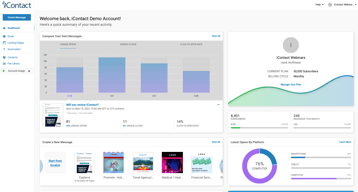






iContact puts automation on its $9 entry plan, which is where most of this category’s money is made. Constant Contact charges $35 for the tier that unlocks automation and segmentation; iContact includes automations, landing pages, and templates at $9 for 500 contacts. That single decision is the strongest argument for it, and it is easy to miss because the product markets itself on being cheap rather than on being ungated.
- What it is: An established email marketing platform with templates, landing pages, automation, and social posting.
- Best for: Small businesses that want automation without paying for a mid-tier plan to get it.
- Pricing: Standard $9, Premium $16, Ultimate $24 per month at 500 contacts. Verified July 2026.
- The honest catch: Unlimited users arrive at Premium, so Standard is not a team plan.
What Is iContact?
iContact is one of the longer-established email marketing platforms, and its positioning is straightforward: competent email marketing at a price well below the category’s better-known names. The pricing page leads with “Easy and Affordable” and a 30-day free trial, which is longer than the 14 days most competitors offer.

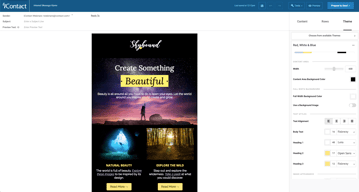
What distinguishes it in practice is what sits on the entry tier. Standard at $9 includes pre-designed email templates, a drag-and-drop editor, landing page templates, and — unusually — automations. In a category where the standard commercial move is to gate automation one or two tiers above the advertised price, including it at the bottom is a genuine differentiator rather than a marketing claim.
Pricing scales with contact count via a selector on the pricing page, so the figures below describe a 500-contact list and rise from there.
How iContact Works
- Priced by contact count. A dropdown sets your list size; the tier prices move with it.
- Automations on every tier, including the $9 Standard plan.
- Landing pages included from Standard, which several competitors charge extra for.
- Users are the Premium upgrade. Unlimited users arrive at $16, not at $9.
- AI assistance ladders up. Content assistant at Premium, AI templates and images at Ultimate.
- Custom plans for larger lists, quoted rather than published.
iContact Pricing
Captured from iContact’s pricing page in July 2026 in US dollars at the 500-contact setting.
| Plan | At 500 contacts | Key additions |
|---|---|---|
| Standard | $9/month | Templates, drag-and-drop editor, landing pages, automations |
| Premium | $16/month | Unlimited users, social media posting, AI content assistant |
| Ultimate | $24/month | Email verification, dynamic content, AI templates and images |
| Custom | Quoted | Larger lists, higher volume, premium support |

What actually decides your tier:
- Automation at $9 is the headline, and it is real. Constant Contact’s Lite plan at a reported $12 does not include automation or segmentation — those start at $35. Getting automations on iContact’s cheapest tier changes the comparison substantially for a small business that wants welcome sequences and follow-ups without a mid-tier subscription.
- Standard is not a team plan. Unlimited users is a Premium feature at $16. If more than one person needs access, that is your entry price, not $9.
- The 30-day trial is unusually long. Most competitors offer 14 days. A month is enough to build a list, run a real campaign, and judge deliverability rather than just the interface.
- Prices rise with contacts. The $9, $16, and $24 figures apply at 500 contacts. Set the selector to your actual list size before comparing against anything, because the curve above that is what you will actually pay.
- Email verification is an Ultimate feature. At $24 — worth knowing if list hygiene matters to you, since verification directly affects deliverability.
- Larger lists are quoted. The published tiers stop before enterprise volume.
Who Should Use iContact
- Small businesses wanting automation cheaply. The clearest case, and where the $9 tier genuinely undercuts the category.
- Solo operators. Standard’s single-user limitation is irrelevant if you are the only user.
- Anyone evaluating carefully. The 30-day trial is long enough to test properly rather than superficially.
- Businesses that want landing pages included. Bundled from the entry tier rather than sold separately.
It fits poorly for teams, where unlimited users requires Premium; for creators selling to an audience, where Kit is free to 10,000 subscribers with commerce built in; and for large infrequently-mailed lists, where Brevo’s send-based pricing is structurally cheaper.
Honest Pros and Cons
Strengths
- Automation on the entry plan. The genuine differentiator against most of the category.
- Very low entry price. $9 at 500 contacts undercuts most mainstream competitors.
- A 30-day free trial. More than twice the category norm.
- Landing pages included from Standard.
- Established platform. Long operating history and mature deliverability.
- Clear tier logic. Each step adds something identifiable rather than reshuffling limits.
Limitations
- Single user on Standard. Unlimited users starts at Premium.
- Prices scale with contacts. The headline describes a 500-contact list.
- Email verification is top-tier only. At $24, despite affecting deliverability.
- No free tier. A generous trial, but nothing permanent.
- Less modern than newer rivals. The interface and templates show their age against MailerLite.
- Enterprise pricing is quoted. No published figures for large lists.
iContact Alternatives and How It Compares
- Constant Contact is better known and considerably more expensive, gating automation and segmentation to its $35 tier.
- MailerLite has a more modern editor and a free tier, at somewhat higher paid prices.
- Zoho Campaigns is cheaper still and offers unlimited sending on paid plans.
- Brevo prices by emails sent rather than contacts stored, which suits large, rarely-mailed lists.
- Kit is the creator-focused option, free to 10,000 subscribers.
- AWeber and GetResponse occupy similar small-business ground with their own free or low-cost entry points.
- Mailchimp is the best-known alternative, with steeper escalation as lists grow.
For a broader survey, browse our email marketing directory.
The Verdict
iContact’s case rests on one decision that is easy to overlook: automation is on the cheapest plan. Across this category the standard commercial pattern is to advertise a low entry price and place automation, segmentation, or send volume one or two tiers above it — Constant Contact puts automation at $35 against a $12 entry, and Kit’s free plan permits a single automation. iContact includes automations, landing pages, and templates at $9 for 500 contacts, which means the advertised price is closer to the useful price than it usually is here.
Check two things before treating $9 as your number. Unlimited users is a Premium feature at $16, so if anyone else needs access that is the real entry point. And the $9 describes a 500-contact list — set the pricing selector to your actual list size before comparing, because contact-scaled pricing is where the meaningful differences between platforms appear and a headline at 500 contacts tells you little about 10,000.
The 30-day trial deserves a mention because it is genuinely useful rather than generous-sounding. Two weeks is enough to judge an interface; a month is enough to build a list, send several campaigns, and see how deliverability actually behaves — which is the thing that matters and the thing you cannot assess from a feature table. Use it properly, and compare against Zoho Campaigns and MailerLite at your real list size while you do.
FAQ
How much does iContact cost?
At 500 contacts, captured July 2026: Standard $9 per month, Premium $16, and Ultimate $24. Prices rise with contact count via a selector on the pricing page, and larger lists are quoted through a custom plan. A 30-day free trial is available, which is longer than the 14 days most competitors offer.
Does iContact include automation on the cheapest plan?
Yes, and this is its most distinctive feature. The $9 Standard plan includes automations along with pre-designed templates, a drag-and-drop editor, and landing page templates. Most competitors gate automation to a mid-tier plan — Constant Contact places it at $35 against a $12 entry price — so iContact’s advertised price is closer to the genuinely useful price than is typical in this category.
How many users does iContact allow?
Unlimited users are included from the Premium plan at $16 per month. The $9 Standard plan does not include unlimited users, so any team needing shared access should treat Premium as the entry point. For a solo operator the distinction is irrelevant and Standard remains the better value.
Is there a free plan?
No. iContact offers a 30-day free trial, which is unusually long, but no permanent free tier. Kit is free to 10,000 subscribers, and MailerLite and Brevo both offer free plans, so if starting at zero cost matters those are the better entry points. iContact’s trial is nonetheless long enough to evaluate deliverability properly rather than just the interface.
What is iContact best for?
Small businesses and solo operators who want email automation without paying for a mid-tier plan to unlock it. Its $9 entry plan includes automations and landing pages that competitors charge considerably more for. It is a weaker fit for teams, since unlimited users requires Premium, and for large lists mailed infrequently, where send-based pricing from Brevo is structurally cheaper.

Compare iContact with other popular tools in the same category.
That is a platform that manages contacts like your list with subscription forms and takes care of your sales opportunities with simple answering machines and this makes it faster for all our customers. Plus I can with my mobile and I can Choose from over a hundred design templates to customize emails and newsletters that look eye-catching on any device. This makes it simply fabulous. It also has tools and support to ensure that large operations are performed effectively. First you will be appointed a strategic advisor who will help you evaluate your campaign strategy, email design and give you options.
What displeases me is the fact that it only accepts stored data from some forms that were saved. If you are lucky and your contacts were saved in an XLS, CSV format or you know how to convert your contacts to one of these formats, then you will have no problem importing them into the iContact system. However this may change, if your contacts were saved in another format, in some online database or other system, you won't get much help from iContact which can be quite annoying if you are not a database expert. These limitations no matter how small they may seem can make a big difference, it would be a big step forward if iContact improved this.
At the moment I am solving my company's problems with all my employees by means of their emails so that I can archive and store by means of iContac. The benefits are great and magical because everything I can do from home I do not have to be present in my company, and this way I take more advantage of the free time to be with my family and friends.
I am able to do marketing campaigns and share information between multiple sources very easily. The template designer makes me look like i know what I am doing.
The integration does not allow updating for bounced emails
Marketing campaign, webinar invites, and mailers. It is quick, effective, and respected.

I like your free email design resource, it has re-designed templates that make advertising a challenge, plus I can upload my own designs, and create very own emails, it has a new range of designs called Lookbook, it has content calendars to help me with my campaign planning, a subject line guide to make my emails noticeable, and now with the types of emails that stand out in the inbox.
I don't have to complain about I contact has everything I need, and good technical service
with I contact I have created a series of newsletters for a campaign to raise awareness of bullying, using their own designs and platform, I have sent it to various emails with the automation tool I Contact, I could subtract the contacts of my company and save them in I contact, see statistics of who opens and clicks them by clicking

I like I contact the library of customizable templates, the auto answer template allows to deliver emails designed for all devices, has a library of values native to Getty Images and Photo Editor, in addition to testing my emails with Spamcheck.
is a platform to create very complete advertising and marketing email newsletters and to keep track of it, plus a very fast and attentive user service, I have nothing to complain about.
I got information about the effectiveness of my campaign with reports and dashboards, I used contact for Salesforce and merged perfectly, once I emailed the report I had follow-up through statistical tools and was able to communicate with my team in real time and online!

one of the aspects that I like most about I contact is that no knowledge of HTML is required to create content and has design templates that can be reformatted, in addition to automating emails and can reach the right people, plus unique styles and personalized made my projects a success and which I could see a lot of performance in profits.
one of the negative aspects of I contact is that several times some of my emails have reached the incoming spam of some contacts, this should improve of rest no complaint
I have created projects and marketing campaigns for my company DDB, which have gone through I contact and with my working group we have taken advantage of the benefits of this platform, automating and reformulating emails with unique styles and themes that make statistics go up and advertising performance is higher.

One of the attributes I like about Icontac is the drag and drop, colorful themes, and templates that can be selected according to the topic to be dealt with and that can be sent en masse to different mails, even oneself, for my company and for me it has been a pleasure to work with him.
what has made me difficult is to easily manage the various tools offered by email, little by little and with the tutorials I was achieving it.
One of the main problems that I have been able to solve with Icontac has been the design of different advertising themes, we work together with the Lehigh Valley Industrial Park team, which have been requested by my company, online reputation management that allows my company to gain reputation and prestige with our customers.
Adding pdf’s to e-mail blasts. Great feature!
Sometimes you can’t add pictures, but you have to save the PDF’s and implement them.
Sending out e-mails to people who don’t have working e-mails. IContact allows me to see how many emails bounced back and what e-mails aren’t working. That helps us to remove things from our list.

iContact's account manager keeps us up-to-date with the statistics of our emails sent, which has helped us to analyze the open rates fluctuations while still offers us tools to increase our engagement. We’re also able to make a segment based on different rules. iContact is such a complete software that it provides us with all the major KPI's we would expect, which helps a lot with the analytical tracking information.
When some emails bounce, they can't be traced, I don't know the specific reason for that, even though I haven't dug deep enough to find it. Labels don't allow typing special characters, so we can not use questions as labels. Also, iContact had surveys, what I consider one of the greatest features, but it was removed with no particular reason. Another thing is templates, as I think iContact requires more flexibility in the creation templates.
In my organization, we use iContact to send our retail and wholesale email newsletters, and we are very satisfied with how it performs, that's what we stick with iContact. It allowed us to have more advanced emailing actions, being even over Salesforce offers.

Creating lists, campaigns and landing pages with iContact is very easy, and websites that result mean a major thrust forward in our ability to look loads more professional and that draws visitors to main page. It has allowed us to enter intro into the trend of static react based sites and the results have been amazing. Besides, they are constantly renewing their templates and themes, so we have the option to add our own.
iContact's current templates only favor clients who are in the sales market, but they are not so helpful for marketers. Also, It doesn't support drop down lists or text fields.
We use iContact to create campaigns and landing page, as iContact support a bunch of standard fields and it's very straightforward. It allows me to use my graphic design abilities to make eye-catching emails that intrigues people and leads them to want more information about our business. We count with an activation account manager that is used to constantly guide us through new capabilities, solve any annoying issue of emailing and make a more efficient work. With iContact, I feel I don't have to worry about updates, databases or clients breaking their sites anymore.

The benefits obtained with I contac have been many, it has allowed me and my company desing group to be able to plan the portfolio of potential clients for the development of the work itself, as well as the organization of work templates for the week, the whole month , the marketing in terms of the planning and structuring of costs of materials to be used within the company which makes its usefulness and importance within it important
So far I have not had any inconvenience with the platform, the support is excellent and has a pleasant appearance and is easy to handle, all its components are where they should be, easy to understand and use.
I have been able to solve the marketing planning of the week of the company desing group, in addition to being able to communicate with potential clients, to be able to show my work and be in constant renewal and updating of information
That is was easy to use and that i had no problems with it .. and that everyone it the shop loves it
there wasn't anything that i didn't care for it was all good so far..
we are getting out to more people now .. so we have more people coming into the shop its great
In all iContact makes our email marketing not only better but easier to do. Its all automated for the most part and you really cant beat that.
If I had to pick it would be email bounce backs
email marketing
Not only does it make it easy, but with its automation tools it basically does it for you. Your emails start to look professional as well with their email templates which is hard to beat. We have had a much better open rate due to this.
The occasional bounce backs that I get is the only con
email marketing
How easy it is to set up for your company to start doing email marketing. The tutorials make it easy to make it look like your company has a pro marketing team. Amazing professional templates that makes your emails look fantastic.
I cant say I have anything I dislike about this
email marketing
iContact grants high-quality marketing services. First, it contains an amazing graphics and design feature. Through this, I freely use the templates throughout my projects. It has made all my marketing practices easy and efficient. Again, this program allows for social media, mostly Twitter and Facebook, perfect integration, a thing that expand the margin of the subject. It is also integrated with other relevant software for a unison email marketing partaking. iContact owns a professional support team that is all-time timely on any requested assistance. To finish, this software is far much cost effective to install and very comfortable and secure to use.
The formatting features need to be improved. It is pretty hard to perform editing and layout management on my shapes and even documents with iContact templates. This is a thing that has quieted this program's efficiency and effectiveness. Again, the segmentation features need full advancement as well. Through these two approaches, this software will be a masterpiece.
I now work with fully edited and formatted files. This practice has totally eradicated the formatting problem that iContact owns. I have, through this tactic, managed to acquire perfect deliveries efficiently every time I use iConact.
iContact owns the most powerful graphics and designs features. These features guarantee thrilling marketing deliveries to the targeted population. There is still professional customer care. Any query about iContact is efficiently tackled by the iContact team. Further, it is one of the most flexible Email tools that allow for easy integration with other social media platforms. It is very easy to use.
This Email Marketing software will properly meet the needs of many users if it focuses on improving segments creation and management as well as its formatting; layout, tools.
I am trying to juggle across every feature of iContact. I as well deal with already formatted and edited works. I am perfectly managing to get my work on iContact easy and perfect.
I like its because it have drag & drop editor hence its makes easier to include our business pictures, logos & color scheme. Its provides quality services to its customers, its have an entire portal designed for answering questions/help in difficulty. Its create effective social media integration, something you won't find with other email marketing service provider
There is nothing much I dislike about iContact because I found its supportive & helpful to our business.
Advertising & Marketing, through our logo & color scheme of our business its makes the brand name known hence makes business grow faster. Also through integration makes us retain & acquisition our potential & new customers hence its makes the business to grow fast.
This software was an easy way to send emails and communicate with customers who signed up for notifications.
At first, the set up of the templates were a bit confusing, but once you figured out how to use them they were great.
I was able to send mass amounts of emails to my customers and they are able to view it on all of their different devices and platforms.
This was a fast and easy way to send out emails and offers to those who signed up through our website.
Sometimes the templates were a little confusing but once you got the hang of it, it was much easier.
I am able to send emails that are able to be viewed on all of my customers different devices.
When it comes to email marketing iContact does it right and knocks it out of the park with their email templates.
I wish I didnt get an email bounce back sometimes but they can control that all of the time
Email marketing
it is very cost efficient and gives many senders at one time.
As such, I cannot think of anything that I dislike about it.
it makes email marketing easy and sending newsletters to potential clients has become easier.

The ease of use. It has made my job easy
Lack of updating. Not much changes over time.
Organization issues
How we are able to customize and build list and send accordingly to the criteria of the list that was build.
I don’t like that you can’t have it at a discount monthly premium for long time customers it becomes bit of a sense of no appreciation for us long time customers
I’m solving effective email marketing and creating on a day to day basis effective communication between us and the business it self
it saved all my contacts easily to find frineds
nothing everything perfect this is a very good app
more competitions
Although our company was weary about switching companies, we did try the free trial with iContact and have not looked back since. I love the fact that they provide you with training documentation and webinars. Every experience I've had with their customer support has always been superb.
I wish that they could have more templates.
iContact definitely saves me time in creating an email, and the awesome templates keep people intrigued with our company because it is different from the rest.
I like using iContact because each week, I upload our new customers into the database in which they will receive our email promotions. This is almost effortless as I can easily schedule who and when I want the emails sent to. It creates us A LOT of repeat business.
I wish I could clear out the sent folder and sometimes I have to resize images when they are too large. It would be so much more convenient if we could automatically resize images to fit the area and that are within the size requirements.
This helps us increase our repeat business. Once you set up the email templates, anyone in your office should be able to use it with ease!
Easy sign up process, if any issues they have a great team support that’s answers every question lastly there is a free trial for those who are just thinking about signing up
The different price range between the $14 and the $99 one they should consider making one in between that is more affordable for small businesses
Icontact provides us with effective receiving as it has a 94% effective receiving to this date I have not failed to receive an email
Apart from the fact that I market my digital products more easily, Icontact Pro allows us to obtain a free 30-day trial to start email marketing campaigns, something that other software does not allow. I can obtain personalized reports and analyzes in real time, email marketing audit, e-mail design tests, among other things very useful to market via email
The technical support takes a little time to respond to the tickets that we have sent to them, something that can be improved in the future, for the rest it seems to me a great software for email marketing
We needed to push our emails to another level to improve digital sales, as well as organize our subscriber lists by groups to be able to segment in the best way, and thanks to Icontact Pro we were able to achieve it. This software allows us several advantages such as: obtaining reports and personalized analysis in real time, e-mail design tests, among other things very useful for digital commerce
I loved the functions this system offered such as calendar and contacts.
I wish this program had an instant messaging function, to be able to use amongst co-workers.
The benefits would be of course sending important work content between co-workers and clients.
I think the layouts are proficient and simple to modify. I like having the capacity to make bulletin information exchange frames that we can put on our site and connection to from different spots. It truly expands contact transformations and enables us to manufacture a database of connected contacts. iContact doesn't simply offer apparatuses, they give assets to enable us to use the instruments as successfully as possible. The help group at iContact is generally in all respects agreeable by means of email or telephone and can help control us through numerous issues rapidly. Their site is a decent asset for discovering answers for normal issues. I truly value that iContact gives email following data.
In spite of the fact that most email formats are anything but difficult to alter for basic alteration, refining the plans in an exceptionally specific manner can be convoluted. We once in a while can't get the dividing precisely the manner in which we need it. Sorting out the different contact records can be confounding at first. It requires some investment to see how to oversee and use your rundowns productively. I don't care for that there are breaking points to what number of contacts we can store in certain rundowns.
We use iContact to get new contacts and send our periodical messages with respect to our organization exercises, industry news, proposal demands and limited time offers. It's been a basic route for us to oversee clients and email inclinations. Robotizing the procedures of enlisting new contacts and conveying messages spares us a lot of time and has made our computerized advertising exercises progressively sorted out.