







Jotform Reviews: 4.7/5 — Highly Rated
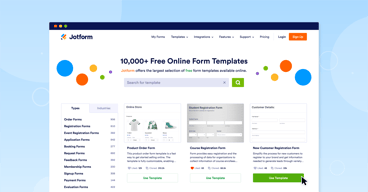
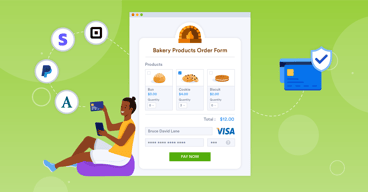
Jotform is one of the most trusted form builders available today that makes it easy for users to create and publish forms such as payment forms, lead generation forms, registration forms, contact forms, application forms, and more from any device. The solution offers more than 10,000 templates and supports hundreds of integrations to 3rd party apps. It also offers advanced design features yet still ensures usability. Conveniently, Jotform also supports plugins for PayPal, Google Drive, Dropbox, MailChimp, Box, OneBip, SalesForce, and Zoho CRM.
| Company | Jotform Inc. |
|---|---|
| Year founded | 2006 |
| Company size | 201-500 employees |
| Headquarters | San Francisco, California, United States |
| Social Media |


| Capabilities |
API
|
|---|---|
| Segment |
Small Business
Mid Market
Enterprise
|
| Deployment | Cloud / SaaS / Web-Based, Mobile Android, Mobile iPad, Mobile iPhone |
| Support | 24/7 (Live rep), Chat, Email/Help Desk, FAQs/Forum, Knowledge Base, Phone Support |
| Training | Documentation |
| Languages | English |

Compare Jotform with other popular tools in the same category.

It is easy to set up and love that the links updated in real time. It is great that completed forms can be directed to different manger for review and approve.
Bit a learning curve at first for setting up the apporval flows, but once you get it, the drag and drop is easy.
Jotform is helping to get rid of paper forms floating around between different desks and being lost.
Jotform is ideal for small and medium businesses, who want first forms to simplify their operations . This has helped us save hours of manual hard work. The speed and use of eas at both front end and backend is just amazing . The best part is the app and instant notifications of the submissions
Should have white label included in standard packages . We really want it to be white label for our long term use
Implemented in our guesthouse , solved the problems for guests for requesting services and amenities

Jotform has all the features that a business person needs to connect with potential clients. I have used it to create a style quiz for those interested in my service.
The user interface feels a little outdated sometimes. I would prefer a more polished UI when using it.
Jotform solves the problem of having to look to different servers or softwares for ways to engage with customers. There are a lot of features and forms to choose from.

Jotform makes online ordering so easy! And I love how much you can customize it.
I do not dislike anything about Jotform.
It keeps my orders organized.
I love everything about Jotform, it is super nimble and you can make basically anything you want with the amount of widgets available. I also love how dynamic it can be and the ability to tie into other platforms for management and implementation.
Honestly nothing. I have yet to find something about jotform that is less effective than other form platforms.
Our enterprise system uses Jotform for a myriad of solutions including webforms and event intake, but I personally use if primarily for internal partner surveys, feedback requests, and program participation.
The form design is very easy to use and very intuitive. The design tools are comprehensive.
The email settings and conditions can sometimes be a bit confusing.
Jotform gives me an efficient way to recieve feedback from multiple and various people in an organized way.
Parents can sign up easily for confernces, pick their own time and not have to correspond with teachers during the process, saving time and energy! I have been EXTREMELY impressed with tech support as well, getting teh help I needed and getting it fast, cheerfully, and with pictures to guide me. I can not say enough about that!
The 100 sign up limit per month. I had a tech glitch so the supprt team and myself had tried to sign up as checks, and this ate up MANY of my free sign-ups. As a teacher, I cannot afford to but this service which is what you must do after 100 sign-ups. This was a disappointment!
Jotform prevents loss of paperwork as students bring back and forth parent confernce sign up requests. It saves my time, organizes the sign up so we can all easily follow the 120 parents we invite to sign up!
Jotform's versatile Widgets allow me to create a multilingual form that can reach my stakeholders how they need. It takes minutes to create a data collection tool and minutes to generate a PDF analysis that is inclusive of all responses and all feedback as well as to remove mistake entries to provide clean, accurate data that correctly portrays the effectiveness of the project at hand. I love that I can highlight the responses that I need from the central pull of information to build on the variety of demogrpahics & community connections occuring within the Jotform survey at once.
I'd love to see an educator's discount that reflects realistic budgets in that professional sphere. The family-to-school connection has been strengthened through Jotform.
Jotform is allowing me to gather the voices of our local community and instantly transform it into a presentation for internal and governmental agencies.
The best thing about Jotform was the ability to limit the amount of people that submitted the form. I had to create sign-ups for our teachers in our district for workshops, but only 30 people max could sign up. Luckily, Jotform had that option which made it super easy for me to create one form and duplicate it!
What was unhelpful was that I could only create 5 max forms for free, but I understand that they have to make money!
It is solving the issue of limiting the number of responses. Not many forms do that!

Jotform has earned its spot as my preferred form-building tool. The platform's combination of versatility and ease of use is unmatched. The intuitive interface not only expedites the form creation process but also enhances the overall user experience. It's a tool that empowers without overwhelming, and that's a winning formula in my book.
One aspect that could use improvement is the pricing structure. Depending on your needs
Jotform ha sido un asistente de resolución de problemas en mi caja de herramientas. En primer lugar, aborda el desafío de la creación de formas con una facilidad incomparable. Ya sea una simple encuesta o un formulario de registro complejo, Jotform simplifica el proceso, ahorrándome tiempo y esfuerzo valiosos.
Jotform has allowed me to easily create digitized forms of previously physical forms. The abilitiy to create personalized app that can be added to the phone has been life changing. Jotform has allowed me to digitize all of our equipment inspections and forms.
Only complaint is that we've been experiencing some server downtime.
Equipment inspection & employee forms.
Jotform allows up to five forms if you choose to start with a free account, which will allow you to learn and leverage the power of this form builder before committing to a paying account. Unlike some other form builder which limits free account, Jotform provides so many essential elements for you to build a fairly complex form.
There has not been anything I dislike about Jotform during the many years I have started using it and recommending many of my clients to adopt it too.
Jotform allows user to build a fairly complex form with many built-in setting like auto responder and conditional fields.
The ease of operation. It's simple to use.
nothing at this point. i haven't really learned all that is available.
It makes it easier for me to have people sign up for courses.
The ease of setup for this tool was great. I was up and running in under an hour.
The free version limitations made it hard to fully test the long-term capabilities for this tool and my needs.
I was trying to manage several expendures uploaded by several employees in an organized fashion, that included time stamps as well as uploaded images. Jotform helped acheive this.
Jotform has been very helpful in making all kinds of forms. It's extremely user friendly which is helpful when you don't have a lot of time to figure out how to make something.
So far I haven't run in to any downsides, but I know I'm only scraping the surface of what Jotform has to offer.
Recording important information for individual social case studies. With the customized form, all of the information we need is added with the click of a button and saved online for easy access.
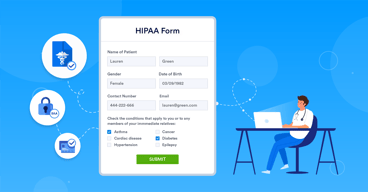
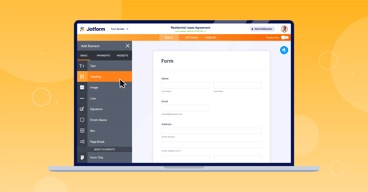
JotForm is a versatile and user-friendly online form builder that stands out for its simplicity and robust features. With an intuitive drag-and-drop interface, users can effortlessly create customized forms for a variety of purposes, from surveys and event registrations to job applications and contact forms. One of the key strengths of JotForm is its extensive template library, offering a wide range of pre-designed forms that can be easily modified to suit individual needs. This not only saves time but also ensures a professional and polished look for your forms. The platform's integration capabilities are noteworthy, allowing seamless connections with popular third-party apps and services. This ensures that collected data can be easily imported and utilized across different tools, enhancing overall workflow efficiency. Security is a top priority for JotForm, with features like SSL encryption and compliance with privacy regulations, providing users with confidence in handling sensitive information. While JotForm offers a generous free plan with basic features, its paid plans unlock advanced functionalities, making it a scalable solution for businesses of all sizes. The pricing is competitive, considering the breadth of features and ease of use.
In summary, JotForm is a reliable and versatile tool for creating online forms. Its user-friendly interface, extensive template library, robust integrations, and commitment to security make it a compelling choice for individuals and businesses looking to streamline their data collection processes.
easy to manage and keep track!
I love the ease to use. Multiple options for formats available and easy to personalize to your brand
The limitations before paying. While it's a GREAT app, my small business can be limited to what's offered because of the limit of forms
It's all-in-one tracking for my vendors. I can quickly see who is attending, what they sell and their contact info
This is very helpful for creating a quick permission slip for my club trips. I also don't have to keep track of paper forms and I have quick access on any device. The permission slips are easy to update and to send out to all of my students.
Setting up the first form was a little tricky, and navigating to the part of the site I need when returning is not intuitive. The site can be hard to load and the home page is confusing. It's hard to know what to click on.
I am able to send out a quick link to all of my students to sign up for a trip, which keeps them from losing a paper form. Also, it is easier for the parents to fill out right away, and no worries about students bringing back a paper copy.
I love using jot forms for my business. We have every new hair salon customer fill out a Jotform to give us the information and backstory on their hair needs and include pictures. It takes the stress out of not knowing what our client currently looks like and where they want to take their hair! As the owner of the salon, I can also forward the forms to my hairstylist so that they can respond to their new customers.
It's a little pricey. So we currently just use the free version.
It allows us to get pictures from our clients as to what their hair currently looks like, and what they would like their hair to look like.
I found using Jotform very intuitive. I was easily able to put together my survery without the hassle of trying to learn a new program. The reports you get after your survey is complete are very professional looking.
Nothing - Jotform performed exactly as I needed!
I was doing market research for my new small business
Easy creation of forms, and easy to use.
I wish It looks a bit cartoonish. It would be nice if there were a more professinal looking verison o option for appearnce.
Tracking of cases, job orders, online cremation and euthanasia requests.
With Jotform, the endless amount of templates and neat ways to make questionnaires is truly so helpful! You can custom create a form from scratch or use many of their available templates which you can customize as well to fit your needs. My entire network of colleagues utilize Jotform as well. It's free and easy to use, I've used it several times now to create my own forms for my team! Love that you can set permissions and accessibility as well. I highly recommend Jotform!
The templates can be a bit tricky when trying to customize them as well as finding the right one
This reduces the amount of verbal communication and allows me to easily store my teams answers and options to surveys with ease
I love how much I can customize my forms to make sure I can get all the necessary information I need from my clients and have it all in one place to refer back to.
The only con I can think of for jotform as a platform is that it can be hard to approve certain forms and get an email to clients from the platform that doesn't go to their spam folders
It was hard to get all client information that I need to run my business in one organized place so I could run my business as efficiently as possible
I have been using Jotform for over 15 years and have watched it grow into the incredible company it is today. It's easy to use and the upgrades are frequent, adding robust new features and functions. My personal favorite is the workflow function.
There isn't anything I dislike. I'm actually considering upgrading to the next tier.
We needed a form that had a built in workflow feature. Jotform worked beautifully. We're also using the scheduling feature and are quite happy with it so far.
It is visually attractive, and it makes user understand steps and information clearly. It makes work, especially when it comes to registration to events, super easy.
The programming part. It might be a little difficult to understand at the beginning, however, once you get to use it, you understand its functions.
Limiting registration to events to a certain amount of people.
The time slots and conditionals that can be applied while making the form.
Can be more quick while loading, currently it is slow.
Giving the access to all types of survey tools and forms at one platform.

Ease of use Functionality support reliability
Nothing at all. Love the product and have been using it for 4 years now
Lead generation and real time responses
With Jotform I was able to create an automated Student Help Desk. Each form kicks in different automations. We have totally eliminated emails and redundant tasks.
I would like to see integration of Tags and Comments on Mobile App. Plus I would like to view archive items in the app.
Eleminates emails, automate customer service, and automate staff interactions.
I love that it gives the option to integrate directly into Monday! We use it for media change requests and instead of having to check it all the time, it automatically imports the "to-do" aspect into Monday. It's super user friendly and the free option gives you a lot more than you would expect!
Honestly, I haven't found anything so far - it has everything you could ever want!
We now have one convenient place for everyone to enter their information and send it over to us, rather than having everyone email us separately.
The platform offers a user-friendly interface, empowering users with customizable forms, a diverse range of templates, and a straightforward process for creating and managing online forms—eliminating the need for extensive coding knowledge.
Despite offering customizable forms, some users may find the design limitations restricting if they have highly specific or complex design requirements.
Jotform provides a user-friendly platform for creating online forms without the need for extensive coding skills. This simplification streamlines the form creation process, saving time and effort.
