

Unclaimed: Are you working at Litmus?






Litmus Reviews: 4.6/5 — Highly Rated
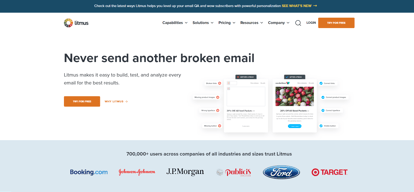
Litmus is a preferred email personalization, optimization, and collaboration software among marketers designed to maximize your ROI. From pre-send campaign development, testing, and AI-driven content recommendations Litmus can deliver the tools you need and help facilitate better creativity to ensure optimized content.





| Capabilities |
API
|
|---|---|
| Segment |
Small Business
Mid Market
Enterprise
|
| Deployment | Cloud / SaaS / Web-Based |
| Support | 24/7 (Live rep), Chat, Email/Help Desk, FAQs/Forum, Knowledge Base, Phone Support |
| Training | Documentation |
| Languages | English |
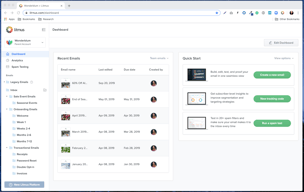
Compare Litmus with other popular tools in the same category.
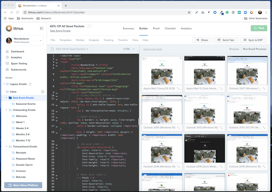
I like it's QA checklist features that always display previews of your emails across multiple email client's and that always help to identify any errors or any broken links. Also I like how it always makes sure that your email is compliant with accessibility standards.
The only problem that I have discovered while using it is that it doesn't have an image hosting server so you must use a separate server.
It reduced my effort and time . It's also like a life saver to me since it solved all my rendering issues.
It's easy to paste the email source into the tool. Great with selection of variety of email clients. Also I like how it checks spam trap's to ensure emails will be delivered to the inbox.
It's a must have paltform especially if you send frequent emails,so I don't have any complain towards it.
It has provided useful webinars and supplemental sources.
It's easy to review on all different email clients with just one click. I like how it provides an easy way to update email tests showing fixes. Also with it you can easily change what is reflected live in the email client's. Has easy to understand user interface.
Can't think of anything at the moment,it serves me right!
With it I can easily test emails. Also I can easily view variety of emails for my clients.
What I like the most is the Previews and QA option that helps verify that it's AODA approved and how it will show on different email platforms.
If there`s one thing that I would like to have, is a recycling bin available for deleted emails as it would be a nice feature to add in case of accidentally deleting an email.
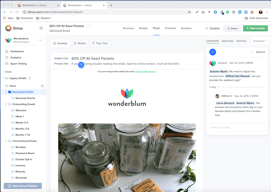
It saves time spent approving emails with colleagues before sending them out, and I can see if the email's HTML code is not correctly written for different platforms.
The email previews are very accurate and simulate a large variety of ecosystems.
Pricing and packages are not flexible. I would love to use the SFMC integration and proofing tool without the huge increase in cost.
Makes hitting send a little less nerve-wracking.
Email previews for multiple email clients
Litmus doesn't suggest fixes per email client
Litmus proofs the emails so I can be sure our clients will get the emails as intended by design.
Litmus has a great combination of all the devices and the multiple versions of devices that are most commonly used. We were able to fix all the rendering issues rather quickly.
Ability to import an email package (a .zip) directly into the builder and/or testing/rendering/Q&A.
The expanding functionality. We have made great use of the features Litmus has added such as the deliverability/spam testing and content review.
Email Previews of different clients Prebuilt templates for reference QA for emails became easier as we can share the links.
A bit pricy and every time it counts the previews and sometimes it takes time to load the previews.
We use it for email previews mostly. We look at the mobile version and the Outlook version. Outlook is very tricky and litmus helped us in creating better emails for outlook too. We refer to the built-in email templates and the code is very much organized. Sending and receiving the test emails is flawless.
Email versioning, a clean Comments interface on desktop, code-level review, browser/OS emulation combo - all contribute to the troubleshooting of an email prior to launch. We've used the tracking pixel to a limited extent, and see that it works fine for the data it is intended to capture - we simply have other ways of getting the same data from different partners. Spam warnings for Subject Line and Preheader text and over-used keywords are much appreciated.
Mobile version unfriendly; a bit slow on adding newer browser/OS combinations; experienced a few months of notification deep links (sent by Litmus to approvers); inability to efficiently render multivariate versions of the same email without sending wholly separate proof. For instance if the difference between version 1 and version 2 is a simple banner inclusion/exclusion - think "store opening" announcements for retailers like us - we have to do everything twice and approvers aren't fans of that, especially when some approvers give the greenlight or comment on version 1 and the others do the same on version 2.
A relatively simple UI that enables the Marketing Ops team to maintain rigor in email approval governance, Litmus also enables more technical QA at the native code level. Sometimes the versioning of the code level view - or limits thereof - can cause confusion with our QA team but that is a fairly 'edge case' scenario. We've benefited by reducing errors that make it to the customer, full stop, and that's the point.
I like that I have access to all email clients to see and troubleshoot display issues in one place, rather than having to snd test emails to as many email clients as I have access to. It is something that makes my job so tremendously less stressful.
One issue I have is that, on occasion, the display for a given email client within Litmus does not exactly represent what it looks like from inside the actual inbox itself. It isn't too frequent, but frequent enough that double-checking any issues needs to be done within the email client.
Display issues for our customers. I do not have access to all email clients, only a few. So when I need to see if our marketing emails are looking good for our customers from (arbitrarily) Office 365 on iOS, I can do that, and I love it.
Litmus has best-in-class inbox previews for all major providers. With their coding tools, you can create an email while checking your output in real-time. This assures that you are creating something that will be compatible with the clients you support.
The uptime on inbox previews is not 100% and sometimes there are problems and delays with rendering. Uptime is high, but not perfect, and it can be frustrating when you have a time sensitive project and one or more of your previews refuse to render. Fortunately this is not a common occurance.
Sending emails is nerve-wracking; you have one chance to hit a user's inbox, and you can't take back errors. Therefore having tools to ensure compatibility and style pre-deployment are invaluable. Litmus is an essential part of our workflow, especially with more complex emails, or emails utilizing a new template or code base.
Being able to test in any browser is essential. Being able to make small changes and see how those affect our layouts is what sets Litmus apart from the rest. Their 'Builder' tool is worth everything to us.
Can get pricey depending on your company's scale. There are a few features that cause visual bloat that would be better hidden by user preferences. If I only use one specific tool, let me only see that. Otherwise, it can be somewhat overwhelming.
We are trying to fix layout bugs and ensure new templates that we create work for all client browsers. It makes us more confident in our platform with proven testing integrity.
Litmus helps make our emails look amazing.
Wish that public proofs lasted longer. That would be helpful.
Finding better ways to have people open our emails, finding next level types of emails and what is best practices.
I love being able to validate my emails are going to look good on all devices and with all email providers quickly and efficiently. With all the variety out there, being able to do this in a one-stop shop compared to the old days, is just fantastic.
The only thing I dislike is that my credentials get logged out every time I clear my cache! There is nothing Litmus can do about that as that would happen with any set of credentials.
I'm solving email marketing issues - Look of emails on devices and with ESPs. Dark mode. This tool has helped our team save time without having to do rigorous manual testing, which allows us to support the business more quickly.
Litmus email previews are the best and most reliable on the market. Ability to toggle which clients to preview helps us ensure quality emails for every client.
I wish there was an integration with Emarsys and Litmus added capability to test dynamic content on a large scale
We are ensuring our emails have the same look and feel for all of our clients no matter the device.
The library for snippets and templates is so helpful for our team, we have been able to streamline our coding across multiple projects easily!
Occasionally, I get stuck in the legacy version of Litmus. It may be something I am doing but it requires me logging out and then back in.
We have been able to mobile optimize all of our email campaigns as well as make things accessibility and dark-mode readable. This is HUGE!
The builder part of the app, and how easy it is to send and check emails. When I've gotten stuck with something, it was pretty easy to get technical assistence.
There are a lot of extra features that don't fit our workflow. I'm sure some people use them, but I assume part of what we pay for goes to support that.
I haven't seen a better way to code html emails, and see how things are working compared to Builder. So that helps get something working quicker, and end up more reliable. The testing and spam testing appear to be valid checks on how in general delivery is going to go. And it doesn't take too long to run a check.
Best UI and widest rendering offerings compared to similar services
Price could be better. Not as accessible for smaller business and not cost effective for very large businesses
Email client debugging, internal and external QA processes, and maximizing building capabilities with modular design
Email views and validation, deliverability features and suggestions, insights for best practices, ease of use. We are an agency and use it to test and optimize emails for our clients, and Litmus is the best for this.
It's a little expensive, but worth the cost to make sure we offer the best email services to our clients. The user interface changes from time to time, and we have to somewhat re-learn how to use it.
Email testing on a variety of email clients, seeing how they look, checking for deliverability. It's really helped make us a better email marketing agency for our work.
Detailed and informative deliverability audits pinpoint problems that may cause an email to land in the spam folder instead of the inbox has helped boost our reputation and business
Bounce on valid emails but not that often. Previously it has happened few times to me but recently I haven't experienced such. I think they improved after we notified them of the issue
Since adding Litmus to our toolkit, we have been able to improve reporting to clients. We have also seen positive results in our turnaround time for email testing
Tests the email for critical elements like missing links, broken links, and images. A fre trial is available for 7 days and the prices will be less if you are billes annually
The difference in cost between the Basic plan and the Plus plan is huge. Also I find the cost to be high if you are billed monthly
Sending HTML to any email address for testing the design and debugging. It performs Spam testing and provides email analytics as well and has templates for email designing
Rendering of each platform and quality analysis
Fees for each platform render. Sometimes the renders have inconsistencies with real-world devices and renders
Email QA and improvements.
I appreciate how simple it is to pick up and use. It's well designed and apparent how to leverage value immediately. There are deeper options and multiple viewport types when digging deeper.
Litmus can be expensive at scale and a bit cumbersome to set up for an entire team. However, once users are established and have accessed, it's typically smooth sailing.
As an ESP we are making sure our email editing tools render and produce accurate campaigns for our customers. This includes rendering differences in multiple inboxes and adjusting our rendering services as a result.
Audience sizing and campaign personalization is offered. Also,multiple email service providers are included and a cumulation of documents to help organize the types of work that could be done.
Nothing is negative, just more resources on video documentation may be nice section to also include. It is there with the training module but on the webpage may also be great to have there as well.
How to find the incremental sources of ROI from an advertisement and marketing perspective. A/B Testing efficiently to ensure emails are professionally formatted, comply with security rules and in testing all sort of campaign links.
Very intuitive and user-friendly platform. Provides the most up-to-date email rendering tests.
It is more expensive to use that some competitor platforms.
Making sure our emails render properly across many email clients.
Litmus has saved my butt more than one time! I love all the features and the many different ways that you can check for errors. I think it is a REALLY great product and we have only scratched the surface for using its features.
I really want to use Litmus for Proofing, but I cannot until the platform accepts .pdfs as documents. We have to be able to click through on multiple variations of the email, and I don't want to code each variation. It is complicated, but that is what we need.
We solve all kinds of problems with Litmus, especially Dark Mode. It has really helped us visualize what our images and text looks like. Being able to change the code and have instant reviews keeps us moving and correcting quickly. Plus, I love that it shows accessibility issues too. This helps us get better at coding for everyone.
It allows me to test and view emails and how they render in different email clients (gmail, outlook, etc.)
I can't say that there is anything that I dislike about litmus
I use litmus to view how emails render in different inboxes, including light and dark modes. It is a quick way to see if there are any errors in the HTML/CSS and also a great way to ensure that the designs are consistent across email platforms
Cross-device and cross-browser rendering.
Not sure. Sometimes the rendering is a bit slow.
We mostly build email templates.
Testing and debugging across email clients
As a company with a multi-channel approach, Litmus only helps with a portion of our campaigns
- rendering issues - gaining more in-depth analytics
The tool is very intuitive to use. Very easy to navigate. I also love how they QA email in most devices and email clients. That makes it easy to flag any email mishap going to our users before sending.
There's not much I can think of at the moment. I really like it.
I really like to use Litmus to QA any new email design before deployment. Having the edge to QA the email. inmost devices and email clients, it's crucial to help us to fix any flaw before deployment.