Unclaimed: Are you working at Notion?
Notion Reviews: 4.7/5 — Highly Rated
Notion is the all-in-one workspace that combines docs, wikis, and project management. Tens of thousands of teams around the world use it to collaborate, stay informed, and get more done together.
Notion is also often used as Knowledge Base of choice in Venture Capital and Personal Productivity tech stacks.


| Capabilities |
API
|
|---|---|
| Segment |
Small Business
Mid Market
Enterprise
|
| Deployment | Cloud / SaaS / Web-Based, Desktop Mac, Desktop Windows, Mobile Android, Mobile iPad, Mobile iPhone, On-Premise Linux |
| Support | 24/7 (Live rep), Chat, Email/Help Desk, FAQs/Forum, Knowledge Base, Phone Support |
| Training | Documentation |
| Languages | English |




Notion Review: Is This Project Manager Right For You?
While a relatively new entry into the project management space, Notion has evolved quite quickly to meet the needs of its users. It’s a platform that is notable for its versatility, and it is a well-known option for individuals and teams who want a reliable tool to organize and manage tasks–from note-taking to in-depth project management.
But does it incorporate the best project management techniques to help you or your team get organized?
Let’s find out.
What is Notion?
Notion is a cloud-based workspace where individuals and small teams can take notes, create documents, track projects and organize and manage tasks all in one place. It’s often referred to as an “all-in-one” workspace because users can collate all of their projects onto a single platform.
Notion’s popularity among professionals and students is credited to its personalization that caters to any workflow. As a user, you’ll have the freedom to customize the layout of your workspace, while still getting helpful guidance and templates to help you get started.
Background on Notion
Founded in 2016, Notion started as a note-taking app but has evolved into a comprehensive project management tool for solopreneurs and small teams. The platform’s mission is to make it possible for people to shape the productivity tool they use every day to match their needs.
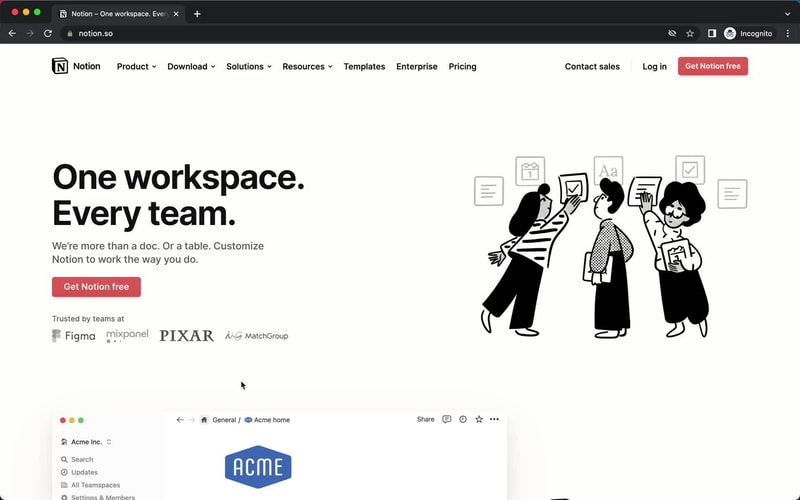
Getting Started with Notion
Every feature on Notion is designed to help users be as organized as possible.
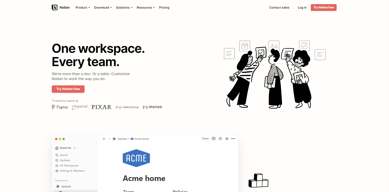
The platform is segmented into pages that can be nested or interlinked at your convenience. As soon as you sign up, you’ll be redirected to your Welcome screen containing some tips to get started. This includes linked videos that guide you in creating your first page and setting up your to-do lists and projects.
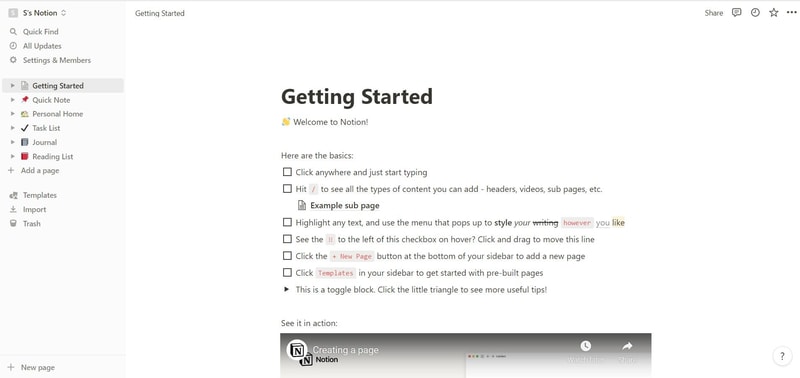
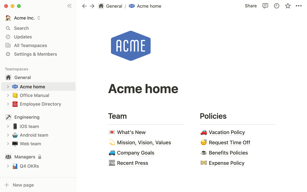
On the left side, you’ll find a list of default pages, such as ‘Quick Note’, ‘Personal Home’, and ‘Task List’ which you can customize and add. Whenever you create a new page it will show up on the left panel. You can add personalized header images, descriptive comments, and add associated icons to your pages.
Simply click anywhere on a page to add blocks for individual pieces of content such as text, lists, media, links, and sub-pages. You can also just type “/” to bring up a menu of blocks you can add to your new page. 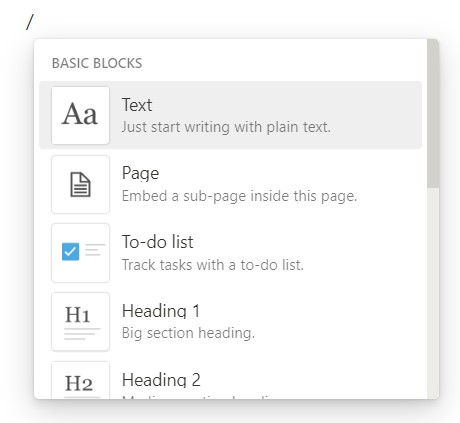
How Notion Works: Key Features
Although Notion started as a note-taking app, it has become far more than that. The tool has promising features that go beyond creating to-do lists and make it a competent productivity and project management app.
Integrated User Guides
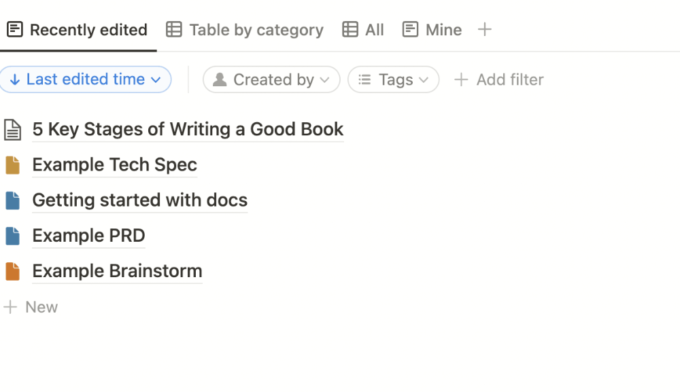
A commendable feature of Notion is that user guides are already embedded in the platform. For example, if you want to create a new document, you’ll find guides on how to get the most out of the preinstalled page.
Of course, this can be a hit or miss. Some users may be grateful for the step-by-step guides, while others may be frustrated with manually deleting pre-installed guide pages to clean up their workspace.
Customizable Pages & Templates
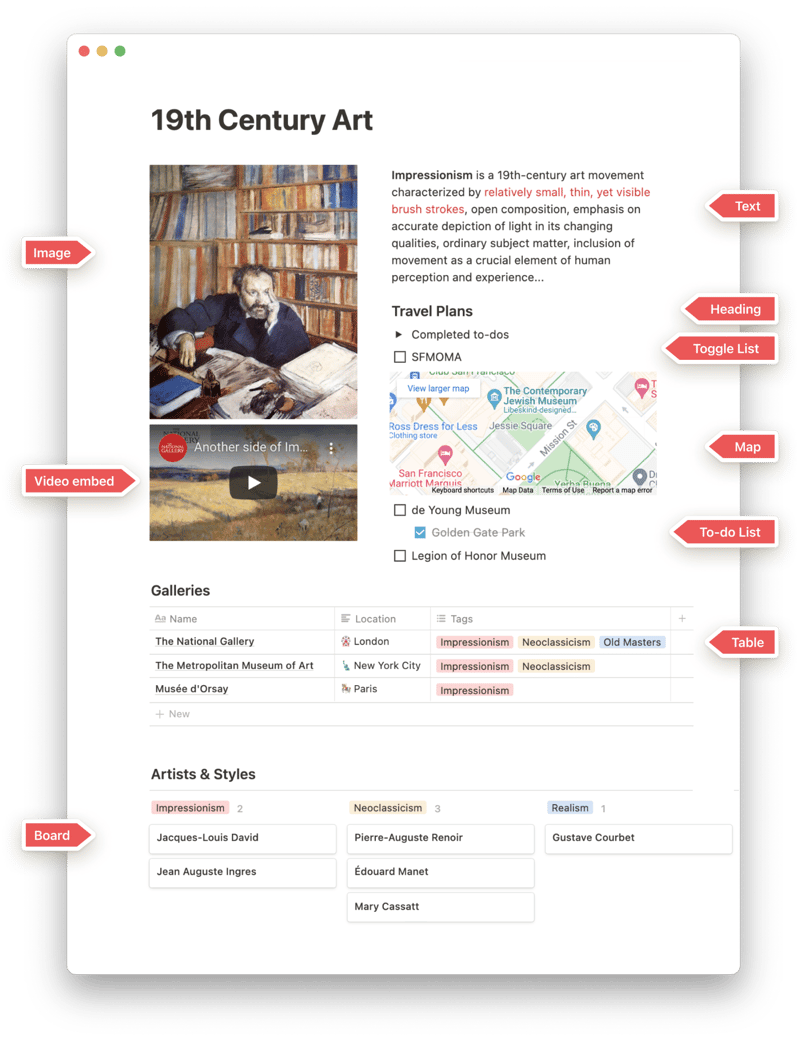
Notion makes it easy for you to create pages and documents in whatever style you want. Pages are like folders where you can store all information related to a particular topic. You can include a range of blocks or items on your pages such as text, toggle lists, to-do lists, images, video links, tables, boards, and maps.
Every change you make to a page or block is automatically saved in Notion. So you can always go back and view the history of a page if there’s something that you want to restore. This is pretty useful for when you make a mistake or just want to experiment with different versions of a page.
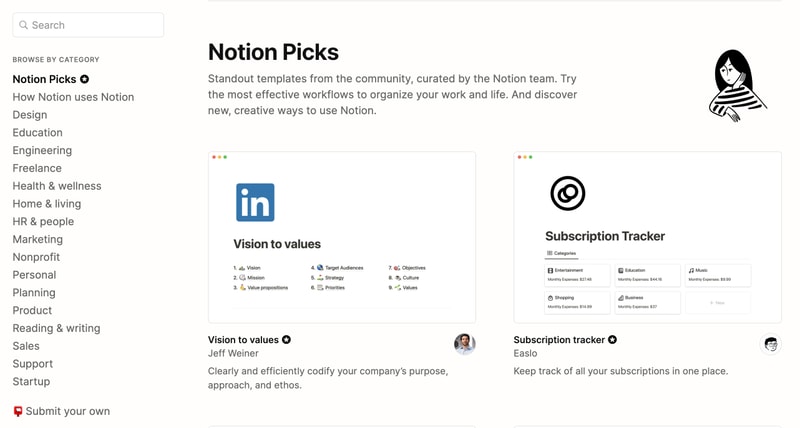
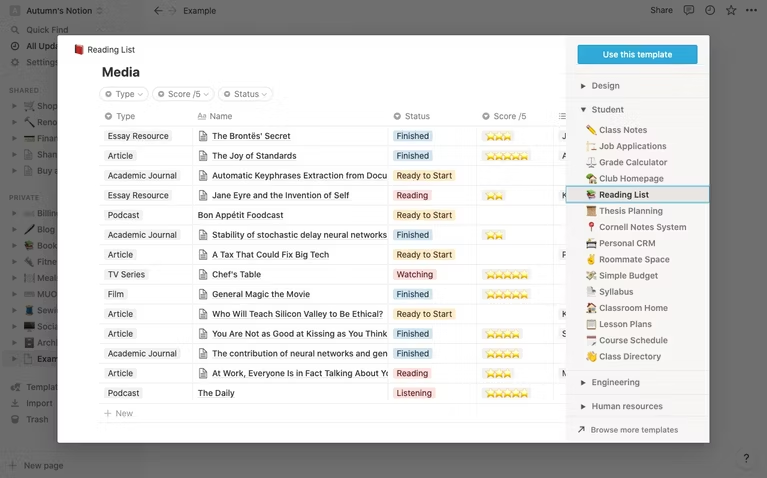
Notion is also very generous when it comes to templates. It provides users with a ton of options, whether they’re creating blog posts, articles, event schedules, or product launch plans. Fortunately, all templates are fully customizable so you can modify them to your taste without having to build from scratch. The platform also encourages users to submit their own templates so the library grows to fit a wider range of needs.
Collaborative Workspaces
Users can create different workspaces for different projects, which is useful if you need to manage multiple projects at once. Every workspace will have its own pages so all your information will remain separate and organized.
Notion allows you to invite other people to your workspace so you can collaborate in real time. The limit of guests you can have at a time depends on the plan you choose.
Integrations
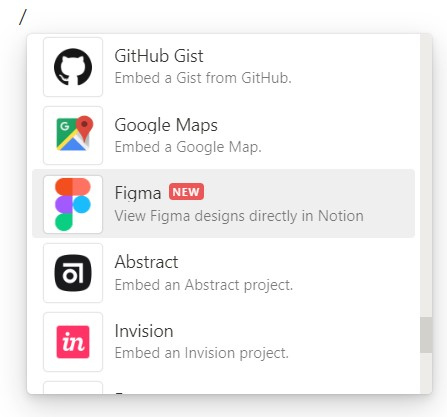
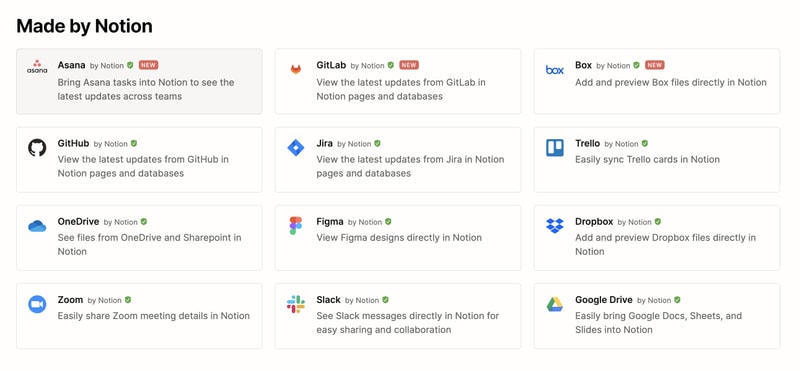
As a good workspace should, Notion integrates with a wide range of popular productivity tools so you can easily share information across the platforms you use. These tools include Slack, GitHub, Zoom, Trello, Google Drive, and more.
For instance, you can make use of the Google Drive integration to quickly add and share files from your Google Drive directly to your Notion workspace.
Notion AI
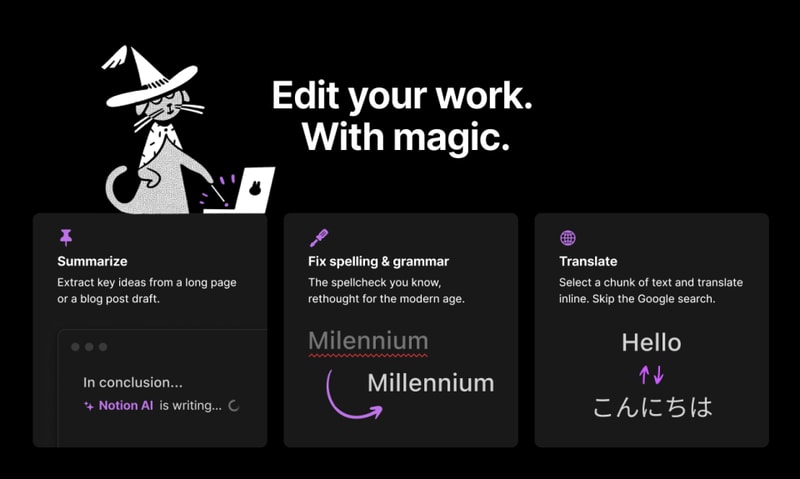
Notion AI is a core feature for workspaces. It’s a connected assistant powered by multiple large language models that’s developed to help boost your creativity and write content faster. Essentially, it eliminates the need to jump between your work and a separate AI-powered tool.
The feature can help you generate ideas for blog posts, social media posts, press releases, job descriptions, meeting agendas, and more. You’ll also be able to summarize pieces of content, correct spelling, and grammar, and translate text (English, Spanish, Chinese, and French).
Notion Use Cases
Solopreneurs
Individuals who are working freelance will benefit from an organizational tool like Notion. It can help with a variety of processes such as:
- Documenting and managing career goals
- Organizing projects for different clients
- Managing content creation schedules
Professional teams
Small professional teams can benefit from Notion’s features because it ensures that all team members can collaborate on the same tool for multiple purposes. These purposes include:
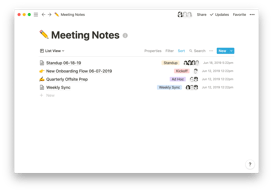
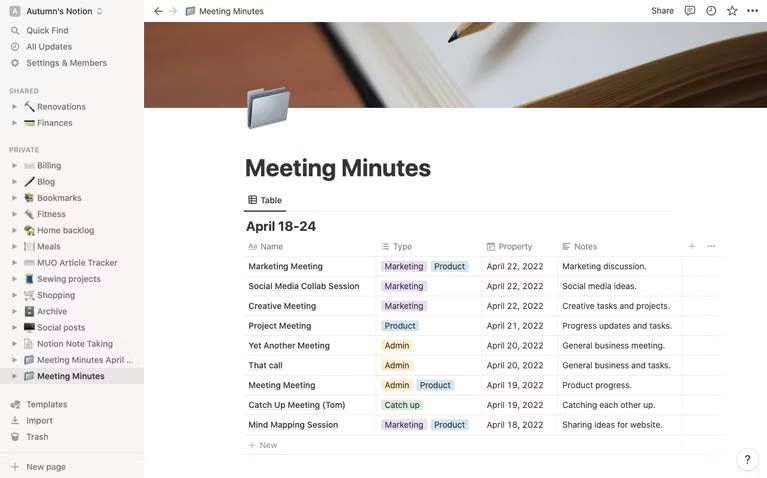
- Planning meetings and recording meeting notes
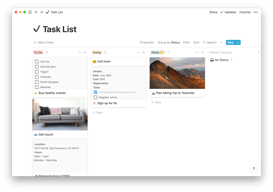
- Setting task lists based on priority
- Drawing up onboarding documentation for recruits
- Brainstorming internal team goals (digital suggestion box)
- Organizing a company roster
Students
Students also make great use of Notion because of its impressive note-taking and organizational capabilities. Students can easily organize their notes by class and keep track of all reading and assignments (by the due date) for each class. The best part is Notion can even allow easier collaboration for group projects since the free plan allows sharing with up to 10 guests.
What makes Notion stand out from other platforms?
Notion stands out in two major ways; it’s very customizable to support any workflow, and it brings all work together in one shared location.
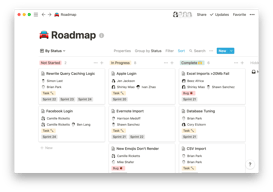
Unlike many productivity tools, Notion doesn’t just focus on solving one problem, such as organization. The way Notion is designed gives users the freedom to mold their workspace in a way that works best for them. On one hand, individuals can use it to keep their notes, to-do lists, calendars, and journals in one accessible platform. Additionally, professional teams can use it to build collaborative docs, product roadmaps, and wikis for their company.
Notion Pricing
Notion has four pricing plans: Free, Plus, Business, and Enterprise. Visit Notion’s pricing page for current rates.
- Personal (Free): The forever-free plan allows users to create unlimited pages and blocks with an allowance of 5MB file uploads. You can also share or collaborate on projects with a maximum of 10 guests, and receive basic page analytics, 7-day page history, and integration with other tools such as Slack or GitHub.
- Plus: The Plus plan is geared towards small professional groups. On this plan, you can invite up to 100 guests for collaboration. You’ll also get unlimited file uploads and 30-day page history.
- Business: This plan is for companies that use Notion to connect many teams and tools and you can invite up to 250 guests. You also get authentication features (SAML + Single Sign On), private team spaces, bulk PDF export, advanced page analytics, and 90-day page history.
- Enterprise: This subscription is targeted toward medium to large businesses and offers more advanced capabilities. You will need to contact the Notion sales team to discuss the pricing plan that fits your business’s complex needs. You can request a trial of this specific plan if you’d rather try it before making any significant investment.
Notion AI is included in all paid plans at no additional cost.
Beyond its core workspace, Notion has expanded its product suite with Notion Calendar, a standalone calendar app that integrates directly with your workspace, and Notion Sites, which lets you publish any Notion page as a polished website.
Notion’s Pros and Cons
Pros
- The customization features are better than most.
- A great solution for note-taking and creating to-do lists.
- You can use Notion to create wiki pages or simple websites with useful information about your business or products.
- Pricing is affordable for solopreneurs and small teams.
- The forever-free plan has sufficient features for solopreneurs.
- The structure of folders allows for shortcuts so you can reach your content from multiple places.
- Notion’s tutorials are comprehensive for everyone to understand and the support team is responsive and helpful.
Cons
- Although Notion’s UI is very usable, it can sometimes get cluttered once you start adding multiple projects, which can be overwhelming for newbies.
- Advanced project management features, such as reporting, time tracking, and Gantt charts are lacking.
- Managing multiple projects on Notion can become tedious.
- May not be the best option for those looking for project management software for software development.
Is Notion Right For Your Organizational Needs?
Notion should be commended for its simplicity, familiarity, and affordability. If you need a straightforward entry-level solution for creating content and planning and managing projects then Notion is a great choice.
With that being said, large businesses that have complex needs may not see the platform as comprehensive enough to streamline their project management. However, Notion is a tool that keeps evolving and works hard to improve its capabilities to fit businesses of all sizes.
If you want to keep checking other project management software that may suit you better, Findstack has more helpful reviews and insights that you can take a look at. Our goal is to help you find the right tool for your needs.

Compare Notion with other popular tools in the same category.
Notion allows you to organize your life in a very simple and user-friendly way, mainly if you carry out a lot of projects. The AI Writing Assistant is incredibly amazing.
So far, I can´t say I dislike anything about Notion. It´s been constructive in getting my writing going. I started producing much more after I started using it.
As a researcher and lecturer, I carry out many different projects that sometimes get intertwined. Notion helps me connect them. I can also determine deadlines.
Most helpful things about Notion: You can personalize basiacally everything, it is really nice to write with and the AI Assistant actually works really well when you need some inspiration, trasnlation or want to rewrite some text.
In my opinion, Notion is really hard to get used to. You need a lot of time to figure everything out, since there is so much personalization you also have to know how to personalize it...
Notion gives me a whole environment to write my thesis. I can store my research in a database, have my draft papers and the AI Assistant helps a lot with the writing (e.g. rewriting something in a better tone or translating)
Desde que conocí Notion lo he compartido con todos los equipos en los que trabajo , llevando orden al caos.
Me gustaría que la inteligencia artificial que usa notion debería ser más hábil para utilizar la información que se encuentra dentro del mismo programa.
Me ha permitido repartir el trabajo entre los miembros del equipo de manera evidente les todos.
Data collection and the possibility to create notes with the addition of multimedia. I used Notion for writing my thesis, connecting the different chapters into different databases.
The initial phase is challenging, the platform has some features that I still need to discover. In order to learn how to properly use it I had to look for video tutorial on Youtube.
I like to catalogue different kinds of interests. I have a page that I use to remember suggestions, to collect data about music and movies. But I also used it for managing my clients as a freelancer in marketing.
The intuitive interactions. Easy to use once you know. The AI creatures are very helpful and save a lot of time. Easy to go back and correct mistakes. Organizational features keep everything organized.
The desktop application is very slow and glitchy. I only use the web one. The mobile app is also very memory-consuming for my phone. This maybe an issue with my phone though
Keeping notes and projects organized. Saving time with time-consuming tasks such as brainstorming, writing, and reporting. The ease of exporting and importing helps me keep everything in one place.
The modularity of Notion is excellent - I'm part of a scaling business and Notion lets us document and organise anything from OKR planning to 1-1s to hiring to roadmapping.
Hard to find anything big that doesn't work - Notion's roadmap consistently adds good features that improve quality of life.
- Roadmapping & KPI traicking: Keeping on top of planning and deliverables - Documentation: Careers page and employee handbook are in Notion - AI assistant helps with writing pages + policies - Relationships: Agendas for 1-1s and recurring team sessions are captured
I like flexibility that Notion gives. I can make various pages for various purposes. I like how column works, with labelling and so on. Also now with AI notion helps me a lot through content creation process. AI give me great suggestion to work on. There is no Writter Block ever again
if i need to nitpick. Notion has no abilites to automatically change it's status when we already done doing the task ( or maybe i didnt discover yet) , so we need to change it's status manually
Notion helps me to create better scheduling using its flexible system in creating columns. Notion also helps me get past writer block with AI. AI give great suggestion about topic that i request, it easier to work using AI suggestion as base.
It helped me expand and improve my writing. It also helped me with summarizing content for school so that i learned much faster then i would on my own
Sometimes just lists some things, so you have to "try again" more often than needed
It helps me with improving my writing and makes it longer, as i don't know hot to long-wind with words
I see this Tool as suitable and change the way I Work. More Freedom. So many things to do !
Not enough explication , French Use. I Use maybe 5% of this Tool and I have to pay extra formation to try to handle it.
I have everything in my notion for me and my customers. Its like thé lord of the rings ... I do have question about data protection.
AI Writing Assistant saves a lot of time and effort by providing concise thought starters.
Keyboard shortcuts may be more intuitive. Would help make the migration smoother if excel keyboard shortcuts were carried over.
For anything, the first step is the most difficult. Notion' s AI Writing Assistant solves the problem by helping with concise thought starters. This way the user gets a headstart in their assignment.

the simplicity of creating a unit of creative thought. Notion AI has been so helpful to get an outline of a body of work. It has been a game changer for writing cover letters - no more blockers for the jobs that I love!
n.a jist filllingbout space here i love notion
using one app for everything, i run my whole life from. Notion
- AI is on the spot of processing long and large content which is really convenient - The database and table view allows me to manage multiple ongoing projects - the button allows for high level of automation
Sometimes the AI fails to respond It is pretty easy to get lost if I didn't organize the page well.
- The fastest way to get into my work space. - The all in one place - The AI is quite useful to help me get things organised and translated - The database is super useful for me to organise different project
Overall, my experience with Notion has been extremely positive. It has helped me stay organized, boost my productivity, and collaborate more effectively with my team. I highly recommend it to anyone looking for a powerful and flexible productivity tool.
only the pricing. it's not cheap, but it's so cool
Another feature that I love about Notion is its collaboration capabilities. I can easily share my pages with my team members and work collaboratively on a project in real-time. Notion also makes it easy to assign tasks, add comments, and track updates.
The platform always adds new features to support ease of use, collaboration and interaction.
Would love for two-way interaction with content. Being able to like or up-vote.
It creates a central knowledge base for our team as well as the ability to add great widgets and visuals to create more engaging material
It's a fantastic tool to share ideas and organize information. AI tool is wonderful it has helped me improve my writing skills and the way I present my ideas
I do like it a lot Notion, no bad comments
it is helping people who struggle communicating ideas by writing. the AI writing tool is amazing and help to find the words that I need to express in a better way
Notion has been great for keeping all our documentation in one place and easily accessible/shareable. I love being able to instantly create/embed subpages and link to other pages in the platform. I've surprisingly found the Meeting Notes section one of the things I like best. For any meeting I have, I know where I've put my notes, and the tags make it easy to filter and find what I want. Best of all, I love the new AI writer. I use it to suggest alternate wording and phrasing when I'm drafting content for my website or emails. The "shorten" suggestion has really helped me to be more concise.
Selecting and formatting documents can take a little bit getting used to. Export formats are limited. For example, there's no direct way to export pages as text files or tables as csv.
Keep our team organized and be able to collaborate with others outside our team (sharing a URL to a resource document or project plan).

love the versatility and rubust features. I replaced nearly every other tool with notion. The AI i am using recently is live changing and allows me to work much faster.
The mobile experience is not as advanced. I understand that the features in notion are hard to optimize for smaller screens. On the ipad it is working great but on iphone I have troubles therefore I switched to Things3 for todos. It would be amazing if the iphone widgets get expanded for quick notes or todos. Also it would be great to have a seperate ToDo area where one can manage todos directly or all todos from different databases/projects get accumulates. This would allow me to remove things3 from my tool kit. Additional I would love to have a handwritten feature and a quick note feature like the notes app on the ipad With all that i would switch completely to notion
Centralised experience. having one place to do it all. and then being able to use AI with all my collected information and notes is giving me an easy way to research, formulate updates and track my life and work goals
an extraordinary AI product that has left me absolutely amazed and thrilled. This cutting-edge technology has truly revolutionized the way we work as knowledge workers and has opened up a world of endless possibilities.
Even though it has numerous strengths, it's important to acknowledge that no technology is perfect, and there's always room for improvement. I guess the most improvement will come in contextual understanding as better and more advanced models are available.
AI is transforming the way knowledge workers operate by automating tasks, providing data-driven insights, supporting decision-making, and enhancing collaboration and learning experiences.
There are so many templates and options for everything you need. I'm still figuring out how it all works but once I do there's no stopping me!
There might b too many options which takes time to fully comprehend
Its giving me a nice overview of all tasks that need to be done. And I can easily share my own notes and overviews with others

I can use it anywhere anytime, meaning I have folders in which I only access on my phone but use the information on my laptop. Compare this to apple notes where you write something in and can't see it on another device until they are close together
The least helpful will be offline work if you don't have wifi it can be limiting but it is so easy to write not in Word and upload that it isn't a major issue and doesn't put me off the product
I often use notion as a springboard I read on my kindle input that information to notion then use AI to turn it into something I can then edit this to my style to create book reviews and newsletters

O Notion é o melhor aplicativo para se organizar, você consegue encontrar templates gratuitos, criar os seus, personalizar, e fazer que cada página tenha a sua cara. Antes do Notion, eu tinha diversas formas para me organizar, que no fim, acaba deixando tudo desorganizado por estarem em lugares diferentes e aplicativos diferentes. Acaba perdendo diversos compromissos por conta disso. E o Notion, resolveu todos esses problemas. Porque nele eu consigo organizar todas as minhas tarefas e compromissos, tudo em um só lugar. Com o Notion AI é tudo perfeito, eu consigo formular um texto simples e pedir para ele complementar. Posso copiar e colar um texto do livro e pedir para ele resumir tudo!
Uso o Notion para estudo e para as aulas da faculdade, e isso me serve perfeitamente. Não vejo coisas no que eu não goste do Notion. Ele serve perfeitamente para o seu uso.
Utilizo o Notion como ferramenta para auxiliar meus estudos na faculdade. Realizo meus resumos e as aulas. Uso também para colocar em prática meus projetos, utilizando o Notion AI para me auxiliar em criar roteiros para o youtube e para diversos outros projetos.
The way i can organize my whole life in only one place. I have the liberty to build my women workspace the way I want divine in areas like work, study, travel etc. This is perfect for me.
I don't know how to proper formulate it, but it feels stiff. The animations feel old. I do like though the minimalism and everything, but I'd enjoy more if it were to be a bit more modern. I don't mean like Microsoft's loop modern, but a tiny bit more fluidity and fun.
Specially when it comes to school. Notion is a life saver. No more keeping separate folders on my computer now I have my entire student life on notion,I take my notes and with AI I get to have explanations of things I didn't quite understand and also it helps me with its summary capabilities and translation.

It's helpful to have a way to visually organize tasks by aligning them to a calendar and keeping notes on associated pages.
The difficulty level of the learning curve is quite high and it lacks intuitiveness.
With the assistance of this amazing tool, I have been able to stay on track and fulfill all the necessary requirements required for my graduate school program. Its unwavering support and guidance have proven to be invaluable in ensuring that I make the most out of my academic journey, and I am immensely grateful for all the help it has provided me so far. Without this tool, I would have undoubtedly found it much more challenging to keep up with the demanding workload and meet all the deadlines. However, with its help, I feel confident and empowered to achieve my goals and succeed in my academic pursuits.
It provides a lot of flexible options and allows us to bring our company's (almost) all the the items to one place. It acts like our OS
I don't have anything now. It serves it purpose.
Our business operating system with all docs in in Notion now
Possibility to create our database, powerful AI
Don't really have too much bad to say about notion But, No Off-line mode, reduced automation
Notion allows us to organise our different topics sorted by category
The AI feature! As a Customer Experience professional I find the feature to be extremely helpful in crafting my responses to users, creating macros, and help articles.
There are times when the AI feature is down when I really need to use it. However, it usually comes starts working again within the hour.
Notion AI is helping me with response times so that I'm able to respond to users faster. Notion also helps my team stay on the same page when it comes to processes and procedures as it is where we house our internal knowledge base. I also use some of the templates for keeping track of my projects and find myself to be more organized because of it.
Excellent user experience covers all of my needs, and keeps work organized and efficient.
Sometimes when you use Notion AI to improve writing on high-word-count content, it gets buggy and you have to highlight smaller sections.
With an AI tool integrated into Notion, I'm able to efficiently utilize the power of AI without having to switch between tabs or use scattered apps.
It's easy to understand and the more you experiment the more you can exploit it's potential. It can just be a note taking space or it can help you keep track of everything in your life.
It unfortunately takes a lot of time to understand all the functions. Even when you try to search for tutorials they are hard to find and even more hard to apply.
I have information that would usually take me lots of notebooks or apps in only one space. It is also easy to share even with people that might not have notion or know how to use it
I use it as a ticket tracking system and it works wonders. I love how you can use it on mobile and pc seamlessly.
The UI is unintuitive at first. Integrating it into my own website was a hassle too. While the api is accessible, it would be better if Notion natively offered an embed feature.
It's helping streaming e workload and gives me a live list to link to my more curious clients. Productivité has gone way up, mostly in the time management department.
The style is fresh and calming, I love the templates to set up a page and the Ai assistant is honestly great
Not much, I'd maybe like to have more templates to manage my work
Organization keeping track of projects Keeping track of knowledge