Unclaimed: Are you working at Notion?
Notion Reviews: 4.7/5 — Highly Rated
Notion is the all-in-one workspace that combines docs, wikis, and project management. Tens of thousands of teams around the world use it to collaborate, stay informed, and get more done together.
Notion is also often used as Knowledge Base of choice in Venture Capital and Personal Productivity tech stacks.


| Capabilities |
API
|
|---|---|
| Segment |
Small Business
Mid Market
Enterprise
|
| Deployment | Cloud / SaaS / Web-Based, Desktop Mac, Desktop Windows, Mobile Android, Mobile iPad, Mobile iPhone, On-Premise Linux |
| Support | 24/7 (Live rep), Chat, Email/Help Desk, FAQs/Forum, Knowledge Base, Phone Support |
| Training | Documentation |
| Languages | English |


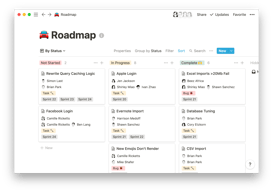
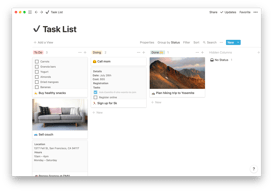
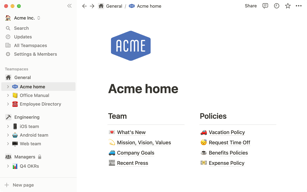


Notion Review: Is This Project Manager Right For You?
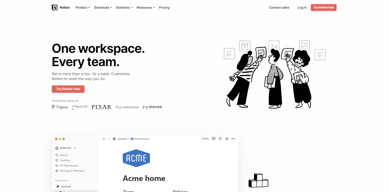
While a relatively new entry into the project management space, Notion has evolved quite quickly to meet the needs of its users. It’s a platform that is notable for its versatility, and it is a well-known option for individuals and teams who want a reliable tool to organize and manage tasks–from note-taking to in-depth project management.
But does it incorporate the best project management techniques to help you or your team get organized?
Let’s find out.
What is Notion?
Notion is a cloud-based workspace where individuals and small teams can take notes, create documents, track projects and organize and manage tasks all in one place. It’s often referred to as an “all-in-one” workspace because users can collate all of their projects onto a single platform.
Notion’s popularity among professionals and students is credited to its personalization that caters to any workflow. As a user, you’ll have the freedom to customize the layout of your workspace, while still getting helpful guidance and templates to help you get started.
Background on Notion
Founded in 2016, Notion started as a note-taking app but has evolved into a comprehensive project management tool for solopreneurs and small teams. The platform’s mission is to make it possible for people to shape the productivity tool they use every day to match their needs.
Getting Started with Notion
Every feature on Notion is designed to help users be as organized as possible.
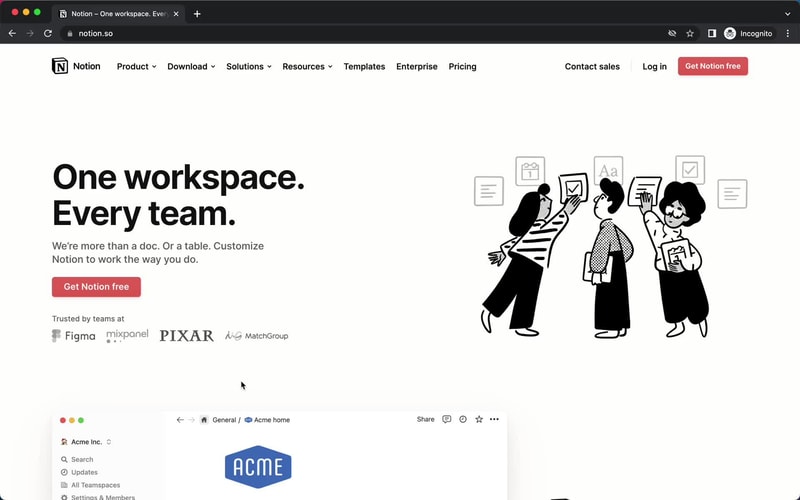
The platform is segmented into pages that can be nested or interlinked at your convenience. As soon as you sign up, you’ll be redirected to your Welcome screen containing some tips to get started. This includes linked videos that guide you in creating your first page and setting up your to-do lists and projects.
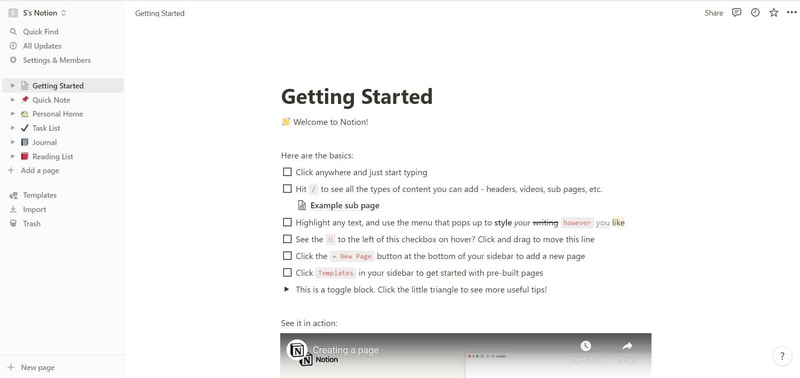
On the left side, you’ll find a list of default pages, such as ‘Quick Note’, ‘Personal Home’, and ‘Task List’ which you can customize and add. Whenever you create a new page it will show up on the left panel. You can add personalized header images, descriptive comments, and add associated icons to your pages.
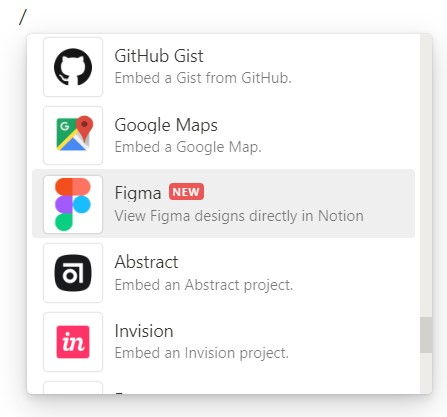
Simply click anywhere on a page to add blocks for individual pieces of content such as text, lists, media, links, and sub-pages. You can also just type “/” to bring up a menu of blocks you can add to your new page. 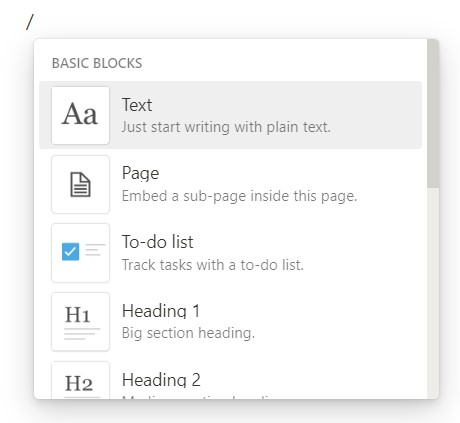
How Notion Works: Key Features
Although Notion started as a note-taking app, it has become far more than that. The tool has promising features that go beyond creating to-do lists and make it a competent productivity and project management app.
Integrated User Guides
A commendable feature of Notion is that user guides are already embedded in the platform. For example, if you want to create a new document, you’ll find guides on how to get the most out of the preinstalled page.
Of course, this can be a hit or miss. Some users may be grateful for the step-by-step guides, while others may be frustrated with manually deleting pre-installed guide pages to clean up their workspace.
Customizable Pages & Templates
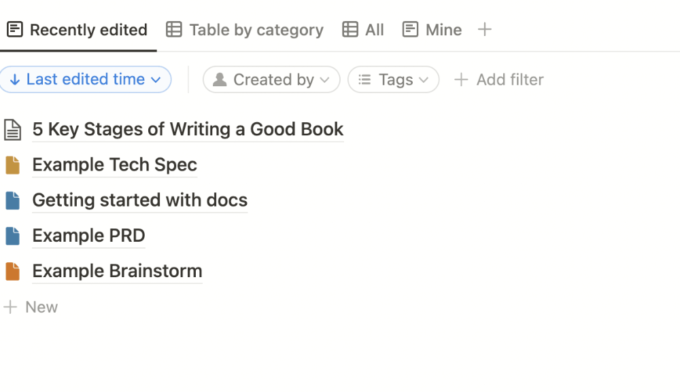
Notion makes it easy for you to create pages and documents in whatever style you want. Pages are like folders where you can store all information related to a particular topic. You can include a range of blocks or items on your pages such as text, toggle lists, to-do lists, images, video links, tables, boards, and maps.
Every change you make to a page or block is automatically saved in Notion. So you can always go back and view the history of a page if there’s something that you want to restore. This is pretty useful for when you make a mistake or just want to experiment with different versions of a page.
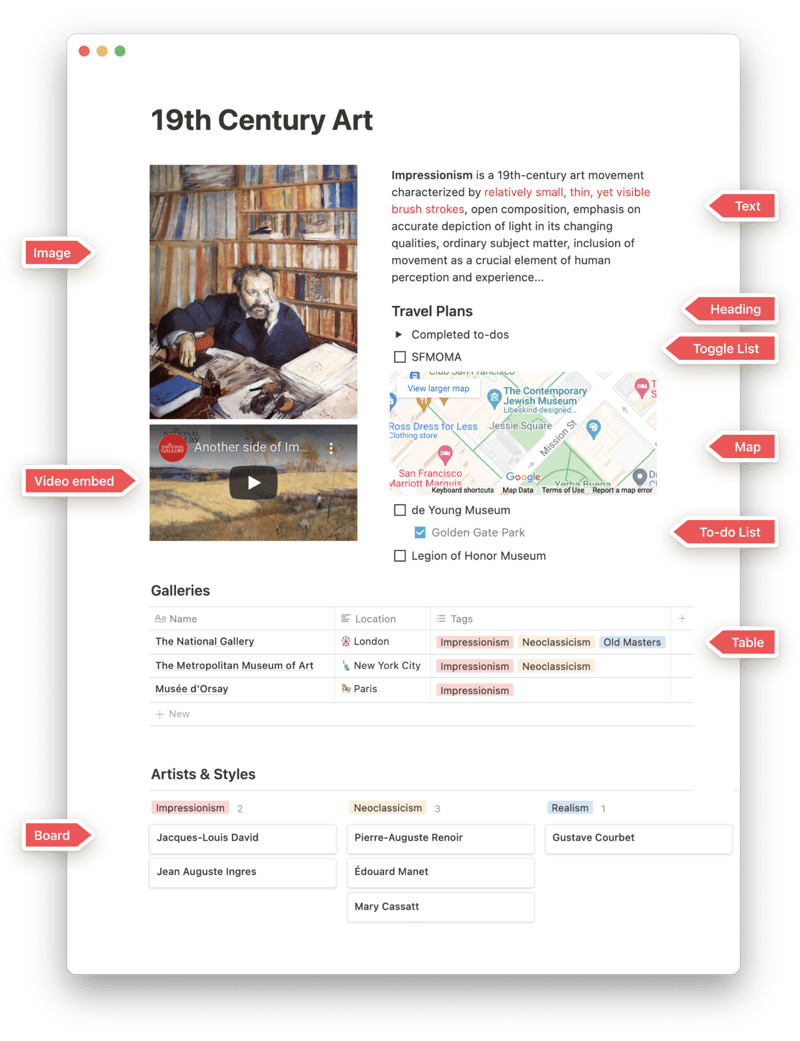
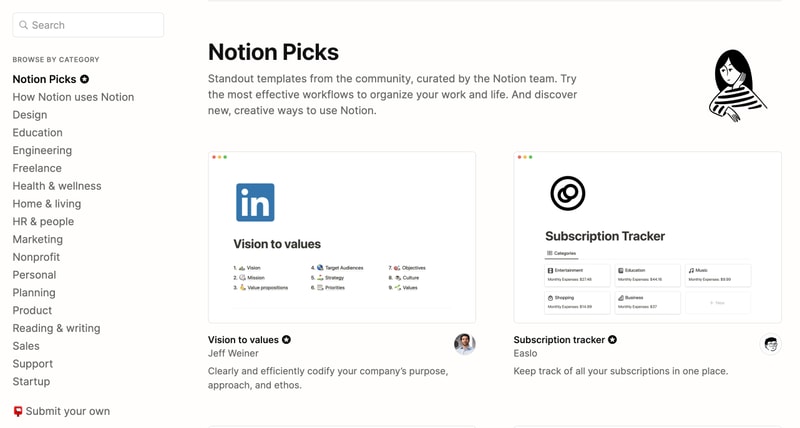
Notion is also very generous when it comes to templates. It provides users with a ton of options, whether they’re creating blog posts, articles, event schedules, or product launch plans. Fortunately, all templates are fully customizable so you can modify them to your taste without having to build from scratch. The platform also encourages users to submit their own templates so the library grows to fit a wider range of needs.
Collaborative Workspaces
Users can create different workspaces for different projects, which is useful if you need to manage multiple projects at once. Every workspace will have its own pages so all your information will remain separate and organized.
Notion allows you to invite other people to your workspace so you can collaborate in real time. The limit of guests you can have at a time depends on the plan you choose.
Integrations
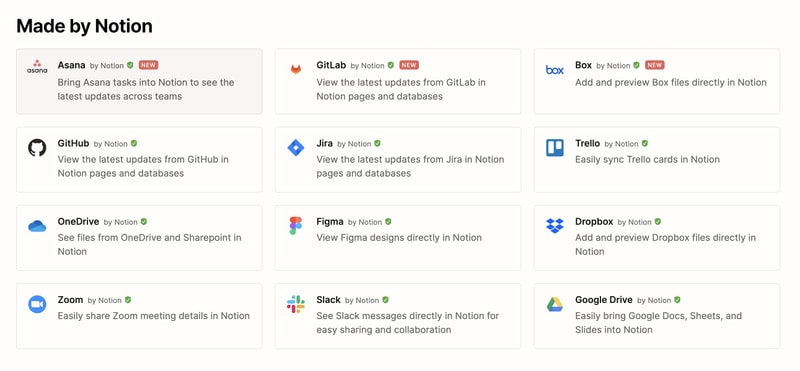
As a good workspace should, Notion integrates with a wide range of popular productivity tools so you can easily share information across the platforms you use. These tools include Slack, GitHub, Zoom, Trello, Google Drive, and more.
For instance, you can make use of the Google Drive integration to quickly add and share files from your Google Drive directly to your Notion workspace.
Notion AI
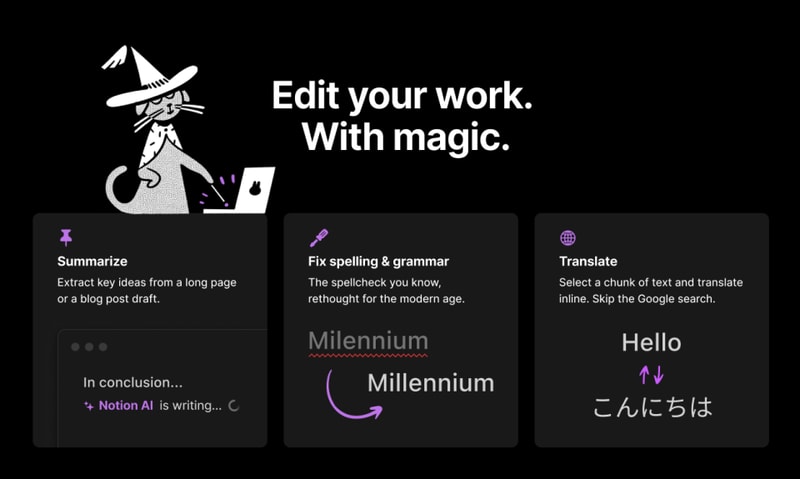
Notion AI is a core feature for workspaces. It’s a connected assistant powered by multiple large language models that’s developed to help boost your creativity and write content faster. Essentially, it eliminates the need to jump between your work and a separate AI-powered tool.
The feature can help you generate ideas for blog posts, social media posts, press releases, job descriptions, meeting agendas, and more. You’ll also be able to summarize pieces of content, correct spelling, and grammar, and translate text (English, Spanish, Chinese, and French).
Notion Use Cases
Solopreneurs
Individuals who are working freelance will benefit from an organizational tool like Notion. It can help with a variety of processes such as:
- Documenting and managing career goals
- Organizing projects for different clients
- Managing content creation schedules
Professional teams
Small professional teams can benefit from Notion’s features because it ensures that all team members can collaborate on the same tool for multiple purposes. These purposes include:
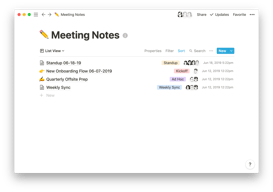
- Planning meetings and recording meeting notes
- Setting task lists based on priority
- Drawing up onboarding documentation for recruits
- Brainstorming internal team goals (digital suggestion box)
- Organizing a company roster
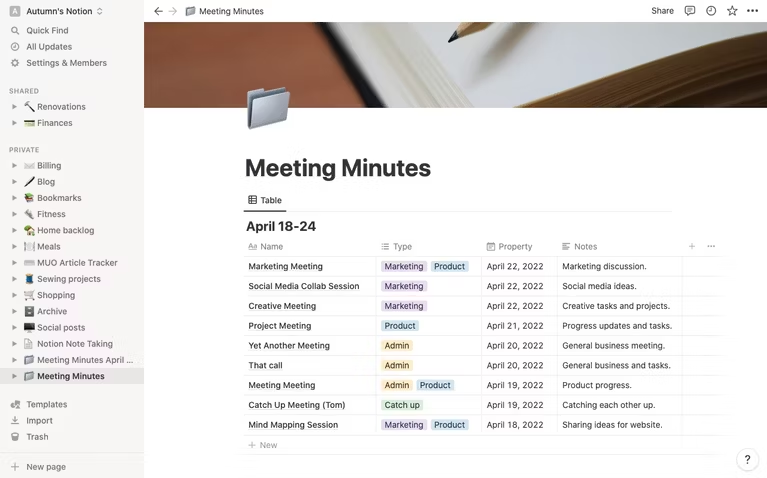
Students
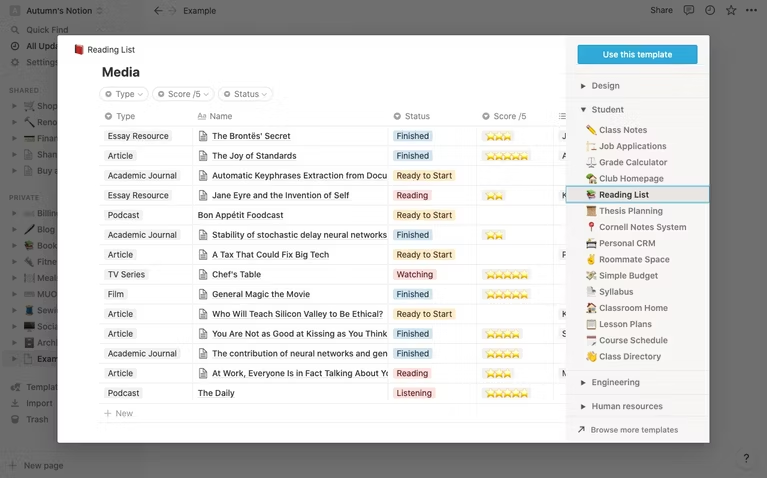
Students also make great use of Notion because of its impressive note-taking and organizational capabilities. Students can easily organize their notes by class and keep track of all reading and assignments (by the due date) for each class. The best part is Notion can even allow easier collaboration for group projects since the free plan allows sharing with up to 10 guests.
What makes Notion stand out from other platforms?
Notion stands out in two major ways; it’s very customizable to support any workflow, and it brings all work together in one shared location.
Unlike many productivity tools, Notion doesn’t just focus on solving one problem, such as organization. The way Notion is designed gives users the freedom to mold their workspace in a way that works best for them. On one hand, individuals can use it to keep their notes, to-do lists, calendars, and journals in one accessible platform. Additionally, professional teams can use it to build collaborative docs, product roadmaps, and wikis for their company.
Notion Pricing
Notion has four pricing plans: Free, Plus, Business, and Enterprise. Visit Notion’s pricing page for current rates.
- Personal (Free): The forever-free plan allows users to create unlimited pages and blocks with an allowance of 5MB file uploads. You can also share or collaborate on projects with a maximum of 10 guests, and receive basic page analytics, 7-day page history, and integration with other tools such as Slack or GitHub.
- Plus: The Plus plan is geared towards small professional groups. On this plan, you can invite up to 100 guests for collaboration. You’ll also get unlimited file uploads and 30-day page history.
- Business: This plan is for companies that use Notion to connect many teams and tools and you can invite up to 250 guests. You also get authentication features (SAML + Single Sign On), private team spaces, bulk PDF export, advanced page analytics, and 90-day page history.
- Enterprise: This subscription is targeted toward medium to large businesses and offers more advanced capabilities. You will need to contact the Notion sales team to discuss the pricing plan that fits your business’s complex needs. You can request a trial of this specific plan if you’d rather try it before making any significant investment.
Notion AI is included in all paid plans at no additional cost.
Beyond its core workspace, Notion has expanded its product suite with Notion Calendar, a standalone calendar app that integrates directly with your workspace, and Notion Sites, which lets you publish any Notion page as a polished website.
Notion’s Pros and Cons
Pros
- The customization features are better than most.
- A great solution for note-taking and creating to-do lists.
- You can use Notion to create wiki pages or simple websites with useful information about your business or products.
- Pricing is affordable for solopreneurs and small teams.
- The forever-free plan has sufficient features for solopreneurs.
- The structure of folders allows for shortcuts so you can reach your content from multiple places.
- Notion’s tutorials are comprehensive for everyone to understand and the support team is responsive and helpful.
Cons
- Although Notion’s UI is very usable, it can sometimes get cluttered once you start adding multiple projects, which can be overwhelming for newbies.
- Advanced project management features, such as reporting, time tracking, and Gantt charts are lacking.
- Managing multiple projects on Notion can become tedious.
- May not be the best option for those looking for project management software for software development.
Is Notion Right For Your Organizational Needs?
Notion should be commended for its simplicity, familiarity, and affordability. If you need a straightforward entry-level solution for creating content and planning and managing projects then Notion is a great choice.
With that being said, large businesses that have complex needs may not see the platform as comprehensive enough to streamline their project management. However, Notion is a tool that keeps evolving and works hard to improve its capabilities to fit businesses of all sizes.
If you want to keep checking other project management software that may suit you better, Findstack has more helpful reviews and insights that you can take a look at. Our goal is to help you find the right tool for your needs.

Compare Notion with other popular tools in the same category.
First it just came like a notes app. Similar to others, probably a bit better from UI perspective, but still notes. Later while you deep dive into Notion's abilities, you understand it is not just another notes app. It helps you to structure your thoughts with simple tips like callout / links / tables / anything. You can easly collaborate with your temmates or family.
If you use Notion as a task tracking, I think it require integrations with more advances systems (Monday, Jira, etc) in order to make more complex reports for improvements. Also need better search capabilities.
1. Knowledge base. Notion is simple to use if you want to structure your knowledge. Unfortunatelly only search is a problem here. 2. Note taking and internal project management for family. For example, we plan relocation using Notion, keep tasks and notes in order to make a right choise where to go.

What I like most about Notion is that it is a very versatile tool that can be used for everything from personal issues to professional organizations. It is very flexible and you can configure it as if it was a blank notebook in which you can add and edit whatever you want. The technical service is great whenever I have had a query they have responded in an effective way to solve my problem.
It has so many possibilities that it can be overwhelming, you always find someone who offers you a good template and I feel like I never have my workspace organized.
They are resolving the language issue, since there is a lack of content in Spanish. They are resolving the language issue, since there is a lack of content in Spanish. I have also noticed an improvement in performance and in the MacOs app.
Every body can use it. It's really friendly user and my clients can follow up on realtime their accounts, and even look the documents related to them. The alarms help my team to keep track of every task, and the organization with pages make everything super organized.
You can't upload several files at the same time, and you can formulate inside pages but not with the total sums of each column.
Organize all the information about my clients, make them easy to access their information, and make really simple for me to assign tasks and for my team to keep tracking and make everything on time.
I love that I can search across every character of every page and find exactly what you're looking for. Endless customization.
Load time for the app is slow, and switching between businesses is impossible - there's a bug that crashes the webapp until I can find a way to log back out.
Aggregate data in one searchable place helps me stay organized. I love making a quick kanban board or checklist in here when Jira feels too overpowered.
It helps me write good internal documentation. You can also share specific pages with customers. In addition I do use as project management tool, you can have task list, gantt charts, assign owners, use as database. Very powerful and flexible
The integration with Slack is quite new, but it can still ve improved. I would like to able to select the attributes thats I want to be shared from the database, currently this attributes are not something easy to select
Project management toool. Documentation tool Internal knowledge base Internal source to run meetings and organize the agenda, the owners, the To Dos

Notion has been our best investment into products. It has helped us increase our productivity and keep a track of all of our information and tasks. Compared to the competitors it is very nice
There is nothing that I dislike about it, but the product is so extensive that it takes a little bit of time for a new learner to adapt to it and use all it features to its best. That could be a drawback but apart from that it's all very good
With the help of notion we can track our task manage them and assign them. We keep a track of all of our data in different folders. Keeping a check on data has increased our productivity.
It keeps me organized. Everything is labeled so I am able to keep everything labeled.
I would like it if it was easier to access on the Iphone
It helps me come up with creative ideas for social media.

What I like about notion is the simplicity of the UI and it is very easy to use. As a team leader for content moderation operations, it is where we collaborate ideas with my team and provide updates for the team to utilize.
For about 6 months of using Notion, I would say that it greatly helps me and the my team. We use it everyday and I cannot think of any downside of the platform.
As a content moderation team leader, my primary role is to provide updates to the team whenever there are available and Notion has been very helpful as a platform since it is where I provide updates to the team.
I personally love being able to style my notes to make it more appealing. I find myself being able to cross off tasks from my to do lists this way. I also love being able to have nested documents so I can stay more organized based on days under my to do list, or trips under planning list! I also really enjoy being able to include code in my notes!
I personally don't really like seeing a long list of things we can do when we open up a new document or the templates we can use. I think it is very helpful and would be for a new user, but maybe just having all of that in one place is enough for people to refer back to. I just think there's a lot of bloat when it comes to default templates.
Notion providing AI together with my favorite note taking space has truly saved me so much time. Especially when I'm in a crunch and have not figured it out by the time I wanted, I talk to the AI assistant to guide me to the correct solution. I do think that AI is not very accurate. I have asked it many questions and it's answered with tools/libraries that do not exist. I know there is a disclaimer about it not being very accurate, however, I would like to know that what I'm paying for is worth it. I have not really spent too much time asking it as much as I did before because of this, but I definitely think the note taking is amazing and it has made me become a better organized engineer! Everything is in one place.
It helps me organize my tasks and share campaign plans with my team. Best organization tool out there!
It takes a bit of time to get used to the "blocks" system but once you do it helps keep everything on site.
Breaking down big projects into organized plans that are easily shareable and collaborative.

A truly incredible software that allows for website creation as well as communication between team members
When we surpassed a certain amount of data we needed to supplement with airtable, but I still find this product to be incredible and highly recommend it.
Product management has been great and we have been able to replace asana with Notion. Also able to design our website inside notion and deliver lightning fast media.
Notion can help you organize your thoughts and create beautiful documents.
Notion can only support limited formatting typos.
The notion's AI knowledge base is shorter than ChatGPT.
You can keep records about what is important for your business and your daly life; anytime, anywhere, during the work, on the way home, while you are taking a walk.
The structure is based on "mark-up" method; I would strongly prefer the way of "mind map" where I could connect my ideas and which I think would be a great help for the kind of tool.
While I have a lot of things to think, Notion helps me re-arrange what is important and what is categorized as daily life and not in the center of business. I became more concentrated on what is linked to the business benefit.

All my tasks are organised in one place.
Only no scrolling pages in full page view.
I used multiple apps for my note taking but Notion database layout is best.
I love how customizable it is, with templates, pictures, colors, etc. I also like that you can do so much with the free version ! It's the only planner/app that offers that much, and it's really nice for students!
I feel like you have to search a lot on other platforms, like Youtube/Google, to understand how to start and how it works. There's a lot of options, buttons that we wouldn't see or understand how to make function at first.
I can finally be organized and have all my things in one place. My goals, objectives, projects, day notes are all on Notion not on different platforms like before where I would forget where I wrote something.
The ease to document all the data in an organized way is the best thing!
It starts to charge after some usage. Otherwise its amazing
Documentation
It has so many possibilities to store information and data, Ans I love that it is so simple in its UX. I use it for my work and my private life, from planning for the day to line out a full strategy.
to be honest I do not have many things I dislike, using it would be something they don't (yet) have. I do sometimes get confused about how linked data bases ae working together. but that mainly on myself.
For us, it really helped to share information. have one source of truth. and being able to communicate important matter in such a simple format that is easy to understand for all.
Notion has a unique approach to note-taking, striking a perfect balance between depth and ease of use.
Sometimes the simplicity of Notion holds you back when you need that extra inch of customization, for instance changing the font on a block of text.
Databases tend to be very inflexible in their structure. Notion adds that flexibility without adding complexity.
Notion is a shared space and a personal space where i can save all my details in one safe place. Notion is really pratical because you can use it on a computer or a phone.
Notion is an app where you need to invest a lot of time at the beginning if you want to enjoy the real potential of this product. Certain features could be easier ...
I can use only one app to manage a team, share meeting notes, plan my work day... but I can also prepare my grocery list. I prefer this app to other similar solutions because its answers all my needs in one app (calendar, notes...).
The best thing about Notion is the extensive amount of customizable ways that it can be used.
The one drawback to Notion is that it has a learning curve. It isn't as complicated as other popular apps like Airtable or Obsidian, but it is slightly more complicated than Evernote.
Notion helps solve the issue of collaborative notetaking and knowledge management. It allows teams and individuals to store and easily reference any material they may want to remember.

Visually very nice templates, makes me want to plan and organize things. Easy to share with others
You have to learn how to build some templates yourself
Organizing my daily routine, habbit tracking, organize writing
My favorite feature is the ability to link together various pages directly or through common properties. Further, the various templated functions are handy (e.g., calendars, kanban board, spreadsheets, checklists, etc.)
Formatting text can be frustrating at times. Some of the keyboard shortcuts are different from other software (like the Microsoft Suite), and it often thinks you are trying to add code (for example, when adding a slash "/").
Keeping notes for calls/meetings, documenting company policies and procedures, compiling research for new leads/prospects, mini CRM for certain ad hoc projects, etc.

Notion é um aliado para inovação e criatividade, para quem se aprofunda de verdade tende a torna cada vez melhor seu modo de atuação, o Notion ele é flexível e interativo.
O suporte em tempo real por chat ao vivo, uma dinâmica mais próxima é humana para passar até mesmo confiança pra usuários. Foco em em uma comunidade de Parceiros
Unindo vários controles de processos em um lugar só, modificando e ajustando de forma rápida páginas, Dashboard e desenvolvimento de ideias novas, não chegamos no resultado ainda mais estou trabalhando de forma mais eficiente.
It's my second brain. I use it to offload all the important things I do through out the day, then organize them and output them into content, essays, PowerPoints, memos, and more.
There is definitely a steep learning curve. Because at its base level it's only blocks, or can be whatever you want it to be, but the dark side is that it can be hard to really build out your notion to what's optimal. Definitely lots of learning to really get the most out of it.
It helps me manage both short and long term projects and display them all in one space. I can also connect notion to integrations in other apps (slack) so the whole team on a project can stay up to date.
Notion is highly useful to keep all my writings organized. As an author, it is useful for me to have things updated and perfect. Journal is an add-on in this website.
Sharing content is a bit complicated. It would be helpful if this software is updated regularly which will help the users have better interface. Overall, changes can be made.
It is solving me to have my writings in line. Very easy to organize and I'm just loving how it can make my work easier. Overall, good software to have. I would recommend.
The ability to work seamlessly across devices. The provision of various content block fits almost all requirements of content creation, ideation, and productivity. The in-built AI is a starting point to get inpired while creating content.
Limited range of text formatting options. The lack of a live word counter while writing. Limited functionalities with tables.
A clean writing environment and quick use content blocks that fulfill most requirements. A seamless cloud experience that helps jot down ideas on the go and work on them later.
What I like most about Notion is its capacity to assist me with regards to the tasks that I needed to finish. I have been looking forward to organizing more of my to-do lists through this platform.
Considering that it is a useful tool, what I would like to see more is how it would constantly adapt to the needs of its users. I wanted to see more developments, on how it would be much easier to access.
It helps me reduce the timeframe that I needed to finish a certain tasks. Just because everything else is prepared beforehand, it makes everything else easier. Basically, it promotes productivity on a higher level.
Writing AI Assistant feature, intergrations with miro, wiki pages, its easiest way to write blog posts, visualise information in your projects. Also it's great for building teams for digital projects
It's not easy to get all your information in one place at first. New user experience needs to be more friendly
It automates routine work for me. Also, its sum up feature to extract main ideas out of the text.
It has helped me to organize all of the different parts of my life. I have a dashboard for absolutely everything; i can organize university and personal details.
I think the actual coding part is overcomplicated. Trying to figure out the actual databases themselves us pretty difficult. How do i use the formula setting without prior knowledge of coding?
I like to have one collective place for all of my crap. It makes keeping up with my plans and notes very simple. There is no real stress to it. It has increased my performance.

- It's product features. Databases. Flexibility it provides to manage the database. I really love all that. It is very difficult now to imagine a life without notion.
It does not work offline. There are no themes (Not visually, but at least some variations on how we want to see the page e.g. there can be more fonts, customized whitespacing, etc).
It helps me brainstorm my ideas. It makes my doing work and cuts it into half. It is really incredible to use Notion AI assistant and use it for anything and everything I do for work.