
Unclaimed: Are you working at QuickBooks Desktop Enterprise?
QuickBooks Desktop Enterprise Reviews: 4.2/5 — Solid Choice
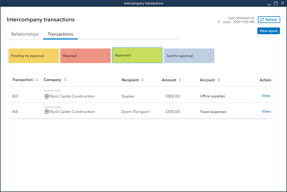
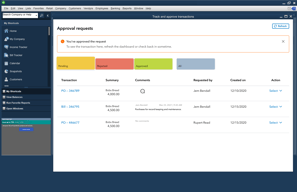
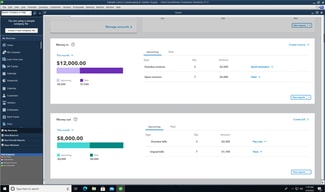
QuickBooks Desktop Enterprise is an accounting software that is built to easily scale with businesses. The software offers tools that can easily manage inventory, track sales, generate reports, and run payroll. QuickBooks Desktop Enterprise also offers industry-specific solutions ideal for contractors, retail, manufacturing and wholesale, and nonprofit organizations.
| Company | Intuit Inc. |
|---|---|
| Year founded | 1983 |
| Company size | 10,001+ employees |
| Headquarters | Mountain View, California, United States |
| Social Media |

| Capabilities |
API
|
|---|---|
| Segment |
Small Business
Mid Market
Enterprise
|
| Deployment | Cloud / SaaS / Web-Based, Desktop Mac, Desktop Windows, On-Premise Linux, On-Premise Windows |
| Support | 24/7 (Live rep), Chat, Email/Help Desk, FAQs/Forum, Knowledge Base, Phone Support |
| Training | Documentation |
| Languages | English |






Compare QuickBooks Desktop Enterprise with other popular tools in the same category.
I am a relatively new accounting professional, with limited accounting experience. I have been using Quickbooks Desktop Enterprise and it works well for my company's needs. It was easy and fast to learn how to use, and helped reinforce accounting principles I was taught in training. If I need to perform a new-to-me task, it is usually very simple to figure out on my own.
I work with multiple entities, and it would be nice to have more than two companies open at a time. It may just be an issue with my PC, but it is very slow to log in to a company. It typically takes around five minutes to log in. I spend a lot of time switching between.companies.
My primary job function is AP. Quickbooks allows me to handle these tasks with ease, and re-bill expenses to our customers.
Able to process all vendor invoices and complete various reports
No dislikes, QuickBooks is a good tool. I can customize reports and create detailed and summary reports.
Able to record all payables.

I like how easy it is to use. The navigation is easy.
There are no shortcuts to navigate through the software.
Profit margins good sales
The Quickbooks Enterprise software is so easy to use. Any questions I’ve had have always been made clear in the Help section. Less freezing than previous versions I’ve used.
My only complaint is that I cannot batch close out sales orders. I use an EDI program that carries all my PO’s over and turns them into sales orders which I turn into invoices. Not a fan of them being open.
We are able to have more users logged on at a time. Reporting has improved as well as the search features. Overall just easy to use and keeps our info very organized.
Compared to the online version, I feel the desktop option is more reliable to keeping things up to date. Clean and easy to use.
Sometimes I feel there are too many options and it makes finding menu options more difficult. Sharing files can be a little more difficult when this is not the online desktop edition.
Keeping track of business activities.
It's easy to get started with QB and, if you have any experience at all, it's pretty easy to use. That said, the quantity, quality and flexibility of the reporting is probably the best part about QB. You can report on anything in any level of detail, which helps to find both the good and the bad in your business!
There are still some basic things that QB doesn't do well, such as the ability to reconcile bank accounts when you use a journal entry with splits against your account. It's a bit nitpicky, but sometimes I have to re-enter transactions to to back out of these types of situations in order to reconcile my accounts. In other words, there are things you have to learn trial-and-error.
I'm using QB to both run my own business and keep the books for a Boy Scout troop. Syncing with bank accounts is pretty seamless and tracking some unique needs for Scouting are both pretty easy to do in QB.
This software is user friendly and super easy to use.
That you cannot be signed into multiple locations at once
No problems at my business
Super user friendly -- I love the home screen and how easy it is to navigate.
Nothing I can think of off the top of my head.
Really easy to track payments and desposits and I absolutely ove that.
I like QuickBooks because it is a smooth website, easy to navigate.
I dislike QuickBooks because it is a little too simple to delete entries.
When I use QuickBooks I use it to cut checks to accounts. I realized that QuickBooks is easy to use.
It's so easy to create invoices, enter a simple journal entry, or whatever you need to do!
Sometimes there are too many options and I'm not sure if I'm doing things the "best way"
Organization of our finances is pretty simple. Communicating with our accountant is easy when they can just look at what you're doing too.


