
Unclaimed: Are you working at QuickBooks Online?
QuickBooks Online Reviews: 4.1/5 — Solid Choice
As one of the best known accounting and financial software companies today, Quickbooks offers a combination of reliable payroll tools, HR solutions, and automated tracking features. Quickbooks also include access to benefits, project management, inventory, and contractor options. One of the biggest benefits of Quickbooks is its flexibility. Quickbooks integrates with Square, Shopify, PayPal, and a host of other well-known tools. Finally, Quickbooks also provides access to expert accountants and tax professionals.
| Company | Intuit Inc. |
|---|---|
| Year founded | 1983 |
| Company size | 10,001+ employees |
| Headquarters | Mountain View, California, United States |
| Social Media |

| Capabilities |
AI
API
|
|---|---|
| Segment |
Small Business
Mid Market
Enterprise
|
| Deployment | Cloud / SaaS / Web-Based, Mobile Android, Mobile iPad, Mobile iPhone |
| Support | 24/7 (Live rep), Chat, Email/Help Desk, FAQs/Forum, Knowledge Base, Phone Support |
| Training | Documentation |
| Languages | English |
QuickBooks Online Pros and Cons
- Great onboarding process
- Can integrate with third-party apps
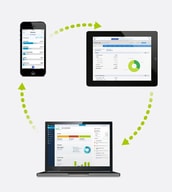
- There is a mobile app available
- Introductory price doubles after three months
Compare QuickBooks Online with other popular tools in the same category.
In a program you need to run without glitches, QuickBooks online provides the least reliable experience you'll get.
It's genuinely just the absolute worst ever.
Literally none.
It is very easy to share files and access among users and our accountants.
Almost everything. The interface is very different from Quick Books Pro. The ability for company users to access reporting is very limited and clunky. It forces us to have our accountant create reports that we need at our fingertips. It assumes all not-for-profit organizations are charitable (Pledges) We do not fund raise and we recognize only earned revenue. We have multiple project revenue streams and expenses that need to be associated with these streams. I have no ability to access balances by Class - these are the reports that I have to rely on my accountants for. As a state and federal fund grantee, this is a problem.
We are able to keep accurate records of our general ledger.
Employee time tracking, they are able to enter time
Too many limitations, have had many issues that customer service is incapable of resolving. Online version is for someone just looking to track their personal accounting needs.
Hmmmmm
The multiple ways of viewing the financials (i.e. classes & locations) is useful for a different range of clients. This allows the clients to modify the reports to what works best for them.
The addition of the app has made the program better than it was but it is still not as user friendly as the desktop version. You are not able to move as freely in the online version. Everything requires extra steps to get to what you need to view.
I guess the problem being solved is unorganized books. But, the desktop version is still better at doing this more efficiently.
Invoices and automatic application of customer payments
QB online is a joke to accounting professionals. I constantly have to fix people's books because of the false semse of security this program provides.
None it causes problems. Spend the money on an external CPA.
Nothing much. The utility is not worth the effort.
Limited utility. Not very user friendly.
Accounting
The only thing I liked is the fact that it is online, though this is NOT worth any of the issues I encountered whatsoever
Pretty much everything else. After signing up for the QBOA promotion 5 for $5, I was overcharged hundreds of dollars over the course of 8 months so this combined with the lack of functionality for accurate reporting ie on a per job basis, I decided to cancel my subscription and moved all of my clients but back to Sage as this one client wanted to remain on QBO and would take over the subscription themselves and even this transition took months to be done correctly.
I am solving none.
It's a stable financial tool. Most businesses use it. They know what they are doing in terms of the platform.
Not to be a hater, but quickbooks online needs help right away. I used this tool for about a year and I had to switch because of the terrible customer service, and lack of features.
Bookkeeping is the most important one. I tried their merchant account... but for no reason got unapproved. Today I use Stripe without any issues.
It's cheap and easy to use. All accounting consultants know how to use it
It's very limited and doesn't receive many updates over time. Also it's insanely hard to integrate with other business systems
Tracking revenue and expenses
That is online and you can access from anywhere. It is nice that you can upload, for instance, copies of customers sales tax exempt certificates to their profiles.
Horrible for medium/large businesses. Sales tax reporting sucks and that is a big part of our QB needs. You can't even perform the most basic of tasks such as printing out a bill payment stub where you are paying multiple invoices on one check and there isn't enough room on the stub to list what you are paying. This feature simply doesn't exist on QB online. Very disappointing.
None, other than being online
I was keen on the idea of having online access to program.
The entire process - sales person not informing me on limitations of QBO (i.e. QBO will not import payroll data - was told to "just enter in all the data again', not being sent PINs when emails said that would follow in separate emails, hyperlinks in emails not working). In general the data transfer process is horrible. Spent an entire week not being able to access desktop or online files, and spent in excess of 10 hrs on phone with helpdesk. STAY AWAY!
No benefits whatsoever.
The product is fairly easy to use and online access is a plus. I enjoy the peace of mind knowing that everything is backed up in real time, at no additional cost.
The Online version of QuickBooks is missing a lot of "business" features that I didn't realized we relied on so much with the Desktop version. I am unable to set price levels for different customers nor add multiple contacts at a company. This has led us to look into a CRM add-on product which turned out to be expensive and unreliable when it came to syncing (experience with Method, Insightly, Agile, Accelo, and ConvergeHub). "Notes" are one big text box, not individual date stamped entries like in the desktop version or a CRM. I am unable to select a preferred vendor for Items that are purchased. Sales Orders (or Work Orders) are not part of the software. I've worked around this by using "Accepted Estimates" as Sales Orders but it is not a true Sales Order. In addition, QuickBooks Online seems to know better than me (or wants to force best practices) on my business. I tried renaming the "Sales" and "Cost of Goods Sold" accounts... and it replaced them with NEW accounts with the same name. I now have two Sales accounts. I also tried deleting the one that QuickBooks automatically added...and it reappears the next time you sign in. QuickBooks Online also seems to "hide" things in different areas, which makes it seem like there are not problems with your books. I only came to realize this when we exported our QuickBooks Online file to QuickBooks Desktop, and a lot of numbers surfaced that were not showing online.
Online accounting and sales management. Sending online invoices and getting paid electronically.
Quickbooks is a well known product; every CPA is familiar with the product, and it has tons of app integrations. As far as using the product, the only thing that I liked was how Quickbooks Full Service Payroll handled our payroll, but I would have been happy to not pay for all the other cumbersome, and useless features.
No employee benefits options so you'll have to find another service if you want to offer your employees medical benefits. The plans are created so that you end up paying for the Plus version including Full Payroll even though you don't need all the other useless features that come with the upgrade. I could rarely reach chat or phone support for help, their support's available hours are not friendly for people who run their business outside of 9-5. Quickbooks does not make accounting easier for the layman, it's no more or less overwhelming than with a simple Excel spreadsheet. Logging in was becoming a hassle because Intuit saves log-in info for other products such as TurboTax and Mint (some were for personal use, some for work use); Intuit was constantly suggesting log-in info for all of these products-- I don't know how many times I had to change my password and contact support, it was awful. For such a big name, the product is surprisingly bare-bones in quality features, has a cumbersome user interface, and full of unnecessary features that you must pay for.
Used Quickbooks Plus online with Full Service Payroll.
The price of the software is great for a small company.
So outdated, very cumbersome, the reporting capabailites are awful and extremely outdated and slow to produce. So many extra steps to be able to produce a report that you want. I also think that their customer service is awful. they never respond to emails.
None
automatic download of transactions from my bank remote reconciliation capability
After five (!!!) conversions from QB Desktop for the Mac to QB Online and more than a dozen calls to their Data Services department, I had to re-do all of my chart of accounts because they were incorrect and new ones had been added. I went along but then I could not believe my eyes when I saw transactions downloaded from my bank with an incorrect payees and categories. Sometimes there was no payee or category, even though it was a monthly recurrent transaction I had entered previously. QBO Customer Service department told me they submit requests to their QBO product development numerous times to fix those problems, because so many of her customers experienced the same dysfunction, but nothing has changed. What business owner has the time to go through every transaction and correct them when they are downloaded, time after time. It is sorely lacking in the most basic functions. I give this review to save other business owners precious time. I am going back to Desktop. I know it works.
remote reconciliation
I like that I can use it on multiple devices at the same time. This is the only reason I would ever advise using QBO.
Where to start? QBO was sold to me as an online version of QuickBooks Pro, which I used for a few years and paid several hundred dollars for. When I switched to Online, an Intuit representative gave me a discount on the monthly price that he assured me would last for as long as I used the product. Not only is QBO significantly less advanced than Pro, my monthly price recently nearly doubled, going up to $50 per month. That's $600 every year for a product with more limitations than Pro, which only cost a few hundred dollars upfront. When I asked Intuit why the price was going up, they told me their "engineers are accelerating the development of the program. This is being done in order to improve its existing features as well as add highly-requested features." In other words, they were charging their customers to fix bugs and bring QBO up to speed. With all of that in mind, the software is still very buggy and I have yet to see any new features. Unfortunately, it is very difficult to transfer all of my accounts over to a different service. QuickBooks won't even let me downgrade my plan to a more basic version of QBO because they're afraid of damaging my data. It's a very convenient reason, especially when they have no problem letting you upgrade your account whenever you'd like.
Aside from the obvious benefits of accounting software, QBO lets multiple people in my company access our files at any time. We can remotely print invoices and run reports, which I really do like. It also easily integrates with my bank accounts, which makes monthly reconciliations very easy.
Online version is accessible from anywhere and is backed up through the cloud.
I tried to downgrade our QB account as we do not use several of the features. I was told NO. QB only allows for upgrades in service. If you need to downgrade it is new service and all information needs to be exported to desktop and then re-loaded to online. And, oh yeah, we don't support this, figure it out yourself. Terrible, terrible customer focus.
Standard company accounting.
Mobile accessibility to all my sales records, invoices, and purchase orders.
Terrible template designs and very limited template variation capability. Cannot compute finance charges automatically like the desktop version does. Limited notes and limited changes allowed to invoice templates make this dead in the water! I love QB desktop. I strongly dislike QBO!!! Too many limitations! Cumbersome to operate. I really wish they would just make the online version EXACTLY like the desktop version.
Mobility is the best feature of this product.
Automation and setup of rules, bank imports
I don't like it.. There are too many flaws and not enough improvements. They are implementing new items for higher fees but not fixing the broken stuff. The product is slow to use, no way to use it without internet. The tech support is useless.
Faster data entry.
I did not use it long enough to have a favorite feature.
I processed my 3rd payment through Quickbooks online, I then received an email requesting all of my clients information, a copy of our contract and a copy of the invoice...which is completely and utterly ridiculous. Why would quickbooks need a copy of my business contracts with clients??? I immediately canceled the service and will return to Square or another provider. I am also actively searching for a new software provider all together. PS After receiveing the ridiculous email, I waited over 20 minutes to talk to a rep to remedy the situation. The gentleman I talked to was really great, the only positive part of the entire process. I DO NOT RECOMMEND QUICKBOOKS CREDIT CARD PROCESSING
My business problem was reconciling Square fees within Invoices. When using Square, they deduct their fees from the amount processed, which forced me to add a line item to invoices to deduct fees, so proper reconciliation could take place.
It's a cheap way for amateurs to screw up their business
Reports that cannot be printed. Reports that don't add from top to bottom. Subtotals that are not accurate
I'm a CPA trying to do tax returns from reports prepared by clients who don't know any better than to try to do these things by themselves.
QBO is a relatively elegant interface that is easy to use.
There are issues within QBO payroll and sales tax that once compromised, can NEVER be fixed. After being forced to move to another QBO installation and start fresh to get rid of the issues, simple needs like being able to export your customer list and re-import them into QBO cannot be done correctly. They have extremely un-customer friendly practices. Better to use Xero.
Basic bookkeeping needs.
Once the errors of getting the Advanced model were corrected, it worked.
I initially used the desktop quickbooks. The memory stick where the information was stored no long worked so I tried to register my company on the online version. I phoned Quickbooks to get help since I was unsure if I completed it correctly. They said that I did not register the company and they would help me. They signed me up for the Advanced version when I said that I wanted the Basic version. I was then billed for the version that I tried to do myself (the one I was told was not registered) and for the advanced version (the one I did not want). Phoned again and got the advanced version put to the basic version. I am still being charged double: the basic version online version and the one I tried to do myself. DON'T USE QUICKBOOKS! What a mistake I made going with them. I would really like to get my $11,30 times three months returned to me!
None. Will never recommend Quickbooks to anyone!
It is in the cloud so it is easy to use from remote locations
It takes much longer to enter transactions in QuickBooks Online (QBO) then QuickBooks Desktop (QBD). There are many useful features in QBD that are not available in QBO
Accounting for my clients - all small nonprofits
The online access makes access easy... that's about it
It's, clunky, buggy and very slow. I'm an accountant and I struggle to get around and get anything meaningful out of it, so heaven help those unfamiliar with Accounts. And of course, if you receive monies or make payment before you've posted an invoice you've got no chance!
None - our administration has gone from 3 days pm to 22 days pm
The only think I like about QB Online is the 'online' part of it.
Pretty much everything. It is slow, has a fraction of the features of the desktop version, you can only have one window open at a time, the reporting options are minimal compared to desktop and for Canadian users, you can't export your own data.
I have not solved any business problems using this software. There are no benefits to using it.
It's different than the desktop-based application. It is a little easier to navigate, but there are often updates which take getting used to. If you are used to doing something one way, then this product might frusterate you.
The monthly fees. I'd prefer the desktop platform that I can use in perpetuity.
I basically use the program to track expenses and receivables. I don't do payroll, so this program is really overblown for my needs.
Easy to use, not hard to train staff. Very user friendly, however it is not very audit proof.
No hard closing. No good reporting. The lack of good custom reporting is quite a hindrance. The inability to import lines on a large JE is also a problem.
Moving to new software to fit our growing needs.
Online accessibility allows our finance team access anywhere and easily. The UI is very nice and after getting some familiarity with it, so was the UX. Recent overhaul of the look and feel - although praised greatly by Intuit is a step backwards in many ways. It appears the designers and developers took their own approach to it, but it is apparent in many ways that they actually do not use the product on a day to day basis.
Want to have different companies on one account? That's extra. Want to automate invoices and have concurring invoice numbers associated with that customer? That's extra. Want to track inventory? Extra. Track hours associated with client? Extra. Why is this such a compliant? None of these are extra on desktop. For a company that wants to move into a subscriber model AND being a company whose focus is on finance, this is backwards and frustrating. MOST frustrating? Want to move back to desktop after using online for awhile? Good luck! The backup "feature" they tout is actually useless! As of this writing, the data backup that is generated cannot even be used to replicate the info onto another online account....and of course, the backup cannot be utilized for desktop either.
The online accessibility is nice. Other than that - desktop versions beats this by far. If it were not for the fact that we have all of our historical financial data on this platform, we would gladly move to another online solution such as xero or freshbooks.
Access across platforms and mobility. I like that there is a mobile app. Than that, I don't think there is enough benefit for how horrible our experience has been.
Almost everything. The experience of moving from the desktop version was a nightmare. I would never suggest anyone do it until QuickBooks gets it together. Support was horrible as well. Every time that we call in we get a different support worker. They never have the same answer for the same issue. It's alway different. I haven't talked to anyone...literally not one bookkeeper that likes the online vs. desktop
The problem was that we were using an Excel Spreadsheet to do our bookkeeping and we needed a better system. One of the uses was that the online calculator on the CRA website was too complicated and so our deductions were wrong. Because Excel needs an operator that is familiar with Excel, turnover in the position demanded that we have a business solution that someone can pick up and run with. QuickBooks Desktop became that solution for us. We needed/wanted to save a little money was was drawn in by the mobility of an online/app. But the the few benefits of switching have not been worth the accounting headache it has caused us. Transfer and assimilation is absolutely the worst. If we had known what we know now, we never would have switched to Online.