

Reply Reviews: 4.6/5 — Highly Rated












Simple to start, very helpful and responsive support, easy-to-use features, integration with many other tools, for us for necessary to have Pipedrive integration.
Database of b2b contacts can be bigger. Will be great if payment plan can be monthly.
Reply helps us with cold email outreach to increase our leads acquisition flow. It has integration with Pipedrive that allows us to track performance.
It is very easy to use and has different tools to help with email marketing.
Sometimes the emails I get replies to are sent to the spam folder but that might be Outlooks fault.
We do a lot of cold email outreach and reply helps us create sequences and automate onboarding and cold outreach. It helps us be more productive!
Making sequences in Reply is one of my favorite. There are useful templates and interactive wat of setting up the sequence as you want.
Really I can't say, that I found out some cons.
Reply helps automatically send messages for candidates in normal not spamming way. It saves my time.
The reply.io platform is very user-friendly. On-boarding proved to be easy and straigtforward. The dashboard provides great insights into our multiple drip campaigns. The platform's layout makes it very easy to find the information we need. Their support team is one of, if not the best that I have ever worked with. They almost always instantly reply when I have a question, and they help to get any issues I am experiencing resolved very quickly.
I can't think of anything that I dislike about the product. If there would be one thing, it would be nice to be able to export all of the responses we get into an excel document.
Relpy.io has helped to take the leg work out of cold emailing. Instead of having to remember to follow-up with a prospect that has yet to respond, reply.io does all of the work for us!
Good functionality of calls, emails and LinkedIn. Allows you to write manual emails as step #1
Call function can sometimes glitch, dialler could be improved.
Track all outbound activity in one area.
The user experience of the dashboard and everything is intuitive. There is no high learning curve required to use Reply.io.
That when it comes to sending test emails I have to type individual emails instead of the ability to send to a group of people.
The ability to send out an email blast in bulk and exactly view who opened, replied and clicked my emails.
Reply.io is an easy to use platform, with many features, i love to personalize my sequences doing A/B test.
Integration with Pipedrive must be enanched, sometimes is instable
To many prospect to reach in a short time, using Reply i can automate those contact.

The customer service. Their chat reps are very helpful but this is one of the only programs I participate in where you can actually talk to someone. I can schedule a call whenever I need to, and can talk to someone who I can share my screen with and who will help me.
I'm sure there's something but can't really think of it right now.
A way to send email blasts that don't get blocked so much with very little time on my part.
The ability to suggest which email campaign has a higher chance of success and email discoverability feature.
There are very less things to dislike. But, sometimes there are issues with the chrome extension but it's technology and require upgradation all the time.
Automated outbound campaigns with an ability to use multiple variations to make it successful
I love that it allows me to see the progress of each prospect in my sequence. I also love its ability to integrate other software at efficient and reliable speeds.
I wish it weren't limited by LinkedIn as much when viewing profiles. Not so much Reply's fault, but I could use a prompt that asks me to move on to the next step
At first, I sent emails to potential prospects without knowing whether or not they were engaging with my emails. In addition, I would have to email them individually. Reply allows me to track progress and write a series of emails once, for dozens to hundreds of leads at a time.
Reply is the most important tool you could be using if you're in a sales role or sending cold emails... I will often not get responses until 2 or 3 follow ups and Reply makes that all automated, on top of tracking key metrics like view count and reply rate. This allows you to A/B test different email formats and track how different campaigns are doing. Reply truly makes sending cold emails a breeze!
The only feature they're missing is a spellcheck for outreach emails. I usually make sure there are no typos in the email by pasting the message outside of Reply.
Reply helps me set it and forget it... I no longer need to remember to follow up with people, and my response rate on emails has gone up significantly due to how effective sending a follow up email is.
Reply.io is defenitely checking all the boxes. I've tried many different Sales Automation Tools over the past years and I can objectively say, that you get the most bang for your buck with this tool. In the past, I've used Lemlist a lot. It's also a great tool but not so mature and sophisticated than Reply.io What I specifically love about Reply.io is that you can integrate it easily with Salesforce, you can track the email views (!!!) and use triggers and AI for your campaigns.
I wish there would be link tracking as well (and even multiple link tracking). But hey, I'm not here to complain. That would allow me to better understand our customer journey.
It's automating my Outbound work. It also saves me quite some time. Especially, once it was integrated with our CRM Salesforce.
I absolutely love how easy it is to set sequences up and get started. The UI is great, and I love the ability to do multi-channel sequencing.
I think the personalization tokens can go a bit further and/or be applicable to only specific sequences. Support was helpful in logging my request with the product team, love how attentive this team is!
I need to be able to send multiple of the same email in quick succession, and personalize it to my prospects. After using reply, I'm able to get this done in a matter of minutes every week, set it, and forget it.
Reply is extremely easy to use due to its minimalist interface and straightforward feature set. I found many other platforms overcomplicated the simple task of automating sales follow-ups, but Reply made it extremely easy.
I wish I could preview emails for each recipient. Knowing what a specific user will see can be challenging, especially when using long-form custom fields such as a personalized "PS."
Reply automates follow-up emails, which boosts my conversion rates without requiring much time.
Reply is an extraordinary tool to set up email drip campaigns, follow-up responses, and attract more customers It is easy to use and it measures opening rates, replies, interests and more, And I needed some extra support and chat agent Shelly is the best chat agent I ever met. She is so helpful, supportive, and lovely, Reply should offer her a life-long career within Reply
Maybe the GUI could be improved. It is a little bit outdated (character interface)
We automation oif mail campaign, even - and especially - in "cold" B@B marketing

Reply has helped automate my business. I really like the AI input on writing emails to get better open rates. Reply also has a new beta "Data" featureto help find contact information which is helpful.
I don't like the UI too much but that's a minor note. Everything works great.
Freeing up time during the day to do other tasks

I like how intuitive it is. It has everything you need in one platform for cold outreach, and it's priced competitively.
I haven't found anything to complain about at this point.
Reply solves the problem of creating, organizing, managing and tracking outreach to leads.
Everything in one platform, it's user friendly, super easy to use and has amazing features.
Nothing at the moment, i found everything i needed
sending mass emails, tracking its performance, ABC... testing, useful reports
Fantastic and highly responsive support team Very well thought out and well designed app
Conditional rules for building sequences and the chrome extension takes pretty long to load/update
Cold outreach - it gives me a very systematic and clear manner of doing my outreach and following up on it
We were desperately looking for a solid/reputable cold emailing platform that was better than what we were using before, Yesware. We completed multiple demos with multiple companies including Mailshake, and Outreach. Ultimately, Reply.io delivered on a few important needs: -Email warm-up -Email validation -Cross-collaboration UI for team management -Good customer service
Nothing comes to mind. There are always slight improvements they can make. What's great about Reply is that they take our feedback and execute on those changes we suggest!
Growth - Generate more revenue, more demos, and more interest/awareness. Reply.io is extremely user-friendly. Setting up outreach campaigns is easy. The reports make it easy for me to track performance and my team.
It's simple yet has a lot of helpful features. Compared to other software I use for my business, Reply has an excellent price point. Also, while the support database is incredibly helpful in answering most of my questions, the online chat feature and customer support professionals are always quick to respond and resolve my issues each time.
Sometimes it can be buggy, like when I try and scroll down my sequence list. However, this may be due to my non-updated web browsers.
Scaling my email drip marketing campaigns. It saves me a ton of time and helps improve my outreach tactics by leveraging data.
everything you need in one place, makes life easy
they removed the warmup feature and turned it into a separate product. Disrupted out workflow and increased costs
sending personalized emails at scale, reporting on success and general email automation
Reply has a short learning curve to get a basic campaign running. When you want to get more advanced the tutorials and support take the hassle out of that. Being able to build email templates makes creating multiple campaigns a breeze. You will be able to see which of those campaigns is a winner with Reply's tracking and reporting features.
I have enjoyed using Reply and the few minor issues I had were resolved thru support quickly. The self-help collection of articles and videos still needs some filling out.
Most email platforms frown on or don't allow cold email campaigns. Reply enables me to run cold email campaigns with the automation and analytics features needed to find leads and convert them into clients.
Customer support is always there, ready to help. Easy to use extension with LinkedIn, also a great email finder tool. Intuitive interface.
Nothing. Developers acually listen to users feedback and change interface/fix bugs, but it's stil an advantage of Reply.io.
Affordable software to link all maiboxes and automate cold outreach.
Very convenient to have many channels in one place with all the data. I like the new features and the speed with which the tool is being developed, adding things like Linkedin automation and lead database.
Can't say that I dislike something, keep up the good work!
Really helpful in automating omnichannel outbound.
the fact that it just works, when something falls over or doesnt work it reminds you and is a simple fix.
There honestly isnt. once you understand the UI its so simple
95% reduction in manual admin time.
Email sequenes and stats from the different templates. In addition, it's simplicity is awesome, anyone can create different templates and sequences to boost their b2b sales.
I would improve the stats side and also integrate one dashboard that controls all your different campaings at the same time, so it could be easy to know in which step is every sequence. In addition, it would be awesome if the tool could differentiate between a refused email or a accepted email.
Whenever I have a problem or a question, it last seconds for reply to get an answer for me.

I've been using Reply for some time now and I'm very pleased with the results. The software is incredibly user-friendly and the omnichannel capabilities are unparalleled. It's easy to create campaigns, monitor progress, and receive detailed analytics. Reply allows me to maximize my email marketing efforts with ease. Highly recommended.
I've been using Reply for a while now and I'm confident in saying that it's one of the best contact management tools out there. It's user-friendly, and easy to use and it has all the features you need to manage large lead lists. The Pipedrive integration works well and importing contacts is straightforward. Contact management is fast enough, though some improvements could be made with filtration capabilities within the app. All around, Reply is an excellent tool for managing contacts efficiently.
I recently started using reply and I can honestly say that it has revolutionized the way I approach my marketing efforts. It's the perfect all-in-one tool for any modern marketer, providing a suite of powerful features such as email automation, omnichannel marketing capabilities, and more. Highly recommended.
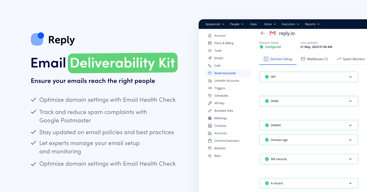
The interface is super easy to use. It also helps if you're having email deliverability issues. I was previously using another service which caused me to have deliverability issues and I stopped having problems wth Reply.io. The interface for customizing messages is super easy, and the campaign management is great.
I have nothing bad to say about Reply, it solved my issues.
- Email deliverability was an issue Reply helped with - Overall campaign management is much easier through Reply

This is one of the best all-in-one marketing automation tools on the market. It has robust and easy-to-use email marketing capabilities while also providing facilities for omnichannel marketing (i.e. WhatsApp and Linkedin automation).
There is not too much to dislike! However, importing contacts into the application can be spotty at times. The Pipedrive integration used to be not so good, but it works relatively well now. Contact management for large lead lists can be slow at times (i.e. the application itself slows down), but the speed is not too bad. Contact filtration capabilities could be improved on in the app.
Reply is resolving our marketing automation at scale issue, and it is doing a wonderful job of helping us improve our sales and marketing workflows. With Reply we can reach out to and make connections with large numbers of leads with less effort.