
Unclaimed: Are you working at Squarespace?
Squarespace Reviews: 4.4/5 — Solid Choice
Squarespace is a versatile all-in-one platform with a long list of functionalities that enables businesses to sell products and services, showcase their portfolio, and publish content. It offers templates created by a team of professional designers that are customizable to fit any brand aesthetics, support all content types, compatible with modern browsers and all devices, and utilize up-to-date HTML, Javascript, and CSS coding practices. Fully e-commerce-ready, businesses can manage inventory, orders, and fulfillment, run discounts and promotions, sell services, subscriptions, and digital content, and collect and analyze sales data within the system. It also offers powerful integration with third-party services, social selling, automated email sequences, appointment setting and calendar syncing, and other sales and marketing capabilities. Squarespace users can also download its equivalent mobile app (both for Android and iOs) empowering them to create, update, manage, and track their website on the go.

| Capabilities |
API
|
|---|---|
| Segment |
Small Business
Mid Market
Enterprise
|
| Deployment | Cloud / SaaS / Web-Based, Mobile Android, Mobile iPad, Mobile iPhone |
| Support | 24/7 (Live rep), Chat, Email/Help Desk, FAQs/Forum, Knowledge Base, Phone Support |
| Training | Documentation |
| Languages | English |
Squarespace Pros and Cons
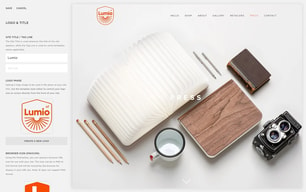
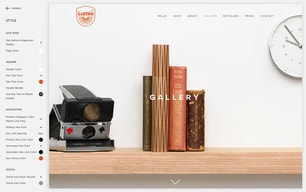
- Great-looking templates on this platform
- Comes with blogging features
- You get terrific 24/7 customer support
- Edit pages through mobile apps
- Ready-made templates to choose from
- It does cost more than your average site builder
- There’s only a single sub-navigation
- Page speed isn’t that good
- No phone support
- More expensive than average competitors








Compare Squarespace with other popular tools in the same category.
I love that the platform makes designing a website simple and beautiful.
I don't have anything negative to say about the product yet.
Solving the problem that I'm not an expert at building a website, the biggest benefit is that it's save me time and money.
Easy, clean u/i Reports, simple to update site
It is a swivel chair process to capture and send Email marketing campaigns. Also building a referral marketing program/campaigns not incorporated
Using Squarespace as our Ecommerce platform and overall web presence. Also used to capture digital reports on engagement, sales, tracking etc
I like how sleek Squarespace looks. In terms of personal or business website platforms, this is by far the most appealing one I've used looks wise. Even with the free templates, it's possible to put together a professional-looking and attractive website to represent your brand or product.
The price strikes me as kind of high, considering, but then again, for the quality of what you're getting I suppose it's normal. My Squarespace page is the first professional website I've had, so I don't really have much else to compare it to.
Contact with potential clients. Since starting my Squarespace website, it has been seriously easier for possible clients to get in touch with me about my photography. It feels more professional than DMing me through Twitter or Instagram, and it keeps things organized, and helps the emails coming in for this part of my freelance business from getting lost in the floods of my other emails.
The elegant designs, templates and ease of use,
The learning curve is a bit steep and sizing of images and text is counter-intuitive.
Building somewhat complex sites that include eCommerce.
The easy use of the application was the best part of the website. It was very user friendly for someones first time using the site.I had never built a website before and squarespace made it easy. I was able to connect with my customers and people had no trouble finding me and navigating my page with there pre set layouts.
Biggest dislike would have been that I bought the one year subscription for personal use not knowing how quickly my business would grow and I ran out of space and had to upgrade to business and pay twice as much when I already paid in full for the personal use section. There was no middle man choice.
Clients being able to see my work and share with their friends. Before it was all word of mouth and with square space it was much easier. I realized the benefits were worth the cost of paying for the website and getting my name out there.
We use squarespace for a secondary website. The content blocks are really simple to add in move. Making a landing page takes just a few minutes.
When working with complex pages, the builder can run slow sometimes.
We need to add content fast and keep it organized and accessible to non-technical marketing people on our team.
It is easy to use and very informative. I had little to no knowledge on how to use this system before I purchased it. Learning how to use it was quite easy.
I would like more features. While most features are easy to use I find that some features are missing.
Provides bundle plans for hosting and makes running things smoothly
The backend organization is amazingly simple to read. It makes me wonder why other platforms don't organize their pages in such an easy manner.
The range of motion for blocks is limited.
Customers that want to manage their own website are able to do so with this simple program.
I like how consumer friendly Squarespace is. If you can't figure something out by just exploring, they have a great help site as well. Easy to use, appealing to look at at, good for small business! I get compliments on our squarespace every day!
I don't have any big qualms with Squarespace.
We are a custom furniture business and the best way to see our product and new inventory is to watch our Instagram and Facebook. With Squarespace I can link up our Instagram page and it shows a real time feed and looks great as the base of our website.
Ease of use and no coding skills needed. Slick interface, and modern, professional templates
Lots of limitations and consistency between features across templates would be nice. Cannot migrate over to another template easily
Website design and build for business
Very user friendly, website designs are trendy, clean and simple.
Difficult to change emails associated with website.
Can add donation tools to increase donations and museum profit.
The numerous templates with the ability to manipulate elements in the design editor.
That not all templates have the ability to connect social networks. All websites should have this capability.
We have a lot of small business owners who need a professional website for their business but do not have the funds to hire a designer or agency to make it for them.

They've made an awesome interface that is so user friendly. You can end up with a really clean and functional website without having to know web design, HTML formatting, etc.
There are times when the online panel that you are working in does not display the website exactly how it will look when loaded in a window by itself (Without the side panels for editing and page building).. You have to switch back and forth to see if the formatting will end up looking correct. Also sometimes its hard to get the columns to line up correctly...minor issues at worst.
Awesome and cost effective way to host and create your own website. Helps us keep this element of the business in house and save some money, while still having a website that is functional, current, and easy to edit.

It has a simple interface that is fairly intuitive, once you get used to it. The website builder has a decent WYSIWYG editor. I also like the templates they include and the ability to customize them through the editor. Third party software adds functionality in the form of shopping carts, but you'll need to do your research to figure out which ones work best.
Sometimes what you see is not quite what you get when viewing through your WYSIWYG editor. The spacing and placement of objects & text on your visible website isn't always identical to what appears in the website builder, so you have to make a few adjustments. There are a few things that aren't intuitive about the interface and depending on the package you purchase, there is a limit to the number of pages your website can have.
This was a simple and quick way to get a nice looking website up and running without having to deal with separate Web hosts and third party software.

It's lightweight, performs really reliably, low-maintenance and is always updated (because there's no installation). It's especially great for people who have no CMS experience. There's alot baked in out-of-the-box, so for 99% of people, Squarespace can reliably do most things with little to no tweaking. The aesthetic is pretty customizable, but the functionality is quite set.
As someone who has a lot of CMS experience, the learning curve felt extremely steep for me. I had to pretty much unlearn all the CMS norms to use Squarespace effectively. While it performs well, the interface itself is very app-like: it relies heavily on moving through one navigation category at a time. You can't jump around so it feels a little tedious if you're doing heavy editing. It's also not nearly as customizable or extendable as other CMS' (Wordpress). Everything you generally need is baked in, but if you want to use third party services or plugins, you have to do some hacky workarounds. Since Squarespace is based off of pre-built templates, the editing experience is actually pretty different depending on the template you choose. So if you get familiar with editing one specific template, you won't get the same type of structure or editability with others. You have to deal with random limitations to gain certain benefits for each template.
I use this for my personal business. I really enjoy the low maintenance aspect of it. With Wordpress, I had to constantly update plugins and the installation itself to avoid compatibility issues. It's also purely web-based so it feels super lightweight and not bloated. It takes care of SEO pretty well out-of-the-box and the store setup is second to none.
Seems pretty flexible if you know how to insert CSS and HTML code to tweak design aspects to your liking.
The stock design options are not really inclusive to my major industry unfortunately which causes an issue with regards to design U/X.
We've used squarespace to launch and maintain informational pages about major projects in our office.
When I was looking for a place to host a website for my design start up, squarespace had most of what I was looking for: 1) a single place to coordinate and pay for my domain and google e-mail address 2) design templates that I thought met my design sensibility 3) easy interface 4) it works. I haven't had ANY technical issues 5) some rudimentary usage metrics 6) the ability to tie to Google Analytics
I don't like how many of the templates have limited customization, but that's the trade-off I'm willing to make for not having to design my own website from the ground up. If I want to change my website template, the user interface doesn't do a great job of translating the current template to the new one. In my case, I'd have to reformat and upload many pages to get the new template to look right.
The business problem I'm solving is making sure I have a presence on the internet where people can learn about my business and contact me. It's an easy first place to direct potential clients.

I like that I can make edits very quickly and have the changes post almost instantly to our website. With our graphic designer setting up the entire website, I can go make small changes without having to contact her.
There is a learning curve with setting up text, spacing, etc. Our graphic designer does most of the layout work for us.
We have a website so customers can read about our products and see photos as colors are so important. It allows customers to "shop at home" before coming into our store.
We used Squarespace to create our website for our company and it was really very easy and completely customizable -- offering options for folks that know how to write code as well (which none of us do) was just another cool way that Squarespace let's you customize. While there was much back and forth between members of the office on what we should display and how, the great thing was that we were able to have so many options to choose from, which granted left room for many heated discussions, but there are certainly some other big name website creation companies that don't allow for customization the way Squarespace does.
I remember the only complicated thing being the use of colors, however that may have been us strictly, and not Squarespace, but we certainly had to keep track of the color codes so that across the website we were using the same color fonts and accents... It would be handy to know that Squarespace keeps track, so to speak, of the colors you're using so that you can easily choose from that palette to keep everything uniformed.
Well everything requires a website now. If you're a company without a website, no one knows who you are -- so it's crucial for consumers and potential clients to have access to you via the Internet. While the majority of our business comes to us via word of mouth -- it's nice to know that once we've been recommended we have a professional and well-designed website that folks can research us on. No one uses the phone book anymore!
Used for a commerce-focused site with blog integration. The actual eCommerce part of Squarespace is beautiful and easy to use. We experienced very few issues and a very easy setup. Our company had fewer than 25 products and Squarespace was great for that aspect.
The blog hosting aspect of Squarespace isn't as good as it could be and lacks finesse.
We were using Squarespace as an eCommerce/blog/company landing page all-in-one solution. We were a very small company (under 10 employees) and this worked great for our needs.
Easy to use interface that makes it each to change and update the site. The layouts look good and are easy change. It is easy to track how much traffic is hitting your site and get data on who is looking at it. The best part is the Squarespace Portfolio app. I give me an offline version of my portfolio to show a potential employer.
There needs to be more choices for photo galleries. The ones they offer are ok but I want more flexibility in customizing the ones they come with.
You can not be a freelance artist with out a website to show your work. It has become more important than the portfolio.

I love that you can easily create a site that looks beautiful and is user friendly. As a graphic designer it's easy to create and pass off to clients with minimal explanation. Squarespace also offers many options to add to your site, including integrating mailchimp, adding shop products and using forms makes each website super functional!
Since Squarespace is made to be so user friendly and beautiful no matter who is designing it, customization is sometimes challenging. I wish there were more options besides using CSS to change a font or color for one specific word, sentence or phrase. Or to add things like a background color. If customization was a bit easier, I would have given Squarespace a rating of 9 or 10!
I use Squarespace to design easy to use websites for my clients that they can easily use and update. I love that I can easily set up and design a site and then pass it along to my client with minimal explanations. The fact that it's so much more user friendly than wordpress makes it less scary for non-techy people like my clients!
The design options are beautiful and look extremely professional. Some tech skills are required, but if you have a basic knowledge of websites. User-friendly and Squarespace offers many different design options that allow you to customize lots of different looks. There are tons of different layouts based upon your website subject and it is easy to switch back and forth between different layouts depending on the types of pages you want to feature.
Some design features are hard to navigate if you don't understand their description and what they control. It takes a good amount of practice to understand all of the features because it is a pretty robust system. I also wish there was more integration with social networking sites and embedding features for connection with social accounts.
I am building an e-commerce website and have easily been able to add products, create a blog, and feature a story line all in a sleek and clean design. I am able to add variations and sales for all products as well as customize the store layout.
They had numerous templates to start with in creating the page, it is simple and straightforward to modify, edit, import pictures, google maps, and allows for the integration with some of our other tools like schedulicity. I also like that there are analytics included so I can see how people are getting to our webpage, what peak times, I can use this information to judge how effective our marketing is.
I don't really have any real complaints, there has been one time in the last 3 months where square was experiencing server issues and that was only for a few hours.
It has been useful in providing people with access to our business, employees, and services offered. Also since we have integrated Schedulicity into our webpage clients can book online. It gives customers a chance to get to know the employees before they meet us in person.
If you want your business to be taken seriously, I would highly recommend Squarespace. I've used other website builders, and it's much more difficult to make it look good. Squarespace gives your website a good design, and makes it very easy to edit things instantly. As an illustrator, I frequently need to update my portfolio, and need a simple and well designed website, so Squarespace is the best fit for me.
For beginners, Squarespace is fairly hard to figure out. It's not quite as user friendly for the new-be. It's also fairly expensive, but I would say worth it. While it's easy to edit, there are certain things that can be hard to make customizable, and sometimes you need to figure out the code to make it happen. I really wish it was easier to edit the way my site looked on mobile, but I found it to be pretty difficult. Other than those small issues, I think Squarespace is the best site builder out there.
As an illustrator, I needed a well designed website that was easy to edit, and Squarespace has definitely made that happen. Great portfolio site!
Squarespace is very easy to use and train others on. It''s similar to Wordpress or other website building platforms, but is a bit more templated.
Sometimes the templates can be very limiting, espeically with layout options . The 'preview' also never reflects the actual finished product which can be a bit frustrating.
Squarespace is very quick and easy.
I love the modern responsive layout themes Squarespace offers. All of them are built to automatically be responsive, which is essential for any website today. Also, the designs are beautiful. Squarespace is the best website creator program offered today. For someone who even has minimal experience, Squarespace provides a one stop shop to complete your branding/ digital experience. It makes it easy to create any type of website you need, get a custom URL, have it looking great, and even create a logo and business cards for your brand. Lastly, as someone who is a designer and a developer, I love the ability to alter the code as I see fit and not be stuck with the template defaults.
I dislike how the CMS isn't as flexible as I would like it to be. It allows you to insert your own code, which is great, but in order to change some of the styles, you are unable to do it in their style section and HAVE to alter the CSS manually in order to get your design the way you want it. Also, some of their design components aren't as flexible as I would like them to be either. You can only use the presets they offer, which still have some great options, but not enough for someone who knows what they're doing and would like to customize more. I know they have a developer section, but for someone who doesn't want to get that dirty in the dev section of the website, I would appreciate a little more customization options. Lastly, their last UX for the CMS was super confusing. Their new one now is better, but it takes some getting used to, to truly understand how it works. I think the UX of their CMS could use some improvement.
The business problems I am solving are quickly creating websites on the fly, without going through a complete formalized process. It is a quick way to create a reliable, beautiful, responsive website, without having to fully design and code it yourself. The ability to have the hosting, URL selection, and website creation all in the same place is also super helpful and essential to completing a website quickly.
Squarespace offers beautiful templates that are mobile friendly. With additional customizations, you can make a template look however you would like. They also offer the ability to host your own podcast, a unique feature among website builders. As someone who uses Mailchimp, Squarespace allows you to sync accounts for newsletter purposes.
If you change the provided templates too much, they become quite different and not as pretty as they would seem. Like many website builders, it can take some time to craft a custom template to fit your exact taste.
Squarespace is great for providing a quick, easy to use interface to make a website. Compared to other website builders, prices are similar and Squarespace offers additional features like mobile-friendly templates. Squarespace is, in my opinion, at the forefront of website builders.

I love that I can easily manage my portfolio pages and quickly make edits.
The UI is extremely clunky at times. This makes it incredibly difficult to make edits at times. On occasion I will have to save and log out or refresh the page entirely to make the interface usable.
Creation of portfolio page. I was able to solve this.
The designs are outstanding and remarkably different from competitors
Sometimes editor becomes very slow. Further, you have to invest a little upfront to understanding the logic of how to add and move elements.
Building a website without the need to code.