
Unclaimed: Are you working at Zoho Creator?
Zoho Creator Reviews: 4.3/5 — Solid Choice
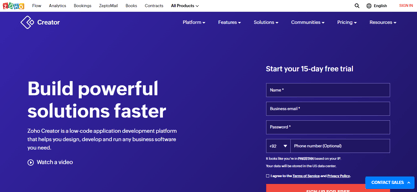
Zoho Creator is a low-code platform for building custom web and mobile applications for businesses with an intuitive drag-and-drop interface, making it easy for non-technical users to create and manage their own applications. Some great features of Zoho Creator include a wide range of customizable templates, integration with other Zoho products, and a robust analytics platform to help users track their application's performance.
| Company | Zoho Corporation |
|---|---|
| Year founded | 2000 |
| Company size | 10,001+ employees |
| Headquarters | Chennai, Tamil Nadu |
| Social Media |

| Capabilities |
API
|
|---|---|
| Segment |
Small Business
Mid Market
Enterprise
|
| Deployment | Cloud / SaaS / Web-Based, Mobile Android, Mobile iPad, Mobile iPhone |
| Training | Documentation |
| Languages | English |
Compare Zoho Creator with other popular tools in the same category.
The ease of use is really amazing. It allows for some theming which make it very appealing.
It is expensive for multiple users which are not developers. Only expensive developer users can manage users on the customer portal.
To support business processes
The platform is easy to learn. Good customer service. A non-technical person can build databases fairly easily.
Some of the user forums are more geared toward technical coders and are difficult to understand.
Building custom databases for multiple uses!
Zoho keeps leads and customers in a centralized system and great for team collaboration.
Uploading contacts is a little frustrating as it always depends on the format they uploaded to the system so sometimes things will not be in the correct box or location.
Our business is centralizing information which is improving efficiency.
It is easy to use and the all the fields are easy to customize, and you can manipulate it very easily. We used it in our company for and were incredibly happy with how it handled our needs.
Nothing really. For what I used it for it was incredibly effective. Fast, easy to use and it was easy to pick up and learn. IN a matter of days I went from never having used it or any site like its kind to learning many of its in and outs and I'm sure I barely even unlocked 50% of its potential.
It is a definite time-saver and is clean and well-organized for ease of use.
Good product and a good number of features available
Worst customer support from the partners
Database saving of all the past records.
Zoho One makes my work easier, but I liked using Salesforce more. It is cheaper than salesforce and more easy to use.
Zoho One has a very poor tech support as once we wanted to integrate some technology with the Zoho but it was too delayed that we had to drop the idea.
Zoho One helps to keep the tab on the productivity and performance of all the employees while giving us the power to keep the track on all activities.
It's a low code web development platform that allows to create apps easily with minimal codez even a non tech person can learn and build apps easily.
Recurring functions are pretty hard and while, do loops are not possible
It's allowing me to create web application easily without any hosting service
It's easy to use and easy to create forms and fields by drag and drop
Sometimes it's gives some unknown error, may be it's a development problem
It's automatic my entire purchase workflow
Without coding part we can still create an application through Zoho creator,I have seen multiple platforms but Zoho creator is one of the easiest one to use.
Lagging issues occurs while building the application rest everything is fine.
Showing the demonstration of the application and guidance towards getting started with the applications.
Zoho and it's products provides a comprehensive, customizable, flexible, ease to use platform for most of the problems. Highly user interactive, Ease in Application Deployment, Provision of Security Policies, Making Business processes Automated, Making it functional on Laptop or Desktop or mobile are other advantages. Smartness by using the Intelligent Assistant, Searching business data easier and Faster by search tool, Making Dashboards Easily by using Business Intelligence, Its In-Built Live Chat system eliminates the need to purchase additional chat software, in a way that avoids switching apps, reducing errors, saving Time, More productivity. Its AI helps in getting essential particulars, initiating calls,activate a chat instead of you, Keep a sharp eye on social activities and update you, evaluate and extract leads.
Zoho Products has some of the Loopholes as a Free plan offers limited functionalities forcing to opt for paid versions. Many times, Zoho products don't integrate. One of the Main points is its automation process that makes void of human-intervention in creating functions, least coding while developing an Application. The introduction of new features always entails a few bumps and bugs. If by mistake this bug software is upgraded, the chance of assisting is a bit late. With competitive Giants like Google, Facebook, software catching-off-guard is a tough reality. Live Automatic reloading, geolocation, Tracking does not get supported if browse and application back button is not working. Importing contacts from social media sites is not always supported.
As a ZohoCreator Developer, there was an ease in creating Applications, Custom Functions are easily created, WorkFLows are created with the support of inbuilt-support, Designing and deploying mobile application accomplishing requirements was of great user-experience . A Programmer like me is provided with tremendous capabilities in the design of an application using a few steps, Database Programming art,Scalability, Security, Data integrity, Reliability. Quality assurance engineers are not required for validating, verifying the application. Deployment can be done on both Android and iOS apps. Predesigned applications can be improved or customized later on.
Zoho App Creator allowed our startup to get started very quickly and it is what we continue to use in most of our crucial daily operations. It's a very clean and simple UI and it runs surprisingly well on mobile devices.
It's a little clunky. We have great hardware and internet connection and even then.
We use Zoho for operations, order and account management, and as a database. As previously stated, how quickly we were able to get started with it was the best thing about it.
- Ease of use; competent users can get productive fairly quickly - Departments can create useful apps without involving IT
Can be dangerous to let some users loose on this kind of thing. If they don't know what they are doing, IT ends up having to pick up the pieces - or worse, the business can end up using an app that isn't fit for purpose.
Allows business department to create simple apps quickly that can provide value. Devops use this to prototype apps that might be delivered using other tools and technologies.
Easy to use UI, allows for building robust applications
Lacking integrations with external third party apps
Building and provisioning web apps with database like functions
I like the ability to share information across teammates easily for the purpose of getting social media advertisements live. This information includes, pricing, platform, targeting, urls, click and view tags, creative, and links to whatever else is needed. There's options to check pacing for our campaigns. It's great to be able to do this for multiple clients from one interface. If I was do this in Facebook or Twitter, I'd have to go to each account
There's room for improvement in the interface and there should be more flexibility when choosing viewing options. When I see the spreadsheet interface - I'd like the Search/Filters always accessible. From there, I'd like to be able to click on a row and have all the columns show up in a lightbox for easier viewing. Right now, I can access two interfaces for the same content - one with the easy access search bar and one with the better viewing of each row's content. I'd like both in one view.
My team primarily uses it to pass along information. I.e. one team inputs the information they've received from the client and another uses it to create social media posts. Both teams can edit what's in the spreadsheet and add links to attachments such as an Excel doc or screenshot of a social media ad. Automated update emails can also be sent when specified edits are made. For example, once a team member has filled out all the required information, an email will get sent to the next person in the process.
The thing I like most is the ability to interface with my Zoho CRM and the ability to create an app the is exactly a match for my business, instead of using pre made apps where they either lack the function that I need or one needs to create work arounds.
What I don't like is how easy Zoho makes it sound for us non coders to create apps. I find basic forms and reports very easy to create, but once I started to try to do more complex things with my data, I felt Deluge script is just like any other language I don't know. I am sure people who develop database apps on a regular basis and know other programming languages probably see Deluge as an easy way to create what they want, but for me the small business owner who just needs an app that works, Deluge script can be a bit overwhelming.
We have developed a course management app for our on-site English language classes given at our customers locations. We are able to track all teacher and student activity including setting up schedules, student lists, attendance reporting, cancellations and reschedules, and payroll for our instructors.
Zoho Creator is an online database builder that's very easy to use and create custom applications for all your data collection needs.
I wish that it was more customizable. There are limtied features in that respect.
Adding data and putting it to work automatically. reports, spreadsheet-like views that let you show your data on a table, in a graph, on a map are great.
- drag and drop internet makes it really easy to create forms - scripts offer a high degree of customization - support is very helpful and will keep looking until the problem is resolved - pricing lets you build a basic product either for free or at a very low cost
- performance could be better: if a function or form is caches on Zoho's servers, performance is great. but if it isn't, fairly simple tasks can take a long time. - Zoho creator doesn't support all functions that you expect from a programming platform. for instance, while it offers GET and POST requests, if doesn't support DELETE. If you need it, you're out of luck.
Zoho creator is proving very helpful for reporting and tracking applications. we even used it for a proof of concept order and billing applications that uses external services for payment handling. The latter however is pushing the boundaries of what Creator is capable of.
I like that I can export reports for any of our students/business partners with a filter search that is very customizable.
I dislike the table design within the platform, AND that you can't just add google links within.
It allows us to house our contacts and connect them with our business entities. We can keep a customized historical record and our entire team can access the data, while still being able to give special permissions.
Affordable, easy to develop and maintain, provides exactly what you need.
Not supporting Java, limited customization for forms layout/template
Building my own customized software that helps me operate my business digitally and maintain sold analytics, measure KPIs and improve the operations in a great way
This is a low code application which means you can create your workflow/process and automate them. Also, you can connect with so many applications to automate your manual work. It has drag and drops option to create a form but you should know Deluge to create a function and actually get benefit from this.
1. There is some restriction as this is a low code app. 2. You need to know Deluge to be able to use this. 3. Sometimes it takes forever to load/save any forms. 4. They do not have an application to install on Windows/Mac.
1. We use Zoho to gather all the information. Automate personalized emails depending on the information we gather. Send those emails. 2. In supply chain management, we use to keep track of inventory, and sales orders, order new products when running low, and create shipments.
Zoho Creator is really flexible and easy to use. Basic forms can be created by users of many levels (doesn't take an IT person) and the ability to use Deluge, their own scripting language, really opens up the possibilities.
Things can get complicated (or impossible) when you get into more of a relational structure. While it's possible to build forms based on selections in related tables, I've run into problems when this more complex/involved. It's still a low-scale platform-as-a-service so the scalability is a bit limited.
Zoho has allowed us to create forms and store information related to vehicle mileage, sales opportunities, etc. Using the data saved from previous entries, we can then build calculations or populate future form entries, thus saving time or preventing inaccurate data entry.
It's all in one place, we use forms for workflow for our sales department, programming, digital and engineering team. It helps me as a department head to delegate work and i can keep people informed and keep tasks organized and even refer back to them thanks to the amount of records you're allowed to save.
Their support takes a while to get back you you. It helps to have some coding background, the UI can be hard to get used to.
We now have an organized flowchart workflow of orders of things that need to be done, and they are completed and the person who submitted the form gets notified when the order is complete, cuts down on unnecessary emails and phone calls.
The amount of features and customization in reports. The data is always spot on
If you get stuck building your app, it can get very frustrating. They do have a good customer support staff though, I have a plan that includes live chat
sharing real-time data across multiple platforms. Being able to log in with the Android app is incredible
Easy to Use: It is easy to use as it provides drag and drop elements, by just watching the videos you can create applications, no need for coding background. Ease of Implementation: You can make and change applications quickly with Zoho Creator, which is great for getting things done fast. Works Well with Other Zoho Apps: If you are using other Zoho apps then using Creator is great as it has easy integrations. Good for POC: You can start with basic applications and make them more complex as your business needs change and grow, can be used to pilot a new product as it is cheap and does not need development team. Pre Built Templates: Zoho Creator gives you templates for common business tasks, so you don't have to start from scratch every time.
Limited Customization: It is easy to use but it has limitations in terms of customizations compared to traditional methods, any unique requirement might not be met using this. High level application: Creating a simple application is easy but can not rely on Zoho Creator to create a high level application. Limited Third-Party Integrations: While Zoho Creator integrates well with other Zoho applications, its integration options with third-party services may be more limited compared to some other platforms. Customer Support: Zoho Support is slow and when you connecting two or more Zoho products resolving bugs and across product customization creates confusions.
Easy in house application. To pilot a new application at low cost. Anyone can use after little training.
It is a codeless application, all we need to do is drag and drop the requirements and we are able to customise the platform easily integration for other platforms is made so easy in these applications.
Costing to be re-worked as we cannot afford like a Corporates.
Codeless platform, one can be able to solve the issue without coding as well here.
It is a great low code platform. Working with it gives so much time.
The support is awful. Documentation on internet is very bad. Couldnt find anything. And very mixed in Zoho creator versions. By the way partners in Turkey is awful,unresponsible etc.
Some apps that takes too much time in general.
We use Zoho Creater at the Property Managment company I work for.
I wish when you delete something there was a way to retrieve it.
We keep track of all our properties., leases , keys, and much more.
I like that it's easy to set up and manage. We use this for a few different databases at work.
Tech support is not very fast to respond. Documentation could be better.
We use this for managing equipment requests and test planning. It's been helpful for exporting data out and is easy to explain to the team.
- The personnalization of the platform - The dashboards we can have and give an easy look to our performance
- The loading time when using the platform is quite long
I am not the owner of the business, but I think the platform helps manage many aspect of the workload of the employees.
It has a few basic apps from the gallery you can customise to work with.
It's not too user friendly, compared to other similar products this one is lacking behind in usability . Creating an application without a template is hell.
Employee project management