Unclaimed: Are you working at Adobe Illustrator?
Adobe Illustrator Reviews: 4.6/5 — Highly Rated
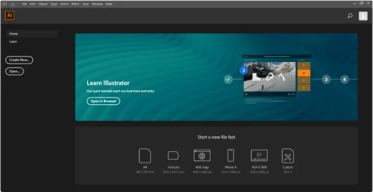
Another go-to design solution from Adobe, Illustrator is the preferred design software for numerous designers and illustrators who want to access an intuitive interface with tools that can simplify the entire design process. The dashboard is simple and streamlined. Collaboration is at the forefront of this platform, with cloud-sharing capabilities supporting document sharing and easy collaboration. Customer support is also available so you can get the most out of your service.

| Capabilities |
AI
|
|---|---|
| Segment |
Small Business
Mid Market
Enterprise
|
| Deployment | Cloud / SaaS / Web-Based, Desktop Mac, Desktop Windows, On-Premise Linux |
| Support | 24/7 (Live rep), Chat, Email/Help Desk, FAQs/Forum, Knowledge Base, Phone Support |
| Training | Documentation |
| Languages | English |
Adobe Illustrator Pros and Cons
- Intuitive experience: Everything about Adobe Illustrator feels like it was built to make your life easier. You can create full patterns with a single click and use AI enhancements to transform your project. It’s slick and streamlined
- Cloud sharing: Like most Adobe products, Illustrator is all about collaboration, you can store your documents in the cloud, share them with your colleagues, and work on everything together.
- Customer support: Aside from giving you a great user experience with the interface, Adobe also ensures that you can get the most out of your service with guides and tutorials.
- Also includes a compulsory installation of unnecessary Adobe CC software
- Cost might be an issue for non-professional users as it is significantly more expensive than more basic vector and illustration tools






Compare Adobe Illustrator with other popular tools in the same category.
Variety of tools available in adobe illustrator
Complexity of using tools. Need hint on hovering tools
It is useful to work on vector images. Tracing, managing layers is easy.
Adobe Illustrator is one of the most powerful tools for creating vector and text based graphics. Nothing comes close to the quality of graphics that you can generate for mediums like LinkedIn or other social media. It doesn't do much with raster, but it will present it beautifully.
It takes a lot of practice to do good work with Illustrator. I'm primarily a sales and marketing person, and using Illustrator demands a fair amount of time to learn techniques. Once you've learned the basics, you find out there are three different ways of doing anything. So it's a big investment (for a big return).
I was looking for a program that would let me create graphic versions of my web blogs, as well as create flashy creative elements that I could use to embellish my posts and make them stand out in a sea of mediocrity.
I enjoyed using Adobe Illustrator since it was very useful while creating logogs, and advertisements. It is definetely a game changing program. Once you get the hang of it, you can't compare yourself to others. Everyone is unique in their own way.
I can't say anything negative about the program but a downside was getting used to it since it was quite hard to adapt. I would like to see more improvements in tutorials.
Adobe Illustrator has changed my ability to create logos, brochures, ads, and many more in an instant. It is a very useful program and you can benefit a lot when using it.
Adobe AI is always top on my list when it comes to drawing or creating any type of vector design.
I like almost everything about adobe illustrator it's my everyday friend.
adobe works really great in terms of exporting high res vectors
Adobe Illustrator is one of the best-recommended applications for all graphic designers. Its ultimate feature of creating vector images helps me a lot in web development and app development. Most of the time I use Adobe Illustrator to draw logos and icons for client projects. The best part of a vector image is not to worry about image resolutions. Its integration with other adobe projects is awesome, with just one click easy to open and export to other Adobe products seamlessly. It's complex software but there are many videos tutorial available to learn it easily.
As such I have not found any bug or critical problem in Adobe Illustrator. Sometimes using it on the old device takes too much time to load and If I am working on large resolution images it eats up a hell lot of memory but everything has a solution I have upgraded my system but still sometimes working on a heavy project Adobe Illustrator seems like lagging.
I use Adobe Illustrator to create icons, logos, banners and infographics for our clients and Adobe Illustrator has many features to do my task easily. The best part is now I don't have to worry about vector image quality, I can easily increase and decrease image size without losing quality.

AI is by far the best vector graphics software around, you can use it to create simple advertising flyers to complex graphic projects with hundreds of layers and pages.
As almost all of the other Adobe professional solutions, the learning curve is quite steep as a beginner, you need quite some time to get the hang of it and create something basic. But then you realize the mountain you need to climb to learn the most advanced features.
Almost every business needs at some point to create some basic graphic projects, from advertising to infographics. Just as an example, once I used it to colorize a warehouse blueprint to highlight effectively the various areas' usage.
Adobe illustrator provides a lot of different videos and blog articles to help you. As someone who isn't a graphic designer but has needed to make product labels or graphics in a pinch, these videos have really helped!
The only thing I would change is, I wish they would add the marquee tool they have in photoshop to adobe illustrator. It's the one thing that I always want, would make some things a lot easier for me and maybe other beginners.
This is the platform we use to make product labels and about 50% of graphics for our social media channels.
It gives freedom to create anything I would like. The files are vectors so it's great for large pieces of design or images.
It misses the Photoshop photo edit capabilities but I can combine both software.
It helps design images, logos, graphs, infographics, and any editorial work.

It is easy to use with variety of tools.
Need a digital drawing pad for the best.
It helps me create high-resolution documents, posters, and company marketing products.
I love the simplicity and wonderful usability of Illustrator. It gives you an awesome platform to express your creativity. You can design all kinds of Print and Web related content on it.
I have been a very long term user of Illustrator and I have seen it evolve over the years. Every year they keep updating the software and releasing the new version, but there are some new changes and modification which are not very user friendly if compare with the previous versions.
For a graphic designer Illustrator is the goto tool for designing vector graphics. By the help of Illustrator we can create a brand identity by designing their logos, letterheads, flex and various other promotional content. By the help of Illustrator a designer can create awesome artworks and earn very good amount of money.

Adobe Illustrator allows me to design professional vectors and infographics for my business and I really like it. Because now I can design and upload these infographic assets to different marketing websites. I also like to design brochures, flyers, and business cards using Adobe Illustrator.
As I know, I never faced any technical issues during the use of this amazing software. I always design and execute things on Adobe Illustrator without any cons. So it's perfect.
I am designing beautiful and stunning vectors for my business and also I am designing brochures, and flyers to advertise the businesses of my clients. I am sharing these all designing assets on different social media websites.

I am creating cartoon projects for my clients. I like the Adobe Illustrator for vector graphics. Its function is really easy to use and user-friendly with all keyboard shortcuts. I like the Adobe illustrator integration with Adobe Photoshop for editing the images too.
I dislike its pricing only. Otherwise, Adobe illustrator is best for my work.
Adobe illustrator solves my biggest problem of vector graphics designing with Photoshop integration. Adobe illustrator is the magic tool for me because it is so easy to create cartoons and logos for my organization.
Layer by layer-based vector image drawer canvas
the subscription cost, Adobe should consider a lower subscription cost
Everyday design needs such as making illustrations, logo designs and all other specialized designs in vector form.

One of the things I've really come to love about illustrator is the feature where before you use a tool you can place your cursor there and choose to see a short tutorial or demonstration of what the tool does. As I first started as a beginner I thought I would find it very hard to figure out and learn how each tool works and I thought I would just try every single one but with that, it has made it easier and saved a lot of time too. The feature of how it's compatible with After Effects and Adobe Animate is what has made me really love AI because you can just export your illustration and animate it in Adobe After Effects.
I love the fact that it shows a short tutorial when you select some tools but the fact that they didn't involve it in other tools and only chose the most used kinda leaves it to guesswork and watching more tutorials to learn what the left-out tools do. And just a short tutorial the first time you open it showing how the tools that are not used frequently do would improve it greatly.
I use Illustrator for all my Designs and it helps as an editor for storyboards already presented by the customer. It has saved a lot of time since I work in motion graphics and designs and I work in primarly After Effects it provides more tools than after effect and it helps me group layers or add everything or remove illustrations before finally exporting them to After Effects.

The great number of functions and ease of use are two of my favorite aspects of this program. For a time, I attempted to get by with freeware, but I kept running into freebies that didn't have the capabilities I required. Adobe Illustrator makes it simple to create SVG, PNG, and other digital files.
The price scheme was the part that I disliked the least. Adobe Illustrator is only available as a subscription. While being up to date is important, having the option to buy a copy of the program would be ideal. Unfortunately, this appears to be the new manner of selling software, so I can't say it's a deal-breaker.
I utilize the program on a daily basis in my software company's commercial department. It has simplified the process of creating prototypes and digital files. Instead of being distracted by sluggish and inefficient technological tools, I can now focus solely on the design.

Adobe illustrator is so powerful software in the industry last ten years I am using it daily. For any kind of illustration, it's super, also I use it for after-effect motion graphics.
Nothing to dislike cause without Adobe illustrator I feel helpless. Everything works superfine on my laptop. I am not a developer I can suggest any improvements.
I am a motion designer so I need this for the character creation. For animation always I need to work on it. By this, I am more productive than before. By using this my animation meets the goal.

1. More fine and scalable designs due to vector format 2. Convenient, user friendly and customizable interface and templates 3. I think Adobe illustrator has every thing that nequired to make professional graphic designing products like flyers and broucher
1. Costly 2. Need heavy machines to work efficiently 3. Difficult for beginner due to a lot of tools 4. Need to be careful due to larger size of end result designs
Design Graphics like posters, logos and letter pads for my office use and marketing the courses we are offering at our institute. Best thing is customizable end graphic according and quality and size.
The software is great to help create logos, promotional content, website graphics, and digital artwork. It is helpful for marketing and branding. I like being able to use multiple devices to complete a project.
Sometimes I feel like it is similar to photoshop but more difficult to use. I think it takes a lot more patience and you have to learn about it to be able to use it properly. It has a high learning curve. Price is also something I dislike.
It allows me to help my clients by creating digital artwork for their marketing ads. Some clients don't have a graphic designer so I can assist in a way I wouldn't have been able to without Adobe Illustrator.

I love the simple functions and intuitive dashboard. This program is paramount in creating and editing vector images.
There is nothing that I dislike. Illustrator offers everything I could imagine and everything I need.
Logo Creating, Vector Editing, Illustrations

-- To make characters. -- For quickly tracing existing artwork so that we can edit it on-screen. -- Creating vector artwork. --
We can't find any faults for this software
If it's required for a character to give motion then I design my characters in illustrator.

Illustrator make image tracing very easy
Consumes too much Ram / memory of system
It makes it very easy to develop any type of designs, logos

it helps to create anything without the wall of pixels. None of the designs get blurred even after we resize to any size.
it is a bit complicated and you need proper technical knowledge of the software to use it properply.
- Helps to create good designs for print output for large-scale printing businesses. - Files exported can be used in other competitive software like Corel Draw.
I learn how to use adobe illustrator early this year and I didn't stop since then. Once you learn the basics, you realize how easy is to use. I love that the interface is well organized
I've been using adobe illustrator for almost 4 months now and until today I didn't find anything that bothers me about it. For using it in the correct way i recommend you to take a quick online class to cover the basics or you might feel a little bit overwhelmed
I like to draw but I don't own an iPad or anything similar so I was trying to find a way to create my drawings in a digital way. With adobe illustrator is really easy to create digital art. There are tons of options and I just love how many possibilities I have for creating.
I love of the Adobe Suite products. Illustrator and Photoshop have been in my arsenal of graphic design tools al for over 15 years. Illustrator in general makes designing vector graphics easy and fun!
There is not one thing I dislike in Illustrator! They have made a solid program and the cloud pricing is very reasonable!
All of my vector graphic work can be easily made. Logos, tracing artwork, or new art for my products. I also use it to Auto Trace a lot of my customers submitted designs that lack the necessary clarity for printing. Make's my business quick and easy, I couldn't live without it.
I love the integration with Adobe Creative Cloud services. The ability to manage all of my projects and access my design files remotely was a real game-changer for my productivity.
The learning curve can be quite tedious. The software is intimidating for a new user, but they're beginning to address this with tooltips and walkthroughs which help some.
I don't do much photo editing so I work almost exclusively in illustrator to create print files, logos, iconography, and packaging designs without having to learn a new tool for each.
The intregation with After Effects and photoshop
No convert text automatically in after effects
Creating vector animations using Illustrator and After Effects
I like the versatility of the program in creating vector art. It works with a number of applications such as After Effects, Character Animator and so many more.
I wish the tools more closely matched how things are done in photoshop. Creating masks is one of the most confusing aspects that has me constantly troubleshooting, grouping and undoing masks to get it the way I want.
I use Illustrator to create vector art for motion graphics and web design. This is one of my go-to applications when creating motion graphics for clients. It creates clean high quality images.
Adobe illustrator is really versatile, it allows me to create all different assets for various clients, and the company, I work for, with ease. And has all logos, colours and icons easily accessible, which speeds up the process and gets things more organized.
The only downside is the price is a bit higher for independent freelancers, but there aren't many bad points to say about illustrator, would be nice if it integrated more into photoshop and InDesign to make editing even easier.
In my day to day work, I need to edit vectors, and create assets and Illustrator allows me to do it all in one place, especially when it comes to having multiple companies and needing to come between them multiple times a day.
Ease of use! So simple and intuitive! Very happy
Sometimes the commands across the creative suite are not the same, making it hard to switch between programs.
Great for easy drawing when photoshop or another program would be messy. Love diagraming in Illustrator

With Adobe Illustrator I was able to scale my works to any size, I designed posters and marketing works without having issues of being blurred or of Resolution issues. I like the layer's features it's really professional. Using Adobe illustrator is ease my work and it saves a lot of my time and my organization time.
Adobe illustrator is paid software it won't allow us to use this software in the free version, You can use the Trial version only for 7 days, No more than 7 days is allowed. Also to use this software you must take training classes or online tutorials, Not everyone can use this software easily.
With adobe illustrator, we manage to create social media marketing posts and posters for our live events. As I'm working in the educational department we used to work with adobe illustrator most of the time.