

Unclaimed: Are are working at Adobe Photoshop Elements ?
Adobe Photoshop Elements Reviews: 4.3/5 — Solid Choice
Adobe Photoshop Elements is a cloud-based graphic design software designed to help businesses create and edit images via a centralized platform. It offers built-in editing tools with various image effects, colored filters, and patterns or symbols for easy designing. It also supports integration with several third-party applications and in-house Adobe tools.

| Capabilities |
AI
|
|---|---|
| Segment |
Small Business
Mid Market
Enterprise
|
| Deployment | Cloud / SaaS / Web-Based, Desktop Mac, Desktop Windows |
| Support | 24/7 (Live rep), Chat, Email/Help Desk, FAQs/Forum, Knowledge Base, Phone Support |
| Training | Documentation |
| Languages | English |

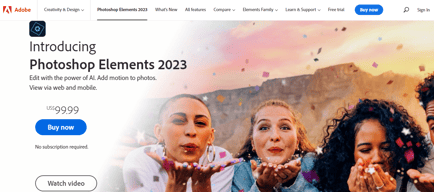





Photoshop Elements used to be the answer for people who refused to rent software. It is not any more. Starting with the 2025 release, Adobe replaced the perpetual licence with a non-renewing three-year term: you pay once, and three years after you redeem the code the application stops working. That change is the single most important thing to know about this product, and Adobe did not make much noise about it.
- What it is: A consumer photo editor with Photoshop’s core capabilities in a guided, approachable interface.
- Best for: Enthusiasts who want capable editing without a subscription, and who accept a fixed three-year horizon.
- Pricing: $99.99 for Elements 2026, $149.99 bundled with Premiere Elements, $79.99 to upgrade. Reported July 2026.
- The honest catch: The three-year clock starts when you redeem the code, and when it expires only the Organizer remains accessible.
What Is Photoshop Elements?
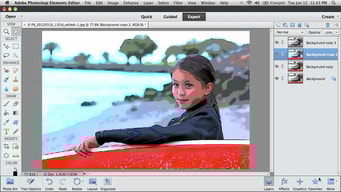
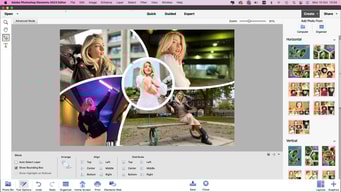
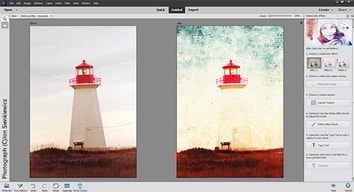
Photoshop Elements is Photoshop for people who do not want to learn Photoshop. It carries a substantial share of the full application’s editing capability — layers, selections, retouching, raw handling — wrapped in guided edits that walk you through a result step by step rather than assuming you know which tools to combine.
For a long time its defining feature was commercial rather than technical: it was the Adobe product you could buy outright. In a portfolio that moved wholesale to Creative Cloud subscriptions, Elements remained a one-off purchase with a serial number, and that made it the standard recommendation for anyone who objected to renting software.
That is no longer accurate. Elements 2025 and 2026 ship as three-year term licences activated by a redemption code. It is still a single payment with no recurring fees — genuinely different from a subscription — but it is time-limited, and when the term ends the application becomes inaccessible apart from the Organizer for viewing your catalogue.
How Photoshop Elements Works
- A single payment, a fixed term. $99.99 buys three years, not perpetuity.
- The clock starts at redemption, not purchase, so the code can sit unused without burning the term.
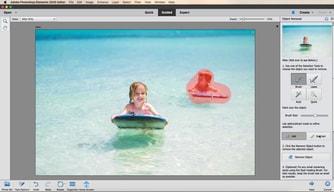
- Guided Edits. Step-by-step workflows for common tasks, which is the product’s distinguishing feature.
- Organizer. Cataloguing and tagging, and the only component that survives licence expiry.
- AI-assisted tools. Selection, sky replacement, and subject isolation drawn from Adobe’s wider research.
- No cloud dependency for editing, unlike Lightroom’s cloud-native tier.
Photoshop Elements Pricing
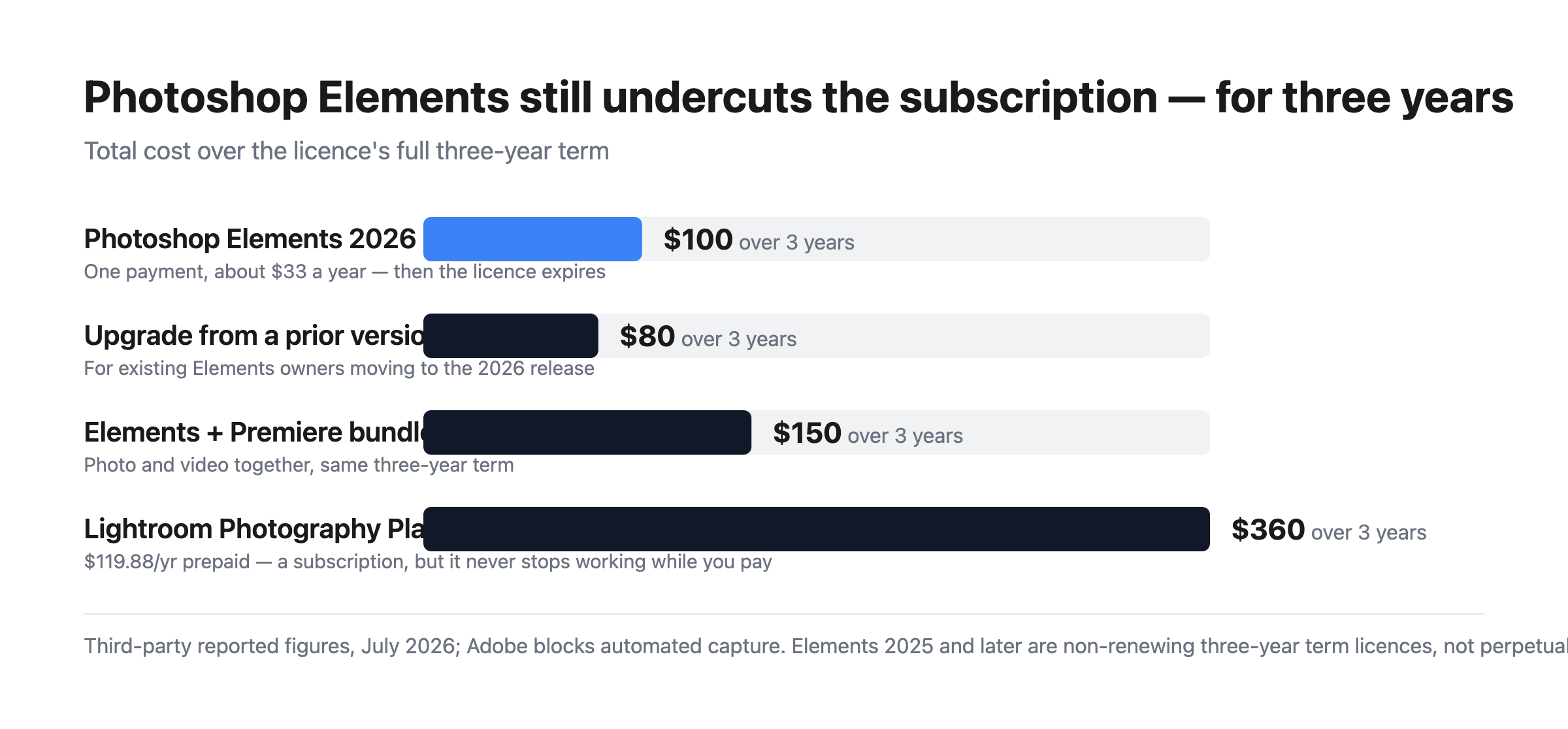
Adobe blocks automated capture, so figures are third-party reported for July 2026.
| Option | Price | Term |
|---|---|---|
| Photoshop Elements 2026 | $99.99 | 3 years, non-renewing |
| Upgrade from a prior version | $79.99 | 3 years, non-renewing |
| Photoshop + Premiere Elements | $149.99 | 3 years, non-renewing |
What this actually means:
- It is still much cheaper than the subscription. $99.99 over three years is about $33 a year, against $119.88 a year for Adobe’s Photography Plan — roughly a quarter of the cost. The change to term licensing narrowed the gap in principle but not in price.
- But it is no longer permanent, and that was the point. People chose Elements specifically to escape time-limited software. A three-year term is a longer lease, not ownership, and anyone recommending it as a perpetual alternative — including a great many published reviews and comparisons — is now wrong.
- The clock runs from redemption. Buying a code and not redeeming it does not consume the term, which is a small but genuine planning advantage if you buy during a sale.
- The Organizer survives expiry. You keep access to your catalogue and can still see your images; you lose the editor. That is better than losing everything, and worth knowing before the term ends.
- The upgrade path costs $79.99. So the realistic long-run pattern is buying in every three years at roughly $27 a year, which remains far below the subscription.
- The bundle is good value if you edit video. $149.99 for both Photoshop and Premiere Elements against $99.99 for one.
Who Should Use Photoshop Elements
- Enthusiast photographers avoiding subscriptions. Still the clearest case, provided the three-year horizon is understood and accepted.
- People who want guided workflows. Guided Edits genuinely help those who know what result they want but not which tools produce it.
- Families and hobbyists. Organizer plus straightforward editing covers most personal photo work.
- Anyone needing Photoshop-class editing occasionally. Paying $33 a year rather than $120 for capability you use intermittently.
It fits poorly for professional workflows, where Lightroom and Photoshop are the standard and the subscription is a cost of business; for anyone who genuinely requires permanence, where Skylum Luminar Neo and Corel PaintShop Pro still offer perpetual options; and for quick social graphics, where Canva is faster and free.
Honest Pros and Cons
Strengths
- Far cheaper than the subscription. Roughly $33 a year against $120 for the Photography Plan.
- One payment, no recurring billing. Still meaningfully different from a subscription.
- Guided Edits. The best implementation of assisted editing in a consumer tool.
- Real Photoshop capability. Layers, selections, and retouching from Adobe’s own engine.
- The Organizer outlives the licence. Catalogue access is retained after expiry.
- The redemption clock is user-controlled. Buy in a sale, redeem when ready.
Limitations
- No longer perpetual. The three-year term is the defining change and it is easy to miss.
- Most published reviews are out of date. Anything describing Elements as buy-once-keep-forever predates the 2025 release.
- The editor stops working at expiry. Only the Organizer remains.
- Weaker than Lightroom for volume. Cataloguing and batch processing are not comparable.
- No cloud sync across devices in the way the subscription products offer.
- Adobe was quiet about the change, which is the fair criticism here.
Photoshop Elements Alternatives and How It Compares
- Adobe Lightroom is the subscription route, far better for volume and cataloguing, at roughly four times the annual cost.
- Adobe Photoshop is the full professional application, bundled with Lightroom on the Photography Plan.
- Skylum Luminar Neo is now the leading genuinely perpetual option, with strong AI editing.
- Corel PaintShop Pro remains a buy-once Windows alternative.
- Canva covers quick social and marketing graphics, free and much simpler.
- GIMP is the free open-source option, capable but with a considerably steeper learning curve.
For a broader survey, browse our photo editing directory.
The Verdict
Photoshop Elements remains a good product and, on price alone, a strong one. Roughly $33 a year for Photoshop-derived editing with genuinely useful guided workflows is a quarter of what Adobe’s Photography Plan costs, and the Guided Edits are the best implementation of assisted editing in any consumer photo tool. For an enthusiast who edits occasionally and wants real capability without a monthly bill, it still makes sense.
What has changed is the reason many people chose it. Elements was the Adobe product you could own — a single payment, a serial number, software that kept working. Since the 2025 release it is a non-renewing three-year term licence: pay once, redeem the code, and three years later the editor stops opening. The Organizer survives so you keep access to your catalogue, which softens the landing, but the editor does not. That is a longer lease than a subscription, not ownership, and it changes the recommendation materially.
Two practical consequences follow. First, treat any review or comparison that calls Elements perpetual as out of date — a great deal of published material still does, because Adobe was not loud about the change. Second, if permanence is genuinely your requirement rather than just avoiding monthly billing, Elements no longer meets it and Luminar Neo or PaintShop Pro do. If what you actually wanted was to avoid a subscription and pay far less, Elements still delivers that comfortably, and the $79.99 upgrade every three years keeps the effective cost near $27 a year. Just buy it knowing what you are buying.
FAQ
Is Photoshop Elements still a perpetual licence?
No. Starting with the 2025 release, Adobe replaced the perpetual licence with a non-renewing three-year term licence activated by a redemption code. Elements 2024 and earlier used serial-number activation and remained usable indefinitely. When a current licence expires three years after redemption, the editor becomes inaccessible, though the Organizer remains available for viewing your catalogue.
How much does Photoshop Elements cost?
Reported pricing for July 2026 is $99.99 for Photoshop Elements 2026, $79.99 to upgrade from a previous version, and $149.99 for the bundle with Premiere Elements. All are one-time payments covering a three-year term with no recurring fees. Adobe blocks automated access from our infrastructure, so confirm current figures at checkout.
When does the three-year term start?
At redemption, not purchase. The licence is activated by a redemption code, and the three-year clock begins when you use it. That means buying during a sale and redeeming later does not consume the term, which is a small planning advantage. Once redeemed, the term runs continuously regardless of how much you use the software.
Is Photoshop Elements still cheaper than a subscription?
Substantially. At $99.99 for three years the effective cost is roughly $33 a year, against $119.88 a year for Adobe’s annual prepaid Photography Plan — about a quarter. Upgrading every three years at $79.99 brings that closer to $27 a year. The term change altered what you own, not the price advantage, which remains large.
What is Photoshop Elements best for?
Enthusiast and hobbyist photographers who want Photoshop-class editing with guided assistance and no monthly billing, and who accept a three-year licence horizon. It suits occasional and family photo work well. It is a poor fit for professional volume workflows, where Lightroom’s cataloguing is far superior, and for anyone whose actual requirement is permanent ownership rather than avoiding subscriptions.

Compare Adobe Photoshop Elements with other popular tools in the same category.
I had been using Photoshop Elements for about a year and I love it. My favorite part are the simplistic features and the seamless functions, which makes it a breeze to use this application.
If I'm being honest, I don't dislike anything asides from that this application doesn't support CMYK files. This can become a large issue in some scenarios, whereas for me I was given a project and we needed it to be done in this particular format.
It allows for me to make high-quality graphics, leading me to success in business. After switching from my old editor to this application, I can say that I've been doing way better in work.
Photoshop elements provides nice and easy to use template which gives best editing performance. Also it provides layers system which allows us to handle multiple photos together.
Although there is 3D modeling option but it works for simple work only, we can't use it at high level, they require high system requirements which are not available on most of the people.
Photoshop minisizing the file size that making helpful for new generation as it's not easy to handle large database on system. Also it is working on optimising the work experience that also works well with creators.
The editing features and teamwork tools in Photoshop are incredible. It is robust software that can be used without an internet connection and is available offline.
You're trapped with pixels, it has to deal with rough and difficult selections, and files might be very big because images (or parts of them) can't be scaled forever.
Customer service is awful. They don't usually offer any assistance, and they have a ridiculous early cancellation cost. They seem like bots are reviewing our request.

useful and person-affable software that everybody can get snug with to produce several amounts of edits, artwork enterprise and plenitude further. With that being said, those packages may be visible as high-priced for an informal person that might not use Photoshop constantly.
The primary difficulty and disadvantage is the price and to get snug with this system itself; it's going to take a passionate consumer to fete what every device supplied may be used for that person.
Starting a new food truck business; I was in dire need of creating ensigns, menus and a many other outlines as well. Photoshop was hands down the first option in my mind to use as it's veritably stoner-friendly.
I am a photo editor and I have been using photoshop for more than 2 years. Everyone knows Adobe photoshop, so it helps me be able to collaborate with other editors, and it is the most popular tool for image editing. I find it extremely customizable, and any edit I want to do I am able to do.
Photoshop can be hard to learn at first, maybe even a bit intimidating. However, after learning how to use Photoshop, you can never really look back on other editing software.
Whenever I have a specific request for an image edit, Photoshop's numerous tools are always able to fulfill the request. I can do edits efficiently as well, as there are always many free tutorials online.
A truly helpful and user-friendly program that anybody can get comfortable with to create numerous amounts of edits, art projects and much more. With that being said, these programs can be seen as expensive for a casual user that won't have to use Photoshop constantly.
The main concern and downside is the cost and to get comfortable with the program itself; it will take a passionate user to know what each tool provided can be used for that person.
Starting a new food truck business; I was in dire need of creating logos, menus and a few other outlines as well. Photoshop was hands down the first option in my mind to use as it's very user-friendly.
is one of the best applications I use on a daily bases
nothing to dislike honestly as i mentioned the process was smoth
is best use for for my photo management and editing
Photo shop is the best photo editing tool available. You can adjust and manipulate your photos.
The pricing structure. I also don't think that photoshop is as intuitive as many other photo editors.
Photo manipulation and graphics creator.
Hands down the best photo editing tool anybody could use. Editing photos couldn't be easier. All the tools you need are available and they also have tutorials if you need
Nothing on my end to dislike. they literally have everything one needs to edit, crop, change, whatever you want to do to a photo, it's fun and easy. don't forget about the brushes
Best thing they solve is that its also an app. so you can edit and all of that as you wish on the go. Its never been easier. Ive been using it for year and dont plan to change that

Literal se puede hacer magia con Photoshop, cuenta con bastantes herramientas para hacer cualquier tipo de edicion y sobre todo que te facilitan procesesos. incluso puedes vectorizar y hasta hacer prototipos.
Me cuesta trabajo encontrar algo malo, realmente todo me parece perfecto. Solo cuando trabajas con imagenes bastante pesadas y con mucha resolucion puede ser un poco lento
Me facilita bastante la edicion fotografias, tanto para solo hacer retoques, como para hacer ediciones mas elaboradas como montajes y hasta gifs.


