Unclaimed: Are you working at Adobe Photoshop?
Adobe Photoshop Reviews: 4.6/5 — Highly Rated
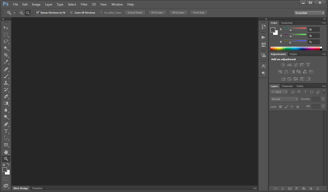
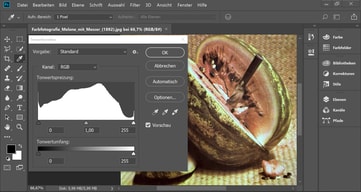
Arguably one of the best-known graphic design software tools used today, Adobe Photoshop is currently the go-to tool of many creative professionals. The software offers feature-rich tools for photo retouching, editing, and manipulation; and gives access to numerous brushes and textures. The platform is well known for having an ever-improving interface, supported by an extensive selection of tools, high customizable dashboards, collaboration options, and efficient file management options.
Adobe Photoshop is also often used as Photo Editing of choice in Marketing and UI/UX Design tech stacks.


| Capabilities |
AI
API
|
|---|---|
| Segment |
Small Business
Mid Market
Enterprise
|
| Deployment | Cloud / SaaS / Web-Based, Desktop Mac, Desktop Windows, Mobile iPad, Mobile iPhone |
| Support | 24/7 (Live rep), Chat, Email/Help Desk, FAQs/Forum, Knowledge Base, Phone Support |
| Training | Documentation |
| Languages | English |
Adobe Photoshop Pros and Cons
- Comprehensive set of tools for touch-up and retouching
- Extensive filters, brushes, and pre-sets
- Advanced color and background manipulation
- Extensive organization and image management tools
- Highly customizable
- Might present a steep learning curve for beginners
- Limited support for vector graphics








Adobe Photoshop is the industry standard for image editing, and the most useful thing a review can tell you is not whether it is good but which plan to buy. Buying Photoshop on its own costs more than buying the Photography plan, which includes Photoshop plus Lightroom and 1 TB of storage. That inversion catches people every year.
- What it is: Professional photo editing software for retouching, compositing, and digital art, available on desktop, web, and mobile.
- Best for: Photographers, designers, and retouchers who need the deepest pixel-level toolset available, and anyone working to industry file-format expectations.
- Pricing: Roughly $22.99 per month for the Photoshop single-app plan, about $19.99 for the Photography plan that includes it, and around $69.99 for Creative Cloud All Apps. See the verification note below.
- The honest catch: Adobe’s annual plans are commitments, not rolling months, and cancelling early typically incurs a fee. Buy the term you actually intend to keep.
What Is Adobe Photoshop?
Photoshop launched in 1990 and has been the default professional image editor for so long that its name became a verb. That dominance is not nostalgia. Layer-based compositing, masking, selection tooling, colour management, and non-destructive adjustment are deeper here than in any competitor, and the file format is what agencies, printers, and collaborators expect to receive.
In recent years the product has expanded well beyond the desktop application, adding web and mobile versions and a large set of generative AI tools built on Adobe Firefly. Generative fill and expand are genuinely useful for retouching work that used to take manual cloning, and Adobe’s position that Firefly is trained on licensed content matters to commercial users who need to know where their imagery came from.
The independent ratings are among the highest of any product we have reviewed, on very large samples: 4.8 out of 5 on Capterra across 2,433 reviews and 4.6 on G2 across roughly 13,210. There is no serious argument that the software is not excellent. The complaints are almost entirely about the commercial model.
How Photoshop Works
- Layers and masks. The foundation, and still the reason professionals stay. Non-destructive editing at this depth has no real equal.
- Selection tooling. Object selection, subject detection, and Select and Mask handle the hardest part of compositing, and successive AI improvements have made this dramatically faster than it was five years ago.
- Generative AI. Generative fill, generative expand, and neural filters, powered by Firefly. Useful for removal, extension, and background work.
- Camera Raw and colour management. Professional colour handling and raw processing that matters for print and commercial delivery.
- Cross-device. Desktop, web, and iPad, with cloud documents syncing between them. The web and mobile versions are capable companions rather than full replacements.
Photoshop Pricing
A verification note first. Adobe’s own pricing pages did not respond to automated requests during this review, and Adobe varies prices by region and runs frequent promotions. The figures below reflect current published US pricing as reported by multiple independent sources in July 2026, and you should confirm them on Adobe’s site for your own region before buying.
| Plan | Approximate US price | What you get |
|---|---|---|
| Photoshop single app | ~$22.99/month, annual plan billed monthly | Photoshop on desktop, web, and mobile, plus Adobe Express Premium |
| Photography plan | ~$19.99/month, annual plan billed monthly | Photoshop, Lightroom, Lightroom Classic, and 1 TB cloud storage |
| Creative Cloud All Apps | ~$69.99/month | Photoshop plus Illustrator, InDesign, Premiere Pro and the rest of the suite |
The things worth knowing before you choose:
- The Photography plan costs less than Photoshop alone and includes more. At roughly $19.99 against $22.99, it bundles Lightroom, Lightroom Classic, and 1 TB of storage. Unless you specifically need Adobe Express Premium instead, this is the better buy for almost everyone who wants Photoshop, and it is the single most valuable thing to know about Adobe’s pricing.
- Annual plans are commitments. The common “annual, billed monthly” option is a twelve-month contract paid in instalments, not a rolling subscription. Cancelling early normally triggers an early termination fee. Month-to-month plans exist at a higher rate for people who genuinely need flexibility.
- There is no perpetual licence. You rent Photoshop. Reviewers who left cite this directly, and it is a legitimate objection rather than a misunderstanding.
- Storage differs sharply between plans. The Photography plan’s 1 TB is the practical difference for photographers working with raw files.
- Prices move. Adobe adjusts pricing regularly and runs student, teacher, and seasonal discounts. Check for a current offer rather than assuming list price.
A free trial is available, and Adobe also offers a free web-based Photoshop tier with limited functionality.
Who Should Use Photoshop
- Professional photographers and retouchers. The Photography plan is close to an automatic purchase: Photoshop for pixel work, Lightroom for cataloguing and raw processing, at less than Photoshop alone.
- Designers working with agencies or print. PSD is what collaborators expect, and colour management is what printers require.
- Anyone doing serious compositing. Layer and masking depth is unmatched, and no alternative comes close for complex work.
- Teams already on Creative Cloud. If you need Illustrator or Premiere too, All Apps is the sensible route.
It is a poor fit for casual users who crop and adjust holiday photos, where free tools are entirely sufficient, for people who object to subscriptions on principle, since Affinity Photo sells a perpetual licence, and for teams whose real need is quick social graphics rather than image editing, where Canva does the job faster.
Honest Pros and Cons
Strengths
- Unmatched depth. Nothing else offers this much control over pixels, layers, masks, and colour.
- The industry standard file format. Practical value when working with clients, printers, and collaborators.
- Genuinely useful AI. Generative fill and improved selection have removed hours of manual work from routine retouching.
- Excellent ratings on huge samples. 4.8 on Capterra across 2,433 reviews and 4.6 on G2 across over 13,000.
- Cross-device workflow. Desktop, web, and iPad with cloud document syncing.
- Enormous learning ecosystem. Decades of tutorials, courses, and community answers for any problem you will hit.
Limitations
- Subscription only. No perpetual licence, and reviewers cite this as the reason they stopped upgrading.
- Annual commitment with cancellation fees. The most common source of billing complaints, and easy to agree to without noticing.
- A steep learning curve. Reviewers consistently note beginners need real time and tutorial support before becoming productive.
- Demanding on hardware. Large files and heavy filters need a capable machine.
- Confusing plan structure. The Photography plan undercutting the Photoshop plan is the clearest symptom of pricing that is harder to navigate than it should be.
- Support quality is criticized. Slow replies, long holds, and inconsistent resolution appear repeatedly in reviews.
Photoshop Alternatives and How It Compares
- Affinity Photo is the strongest alternative for people who want to own their software, with a one-off purchase and roughly 80% of Photoshop’s capability for most work.
- Canva is not a competitor for editing depth but is faster and easier for social graphics, presentations, and marketing assets.
- GIMP is free and open source, capable but with a less refined interface and weaker colour management for print.
- Pixlr and similar browser tools handle quick edits without a subscription.
- Lightroom, included in the Photography plan, is the better tool for cataloguing and batch raw processing, and pairs with rather than replaces Photoshop.
For a broader view, browse our photo editing software directory.
The Verdict
Photoshop is the best image editor available and has been for three decades, and its 4.8 Capterra rating across thousands of reviews reflects software that genuinely earns its reputation. If your work involves serious compositing, retouching, or professional delivery, there is no real debate about capability.
The decision that actually matters is which plan to buy, and here the answer is counterintuitive: the Photography plan at roughly $19.99 costs less than the Photoshop single-app plan at roughly $22.99, while adding Lightroom, Lightroom Classic, and 1 TB of storage. Unless you specifically want Adobe Express Premium, choosing the Photoshop-only plan means paying more for less. Check both before subscribing.
Then read the commitment terms. Adobe’s headline monthly prices usually describe an annual contract billed monthly, and leaving early carries a fee. That is the source of most billing complaints, and it is avoidable by choosing the term deliberately. If you object to renting software altogether, Affinity Photo is a credible one-off purchase, and for casual editing free tools will serve you perfectly well.
FAQ
How much does Photoshop cost in 2026?
US pricing is approximately $22.99 per month for the Photoshop single-app plan on an annual plan billed monthly, about $19.99 per month for the Photography plan, and around $69.99 per month for Creative Cloud All Apps. Adobe varies pricing by region and runs frequent promotions, so confirm current rates on Adobe’s site. Our automated checks could not reach Adobe’s pricing pages directly, so these figures come from current independent sources.
Is the Photography plan really cheaper than the Photoshop plan?
Yes, and it includes more. The Photography plan is typically around $19.99 per month against roughly $22.99 for Photoshop alone, and it bundles Photoshop, Lightroom, Lightroom Classic, and 1 TB of cloud storage. The single-app plan includes Adobe Express Premium instead. For most people who want Photoshop, the Photography plan is the better purchase.
Can you buy Photoshop outright instead of subscribing?
No. Adobe discontinued perpetual licences for Photoshop, and the software is subscription-only. This is the most common complaint from long-time users. If owning your software matters, Affinity Photo offers a one-off purchase that covers most of the same ground.
Can you cancel a Photoshop subscription at any time?
Not without cost on annual plans. Adobe’s common “annual, billed monthly” option is a twelve-month commitment paid in instalments, and cancelling early normally incurs an early termination fee. A genuine month-to-month plan is available at a higher rate. Choose deliberately, because this is where most billing disputes originate.
What is Photoshop best for?
Professional image editing: retouching, compositing, masking, and colour-managed output for print and commercial delivery. It is the right tool when depth of control matters, and considerable overkill for cropping holiday photos or making social media graphics.

Compare Adobe Photoshop with other popular tools in the same category.
Its easy to use and has every feature ever so I can do whatever I want
Nothing this the perfect tool for creatives
I no longer have to go to a consultant to create something amazing I can do it myself. From PDFs to graphics I am saving time and money.

The latest version of the app is very intuitive and extremely easy to use with clips of tools and how they will affect your work. Tutorials are a click away and the AI tools are fantastic.
No much to dislike except the system power the app uses on your pc - but it's a powerful program
Headshots and landscape editing is now a breeze and producing work for other and further content creation is a lot easier
Recent additions to the feature set have made designing for the web more intuitive for Adobe's flagship product. Having Artboards in addition to layers and layer sets, makes working on an entire UI system easier to contain in one file. Smart objects is another great resource that makes creating reusable and customizable templates possible.
The bugs haven't been completely worked out of the Artboard functionality. e.g. The entire file is still considered one canvas, even though there are multiple artboards. So, unlike Illustrator, which treats each Artboard as it's own entity, in Photoshop, if you paste, or select all, you're still working with the entire work area of every artboard in the file. If you're working on storyboards or a site with many pages, this can get cumbersome. Resizing and organizing these artboards is also counterintuitive. Also, the implementation of Creative Cloud Libraries is incomplete. The eyedropper tool in most panels (e.g. the text color picker, or gradient panel) doesn't recognize the color swatches in the library panel. So you'll need to create a new swatch to the swatch panel anyway, which kind of defeats the purpose of the convenience of the library.
photo editing, storyboards
I love the versatility of things you can do on photoshop, from face swaps to adding text to photos and creating cards.
One thing I think could be improved is user friendliness and the ability to easily learn how to use everything.
As a photographer it’s sometimes hard to get large group shots perfectly. So the ability to switch out someone’s smile to one from a better photo or a child who's not cooperating in one picture to one he is cooperating in us a game changer for shots like these.
There are many different tools avaible to use
Wish exporting was more simple and intutitve
Photo editing, gaphic design
It's intuitive and easy to use for someone like me who designs as a secondary component of my work. I can ideas out quickly and accurately.
There will always be more I need to learn about Photoshop to fully take advantage of all it has to offer. That's still more of an upside than a downside!
I can quickly hash out ideas, which makes the rest of my job as a creator easier.

Photoshop is best and industry standerd app/software. Ease of use is more easy than other software. implemention and tools are very handy and very much usefull. And quick customer support
Photoshop has more feature on online mode which is best on adobe creative cloud account. but donot have generative fill option in offline mode
My majority work is based on photoshop. It provide me creating my visual and imagination into reality

The best tool in the past decades and it will in the future as well. No one can think of any other tool when it comes to editing like a pro.
Its cost is slightly high for a business purpose otherwise no tool in the market can beat it.
Yes
Photoshop remains the best photo editor on the market. The amount and variety of features that Adobe offers are incomparable to any new, quick option. There are just some things that can only be edited with Adobe.
The AI that you have just introduced still has a long way to go, which is to be expected with such a recent technological advancement.
Photoshop enables me to adjust picture lighting, change the size and weight of images, alter colors, modify image proportions, and add new information to the original picture.
Creativity is the limit when it comes to Photoshop. I have been using it for more than 10 years now, and it has been a great experience. Their new Generative Image is a life safer. Simply select the subject and type in what you want, and Photoshop will do the rest for you.
The software comes in the expensive side on the spectrum, but they do provide a student offer.
Creating amazing designs in less amount of time and making my job as a designer much easier.
It's not necessarily the simplest or the easiest to use, but Photoshop is still the best. It's got the most robust set of tools and does absolutely everything that you will need it to do, whether you're a professional or just a hobbyist.
The only knock on this piece of software would be the fact that it has so many features, you tend to forget where the less frequently used ones are. Luckily there's YouTube to the rescue when I need a refresher.
Photoshop allows me to do everything from creating print-ready artwork to editing photos and using it to create the odd animated GIF. There's very little that I can't do in Photoshop if I need to.
It's the gold standard for photo manipulation and non-vector graphic design.
In recent versions, some keyboard shortcuts have changed from much earlier versions. Just takes some getting used to.
Photoshop is the answer to all of my photo editting needs and is the starting point for all of my graphic design projects.
Photoshop has all the tools for picture edits and Photo enchancement Has all the tool and addon that makes drasically improves image quality Adobe Photo is the perfect tool for photographers, movie editors and picture studios
Free version and trials More tutotials
Photo editing and image redifinition
Adobe Photoshop is a fantastic graphic design tool. You can use this program for various things such as creating social media graphics, touching up photos, creating gifs, posters, logos, and the list goes on! Also great for background removal on images.
Sometimes the program crashes, but there are not too many instances where this happens. Just always remember to keep saving your work like in any other program you use! A good habit to get into always.
Our team sues adobe for social media graphics, gifs, background removal, and more. It's a very versatile program!

always up to date new AI tools good user interface synchronised library with cloud and collaboration with teams tools for mobile and desktop
no lifetime licence hight price for monthly or yearly subscription too mush processes are runing in background
I use photoshop every day for editing photo
I love how easy it is to maneuver in the program! I really like that you can get the tools quickly from using easy access from the keyboard! Also if you want to make you drawings realistic, make sure you use the burn and dodge tool!
There nothing I dislike to be honest, but maybe that I can save multiple PNG's files all at once.
Dropping patterns, easily into illustrations!

It is the fundamental too all interactive artists must understand to be successful in the industry. I interview people and measure their creative and technical aptitude.
Personally I have trouble with understanding how to select things in different layers. As a manager, I am happy with the product.
I am able to hire quality talent because it is the gold standard of art production. I highly recommend it to anyone on any interactive team because you simply will not survive if you can't speak it fluently.

Adobe Photoshop's strong picture altering capacities, broad instruments, and flexible elements pursue it a chief decision for visual computerization and photograph control. Its easy to understand interface, layer-based altering, and consistent updates add to its status as an industry-standard inventive programming.
A few clients find Adobe Photoshop's membership based evaluating model costly. Moreover, its broad highlights might be overpowering for novices. In spite of enhancements, periodic execution issues and a lofty expectation to learn and adapt remain downsides for those new to cutting edge visual depiction and altering.
Adobe Photoshop tackles the test of cutting edge picture altering and visual computerization, offering experts and devotees a flexible instrument for making, upgrading, and controlling visual substance. While I don't benefit straightforwardly, clients value its abilities for assorted innovative ventures.
The new AI feature is so much fun and it helps to create new ideas
Some options are not as easy to understand
I can make my own photo alterations and create fun graphics without asking another company

Photoshop has remained consistent through the years, and I appreciate that some of the tools are integrated in other Adobe programs to familiarize you with them. Also, there is always something new to learn, and the extra tools continue to improve! Love the subject/focus/sky selection!
Photoshop has a big learning curve which can be frustrating at first, but is definitely worth the payoff. There could be more tutorials to help with this, but overall there isn't anything to really "dislike".
Photoshop allows me to edit photos easily, and the tools keep improving, which allows me to streamline my editing processes. This allows me to be more efficient. I love that you can easily move from project to project and within Adobe Creative Cloud (Illustrator, Premiere Pro, Adobe After Effects) - also love that you can store all of these saved files in the cloud.
I am just in love with this software. It literally provieds you with all the best and necessary tools required to edit. It helped me a lot with my photo editing works, making banners for my youtube and instagram accounts. Also you don't need to be an expert on tech to understand its features, the interface is really easy to understand for the users who wants to do only basic editing. Surely you will need to gather information , if you want to use advanced options but for beginners ,its really user friendly. With Adobe Photoshop , you can edit you personal photos, make banners , design posters , make you project covers etc. Also , it supports various file formats , making it easy to share. The software is also available for both Mac and Windows user. And doesn't require a very high end device, if you have a device with 8GB ram and a 64 bit 4 core processor , you are set to have a smooth experience.
Though the software is really good but also has come drawbacks. 1) Its a bit expensive 2) The Creative Cloud requires a good enough internet speed and a good data package. 3) The 3D tools a very expensive and sometimes its doesn't feel like value for money.
Since I do work based on editing , it really helps me on daily basis. The tools I get here makes my works easier and efficient. I can easily Edit or retouch my Photos, make Thumbnails or Banners for my Videos , or make Poster Designs. Also it comes will various file format options , so I can easily save the file according to my requirements.At the beginning it might be a hastle to understand the advanced features but once you get the hang of it, there's no returning back!!

Adobe Photoshop is one of the best software that i have been using it for years. I love the easy and additional tools it provides to increase the quality of editing. The levels and customizations of each and every tool are quite high.
Nothing to be disliked. I would love to see more features that could help me to clone my photos in better way. They already have one but i think it need s improvement.
The designing of the Advertising with the tools helped me to achieve what i actually visualised for, and to be honest the clients were impressed with the advertisement and the color combinations i used there that were available in photoshop. Thanks.

It is quite advance platform to edit your Photographs to make it more amazing. once learned it feels easy to operate. many tools are there and each does wonders.
In the start, you feel it is complicated to use may be due to interface (UI). Also it is expensive.
we are using it to make adverting post for our company. and also general use like instagram posts.
Wide range of editing options and tools.
Sometimes the photoshop tool becomes unresponsive
Helps in editing, enhancing and create designs and alao helps in designing graphics for social media.
It is easy to use and offers features other programs do not.
It can be complicated to navigate the menus
I can edit photos for use in digital and print. I can crop, resample and do any number of editing functions.
As a digital artist, graphic designer, or photographer, you can use it for all your needs. It offers a wide range of features, including impressive 3D capabilities. Many consider it to be the best image editing software available. Also, in my opinion, the interface is not as complicated as other software.
About the cons; I dislike Adobe's subscription-based pricing model, as it requires ongoing payments rather than a one-time purchase. And I have stopped updating my Photoshop to newer versions because it no longer works smoothly on my gaming laptop.
I am a 2D digital artist. I sometimes use Photoshop to sketch, and as a final step, I literally use Photoshop all the time for the final touches on my artwork.
they are always coming out with new features to keep the software relevant ana making it more useful for customers
it's expensive but luckily I get it through work
we don't have to get everything perfect in our other softwares, we can easily export and open in photoshop to fix any minor issues that we don't want clients to see
Adobe Photoshop is a powerful tool since decade for images.
I am loving to have adobe photoshop since long long time.
I am using Photoshop for creating photographs, making collage, editing photos etc.
I love how easy it is to use. I use light room the most and it's the best tool for a novice editor like myself.
There's nothing that I dislike about adobe creative cloud.
I use Lightroom for editing my photos for social media. I love that you can save presets on there to cut your editing time in half rather than editing each photo individually!
Photoshop is a part of nearly any project I tackle. Working in both UX design and video, Photoshop is used to make graphics, fix stills, and tie everything together.
Pretty much the only two things I dislike are that: - They divided the "save as" feature and now I need to choose "save as copy" to make a JPG or PNG. - They did something that makes the fill bucket into a content aware fill thing.
Making titles, logos, formatting photos, color correcting photos, making illustrations, making GIFs, and cropping photos.