Unclaimed: Are you working at Canva?
Canva Reviews: 4.7/5 — Highly Rated
Canva is an easy to use graphic design and video editing platform that lets users create, design, and publish original artwork using a simple drag-and-drop editor. The platform comes with thousands of design templates and layouts for numerous projects, including social media posts, presentations, videos, posters, flyers and more.
Canva is also often used as Photo Editing of choice in Marketing and Ecommerce tech stacks.
| Capabilities |
AI
API
|
|---|---|
| Segment |
Small Business
Mid Market
Enterprise
|
| Deployment | Cloud / SaaS / Web-Based, Mobile Android, Mobile iPad, Mobile iPhone |
| Support | 24/7 (Live rep), Chat, Email/Help Desk, FAQs/Forum, Knowledge Base, Phone Support |
| Training | Documentation |
| Languages | English |
Canva Pros and Cons
- Simplicity: Canva is delightful to use. You can search for stock images and videos in seconds, drag and drop elements into place, and experiment with a huge range of filters and effects.
- Free plan: If you’re not sure how many visual assets you need yet, you can start with the free plan and work your way up.
- Versatile: You can create a lot of different kinds of graphics easily with Canva, including logos, Facebook posts, email marketing templates, and landing pages.
- Convenient easy-to-use environment for beginners
- Thousands of templates, icons, photos, fonts and other assets
- You don’t get the full control with Canva that you get with more advanced marketing tools. There aren’t as many layers as possible and advanced features to explore.
- Can be a little slow as a browser-based product.
- Very limited editing options
- No layering or re-adjustment options








Are you a non-designer looking for graphic design software? If you need to create designs for your business, Canva is one of the top rated tools to choose. In this post, we’ll explore Canva’s pricing, features, and alternatives.
What is Canva
Canva is an online graphic design tool used by over 170 million monthly active users to create visual content for offline and online marketing. Over 9,400 Capterra reviewers have given Canva an average rating of 4.7 out of 5 stars.
Canva offers hundreds of thousands of templates and elements you can use to create designs for personal or business use. Customize your visual content with your brand kit and media from your own library.
How Much is Canva
Canva offers Free, Pro, and Teams plans – visit Canva’s pricing page for current rates.
The Free plan includes the following.
- Over 250,000 free templates.
- Over 100+ design types including business cards, presentations, and social media posts.
- Free photos, logos, fonts, photos and graphics.
- Share, collaborate, and comment on designs with a team.
- Save your designs with 5GB of cloud storage.
- Share designs to multiple platforms including Instagram, Facebook, X, LinkedIn, Pinterest, Slack, and Tumblr.
The Pro plan includes everything from the Free plan plus the following.
- Over 100 million premium stock photos, videos, audio and graphics
- Over 610,000 premium and free templates with new designs daily
- Up to 100 Brand Kits with your companies colors, logos, and fonts
- Access to Background Remover and Magic Resize.
- Create templates from your own designs.
- Save your designs with 100GB of cloud storage.
- Schedule your social media designs on up to 8 platforms including Instagram, Facebook, X, LinkedIn, Pinterest, Slack, and Tumblr.
The Teams plan includes everything from the Pro plan plus the following.
- Use brand controls to manage your team’s access to apps, graphics, colors, logos, fonts, and uploads.
- Get approval on your designs with built-in workflows.
- Control what your team can edit and stay on-brand with template locking
- Save your designs with unlimited storage.
- Log in with single-sign on (SSO) and have access to 24/7 Enterprise-level support.
How to Use Canva
To get started on Canva, you will need to create an account using your email address, Google, Facebook, or Apple. You will then choose your account type between student, teacher, small business, large company, non-profit, or personal. Templates and additional resources will be recommended based on your chosen account type.
You can choose to start a free trial of Canva Pro or begin with the free version to see if it’s the right graphic design tool.
Designing with Canva
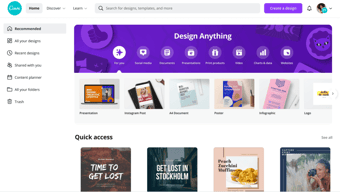
For your first design, Canva will suggest different post types to choose. Based on the type of account you set up, you will see template categories like social media posts, documents, presentations, marketing, events, ads, launch your business, build your online brand, etc.
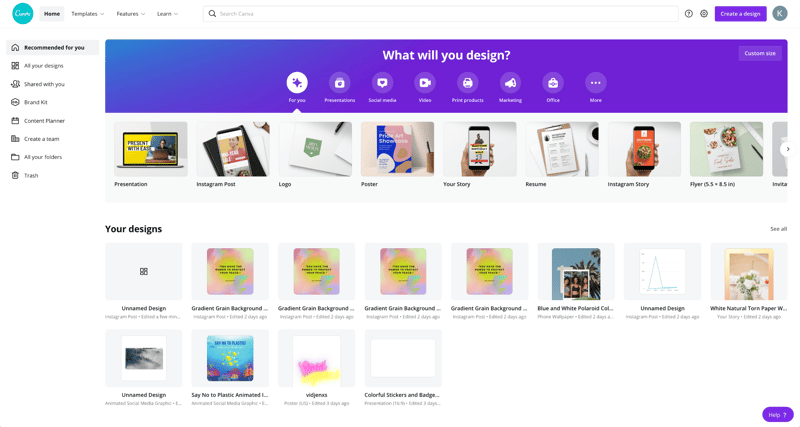
Begin by choosing the type of post you want to create or searching for something more specific. Search by social network name, for example, to see a list of templates by post type on each network.
Templates
Next, you will be able to choose a template. Templates come ready to go, with customizable photos, text, and additional elements.
You can start your design by choosing a template, searching for a template, or working with a blank template.
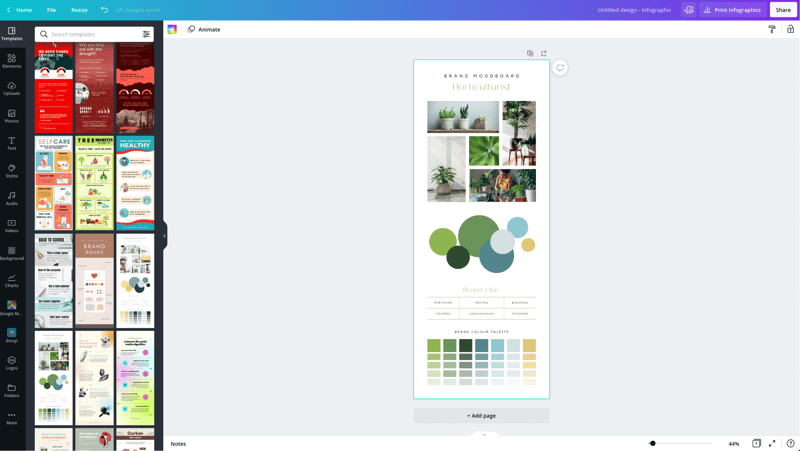
Canva has a lot to choose from, so start with a specific search. If you’re in the horticulture business, you’ll find plenty of templates for a variety of post types just by searching for plants.
You may not find the perfect template, and that’s ok. Remember there are plenty of ways to customize any template. So choose the best fit and move on to Elements.
Elements
Inside the Canva designer, the Elements tab gives you access to lines and shapes, graphics, photos, videos, audio, charts, photo frames, and photo grids. You can use the search box on the Elements tab to search everything on Canva.
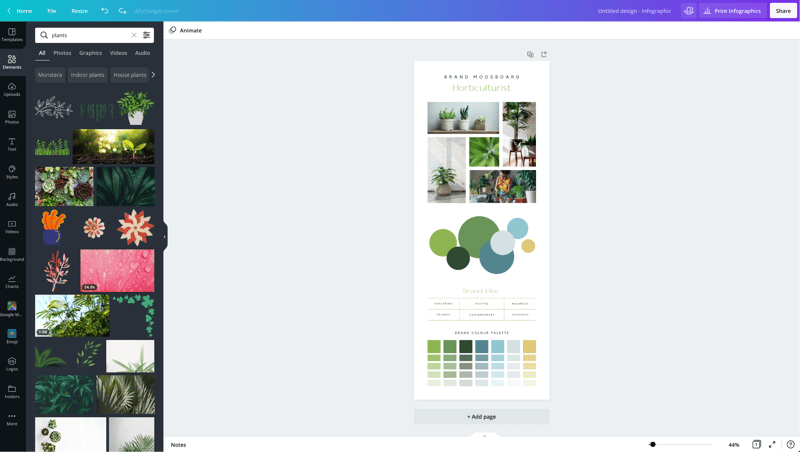
Again, Canva has a large library of elements to choose from, so be specific in your search query. You may also want to search in the following tabs to see various elements separately in the search results.
Photos
The Photos tab allows you to choose from millions of free, paid, and Pro-only stock photos.
You can replace photos on your templates to create a new look or to match a particular template to your industry.
Alternatively, you can use photos from another stock photography site or your own photos. Simply upload them in the Uploads tab.
Once you choose a photo, you can use Canva’s photo editing features to add filters, adjust the photo’s settings (brightness, contrast, saturation, etc.), crop, animate, and change the transparency.
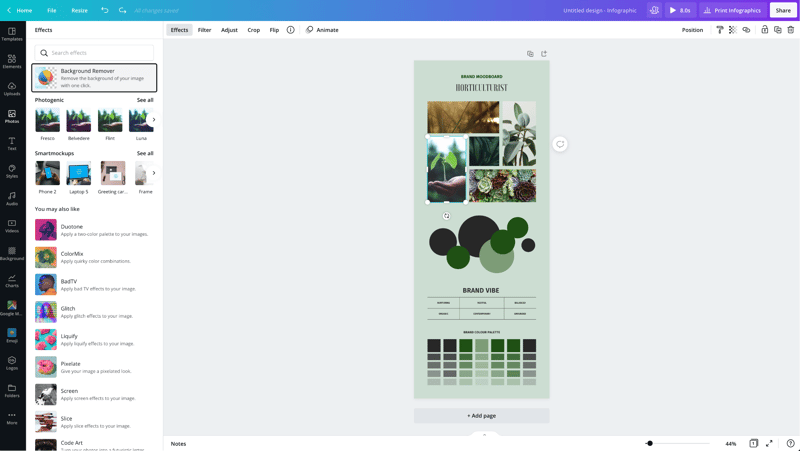
Canva Pro subscribers have access to the Background Remover. This will remove backgrounds from stock photos in the Canva library as well as photos you upload to the Uploads tab.
Canva has also introduced Magic Studio, a suite of AI-powered tools including text-to-image generation, background removal, and AI-assisted writing.
Text
The Text tab allows you to add headings, normal text, and fancy graphical text to your design.
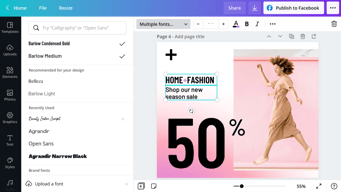
When you click on the text on a template, you’ll see options to adjust the font, font size, color, format, spacing, text effects (like shadows), and change the transparency.
Canva Pro subscribers can set brand fonts via the Brand Kit or the Styles tab. Enterprise-level controls will ensure that your team keeps visual content on brand.
Audio
Creating an animated image or video? Search for audio elements to add to capture user’s attention in social news feeds.
Alternatively, if you want to use audio from another stock site or your own audio tracks, you can upload them in the Uploads tab.
Video
Want to create video content? Choose from thousands of free and Pro-only stock video clips. You’ll find videos that range from a few seconds to two minutes long.
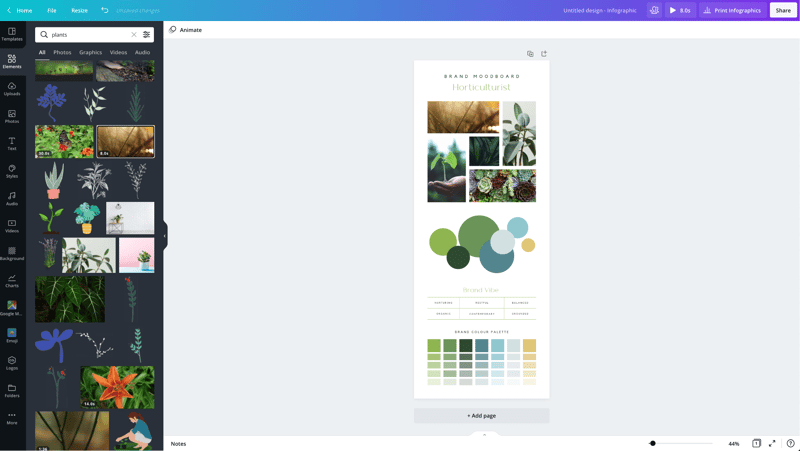
Similar to photos and audio, if you want to use videos from another stock site or your own videos, you can upload them in the Uploads tab.
Once you choose a video, you can use Canva’s video editing features to trim the video, flip it, and change the transparency.
Backgrounds
In the Background tab, you’ll find free photos specifically geared to act as backgrounds on your designs. Change out the background on a template to give it a more custom feel.
Styles
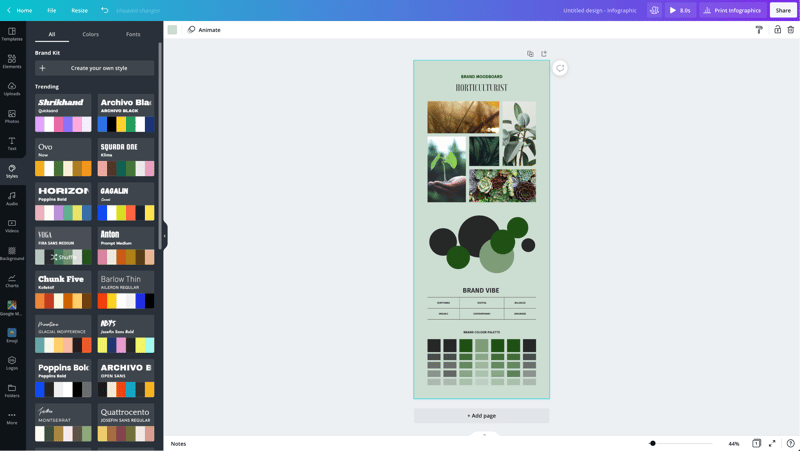
The Styles tab allows you to change the look and feel of your template quickly with different color palettes and font combinations. If you have a Canva Pro subscription, you can upload your brand’s custom colors and fonts to keep designs on brand.
Logos
If you have a Canva Pro subscription, you’ll have a Logos tab. Here, you can upload variations of your brand logo to use throughout your designs.
You can also create logos with Canva. Note that you can’t trademark logos with stock content in them.
Publishing with Canva
Free users of Canva can download their designs or share their designs to multiple platforms including Instagram, Facebook, X, LinkedIn, Pinterest, Slack, and Tumblr.
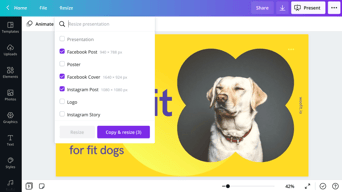
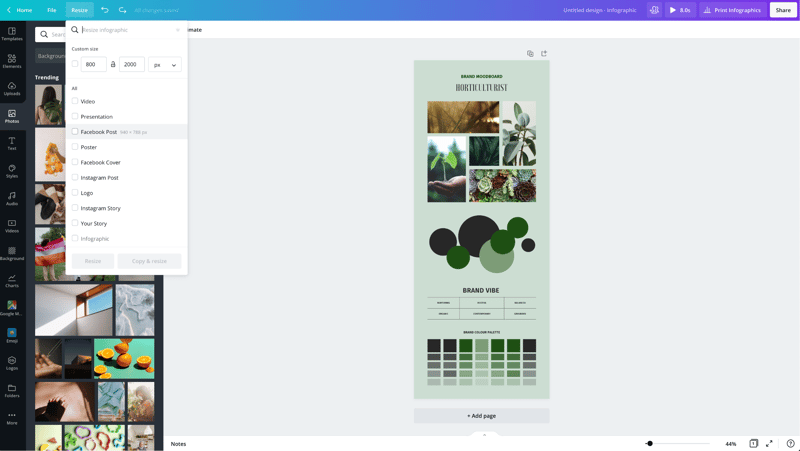
Canva Pro subscribers can use the Magic Resizer to create multiple post formats from one design. For example, you can start by designing an Instagram post. Canva’s Magic Resizer can resize it for posts on other networks, Stories, Reels, and other formats.
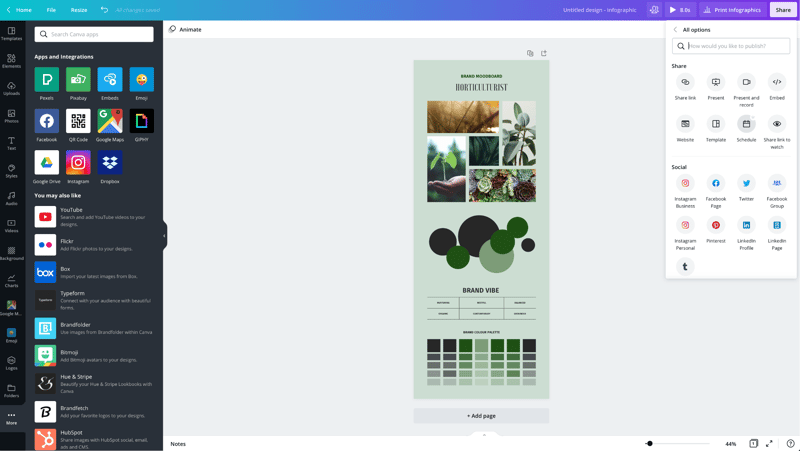
Canva Pro subscribers can also use Canva’s Content Planner to schedule updates to up to eight profiles/accounts on Instagram, Facebook, X, LinkedIn, Pinterest, Slack, and Tumblr.
Canva Teams
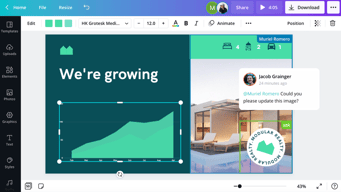
Canva Pro subscribers can work in teams to improve the visual content workflow. Designs can be created inside Canva and sent to the appropriate team members for approval. Teams can make comments, edits, revisions, and keep track via the version history.
Canva Print
If you create a design for offline marketing, Canva has a Print division to compete with companies like VistaPrint. They will print your designs on banners, wall art, mugs, t-shirts, business cards, stickers, invitations, cards, flyers, and more.
Canva Print is perfect for any business that wants customers to do some word of mouth marketing for them. Create designs people would want to stick on, wear, etc. Hand out business cards that people want to keep and share.
Canva Apps
Canva offers their own mobile app on the Apple and Google Play stores. Canva has earned a 4.9 out of five stars from over 3 million Apple users and a 4.7 out of five stars from over 188,000 Google users.
With that said, the mobile app doesn’t have all of the features you’ll find on the desktop browser version. Fortunately, you can access most of them via a mobile browser by going to the Canva website and bypassing the app.
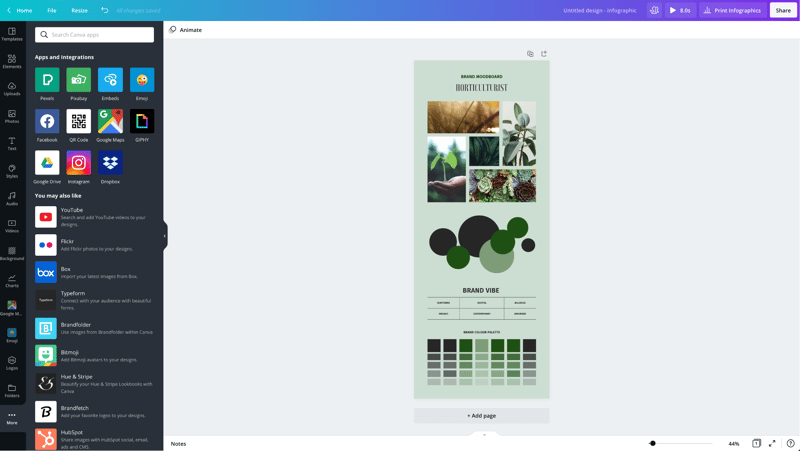
In addition to mobile apps, Canva has apps and integrations that allow you to access elements from third parties. You can add maps from Google Maps, Emojis, photos from Google Drive and Dropbox, YouTube videos, Flickr photos, Bitmojis, and other popular visual content elements.
Canva Pros and Cons
Review networks like TrustRadius allow people to leave specific pros and cons about their Canva experience. Amongst the over 500 reviews, here are some of the highlights from the pros and cons users have identified.
-
Pros :
-
An easy to learn and use interface
-
It allows people with limited graphic design skills to create professional graphics
-
Tons of templates so you never have to start from scratch
-
Branding kits to keep teams matching the brand colors and fonts
-
Ability to create visual content on the go
-
Templates that cover a wide variety of uses and networks
-
The ability to search for royalty free images, video, and audio without another service
-
Cons :
-
Seemingly basic elements (graphics, shapes, etc.) and features are Pro-only
-
Elements that fall outside of the design area are tricky to retrieve
-
Newer features (like Canva presentations) need work
-
The UI can be cluttered
-
Users of Adobe tools may find Canva features limited
-
Would like the ability to work with vectors, especially on logos
-
No analytics when sharing designs
-
Expensive enterprise pricing
-
The artboard could be larger
-
Everyone has access to templates/elements, meaning your graphics may not be as unique
Canva Alternatives
If Canva doesn’t sound like the right fit for you, you may be interested in trying the following Canva alternatives.
Adobe
Adobe has a suite of tools for beginner to advanced level graphic designers, photo editors, and video makers. One tool, Adobe Express, is a Canva-like tool that makes it easy to create social graphics and videos. They offer a free plan and paid plans with premium features.
Those with graphic design skills may prefer tools like Lightroom and Photoshop for photo editing, Adobe Illustrator for vector graphics, or Adobe Premiere Pro for video editing. Alternatively, you can get access to all Adobe tools through the Creative Cloud All Apps plan.
PicMonkey
PicMonkey is a Canva alternative that boasts better photo editing features and no hidden fees for premium templates or elements. With that said, PicMonkey does not offer a free plan. Their pricing starts at $7.99 per month for basic features.
VistaCreate
VistaCreate (formerly Crello) is a free graphic design tool that is similar to Canva. It includes thousands of templates and features like the photo background remover and brand kits. The app on the Apple store has an average rating of 4.7 stars from over 600 users.
Piktochart
Piktochart is a graphic design tool that focuses on infographics, presentations, and reports. Their goal is to help you turn data-heavy content into a compelling visual story. They offer a free forever plan plus pricing for premium features starting at $24.17 per month.
GoDaddy Studio
If you are a GoDaddy customer, you can access their free tool, GoDaddy Studio. This tool gives you access to thousands of customizable templates.
Similar to Canva, no design skill is necessary to create professional graphics. The app on the Apple store has an average rating of 4.8 stars from over 94,000 users.
Canva FAQ
Q: Is Canva for free?
Yes, Canva does have a free plan that you can choose to create professional designs.
Q: Does Canva have a watermark?
No, Canva does not place a watermark on your finalized images. You will only see a watermark on copyrighted stock elements in the Canva library unless you purchase the media or a Canva Pro or Enterprise subscription.
If you see a watermark on a previous design, it is because you had a Pro subscription and used a Pro-only template or element.
Q: Can I use Canva for free for my business?
Yes, all free elements included in the Canva free subscription can be used for commercial and non-commercial use.
Q: What is Canva good for?
Non-designers can use Canva to design a wide variety of visual content for online and offline marketing. They include social media graphics, presentations, business cards, reports, infographics, and much more.
Q: Is Canva better than Adobe Photoshop/Illustrator?
Canva markets itself as an easy to use design tool for non-designers. Adobe Photoshop and Illustrator are geared towards intermediate to advanced level photo editors and graphic designers.
Q: Is Canva good for making videos?
Yes, Canva offers an easy to use video tool for visual content creators who aren’t video experts.
Q: Is it worth paying for Canva?
Definitely, when you consider the number of Pro-only templates and elements. You can always start with the free version or cancel after the 30-day free trial if you’re unsure about the platform.
Q: Can I trademark a logo created in Canva?
Yes, unless it has any stock elements in it.
Q: Can I sell content created in Canva?
Yes, if it doesn’t include unaltered Canva media. You can read more about licensing, trademarks, and commercial usage of Canva content here.
Useful Canva Resources
Canva offers several free resources for designers.
- If you need to do simple edits, Canva has a free photo editor.
- Canva’s Color Wheel allows you to preview what colors go well together.
- The Palette Generator will generate a set of colors from an image you upload.
- The color meanings and symbolism guide can help you find the right meaningful color palette for your brand.
- The design size guide gives the current best sizes for graphics on social media, video, presentations, and more.
Additional Resources
If you want to five even deeper into graphic design, Adobe offers some insightful free guides as well. There are tips for various design types (tattoos, backgrounds, newsletters, logos, etc.) and use of graphic design principles, colors, and symbols.
Canva Review: Conclusion
Overall, Canva is an excellent solution for creators who need visual content. If you’re an experienced graphic designer, you will find their platform lacking in customization and other features – particularly vectors. But if you don’t have a lot of design experience, you’ll find Canva easier to use than advanced graphic design tools like Adobe Photoshop or Illustrator for most projects.

Compare Canva with other popular tools in the same category.
The ease of it all. The templates that canva provides makes it easier for anyone to use it
I love canva so no to any dislikes as of now!
Making it possible for non designers to help design amazing creatives with ease.
One of the standout features of Canva is its vast collection of templates, covering a wide range of design needs.Beyond templates and basic design tools, Canva also provides an extensive library of free and premium elements such as images, icons, fonts, and illustrations.
While Canva offers a free plan with many useful features, some of the more advanced functionalities and premium elements require a paid subscription.Canva primarily operates as a web-based platform and offers a mobile app. However, there is no dedicated desktop application or offline access option.
I have faced performance issues, such as slow loading times or lag, particularly when working with large or complex designs.Canva primarily operates as an online tool, which means it requires an internet connection to access and use its features.This can be inconvenient for users in areas with unreliable or no internet access.
I've found a number of features of Canva extremely attractive. First of all, the user-friendly interface and user-friendly design allow it to be increasingly simple to make professional-looking layouts even for people with limited graphics abilities. The drag-and-drop features, and intensive collection of layouts, fonts, images, and icons enable fast and easy modification. Canva's huge collection of pre-designed designs for numerous purposes, for example, social media posts, presentations, posters, as well as business cards, will save important time and assures aesthetically appealing results.
The only limitation I found in this application is that there is a lack of advanced design and style attributes and fine-grained control over elements within the trial edition of Canva. They should provide some advanced features within the trial editon also.
Canva solves the problem of making aesthetically attractive layouts without requiring extensive graphic design expertise or a costly software program. It enables users, including business owners, online marketers, teachers, and individuals, to create eye-catching visuals for a variety of objectives. This application helps us to save time, effort, and resources that will otherwise be spent on employing expert creative designers or mastering complex design software programs.
The UI is clean and easy to understand. The categorization of design tools for office, buisness, schools etc. An enterprise plan helps our whole team to create assets specific to the company theme.
The Free version needs better options. The pro version is slightly overpriced and may be split into two versions with lower prices. Need better stock photos for the free version.
We can edit photos for the company and create unique, visually appealing infographics for the company. The options to create templates based on social media is really helpful and helps us in creating marketing content.
I love using Canva for graphical design, which has every tool our project requires and contains a wide range of designs and templates. It collaborates and makes interactive to our as a team. It is helpful in presentations, graphic designs and posters.
Canva is not a good option for experienced graphic designers for advanced features, and the accessible version of Canva is not up to the mark. And only premium version members can only download the presentations with high quality.
Canva knows everything that needs people, so it has the best features that users require and an easy user interface. It has pre-designed templates, and the uses of these templates are really high. Initially, I struggled a lot to learn graphical things, but once I started using Canva, things became manageable, and I learned a lot about design.
Canva's biggest strength lies in its user-friendly user interface along with a comprehensive collection of design assets. The best I like about Canva is its collaboration functions. It enables team members to work concurrently on assignments, which makes it a great application for group projects or remote teams. The real-time collaboration and commenting functions streamline the design process, allowing effective communication and feedback exchange.
While Canva is without a doubt an incredible design application, there are some minimal disadvantages like, the free version has a few restrictions on certain functions and design elements, for example, high-quality images and advanced export options. Although the free version provides lots of options.
Canva's collaborative features enable seamless teamwork and efficient communication, fostering creativity and productivity within teams. The platform acts as a centralized hub for design projects, promoting collaboration and enabling smooth workflows.

What I like most about Canva is the ease of use and the wide selection of images, icons, fonts, colors and logos. It's great to have access to complementary fonts as well as the ability to upload my own fonts for use in projects. Plus, with recent upgrades that now include animation tools, this is a really versatile platform. Not only can you quickly resize any image, but templates are easy enough to find in dedicated folders so they don't take up much time either. All in all, I think these are fantastic features that make Canva an invaluable asset when designing graphics or print products.
I absolutely love Canva and all the tools it has to offer. However, I wish they had more options for logos so that users could have a wider variety of designs to choose from. Also, their dropdown menu of fonts can be quite long and tedious to sort through to find exactly what you're looking for; if simplified, this process would make designing faster and smoother.
Canva also allows me to explore my creative potential and come up with intriguing designs that can grab the attention of our clients' followers.

Es muy facil de usar, tiene una interfaz muy sencilla y que hasta un adolescente puede aprender. Además tiene una gran biblioteca para añadir a tu creación, muy interesante
Para la version gratuita, que es la que yo uso, hay limitaciones de espacios y funcionalidad ademas hay elementos que solo estan disponibles para el premium
La posibilidad de crear diseños gráficos de una manera muy sencilla y con una calidad bastate buena, que podría parecer creado por un diseñador gráfico, sin necesidad de tener mucha habilidad

The versatility and the limitless options. You can literally create anything from a commercial to a calendar! The best thing about this Is that this can be done from an all--in-one app that saves your creations in their cloud so you never loose any of it!
The inability to remove their watermark from the creations that you download. If you have a paid membership, it will allow you to Create a download that allows you to remove it. However if you have a free account it doesn't. I can understand copyrights. But if you create it, why isn't it yours.
For me Canva is how I create my daily to-do lists, my weekly agenda, my monthly plan. It's also how I keep myself in check with my school work. I also use Canva to create billing templates for my husband's business. And lately I've even used Canva to create a couple ads for my Marketing classes for school. There is absolutely no way that Canva is not beneficial to me.
Canva is easy to use, constantly improving, and has lots of features and ways to use the product. It also has lots of creative inspiration in what they have available.
Horrible terms of use, unclear and contradictory information throughout about what you can and can't do with their content. I just buy my elements elsewhere to avoid problems.
They are constantly coming up with new features. They have improved their photo editing and added video editing and screen recording. I'm able to do so much inside one program instead of having many different ones. They came up with an eraser for editing! It isn't good yet, but it will improve, I have no doubt.

I love the versatility and customization that Canva offers. Having access to pre-designed templates allows users to quickly create beautiful designs while also being able to customize with their own fonts, colors, and logos to give projects a professional look unique to each brand. Furthermore, having endless stock image choices as well as the ability to resize in pixels or inches is an added bonus that makes creating designs easier than ever and I am excited to see the animation features available on this platform! The use of storage folders for all uploaded files rounds out my overall positive experience with Canva.
I find Canva to be a bit challenging when it comes to moving and resizing elements. I recently had an issue where the text was left-aligned in the preview, but once downloaded, some of the letters were missing from my image. To solve this problem, I found myself intentionally misaligning components so that they fit together correctly - which solves one problem, but may cause more down the line.
Thanks to Canva's easy-to-use interface and storage of color palettes and stock templates, I can easily create promotional materials with a consistent, professional look.

Very simple to use. Anyone who has no prior experience with designing softwares can just hop on and start designing stuff. Most useful thing for me is that you find icons, illustrations, graphics right away in the elements section, no need to go on hunting for simple graphics and icons.
Being very simple is both a strong and weak point. Don't get confused; for a beginner it is very useful. But for a pro designer, it doesn't offer the flexibility, advanced features yet.
I am a marketer and don't want to send too much time on designing linkedIn posts, anewsletter headers etc on a advanced software like Adobe Illustrator, Indesign or PS. Canva solves just that; time saver
Canva is a simple, creative graphic design for everyone. Which provides users drag and drop facility and maintain a photographic library. It is free software to remember facts and figures.
In Canva, nothing is to dislike because it is an excellent application for both experienced and non-experienced people. It provides a broader range of templates that can be easily used.
Canva creates many graphic designs for social media without cost and allows people to eliminate money problems with easy and fast applications for everyone for different purposes.
The most helpful about Canva is its, big library of graphics designs from where we can choose any design as required by us, and can start editing them, it hardly takes a few minutes to make an excellent design with Canva. Also, the good thing is that this tool is free of cost to start with unless we required premium templates.
There is nothing to dislike about this application, we are satisfied with the use of this tool as it is good alternate option of the professional application like photoshop.
With the use of canva we can make graphics for our company regularly instead of depend on others, also we can save a money with the use of this tool as now we need not to give our graphics work to outsiders.

Canva is very intuitive and does not need extensive design knowledge as a prerequisite to use.
Canva's base of images and other graphic assets is sometimes limited.
Canva offers a good option for those who are not trained designers but need to create a graphic or image for whatever purposes they need. Sometimes our design teams are overtaxed and other teams who need a social media graphic or other email or banner ad created can easily use Canva to help fill the gap.
The best thing about Canva is, it is simple to start making various types of graphics design. It offers both a website and mobile app that allows an individual to get started making a design in a few moments, just by login into the account from any place, there is no need to download any application for creating the design, like Photoshop, It includes a great variety of templates, graphics, photos, and fonts apart from a helpful learning center.
There is nothing to dislike regarding this application as it is excellent for all either experienced or non-experienced people, it offers a wide range of readymade templates which we can utilize easily.
Canva is helping us to create various types of graphics designs for maintaining our social media accounts. Now we need not take the services of freelancers to make graphics for us in this way we can save a lot of money for our organization.
a lot of templates for any occasion. easy to use on multiple platforms. there are premium fonts, graphics, icons and animations to make any graphic designer happy.
the app on iPad is a little hard to navigate and design compared to the web version. no advanced video editing features as the social media moves to video content
graphic design templates that do not require advanced photo editing skills
We use Canva for various projects; easy to use for creatives and share.
Nothing really that we dislike with Canva.
Design, illustrations, Social media
The best helpful about Canva is that we can create effortlessly almost any design very quickly as it contains a lot of ready-to-use templates that can be utilized for making your designs just by editing those as per requirement. Also, the trail plan is always available for free until we upgrade our plan to the paid one to get premium templates.
There isn't much to dislike regarding Canva, particularly if you allow yourself enough time to view the how-to tutorials on navigating this software and developing designs.
Canva helps us design a smooth, professional-looking advertising video featuring various tasks my organisation has accomplished. I've developed a Bussiness Logo, Visiting card and created an attractive newsletter without any prior graphic design experience.

One of the most remarkable aspects of Canvs AI is its ability to generate stunning artwork based on a simple prompt. Whether I'm seeking inspiration for a painting, a piece of music, or even a written story, Canvs AI never fails to surprise me with its innovative suggestions.
Canvs AI sometimes struggles to grasp the subtle nuances and contextual cues that can significantly impact the artistic interpretation of a prompt. As a result, the generated outputs may occasionally miss the mark or fail to capture the intended message or emotional depth.
Canvs AI streamlines my creative process by providing a user-friendly interface and seamless integration into my workflow. The prompt input process is straightforward, saving me time and effort in translating my artistic direction into tangible outputs. This efficiency allows me to focus more on the actual creation and experimentation, resulting in a more productive and fulfilling creative experience.
It's very easy to quickly come up with a professional-looking design. The features are very straightforward and the templates are very helpful. It reduces our need for a professional graphic designer and allows to take control of design in-house.
There are no major faults with Canva. I would recommend this to all marketing/ communications professionals
There is no longer an over-reliance on an external graphic designer; files are quick to make. Social media gets more engagement with Canva graphics. Easily explain concepts to our audience.

I really like that Canva requires no software downloads and can be accessed entirely through an internet browser. Its easy-to-use interface makes it ideal for anyone, even beginners with no design experience, to create professional-looking ads, banners, invitations, and other visuals such as infographics or presentations. They also offer a wide range of templates, including social media posts and ebooks, making this program incredibly versatile.
I wish Canva would include the option to remove backgrounds from photos free of charge, as this is a useful feature that's often unavoidable. Also, I think there should be more improvement in the video editing options; currently there are only filters available and short movies do not have many customizable features.
I benefit from Canva because it allows me to quickly create designs that fit my company's aesthetic without having to hire a professional designer. It keeps all of our brand colors, company colors and affiliate logos intact so I can easily create matching banners and images.
The software of Canva is simple to use and yields multiple results in a short period. It has many templates to kick-start a design and plenty of fonts to play with, and we can develop our skills in a poster presentation. The best thing about Canva is that it is straightforward to get started by a user who does not have enough design knowledge.
Since I started using this platform, I have had only one problem: it gettings lags when I create videos. We can not upload specific formats on Canva, which makes us use other editing tools.
I like where I create content; that is what I love about Canva. There is no delay in the approval process, significantly saving our time. I have completed several blog images, website banners and posters with the help of this platform. Initially, I struggled to design, but Canva solved many problems to make me a professional content creator.
I love the variety and mass of templates and inspiration! I like that I can export very easily too.
It's not perfect but I can't think of any negatives right now
Helping overcome design blocks by providing great inspiration and speeding up processes such as designing slide decks.

Canva is an application and web platform that helps me in building extraordinary posters, and flyers for my ad campaigns. It is a super easy and useful tool that can use to create eye-catching social media posts to promote our hotels and resorts chain services, and our offers. I can design a range of brochures, flyer templates, which can be customized with our hotel's branding and images. It is a very useful application for my digital marketing campaigns.
Canva is a great application and very easy to use also gives good results but some of its templates are in the pro version which is paid due to this it can be a little challenging to search for unique templates and posters which relate to the ad campaign. Other than that canva is a handy application to use.
Canva is like a total pro designer for me where I can easily design and customize various promotional campaign posters, I can also design short animated videos which can be easily used for promotion through promotional mail to our customers. Being in the hospitality industry we need to create extraordinary posters for our customers which must be eye-catching to generate more revenue. Canva has lots of features in a very easy form which helps me to understand quickly and the results are very effective. Canva saves a lot of time and effort in making extraordinary posters with great impact.
Canva is an excellent graphics creation tool that helps in making various types of posters, presentations, and infographics very easily and quickly. It offers a wide range of vibrant templates that save a lot of time and effort as we need not create the graphics from the start. The user panel is also simple and intuitive thru which anyone can start making graphics without any professional experience in graphics creation.
There is nothing much to dislike about this application, as it is free for always, and no need to pay anything until we require some premium templates. But all those premium stuff is worth if we go for paid option.
Canva is an excellent problem solver. Previously, when making use of professional tools like Photoshop, it takes a lot of time for me to complete a task, but with the help of Canva I can quickly start making graphics easily and in very less time, which saves a lot of time.

It is a popular graphic design tool known for its versatility, ease of use, and wide range of design options. I do like most Photo Editing, Video Editing, Documents Editing, presentations, and other
The pro version has more features compared to the free.
Canva is solving several problems for its users by providing an accessible and user-friendly graphic design tool that eliminates the need for advanced design skills or expensive software. This allows users to create professional-looking designs quickly and easily, saving time and money. It is also addressing the problem of limited design resources by providing a vast library of templates, graphics, and other design elements, making it easier for users to create unique and visually appealing designs.

I like the fact that the simple and intuitive design allows people with no design training to create quality graphic content and the amount of templates available
I don't like the fact that it's so popular but it's easy to copy the contents, several chains manage to use the same templates
canva allows you to simplify the work of the company's designers, create mass quality content in a short time

I like that it has a large number of templates and designs to create book covers, designs for my youtube, facebook and instagram thumbnails, but I can also create videos very quickly
sometimes when i upload a template in PDF i get an error, but then i fix it by changing the format of my template to JPG, and i also don't like that i have to pay for each PRO image, although there are many options that i could use for free
With Canva I create my covers for my books and for the thumbnails of my YouTube, Facebook and Instagram videos very quickly, giving me an elegant result and also top quality
Canva is easy to use and helps me create some awesome designs very quickly. I have hardly scratched the surface with its capabilities, but there's a whole suite of tutorials that I can watch when I'm ready. I love
Sure they have a ton of pre-created templates, if you're into that it's not the easiest for finding my uploads. just a nuisance. also there is no easy way to categorize and hide my previous works. it's all right there in a jumble.
many! i can design my own logos and collateral. i create outstanding assets and infographics