Unclaimed: Are you working at Canva?
Canva Reviews: 4.7/5 — Highly Rated
Canva is an easy to use graphic design and video editing platform that lets users create, design, and publish original artwork using a simple drag-and-drop editor. The platform comes with thousands of design templates and layouts for numerous projects, including social media posts, presentations, videos, posters, flyers and more.
Canva is also often used as Photo Editing of choice in Marketing and Ecommerce tech stacks.
| Capabilities |
AI
API
|
|---|---|
| Segment |
Small Business
Mid Market
Enterprise
|
| Deployment | Cloud / SaaS / Web-Based, Mobile Android, Mobile iPad, Mobile iPhone |
| Support | 24/7 (Live rep), Chat, Email/Help Desk, FAQs/Forum, Knowledge Base, Phone Support |
| Training | Documentation |
| Languages | English |
Canva Pros and Cons
- Simplicity: Canva is delightful to use. You can search for stock images and videos in seconds, drag and drop elements into place, and experiment with a huge range of filters and effects.
- Free plan: If you’re not sure how many visual assets you need yet, you can start with the free plan and work your way up.
- Versatile: You can create a lot of different kinds of graphics easily with Canva, including logos, Facebook posts, email marketing templates, and landing pages.
- Convenient easy-to-use environment for beginners
- Thousands of templates, icons, photos, fonts and other assets
- You don’t get the full control with Canva that you get with more advanced marketing tools. There aren’t as many layers as possible and advanced features to explore.
- Can be a little slow as a browser-based product.
- Very limited editing options
- No layering or re-adjustment options


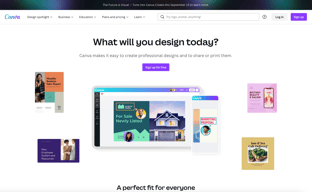
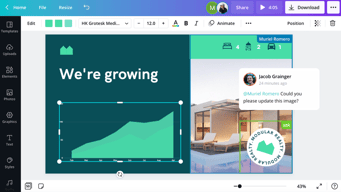
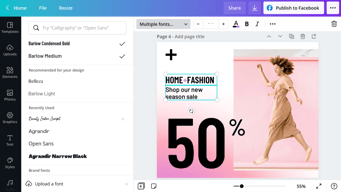






Are you a non-designer looking for graphic design software? If you need to create designs for your business, Canva is one of the top rated tools to choose. In this post, we’ll explore Canva’s pricing, features, and alternatives.
What is Canva
Canva is an online graphic design tool used by over 170 million monthly active users to create visual content for offline and online marketing. Over 9,400 Capterra reviewers have given Canva an average rating of 4.7 out of 5 stars.
Canva offers hundreds of thousands of templates and elements you can use to create designs for personal or business use. Customize your visual content with your brand kit and media from your own library.
How Much is Canva
Canva offers Free, Pro, and Teams plans – visit Canva’s pricing page for current rates.
The Free plan includes the following.
- Over 250,000 free templates.
- Over 100+ design types including business cards, presentations, and social media posts.
- Free photos, logos, fonts, photos and graphics.
- Share, collaborate, and comment on designs with a team.
- Save your designs with 5GB of cloud storage.
- Share designs to multiple platforms including Instagram, Facebook, X, LinkedIn, Pinterest, Slack, and Tumblr.
The Pro plan includes everything from the Free plan plus the following.
- Over 100 million premium stock photos, videos, audio and graphics
- Over 610,000 premium and free templates with new designs daily
- Up to 100 Brand Kits with your companies colors, logos, and fonts
- Access to Background Remover and Magic Resize.
- Create templates from your own designs.
- Save your designs with 100GB of cloud storage.
- Schedule your social media designs on up to 8 platforms including Instagram, Facebook, X, LinkedIn, Pinterest, Slack, and Tumblr.
The Teams plan includes everything from the Pro plan plus the following.
- Use brand controls to manage your team’s access to apps, graphics, colors, logos, fonts, and uploads.
- Get approval on your designs with built-in workflows.
- Control what your team can edit and stay on-brand with template locking
- Save your designs with unlimited storage.
- Log in with single-sign on (SSO) and have access to 24/7 Enterprise-level support.
How to Use Canva
To get started on Canva, you will need to create an account using your email address, Google, Facebook, or Apple. You will then choose your account type between student, teacher, small business, large company, non-profit, or personal. Templates and additional resources will be recommended based on your chosen account type.
You can choose to start a free trial of Canva Pro or begin with the free version to see if it’s the right graphic design tool.
Designing with Canva
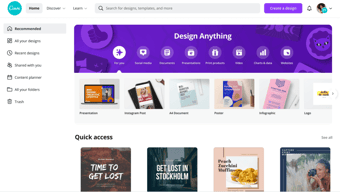
For your first design, Canva will suggest different post types to choose. Based on the type of account you set up, you will see template categories like social media posts, documents, presentations, marketing, events, ads, launch your business, build your online brand, etc.
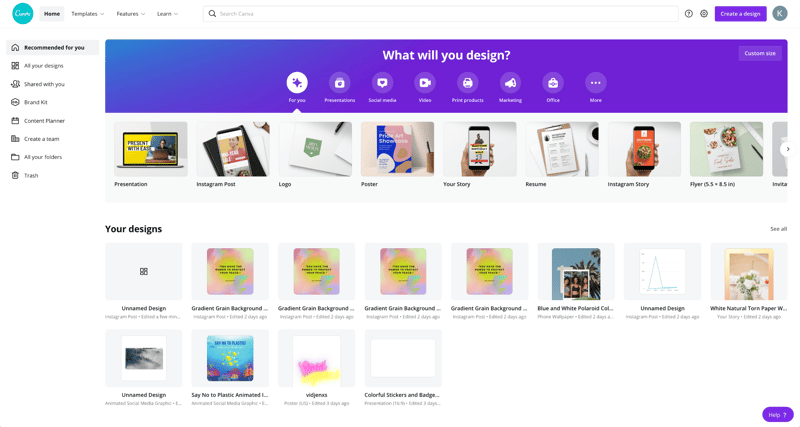
Begin by choosing the type of post you want to create or searching for something more specific. Search by social network name, for example, to see a list of templates by post type on each network.
Templates
Next, you will be able to choose a template. Templates come ready to go, with customizable photos, text, and additional elements.
You can start your design by choosing a template, searching for a template, or working with a blank template.
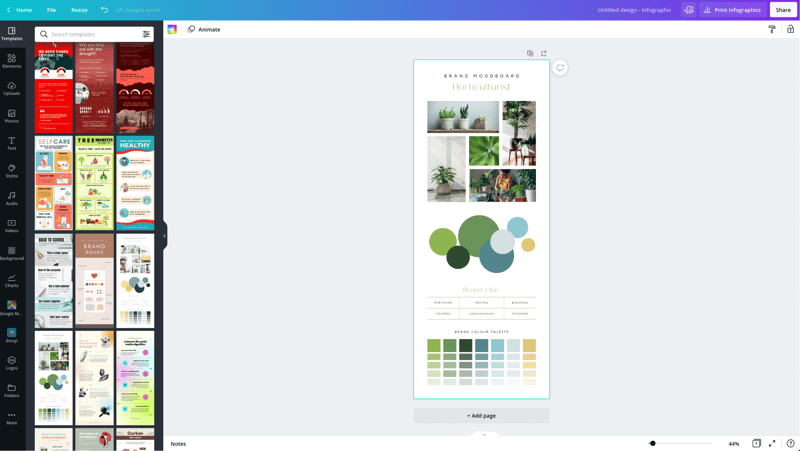
Canva has a lot to choose from, so start with a specific search. If you’re in the horticulture business, you’ll find plenty of templates for a variety of post types just by searching for plants.
You may not find the perfect template, and that’s ok. Remember there are plenty of ways to customize any template. So choose the best fit and move on to Elements.
Elements
Inside the Canva designer, the Elements tab gives you access to lines and shapes, graphics, photos, videos, audio, charts, photo frames, and photo grids. You can use the search box on the Elements tab to search everything on Canva.
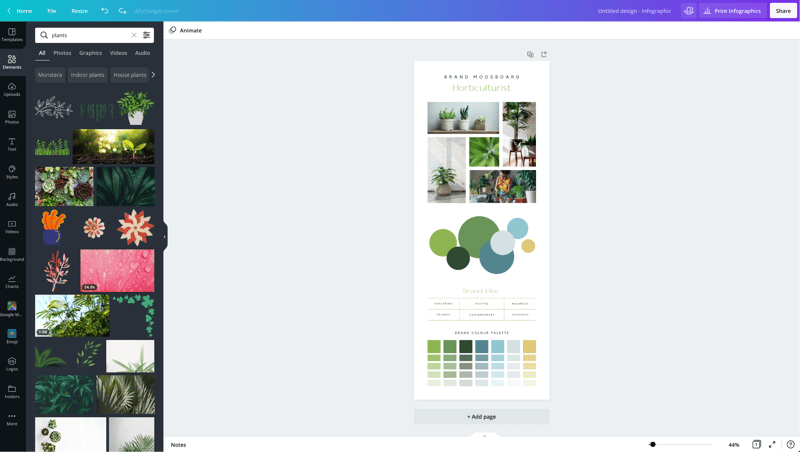
Again, Canva has a large library of elements to choose from, so be specific in your search query. You may also want to search in the following tabs to see various elements separately in the search results.
Photos
The Photos tab allows you to choose from millions of free, paid, and Pro-only stock photos.
You can replace photos on your templates to create a new look or to match a particular template to your industry.
Alternatively, you can use photos from another stock photography site or your own photos. Simply upload them in the Uploads tab.
Once you choose a photo, you can use Canva’s photo editing features to add filters, adjust the photo’s settings (brightness, contrast, saturation, etc.), crop, animate, and change the transparency.
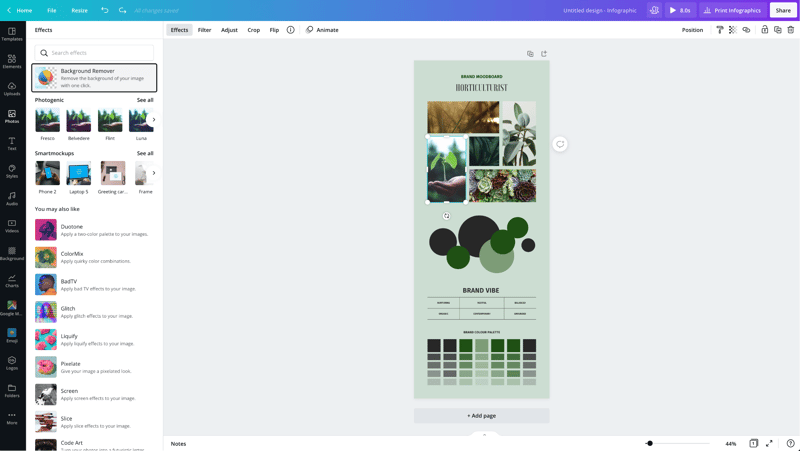
Canva Pro subscribers have access to the Background Remover. This will remove backgrounds from stock photos in the Canva library as well as photos you upload to the Uploads tab.
Canva has also introduced Magic Studio, a suite of AI-powered tools including text-to-image generation, background removal, and AI-assisted writing.
Text
The Text tab allows you to add headings, normal text, and fancy graphical text to your design.
When you click on the text on a template, you’ll see options to adjust the font, font size, color, format, spacing, text effects (like shadows), and change the transparency.
Canva Pro subscribers can set brand fonts via the Brand Kit or the Styles tab. Enterprise-level controls will ensure that your team keeps visual content on brand.
Audio
Creating an animated image or video? Search for audio elements to add to capture user’s attention in social news feeds.
Alternatively, if you want to use audio from another stock site or your own audio tracks, you can upload them in the Uploads tab.
Video
Want to create video content? Choose from thousands of free and Pro-only stock video clips. You’ll find videos that range from a few seconds to two minutes long.
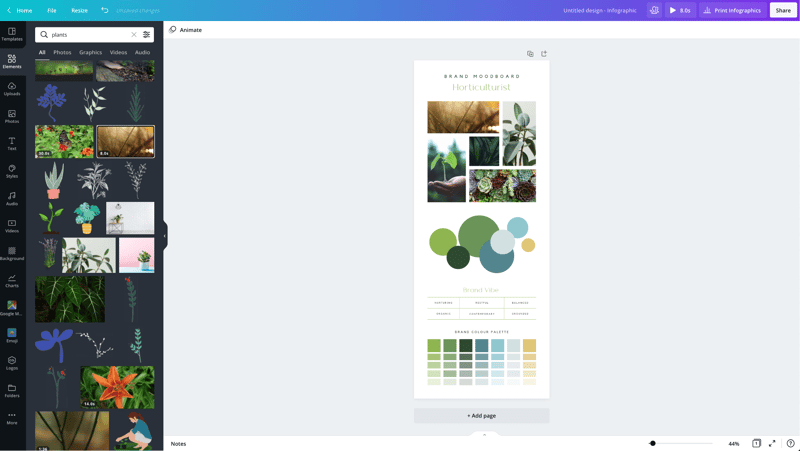
Similar to photos and audio, if you want to use videos from another stock site or your own videos, you can upload them in the Uploads tab.
Once you choose a video, you can use Canva’s video editing features to trim the video, flip it, and change the transparency.
Backgrounds
In the Background tab, you’ll find free photos specifically geared to act as backgrounds on your designs. Change out the background on a template to give it a more custom feel.
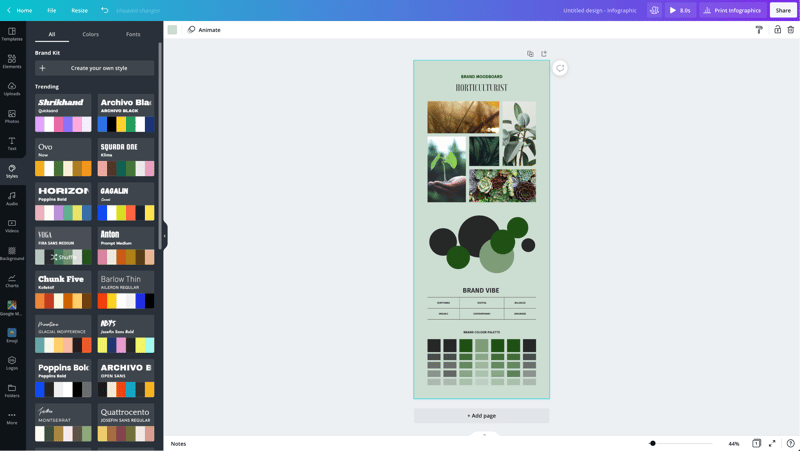
Styles
The Styles tab allows you to change the look and feel of your template quickly with different color palettes and font combinations. If you have a Canva Pro subscription, you can upload your brand’s custom colors and fonts to keep designs on brand.
Logos
If you have a Canva Pro subscription, you’ll have a Logos tab. Here, you can upload variations of your brand logo to use throughout your designs.
You can also create logos with Canva. Note that you can’t trademark logos with stock content in them.
Publishing with Canva
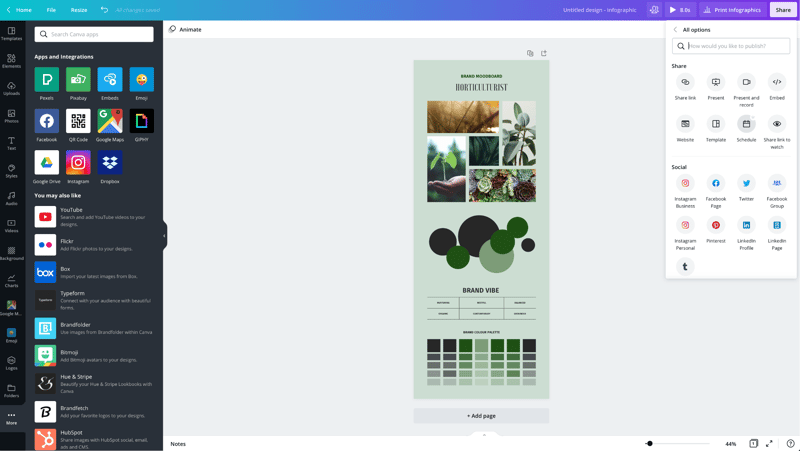
Free users of Canva can download their designs or share their designs to multiple platforms including Instagram, Facebook, X, LinkedIn, Pinterest, Slack, and Tumblr.
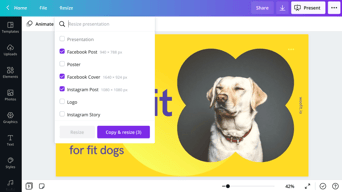
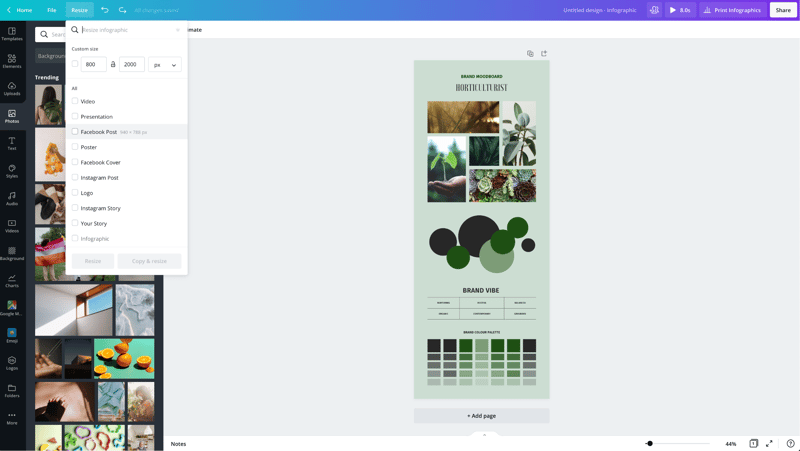
Canva Pro subscribers can use the Magic Resizer to create multiple post formats from one design. For example, you can start by designing an Instagram post. Canva’s Magic Resizer can resize it for posts on other networks, Stories, Reels, and other formats.
Canva Pro subscribers can also use Canva’s Content Planner to schedule updates to up to eight profiles/accounts on Instagram, Facebook, X, LinkedIn, Pinterest, Slack, and Tumblr.
Canva Teams
Canva Pro subscribers can work in teams to improve the visual content workflow. Designs can be created inside Canva and sent to the appropriate team members for approval. Teams can make comments, edits, revisions, and keep track via the version history.
Canva Print
If you create a design for offline marketing, Canva has a Print division to compete with companies like VistaPrint. They will print your designs on banners, wall art, mugs, t-shirts, business cards, stickers, invitations, cards, flyers, and more.
Canva Print is perfect for any business that wants customers to do some word of mouth marketing for them. Create designs people would want to stick on, wear, etc. Hand out business cards that people want to keep and share.
Canva Apps
Canva offers their own mobile app on the Apple and Google Play stores. Canva has earned a 4.9 out of five stars from over 3 million Apple users and a 4.7 out of five stars from over 188,000 Google users.
With that said, the mobile app doesn’t have all of the features you’ll find on the desktop browser version. Fortunately, you can access most of them via a mobile browser by going to the Canva website and bypassing the app.
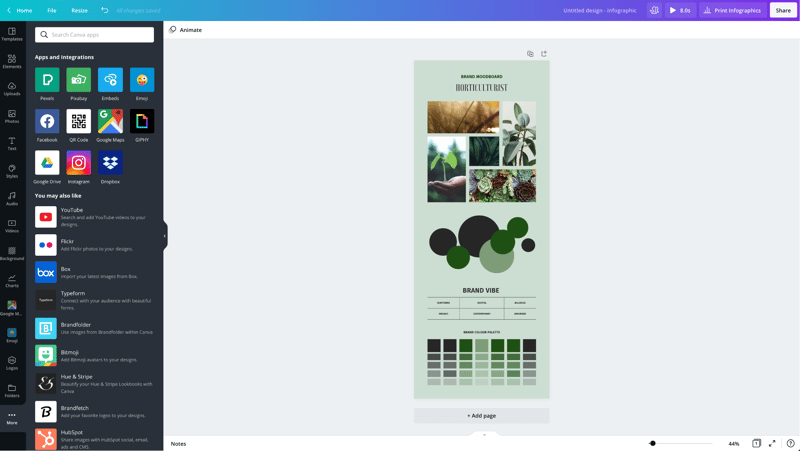
In addition to mobile apps, Canva has apps and integrations that allow you to access elements from third parties. You can add maps from Google Maps, Emojis, photos from Google Drive and Dropbox, YouTube videos, Flickr photos, Bitmojis, and other popular visual content elements.
Canva Pros and Cons
Review networks like TrustRadius allow people to leave specific pros and cons about their Canva experience. Amongst the over 500 reviews, here are some of the highlights from the pros and cons users have identified.
-
Pros :
-
An easy to learn and use interface
-
It allows people with limited graphic design skills to create professional graphics
-
Tons of templates so you never have to start from scratch
-
Branding kits to keep teams matching the brand colors and fonts
-
Ability to create visual content on the go
-
Templates that cover a wide variety of uses and networks
-
The ability to search for royalty free images, video, and audio without another service
-
Cons :
-
Seemingly basic elements (graphics, shapes, etc.) and features are Pro-only
-
Elements that fall outside of the design area are tricky to retrieve
-
Newer features (like Canva presentations) need work
-
The UI can be cluttered
-
Users of Adobe tools may find Canva features limited
-
Would like the ability to work with vectors, especially on logos
-
No analytics when sharing designs
-
Expensive enterprise pricing
-
The artboard could be larger
-
Everyone has access to templates/elements, meaning your graphics may not be as unique
Canva Alternatives
If Canva doesn’t sound like the right fit for you, you may be interested in trying the following Canva alternatives.
Adobe
Adobe has a suite of tools for beginner to advanced level graphic designers, photo editors, and video makers. One tool, Adobe Express, is a Canva-like tool that makes it easy to create social graphics and videos. They offer a free plan and paid plans with premium features.
Those with graphic design skills may prefer tools like Lightroom and Photoshop for photo editing, Adobe Illustrator for vector graphics, or Adobe Premiere Pro for video editing. Alternatively, you can get access to all Adobe tools through the Creative Cloud All Apps plan.
PicMonkey
PicMonkey is a Canva alternative that boasts better photo editing features and no hidden fees for premium templates or elements. With that said, PicMonkey does not offer a free plan. Their pricing starts at $7.99 per month for basic features.
VistaCreate
VistaCreate (formerly Crello) is a free graphic design tool that is similar to Canva. It includes thousands of templates and features like the photo background remover and brand kits. The app on the Apple store has an average rating of 4.7 stars from over 600 users.
Piktochart
Piktochart is a graphic design tool that focuses on infographics, presentations, and reports. Their goal is to help you turn data-heavy content into a compelling visual story. They offer a free forever plan plus pricing for premium features starting at $24.17 per month.
GoDaddy Studio
If you are a GoDaddy customer, you can access their free tool, GoDaddy Studio. This tool gives you access to thousands of customizable templates.
Similar to Canva, no design skill is necessary to create professional graphics. The app on the Apple store has an average rating of 4.8 stars from over 94,000 users.
Canva FAQ
Q: Is Canva for free?
Yes, Canva does have a free plan that you can choose to create professional designs.
Q: Does Canva have a watermark?
No, Canva does not place a watermark on your finalized images. You will only see a watermark on copyrighted stock elements in the Canva library unless you purchase the media or a Canva Pro or Enterprise subscription.
If you see a watermark on a previous design, it is because you had a Pro subscription and used a Pro-only template or element.
Q: Can I use Canva for free for my business?
Yes, all free elements included in the Canva free subscription can be used for commercial and non-commercial use.
Q: What is Canva good for?
Non-designers can use Canva to design a wide variety of visual content for online and offline marketing. They include social media graphics, presentations, business cards, reports, infographics, and much more.
Q: Is Canva better than Adobe Photoshop/Illustrator?
Canva markets itself as an easy to use design tool for non-designers. Adobe Photoshop and Illustrator are geared towards intermediate to advanced level photo editors and graphic designers.
Q: Is Canva good for making videos?
Yes, Canva offers an easy to use video tool for visual content creators who aren’t video experts.
Q: Is it worth paying for Canva?
Definitely, when you consider the number of Pro-only templates and elements. You can always start with the free version or cancel after the 30-day free trial if you’re unsure about the platform.
Q: Can I trademark a logo created in Canva?
Yes, unless it has any stock elements in it.
Q: Can I sell content created in Canva?
Yes, if it doesn’t include unaltered Canva media. You can read more about licensing, trademarks, and commercial usage of Canva content here.
Useful Canva Resources
Canva offers several free resources for designers.
- If you need to do simple edits, Canva has a free photo editor.
- Canva’s Color Wheel allows you to preview what colors go well together.
- The Palette Generator will generate a set of colors from an image you upload.
- The color meanings and symbolism guide can help you find the right meaningful color palette for your brand.
- The design size guide gives the current best sizes for graphics on social media, video, presentations, and more.
Additional Resources
If you want to five even deeper into graphic design, Adobe offers some insightful free guides as well. There are tips for various design types (tattoos, backgrounds, newsletters, logos, etc.) and use of graphic design principles, colors, and symbols.
Canva Review: Conclusion
Overall, Canva is an excellent solution for creators who need visual content. If you’re an experienced graphic designer, you will find their platform lacking in customization and other features – particularly vectors. But if you don’t have a lot of design experience, you’ll find Canva easier to use than advanced graphic design tools like Adobe Photoshop or Illustrator for most projects.

Compare Canva with other popular tools in the same category.
Easy design tools, a full library of templates, and simple exporting of designs.
Site can get bogged down with certain projects.
We use Canva for our company brand kit, social ads, and animated GIF's for our product video previews. Canva is an amazing design tool.
Canva has SO many templates to choose from and thousands of cool ideas, animations and anything under the sun. I especially like that the mobile app is so intuitive and saves your creation automatically.
I don't dislike anything about Canva. I think it's fantastic.
Marketing, content creation, collaborating on designs.

Creating infographic Creating presentation
Diversity of free templates The quality of uploaded images
I can design anything like invoices, flyers, invitation cards and resumes.
Mobile friendly and easy to understand. Everything is stacked perfectly Making you the king of the service.
The loading process can be daunting, even on 5g it can fail several times, only happens other mobile apllication and not pc.
Marketing, video designing, snip clip trim tools, Fliers for events, I even do my own pdfs and business cards. The issue is that I nolonger pay for these services elsewhere, a simple pro subscription and all is covered on canva
Canva is an excellent tool for creating graphics using templates, eliminating the need to create designs from scratch. 1. Offers pre-built templates with distinct colors and fonts. 2. Design files in required formats, such as mp4 and jpg/png, that can be downloaded or exported. 3. It is simple to customize and resize the design shape at any time. 4. A user-friendly dashboard that is accessible via mobile and laptop.
Some Canva creations take a long time to open, which is bothersome for its users; otherwise, the overall experience is fantastic.
Canva provides the feature of sharing the design with the team to collaborate on the design and see changes in real time, making the working process smoother and more transparent. 1. Canva assists in the creation of creative designs in less time; additionally, image upload is quick and easy. 2. All celebration designs and templates are available at all times. Select/select and use 3. The design can be customized and resized, which is very useful for printing posters and flyers for customers in different sizes. 4. Canva's most vital point is client satisfaction, which significantly aids client retention.

I love the brand library. It allows me to maintain brand consistency across all of my brands and all of my social media platforms and marketing collateral. It also streamlines post creations by making logos, colors, and fonts available in one place versus trying to recall all the details on your own or on a paper.
Finding templates. Canva is such a robust platform that it can be difficult and at times overwhelming to find a template for a certain type of post. This is true with elements, as well. I would prefer a more organized approach.
I have a background in graphic design as I used to own a sing company. One of the most time-consuming tasks was designing print marketing collateral. Canva has taken a lot of the challenge and time out of the task of designing these pieces.
The template ideas, the photo selection, how easy to use it is
Nothing it's so easy to use and has no downsides for me.
Makes my social media creation of photos so much easier, can use templates to create really nice pictures.
I am a graphic and website designer and I can load Canva up with a clients branding, colours, fonts and logos and set out templates so they cannot go wrong and they are always on brand. This has saved so much time.
Some of the templates that are built in are a bit over complicated but I try to avoid them. The free version of Canva is limited but it is still very helpful and I recommend it to anyone who needs quick graphics.
A lot of my clients are small businesses and they don't have the budget for large branding campaigns. Canva makes them look professional without having to spend lots of money. It empowers them to be in control of their visual communications.

You can build a variety of designs very quickly and easily. Create Social Media Posters, Resumes, Flyers, Logos, Id cards, Advertisements and much more. Inbuild layouts make your work simpler, quicker and more expert looking. Access/Alter it from any device. It is allowed to involve in spite of the fact that you can buy the star adaptation for a few additional elements. Download your work effectively in various record designs like png, jpg, pdf, and gifs. All your work is autosaved so don't bother stressing.
At the point when you select a layout of a specific size 16:9, you can't resize this later after you begin dealing with it ( you can transform it utilizing the master adaptation of this). Although the application is really good this one bugs me a lot.
I have involved canva for individual and expert purposes, for example. Building Professional resumes for myself and my friends. Making Greeting cards and posters for a yearly social program. Generation certificates for candidates while I was working as an Intern in a company.
It helps to create designs, make them look professional, and post them on social media. It can be used on Android and Apple phones. Very user-friendly and easy to use.
More templates can be added to the free version, and more elements can be added to make it more unique and competitive. Also more features like music can be added for usage on social media.
It's a great designing tool app that helps me easily create social media content. Content creation is one of the main reasons for using CANVA; it can be done in seconds.
User friendly. Easy to locate tools. Many templates to choose from.
Would like to easily locate a group theme to use.
Easy to create flyers for our business.

Canva makes things easier; if you have a pro version, you get access to a fantastic array of templates and resources that you can play with. It is just amazing.
Sometimes Canva can lack some complexity when trying to accomplish particular design or video editing tasks. There are a couple of details that could make the platform a much more powerful tool.
With Canva I can make professional looking designs for my clients in a matter of minutes. You can edit templates with an amazing and intuitive interface, everyone can use it.

Popular and straightforward online graphic design tool Canva. Users can upload photographs, design banners and logos using templates, or use Canva's premium features for a fee.
Simply put, because the design business is harmed by Canva's entire concept (though not on purpose). A lot of it depends on how they advertise it. Design is not just for designers, to quote from their ad.
Canva is one of the best tools for creating, whether it be for your blog, company, or business. You can immediately design anything with Canva, from stories, posters, and posts to resumes, magazine covers, banners, logos, and presentations. Students can use Canva to create a variety of projects.Canva has a wide range of functionality, which has helped it become popular with millions of users.
What I love the most about Canva is how easy it is to use, and the endless options of templates available ready to use for an easy and fast graphic solution for your business
The only thing I don't really like about Canva is the video editor. But I understand it is a relatively new feature, and they will improve it in the future, but the editing options aren't that great.
Creating graphics for my business. Be able to create all the content for my social media channels and also be able to share it and collaborate with other people as well.
The ability to utilize any kind of template according to our use is fascinating and also the availability of thousands of templates is truly amazing. The various elements that we can use on our template are great and we can find any kind of element matching with the template.
There are numerous advantages of Canva and several great features that any beginner can easily understand to use. The only thing that I dislike is that we cannot control every element as we can in other design software.
Canva is solving my problems of designing numerous posters according to different events. I am very happy with Canva as I design every poster and every short video on Canva and they come out amazing.
This software is literally the CORE of my business. From Pins on Pinterest, to IG Posts, to creating printables to sell--it is amazing! I also use it for video editing!
NOTHING! I absolutely LOVE all the features with Canva Pro!
Everything. I'm able to create gorgeous graphics for all of my clients so that they are able to promote and grow their brands. Not to mention--I'm able to do the same with mine!

I love canva i design each and everything on it from a small banner to a large ppt,videos, gifs, i love how we have access to a small premium item fro $1 rather than full subscription
I love Canva the thing i dislike it sometimes the color code will not work and sometimes with 1 click i can destroy my whole design. Some clicks and the whole design is lost. i accidentally once closed tab then i had to redo the design
it is solving my inspiration for design issues and elements availibility. I just love canva. I design resumes on it its the best solution for my business
First off, the best thing about Canva is that it's free! I also love the premium version because it's affordable for me as a small business owner. In addition, they continue to push for new and improved tools. I appreciate that they want to improve their platform.
In the past, I have experienced some bug issues with Canva. Mainly in the re-sizing setting. If Canva created a better "resolve this issue" option, bugs would be fixed much faster.
Canva allows anyone, creative or not, to create graphics or print materials in a short amount of time. They continue to develop tools like background remover that remove the need for other editing tools. Everything can be done on one platform.
Canva has thousands of predesigned templates for whatever your design needs are. I love Canva as it is way easier to navigate than other design sites, and they also print for you!!
One bummer is that you have to upgrade to Canva Pro for certain features, but that is with any other website.
Canva is helping me design ,y own labels and cards for my brand in the easiest way possible.
I love Canva it is so easy to use and has so many free features.
Honestly absoutely nothing Canva is great to use!
It is giving me creative ideas to post on social media.

It's the most preferred and accessible platform for creating best of the visual content which could be social media posts, brochures for your business, presentations, and much more. It's so easy to use and access as it offers free trials as well as the canvas pro version. It has an immensely vast library of templates.
I have no dislikes for Canva Pro at all, It's the best product so far I have used. It so so simple, and it has such a beautiful UI. I love canva and have no dislike for me for Canva.
a. Event Invites for Parties b. Brochures c. Work Portfolio d. Presentation for projects. e. The template library is, so far, the best thing ever. f. Videos, so easy to make videos.

The designing tool has so many options for templates and it is a blessing for social media designers. It gives an identity to our brand. Many teams can work together. I like the ease of using the tool. The feature that helps me a lot is the Resize option.
As I stay in India, I find lesser options for Indian Images and Audio. More Indian Images can be added. There can be more options in 3D elements. sometimes the file becomes too large to use on social channels.
It is extremely useful for me as I am a content creator. With the help of only one tool, I can create so many designs, videos, reels, IGTV, stories, and presentations.
The format of Canva is so simple and intuitive; the drag and drop function makes it extra simple without problems reachable. What I like most about canva are all the particular designs you can use for any situation. It is a fantastic platform for a professional or small enterprise and any work for faculty of any level. Canva has an immense number of pre-made templates that can be simply helpful in developing any design at an advanced level. That's why Canva has become a necessary tool for designing
There isn't plenty I dislike about Canva. In evaluating Photoshop and other apps like Picmonkey, Canva is a free and quality alternative for any design and format. But as a developer, I observed It's hard to discover the elements you are seeking out as a developer at a newbie level.
As a developer, Canva caters to my needs by quickly solving the most complex design situations handed to me by my clients without using Photoshop or other advanced graphic designing tools, and it saves me a lot of time by making any design according to my client's needs without using photoshop or such high-end graphical designing tools. That's why Canva is a practical necessary design tool.

Templates available in canva are a blessing, you get the outline from templates and edit details in templates and your design is ready in minutes, cost for pro is not that high
canva is free, you have to pay for the pro version, so getting this many features for free is more than enough so I don't think I have anything to dislike. best for businesses
The free version of canva is also more than anything, and the background removal feature in the pro version is best, size option is also available so we can design posts for any social media depending on the size as all social media has different size graphics
ease of use, tons of tools and graphics.
there is nothing about this program that I dislike
capture important information, create easy to use reports and signs for busness
Adoro la gran variedad de herramientas gratuitas que otorga esta app/página web. La utilizo para todo el contenido audio visual de mi trabajo. Las plantillas son super útiles
La gran cantidad de recursos de pago dificulta la rapidez a la hora de querer realizar algun proyecto y la herramienta de volver a dimensionar o recortar ahora es de pago, por lo que es a veces incómodo
Me ayuda a resolver de forma rápida algunos fallos que he realizado sin tener que volver a empezar el proyecto de nuevo. Además, tener todas las herramientas necesarias en un mismo sitio es super útil
i like that they are constantly adding new features like the white board. the templates are very helpful and helps me save time
i dislike the lack of options on the video editor
it is the main tool i use to create content for my business right now. i used to use adobe suite but it was too costly
Los prediseños hace que sea fácil adaptar a cualquier necesidad que se tenga
Que muchos diseñosestan disponibles en la versión pro sin la marca de agua
Diseños creativos de manera rápida y fácil

Very user-friendly! Makes everything look so professional.
I wish that when I need to resize a project, it would save the other size as well
I look like I actually know what I'm doing

As we are a small digital marketing company, we have not been able to settle the resources to hire a graphic designer and then Canva met our graphic design needs. With a lot of pre-designed templates, we are able to pick one that best suits a specific requirement based on customer's needs. Customizing the template has never took us a long time, Canva saves real productivity time, it is a key contributor to our winning on daily basis. Few months ago, I have personally fallen in love with their mobile application which I have despised for years, I thought that Canva would only work properly on desktop platform. Then I had considered to try the mobile app. I hardly believe how much useful and intuitive is the app, it allows me to work from anywhere without turning on my PC.
I would say it is the way that they get their income, but when you are using the free account, they don't forget to remind you about upgrade to premium, which can be so boring at times
Can helps us very much with graphics design, from social media posts to banners, our marketing goals have become more achievable than ever before. We have experienced many changes after picking up Canva comparing to the times before, when we had to hire a third party graphics designer to handle our graphics.