

Unclaimed: Are you working at Chatter?






Chatter Reviews: 4.1/5 — Solid Choice
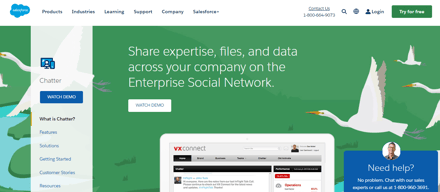
Chatter is live chat solution that connect employees with the files, data, and experts they need at the speed of need, anywhere in the world. The cloud-based platform helps users visualize data and simplifies integration.
| Company | Salesforce |
|---|---|
| Year founded | 1999 |
| Company size | 10,001+ employees |
| Headquarters | San Francisco, California |
| Social Media |





| Capabilities |
API
|
|---|---|
| Segment |
Small Business
Mid Market
Enterprise
|
| Deployment | Cloud / SaaS / Web-Based, Mobile Android, Mobile iPad, Mobile iPhone |
| Support | 24/7 (Live rep), Chat, Email/Help Desk, FAQs/Forum, Knowledge Base, Phone Support |
| Training | Documentation |
| Languages | English |


Compare Chatter with other popular tools in the same category.
Has provided a high quality solution with communication problems on our team.
The design of the architecture is not sufficient enough for a larger scale company.
Quick and easy communication.
I find Chatter a good tool for communicating with people both in my local office, as well as people who are in other areas across the country. Its very user friendly.
I think there should be a dislike button as well as a like button.
I find that not everyone uses it so getting a hold of someone can be a challenge if they're not regularly signing on.
A good source of communication for a portal that manage bookings.
there's not much to dislike about chatter as the feature does the job.
We're able to communicate with the team internally to get problems solved within a timely manner.
The ability to talk amongst my colleagues about an account in a location we can all find easily.
Lots of other platforms enable us to do the same thing
We use Salesforce for all client management. Chatter enables us to communicate intelligently and efficiently day to day.

Robust layout and tabular navigation are relatively user friendly
Sometimes the information is not in the place you would expect or when searching for a particular customer's information it requires multiple clicks to reach the desired section.
By accessing Chatter for our Sales Support team, it has helped several departments communicate with each other in one place to add escalation issues, attach documents and share other updates about a particular customer or potential customer through installation.
1. Joining the groups is quite. Easy just click the icon and become the member. 2. The search option is quite good. Messages are promptly posted. 3. I liked the tooltip description is simple but has apt information. 4. I like to receive these notifications to stay connected with my team all over the world.
1. I feel salesforce chatter user interface could have been more friendly. 2. Experienced loading issue sometimes
This app helps in communicating with me peer and share important information about the organization securely. I haven't seen as such any security breach while using this app. Overall good app.
Chatter is like the social media of the work space.Easy to use to navigate towards central issues and hot discussion topics.
Some users have experienced issues logging in on their mobile devices.
This is a great place to centralize company-wide discussion topics.
Social media -like interface is familiar and easy to adopt.
The name! Chatter makes it sound like it will DECREASE productivity, not increase it. Also would be great to have more options for notifications to make it more instant.
Collaboration within Salesforce for one-stop shop.
Its seamless integration with salesforce provides the ability to leverage across the various gamut of functions such as approving/ rejecting the records, sending files for review and feedback, posting comment on relevant records, sharing links and conducting a poll with your business users
If it is not managed properly, the chatter notifications could crowd out your mailbox and your chatter pages in salesforce. Some of the notification configurations are not very intuitive for the users
To enable collaboration among the business users especially when they review the records for approval such as a new partner on boarding request. The first level approvers such as Legal team could post a comment providing justification for approving the request even though the risk score with the partner could be high. This will be useful for the next level approvers and they could see the complete conversation history on the record
It's great for tagging people and indirect communication
A bit lacky on the chat part, some restrictions of the search
Internal business communication, attaching and sharing files

Chatter is great if you're using it to monitor SFDC- its not going to give you the whole picture, but it lets you keep a pulse on what's happening.
If you are using it for its intended purpose- to monitor SFDC and not actually dive in- its great. But do not expect it to perform all the duties of SFDC.
It provides insight into closed/won/pending deals without having to log into all of SFDC. Its great for SFDC-lite users.
Chatter allows SFDC to become interactive. Communications across teams becomes easier as items in Salesforce can be discussed while attached to objects.
Like many things in Salesforce, the user interface can be a little confusing.
Allowing for communication of Salesforce-specific topics across teams.
Being able to update the team on free food or a survey link.
The use of hashtags and tagging people is not up to speed with today's text lingo.
Fast and easy updates to the team about current happenings or employee engagement. This is better than having to send an email.
Be able to share record information and updates on chatter sure gives that bit of context info we all need when talking about particular client, order, etc. Also great for conpany wide anouncements
Needs a lot of work in social features in my opinion, besides record based commenting it isn't quite a company communication tool I should use if I had another choice.
Article knowledge base, client insight and project status updates

Easy to tag someone inside company. Sends email quickly to notify them.
More features. Faster sending of the messages.
Takes the place of email.
Like the ability to easily collaborate with global colleagues. Ability to follow objects like an opportunity is valuable.
Do many different logins for different chatter orgs. Would be nice to have a single Chatter login across multiple orgs - would make password maintenance easier and also ability to see anything you need access to in one spot.
Global collaboration.
Chatter is an easy way to see what's happening on the Sales team and a great place to cheer people on, especially in a world where lots of coworkers are remote.
Posting on chatter can be kind of confusing, especially when you're trying to attach documents and tag people across teams.
We're trying to track sales and flag them for our billing and invoicing teams.
My favorite thing about Chatter was being able to collaborate across a company with over 10,000 staff members instantly. In Facebook-style fashion, I could post a question either to the All Company group or specific groups related to the company, and colleagues who were "in the know" could respond immediately if they had the answer. This was far more effective and faster than collaborating via a knowledge database for very specific and nuanced questions.
Like many social media platforms, sometimes our platform got crowded with information that I felt wasn't effective or useful to my productive life. Stronger moderation would have been helpful, but this is not a product flaw - this is more of a user issue!
The business I was working with at the time faced the problem of employees collaborating together in an effective and real-time manner. Information is always changing and sales people are always adapting to new information. With that said, this product was very helpful for allowing sales people to be nimble in their data gathering and also collaborating to bust objections from prospects and competing vendors. Efficient and knowledgeable salespeople can make better sales faster - which is a huge benefit! Not to mention, from a service standpoint, if your service staff can collaborate with each other, both the customer and the service staff win.
What I like best is that you can choose your email preferences, so with company-wide adoption, the tool drastically cuts down on inbox clutter!
The search function is not the best, and it would be great to organize bookmarked items within Salesforce, or create your own filing system for posts you will revisit.
Number one problem solver for inbox insanity. Also, this tool is great for client account communication - you can notify a large group of relevant internal contacts without having to draft a formal note.
Salesforce Chatter is allowing me to engage more efficiently with my coworkers both at work and at home.
I wish Salesforce Chatter could communicate with other social media sites better, such as Linkedin, Facebook, and Twitter.
I haven't used Salesforce Chatter for business-related issues, but I see it more as a way to connect and build off my relationships with other coworkers.
I like that chatter mimics other instant messaging services that I'm familiar with.
I dislike that sometimes it can run slowly.
Chatter makes it easier to communicate with coworkers and peers who work outside of my particular office to share information and solve mysteries together.
Easy to set up and get started. Pretty simple to use.
I've found nothing that I dislike so far.
The ability to communicate across an organization effectively regarding a broad range of topics
I like how it's like Facebook and the ease of it
Nothing to dislike, it's very easy to implement and the user acceptance rate is good.
We're able to get away from all the constant emails and having everything within the CRM platform we're using, Salesforce
quickly posts to relevant forum/topic. Also easily accessible later.
Cannot edit a post once its sent (IE cannot change a spelling error etc)
communicating with operations teams better
Being able to sync my commentary to accounts, leads, opportunities.
It isn't as 'real-time' as other communications means such as Slack or GChat.
Solving the ability to communicate around business issues that are sensitive and should be secure through the Salesforce platform. A universal platform that everyone within the company will be able to access.
Good control of email notifications for alerting a user that a comment has been made. Allows for quick conversation and collaboration on cases/tasks/salesforce objects that may be time sensitive. Faster resolution times, ensuring less chance of blocking a sale or blocking an efficient support experience by taking a long time to communicate over email, or outside of Salesforce.
There's a lot of unnecessary noise on the chatter interfaces themselves. Whether it be in Salesforce on cases, or in the Chatter dashboard itself. For most use cases, I would assume that the Facebook-esque functions are probably not essential, and even as a luxury, are probably not utilized all that often.
The ability to communicate across a global organization effectively and efficiently regarding a broad range of topics from making a sale, to support an entire customer base with their requests and questions.
the document library, it tracks versions on the sidebar, cuts down on email communication in a much more functional way
it's minimalistic design is boring, can only use email addresses from our organization
private social network, easier to track than email chains
Its a simple way to connect with colleagues and enable colleagues to assist each other or just connect in general.
Not much.. I think we're just not using it to its full potential.
Its solving peer to peer questions faster since everyone has access to the knowledge of all colleagues.

Salesforce broke new ground with this product, and truly offers some awesome features that allow socializing in a brand new way around business processes. The integration with e-mail is especially useful. The file sharing capabilities that come along with it are also quite robust and effective.
At no fault of its own, chatter fails to be useful in the absence of widespread user adoption. It's worth mentioning here because the application's use should be evaluated in terms of an organizations culture, and whether that culture is conducive to the usage of a tool like this. If your organization as a whole isn't willing to adopt Chatter, in a widespread way, you probably shouldn't consider using it at all.
We've used chatter groups to collaborate around projects, so all conversations, documentation and files are stored and maintained in those groups. Internal communication on customer support cases is also in widespread use within many of our support processes.
There is integration with email, file sharing capabilities, and collaboration between groups/individuals becomes very easy. Information is easy to share with chatter.
I think there's room for improvement when it comes the the user interface.
As mentioned, its good for businesses that need to share constant information.