

Unclaimed: Are you working at Drip?






Drip Reviews: 4.4/5 — Solid Choice



| Capabilities |
API
|
|---|---|
| Segment |
Small Business
Mid Market
Enterprise
|
| Deployment | Cloud / SaaS / Web-Based |
| Support | 24/7 (Live rep), Chat, Email/Help Desk, FAQs/Forum, Knowledge Base, Phone Support |
| Training | Documentation |
| Languages | English |
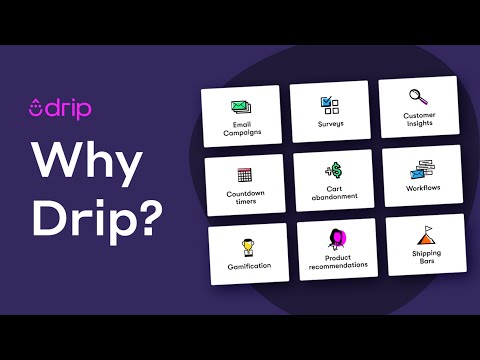

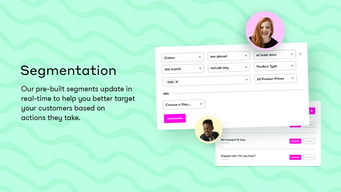
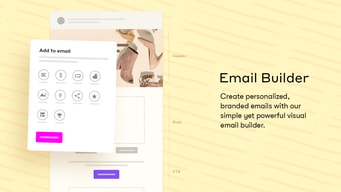
Drip has one plan. Not a cheap tier and an expensive tier — one plan, with every feature unlocked, priced solely by how many people are on your list. At 2,500 contacts that is $39 a month including unlimited email sends, 50 workflows, dynamic segments, onsite campaigns, and the API. In a category built on gating automation behind upgrades, that is a genuinely different structure and the main reason to consider it.
- What it is: An ecommerce-focused marketing automation platform combining email, onsite campaigns, and behavioural workflows.
- Best for: Ecommerce stores that want serious automation without decoding a feature matrix.
- Pricing: One plan scaling with list size. $39/month at 2,500 contacts, published to 100,000, custom above. Verified July 2026.
- The honest catch: There is no free tier at all — only a 14-day trial — and no cheap entry point for a small list.
What Is Drip?
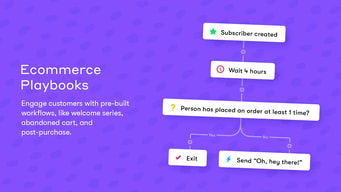
Drip positions itself as ecommerce marketing automation rather than email marketing, and the distinction shows in what it prioritises: behavioural triggers based on what someone browsed or bought, onsite campaigns like popups and forms, revenue attribution per workflow, and a visual builder designed around purchase behaviour rather than newsletter sends.
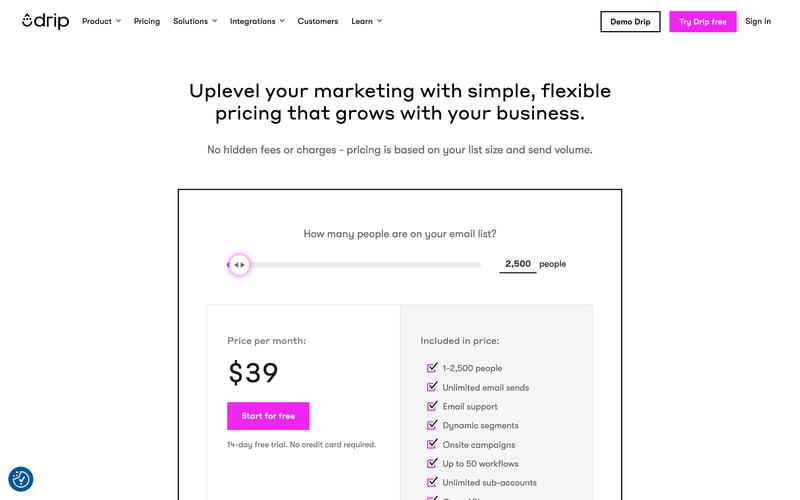
The pricing model follows from that focus. Rather than separating a basic tier from an automation tier, Drip gives everyone everything and charges by list size. Its own page states it plainly: no hidden fees, pricing based on list size and send volume. For a store owner who has been caught by a competitor’s “automation requires the next plan up” wall, that is an immediately legible proposition.
The trade-off is that there is no cheap way in. Where MailerLite and Kit offer free tiers and Brevo starts very low, Drip’s entry point is $39 with a 14-day trial and nothing beneath it.
How Drip Works
- One plan, priced by list size. No tiers, no feature gates, no upgrade path to decode.
- Unlimited email sends at any list size, so frequency costs nothing.
- Up to 50 workflows included, which is generous for a mid-market store.
- Onsite campaigns. Popups, forms, and on-site behaviour capture rather than email alone.
- Behavioural triggers and revenue tracking. Automations driven by browse and purchase data, with revenue attributed per workflow.
- Unlimited sub-accounts and an open API, included at every list size.
Drip Pricing
Captured from Drip’s pricing page in July 2026. The page uses a slider rather than published tiers.
| List size | Price | Included |
|---|---|---|
| Up to 2,500 | $39/month | Unlimited sends, dynamic segments, onsite campaigns, 50 workflows, sub-accounts, API |
| Above 2,500 | Scales with the slider | Same feature set at every size |
| Above 100,000 | Custom | Quoted |
What matters about this structure:
- You are choosing a list size, not a plan. Every feature is available at $39, which removes the most common failure in this category — discovering that the automation you bought the tool for sits two tiers up. Compare that to Constant Contact, where segmentation and automation are tier-gated, or Kit, whose free plan permits one automation.
- Unlimited sends means frequency is free. As with Zoho Campaigns, only list size costs money, so a store emailing several times a week is not penalised. That is the right shape for ecommerce, where triggered flows fire constantly.
- There is no free tier. A 14-day trial with up to 2,500 contacts, then $39. For a store with 300 subscribers testing the waters, that is a real barrier, and several competitors will let you start at nothing.
- $39 is not cheap for a small list. At 2,500 contacts you are paying roughly what Constant Contact charges at 5,000. The value case is the feature set, not the rate — if you will not use workflows, onsite campaigns, and revenue tracking, you are overpaying.
- 50 workflows is the one real ceiling. Generous for most stores, but worth checking if you run highly segmented flows.
- Pricing above 100,000 contacts is quoted. Published rates stop there.
Who Should Use Drip
- Ecommerce stores running triggered flows. The clearest case — abandoned cart, browse abandonment, post-purchase, win-back — where behavioural data drives the automation.
- Teams burned by feature gating. If you have paid for an email tool and then discovered automation costs more, Drip’s structure is the direct answer.
- Stores that email frequently. Unlimited sends make cadence free.
- Agencies managing multiple stores. Unlimited sub-accounts are included at every level.
It fits poorly for newsletters and content businesses, where Kit’s creator tooling and free tier suit better; for very small lists, where $39 with no free option is hard to justify; and for businesses needing only broadcast email, where MailerLite or Brevo cost a fraction.
Honest Pros and Cons
Strengths
- No feature gating whatsoever. Everything included at every list size — the standout characteristic.
- Unlimited email sends. Frequency costs nothing.
- Genuinely good ecommerce automation. Behavioural triggers and per-workflow revenue attribution.
- Onsite campaigns included. Popups and forms rather than email alone.
- Unlimited sub-accounts. Useful for agencies and multi-store operators.
- Simple to evaluate. One number to compare, which is rare here.
Limitations
- No free tier. A 14-day trial and then $39, where competitors offer permanent free plans.
- Expensive for small lists. $39 at 2,500 contacts is above the category norm on rate alone.
- 50-workflow ceiling. Generous, but a real limit for heavily segmented operations.
- Ecommerce-shaped. Less suited to publishers, creators, and B2B nurture.
- Pricing above 100,000 is quoted. No published figure at the top end.
- Trial limits sends, so a full evaluation of deliverability at volume is not possible in 14 days.
Drip Alternatives and How It Compares
- Klaviyo is the ecommerce market leader with deeper store integration and reporting, at higher cost as lists grow.
- Omnisend targets the same ecommerce automation market and offers a free tier.
- ActiveCampaign goes further on B2B and complex behavioural automation, with tier-gated features.
- Kit is the creator-focused alternative, free to 10,000 subscribers with commerce built in.
- MailerLite and Brevo are considerably cheaper for straightforward email.
- Zoho Campaigns shares the unlimited-send model at a much lower price, with weaker ecommerce automation.
For a broader survey, browse our marketing automation directory.
The Verdict
Drip’s pricing is the most honest structure in this category, and that is worth more than it sounds. Feature gating is the standard way email platforms extract upgrades — automation on the next tier, segmentation on the one above, a send cap to push you along — and it makes genuine comparison exhausting. Drip removes all of it. There is one plan, everything is in it, and the only variable is how many people you are emailing. If you have ever bought an email tool and then found the automation you needed behind a paywall, that structure alone justifies a look.
The cost of that simplicity is that there is no shallow end. At $39 for 2,500 contacts with no free tier and a 14-day trial, Drip is more expensive per subscriber than most of the category at small list sizes — you are paying for a full automation platform whether or not you use it. That makes the decision unusually clear-cut: if you will genuinely use behavioural workflows, onsite campaigns, and revenue attribution, the rate is fair and the absence of gating is a real advantage. If you mainly send broadcasts, MailerLite, Brevo, or Zoho Campaigns will do that for a fraction and you should not be here.
The fit question is ecommerce. Drip’s automation is built around browse and purchase behaviour, and its revenue tracking answers the question stores care about — which flow made money. For a Shopify or WooCommerce store running abandoned cart and post-purchase sequences, that focus is exactly right, and Klaviyo is the main comparison worth running. For a newsletter, a creator business, or B2B nurture, the same money buys a better-fitting tool elsewhere.
FAQ
How much does Drip cost?
Drip has a single plan priced by list size, starting at $39 per month for up to 2,500 contacts and scaling upward via a slider, with published rates to 100,000 subscribers and custom pricing above that. Every feature is included at every list size — unlimited email sends, dynamic segments, onsite campaigns, up to 50 workflows, unlimited sub-accounts, and API access. A 14-day free trial is available with no credit card required.
Does Drip have a free plan?
No. Drip offers a 14-day free trial covering up to 2,500 contacts with limited sends, but there is no free-forever tier. This is a meaningful difference from Kit, which is free to 10,000 subscribers, and from MailerLite and Omnisend, which both offer permanent free plans. For a very small list, Drip’s $39 entry point is a genuine barrier.
Does Drip gate features behind higher tiers?
No, and this is its defining characteristic. There is one plan, and automation, segmentation, onsite campaigns, workflows, sub-accounts, and API access are all included regardless of list size. Price changes only with the number of contacts. That removes the most common frustration in email marketing software, where the automation people actually want sits one or two tiers above the advertised price.
Is Drip better than Klaviyo?
They compete directly for ecommerce automation. Klaviyo has deeper store integration, more sophisticated reporting, and a larger ecosystem, and is generally the stronger product at scale — with costs that rise accordingly. Drip is simpler to evaluate and price, includes everything from the entry point, and suits stores that want capable automation without a complex plan structure. For larger stores Klaviyo usually wins; for mid-market stores wanting predictability, Drip is a legitimate choice.
What is Drip best for?
Ecommerce stores running behavioural automation — abandoned cart, browse abandonment, post-purchase, and win-back flows — that want every feature available without decoding a tier structure. Unlimited sends make frequent emailing free, and revenue attribution per workflow answers the question stores care about. It is a weaker fit for newsletters, creator businesses, very small lists, and anyone needing only broadcast email.

Compare Drip with other popular tools in the same category.

I really like drip because it helps you create customized journeys for all your subscribers based on what they're really looking for without any huddle, super easy to use. Try drip today and be grateful you did.
There's nothing I dislike about drip. Drip is absolutely the best.
Drip is helping me to create customized journeys for subscribers and I've benefited a lot because it has saved me the stress of not looking too far or having to straing my brain to do them.

Automation through their Workflows and Rules and superior deliverability. Drip has super-powerful Rules feature and segments creating. Saved segments can be updated automatically based on the segment criteria. There are a ton of integrations with third-party apps. Some are native and others are via Zapier. It also integrates with Shopify and WooCommerce for e-commerce businesses. Drip Workflow includes a feature called Goals which is also very useful and robust. Drip has recently bumped-up their Forms in a BIG way. Check them out!
Drip has almost everything for even advanced marketing automation applications. I wish Drip had date-based custom fields and conditions (like, pause/hold until x date etc.). Another feature I would like to see is being able click-hold-drag Workflow steps as well as being able to freely connect different steps in Workflows.
Workflow automation saves me time. Same with integrations I use including Zapier, PayPal, Stripe. I am also using WooCommerce integration for my daughter's new small business.
I use a video hosting platform called USCREEN and it seemlessly connects to DRIP making my life so much easier. I also LOVE the workflows that are available and the options to customize my funnel.
The text editor for creating my newsletters is a bit quirky - fonts always changing. I've set my default font but it keeps switching randomly.
Integration with my video management software USCREEN
Very usefull and prompt for showing up on time . There were many times before they shown up that i though this was not going to work, they reassured me everything would be ok and it was. thank you from www.vgtnyc.com
there team was on time and sharp i cant really complain about anything at the moment other then the job was done they didn not clean there site. if you consider a site clean an issue then that would be the only case.
we had software issues on site they helped us get though the isses and in a timely fashion . It was fun and easy so we continued to move on with them and would return.
Drip is a highly intuitive and user-friendly email marketing automation tool that offers a wide range of features and capabilities. From analytics to comprehensive email campaigns, the versatility and functionality are truly impressive. Moreover, their customer support team is incredible for its responsiveness and expertise, providing clients with valuable assistance and guidance whenever needed.
Occasionally, there may be a slight glitch or bug in the system, but these are fortunately few and far between.
Drip is really helping streamline the process of email automation for our business. It is much more accessible and helping us reach our goals.
After having used GetResponse, MailChimp, AWeber, SendGrid, and others over the past 20 years of sending emails, Drip is on balance the best. The degree of flexibility and the depth of integrations available in the automations make for tremendous power in being able to reach the right person at the right time with the right message.
The support staff, while good, can get horrifyingly backed up, and as chat and email are the ONLY options available for support, I reaaaally wish there were a phone option like their competitors have--even if it were pay-to-play. Often when you need support it's because you're trying to get an email out the door *right now* and you NEED support. Sometimes, I've given up on what I really wanted to do and moved on to something else because I couldn't reach their support quickly. That said, their staff are always on point: they know their Drip-fu. The other thing that can be frustration-inducing is there are times when parts of the system (like loading a list of prior broadcasts to use as a qualifier/dis-qualifier for a new mailing), where the system sorta hoarks on itself and takes several tries to work. Even still, because we like the rest of the stuff so much, these things are trivial in the grand scale of things.
Easy to target / sub-target / micro-target audiences. Tagging and "groups" system are magnificent to making list management a cinch. Big time savers.
I like the user interface, it's easy to use, and effective for its intended use.
I sometimes have trouble adding or removing contacts to unsubscribe people. It's nothing to substantial but I wish the contact page was a little less complex.
I use Drip for our nonprofit marketing and newsletter emails. It's highly effective at scheduling and showing analytics for open rates and other data.

I love how much customization is available with Drip.
There is nothing i dislike about drip.
Drip allows you to create a lead funnel that can help convert trials to customers.
I love the way Drip tracks my ecommerce and shows me my best customers.
Nothing. I think some of the features could be prettier but aside from that, there's nothing to dislike.
Using Drip I've seen higher deliverability, higher open and click rates and higher sales.
The automations and e-commerce are all so smart and intuitive and right there without breaking the wallet, it also integrates with all of my apps and e-commerce platforms
It took me a bit to get used to the interface but it was worth it, now it's super simple
I'm really organizing my customer journey in a way i only theorized before
Finding a automated marketing solution was a difficult task for our team. The drip solution is hands down the best. Highly recommend it!
We just wish it was easier to find. When looking for a auto generated marketing solution it took some digging to find G2.
Our automation process is now hands off. It is producing 20% better results.
Precision in irrigation and labor saving
The initial cost is more which creates financial isses
water saving, labour saving, minimum weed
drip's functionality, the analytics and the ease of using a template
I wish I was able to create sublists based on what image/link the customer clicked on.
we've been able to create more engagement with customers and track what types of emails work best.
Really simple UX and can be easily taught to anyone! I started using MailChimp, but decided I need to invest in our email marketing. Drip has been an easy, turn-key solution that has increased ROI.
Nothing. This is one of the best ESPs in the industry. I need more products from Drip!
I solved issues with retargeting, predicting who will buy what, and the ability to create beautiful, on-brand marketing emails. I think this is easily the best ESM. They have a trial version which I think everyone should try since it's free! Give it a shot because you won't turn back! Benefits, I have quickly grown my orders per day, and I'm retaining customer better than ever!
We are maintaining a field capacity in soil for better intake of food to crops. So Drip irrigation not only saves water but also strengthens the field capacity of soil to get better quality, better yield, better health, and so on.
There may be a possibility of clogging of drip emitters. When a customer/farmer purchase a drip system, he shall ask the manufacturer about third-party test reports, which will give you quality product if tested in standard laboratories.
Maintains field capacity of the soil, Water Saving, Increase in yield, Improved quality produce, Early maturity, Saving fertilizer and Labour costs, Improved disease control, Ideally suited for challenging terrain, Saving in energy, Weed control.
Easy to use interface, integration of sms and email automation is seamless
No cons as such. Just that whatsapp api can be introduced as well
Post sale CRO. It helps a lot in retaining customers
The pre-made sequences are super helpful.
It takes a little bit of playing with to get confident with
I installed Drip for a client and migrated their Mailchimp list there. The e-commerce integration allowed us to implement browser abandonment, cart abandonment and product-specific follow up emails, quickly and easily.
I loved the customer service. Such a helpful support team.
Honestly, nothing. This is such an easy platform to use and I love it.
I am solving the problem of serving my audience in a customized way through drips visual workflows and segmenting. I’ve noticed that people stay in my List longer because I’m giving them just the right content for where they are in their customer journey

Drip makes email marketing easy with drag and drop email templates, dynamic workflows and personalization that allows you to talk to the right person a the right time. If you can think it you can build it with Drip! I especially love their deep integration with WooCommerce which pulls my sales data and customer segments directly into Drip. It's now also a breeze to dynamically add products to emails because Drip adds their images, titles and price! Drip's use of Shopify's Liquid template language also makes personalizing emails easy and is a greta way to add dynamic content based on customer attributes.
I'd love to be able to rearrange workflows steps. It would also be super cool to see integrations with WooCommerce extensions like WooCommerce Memberships to make the ultimate Drip + WordPress + WooCommerce membership site. Right now it's hard to tell Drip the customer's membership status when it changes on the site. Looking forward to seeing what other visual email builder WooCommerce features get added!
Following up with prospects and customers is easy with Drip's rules, workflows and broadcasts. For example, I deliver custom Drip email templates via an automated workflow email that triggers after the sale of specific email templates. I also use Drip to deliver drip email courses and communicate with website members among many other tasks.

The intuitive automation provided by Drip is parallel to none. I'm also excited to try their sms texting feature.
Nothing comes to mind. I really love Drip and plan to stay on board for years.
I've used Drip for marketing personal music events and also with clients of mine in the Ecommerce space. It works great for both.
Its integration with Shopify is flawless
I can't export my data with last click and last open of each of my customers.
Getting the best delivery possible to all of my customers.
The way everything is set up - I can send manual broadcasts, create workflows, tag my customers, its amazing.
The pricing can be a little high, but you get what you pay for.
Email Marketing workflows, segmentation, broadcasts, everything. A large portion of my overall profit comes from this.

I love the automation and incredibly precise targeting. I've got a dozen workflows set up to handle all my onboarding, list pruning, and customer retention needs.
I'm having a hard time coming up with something to dislike. Before Drip I really didn't know what was possible. At the moment, I can't think of anything I like better on Mailchimp, my previous provider.
I'm a recording artist keeping my fans sorted and tagged according to where they are in their customer journey. I love being able to send out promotions while excluding subscribers who already have the product(s) I'm promoting. Feels less tacky!
The ease of use interface and the ability to track revenue metrics. It's super helpful to know how much of revenue is coming from email, and from which emails. The customer service team is also very helpful. I use a combination of automations and broadcast emails, and both are very easy to accomplish with drip. It's the best email platform for ecommerce.
Integration with ClickFunnels is a little wonky. Everything else is great. Integrations with Shopify are excellent.
We are able to see how much revenue our email efforts generate, as well as how much each email generates. This allows us to repeat what works and to optimize what doesn't work so well.
I love that I can customize so many things, including emails, forms and campaigns
It was hard to learn at first, but once I got the hang of it, it was much smoother. I don’t see any downsides, it helps me with better time management for keeping in touch with my audience.
It’s helped me save lots of time, and stay connected with my audience!
Email builder is excellent, automation builder is very easy to use. Segmentation tools work well. Across the board it's a very competent platform, and handles all of my various email automations smoothly with no drama (side-eye at you, SFMC). API's are easy to access for leveraging tools like Zapier to do some nutty things. Sign up forms are simple to implement, analytics are sound. I hear that the integration with FB custom audiences works well, even we don't use it. Overall impression and opinion of Drip is good, and I look forward to seeing where they take this platform in the future.
New features are slow to roll out, everything has been getting buggier this year. There's a number of data feeds from shopify that would be useful to have. Could also use more data fields and types available in the customer object. Media management could be better, as could template / snippet management. I definitely would have preferred more tools being added to existing features rather than having SMS bolted on. The roots of this being a sales-oriented tool still show.
Need to send bulk and automated campaigns for our ecommerce store. We do about $1 per customer per send off a large list, so it pays for itself every day. We do abandoned card, browse abandon, special post-purchase automations for certain products, deep segmentation to avoid general discounting. We jumped over when Mailchimp got kicked off of shopify, and it's been a great tool to use as we've tripled out list in that time.
Drip has amazing functionalities, specially if you are more focused on e-commerce. The automation flow is pretty nice and easy to setup. I love the fact they also have automations. It basically saves you hundreds of dollars because you can connect apps like Facebook or Demio. Deliverability is on point.
UX feels outdated. Sometimes it feels old and is weird, because all the UI is beautiful, even the statistic parts are good. Reports lack some more data, but all the main parts are there. Besides that, Drip is the best alternative out there to Klaviyo.
Obviously all my email needs and replacing automatic flows and some notifications on my Shopify platform. Also the automations (rules) are amazing, I use them every day and it's included in any plan.
First, the price. It's very affordable for what it does. And it's also great for ecommerce shops with their automations.
I thought lead scoring was available when I subscribed, but I'm more than ok with the software itself today.
I connected it to my online course website and I love the integrations. That's it, it just does what I need.

I love how simple and easy it is to integrate with ecommerce platforms such as shopify and then create email automations that generate revenue on autopilot. The integrations make it really easy to see how each email performed from a financial perspective, so I can replicate the types of emails that generate the most revenue.
There are some issues with cross-domain tracking and reporting, but that’s probably not an issue for most people. One of my big clients has different domains for its sub-brands, but we’ve found workarounds for this.
The biggest problem I’m solving is knowing how much revenue is attributed to our email efforts versus other channels. We’re also able to increase customer lifetime value by selling more products on the backend, which is more sustainable than relying solely on front end ppc ads.
It is extremely intuitive, well designed, and have never had a single problem with the site being down or a feature not working.
The only thing I would like to see changed is when you download a data list it is emailed to you. It would be nice if you could download it directly, but this is a small quibble.
It is a great CRM, data organizer and email tool. As a paid marketing specialist it is extremely easy to pull reports on high and low value customers to create remarketing lists and segment users for ad groups.