Unclaimed: Are you working at GIMP?



GIMP Reviews: 4.3/5 — Solid Choice
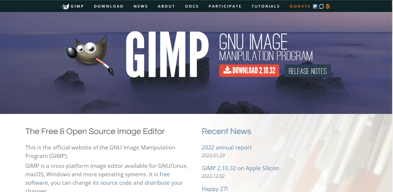
The Gnu Image Manipulation Project, or GIMP, is a well-known alternative to Photoshop, given its affordability and similar features, including the ability to work with professional layers and fine-tune snap functionality. GIMP has a full photo editing interface available which you can customize to suit your needs. It features photo enhancement features that allow users to fix perspective distortion and explore filters. Digital retouching tools are also available, and users can save work in multiple file formats, including PNG, TIFF, and GIF. Because the GIMP environment is powered by a community of developers, you can expect a lot of regular updates and new features as well.
| Company | The GIMP Development Team |
|---|---|
| Year founded | 1995 |
| Company size | Myself Only employees |
| Headquarters | The GIMP project is developed by volunteers and does not have a physical headquarters. |
| Social Media |

| Capabilities |
CLI
OSS
|
|---|---|
| Segment |
Small Business
Enterprise
|
| Deployment | Cloud / SaaS / Web-Based, Desktop Linux, Desktop Mac, Desktop Windows |
| Training | Documentation |
| Languages | English |
GIMP Pros and Cons
- Regular updates: Because the GIMP environment is powered by a community of developers, you can expect a lot of regular updates and new features.
- Tons of flexibility: Aside from offering a range of file formats, GIMP also supports a host of platforms, including GNU, Linux, Microsoft, Mac, and more.
- Community: Community support is excellent, with plenty of brushes, texture packs, and extra features to download online.
- Free open-source software
- Excellent digital retouching and touch-up tools
- The adjustment layers are difficult to work with at times, and can be quite buggy
- The interface isn’t well-suited to mac users.
- Learning curve for beginners
Compare GIMP with other popular tools in the same category.

I used Gimp before getting Photoshop, and I appreciate that it mimicks so many features well
The program is glitchy, and I've had issues with quality
It's a free alternative to Photoshop

It's one of the best free software for design
Is very heavy, not very intuitive. Some times il blocking the laptop on big files.
If you cannot paying the subscription to adobe this is a valid solution
I like that it's a free alternative to Photoshop. Many of the tools appear to be the same, which is helpful.
Since it's not an Adobe product, it doesn't work with the Adobe Creative Cloud. This hinders me a little, especially since I can easily put PSD files into my other programs. It's also clunky compared to Photoshop, but it's free, so I can't complain.
I used this before I could afford to pay the monthly subscription to Adobe Creative Cloud. It worked good enough to edit photos and create the graphics that I needed to
It is free and has a lot of advanced features.
Lack of non-distructive editing features (eg. adjustment layers). Lack of CMYK color space. This is a deal-breaker for people working in print.
Quickly retouching images, especially on portraits.

Open source e gratuito, con molti plugin disponibili, permette di fare praticamente qualsiasi tipo di modifica se si conoscono le basi di questo tipo di programmi.
Qualsiasi funzione è sempre molto complessa e complicata, non sempre in maniera giustificata.
editing di immagini anche molto spinti senza dover acquistare prodotti commerciali dato che lo utilizziamo estremamente di rado
Easy layout, perfect fit to page layout.
Drawing flexible arrows, Cropping the image
Enhancing the Engineering presentations quality. Quick to learn easy to use. More flexible compared power point
I like the software itself because it can help you create all sorts of things. It can be used for drawing, editing, and photo retouching. I like that it's free and open-source. I like that there is no limit to the things you can do with Gimp and that almost anybody can use it if they know what they are doing.
I don't understand how to work this at all. If I do something on there it will somehow distort my image. I tried to import two images into Gimp, but it would distort both of the images. I tried to look for a solution, but nothing helped. I don't understand the controls or how to do anything at all. Nothing in Gimp works the way I need it to. I've seen people work this well, but it just doesn't work for me. I don't like the way it's designed and I don't know what any of the editing tools do. I have used other editing software like Inkscape and have been able to work it just fine. Gimp just doesn't work for me.
I can't get it to work, so I haven't really solved any problems with it.

The simplicity of GIMP is quite good, i like the how the toolbar is so organised, everything you need is literally on your sight. such an easy software for quick photo editing.
GIMP is not advanced as other existing photo editing softwares, there a lot of functionalities that is missed. Plus the community is not that big for docummentation and stuff.
GIMP really helped me for some university projects such as creating banners for websites or even logos, the fact that is free is the best thing.
user friendly. shares quickly. like this product the best due to the availability from the employer.
loads slower than used to.prefer something that works faster.
sharing quicker and easier.
L'aspetto positivo più importante è che GIMP è gratuito e tutto sommato abbastanza completo nelle funzionalità.
L'interfaccia utente è poco intuitiva, sembrerebbe in parte scopiazzata da altri software come Photoshop ma con un risultato decisamente poco riuscito. Le aree di lavoro e le funzioni suddivise in finestre separate sono scomode. Le shortcut non standard rendono poco veloce l'apprendimento delle funzioni rapide. Inoltre ho notato che spesso per motivi diversi il programma si blocca o va in crash.
Ho usato GIMP per realizzare piccoli progetti di grafica e lavori di photo editing. Usato principalmente per apportare piccole modifiche al formato o al colore.
I liked that I did not have to pay to use GIMP.
It is more limited in comparison to Adobe Photoshop.
I solved the issue of needing a program to use for quick creative editing.
An upside of gimp is definitely it’s pricing seeing as the free version has very similar tools to the expensive photoshop
Upon using gimp it’s clear that seeing as it’s free the quality of the content you produce is sometimes lacking
Me and my marketing team use gimp to produce eye catching posts for things like our companies social media.

I like that this is free. I also like that it has the basic tools for graphic arts needs. In other programs, the sheer number of options can be overwhelming. So this last one is both a pro and a con. I do like that their website has tutorials, that sort of support is nice.
I dislike that it seems a bit 'clunky.' It was just as much effort to learn this program as it was a more complex one. But many times while using it I would say "oh, so I cannot do XYZ with this? I have to go do it in (insert another program here)." As mentioned, a pro is also a con: this program does not have as many options as other programs in the market.
I use GIMP to do the most basic of edits on images for web design, promotions, etc. It is an easy download for me when I am on-site with a client who does not have the more expensive software and I am without my computer. I can always reliably grab a copy of GIMP. It is also one I recommend to those clients who need it for basics, such as cropping.
GIMP is an easy tool to install and edit images, to create small logos or background figures is ideal. The personal computer platform is based on free software whose operating system is Linux, and Gimp is one of the easiest tools to install on this platform. With respect to the costs for the production of programs, this image editor is under the GPL license, whose products can be installed without any economic cost. New updates can be installed without requiring the cancellation of any costs due to the license
Gimp is a tool with a certain potential to edit simple images, without a quality professional finish. In terms of documentation, it is not very robust and it is difficult to obtain good courses online or in person from this tool. The GIMP interface is a bit awkward or not easy to manipulate
At this moment I am developing a personalities survey system which I have to manipulate images to place the photos of the candidates. To work with this type of images-logos, this tool facilitates the work. - Among the benefits, it is easier to install on any machine, since being free software does not need a license to install it.

I love how GIMP is open source and completely free. I used it for a long time before I picked up its application it's "inspired by". I did album covers and other logos and such, and honestly, some of the UI is easier than Photoshop itself. Themes are very nice as well.
There is a huge lack of features in GIMP that other products do have, but remember, it is a free application so I'm not complaining too much. It starts in a stupid 3 window mode, and . you have to go into preferences and change it to single window mode. It's very messy.
For the beginner, GIMP is perfect for what you want. The benefits are learning how to do things, before paying for the better alternatives.
The software is just ok. I mean it does the job, but it’s not my favorite.
Compared to other programs, the tools are more difficult to learn and use. I like it, but don’t love it!
Basic photo editing and graphic work.
To be fair, I'm coming from years of Photoshop so gimp is a pretty difficult transition. I like that it's free and make editing graphics easier than trying to do it online.
Hot keys in photoshop make sense. B = Brush. In Gimp? B = Paths tool... but P= Brush (paintbrush) and N = Pencil. It's definitely more limited in what it can do than PS BUT it is free. Some of the copy/paste functions get wonky as well, choosing to open in a new window instead of just pasting in the same window.
I use gimp at work to quickly edit graphics to use for flyers and posters.
It's free and does a good enough job for the that I haven't had the need to use anything else
It is very difficult to do anything. I spend a lot of time searching the help scrub to do really simple tasks
I use it mostly to resize or format ads and images.
There are a lot of features in this software. They are not super intuitive. I have not spent as much time using this as I have Photoshop, but it pales in comparison, especially in interface and ease of use. There are lots of tutorials and plugins that you can use. If you have the patience to learn to use it, there is a lot you can do with this software. It just isn't super intuitive.
See above. Also, the defaults are just not great - kind of clunky. The keyboard shortcuts are greatly lacking. The way that tabs open is weird - it opens 3 separate tabs instead of just 1 tab. Iti s just hard to find things that I know must be there somewhere.
Basic photo editing.
It’s a great free program for sketches and mockups. You can knock out a simple design quickly with this program.
It is nowhere as streamlined or clean as Photoshop. Sensitivity of brushes isn’t as good, and can be frustrating using the shortcuts that don’t seem to have been planned with the user in mind.
I have used it in the past for photo touch ups and some quick design sketches.
It has a lot of tools, a lot of languages included, accept a lot of types of documents, even PDF and you can make it look like an Adobe product.
Too slow, takes a lot of processing memory. It is very limitated, hard to find which tool you need to use, even whe you are using the Adobe style. No easy use at all.
To edit and create graphical designs
Easy to download in any operational system.
How its so complicated to understand and do small editions. Even online tutorials are hard.
The main objective was to take out the blanck background and I coundn't.
- Simple interface and similar to photoshop (considering the differences) - Good tools and many editing possibilities - It is a light program - It is FREE
- Bad support - Insufficient amount of tools - Outdated and maybe so simple now
I use Gimp only when I do not have Photoshop installed and I need to do something with layers.
I liked that it was free and had the initial editing needed to get started.
The editing capabilities were lacking. I still preferred them over PicMonkey though.
I started editing with this software which helped get me on my feet.
I love free software. I can live with the nonstandard interface
The UI can take some time to get used to
On the spot image editing
The photo editing capabilities and the pricing or lack thereof
The lack of illustrative capabilities and the unyieldiness when paired with a Wacom tablet.
Saving costs if you’re operating on a strict budget
The product was free to use and worked great for me while I was learning design.
Nothing it performed everything i needed it to
I no longer use GIMP. I ised it when I first was learning design.
It’s close enough to Photoshop and free.
Cumbersome user interface and not streamlined.
It is decent for quick mockups.
Great software that works well with Linux
It would be nice if it had more tools for users to use.
Works pretty good for logo designing.
It is free. If you can't afford Photoshop, this is really the next best thing.
I find it to be much more difficult to navigate than Photoshop, and PS is not that easy to start with.
It was helpful in the past when I didn't have Photoshop. I needed a head swap or specific type of editing that can only be done via PS. Gimp was there.