
Unclaimed: Are you working at Insightly CRM?
Insightly CRM Reviews: 4.2/5 — Solid Choice
Popular among small to medium sized enterprises, Insightly is a SassS-based CRM platform with 1.5 million users globally. Users rely on the solution to manage customer data in a central platform, manage and nurture customer relationships, boost sales, and deliver projects in a timely manner. The platform works seamlessly well with Gmail and Outlook plugins and supports multiple integrations with numerous systems.

| Capabilities |
API
|
|---|---|
| Segment |
Small Business
Mid Market
|
| Deployment | Cloud / SaaS / Web-Based, Mobile Android, Mobile iPad, Mobile iPhone |
| Support | 24/7 (Live rep), Chat, Email/Help Desk, FAQs/Forum, Knowledge Base, Phone Support |
| Training | Documentation |
| Languages | English |
Insightly CRM Pros and Cons
- Compatible with Android and iOS devices
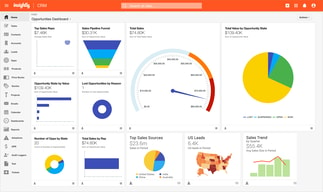
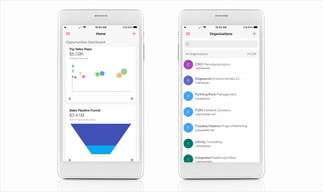
- Visual dashboards for tracking important metrics
- Data integrity, security, and regulatory compliance
- Highly flexible appointments, calendaring, and events
- Automated tracking and updates
- No live chat support
- Only available in one language






Insightly sells its CRM at $29 per user and its marketing module at $499 per account. That is the whole pricing story. The CRM is competitively priced and genuinely capable, and every other part of the platform — marketing automation, the integration layer, service — is billed per account at figures an order of magnitude larger. Judge Insightly on the modules you actually need, because the CRM price tells you very little about your bill.
- What it is: A CRM with unusually strong built-in project management, plus separately-sold marketing, service, and integration modules.
- Best for: Services businesses that sell a project and then deliver it, and want both halves in one system.
- Pricing: CRM Plus $29, Professional $49, Enterprise $99 per user monthly, billed annually. Modules priced per account. Verified July 2026.
- The honest catch: Marketing automation starts at $99 per account and reaches $499 at 10,000 prospects, which dwarfs the CRM line.
What Is Insightly?
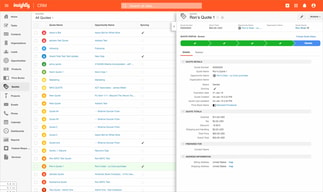
Insightly’s distinguishing feature is that it does not stop at the closed deal. Most CRMs manage the pipeline up to “won” and hand off to something else for delivery. Insightly carries the same record into project management — tasks, milestones, and delivery tracking against the opportunity that created them.
For a consultancy, agency, or professional services firm, that continuity is the reason to choose it. The client, the deal, and the delivery all live in one record, so nobody re-keys a project brief into a separate tool and nothing is lost in the handover.
The wider platform spans four products: CRM, Marketing, Service, and AppConnect, the integration layer. They are sold separately and can be bundled, and understanding that structure is essential to pricing it correctly.
Record and sending limits are generous and clearly published: 100,000 records and 2,500 daily mass emails on Plus, rising to 500,000 records and 10,000 daily emails on Enterprise.
How Insightly Works
- CRM priced per user. $29, $49, or $99 per user per month on annual billing.
- Modules priced per account. Marketing and AppConnect are flat per-account fees regardless of headcount.
- Project management built in. The genuine differentiator, carrying opportunities through to delivery.
- Record limits by tier. 100,000, 250,000, or 500,000.
- Mass email allowances. 2,500, 5,000, or 10,000 per day.
- AI Copilot and workflow automation arrive at CRM Professional.
Insightly Pricing
Captured from Insightly’s pricing page in July 2026, in US dollars on annual billing. Insightly blocks automated screenshots, so the chart below is ours rather than a vendor image.

CRM, per user per month:
| Plan | Price | Records | Storage | Mass email/day |
|---|---|---|---|---|
| Plus | $29 | 100,000 | 10 GB | 2,500 |
| Professional | $49 | 250,000 | 100 GB | 5,000 |
| Enterprise | $99 | 500,000 | 250 GB | 10,000 |
Modules, per account per month:
| Module | Plus | Professional | Enterprise |
|---|---|---|---|
| Marketing | $99 (2,000 prospects) | $499 (10,000) | $999 (20,000) |
| AppConnect | $249 (25K tasks) | $799 (100K) | $1,899 (250K) |
| All-in-One bundle | $349 | $899 | $2,599 |
What this means in practice:
- The per-user and per-account mix is the thing to model. A five-person team on CRM Professional is $245 a month. Add Marketing Professional and it is $744. The CRM was never the expensive part.
- The bundle is usually the honest comparison. All-in-One Professional at $899 covers CRM, Marketing, Service, and 25,000 AppConnect tasks. Assembling the same pieces individually costs more, so if you want the platform, price the bundle first.
- Marketing scales on prospects, not users. 2,000 at $99, 10,000 at $499. That fivefold jump for five times the prospects is steep, and it is where most of the budget goes.
- AppConnect is expensive for what it is. $249 a month for 25,000 tasks is a lot against general-purpose integration tools, and worth comparing before assuming you need it.
- Record and email limits are generous. 100,000 records even on Plus is well beyond what most small businesses hold, so these are unlikely to force an upgrade.
- Enterprise is contact-sales. Published at $99 per user, but the tier requires a conversation.
- A 14-day free trial requires no credit card, which is the right way to test the CRM before considering modules.
Who Should Use Insightly
- Professional services firms. The clearest case. Consultancies, agencies, and firms that win a project then deliver it get genuine value from one system spanning both.
- Businesses that lose things in the sales-to-delivery handover. If work currently moves from a CRM into a separate project tool by copy-paste, this removes that seam.
- Teams wanting CRM without the module stack. At $29 to $49 per user the CRM alone is competitively priced and complete.
- Organizations with large contact databases. Record limits are high across all tiers.
It fits poorly for pure sales organizations with no delivery phase, where Pipedrive is cheaper and more focused; for businesses wanting a free tier, which HubSpot CRM and Zoho CRM offer; and for marketing-led teams, where the per-account marketing pricing becomes the dominant cost.
Honest Pros and Cons
Strengths
- Project management genuinely integrated. The real differentiator, and rare at this price.
- Competitively priced CRM. $29 per user for a full CRM with 100,000 records is good value.
- Generous record and email limits. Unlikely to constrain a small or mid-sized business.
- Clear published pricing. Every module and bundle is listed, which is increasingly uncommon.
- AI Copilot from Professional. Included rather than a paid add-on.
- Free trial with no card required.
Limitations
- Module pricing dwarfs the CRM. Marketing Professional at $499 per account against $49 per user.
- The prospect ladder is steep. $99 at 2,000 prospects to $499 at 10,000.
- AppConnect is costly. $249 monthly for the entry integration tier.
- No free tier. Only a 14-day trial, where major competitors offer permanent free plans.
- The full platform is expensive. All-in-One Professional at $899 a month is a serious commitment for a mid-sized business.
- Enterprise requires sales. Despite a published per-user figure.
Insightly Alternatives and How It Compares
- Zoho CRM is cheaper with a free tier, and Zoho Projects covers delivery separately at very low cost.
- HubSpot CRM has a genuinely free CRM and stronger marketing, with costs escalating as you add hubs.
- Pipedrive is the leaner sales-focused option without project delivery.
- monday CRM combines pipeline and work management in one visual platform, which is the closest philosophical match.
- Keap bundles CRM with marketing automation for small business, at a simpler single price.
- Freshsales is the modern-interface alternative inside the Freshworks suite.
For a broader survey, browse our CRM directory.
The Verdict
Insightly earns its place for one specific reason: it treats the closed deal as the middle of the process rather than the end. For a consultancy or agency, having the opportunity, the client, and the delivery project in a single record removes a genuine and costly seam in the workflow. Most CRMs at this price simply do not do that, and the ones that do usually charge considerably more.
Price it by modelling modules, not seats. The CRM at $29 to $49 per user is the affordable, well-limited part of the platform — 100,000 records and 2,500 daily emails even on Plus is beyond what most small businesses need. But Marketing is billed per account at $99, $499, or $999, and AppConnect starts at $249, so a five-person team wanting CRM and marketing automation is looking at $744 a month rather than the $245 the per-user maths suggests. If you want the whole platform, the All-in-One bundle at $899 is the number to compare against alternatives, and it is a serious commitment.
The clean recommendation is therefore split. Buy the CRM alone and it is good value, particularly if project delivery matters to you — at $49 per user with AI Copilot and workflow automation it stands up well against Pipedrive or Freshsales, and the project management is a real advantage neither offers. Buy the full platform and you should shop it hard, because at $899 a month you are in HubSpot and Salesforce territory, and the comparison becomes much less favourable. Use the 14-day trial on the CRM, and treat each module as a separate purchasing decision rather than an assumed upgrade.
FAQ
How much does Insightly cost?
CRM plans are $29 per user per month for Plus, $49 for Professional, and $99 for Enterprise, billed annually. Modules are priced per account rather than per user: Marketing is $99, $499, or $999 depending on prospect volume, and AppConnect is $249, $799, or $1,899 by task volume. All-in-One bundles combining CRM, Marketing, Service, and AppConnect cost $349, $899, or $2,599 per month. Figures captured in July 2026 in US dollars.
Why is Insightly’s marketing module so expensive?
Because it is priced per account by prospect volume rather than per user. Marketing Plus covers 2,000 prospects at $99 a month, and Professional covers 10,000 at $499 — a fivefold price rise for a fivefold prospect increase. For a small team this can easily exceed the entire CRM bill, so it should be modelled separately rather than assumed as an incremental upgrade.
Does Insightly include project management?
Yes, and it is the main reason to choose it. Opportunities convert into projects with tasks, milestones, and delivery tracking inside the same system, so the client record carries through from first contact to completed work. For consultancies, agencies, and professional services firms this removes the usual handover between a CRM and a separate delivery tool.
Is there a free version of Insightly?
No. There is a 14-day free trial that requires no credit card, but no permanent free tier. HubSpot CRM and Zoho CRM both offer genuinely free plans, so if starting at zero cost matters, those are the better entry points and Insightly is worth revisiting once project delivery becomes the requirement.
What is Insightly best for?
Professional services businesses that win projects and then deliver them, and that want sales and delivery in one system rather than two. The CRM alone is competitively priced and complete. It is a weaker fit for pure sales teams with no delivery phase, for marketing-led organizations where per-account module pricing dominates, and for anyone wanting a free tier.

Compare Insightly CRM with other popular tools in the same category.
I love that I can log in from anywhere; home, office, library, mobile devices, etc. It's the easiest CRM I've used since Goldmine.
I dislike the way that the Personal Contact information automatically merges with the Company Contact information file. Although, it could be a problem that I created when I set it up the first time...
I can access my client info from anywhere. Making my mobile office seem seamless...
Easy to use and simple layout/interface. Mobile Apps Email templates Gmail integration
No longer able to connect with Evernote.
Eliminates the need for paper in some areas. Efficiency in customer relationships and projects.
Applies contacts to projects and tasks and organizes important correspondence through email tagging.
It feels more like a data base than a windows/file system.
Personal organization and lead tracking have improved.

I have really appreciated the automated workflows that Insightly has afforded us going from opportunity to project and creating tasks based on where things are in the process. It has also really helped us keep track of certain subsets of clients that require certain actions with Tags. For instance, we have a set of clients with the Maintenance tag that requires us to perform maintenance tasks on their projects periodically. Insightly allows us to assign the task, have a record for when it was performed, and send out an email to those contacts after it has been completed.
I wish the mobile app was a little more robust. It's not super intuitive and I have had a hard time making use of all the functionality I need from my phone.
Insightly helps us stay organized around our project and client communication. More and more, we're able to increase our workload efficiently so that we can increase our productivity, but still maintain the same level of customer service.
The task list and integration with Gmail
The reporting function doesn't allow you to pull reports from all data sources. Would be great to be able to make fully custom reports.
I keep track of important key dates for clients and can create events for these that will then create a task so I don't miss anything. I've gone from using a spreadsheet to Insightly and it has made everything so much easier, I can download the information, which is a little time consuming as the reporting function isn't great but overall it is much easier to manage this information.

I utilize about 10 different CRMs in my office. I just started using Insightly and find it to be an incredibly fluid experience. It is intuitive, responsive, offers a ton of functionality, and is easily one of the best $/value CRMs available.
I honestly do not like the color that Insightly has set as their theme color. Like a rusted orange. Realistically this is not a huge drawback and gives them an iconic look but it would be phenomenal if I could change the color scheme. I bet I probably can but I just do not know how.
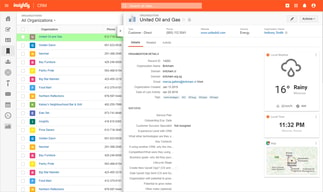
Testing our integration with Insightly and practicing using it for normal sales team usage. I think that the list view in the new Insightly version is amazing. You can view a giant list and simultaneously have a specific contact open. This creates an extraordinarily clean workflow where you really only need 1 tab open - instead of 50. You can even adjust the window size. It's something that most other CRM's (as far as I know) really neglect. This in itself makes Insightly great for prospecting/lead generation but also account management.

Easy to get started and use. Contacts have relationship links to other contacts which is extremely useful for sales expansion. Process oriented so that you can create workflows within your team. LinkedIn integration is seamless and very helpful. Gmail integration is super helpful. Contact and customer history is built automatically because of it. Google Drive integration is easy and prevents document storage duplication. Templates are easy to use and drive productivity.
Forecasting is very basic and needs to be enhanced so that a spreadsheet doesn't have to be used in concert. It would be helpful to have feedback loops in the project management workflow to enable peer reviews. The Mailchimp API was very basic and required significant customization to leverage effectively.
Leveraging information to drive sales and marketing. We were able to develop a pipeline, track it, and gain insights into our sales cycle so that we could reduce it. Forecasting was significantly improved. The whole team could easily collaborate on any sale which was important in our case because of the complexity of our sales and the duration of the sales cycle.
I love the fact that it can be used as an app on several devices and the dashboard makes it so easy to keep track and view reports.
I didn’t like the customer service I felt like a robot was just sending me bits and pieces from a handbook.
I love how it listed my contacts and the entry dates automatically and it’s so appealing to the eye really.
Insightly is an easy to learn, and fast to master system that makes organizing accounts tremendously easy. Its simple layout and easy to navigate menus allow for an overall stress-free working tool.
The only thing I would want to see changed is how sensitive the search function is. If you search for someone named "Dan" it'll bring up not only each Dan in our system, but other names like "Bordan", "Leidan" "or "Marsdan" in seemingly no particular order.
Organizing accounts in a single easy location
Insightly is a one stop shop for all of my CRM needs. It offers a variety of options from email templates, reminders, linking contacts, and more!
I wish there was an option to group edit!
CRM! It's huge!
I am a voice actor and my business relies on referrals, repeat clients, and then finally new clients. Insightly is simple and just what I need in my business to focus on the important data points.
I don't like the way Organizations and Contacts are separated. I mostly work with individual companies and not lots of people at an organization, so usually I find myself inputting the same data twice. I wish there was a copy to button/feature.
Insightly helps me stay on my client's radar. Referrals and repeat clients are my bread and butter, this software helps me concentrate on that.
Great possibility to give tasks to more users, and copy to myself.! Easy follow up all activities with clients, prospects....
in the new version I cannot find where to place notes to leads... sure it is there, just not easy to find, as it is totally different as before...
Business benefits for us - to have online access for more users, and overview what our employees have done each day...
The simplicity of the program. It has a very short learning curve and has all the tools you will need to keep notes on your clients.
Not sure. I know other expensive programs have automated email campaigns that you can run within the program to help you keep reaching out to prospects, not sure if unsightly does or not from what I have used. But that is when the other programs start getting too confusing.
Being able to chart note and look up notes that I have on each client quickly from either my computer or phone really helps me prepare for phone conversations since it impresses the client that I remember certain things that we have discussed in the past.
There are so many super helpful features. One of the best is the integration with gmail. I can create, catalog, update info right from gmail. Also, the reminder features has saved me many times when remembering to followup with proposals.
Not much. The custom field are really important and I could those a little difficult to understand where they would show up and how they were grouped.
It is so important to remember to followup on proposals as well as remember details about your clients. I put contract anniversary dates in the reminders and reach out to my clients to let them know we are celebrating an anniversary. It is a great way to keep connected and connect for more business.
I can look at contact’s connection history. Very easy to control events and tasks, media profiles. Without any stress. I can manage sales possibility and projects.
I don't have any cons. Every day I'm working with it so I found it so helpful. So great for customers to contact them. Actually simply easy to use and have everything that we need for work.
We can create more convincing. Gives way to make a more clients connection. Ability to use and to track leads anywhere where I can be. We like every step of that product.
We lean heavily on Insightly to keep us on track. The projects tab is where we live and it helps keep our entire team on the same page.
As it stands today, I don't have any complaints. We're really happy with feature set and the ease of use.
We have lots of projects going on at the same time, so it's critical that we stay on top of each step to ensure timely completion. Insightly has really helped streamline the production process for us and makes sure nothing falls through the cracks.
Task Management on opportunities and projects. It's so easy to use and fully keep track of how a project is progressing. I also like the features in the opportunity and project management space. The ease of converting an opportunity to a project is nice as well. I spend a good amount of time with the customer piece as well, utilizing notes as a way to track the various logins that I accumulate for customers. This way I can simply look and find information on the fly when a customer cannot find their information or when I need a quick login. I plan to use the sales funnel piece in 2018, but in this year it hasn't emerged as a requirement. That said, given the expansion I'm looking at in the new year, it only makes sense that I would dig deeper into the application so as to be better equipped for the new year without losing any time to do so.
Nothing, really. It works very well for my small business.
Time management. I have a lot clearer picture of what I need to do day to day, and things are getting accomplished.
Ease-of-use and very powerful cystomization of workflows ; capabitiliy to create a customized CRM within a Snap. Free version is very interesting and Gmail plugin is useful New user interface displays a nice KanBan view
Lack of plugin for mail and other desktop apps. Welcome dashboard doesn't display figures and funnel, but you can create yours
Followup of leads, customers projects. Reminders about prospect followup. Consolidation of customer Data per project
the way you can automatically track attach an email to an insightly contact via the unique insightly bbc: email
I feel like the interface might be able to be improved such that it's more intuitive.
I'm much better about staying in contact with my network and in a way that helps keep continuity
Insightly is a very powerful application, yet is easy to use and has a nice user interface.
Nothing. This software is easy to use and is perfect for our small business
Keeping track of proposals and projects. I am able to manage proposals much more easily

All of my CC contacts are in one places. I know when I contacted them last and where I am on the pipeline with everyone.
It took awhile to enter everyone into the system.
It keeps me organized.
Easy to use, adaptable, flexible . I love that I can easily view my tasks, and look up my customers. I love the mobile app too!
Limitation on daily email. I don’t send emails every day, but when I have time to follow up on customers, I tend to want to complete this task with a large group of customers at one time.
Follow up organization of customers and prospects
Insightly keeps me organized. I have all of my tasks and contacts in one place. I would be lost without it!
Nothing! All aspects of Insightly fit into our needs.
Having a place to store our customers/contacts relieves a ton of headaches.
Insightly is extremely user friendly and easy to use. The onboarding process was a breeze.
There are some glitches with the program, but it appears they are always trying to improve.
Customer management and tracking. It’s allowed us to see what is going on in the field at any given time and eliminated some manual reporting.
It is a very simple, easy to use platform to keep me on track.
I don't like that I can't mass-change due dates
This keeps my daily & project related tasks in a simple and concise view, allowing me productivity outside of its program.
I like the capability to see how often people engage with my emails.
Nothing I do not like, the system works great.
I have realized that now I can have a strong follow up reason to call a lead about my email.
Easy to navigate and keep all contacts/information in one easy to manage CRM
I can't copy/paste names on the search field, it doesn't recognize the text unless I type within the field box
Organization
I like the flow of how you can easily link and search accounts, customers and opportunities.
When you look up an opportunity it shows the contacts first.
I keep track of all my leads in notes.
El control de actividades con prospectos, seguimiento a negociaciones con clientes actuales, seguimiento a leads.
Cambiar manualmente os sets de actividades en las oportunidades.
Seguimiento con prospectos y negociaciones con clientes actuales, el seguimiento.
You don't need to pay for any adjustment and everyone is able to do it from your company
People don't like to pay for things, neither do I, but seriously I don't miss anything, may be apps would be better than browser
I solved crm, project management problems