







Jotform Reviews: 4.7/5 — Highly Rated
Jotform is one of the most trusted form builders available today that makes it easy for users to create and publish forms such as payment forms, lead generation forms, registration forms, contact forms, application forms, and more from any device. The solution offers more than 10,000 templates and supports hundreds of integrations to 3rd party apps. It also offers advanced design features yet still ensures usability. Conveniently, Jotform also supports plugins for PayPal, Google Drive, Dropbox, MailChimp, Box, OneBip, SalesForce, and Zoho CRM.
| Company | Jotform Inc. |
|---|---|
| Year founded | 2006 |
| Company size | 201-500 employees |
| Headquarters | San Francisco, California, United States |
| Social Media |


| Capabilities |
API
|
|---|---|
| Segment |
Small Business
Mid Market
Enterprise
|
| Deployment | Cloud / SaaS / Web-Based, Mobile Android, Mobile iPad, Mobile iPhone |
| Support | 24/7 (Live rep), Chat, Email/Help Desk, FAQs/Forum, Knowledge Base, Phone Support |
| Training | Documentation |
| Languages | English |

Compare Jotform with other popular tools in the same category.
The conditional logic feature of JotForm is an invaluable tool as it allows us to initially screen our patients for eligibility. This saves our clinic a huge amount of time. The simplicity of creating forms is also extremely useful. It allows us to quickly create new forms, or adjust existing the implementation of existing forms, in a short period of time.
The cost of JotForm is higher than its competitors, but we are happy to pay the additional amount for the features not available with other services. We believe JotForm should look to introduce two factor authentication to login as this will improve security.
JotForm allows us to receive emails when a form is submitted with the data in PDF format. This allows us to store all the data for easy later reference when discussing with a patient about the information has submitted. JotForm also has excellent integrations that allows us easily to automatically export data to our marketing partner, saving a lot of time.
All my health questionnaires are stored in the same place. All I do is add the link to my booking info and clients fill out the form, I can then review them before the class or at class!
There don't seem to be any downsides for what I use it for.
I don't have to use paper and store the data myself. This makes it very easy for me to access the data and very easy for my clients to use.
At my dental practice, we can always rely on jotform to capture new patient leads and really easy to use. Easy to implement. We use it everyday and our patients love it.
It doesn't automatically integrate into my eaglesoft. No phone number for customer support is frustrating.
They are helping my patients book their appointments online.
Ease of use when creating a simple template or questionnaire
Nothing! I came to jotform to create a simple questionnaire for my travel nurses to use to sign up for specific assignments. It was simple for them and for me to recall any info they input into the form.
easey list creation with TONS of data needing to be input.
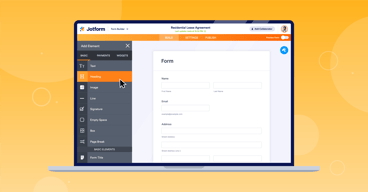
That all of the options are already pre-populated. You just drag and drop.
Would like one account with multiple logins.
Everyone has access to the link and can save and revisit whenever.
What makes Jotform so great compared to any other software is its easy of use and integration abilities. There was no other form of software I could have used that would allow me to integrate directly with Stripe, Monday.com and QB. On top of that building out your forms is very easy and customizable.
I cant name a single thing that I dislike about Jotform, it does exactly what I need it to do.
It is streamlining my customer intake form process which includes our rental agreements, credit card authorization forms and client information form.
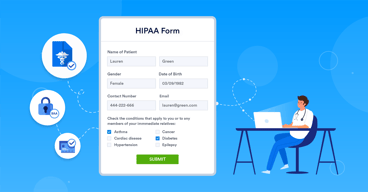
Ease of editing. We don't have a programmer on staff, so being able to adjust our application instantly is the main feature that benefits us. We also love that we have enabled HIPAA compliance and can show our dedication to protect our client privacy.
It's hard to rearrange columns in the table view editor. Have to drag and drop or scroll forever. (That's because our application is rather long). I'd like the HIPAA compliance process to be easier. We had to do it three times before it actually processed.
Storing sensitive information in a more secure manner.
I am a costume designer and use it to get clothing sizes from parents. its so user friendly and looks so perfessional.
I love this platform. I just wish i could do more forms on the free version.
It helps me get all the clothing sizes i need without having to track people down.
Jotform is a great way to fill custom electronic forms. Customer service is wonderful!
Not very user friendly until you get familiar with the system.
Helps me collect uniform data through app creation from my team
Jotform is the ideal platform for creating order forms for small sales projects for our daughter's primary school. Easy to use forms. Very good helpdesk. Highly recommended!
Nothing to dislike. Even with a free account you can do so many things and the helpdesk is always ready with efficient and very quick help if needed.
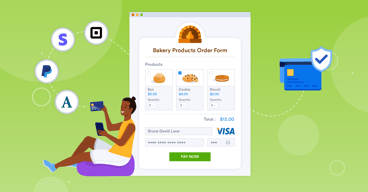
We built an online order form where a final amount is immediately calculated. This makes accounting very easy and clear.
