

Unclaimed: Are you working at Keap?
Keap Reviews: 4.3/5 — Solid Choice
Formerly known as InfusionSoft, Keap is an all-in-one, cloud-based sales, and marketing software option offering customer relationship management (CRM), marketing automation tools, and eCommerce features. Keap is the preferred platform for small businesses that rely on the platform to streamline sales and manage customer experiences in a single suite. Using Keap, users can segment contact, manage and track customer interaction, send emails, and create tailored campaigns with personalized communication triggers. Users can also use Keap to manage eCommerce with inventory management features, payment gateways, and purchase fulfillment features.

| Capabilities |
API
|
|---|---|
| Segment |
Small Business
Mid Market
|
| Deployment | Cloud / SaaS / Web-Based, Mobile Android, Mobile iPad, Mobile iPhone |
| Support | 24/7 (Live rep), Chat, Email/Help Desk, FAQs/Forum, Knowledge Base, Phone Support |
| Training | Documentation |
| Languages | English |

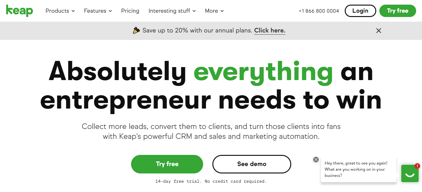

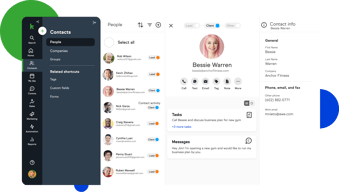

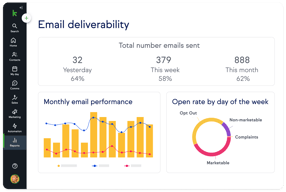
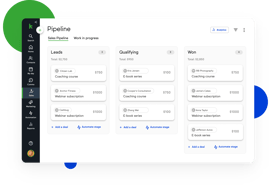
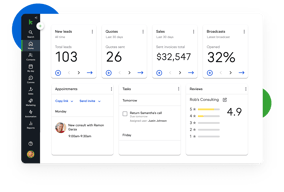




Keap bundles CRM, marketing automation, email and text, landing pages, payments, and appointments into a single plan at a single price, which is either exactly what you want or considerably more than you need. For small service businesses that would otherwise stitch together five tools, the consolidation is genuinely valuable. For everyone else, $299 a month plus a mandatory implementation fee is a lot to commit to.
- What it is: An all-in-one CRM and marketing automation platform for small businesses, formerly called Infusionsoft.
- Best for: Established small service businesses, coaches, agencies, and franchises that run genuine multi-step automation and want one vendor instead of five.
- Pricing: One plan starting at $299/month billed monthly, including 2 users and 1,500 contacts. Additional users are $39/month. Verified on Keap’s pricing page in July 2026.
- The honest catch: Implementation is mandatory and charged separately, starting around $500, and Keap holds a 4.1/5 on Capterra, the weakest independent score of any major CRM we have reviewed.
What Is Keap?

Keap started life in 2001 as Infusionsoft and spent two decades as the default marketing automation platform for small businesses that had outgrown basic email tools. It rebranded to Keap in 2019, and in October 2024 was acquired by Thryv Holdings for $80 million. The Keap logo now carries an “A Thryv, Inc. Brand” mark.
That ownership change is worth weighing. Thryv sells its own small-business platform, and acquisitions of this kind can go several ways over a few years: continued independent investment, gradual convergence with the parent product, or maintenance mode. None of those outcomes is knowable yet, but a buyer signing a multi-year commitment should ask directly about the roadmap.
Keap’s current strategic bet is simplification. Rather than tiered plans, it sells one plan containing the entire platform: CRM, automation, email and text marketing, sales pipeline, landing pages, payments, appointments, and reporting. The pricing page states the position plainly, promising an end to feature-based plans.
The independent picture is the weakest of any major CRM in this category. Keap holds roughly 4.1 out of 5 on Capterra across about 1,297 reviews. Reviewers praise the automation depth and criticize complexity, cost, and, notably, past price increases delivered with short notice.
How Keap Works
Keap’s real differentiator is automation depth, and understanding that explains both its appeal and its learning curve.
- Campaign Builder. A visual canvas for multi-step, branching automation sequences. Trigger on a form submission, wait, branch on whether an email was opened, assign a task, send a text, charge a card. Few tools at this price handle sequences of that complexity, and this is the reason long-time customers stay.
- CRM and pipeline. Contact records, lead tracking, and a sales pipeline. Competent rather than remarkable, and clearly secondary to the automation layer.
- Email and text. Broadcast and automated email plus SMS. Text is an add-on, priced in volume tiers, with the entry tier included.
- Payments and invoicing. Quotes, invoices, and card processing built in. For a service business currently running a separate payments tool, this is a real consolidation win.
- Appointments and landing pages. Booking and simple page building, adequate for straightforward use and not a replacement for dedicated tools.
The pattern is consistent: Keap is excellent at one thing, automation, and acceptable at the eight things around it. Whether that trade is good depends entirely on whether you would otherwise pay separately for those eight things.
Keap Pricing
Keap prices on users and contacts rather than features. Figures verified on Keap’s pricing page in July 2026.

| Item | Cost | Notes |
|---|---|---|
| Base plan | From $299/month | Includes 2 users and 1,500 contacts, entire feature set |
| Additional users | $39/month each | No feature difference between users |
| Additional contacts | Scales with volume | Priced via the calculator on the pricing page |
| Implementation | From ~$500 one-time | Mandatory, covers migration, setup, and strategy sessions |
| Text marketing | Entry tier included, then $24–$279/month | Overages around $0.015 per text and $0.01 per voice minute |
The parts that matter most:
- Implementation is required, not recommended. Keap’s position is that guided onboarding produces better outcomes, and there is a defensible argument for that given the platform’s complexity. It is still a mandatory cost, starting around $500 and rising with package scope, and it belongs in any first-year comparison.
- $299 is the floor, not the average. That figure covers 2 users and 1,500 contacts. A five-person business with 10,000 contacts pays materially more once extra users at $39 and contact tiers are added.
- Contacts, not just users, drive the price. This is the crucial difference from seat-priced CRMs. A small team with a large list can pay far more than a large team with a small one, so model your actual contact count.
- Text messaging is metered. Tiered plans plus per-message overages, which is normal for SMS but easy to underestimate.
- Price increase history is a genuine risk. Multiple Capterra reviewers report significant increases delivered with short notice, with at least one describing a resulting exodus of long-standing customers. Ask about price protection before signing.
A free trial is available without a credit card, but it is limited: a 25-email sending cap, no payment processing, and no text messaging. That is enough to explore the interface and not enough to test the automation properly.
Who Should Use Keap
- Established small service businesses. Coaches, consultants, clinics, home services, and agencies with a real customer lifecycle to automate. This is the intended buyer and the value case is strongest here.
- Businesses currently paying for four or five separate tools. If you are running a CRM, an email platform, a scheduler, a payment tool, and a landing page builder, consolidation can be close to cost-neutral while removing integration overhead.
- Teams with genuinely complex automation needs. Campaign Builder handles branching logic that simpler tools cannot, and this is Keap’s clearest technical advantage.
It is a poor fit in three cases. Startups and solo operators testing an idea should not commit $299 a month plus implementation. Teams that only need a CRM are paying for seven modules they will not touch, and Pipedrive or HubSpot will serve them better. And businesses without the appetite to learn a complex tool should take the reviews seriously: complexity is the most consistent criticism, and the mandatory implementation package exists precisely because self-serve onboarding does not work well here.
Honest Pros and Cons
Strengths
- Automation depth at a small-business price. Campaign Builder genuinely handles complex branching logic that most competitors in this bracket cannot.
- Real consolidation. CRM, email, text, payments, appointments, and landing pages in one system removes a meaningful amount of integration work.
- One plan, no feature gating. You are not upgraded into paying for a feature you already assumed you had, which is a refreshing contrast to the tier-gating common elsewhere.
- Payments are built in. Invoicing and card processing inside the CRM is a real advantage for service businesses.
- Two decades of domain experience. Keap understands the small-business customer lifecycle well, and it shows in the templates and campaign structure.
Limitations
- The weakest independent rating in its category. 4.1/5 on Capterra is a meaningful gap below the 4.5s that competing CRMs achieve, and it reflects real friction rather than noise.
- Complexity is the defining complaint. Reviewers repeatedly describe needing training or outside consultants to use the platform properly.
- Mandatory implementation fee. From around $500 on top of subscription, unavoidable.
- Expensive entry point. $299 a month is several times what entry-level CRMs charge, and the all-in-one bundle only pays off if you use most of it.
- A history of steep price increases. Reported by multiple reviewers as arriving with short notice. This is the single most important thing to raise with sales.
- Ownership uncertainty. The 2024 Thryv acquisition makes the long-term roadmap harder to predict.
- A restrictive trial. 25 emails, no payments, no text, which makes it hard to evaluate the thing you are actually buying.
Keap Alternatives and How It Compares
- HubSpot Sales Hub has a genuinely free tier and a cheap Starter plan, with strong marketing tooling. Its own Professional tier carries a $1,500 onboarding fee, so compare total first-year cost rather than headline price.
- Pipedrive is dramatically cheaper if what you actually need is a sales CRM rather than an automation platform.
- ActiveCampaign is the closest comparison on automation depth, generally cheaper, with a lighter CRM and no mandatory implementation fee. For many Keap evaluations this is the head-to-head that matters.
- GetResponse covers email marketing, automation, and landing pages at a fraction of the cost, without the CRM depth or payments.
- Zoho CRM paired with other Zoho apps delivers comparable consolidation for considerably less, with a steeper configuration curve.
For a wider view see our guides to the best CRM software and the best marketing automation software.
The Verdict
Keap is a capable platform with a narrow but real sweet spot. If you run an established small service business, you already do genuine multi-step automation, and you are currently paying for several tools that Keap would replace, it can be a sound consolidation with automation depth that is hard to match at this price.
Outside that profile it is difficult to recommend without qualification, and the independent scores say so. A 4.1/5 across nearly 1,300 Capterra reviews is a clear signal, and the complaints are consistent rather than scattered: it is complex, it is expensive, and some customers have been hit with sharp price rises. The mandatory implementation fee is defensible given the complexity, but it is still a cost that competitors do not impose.
If you are evaluating Keap, do three things. Price it with your real user and contact counts rather than the $299 headline. Ask directly about price protection, given the documented increase history. And compare it honestly against ActiveCampaign, which is the closest match on automation depth at a lower cost and with no implementation fee. If Keap still wins after those three checks, it is a defensible choice. If it does not, the alternative was always the better answer.
FAQ
How much does Keap cost in 2026?
Keap sells a single plan starting at $299 per month, which includes 2 users and 1,500 contacts. Additional users cost $39 per month each, and pricing rises with contact volume. A mandatory implementation package starting at roughly $500 is charged separately, and text messaging beyond the included entry tier is priced in volume tiers from about $24 to $279 per month.
Does Keap require an implementation fee?
Yes. Keap requires a paid implementation package, starting at around $500 and rising depending on scope, covering data migration, automation setup, strategy sessions, and integrations. It is not optional. Keap’s rationale is that guided onboarding produces better outcomes, which is credible given the platform’s complexity, but it should be included in any cost comparison.
Is Keap the same as Infusionsoft?
Yes. Keap is the current name of the product formerly called Infusionsoft, rebranded in 2019. Many third-party review pages still use the Infusionsoft name, which is why Capterra’s Keap reviews live under an Infusionsoft URL. Keap was acquired by Thryv Holdings in October 2024 for $80 million.
Does Keap have a free trial?
Yes, with no credit card required, but it is restricted: a 25-email sending cap, no payment processing, and no text messaging. That is enough to explore the interface but not enough to properly test the automation capabilities that are the main reason to buy Keap, so plan your evaluation accordingly.
What is the best alternative to Keap?
ActiveCampaign is the closest comparison for businesses that want Keap’s automation depth at lower cost and without a mandatory implementation fee. If you only need a sales CRM rather than an automation platform, Pipedrive or HubSpot Sales Hub will cost substantially less.

Compare Keap with other popular tools in the same category.
The idea that the product could be set up and used to grow the business contacts and interaction with customers
It does take an effort to learn and setup. I would like to see better one-on-one account management with regular check-in's to make sure that the Infusionsoft customer is able to start and get on with the inital set up. I managed to input approximately 6 contact manually and quickly realized the system was not for me and my small 1 person business. Suitable helps with understanding and setting up was lacking and i experienced very little differentiated support based on my limited experience and knowledge of this type of system. considering the astronomical cost of the product I realised within 2 weeks it was not for me. The cancellation process is extremely floored and again very confusing. it could be made faster and simple to avoid the burden of paying for several months even when you have verbally told the sales person and representative and email them both explaining that you want to cancel. However if it stays the same infusionsoft can take money from you for not using the product. I undedrstand there is a name of this kind of behavior .
I have realised that not all these systems and the so called support is suitable for all needs and you have to have a more than good understanding of computers and CRM system. Then you may get the required support and realise some success.
There is a lot you can do with it. Endles automations, custom fields, and website integrations.
It is SUPER slow and clunky. It takes more time entering notes than it does for the actual call.
Lead and customer management. Infusionsoft doesn't work for lead or customer management. I think it is meant more for online marketers.
It is really hard to answer this question. The only reason we are still with Infusionsoft is because of the amount of money we have spent with them. After investing over $40,000, we are stuck until we can find a way out. The only thing we like it for now is pulling up a client' s information and log client notes.
I don't know where to start because everything you do in infusion cost money. I started infusionsoft in 2008. The initial start up cost back then was over $6,000. To be quiet honest, we have spent over $40,000. This is not an exaggeration. We were told we can use Infusionsoft for all our client relationship management needs including setup automation to allow the system to do a lot of the work for us. The program actually creates more work and keep in mind we have 9 staff members. I have hired consultants, used my staff, and tried myself and this system is not working for us. I don't know how anyone can because I'm pretty computer saavy, we have the funds to invest money to make something work, we are patient and understanding, hence still with them since 2008, and they can't seem to make me happy in any way. Our emails to prospects go to spam. I understand the nurturing system and the excuse they keep giving me. We nurture our list but even our clients don't always receive our emails. We have tried all their "perfect customer cycle" and everything else they pitch that is supposed to fix all our issues but still no luck.
Helping families send their children to college while making it affordable. No benefits other than all our clients information is in infusionsoft to access.
There is very little to like about this software. The marketing campaign editor is pretty ingenious, but it is let down by the other parts of the software.
There is so much to dislike, I don't think I could cover it all. All the features that we needed were touted to us by a sales rep, and what we got has been nothing short of a nightmare. Alarm bells first went off when their team were migrating data from our old CRM and I had to teach them that the reason the data was messed up after it was imported was because they had used Excel during the process and it had messed with the formatting of the data. I should have backed away then. Email marketing is poorly implemented and results in very poor delivery rates - despite Infusionsoft's insistence to the contrary (they look at delivery to the end server, not delivery to the inbox), the real world results are very different, and complaints about this have been flowing in and frustrations vented on the public forums for years, and nothing has been done. After switching to Mandrill (a 3rd party transactional email service that required software development to integrate with Infusionsoft) delivery rates are considerably better. Our customers are now actually getting their order confirmations and other important notifications they need. This is just the tip of the iceberg in terms of Infusionsoft's inability to properly handle email. Bugs bugs bugs. Over the last couple of years I have found several bugs that have cost us dearly in terms of sales. I have been able to consistently recreate them and provide examples to technical support. Unfortunately their tech support is completely incompetent and NONE of the issues I have reported have ever been resolved, and they just don't get back to me about it. With one issue in particular I was told that "because the issue occurred while testing the feature, and not while using it live, nothing more will be done to resolve it" !!! But I had to test it before I implemented it, and I'm glad I did. Thankfully I'm a developer and have spent countless hours developing software with the API so that we can have the features we need that we were told we would have by sales people at the beginning. But even that doesn't allow us to escape from the incompetence of this company completely. We are located in Australia, Infusionsoft servers are located in the US as far as I'm aware. Rather than organising servers so that clients are grouped by geographical location, they all just seem to be lumped together, so when they perform maintenance or backups or whatever they do in the middle of the night in the US, the performance impact for those of us who are up and working can be severe. Infusionsoft will perform painfully slowly, and API operations will time out. Our business grinds to a halt in the middle of a working day. Not to mention they don't understand that different countries have different timezones, so one has to constantly do calculations to make sure emails are scheduled for the correct time and other timestamps are correct. The only reason we haven't moved to another CRM is because at the moment we just don't have the resources to do so.
There have been no benefits to us moving to Infusionsoft, it hasn't solved problems for us, it has created them.

I'm trying to be reasonable here, but it's frustrating when you work with a company who supposedly cares about small businesses, but then pulls bait and switch tactics to take your money and keep it.
Here's their sales process and how they prey on small businesses with simple bait and switch tactics... First, the sales call where they tell you everything you want to hear... Next, they take your credit card # and charge you for the first month of $389. Next, they tell you about their coaching services and how you need to pay them $1,500 to really use their software successfully... After you pay them $1,800 you finally get access to use the software and that's when you realize that everything you were told by the sales rep was too good to be true! ...but TOO BAD the $1,800 is non-refundable! SCAM!
I was looking for a system that could incorporate my sales, digital product delivery, marketing automation all in one system. They had alot of these features, but the product just wasn't for me...Unfortunately, this was one of the most expensive 14-day trials I have ever seen!

Nothing. Literally nothing. Infusionsoft does NOT do everything like people say. Even the features that it has don't work efficiently.
1. No technical support 2. Misleading sales executives 3. Outrageous prices 4. Terrible, I mean really terrible customer care InfusionSoft is a big liability to your funds. They ask for fee upfront and their unrealistic customer care makes them one of the worst in the industry. The features don't work correctly and overall it's an incredible waste of time and money. InfusionSoft partners with high priced companies like PowerPay. You can just go for PayPal. They are inexpensive and their tech support is great. There are these companies in the industry who, if they have defective products at least give back your money. InfusionSoft lags in that too. Zero ethics. The customer care executive just vanishes if I register a complaint for a refund.
I was hoping to integrate CRM with mail automation service and e-commerce provider. With Infusionsoft it only remained a hope.
The IDEA of this is great, the execution is awful and they're a LONG way from getting this right
Everything. Poor customer service, lots of run around, transfers, no one willing to really help or take ownership of anything. NO REFUNDS!! No help whatsoever for small businesses. Amazingly awful. I've run successful email marketing campaigns for years, I really thought this was a big step up, it was NOT, it was a step to the side and down a big black hole of wasted, time, energy, resources and false promises. Ugh! So frustrated!!!!
Email marketing growth campaign with customization. Not achieved yet, back to the drawing board.
There is/was nothing that I liked about this system. Just sorry it took so long to make a change.
I called 11/15/2015 to cancel our account, I have sent several emails and have been told several times that Wes Wittaker is handling our account yet I have not heard anything from him. No call, no email, nothing! I have sent several emails with no response. You are quick to take money but not quick to cancel accounts and give it back. Your customer service is horrible and lets us know we made the right decision in cancelling our account!
Moving on to a more Realtor based program with customer service skills
in theory its a great product but the customer service is horrible
I have a laundry list of what I dislike but the main points are: - they will oversell you on products and services and when you see them your very disappointed - Customer Service take forever to get back to you, I lost 15 days of my first month waiting for them to call me back (BTW I called them every day, they told me I had to wait until they called me back)
Never got to fully use the program because by the time my account was live my first 30days ran out and I cancelled and I am fighting the charges on my credit card. They really screwed me big time.
It is a really sophisticated marketing product that requires expertise in IT.
The product is marketed as if anyone , any business owner, can do it. This is not true. It takes a fully time coach to dedicate hours of time to teach the product, videos and then even the coach did not know how to it. I stayed on the phone for hours trying to make the complicated campaigns work. A business owner, unless there is a full time person that they can pay to use this software should not purchase it.
Because the product did not work, it caused more problems than it solved. What is more Infusionsoft has refused to provide my refund although on July 20, 2015 they told the Better Business Bureau that they would. They will not now return my phone calls. The experience has been really bad.
From what many people have told me, it does everything you want it to. For those of you who remember 1ShoppingCart, just because people say does everything does not mean it's good.
1. You can't trust Infusionsoft. 1a. The sales person gave me incorrect information: "You've got everything you need". to find out I ALSO needed to buy 'customerhub'. 1b. Finally, I escalated my case to a manager to promised he would take care of me. Nope. He called me once a week to tell me he didn't have answers to my questions. 2. Don't buy their $1,500 fast-track implementation package. 2a. I made it clear I wanted someone specializing in ecommerce. They gave me someone who had no clue about commerce. 2b. They told me importing my products should take 3 to 4 days. A month later, some stuff was done. 3. Elizabeth Pitt, Infusionsoft's "Chief Customer Officer" might want to look at her job description. 3a. I called her office to explain my situation and how I fell through the cracks and no response. 3b. I called again to say I was going to do a charge-back unless someone called me - nothing again! 4. It's expensive for a small business. 4a. to really get it all to work together, you have to buy 'customer hub', another monthly fee. 4b. There's more to buy! Just look at their marketplace.
Problem: Consolidating 5 different systems into one: shopping cart, secure host, email, membership, weekly show. Results: Nothing. After 6 weeks of nothing and being ignored, I did a charge back only credit card.
The support online chat answers in a matter of minutes. That is it.
The fact that the salesman sells you on the fact that you can run 4 websites within their software, which is complete s*** as you can only "tag" customers. WTF is the point in that! They want you to have a DIFFERENT set up for each business you have. So if you have 4 small sites, good luck trying to handle them all within IS. Imagine this, you write down every single lead of a piece of paper, then screw them all up and muddle them in a pile. Now try and find one from 2 days ago...
CRM, marketing automation, capturing leads, etc.
The Sales Person follow up with you to close the deal.
Infusionsoft pays $500 referral fees to affiliates. Sales person misleading and false promises at sales stage. They will drag on and not let you cancel the subscription.
This product is not suitable for our business. And we encounter lots of issues cancelling the subscription. Infusionsoft charges $2000 start up cost +$299 per month of service fee. Evan Samurin (the Sales) says if it is not for our company, they will do something to credit the upfront $2000 back to us. After we used it for a month our A/P emailed Evan saying infusionsoft is not for us, Evan says that he will forward the message to customer service. I haven't heard from infusionsoft again, We have followed up with Evan with no reply. Our company credit card is billed month after month, which forced our company to call the credit card and cancel the card. Then someone from Infusionsoft customer service, Blake Ghormley emailed us saying we have unpaid balance. We asked Blake to communicate with Evan and credit us back for the months that I didn't use. Blake Ghormley disappeared again. The problem of this product is, Infusionsoft pays $500 referral fee to the person introduce to them. So a lot of contractors will say that infusionsoft is good. But those contractor may only know how to use 5% of the product, which is similar to other lower cost competitors which pays less referral fees. And when you want to cancel, our experience is - they will skip your emails. I personally would not recommend any company to use their service. - Most companies would not need such a BIG solution. If you are big enough, you may consider SAP. - Their $500 referral fee, and false sales promises is not someone would look for. - Don't worry about cancelling with them, they skip these emails.
The promise. The sales person did a great job in convincing me a demo was not necessary.
The promise unfulfilled (no demo before purchase - should have been warning sign), followed by the the sharp stick in the eye from Infusionsoft after complaining about their software and service.
Zilch.
About the only good thing I can say is infusionsoft was what got me into a better product (Hatchbuck).. Online support availability is good but the support provided did not compensate for the confusing interface. People who have a full time tech person might do OK but there are other hats to wear if you are a business owner.
Very confusing user interface. High fees for start-up package of three one hour consultations did not help me much. Campaign construction was very non intuitive to me, never was able to launch a successful campaign..
Looking for marketing automation. Did help me get customer database cleaned up and input.
Possibly nothing was beneficial about this software... From its confusing setup, complicated campaign building and need to hire out for trained professionals - it was an absolute headache.
They don't refund on a month-to-month contract. So, if it is similar to what happened to our business, where they auto-billed us on the 3rd, but we had tried to cancel our subscription the month prior (and they conveniently have no record of this request) , they will not refund, pro-rate or expedite the cancellation process. Their management team is extremely hard to contact - trying to get ahold of the cancellation team in order to verify any sort of cancellation process at all is like trying to find a needle in a dark room. Their live chat is slow and their entire software platform is not built for ease of use, it's built so you have to spend extra time and money training personnel to run it.
Benefits? We went with Ontraport instead. They are built for our business (coaching and consulting) and are extremely easy to use.
Their automated marketing is decent and is the only reason I ever used the software.
Where to begin? Let me give a list: 1) I have submitted about 15 bugs to them over two years. Not one of those bugs has been fixed. 2) Many of my contacts in the crm were deleted due to an interface flaw in their software. They blamed me AND charged me to restore the contacts. 3) Half the time when I ask for an update on feature requests and bug fix status, they simply never get back to me. 4) Bugs, bugs, and more bugs. So many bugs in their program. 5) Here is one example of their horrible interface and how they refuse to fix the obvious: If I set up an email that I want to send to contacts, there is a small button at the very bottom of the email that cannot be seen unless one scrolls all the way down. This button says "Ready to send". Unless you select Yes, this email will not be sent. Even if I attempt to send this email, I get no warning that I haven't selected Yes for that ridiculous setting. I am told that the email was sent. But guess what: The email is not sent. They refuse to call this a bug and will not fix it. 6) When selecting fields for a CRM view there are well over 100 fields to choose from. These fields cannot be searched, they are not in alphabetical order, and there is no rhyme or reason to how they are ordered. It takes so long to create a search as I look through the fields and try to find the ones I want. 7) They claim to have a survey tool. It is so bad that they don't even use it. They sent me a survey about their software using SurveyChimp and not their own software. What does that say about their program? I could go on and on. Their management there is the worst. Just the worst. They keep trying to add things to the software without fixing anything left behind. They pound you with ads for their conferences, which of course make them money. But they won't fix bugs and they won't listen to feature requests. Stay away from them at all costs.
Staying in touch with my customers and prospects.
Creating forms for my website was very easy. Tagging also works well and we use this functionality to manage email lists. Auto responders and other triggered campaigns seems to work fine
The thing I have been most dismayed by was how over promised I was when it comes to cookies. I installed the web tracking code on my website, and since I saw the web visitor report I assumed I would be able to see who returned to our website. Completely untrue. The only time you know anything about visitor activity is if they fill out a form. The mobile app is so basic as to be almost useless. I have also been very surprised by their non-response to the known issue of working in multiple tabs. If you have two contacts or two opportunities open in different tabs, your data gets scrambled. They have known about this issue since Fall 2014 and it still is not fixed. This is a serious hamper to my workflow. In general I just feel like I was over promised on functionality. I'm aware this software isn't super expensive, but at times it feels like Infusionsoft had some good ideas and just didn't carry them through to a worthwhile conclusion. As others have said, the Quickstart program is ridiculously priced considering the number of hours you get. I also didn't feel like my consultant adapted well to the fact that I didn't need any basic help getting started. On the bright side, since cookies mean nothing at all in IS, I'm not too worried about migrating to a new platform at some point in the near future. We won't be losing much!
Form routing is working great. I can send a decent looking newsletter and see who looked at it. We're not using the e-commerce function so I can't speak for that.
As another reviewer commented, the theory of Infusionsoft sounds perfect.
Ongoing fees. Ridiculously high for what they offer! Infusionsofts's poorly formatted emails, even though that's what they say is the key to good marketing. Bulky and irrelevent information...was sent a whole lot of videos to wade through, none of which seemed even related to the product. Time required to set it up & wasted time to move my information from them. The fact that they refused a refund even after admitting to their faults. The fact that they called immediately when I was interested in sales, but took several days to respond to my email titled Dissatisfied customer.
Plenty of my own accord. Thanks to Infusionsoft, there has only problems CAUSED and time wasted.
Nothing. InfusionSoft does allegedly provide a number of features, none of which seemed to work correctly.
InfusionSoft is a huge money drain beside the high monthly fee, the "kickstart" upfront fee is outrageous for the benefit received. You are forced to have your training sessions within 30 days whether you are ready or not. Having to use them immediately keeps you from having a chance to really get into the software and figure out what you need help with. My consultant gave me two campaigns that had nothing to do with my business. The e-commerce never worked right and neither did my campaigns. The tech support team was supposed to look into my campaign issue and never did. Full of bugs and incredibly complex - a complete waste of money and time. InfusionSoft also steers you towards highly priced partners such as PowerPay that provide zero value and poor service when you can use PayPal for a fraction of the cost and get great support.
The business issues that I was hoping to solve with InfusionSoft were having an integrated CRM, mail automation service and e-commerce provider.
The combination of CRM + email automation in one, at a fraction of the cost of the market leaders. The visual drip campaign setup is unique, allowing you a better understanding of the automation flow.
The CRM is clunky and slow. Every action requires too many clicks Email drag and drop editor is very buggy. It took the team x2 the time to create campaigns on I/S, compared with Mailchimp.
Recording all communications with customer in a CRM Segmenting customers and sending targeted marketing email campaigns
I liked what they said they would deliver
Training was terrible and after 3 out of 4 training sessions I had neither a full campaign nor an ecommerce store, in fact that was my first goal was to get the ecommerce done because what use is a campaign without products to sell??? Please bare in mind im not tech savvy and made this very clear to infusion right from the start. With one 45min training session remaining I went ahead and had a store designed elsewhere as the trainer neglected to tell me or instruct me that this could be done with infusion so I assumed what I was doing was correct. To cut a long story short when I stumbled across the fact that I could have done this with INFUSIONSOFT I contacted them and they admitted fault and apologised and offered for me to start my training all over again and reduced monthly rates etc. I politely declined and requested a full refund because as a small business I didnt have the time to start again and they had failed me. I was refunded for the last 45 minute training session I didnt receive and a months installment that was taken from my account after cancellation and although they didnt deliver and admitted fault they refused to refund me the full amount a wasted total of over $3000 and to make this go away they refuse to respond to my emails.
None
The support and training people were top of the line. They were always helpful and ready with answers. The rest of the team was equally great. They even made the cancellation process easy it only took a few emails and two phone calls to get to Tara the Loyality Manager. She was very polite and took my feedback like a champ. By the way, you are REQUIRED to speak with someone before they cancel your account.
This application requires extensive setup so estimate about 20 hour per week over 4 weeks to get it setup. Once I got to the trainer, he stated that it normally took about 90 days to setup but could be done more quickly if you have more time. There was no integration with the CRM I have been using for 4 years even through the sales person assured me that one existed.
My goal was to automate some marketing and convert more leads to sales. However, with the extensive setup and no integration with our CRM I had to cancel as I couldn't expect my team to enter data twice and still take care of our clients.
The UI is designed well and easy to use. The tools and navigation is intuitive and our team was able to get up to speed on using it pretty fast. Also, like the concept of the visual campaign creation tool. The customizable dashboard is nice too.
The main lead generation features such as the web form maker and the email builder tools are extremely limited and don't work well. The email builder, in particular, is so limited and problematic that I'm exploring other third-party email marketing tools to handle our outgoing communications. Additionally, tech and account support has become increasingly less accessible. When we first started with Infusionsoft, we had a dedicated account manager which is no longer the case. Tech support tickets are not always responded to in a timely manner.
Business problems: 1) Centralized and accessible client database 2) Lead generation 3) Marketing campaign automation 4) Sales support/opportunity management Benefits: 1) We have a centralized client/contact database that can be accessed via computer or mobile via the app 2) We currently run all our outbound marketing communications thru Infusionsoft and track opens, clicks, etc 3) We have 4 - 5 marketing campaigns set up in Infusionsoft and tied to web forms that are housed on our site 4) Use Infusionsoft to track our sales opportunities and for reporting to staff
The attempt to be an all in one system- if anything actually worked.
Billing automation is horrific. The features are limited, documentation is not helpful, and you have to wait over an hour if you call for help. A simple paid trial subscription period is not possible to setup. You have to figure out workarounds that will cause a multitude if other issues.
Nothing. Infusionsoft has caused more manual work, duplicate charges and puts us at high risk for charge backs.
The ability to build complex campaigns and the API flexibility is amazing (if you know programming). But that's about it as far as pluses.
Oh man... where do I start?? First of all, their shopping cart is HORRENDOUS. If you have a membership product, stay FAR FAR away. In fact, run as fast as you can AWAY from InfusionsIoft. In order to cancel a subscription, there are 3 steps. There online documentation only lists 2 of the 3 steps and their support staff is highly incompetent (more on that later). So if you miss a step because you trusted their step-by-step instructions, you'd either get chargebacks or miss out on subscription payments that were supposed to be rebilled or cancelled but were not. In my case, this cost me at least $3000 in lost sales not to mention the chargebacks that occured because of system issues. Today (Sept 29, 2014) I found one subscription that was still active, never canceled and had all the right settings from FEBRUARY 2014, which was supposed to be billed monthly. However, this customer was never rebilled due to some mysterious Infusionsoft bug. I looked at the order history and guess what? The Infusionsoft system decided to bill the customer on 9/23/14 - 6 MONTHS AFTER the last rebill was supposed to happen. Luckily the customer's card was declined. But just imagine the nightmare that would have been if the payment was successful... refund/chargeback, bad reviews, complaints... And I have hundreds of customers. Am I to review every single file in Infusionsoft's clunky interface to find these bugs? This is just flat out wrong. Now let's get to their highly incompetent tech support staff. When I see an issue like this, my first instinct is to obviously FIX THE SETTINGS (i.e. cancel the subscription so that the customer doesn't get rebilled AGAIN when Infusionsoft feels like it). But --- if you are going to send this to their support, you CANNOT change a single thing. You'd have to leave everything as is or else they cannot help you because they have no way to check on or replicate the issue. Then, you just have to wait and hope and pray that they will get back to you with a solution before the next rebill date (30 days away) - which would be a miracle. I've sent them many support tickets and I learned that you have to document everything single thing with screen shots and videos or they do not believe that you even had the issue to begin with. And on top of that, they have never come back to me with a valid solution. I've either gotten "It's taking longer than usual to resolve this..." and never hear back from them again OR "This is a known bug..." Now, how are you supposed to run your business knowing that the system is just going to randomly fail for no valid reason at all AND nothing is going to be done to fix it?? Their campaign functionality cannot be trusted either. If subsequent actions happen "too fast" (too fast means within 30 MINUTES), then you run the risk of steps in your sequences being skipped and just flat out not running at all. And keep in mind, this happens randomly so you will have no control and you'd have to check everyday for weird bugs that Infusionsoft will never help you fix because the cases are "one off". Last week I emailed Infusionsoft regarding this exact case - no response yet. I've seen this happening in several other campaigns (campaign sequences getting skipped because the previous action happened too quickly), but I've been resigned to just live with all of these "one off" programming exceptions. Oh and "PayPal integration?" Forget about it. If you need to refund a PayPal client, you'll have to do it twice. Once in Infusionsoft and once in PayPal. What about PayPal eChecks that take a few days to clear? Infusionsoft still counts them as VALID sales on the date of the transaction. Good thing PayPal sends email notifications of these things - because if you trusted your Infusionsoft transaction reports, you'd think the sales are paid for when in reality, they're not. Reporting and analytics?? Despite all of the headaches and nightmares I have experienced with failing campaigns, I have to say that reporting is THE WORST feature of Infusionsoft. Example: You have a subscription product and you set the system to attempt to autocharge 4 times, once a day. Each time it fails, Infusionsoft still counts that as part of your gross revenue, even though it is ONE payment from ONE customer and the payment didn't go through. Of course, you can add some tags and filters to the report to get it to show the right numbers... but shouldn't the sales reports show the right numbers without having to go through all these extra steps?? The interface is not intuitive - which is why you have to pay $2000 to hire someone to teach you how to use it (aka "Kick Starter Package"). What they don't tell you is if you have a lot of activity going out in your app, it gets slower and clunkier. So even if you're paying a pretty penny for more contacts and users, it'll still get more and more clunky and even slower. Each month, every sales rep in my organization has to take at least one day off due to this system slowness.
In theory, the things that you can do with the system to automate and make your business more efficient is amazing. But in practice, all the bugs and failing campaigns causes a lot of unnecessary stress and loss of customers. It really sucks knowing that Infusionsoft is just not a system that you can trust that the code is good and the campaign/programming will work.
Nothing good about Infusionsoft, except they do have one honest person working there. Unfortunately, he is not near enough to cover the rest of the B.S. artists living there . Not to mention, it's Super complicated and expensive compared to everything else I tried, which are about 5-6 other far better solutions and companies who will work with you. There is a reason they are losing so much business to better competitors who are more honest and service-oriented.
"HOOK" of up-front payment is near impossible to get out of after you find that their system is worse than many other options that are much cheaper, including Ontraport, PWC, Greenrope, and several others I sampled. Infusionsoft is the ONLY HARD-SELL, NO EXIT, MONEY UP-FRONT out of all these. Don't risk the up-front time and money on this shark-like organization. They are smooth and sleek, but they aim to eat you alive.
Infusionsoft is the only business problem I have had in the near past.
If your business requires a lot of email marketing and follow up, you set it and forget it. It is a very good flexible and customizable program that automates all of that.
The company is difficult to work with and less than ethical. The learning curve is pretty steep and their training times are very limited. Be prepared to train very slowly with long gaps between sessions.
None. The product was over promised upon purchased. We were told that it could meet our needs and provide the tools that we were getting from 2 separate programs in one package AND so much more. Unfortunately I wasted a lot of time with this program. I kept asking my "Success Coach" to show me how to do this certain simple but very necessary task he kept avoiding giving me a straight answer. When my "Success Coach" got down to the last session and showed me their work around to performing a very basic task, I knew that their product was not for us. They wasted 2 months of my time and refused to refund our money. When I asked them about over promising their product and their money back guarantee, I was told that they had an investment in training and refused to make good on their word. A loss of $2000 is not going to kill me, but I was surprised at their disorganization and lack of maturity and integrity. Don't want the product if I can't trust the company.