
( 222 )
Unclaimed: Are you working at Leadpages?
Leadpages Reviews: 4.4/5 — Solid Choice
Leadpages is a website and landing page builder that is focused on helping small businesses engage their intended audience, capture leads, and acquire customers. Established in 2013, it’s one of the most recognizable names in the drag-and-drop landing page builder marketplace. It has a full suite of conversion-optimized, mobile-responsive templates and designs, from sales and checkout pages to newsletter signups, webinar registrations, and contest/giveaway mini-sites. As a marketing solution that traces its roots to lead generation, Leadpages differentiates itself with conversion-focused capabilities. One of these key features is the Alert Bar which enables marketers to deliver browsing behavior-based offers and messages across different sections of the website. Another built-in technology that is unique to Leadpages is Leadmeter which delivers real-time and data-driven recommendations during the build process. It analyzes content based on four key conversion categories (page layout, call-to-action, readability, and lead collection) and predicts page performance before publishing.

| Capabilities |
API
|
|---|---|
| Segment |
Small Business
Mid Market
|
| Deployment | Cloud / SaaS / Web-Based |
| Support | 24/7 (Live rep), Chat, Email/Help Desk, FAQs/Forum, Knowledge Base, Phone Support |
| Training | Documentation |
| Languages | English |
Leadpages Pros and Cons
- The drag-and-drop interface makes it easy to design a site
- Multimedia embedding means you can add videos and images by pasting an embed code
- Leadpages has terrific analytics for landing page monitoring
- It’s hard to fine-tune some design elements
- There are no follow-up trigger links for the Standard plan



Leads are the heartbeat of any company.
Without leads, you don’t get conversions, customers, or client loyalty.
Leads may start off as visitors to your website, or people who see your content on social media, but they quickly become the investors at the core of your organization, helping you to grow.
The more you build your leads, the more opportunities you’ll have to encourage conversions through things like email marketing and online offers.
So, how do you find leads?
Well, you can invest in PPC and organic advertising in the hope that companies arrive on your website. However, if they do make it to your content, that won’t necessarily mean that they’ll make the transition from visitor to lead. You’ll need something else.
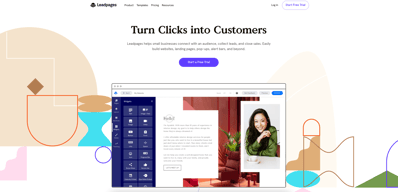
Leadpages, the leading landing page builder and form creation tool, is a state-of-the-art solution for gathering and nurturing your leads.
Here’s your complete guide to Leadpages.
What is Leadpages?
Leadpages is a software solution designed to help businesses of all sizes connect with their audience, close sales, and collect leads. Essentially, you can use this service to build a range of pages and online environments which encourage interactions with customers.
Options range from landing pages, where you might offer a free eBook or discount in exchange for an email address, as well as popups, alert bards, and even entire websites.
Leadpages advertises itself as the all-in-one tool you need to get on the web and grow your business. Aside from giving you the tools for building your “lead collection” assets, Leadpages will also help you to optimize your interactions and conversions with things like split-testing, and analytics.
With Leadpages, you don’t need to spend all your budget on expensive graphic designers, coders, and developers. Anyone can build the perfect touchpoint in their customer’s buying cycle, just by dragging and dropping modules into place.
Leadpages Review: Features
Leadpages is quite an immersive solution for lead nurturing.
The service used to focus only on landing pages, but you can now use the same software to create high-converting websites and popups too. We’ll take a closer look at how you can use Leadpages in a moment, but let’s start by listing some of the most valuable features:
Website building
You can instantly design and publish simple websites in a matter of minutes. Leadpages offers conversion-optimized templates that are mobile responsive. You can also customize your templates within the included drag-and-drop builder.
Conversion assets
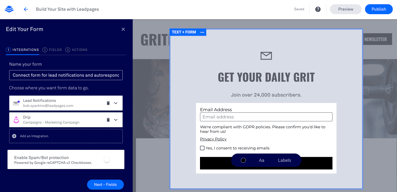
The core of the Leadpages offering conversion assets include alert bars, popups, and opt-in forms that you can embed into your sales and marketing pages. Once again, you get a range of templates and customization options to work with here.
Landing pages and forms
The most obvious way to turn visitors into leads, landing pages and forms allow you to convert potential customers with compelling experiences.
Analytics
You’ll be able to see which of your campaigns are driving the best results with detailed reports. You can use things like Facebook Pixel and Google analytics in your accounts and even set up A/B tests to see which of your pages perform best.
Integrations
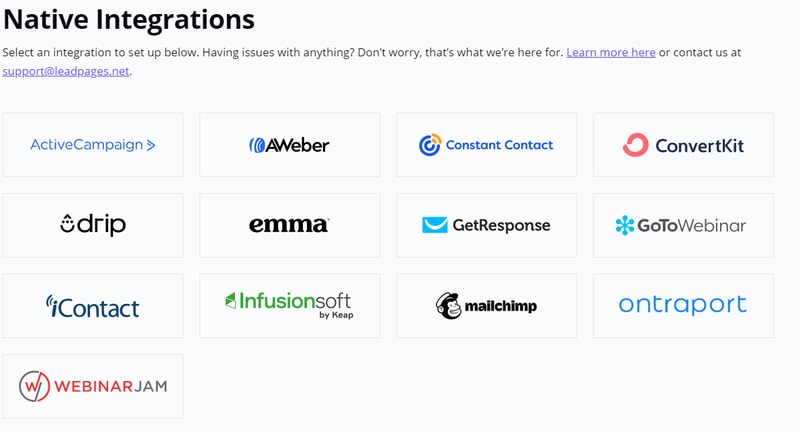
Integrations from Leadpages include options to add your pages to an existing website, WordPress plugins and integrations for Squarespace too. You can also connect to your email marketing service provider, CRM, payment gateway, and more.
The further you dive into each element of the Leadpages platform, the more features you discover. For instance, the central landing page and website builder comes with 5 free sub accounts, so you can connect with your team as you work, and 99.9% uptime for peace of mind.
The Builder
The builder automatically saves changes as you work and allows you to preview content according to device or social media channel. You’ll also get digital file hosting, duplicate and editing features, extra-fast page loading speeds, and a comprehensive image library for visual appeal.
Bonus features include CSV downloads, lead information, drag-and-drop editing and page grouping. You can use your landing page and website builder to take payments or build entire sales funnels with connections to your CRM or email account. There are also a host of awesome widgets available for things like countdown timers, and unique forms.
Conversion tools
The builder is just one component of the entire Leadpages experience. Once you’ve designed the assets intended to bring leads to your organization, you’ll also get a host of conversion tools, including 10 opt-in text campaigns for SMS, and email trigger links.
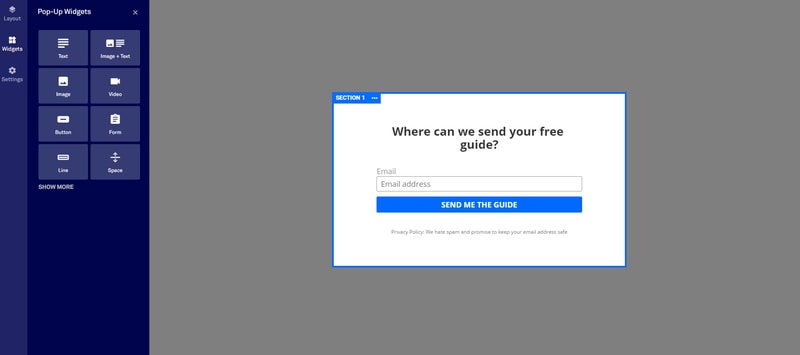
Unlimited alert bars and popups allow you to capture the attention of your customers any way you choose. There are even plenty of ways to customize the popups you create, through things like button changes, image integration, and privacy policy attachments.
Designs and templates
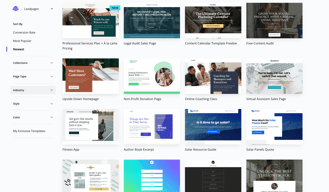
One of the most impressive features of Leadpages is all the access you have to amazing designs and templates. You’ll get section templates, (over 100 to choose from), Shutterstock premium images, a built-in icon library, and countdown timers. When you click on the “Create a Page” option within Leadpages, you’ll visit a massive repository of template options, which you can search through by choosing the kind of page you want, or the industry you’re in.
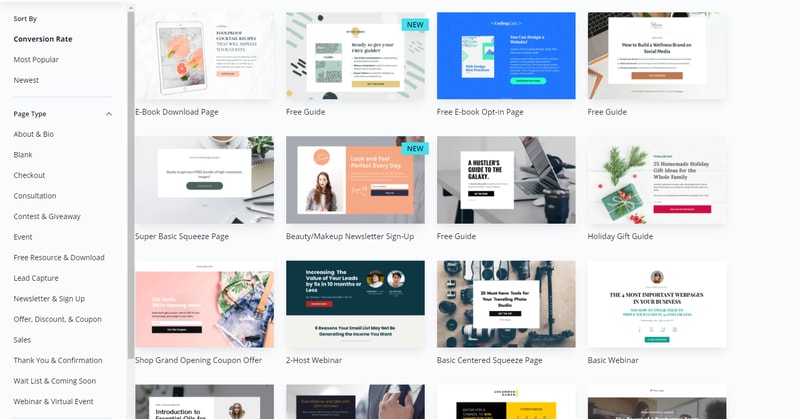
If the templates available don’t suit your needs entirely, don’t worry. It’s easy to change various aspects with HTML, CSS, or just the drag-and-drop visual editor. You get the same robust template and editing experience with both landing pages, and websites on Leadpages.
Further education, support and security
Leadpages ensures you can set your entire lead capturing strategy up in a way that suits you. When you purchase your package, you’ll get as 1-on-1 start call, phone, chat, and email support, and a free set of Leadpages virtual workshops to check out.
If you’re comfortable seeking out help yourself, the knowledgebase is a great place to start, but you can also take weekly coaching sessions to develop new skills or connect with the Leadpages community. On top of support and guidance, Leadpages also helps you to improve your overall experience with high-level security, custom Zapier integrations, and GDPR compliance all built in.
How to Use Leadpages?
As you’ve seen above, there are a ton of ways that you can access Leadpages to increase your leads and build stronger relationships with customers. However, the landing pages are still the most attractive feature for most Leadpages customers.
So, how easy are they to use?
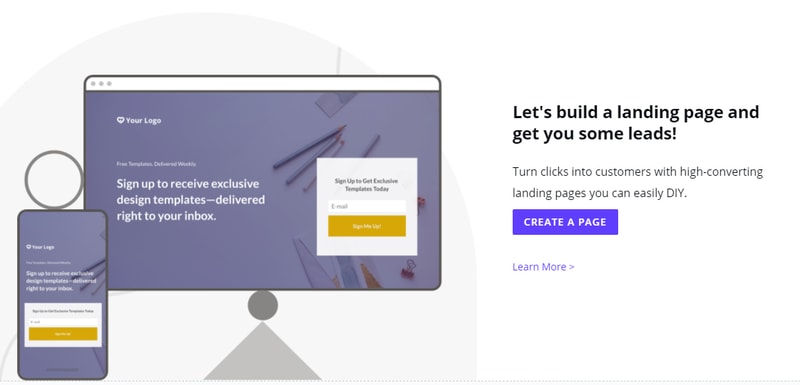
To start building a new landing page, simply head over to your Leadpages interface, and click the option for Create new Leadpage.
Once you’ve done that, Leadpages will give you a host of templates to choose from. Remember, you don’t have to love the Leadpage template completely because you can edit various parts of it with the drag-and-drop editor (or the standard editor if you prefer).
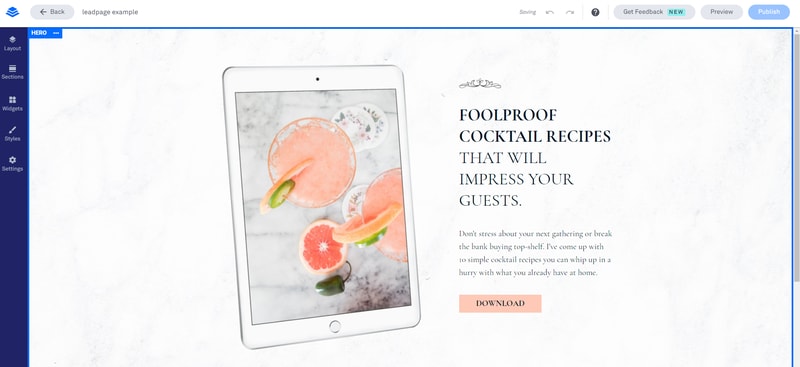
Leadpages will also give you the option to use a blank page as a canvas – although this might be a little tricky for beginners. We’d recommend using the templates initially, until you feel comfortable using all the unique components of Leadpages.
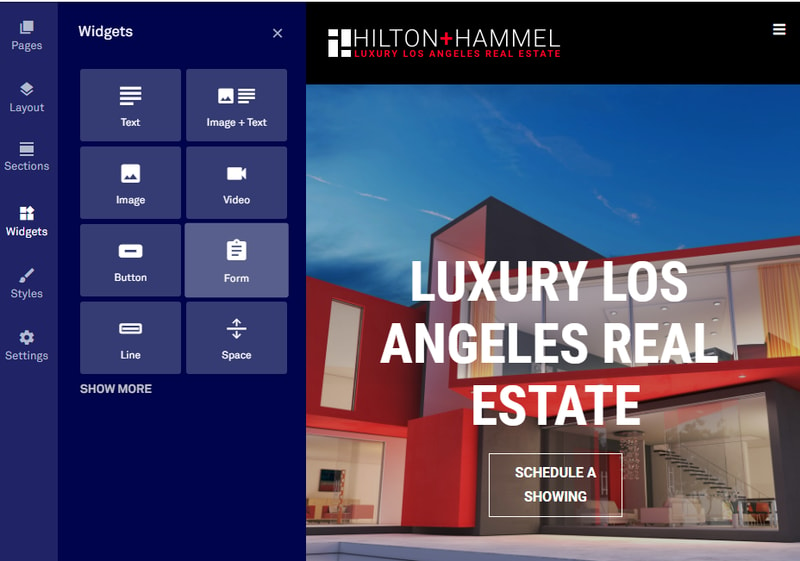
The drag-and-drop builder on Leadpages is by far the easier way to develop an effective landing page. You’ll get a live preview of what your page is going to look like on the right side of the screen, and a selection of modules to choose from on the left. These modules include:
- Widgets: You can add buttons, opt-in forms, or even countdown timers here
- Page layout: Adaptions to the overall format of your landing page
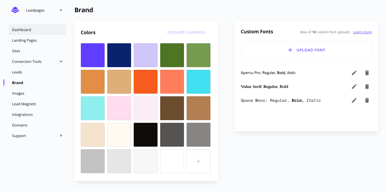
- Page styles: The fonts, images, and colors that you use in your pages
- Page tracking: Basic SEO settings and tracking/analytics codes
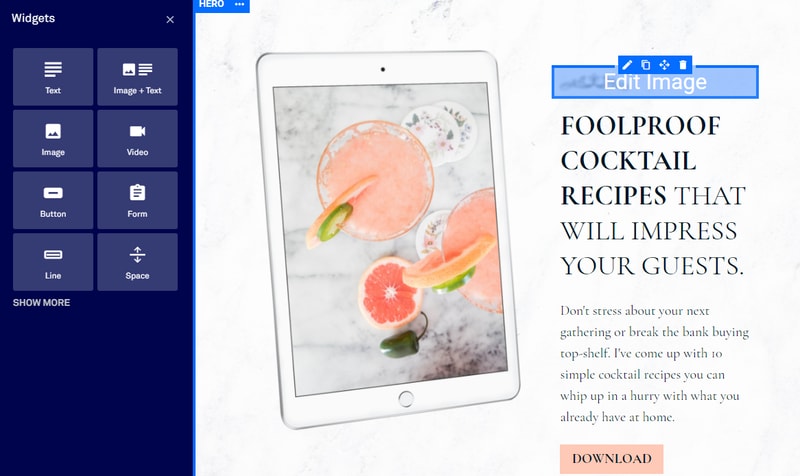
Each widget you add will come with dedicated settings for that widget.
Once you’re ready to publish your landing page, you have a range of flexible options to choose from, including:
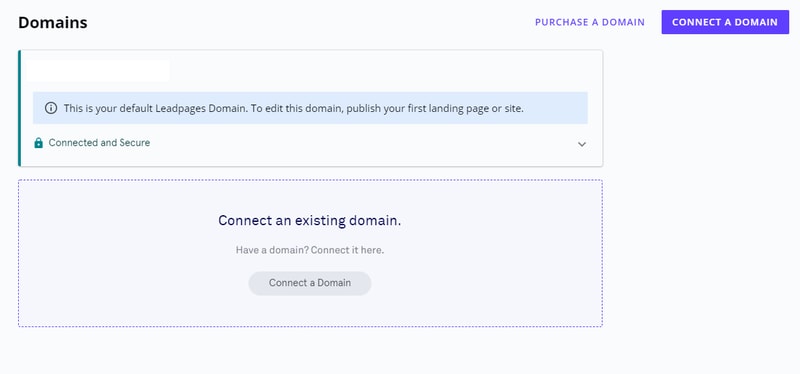
- Connecting your own domain
- Hosting your page for free with a dedicated HTTPS address and SSL encryption
- Publish through the dedicated WordPress plugin
- Publish directly to your existing website or domains through Leadpages
- Create a Leadpages domain for free
If you already have your own website, setting up a landing page with Leadpages should be simple enough. If you don’t, then you might prefer to build a website right there on the Leadpages app. After all, it’s nice to have your landing pages and site in the same space.
Notably, Leadpages integrates naturally with most website building solutions and email marketing services. However, it also has a relatively high-quality website builder of its own. Not so long ago, you could only use the drag-and-drop functionality of Leadpages to create landing pages. Now, you can use the same drag-and-drop system to create entire websites.
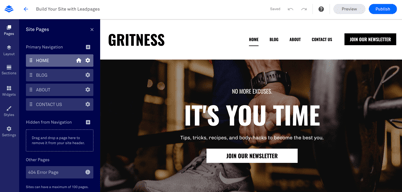
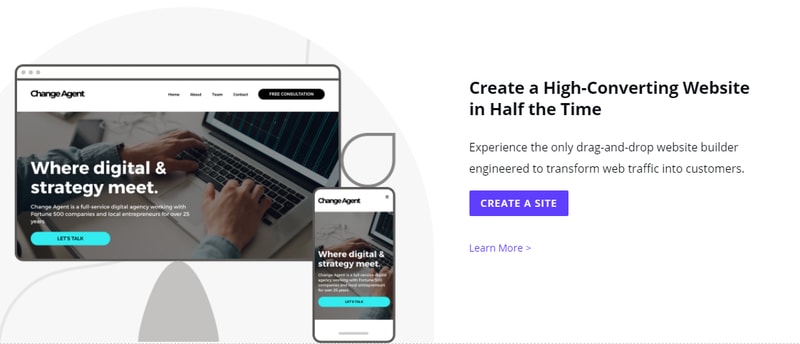
Just click “create a site” on your Leadpages account, and choose from the site templates:
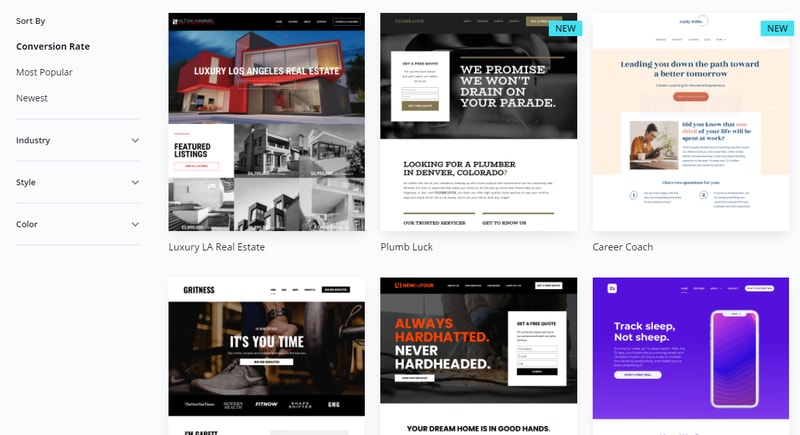
Appearing in 2019, the website builder is similar to competing solutions from Squarespace and Wix. The experience should be pretty similar to using the landing page builder, although you will get more settings, like navigation menus and integrated conversion tools. The site builder comes with:
You can design your site one section at a time, using a range of pre-made sections, for things like “About” pages, or “contact” pages. As you create your site with the drag-and-drop builder, you’ll also be able to access page previews to see what your creation looks like on any device.
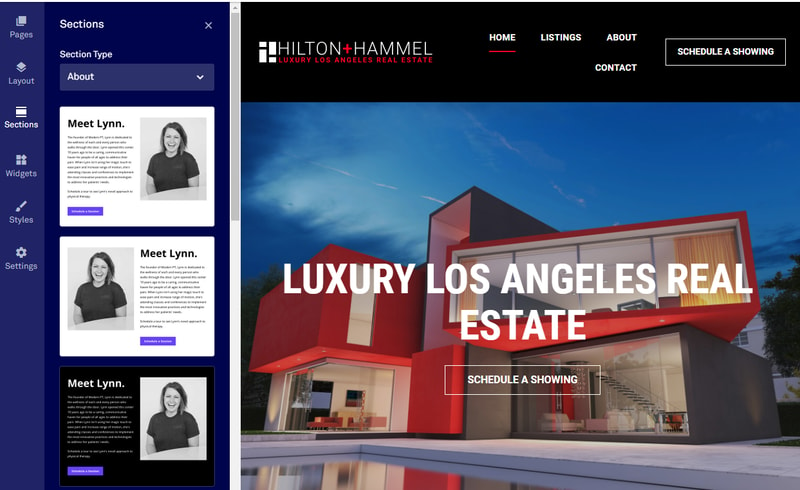
There’s support for various website settings, like creating global website footers, or embedding CSS. You can also access your popups, landing pages, and alert bars, to embed them into various parts of your site.
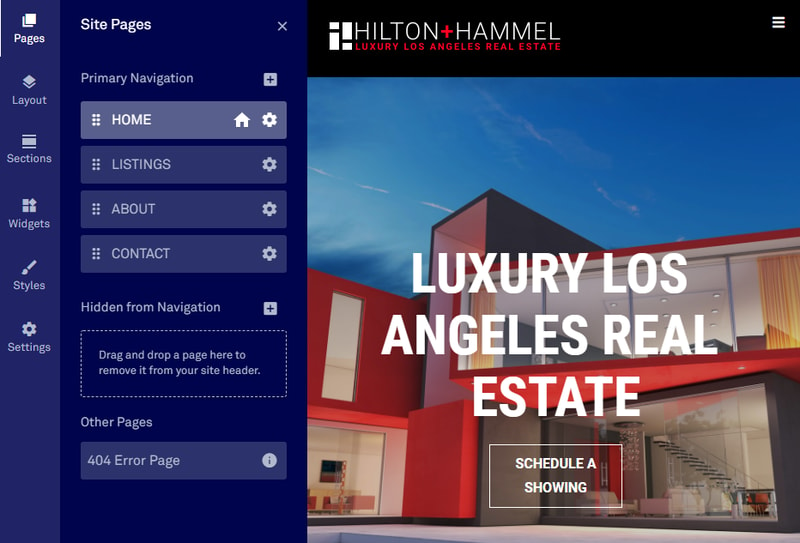
The “Settings” part of the builder also gives you access to various SEO features, like meta descriptions and alt text, so you can boost your chances of better ranking.
Whether you choose to build a single landing page or an entire website, Leadpages makes the process quick and simple with minimal coding (unless you want to use code) and built-in modules, components, and pages to speed things up.
Ease of Use
As we noted in the section above, one of the main selling points of Leadpages is its simplicity. The drag and drop editor that originally delivered landing pages and nothing else is now a component of all the assets you can built on Leadpages. Plus, it helps to know that you only ever have to start from scratch if you want to.
The templates available for your landing pages, forms, and websites are high-quality to begin with, and then you can edit them however you choose with the style settings and editor choices. You even get things like pre-built add-on pages, so setting up an entire site doesn’t take long.
Leadpages can essentially give you all the tools you need for a full online presence in one package, complete with the must-have functionality to collect leads through popups and forms.
There’s even a dedicated WordPress plugin if you already have a website of your own, so you just log into your Leadpages account through WordPress and start importing content. You can use your lead page as a welcome gate this way, or cache Leadpages to improve page loading speed performance.
In terms of usability, some people may argue that Leadpages is restricted compared to things like the Instapages builder. You drag and drop components into set environments, based on the format you chose for your original page. This means that the design functionality isn’t entirely free form. However, this could be a good thing, as it means you’re less likely to make UX mistakes.
Despite some restrictions, everything feels extremely intuitive and code-free. You can add your own CSS in if you like, but you’re not going to miss out if you’re not a coding expert.
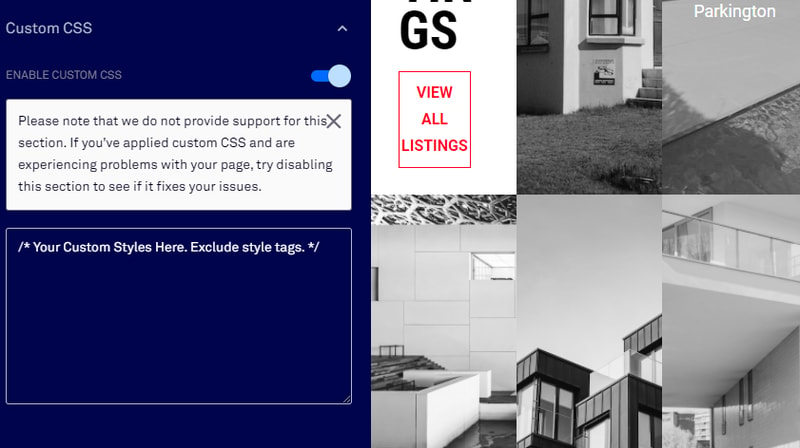
Most of the key functionality offered through Leadpages comes within the “widgets” section of your app, where you can add CTA buttons and experiment with different designs. Some of the key features that make Leadpages easy to use include:
- Easy access to pre-made content : You don’t just get a wide selection of templates for your sites and pages with this service, you get virtually every visual asset you need. You can browse through a built-in icon library and access Shutterstock images. There are pre-built thank-you and confirmation pages, as well as extra pages, like “Team” or “About Us” options. Dragging and dropping your way to a great page is simple.
- Quick changes and updates : Once you’ve chosen components that you like for your brand, you can apply global style settings to your entire website, or multiple pages at once. Leadpages allows you to copy elements from one page to the next, add custom branding wherever you like, and maintain a consistent website template from one environment to the next. You can even set a universal footer.
- Convenient publishing and hosting: All websites and pages come with plenty of hosting and publishing options to choose from. You get a free custom domain with an annual purchase, and you can publish pages through things like WordPress in a matter of seconds. SSL encryption is applied automatically, and there’s no limit to the number of pages you can publish.
- Integrations: Life is always easier when your essential apps and tools work seamlessly together. You get countless standard integrations with Leadpages, including connections to various website builders and email service providers. Plus, you can set up more advanced integrations with Zapier and code.
- Flexibility: You can add functionality to your site or page one widget at a time, form social sharing buttons, to Calendly integrations, or you can design your components from scratch with custom HTML and CSS, or JavaScript. Leadpages gives you the freedom to access as much versatility as you like.
Customer Support
Leadpages is a very straightforward service, great for people who don’t want to get muddled with code when they’re trying to convert their customers. However, no matter how intuitive a builder might be, there’s always a chance you’ll need some extra help.
Fortunately, Leadpages does make a lot of effort to make accessing support as simple as possible. In the past, the only option was to send an email support ticket and wait for an answer. That’s still the case for the Standard plan. However, you will have access to a few tools that can help you to help yourself in this case. If you’re using the basic product, you can search for answers via the Leadpages knowledge base, which is packed full of articles, how-to guidance, and more.
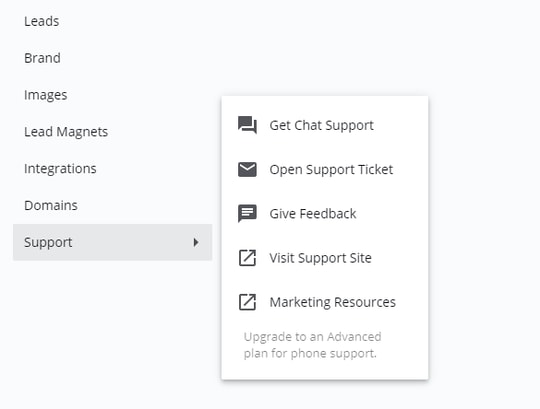
There’s also the option to check out the free Leadpages virtual workshops. These are online lessons where you can gain insights from professionals on how to do certain things with your campaigns. There are also weekly group coaching sessions available too.
For people on the Pro plan, support is available through Chat and Email, where you get priority tech support via both platforms and access to phone calls with real human beings.
You’ll also get the bonus 1-on-1 quick start call from Leadpages on the Pro package, which basically walks you through everything you need to know.
In simple terms, if you’re willing to pay, you’ll have plenty of support.
Leadpages Pricing
Leadpages offers Standard and Pro plans, with discounts available for annual billing.
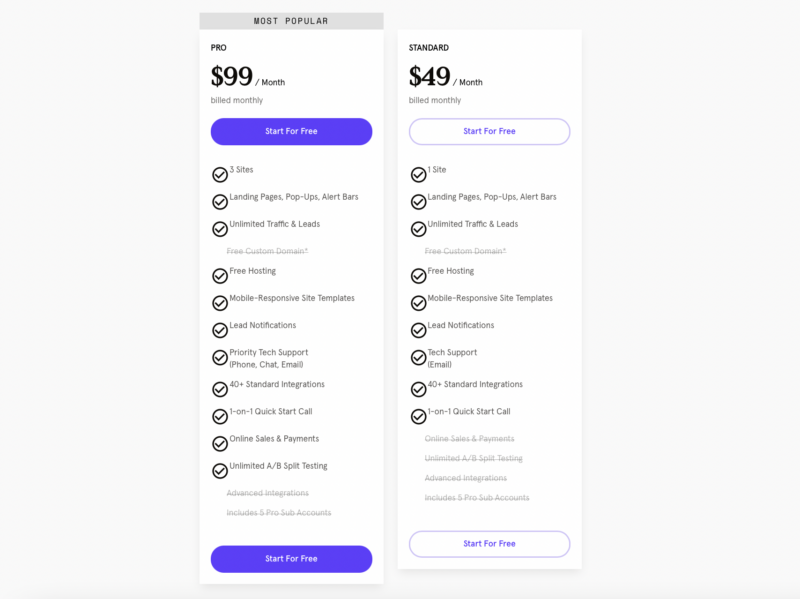
Options include:
- Standard: 1 site, landing pages, alert bars, and popups. Unlimited leads and traffic, free custom domain (annual), free hosting, mobile responsive templates, lead notifications, and email support. 40+ integrations available.
- Pro: All the features of Standard, but with 3 sites, priority tech support via chat, phone, email, online sales and payments, mobile-responsive site templates, and unlimited A/B testing. You also get email trigger links and up to 10 opt-in text (SMS) campaigns.
See Leadpages pricing for current rates.
To help you make your choice, Leadpages offers a free trial for 14 days. You’ll need to enter your payment details, and you’ll be transitioned to a paid plan unless you cancel your free trial within the time provided. You can also upgrade your chosen plan during your trial, or if you decide that you need to get more functionality later, you can switch to a different plan.
Leadpages Review: Verdict
Leadpages stands out as one of the most popular tools for lead nurturing and capturing. It’s easy to use, regardless of whether you’re just making a standard page or building an entire website. Leadpages also has some of the best templates around, so you can jump straight into action without any coding knowledge and create something stunning.
With a drag-and-drop builder and tons of pre-made widgets to make your life easier, there’s no need to brush up on CSS before you start building with Leadpages. Plus, if you need extra functionality, like email-triggered campaigns, you can simply take advantage of the numerous integrations that Leadpages has to offer.
The biggest problem with this product is the price tag. To truly experience all the advantages that Leadpages has to offer, you’re going to need to spend more than you would on the basic plan. You need at least the Pro plan to access things like A/B testing.
It’s also a shame that you miss out on next-level customer service unless you’re willing to spend a significant amount of extra cash. However, there are plenty of self-help resources that assist in evening this out.
Our advice? Go and check out your free trial of Leadpages. You might find that this tool is something you just can’t live without. Earn enough leads, and the tech could pay for itself.

Compare Leadpages with other popular tools in the same category.


Ease of quickly creating landing pages for individual property listings. The ability to duplicate existing pages and make changes as required saves a lot of time.
I've been using leadpages since January 2019, and I can honestly say that there's really nothing that I dislike about it. This is a an excellent service, and I highly recommend it.
I create pages containing a countdown timer for new listings, showing the time remaining before buyers and Realtors can view it in person. Then I text the link to Realtors who work that area in order to create a 'buzz' before it hits the MLS.
How user-friendly it is! When beginning to use a new tool, if it's difficult, the likelihood of using it again is slim to none. Leadpages customer service is also outstanding!!!
Phone support would be appreciated, but their chat support is excellent. I have been a loyal Leadpages customer for over seven years. My virtual assistant and I love it and use it often.
Time management. Creating a new landing page, sales page, checkout page easily and quickly is why I have stayed loyal to Leadpages. The numerous templates Leadpages have, provide me the ability to stay on brand and look highly professional without needing to hire an expensive graphic designer.
its easy to navigate and simple for beginners that don't have any tech or design skills. Facts
I'm not a fan of the price increase. The lower rate was better for new people to try and text.
having unlimited landing pages I can create. I love the week,y coaching sessions. I learn every week a better way to use the platform.

You know the feeling of first getting started with your business and having tons of things to do- create your offer, look after marketing, have website, generate leads and so on. The first few days are a nightmare for every new business owner. Lead Generation really makes it simple to have our own landing pages, website and much more. They also schedule a call to help you walk through the process.
I think the trial period could extend more from 14 days to a month keeping new entrepreneurs in mind who yet do not have a list nor an offer. It would encourage more businesses, especially new ones, to stay on the platform if initially it was free like many other platforms.
Lead pages makes it simple for me to put forward my offer in one single page instead of creating over complicated funnels and websites that takes months. This way, I can create 10 -20 Landing pages per day if I need to!
The support from the team was peerless. They presented 4 coaching sessions that were replete with useful information and then gave us feedback on our projects. I learned that it was much easier to create beautiful pages than I thought months ago. It's so much easier than Convertkit, which I used to use for landing page design.
There was nothing to dislike except I wish I had started a year ago! I learned enough to get going and I have video replays to watch for help now...
They are demystifying web page design, landing page design, and sales page design. Last summer, 2021, I thought it was too complicated for me, but during this Summer Camp workshop (2022), they taught me enough to become confident in starting from scratch.
Ease of use, support staff is amazing, templates are great
I can't think of any downsides of LeadPages. It has exceeded my expectations.
Helping me build excellent sales funnels with easily editable templates. The staff is so quick to help me when I get stuck with anything. They truly care!

Functionality + Support, also the easy Integration
not to much to be honest despite the fact that we don't need it for our tests atm
AB Testing, Building quick LP
My experience with other landing page providers has shown me that LeadPages is the best. For the first time, a tool is designed by a user for a user, not an engineer. So easy to use, no matter how I start it from zero or how many templates I use. For A/B testing, it works well with my email program and Google Analytics, providing me with the most critical data for success. Everything has been considered, including the addition of opt-in messaging and other tools to make it easier for people to join. With the user in mind, LeadPages was created.
It would be great if we could find and categorize all the photos we've uploaded. Our time would be greatly sped up by it. We may label folders with a variety of photos, logos, and other types of information. When I use it, it can slow down my computer because it takes up so much RAM. So how would it operate on a slower Mac? I can't fathom it. A Mac software that allows you to make changes "offline" and store them later would be ideal. To be honest, I couldn't do what I wanted to with my pages. The software doesn't allow for minor adjustments to be made. You must be able to build a page using only the blocks that are provided to you. You'll need to contact customer care if you want to make any additional alterations. The downside is that they don't provide any means of preventing a recurrence of a problem in the future. Consequently, you must always contact them. For the price you pay, I believe there should be more customization options available.
When it comes to creating sales pages, this is an excellent option for businesses or content marketers who don't want to pay a developer. The last thing you need when you're launching a new product is a developer who takes weeks and costs you a fortune to put up a page. You can now go out and enjoy yourself without having to deal with any of the usual hassles. You don't need to know anything about technology after the plugin is installed on your website.
My favorite part of the process is the weekly coaching--customer experience at its best, with Bob Sparkins. He reviews the template with ease and expertise. The one-on-one review/SEO coaching is the cutting edge of technology.
LeadPages is constantly upgrading and raising the bar in terms of web design, and I am constantly obsessing over fonts, colors, and background. But, I have accepted it's the trajectory of web designs. Hence, web design and framework must not deviate significantly from the corporate vision.
I used Leadpages to provide one-page business information-- complete with vision, mission, and choices of services. Bob taught us the psychology of offering rate packages.
Weekly Coaching: learn to use the platform!
Needs a better affiliate program and how-to
Leadpages is a great marketing tool. A++ conversions. Uses STRIPE, built into the software. The BEST benefit is the teaching and coaching offered weekly, where Leadpages reviews and even REVAMPS your pages. Helps customers develop better pages. WOWZA results. Best customer service on the planet!

There's so much to like about LeadPages. It's so incredibly easy to use and the platform sets you up for success from day one.
There's nothing that I don't like about it.
We're a small shop. WordPress is way too complicated and didn't help us build a better website. I got a website up in hours and immediately was informed about leads.
You can easily create landing pages and it's very intuitive. When I have a question, customer service has always been prompt and helpful. BONUS - the weekly coaching sessions are excellent!
I have discovered that browsers like Duck Duck Go are not compatible, but I mentioned it to customer service and they are working on improving it.
I finally have landing pages for my products and they look amazing.

Leadpages has allowed me to have a more professional website without needing to contact someone to help me with my previous complex WordPress site.
Everything is really great. It would be nice if I didn't have to pay for premium images, but I do like the convenience.
Website and landing page development without being technical.

Leadpages has made it easy for me as a business owner to create high-converting landing pages to convert leads to customers. The builder is intuitive and the drag and drop features are easy to use and customizable. The platform has great reporting for pages and customer support is A1 as they are knowledgeable and always willing to assist in making work on the platform much easier. I am happy that i chose this platform to help my business with lead generation and hosting my business website.
I have no dislikes in Leadpages. Nothing is missing for my use of the platform.
I am able to attract and convert quality leads using landing pages created in Leadpages. This helps me strategically focus my pages on conversion and a quick call to action.
The integration was done in about 25 seconds
I can't keep up with the demand lol ....
It means I know have live chat and a conversion tool
it is very simple to use so you can focus on your content. I love they have pre-made high converting templates with the same time.
if you want to do something a bit different, like sending custom fields in a form, this is currently not supported.
getting leads through paid marketing and blogging. it just made me focus on content.
Bob worked directly on my landing page. The feedback was spot-on. He immediately saw my blind-spots. I've been a leadpages member for years. The teaching and support are unparalleled. My page was already converting well, and I can't wait to implement the changes.
Leadpages isn't cheap. But if you're serious about growing your business, then you are going to have to stay up to date with the environment. The world changes quickly and leadpages stays current with market trends.
Leadpages helps me with lead acquisition. With a service business, I always need a constant stream of leads. Leadpages helps ensure I have those leads, month in and month out.
I love how simple the tool is. And the support is second to none. I recently upgraded and I'm loving the A/B testing of landing pages to increase conversions. But even the standard version is amazing. You can duplicate pages, copy sections from one page to another. It really makes it easy to reuse information
The only thing I would LOVE to see is organization of the image assets that are uploaded. The total disarray is hard on an ADD, Dyslexic old lady. Organization of this area would take the tool to the next level!
Leadpages let's me simply and quickly create landing pages for my options and sales pages and test them to increase sales and conversions.
Leadpages is very user friendly. I love that I pay one price and can create as many landing pages as I like. It's so customizable and easy to integrate into your existing website, to have additional opt-ins, products, and programs.
I wouldn't say there is anything specific that I don't like. There could be improvements on the full website design capabilities, however it serves my needs as an online coach.
It's been easy for me to quickly launch a new masterclass or course! The available designs for opt-in pages and landing pages are exactly what is needed in today's market and easy to customize or integrate with email marketing platforms.
Leadpages is easy to use and has free, personal weekly training and coaching that I find invaluable! They are my #1 go-to for what is working online right now and how to do it myself. I've seen my optin rates go from 12% to 65% almost overnight by following their suggestions
There isn't anything I dislike about Leadpages. It has been a Godsend for my confidence and business for over a decade.
There is so much info online that it becomes overwhelming. I know Leadpages always has the most up-to-date info and techniques I need so I save time and confusion by having them as my go-to for ethical online practices and marketing.
Leadpages is very easy to work with and their customer service is the best I've ever experienced. They will not stop until they know that your problem is solved. They will even create a quick video so they can walk you through each step if you're having trouble. I'll be a LeadPages customer for life.
I cannot think of anything about LeadPages that I dislike.
I have been able to create great landing pages and pop ups that have increased my conversion rate. The product is so easy to work with and my ability to create an eye-catching pop up has greatly increased since using Leadpages
I like how user friendly Leadpages is and the available templates! Also, if you do have questions or get stuck, you get to talk to a real person that will help you.
Honestly, I can't think of anything that I don't like about it. The only thing I wish Leadpages has was a text to opt-in feature for collecting email addresses for your email list.
I am building my email list with responsive landing pages! Also, I am learning more about digital marketing, and I can use it for both of my businesses which saves money.

it's simple. It makes sense. It makes pretty pages. It's optimized to convert. And again, it's simple.
Would be cool to be able to connect funnel pages, and amazing to have simple gated membership feature. But I'm just dreaming.
Attractive, easy to build and integrate pages. We use Leadpages to build simple, tight websites now too. it empowers anyone on my team to add content or edit the site without depending on anyone else.
Leadpages has made several improvements just in the last year that I've been using them. As a beginning blogger, I struggle to make my pages look professional and have the elements needed for conversions. Leadpages templates and conversion coaching sessions have been so helpful as I'm getting my blog off the ground.
There was a learning curve, but the improvements they've made over the past year have made the platform much easier to use. I was a little confused at first how to attend conversion coaching sessions and submit a page, but after watching one session it wasn't difficult to figure out.
The landing pages and popups I make with leadpages, even with my limited knowledge and design skills look so much more professional than the pages I make in my email service provider.

I love Leadpages when it comes to the many exciting design options! It's so easy to use and the changes you make are dynamic.
I am still learning how to use it, so I don't know if anything is not working properly.
I am using it for converting landing pages and I really like how easy it is to use.
The product is very intuitive and easy to customize.
I would like newer templates and more choices
No problems, super easy to create all the pop-ups, sales pages, and conversion items. It allows me to be more productive, get my work done quicker and get business up and running quicker.

I love that I can bang out a professional web page quickly. The variety of templates available means that I can create sales pages, webinar registration pages, thank you pages and more. It's fast, flexible and fun!
The only thing I would change is the ability to further customize the templates. Sometimes I want to make a logo bigger or switch something out, and some of the templates are less flexible than others...
With LeadPages I can create sales pages on the fly, without having to rely on a graphic designer. So if I come up with a product idea at 2 AM, I can build a LeadPage and have that product ready to sell in minutes.
Leadpages is simply the best when it comes to creating effective, high converting Lead Magnets. While highly intuitive, when support is needed they are the best!
It's hard to find anything not to like. Compared to other services, Leadpages offers a unique combination of high quality services, excellent support and tremendous training!
Even a hastily created Leadpage (due to my schedule, not a problem on their end), I still experienced a 36% conversion rate. Other, better thought-out projects did even better. THEY ARE GREAT!
Leadpages offers a variety of templates and an intuitive editor, enabling you to build your own custom pages without any coding knowledge required!
Leadpages sites are great for just starting out, but could use some additional features such as blogging to become viable for businesses as they grow larger.
Generating leads is essential for any small business, but it can be tough to know where to start. Leadpages makes it easy for you to get started by providing a wide range of templates and an easy-to-use editor. You don't need any coding knowledge to create beautiful pages that convert! Leadpages also integrates with many popular tools like MailChimp, WordPress, Salesforce, HubSpot and Zapier.
I like how easy it is to create a landing page, add a call to action, and integrate my email marketing tool. For new customers, they offer a landing page review by an editor which helped me significantly increase my webinar registrations. Later I joined the coaching community on Facebook and it has been a wonderful experience. Not only am I able to get feedback, but also see feedback provided to others that will eventually help me create more landing pages that will convert. They also have the Leadometer in some landing pages that provide immediate feedback on how well I've created the landing page. This information is based on years of creating landing pages and data from creating landing pages.
The price of the Pro Plan is double the standard plan. This is my only dislike, because many other tools such as Converkit, offer the option to make sales and take payments, at no additional charge. Thank goodness I accept payments on my company website and through my email responder Converkit at no additional charge.
The problem it helps solve is tracking how well my marketing campaigns are doing. Leadpages also has landing pages with no other navigation like a regular website, reducing distractions. So the paid advertising campaigns have a better chance of converting the landing page visitors. It also provides an easy way to view live analytics as well as data over a period of days or months.