

Unclaimed: Are you working at Litmus?






Litmus Reviews: 4.6/5 — Highly Rated
Litmus is a preferred email personalization, optimization, and collaboration software among marketers designed to maximize your ROI. From pre-send campaign development, testing, and AI-driven content recommendations Litmus can deliver the tools you need and help facilitate better creativity to ensure optimized content.





| Capabilities |
API
|
|---|---|
| Segment |
Small Business
Mid Market
Enterprise
|
| Deployment | Cloud / SaaS / Web-Based |
| Support | 24/7 (Live rep), Chat, Email/Help Desk, FAQs/Forum, Knowledge Base, Phone Support |
| Training | Documentation |
| Languages | English |
Compare Litmus with other popular tools in the same category.
Rendering tests and builder capabilities
how rendering counts are done and cost. Would like to be able to easily create listed of testing clients when troubleshooting issues instead of having to constantly check and uncheck boxes. Makes us less efficient to do that, but if we don't then we can quickly blow through our allotted renderings for the month if we don't.
Rendering issues especially with Outlook.
Litmus checklist within Salesforce Marketing Cloud Ability to tag/collaborate on email proofs within Litmus Email upload speed Unsure how it compares to competitors!
It was a little glitchy at first, but we were able to resolve that with help from customer service. I'm not sure how the tool could be much better! Perhaps it could be easier to find read time based on emails.
Checking email links, upload time/size, collaborating and reviewing emails among various teams at my company; We are more productive because of it! We have also been able to review emails within the SFMC platform which cuts down on production time.
As advertised feature set, testing renders faster than any other platform out there. Customer support is incredible. Add-on features are neat for ppl who like them. The tracking feature with the big brother type device data is quite good if you're using an email platform that doesn't provide that data. Weirdly litmus is great for huge companies who can afford an overpriced testing platform (built-in integration with SFMC is fantastic), and also great for tiny companies on platforms that don't have tracking features that litmus supports.
Overpriced for so many people. If you don't need your emails to render at instant speed, go with any other service. Even emailpreviewservices is sketchy but eons cheaper. If all you're looking to do is render your emails in various browsers, check out a cheap alternative or just go buy a few old iphones/androids and get a mac.
email rendering in all clients. benefits are that and the tracking features by campaign (device usage)
Litmus builder lets you build email quickly and easily while ensuring you consistently deliver a good brand experience for everyone.you can also seamlessly sync your HTML with your mailing platform in a single click .Get your emails scanned by every major spam filter before you send.
It very useful but the cost makes me think about it .cost is high and when your usage get high you will have to switch the next plan to accomodate your needs
Litmus allows our organization to tracks us with roi.it increased our sales ready leads.
The fact that I could work real-time with people from other timezones to edit copy for my emailers to the organization and clients. I haven't worked with competition but this was a great product
Sometimes it takes a bit of time to load - but in my case mainly due to me being new to Litmus. I also found that sometimes I needed to log in frequently as I kept getting logged out for some reason.
I was trying to send emails with global language taking into account company and country nuances and culture. Litmus very clearly helped me in ensuring that copy was accurate and well articulated
User friendly Clear Troubleshooting Supportive Customer Service
Cost, technical knowledge makes it not accessible to everyone
data management and disseminating that information to my staff
I love how user-friendly the site is to use
I would say there is not as much support beyond the help center
Litmus has been great for testing and creating new email templates.
The previews and code builder are by far my favorite features. I would use the "push to ESP" feature more if we hadn't just swapped most of our clients over from Mailchimp to Klaviyo.
The UI can be a little confusing at times when you are in a hurry. It's tough to quickly jump to a section when you need to.
Really solving accessibility and keeping the design intact.
Screenshots of out top 10 emails clients are essential to our workflow.
You have to be a premium user to connect to Salesforce.
We have enjoy getting the live previews locally in the browser with the extension.
The checklist/QA feature is ideal when building out HTML emails to catch any last-minute changes and accessibility requirements.
The reporting could be more robust and provide more details into performance.
We are able to make our emails more accessible to those using screen readers and ensure our HTML is properly tagged. It made us realize our templates needed a closer look.
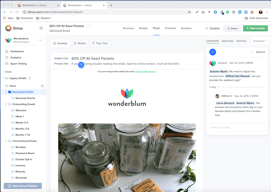
Email proofing, sharing a link to others easily
So many steps to follow through in order to get the email proofing even with the integration with the MAP.
Definitely email proofing, approval.
The best thing I like about it is that It gives you all the email previews you could ask for. It has an editor built out just for developing emails. It is very cost effective.
The interface could be better. And the pricing is a little too expensive for a small company or a start up.
We don't have a developer in our team. So it's very handy when we can easily code stuff without any breaks in our emails or links.
When I send out e-mails with links, I would have to go back and click on them to make sure it works. But with Litmus, it does it own it's own. It will confirm the link, instead of you clicking on it. You can also review your picture that's attached, and they will notify you if you are missing any pictures. The software is also good for Marketers.
There are no Cons so far, still experiencing the software.
Problems we can solve are making sure that the marketing communications is presented across the market and multiple email clients.
I like how effective Litmus is when testing email templates/designs. It has almost never not outputted exactly what the final product will be. Basically, it's really reliable and trustworthy in what it generates from the code you give it. It's not finicky and doesn't result in contradictory email displays on different email programs.
Lately, the website has been down for a considerable amount of time/days, which is very inconvenient. The only other thing I'm not the most fond of is how long the test emails take to go through - they do take a few minutes.
We use several different email programs (i.e. Outlook app, Gmail, Outlook online, etc.) so sending our corporate, designed email templates through Litmus PutsMail has drastically improved the efficiency of our emails that go out. After sending it through PutsMail, we're able to see the errors we can't see on just the email link itself. It makes our email blasts pretty seamless.
A nice online tool which allows to design/code email. We belongs to hospitality industry and our marketing team requires a lot of different types of email for regular system's processes (i.e Customer Reservations, Welcome email) as well as different marketing campaigns. For development team it's an important task to design emails which should be lightweight, compatible for all type of devices / browsers and almost zero bounce rate. This simple tool is very awesome for handling such kind of issues in less time.
Basic plan is a bit expensive because it charges USD99/month and provides only 1 user and just email preview. Some more features should be included in Basic plan as well.
As I stated above that designing emails which are compatible for all devices in short time. We use it mostly for email campaigns. its spam testing tool is also good.
Litmus Email has user friendly options to designing a professional looking email. It creates an email that can include your images, links, proper tracking id's, etc. Using Litmus for online marketing helps the user get their emails (their ad campaign) to the inbox instead of the spam box.
I wish Litmus was able to detect why we're experiencing certain issues between email clients. It's probably wishful thinking at this point given all of the variables Litmus would need to consider in order to make a sound suggestion.
I was trying out Litmus for a election campaign - marketing campaign. It was helpful in creating email content - which was quick and easy. It's honestly a reputable software but there are tons of similar programs out there that can equally do that job.
Seems helpful to our marketing team; efficient
Kind of bulky, loads slowly, direct links sometimes don't work properly
Great program to build email and other marketing items
Shows a huge number of email inbox providers, including the versions. Also love that it provides specific things to update when testing. UI is pretty user-friendly as well.
I haven't set up the MKTO integration yet, so that's on me. Everything else works fine!
email deliverability/quality. Realized that our email template/HTML is not optimized and that we need to add blank space after the preheader copy.
This tool saves me a great deal of time. Rather than maintaining a multitude of test email addresses and devices, and signing in and out of them, I am able to sign into one easy to use tool to quickly review them for rendering issues. I am then easily able to share the results with other stakeholders.
I have found the renderings to be short of 100% reliable. I have come across many situations where Litmus showed rendering issues, where the actual email client in question on the relevant OS/version did not.
Email render testing. Tools such as Litmus and Email on Acid greatly increase the speed you can accomplish these tasks in.
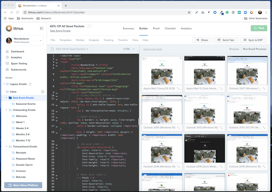
client previews. snippets, templates, partials.
advertised as an adobe campaign solution yet the inliner disables all adobe campaign scripts. Long standing bug they know about but will not fix. Also bugs with file and folder renaming not sticking when you download the emails into files.
the client previews help speed things up.
Litmus give us the flexibility to move forward
alot to learn to fully utilize the ability of it
publishing web pages
Easy to use marketing tool with simple email designs. Best way to attract customers is to send powerful emails and this helps with just that
Not a whole lot. Does what it promises to do.
Designing impactful marketing emails to customers and potential buyers