

Unclaimed: Are you working at Outgrow?
Outgrow Reviews: 4.8/5 — Highly Rated
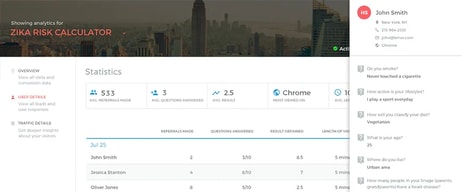
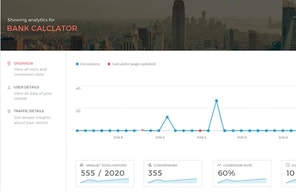
Outgrow is specifically designed for professional marketers and lets users leverage advanced features that ensure the best results for online quizzes. Outgrow uses strong content to boost marketing efforts, and increase conversion, engagement, and overall reach. It has a drag-and-drop online quiz maker that makes it easy to create interactive quizzes and it allows users to quickly embed their quizzes on their websites. It also allows users to track performance thanks to its built-in analytics. Outgrow also offers powerful integrations, including GetResponse, automation apps like Zapier or analytics tools like Google Sheets, and many

| Capabilities |
API
|
|---|---|
| Segment |
Small Business
Mid Market
Enterprise
|
| Deployment | Cloud / SaaS / Web-Based |
| Support | 24/7 (Live rep), Chat, Email/Help Desk, FAQs/Forum, Knowledge Base, Phone Support |
| Training | Documentation |
| Languages | English |
Outgrow Pros and Cons
- Great selection of interactive quiz templates
- Ability to go beyond quizzes with tools to build chatbots, suggestions or calculators
- Excellent analytics and performance metrics
- Supports payment integrations
- May be a bit complex for beginners
- Branding can be removed only in the top pricing tier




Outgrow counts leads per year, not per month — and its $14 plan allows 3,000 of them, about 250 a month. Freelancer Pro at $25 allows 12,000. So paying 1.8 times more gets you four times the leads, which drops the cost per thousand from $56 to $25. The cheapest plan on the page is comfortably its worst value, and the annual counting makes that easy to miss.
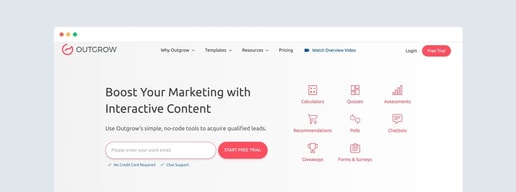
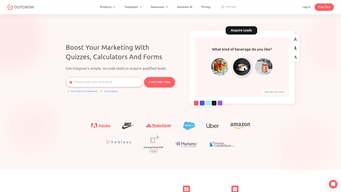
- What it is: An interactive content builder — quizzes, calculators, assessments, polls, and recommendations — used for lead capture.
- Best for: Marketers who want engagement-led lead generation rather than static forms.
- Pricing: Freelancer $14, Freelancer Pro $25, Essentials $95, Business $600 per month on annual billing. Verified July 2026.
- The honest catch: Freelancer has no access to charts, tables, or graphs at all.
What Is Outgrow?
Outgrow builds interactive content: a mortgage calculator, a “which product suits you” quiz, a maturity assessment, a recommendation engine. The pitch is that people will complete an interactive experience they would abandon as a form, and that the answers they give qualify them as they go.

The plan structure meters three things at once: content types (5, 7, 9, then all), content pieces (5, 7, then unlimited), and leads per year. Team members ladder separately — one user on both Freelancer plans, three on Essentials, ten on Business.
A “Custom Plans” tab sits alongside the popular ones for anything outside these shapes.
How Outgrow Works
- Leads are counted annually — 3,000, 12,000, 90,000, then 600,000 per year.
- Content types and pieces are metered separately from leads.
- Both Freelancer plans are single-user.
- Charts, tables, and graphs are absent from Freelancer entirely.
- Custom domains require Business — everything below is embed-only.
- A free trial is available without a sales call.
Outgrow Pricing
Captured from Outgrow’s pricing page in July 2026 in US dollars on annual billing.
| Plan | Per month | Was | Leads/year | Content pieces | Users |
|---|---|---|---|---|---|
| Freelancer | $14 | $22 | 3,000 | 5 | 1 |
| Freelancer Pro | $25 | $45 | 12,000 | 7 | 1 |
| Essentials | $95 | $115 | 90,000 | Unlimited | 3 |
| Business | $600 | $720 | 600,000 | Unlimited | 10 |

What actually decides your plan:
- Convert the annual lead figure to a monthly one immediately. 3,000 a year is 250 a month. For a marketer running interactive content on a site with real traffic, that is a small allowance, and the annual framing makes it look four times larger than it behaves.
- Freelancer Pro is the obvious buy over Freelancer. $25 against $14 — 1.8 times the price for four times the leads, two more content types, two more content pieces, standard layouts, and access to charts. Per thousand leads that is $25 against $56.
- Freelancer has no charts, tables, or graphs. For a product whose signature use case is calculators and assessments, presenting results without a chart is a significant limitation, and it is the clearest reason to skip the entry tier.
- Two features on the middle tiers are qualified “with SMB Offer”. Charts and advanced integrations on both Freelancer Pro and Essentials carry that wording rather than a plain inclusion. Worth clarifying with Outgrow whether those depend on a promotion before you rely on them.
- The discount varies enormously by tier. “Save Upto 44%” is accurate as a ceiling — Freelancer Pro is 44.4% off — but Essentials saves 17.4% and Business 16.7%. The “up to” is doing real work.
- Essentials to Business is a 6.3× step. $95 to $600, for 6.7 times the leads, ten users instead of three, custom domains, and full branding. Sensible per lead, brutal as a monthly increase.
Who Should Use Outgrow
- Marketers running engagement-led campaigns. The clearest case — quizzes and calculators genuinely outperform static forms on completion.
- B2B teams qualifying leads. An assessment that scores respondents does the qualifying work as it collects.
- Agencies building for clients. Essentials at three users and unlimited content pieces is the practical agency tier.
- Anyone with a calculator-shaped problem. Mortgage, ROI, pricing, and savings calculators are where Outgrow is strongest.
It fits poorly for simple form collection, where Typeform is cheaper and better designed; for contests and giveaways, where ShortStack has the specialist mechanics; and for very low lead volumes, where the entry plan’s per-lead cost is poor.
Honest Pros and Cons
Strengths
- A genuinely broad content-type library — quizzes, calculators, assessments, polls, recommendations.
- Unlimited content pieces from Essentials, which suits agencies.
- Strong logic and formula support, full access from Freelancer Pro up.
- Embed anywhere on every plan, so distribution is not gated.
- An honest “up to” on the discount claim, unlike several competitors.
- A free trial with no sales call.
Limitations
- Leads are counted per year, which makes allowances look larger than they behave.
- No charts, tables, or graphs on Freelancer at all.
- Both Freelancer plans are single-user.
- “With SMB Offer” qualifiers on two mid-tier features are ambiguous.
- Custom domains require Business at $600.
- A 6.3× jump from Essentials to Business.
Outgrow Alternatives and How It Compares
- Typeform is the better tool for beautiful forms and surveys, with less calculation and logic depth.
- involve.me is the closest direct competitor on interactive content and funnels, generally cheaper.
- ShortStack specialises in contests and giveaways, with published overage rates.
- Landingi builds and tests the landing pages that interactive content sits on.
- Interact focuses specifically on quizzes for lead generation.
- Jotform covers form building broadly at lower cost, without the interactive-content emphasis.
For a broader survey, browse our lead capture directory.
The Verdict
Outgrow is a good answer to a real problem. People abandon forms and complete quizzes, and an assessment that asks five questions to produce a personalised result gathers better qualifying information than a field labelled “company size” ever will. If your lead generation has plateaued on static forms, interactive content is worth trying, and Outgrow’s range — calculators, quizzes, assessments, polls, recommendation engines — is among the broadest available.
Read the lead allowance carefully, because the annual framing flatters it. 3,000 leads a year on the $14 Freelancer plan is about 250 a month, which any site with meaningful traffic will exhaust. And the arithmetic strongly favours moving one step up: Freelancer Pro at $25 gives four times the leads for 1.8 times the price, taking the cost per thousand from $56 down to $25. That is the single clearest decision on the page.
Freelancer also has no charts, tables, or graphs. On a platform sold on calculators and assessments, being unable to present a result visually undercuts the reason to buy it — which makes Freelancer better understood as a trial tier than a working plan. Two further things to raise before committing: the “with SMB Offer” qualifier attached to charts and advanced integrations on the middle plans, which reads as conditional rather than included; and the step from Essentials at $95 to Business at $600, since a custom domain sits on the far side of it. Per lead, Business is fine value. As a monthly increase, it is a decision that needs planning rather than discovering.
FAQ
How much does Outgrow cost?
Captured in July 2026 in US dollars on annual billing: Freelancer $14 per month, Freelancer Pro $25, Essentials $95, and Business $600, against struck-through rates of $22, $45, $115, and $720. Lead allowances are 3,000, 12,000, 90,000, and 600,000 per year respectively, and team members are 1, 1, 3, and 10.
How many leads does Outgrow include?
Leads are counted annually rather than monthly: 3,000 a year on Freelancer, 12,000 on Freelancer Pro, 90,000 on Essentials, and 600,000 on Business. Converted to monthly, that is roughly 250, 1,000, 7,500, and 50,000. The annual framing is worth translating before you compare Outgrow against tools that publish monthly allowances.
Is Outgrow’s cheapest plan worth it?
Rarely. Freelancer at $14 works out at $56 per thousand leads against Freelancer Pro’s $25 — and Freelancer has no access to charts, tables, or graphs, which matters on a platform built for calculators and assessments. For $11 more a month, Freelancer Pro gives four times the leads, two more content types, and chart access. Treat Freelancer as an evaluation tier.
Does Outgrow’s 44% discount apply to all plans?
No, and Outgrow says “up to” rather than claiming it flatly. Freelancer Pro is discounted 44.4% ($45 to $25), Freelancer 36.4% ($22 to $14), but Essentials only 17.4% ($115 to $95) and Business 16.7% ($720 to $600). The headline reflects the single best tier, so check the actual saving on the plan you want.
Outgrow or Typeform?
Typeform is better for beautiful forms and surveys, with a cleaner design language and lower entry pricing. Outgrow goes considerably deeper on calculation logic, formulas, and result presentation, which is what makes calculators and scored assessments possible. Choose Typeform when you are collecting answers, and Outgrow when the tool needs to compute something and show the respondent a result.

Compare Outgrow with other popular tools in the same category.
Outgrow is useful if you're using calculators for your lead funnel. If you're not, don't use Outgrow. They also keep putting features in higher pricing tiers when they were on lower pricing tiers earlier.
The cancellation process is the worse. I would not recommend Outgrow due to them not respecting the decision to cancel. Do not get on Outgrow. Build your own calculator.
We initially got it to show ROI on marketing, but now the tool is not worth the cost. Cancellation was a nightmare. I don't recommend it.
Easy to create a quiz and calculation and outcome based formats are helpful but the pricing strategy sucks
Problamatic to style if you aren't on the top pricing plan, everything is an upcharge.
I just wanted a quick quiz for my audience. Outgrow does not have a helpful process.
It would be great if it worked. Forms are not sending to the emails listed to be sent to. The product has never worked correctly.
Forms on a custom form/calculator have not worked in months. Support has taken an entire week to atempt to resolve an issue but have done nothing to resolve my issue. Very basic.. form gets filled out, then form data should be sent to an email or list of emails that are listed on the form. Customer support is terrible. Do not use this service.
Customer support is terrible. Product does not work, yet when I reported a problem, they tried to upsell me.