Unclaimed: Are are working at QuickBooks Desktop Pro ?
QuickBooks Desktop Pro Reviews: 4.3/5 — Solid Choice
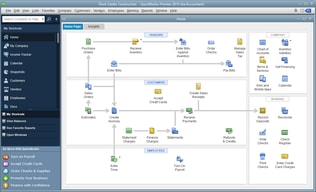
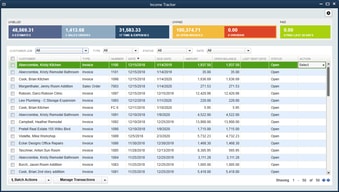
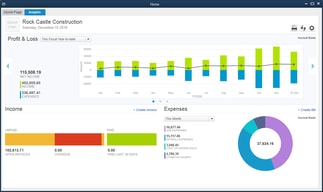
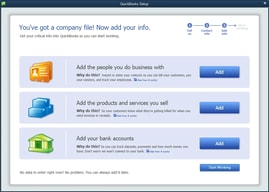
QuickBooks Desktop Pro is a platform that lets users automate key processes in the accounting system, including billing and invoicing. With Desktop Pro, users have the option to link bank accounts, define workflows, and make automated payments for efficiency. This solution also lets users manage employee payrolls via a single application. Other key features include business expense tracking, report generation, and time tracking.
| Company | Intuit Inc. |
|---|---|
| Year founded | 1983 |
| Company size | 10,001+ employees |
| Headquarters | Mountain View, California, United States |
| Social Media |

| Capabilities |
API
|
|---|---|
| Segment |
Small Business
Mid Market
Enterprise
|
| Deployment | Cloud / SaaS / Web-Based, Desktop Windows, On-Premise Windows |
| Support | 24/7 (Live rep), Chat, Email/Help Desk, FAQs/Forum, Knowledge Base, Phone Support |
| Training | Documentation |
| Languages | English |






Compare QuickBooks Desktop Pro with other popular tools in the same category.
Powerful and intuitive to use. Go to accounting software for all business sizes.
Feature updates don't happen too often, so don't expect a lot of changes.
Managing books and accounting department.

QB's makes my job so much easier. I'm able to enter and pay invoices quickly. Reports are extremely helpful for following a/p's and a/r's.
Support for QB's isn't the best. I've attempted researching/contacting without great results.
I use QB's daily at work. It makes my job so much easier. There are four different business within QB's that I manage.
I have used it for 20 years and the program is updated but does not lose its familiarity.
Wish the online version was a little less pricey.
I have multiple businesses I manage in QuickBooks and it keeps everything organized easily and efficiently.

It’s inexpensive and excellent to track expenses & p&l and easy to use & very intuitive. It is great also when sourcing out your books.
You can make changes sometimes with out it saving original. You can make up numbers & change last minute.
It allows organizations to scale their business very quickly & you can use whether you are a small or mid or large organization.
QB desktop pro is easy to use and a great option for clients who want to use a non on-line solution,
The ease of sharing files is a bit clunky, and can be problematic at times. A good file sharing program is a great option for a solution to this.
I am solving the problem of a client paying too much for an online program. The benefit is the cost for someone who doesn't need the online option.

I ran my business in QB Pro. Easy to create reports, asset tracking, payroll.
somewhat confusing setting up cost of goods
I track all my business in QB Pro. Accounts payable, receivable, payroll, inventory

I love that with QuickBooks I can pretty much do ALL of my ap/ar within the one platform
In our company it's hard to get an accurate measure of supply so sometimes our numbers are skewed within QB. That could be specific to just our industry, so I'm not sure if it would be across the board.
We have someone using QuickBooks right now who has almost no accounting experience other than going to business school, and she's more than capable of using it. The tasks we use QB for are simple enough that anyone who understands the interface could be good at it.
I love how intuitive it is for everyone to use regardless of your experiences are prior to using it. It has everything you would ever need
It can be a bit basic but it covers the majority of my needs
It’s helped me organize the accounting and financial aspects of the family-owned business I work for, without needing an advanced degree in accounting
Ease of use. With no prior knowledge I was able to get comfortable with the program within a couple of days. I also think it is easier to use than Quickbooks online, which I tried after getting familiar with Quickbooks Desktop Pro.
Downloading transactions and unmatching many individual transactions can become time consuming.
Track cashflow, run reports easily, run financials easily.
It is easy to use. You don't need to be an accountant to use it.
Voiding checks is an issue. It voids it based on the month that the check was written
Ability to close my books faster. Ability to save my backups within the app and keeping copies of bills and documentation with the entries.


