

Unclaimed: Are you working at Salesflare?
Salesflare Reviews: 4.8/5 — Highly Rated
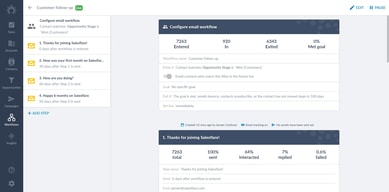
Salesflare allows users to automate data entry as it gathers insightful data on customers based on social media profiles, emails, calendars, phones, company databases, and professional email signatures. The platform is used to help generate and effectively follow up leads, backed by features such as sales tracking and email tracking to send personalized emails. Social integrations and sales analytics are built-in within the system and are available on Windows, Mac, Linus, iPhone, iPad, and Android devices.

| Capabilities |
AI
API
|
|---|---|
| Segment |
Small Business
Mid Market
Enterprise
|
| Deployment | Cloud / SaaS / Web-Based, Mobile Android, Mobile iPad, Mobile iPhone |
| Support | 24/7 (Live rep), Chat, Email/Help Desk, FAQs/Forum, Knowledge Base, Phone Support |
| Training | Documentation |
| Languages | English |
Salesflare Pros and Cons
- Quick and simple to get setup with your new service
- Intuitive backend for all users
- Insights into customer relationship strengths
- Tons of automation options for streamlined teams
- Access to useful analytics and reporting features
- No email builder for custom designs
- Limited flexibility for enterprise companies






Compare Salesflare with other popular tools in the same category.

You can see all the attachments that you got from a contact. Nice interface, easy on the eyes and easy to use.
I need some kind of onboarding, it's a basic at the moment. Maybe a tutorial section on the website?
I want to channel all my opportunities in a good overview. Salesflare helps me to keep track of all the potential partners I can get for my business.
- ease of using - possibility to keep track of the progress made with the customer - possibility to see how many times the customer checked the sent email - ease of sharing the costumer and your contact with him/her, with colleagues - possibility for the team leader to "control" his or her team members
- not directly part of the 'team' when you have mailed a customer. - only on chrome and with Gmail - not directly linked to your gmail (extra steps needed to link it)
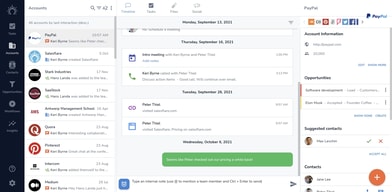
Salesflare helps you keeping track of the progress you made with a customer, the contacts you already had with the customer and shows you how many times the customer checked these emails. This gives you an idea of his interest in what you have to say/sell and if it is useful to contact that customer again.
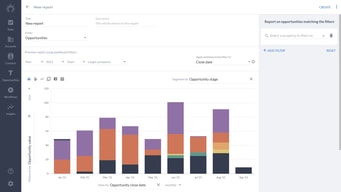
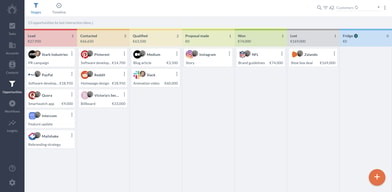
The opportunities page gives a birds-eye view of my sales report and progress. My contacts and accounts are connected with LinkedIn -- which allows me to find articles that my POC has written or published for reaching out to them. I can easily keep track of notes from our calls.
In order to show my progress, I can't easily share the pre-generated graphs.
Tracking sales progress and communication efforts.
The very easy to use display. It is really comfortable in use.
I don't like the fact that I cannot use salesflare with other emails.
External relations.
I like the support and constant updates to the software. The android app is great as well. This CRM works very well for a small business that is doing "simple" sales.
I don't have any faults that I can think off because you can always want something new and lose sight of what a CRM is meant for which is to keep you organised.
The management of deals. I don't need to remember as much anymore as its lives in the CRM.
The fact that the UI is so basic. Not too many bells and whistles like SalesForce and other CRMs. They also are really quick to answer when you have a question. I like to use the mobile app which gives you everything you need to know on the go.
It doesn't provide you with enough information deals like the other CRMS. I understand the UI is supposed to promote the basics but I feel like I need some more features. Also it's very easy to move a deal to another stage by accident by clicking on it.
Easily allows you to track your deals in the sales cycle. You can break it down by the stages which is nice. It's especially helpful when you refer deals out to another companies and you can track it via putting it in it's own stage. I also feel like the mobile app has made my life easier when it comes to looking at some information on the go when I do sales calls from home or from out of the office.
I like that fact it is mostly for sales pipeline.
The UI can use some work but as mentioned they will have new features rolling out to surpass Pipedrive if done right
Managing sales pipeline
The synchronisation with the digital signature and other contact details.
'Reading' of all the e-mails in gmail, not only from one domain.
Contacting companies
The tool is fairly light weight - compared to enterprise alternatives such as Salesforce, but is better for team collaboration than even more light-weight tools such as chrome/gmail plugins etc. Another handy feature is that it logs emails between opportunity 'team members' and the listed client contacts - so you can log activity on leads. That being said - this isn't something other providers don't also offer.
Not a huge fan of the permissions on opportunities, but that might be due to how we've implemented things.
We keep track of incoming sales opportunities/leads, and their progression through the funnel. It has served that purpose, so far for hundreds of leads with a team of 10+ active members.
The suggestive features such as account contact addition from gmail directly. And pulling information about leads and companies has been really helpful. The timeline, and the ability to add notes to the timeline is also awesome.
Lack of proper integration into gmail for scheduling emails, as well as getting read receipts.
I needed a way to manage outreach campaigns. I haven't started yet. I'm working on it. And I wanted a way to keep track of deals and proposals.