
Unclaimed: Are you working at Squarespace?
Squarespace Reviews: 4.4/5 — Solid Choice
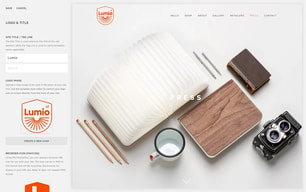
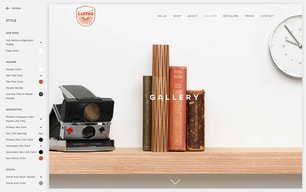
Squarespace is a versatile all-in-one platform with a long list of functionalities that enables businesses to sell products and services, showcase their portfolio, and publish content. It offers templates created by a team of professional designers that are customizable to fit any brand aesthetics, support all content types, compatible with modern browsers and all devices, and utilize up-to-date HTML, Javascript, and CSS coding practices. Fully e-commerce-ready, businesses can manage inventory, orders, and fulfillment, run discounts and promotions, sell services, subscriptions, and digital content, and collect and analyze sales data within the system. It also offers powerful integration with third-party services, social selling, automated email sequences, appointment setting and calendar syncing, and other sales and marketing capabilities. Squarespace users can also download its equivalent mobile app (both for Android and iOs) empowering them to create, update, manage, and track their website on the go.

| Capabilities |
API
|
|---|---|
| Segment |
Small Business
Mid Market
Enterprise
|
| Deployment | Cloud / SaaS / Web-Based, Mobile Android, Mobile iPad, Mobile iPhone |
| Support | 24/7 (Live rep), Chat, Email/Help Desk, FAQs/Forum, Knowledge Base, Phone Support |
| Training | Documentation |
| Languages | English |
Squarespace Pros and Cons
- Great-looking templates on this platform
- Comes with blogging features
- You get terrific 24/7 customer support
- Edit pages through mobile apps
- Ready-made templates to choose from
- It does cost more than your average site builder
- There’s only a single sub-navigation
- Page speed isn’t that good
- No phone support
- More expensive than average competitors








Compare Squarespace with other popular tools in the same category.
The UI is legitimately the best I have seen for website creation.
It could be more secure, but that really isnt all that huge of an issue.
Saving company money by not spending thousands of dollars on having someone create a website that i can do myself with squarespace.
The simplicity of the cite. Easy to direct and change once you play around a bit
Some alterations may be picky compared to how you invisuon your page layout.
Getting us out there! Websites are huge— google search engine will be next but we have found our page to be super helpful
You don't have to be a developer to make a beautiful site, tutorial videos are incredibly helpful and got me started right away. Have used for both business and personal use. Would recommend to anyone with basic knowledge of the internet.
I wish there was more flexibility with the "spacing" blocks, sometimes they're too big or too small and never just right. Probably a way to do it with custom code, but I don't have the background.
Creating inexpensive and beautiful sites for our clients.
Even with experience in web design, making a simple website can be a long process. Squarespace makes it a breeze.
Squarespace has a lot of flexibility, but not as much customization possible compared to Wordpress. But, that’s the nature of Squarespace (ease of use)!
We were able to get a website up and running in minutes for our business. It looks clean and professional and practically manages itself.
Squarespace is so easy to use! Coming from a wordpress site, the layout is a dream.
Editing doesn’t work well on my iPad which is unfortunate.
Ease of use, gives clients the feeling of professionalism with ease on my end.
Many designs to choose from it’s impossible not to find one that represents your brand
First the options are overwhelming and takes a while to sift through and understand
Web design and advertising

A large number of beautiful and modern templates. There are many categories for creating a website: food, music, fashion, wedding, etc., you will definitely find something for yourself. Allows you to change the template without knowing the programming. The program interface is easy in its work. Customer service always works well. If there are questions they quickly and professionally answer on them.
I would like that the cost would be lower. Some customers need to change the functions and settings of having templates, but this can not be done. In my work on the program, I did not encounter any problems.
I use the program to create sites to order. I do my job quickly and easily with Squarespace. Customers are satisfied, as it is easy enough to manage the site, and it works perfectly.
Easy website builder, had my site up and running after weekend of designing it. It was my first choice for the student discount they initially offered, even after I used it for a year I decided to renew because of my success with my website layout and overall experience using all of the tools they offer (analytics,etc).
Not much - it allowed me to build my site pretty easily. Only thing I would suggest is I'd have an issue with building a pricing chart with coding and would love to have Squarespace build something for me to utilize.
I'm giving my business life on the internet. As an artist, a website is essentially for success and Squarespace got me off the ground on to the web right when I wanted too.
I love how way they make it to build and customize your website. The possibilities and options are endless!
The desktop to phone conversion works well however it looks a little off on a phone in the sense of images being so large and making everything on a website page stacked on top of each other.
We utilize squarespace to have our church sign up for events and it really helps keep everything organized!

Now that our website is done it is super easy to update using the template and built in tools.
For the most part there isn't much I don't like. It could be easier to understand to do certain things like adding forms, but in the end I figured it out. Just took a little trial and error.
being able to communicate our message well. Also being able to capture potential clients and teams through the contact us feature is great. i also have new clients fill out multiple forms using the security feature and provide a password.
The minimalist style and extremely intuitive software, Squarespace helps anyone with any level of knowledge of web design create beautiful sites.
Sometimes the control of the site due to how user friendly and easy it is can be frustrating for those with more knowledge who want to get a little more specific with their designs.
I love being able to build quickly from the ground up with Squarespace. Squarespace quickens the process of website building by a lot.
I love the ease of use and how professional it looks. It takes minimal effort and design knowledge to have a clean-looking online portfolio.
I dislike that some design tweaks are not universal. There are features I like from multiple templates but I can't apply them all to my own site. I wish that some of the features were more customizable in that way.
I can have my blog and portfolio on the same platform. I can even do sales through Squarespace.
Square space is incredibly user-friendly and easy to maneuver between pages when editing. Merchandise/commerce pages are also very easy to set up.
I wish there was more design variety. While it does offer a lot of layouts, many of them start to look and feel the same.
We use square space to announce events, sell merchandise and get information out. It has a lot of great tools to help us link our media pages together.
I love the great design templates that are included for you to personalize
Some of the formatting is off and you have to code specific things to get them just right
Provides a great space for people to check out my work
This platform gives me anything that I need to operate my company. Also, I like that I don't have limits on the number of items or services I can sell. Plus, I can list products with a plural option. The solution helps our business increase.
I can discuss a lot about this software but I will not complain about it. As I know that software is full of organized tools and I will tell that to understand them is not very easy special for people who are just starting to use it.
We can engage with products across included videos, pictures, related items, and much more. With a faster view, we can quickly study the product and add them. We are have the ability to create more creative work in our online shop.
I think Squarespace does a great job at providing an easy to use application on any device.
There is nothing that I suggest to be changed from Squarespace and its uses.
It creates an easy application to make payment with The Hudson Cakery. Some customers do complain about the 3% convenience fee.
It's very easy to use for clients and I can easily hand over their website. I also love that I'm able to customize the website to look very unique. I have been using Squarespace for 3 years with clients and they love their websites when I'm done.
Limited in some options. There are no login/logout features or advanced e-commerce. However, I still stand by my positive review.
Creating websites quickly for clients and making the backend easy to use for them.
I love the easy page set up. All the tools are user friendly, it’s great! Personally, I am not the most creative person so the preplanned/ pre-created options are so useful. You can change even those but have a good foundation to work off of. I would recommend it to anyone!
I don’t like that you can’t change fonts from page to page. I also don’t like the default font colors. For example if I have a black background with white writing for my home page, another one of my pages can’t have a white background because you won’t be able to see the text.
The ability to reach out to our audience and not have to invest a ton of money paying someone to set up a website.
Great templates are available - you don’t have to start from scratch.
I dislike that I’m unable to modify templates further than I’ve been able to.
I use it for my business’ website and primary web presence. I’ve received many compliments on my website, and it’s delivered new clients.
They have beautiful templates and everything is very customizable. I was able to make an impressive website myself without spending thousands of dollars with a web developer.
It wasn't incredibly intuitive. There was a lot of trial and error, as well as several instances where I had to google solutions to problems.
No small business is legit without a website. I fully believe this. But not all small businesses can afford a fancy website. Squarespace has allowed me to expand my digital presence, and with my new website, I can easily convey my brand and the services my company offer.
It's so easy to use and make the templates your own.
I don't like how many templates are available. I feel like there should be more options.
Our wordpress was too hard to customize so it's making it simple for non-dev backend people.
Spuare space is simple and inexpensive to use
There is nothing that I dislike about Spuarespace
Square space is easy to create website layouts with simple designs- it is fast and easy to use
It completely suits me. I like this simple and proven way to present my concept online. Stand out with a powerful website or online shop. The big step to create my site uncommon with customizable installation, including fonts, coloration, and page fashion. Perfectly works for a long time for all my solutions.
The service doesn't bring any bugs and problems. Step by step I learned all existing tools in Squarespace. Yes, I can't say that it is easy from the begin. Maybe will be better to have a more open way of using the tools.
The powerful platform which will make a better and open way of creating websites and can save your working time. With Squarespace we made our online store alive.
I love the pre-made templates; they are easy to maneuver and to customize for my own purposes!
It's a bit difficult to adjust some of the button sizes and font sizes without disrupting other graphics; i.e. I could not figure out how to change the same font from one page and make it a certain size, without it affecting the other tabs/pages. It's all or nothing, it's frustrating to figure it out!
Visibility on the web, is what it has helped me solve. Not only that, but looking like a professional business which I am, without having to pay ridiculous amounts for websites.
I love how many templates they offer you. It is fairly easy to navigate having little knowledge of web design.
I wish they had an easier way to learn how to do something.
I am in the process of creating a website for my personal brand.
The templates are simple and elegant! I love it.
The cost is a little too much! But I’ll pay for the ease.
Having an updated website
I love how small it is and how easy it is to use for both me and the customers
I don’t like that I can’t get a printed receipt but that’s just part of it.
Most people don’t carry cash with them so this is nice to have for those who use card.
How easy it is to plug in new modules for text, media, etc.
Difficult to have individual background photos for each page without advanced knowledge.
My band needed a clean and easy to navigate website where we could showcase our content, bios, and upcoming shows. We have made many contacts just by patrons contacting us for music through Squarespace.
Squarespace was very easy to navigate and offered many aesthetically appealing layouts. The design options made it looked far more advanced than the work that went into setting up the site.
Nothing comes to mind but continuing to add additional design options is always a plus.
I helped setup a website for a friend who is selling her artwork. She needed an easy way to catalog and promote her current inventory.
Simple to navigate, estheticslly pleasing templates for blogs/websites etc. comparably cheap to have a website.
Inability to individualize website in order to cater to my company’s specific style.
Ability to reach a large audience