
Unclaimed: Are are working at Adobe Photoshop ?
Adobe Photoshop Reviews: 4.6/5 — Highly Rated
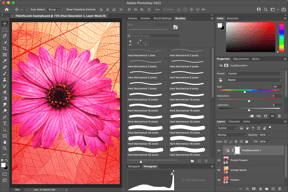
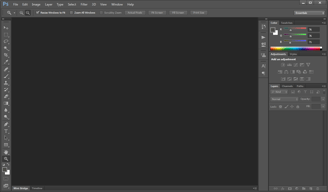
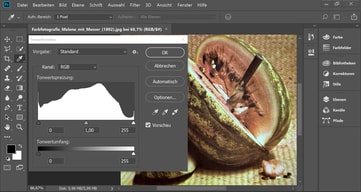
Arguably one of the best-known graphic design software tools used today, Adobe Photoshop is currently the go-to tool of many creative professionals. The software offers feature-rich tools for photo retouching, editing, and manipulation; and gives access to numerous brushes and textures. The platform is well known for having an ever-improving interface, supported by an extensive selection of tools, high customizable dashboards, collaboration options, and efficient file management options.
Adobe Photoshop is also often used as Photo Editing of choice in Marketing and UI/UX Design tech stacks.


| Capabilities |
AI
API
|
|---|---|
| Segment |
Small Business
Mid Market
Enterprise
|
| Deployment | Cloud / SaaS / Web-Based, Desktop Mac, Desktop Windows, Mobile iPad, Mobile iPhone |
| Support | 24/7 (Live rep), Chat, Email/Help Desk, FAQs/Forum, Knowledge Base, Phone Support |
| Training | Documentation |
| Languages | English |
Adobe Photoshop Pros and Cons
- Comprehensive set of tools for touch-up and retouching
- Extensive filters, brushes, and pre-sets
- Advanced color and background manipulation
- Extensive organization and image management tools
- Highly customizable
- Might present a steep learning curve for beginners
- Limited support for vector graphics








Compare Adobe Photoshop with other popular tools in the same category.
It's not necessarily the simplest or the easiest to use, but Photoshop is still the best. It's got the most robust set of tools and does absolutely everything that you will need it to do, whether you're a professional or just a hobbyist.
The only knock on this piece of software would be the fact that it has so many features, you tend to forget where the less frequently used ones are. Luckily there's YouTube to the rescue when I need a refresher.
Photoshop allows me to do everything from creating print-ready artwork to editing photos and using it to create the odd animated GIF. There's very little that I can't do in Photoshop if I need to.
It's the gold standard for photo manipulation and non-vector graphic design.
In recent versions, some keyboard shortcuts have changed from much earlier versions. Just takes some getting used to.
Photoshop is the answer to all of my photo editting needs and is the starting point for all of my graphic design projects.
Photoshop has all the tools for picture edits and Photo enchancement Has all the tool and addon that makes drasically improves image quality Adobe Photo is the perfect tool for photographers, movie editors and picture studios
Free version and trials More tutotials
Photo editing and image redifinition
Adobe Photoshop is a fantastic graphic design tool. You can use this program for various things such as creating social media graphics, touching up photos, creating gifs, posters, logos, and the list goes on! Also great for background removal on images.
Sometimes the program crashes, but there are not too many instances where this happens. Just always remember to keep saving your work like in any other program you use! A good habit to get into always.
Our team sues adobe for social media graphics, gifs, background removal, and more. It's a very versatile program!

always up to date new AI tools good user interface synchronised library with cloud and collaboration with teams tools for mobile and desktop
no lifetime licence hight price for monthly or yearly subscription too mush processes are runing in background
I use photoshop every day for editing photo
I love how easy it is to maneuver in the program! I really like that you can get the tools quickly from using easy access from the keyboard! Also if you want to make you drawings realistic, make sure you use the burn and dodge tool!
There nothing I dislike to be honest, but maybe that I can save multiple PNG's files all at once.
Dropping patterns, easily into illustrations!

It is the fundamental too all interactive artists must understand to be successful in the industry. I interview people and measure their creative and technical aptitude.
Personally I have trouble with understanding how to select things in different layers. As a manager, I am happy with the product.
I am able to hire quality talent because it is the gold standard of art production. I highly recommend it to anyone on any interactive team because you simply will not survive if you can't speak it fluently.

Adobe Photoshop's strong picture altering capacities, broad instruments, and flexible elements pursue it a chief decision for visual computerization and photograph control. Its easy to understand interface, layer-based altering, and consistent updates add to its status as an industry-standard inventive programming.
A few clients find Adobe Photoshop's membership based evaluating model costly. Moreover, its broad highlights might be overpowering for novices. In spite of enhancements, periodic execution issues and a lofty expectation to learn and adapt remain downsides for those new to cutting edge visual depiction and altering.
Adobe Photoshop tackles the test of cutting edge picture altering and visual computerization, offering experts and devotees a flexible instrument for making, upgrading, and controlling visual substance. While I don't benefit straightforwardly, clients value its abilities for assorted innovative ventures.
The new AI feature is so much fun and it helps to create new ideas
Some options are not as easy to understand
I can make my own photo alterations and create fun graphics without asking another company

Photoshop has remained consistent through the years, and I appreciate that some of the tools are integrated in other Adobe programs to familiarize you with them. Also, there is always something new to learn, and the extra tools continue to improve! Love the subject/focus/sky selection!
Photoshop has a big learning curve which can be frustrating at first, but is definitely worth the payoff. There could be more tutorials to help with this, but overall there isn't anything to really "dislike".
Photoshop allows me to edit photos easily, and the tools keep improving, which allows me to streamline my editing processes. This allows me to be more efficient. I love that you can easily move from project to project and within Adobe Creative Cloud (Illustrator, Premiere Pro, Adobe After Effects) - also love that you can store all of these saved files in the cloud.


