

Unclaimed: Are you working at Airtable?
Airtable Reviews: 4.6/5 — Highly Rated
Airtable is a powerful visual project management platform that synergizes data, workflows, and execution teams on a unified dashboard. Streamlining work streams, the platform provides a synced and up-to-date information database that can be accessed by all stakeholders across different departments. Customization is at the heart of Airtable, allowing teams to create personalized apps and a tailored interface allowing easy access to relevant information and giving clear sightlines to the next steps. While customization is a key benefit, it also offers ready-to-use and pre-loaded industry-agnostic templates while extensive integrations and expandability make it scalable and agile.

| Capabilities |
API
|
|---|---|
| Segment |
Small Business
Mid Market
Enterprise
|
| Deployment | Cloud / SaaS / Web-Based, Mobile Android, Mobile iPad, Mobile iPhone |
| Support | 24/7 (Live rep), Chat, Email/Help Desk, FAQs/Forum, Knowledge Base, Phone Support |
| Training | Documentation |
| Languages | English |

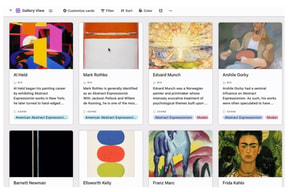






Workflow management is a critical part of any job. It’s what keeps a project moving, and a team motivated to see it through. But, how do you support effective workflow management?
You start with understanding better what tools, platforms, and software are out there that can support your team’s ability to effectively manage workflow and collaborate within their teams and beyond.
To that end, we’ve identified Airtable as a strong market leader in workflow management software. So, let’s dive into Airtable’s features, capabilities, and price points to help you better understand your options.
What Is Airtable?
Airtable is a workflow management application with highly customizable database management tools used predominantly for collaborative project management.
The focus on having accessible, easy-to-use software to help with project management is increasing, and Airtable is a top choice. It features a familiar spreadsheet interface, but unlike traditional spreadsheet software that only records data, Airtable can also help you organize, sync, and manage your data and customize exactly how you need it.
For example, let’s say you’re using Airtable to manage vendor management workflow for an event. This would entail designing the database to include fields for:
- Vendors’ contact details
- Links to their websites
- Inputting key information, such as lead times, product availabilities, and prices
- Uploading order confirmations
- Uploading invoices
- Important notes and comments about the vendor
The option to invite collaborators to this database is also critical so individual users can easily update data in real-time. Having all these features in a single platform means users can clearly follow the progression of a particular project and keep everyone in the team up-to-date on their tasks and next steps.
How Much is Airtable
Airtable’s interface is very flexible and is ideal for numerous industries. While it has been marketed to larger corporations, most users who have had hands-on experience with the platform say that it is just as useful for smaller businesses.
This is reflected in Airtable’s pricing, which follows a monthly subscription model. This subscription cost increases depending on the number of features and ‘seats’ you choose to purchase, making it highly scalable depending on your organization’s needs.
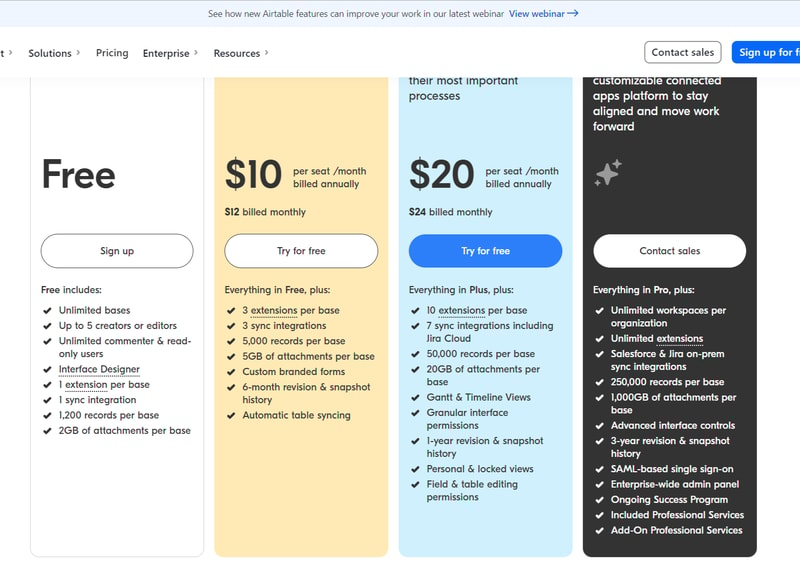
Airtable’s features are grouped into four levels, and the price per seat rises accordingly. A breakdown of each level can be found below:
Note: Airtable has restructured its plans — current tiers are Free, Team, Business, and Enterprise Scale.
Free
- Designed for very small teams or individuals
- Up to 5 editors and unlimited ‘read-only’ users
- Record limits vary by plan
- 2GB of attachments
Team
- For small to medium-sized organizations
- Eliminates information silos within a team by connecting applications
- More advanced collaboration features
- Higher record limits per base
- 5GB of attachments
Business
- For medium to large organizations who need to streamline and collaborate on top-priority data
- More advanced features
- Higher record limits per base
- 20 GB of attachments
Enterprise Scale
- Price is customized to your organization’s needs
- Enterprise-wide admin panel
- For organizations who need a scalable product to keep up with workloads
- Unlimited workspaces per organization
- Highest record limits per base
- 1,000 GB of attachments
See Airtable pricing for current rates.
How Airtable Works
Airtable was built to be as customizable as possible, giving users the ability to display their data in a way that meets their specific needs—whether that means a simple presentation or a more complex one.
Getting started is simple.
You start with an empty Airtable, which is essentially your ‘base.’ From here, you just fill it with your data. You can either use a template and bring in data from another source or construct a database from scratch. Whatever the case, you can leverage Airtable’s features to tailor the platform to meet your needs. For example, you can use the Interface Design feature to visually present data in a way that makes the most sense to you and your team.
Familiarizing and understanding all of Airtable’s features and capabilities may require some effort, but the payoff is worth it. Taking the time to learn the platform will ensure users have full control over their data and workflow management.
Features
Access to Airtable’s numerous features will depend on your subscription and, subsequently, the scalability of your projects. However, all subscription options should include:
- Unlimited bases
- Sync integrations
- The ability to add attachments
- Revision and snapshot history reporting
- Field and editing permissions
- Extension add-ons (e.g., data visualization or reporting extensions)
Airtable also provides:
Customizable Views
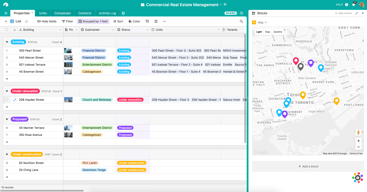
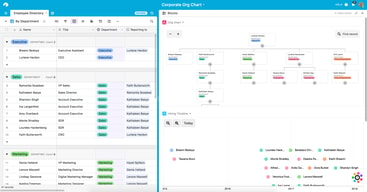
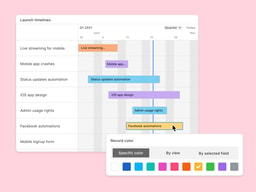
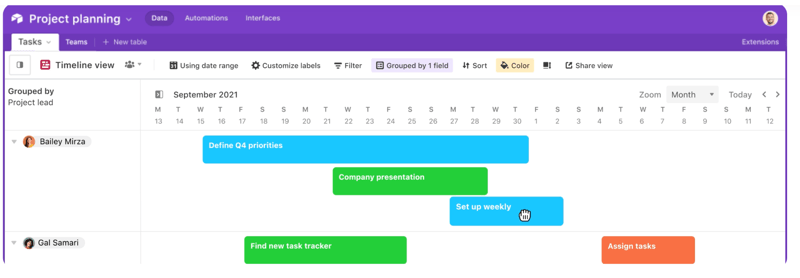
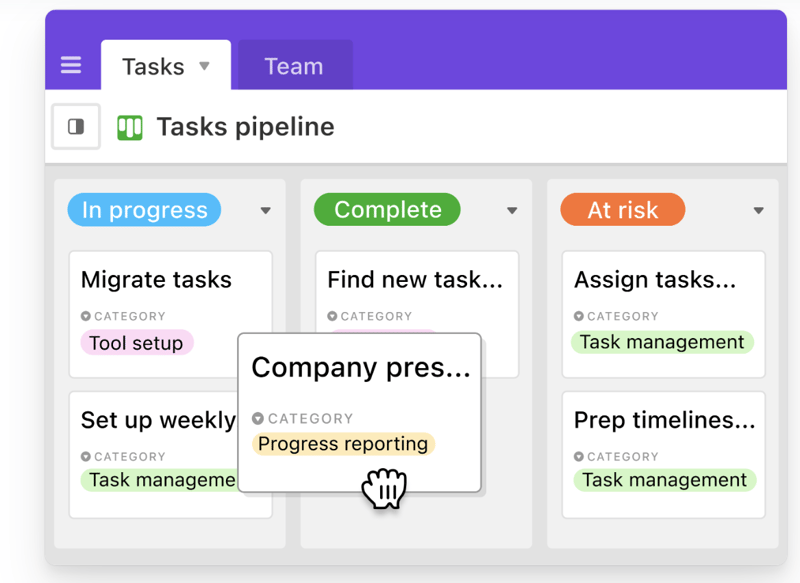
With a click of a button, this feature gives users the flexibility to switch between different data views. Users can view project timelines via the Timeline View, and easily switch to managing team tasks on the collaborative Kanban View. Other viewing options are also available ensuring that you can customize your viewing experience so you can maximize the platform.
The Timeline View
The Kanban View
Automations
Airtable Automations lets users streamline their work processes and boost team efficiency by providing customization options for notifications and creating multi-step workflows. The feature is helpful in terms of tracking project timelines and helping eliminate manual, repetitive tasks. Additionally, it can also minimize the risk of user error.
Syncing
Airtable’s ability to synchronize data means users have a central repository of information that is updated in real-time across all users and departments. It’s a useful tool that promotes seamless collaboration and data integrations, allowing everyone to enjoy a comprehensive understanding of project status or workflows at the speed of need.
Reporting
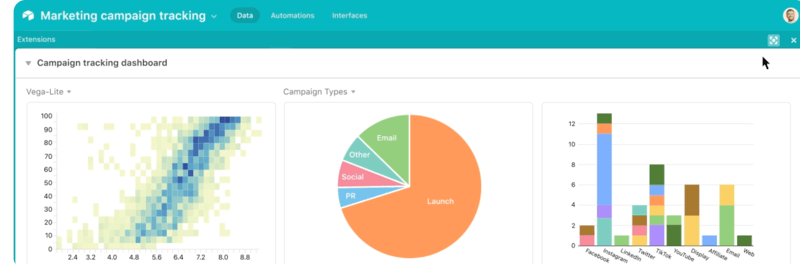
To enhance your project’s reporting capabilities, Airtable’s powerful reporting tools and extensions let users create highly customized reports that visualize your data in a simple understandable way. You can choose from a variety of charts, graphs, and tables to ensure that information is presented in a way that is easy to understand.
Integrations
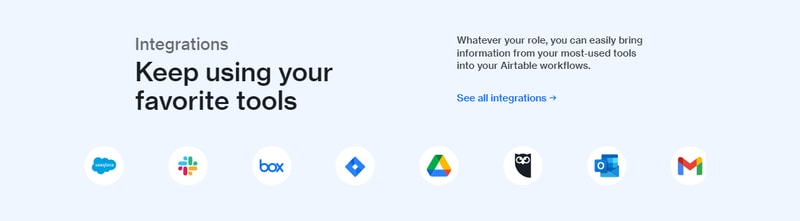
Airtable offers robust integration that lets you connect the platform to a wide range of software; ensuring that all the project management tools that you use operate seamlessly. Airtable’s integrations mean multiple applications can be streamlined to automatically sync data, share information between different platforms, and automate tasks so workflows can be further improved.
Templates
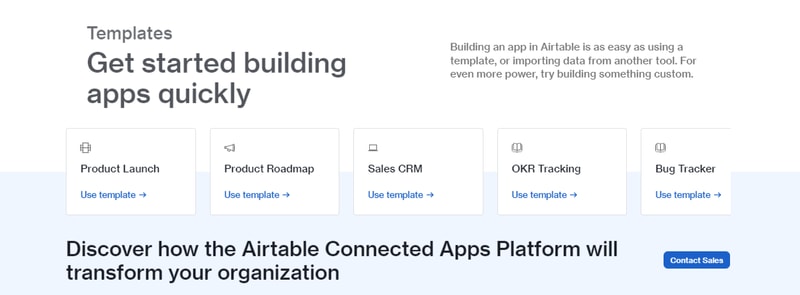
Airtable’s templates can be used to effectively organize every aspect of your project’s workflows. Their pre-designed databases can be used as a great starting point for your projects. Conveniently, Airtable templates are also organized into several categories and industries, which helps you save time and effort from creating a new one from scratch. As always, these pre-populated grids are highly customizable.
Airtable Pros and Cons
Pros
- Facilitates easy collaboration between teams with company-wide visibility of plans, calendars, and workflows.
- Both Google and non-Google users can take advantage of all the features and integrations to support workflow management and collaboration
- Highly customizable bases and effective reporting features
Cons
- The platform’s user interface can be complicated for beginners
- Requires a significant learning curve
AI Features
Airtable has also introduced AI features, including an AI field type for summarization, categorization, and text generation directly within your bases.
Airtable Alternatives
A great way to decide whether Airtable is the right software for you is to compare it to other options in the workflow management space.
Eliminate the hassle of comparing options by choosing from your top choices below. With the ability to review features and relevant information in one place, you can utilize our comprehensive product reviews to gather the necessary data you need to make well-informed decisions.
ClickUp
An all-in-one project management application, Clickup is designed to be used across any industry. From solo users to larger organizations, Clickup focuses on task management to help teams streamline their workflow.
ClickUp offers numerous workflow features and data views, including a built-in Table View to ensure your team always has access to a condensed, actionable snapshot of your projects.
Notion
Designed for smaller teams or individuals, Notion is an all-in-one SaaS note-taking app and database for streamlined project management. Some features include:
- A web clipper so you can easily save images and sites
- A real-time messenger feature
- Allows for category and page hierarchy organization
Hive
With a focus on automation tools, Hive aims to simplify overly complicated work processes through email and task automation. Boasting a user-friendly dashboard, Hive aims to help teams of all sizes automate time-consuming work tasks to give time back to a project’s creation and growth.
A Final Findstack Opinion
Overall, Airtable is a highly comprehensive and customizable workflow management application.
Airtable’s app offers flexibility by allowing you to switch views and integrate reporting extensions, ensuring your data is suitable for various applications. Additionally, its extensive list of integrations enables you to consolidate all your preferred tools and their data in one convenient location.
It’s important to keep in mind, however, that these features are only useful for those willing to take the time to learn them. Airtable’s interface can be quite overwhelming for new users so our advice is to scale to higher subscription packages only after you’ve taken the time to learn the app’s features and familiarize yourself with them.

Compare Airtable with other popular tools in the same category.

The best thing I like about platform is that communication is effortless Easy to use and understand Mix between a spreadsheet and database Integration Automation features Tasks and notes Also can be used for business all personal Gallery view Import and export project
It can be best platform if we're able to add calendar directly
Great for tasks management
I like how customizable it is. I can add drop downs to each column, change the colors of the people depending on department, I can add categories and then have all the informtion in each section. I am a beginner using Airtable but I have enjoyed working with it and continuing to learn more of the nuances of the program.
That if you delete something, move something it is hard to get your chart to its original state. I am still learning how to use Airtable.
I am able to allow others to put in information, change format or give suggestions that improve the table of information I have made and use with staff.

Airtable is a nice platform and it has great customer service It's innovative and user friendly I like that I can see all my data at one space Integration and extension are also practical
Calendar and time line are not intuitive to setup
Integration with others app, great customer service, easy to build database
I like the fact you can choose your views, create forms, and automations all with the free version!
The free version recently got a bit more limited. This does make it a bit more difficult to use but it is one of the best free project management tools out there.
I currently have to do a lot of work manually and airtable comes in and solves that by automating many of my tasks and gives me an overview of many things reducing time spent on mundane and insignificant items.
My favorite part about Airtable is how versatile and customizable it is. I use Airtable for a variety of professional and personal tasks including financial record keeping, project management, idea workshopping, content scheduling, and more. Airtable allows me to easily view, manage, and manipulate information in a number of different layouts, which is incredibly beneficial and convenient. I also like how clean the user interface is and how easy it is to get going with a new project. I have been using Airtable for years and have introduced a number of people to the platform, especially for project management tasks. Everyone has always been impressed with how great a tool Airtable is for organizing information in a consolidated, concise, and easy to look at format.
There is not too much I dislike about Airtable for how I am currently using the platform. I know there are a number of paid features that you can upgrade to for a monthly fee. I have not looked too in-depth to see if some of these features, so maybe some of them would cover feature requests that I wish were readily available on the site. For example, I would love to be able to fill cells, rows, and columns with a background color similar to a spreadsheet program like Excel or Sheets. It would also be nice to be able to change fonts and font sizes/color. These are not features I would need to use all the time, so if they do exist as a premium feature, it's not worth it for me to upgrade to. The subscription upgrade model for paid features is very expensive, especially if you've invited multiple collaborators to a workspace. Essentially you will need to pay a monthly fee for each person that has access to the workspace, which adds up quickly. This is a cost that applies per workspace, so if there are multiple workspaces you want to upgrade that all have multiple people... well, you can see how things would get expensive. The model Airtable uses for its paid add-on features is pricey, which is why I'm not familiar with the features -- I don't even want to look to see what there is because it doesn't make sense for me as a small business or individual user.
I work in the live entertainment business and Airtable does an amazing job of helping keep track of information related to the event tours I am a part of. I can organize tons of information for different cities, shows, and theaters that other members of the team can reference and contribute to. It's a great tool that allows us to easily organize and sort through a lot of small details.
It's versatility and an intuitive user interface. From project management to daily to-do lists or even journaling...there isnt a thing I cant make smarter! Its like excel with a sprinkle of filter magic.
Might be a little easier to use the extensions...those are not as intuitive as other templates.
it let me organize anyting...work project, financial budgets - you name it! makes my life so easy and takes away teh stress of formulas, refiltering and more.
Airtable is most helpful when I need to see my data all in one place. I love the fact that I can create connections and links with my data. Airtable makes it more flexible to move data around than any other platform out there
I wish that the ios app would be more intuitively stable to work with. I feel like there are too many limitations on the ios app. For instance, can you please make the grouping of data have totals show like it does on the desktop? currently it does not show totals per group in ios
Airtable helps solve detailed data that I can then use to link to other records. It's very nice to be able to create different custom functions to calculate certain data
Ease of use, making data handling accessible Ability to use interfaces to report the data Integration with other popular apps Large table capacity for extensive information storage
Occasional slower responsiveness can hinder workflow Lack of formatting options for long text fields Absence of a folder structure to manage many bases, complicating organization
Airtable allows us to manage a large database of digital client assets. It also allows us to integrate these assets into dynamic websites. The centralization of data and ease of use simplifies our workflow.

The various integrations that are avaiable.
The learning curve is quite steep in the beginning.
Airtable has greatly enhanced my effciency in organizing and presenting various datasets from different sources. It also helps that the user interface is visually appealing.
Airtable is our systems for managing all of our data, using integrations we link records with Eventbrite, Asana, MailChimp, etc. We then use automations to complete workflows. As a non-profit, we use this for event, donor, and community management. There are a wide variety of templates available, but knowing how to build out your own is worth the time and effort.
It's missing direct integrations with a lot of tools that would be extremely useful. We make do with Zapier as the link, but we would love to see additional tools, especially a direct sync with Gmail that would allow us to track incoming/outgoing mail.
We use Airtable in place of a CRM, building it out was no easy task, but was worth the effort. We rely heavily on automations for workflows, especially around donor management and engagement. The built-in interfaces also allow for easy reporting for our board and key stakeholders.
I'm a visual organizer and that's the best way to absorb information. Airtable's color coding, and clear design in all templates are the best features. This color variation and not overwhelming visual elements allows for a streamlined workflow.
I do not actively dislike anything about Airtable. In fact, I wish my current organization would swift to Airtable. I believe I'd like more learning resources to be easily available so I can be best prepared for when I use it next!
Airtable is not only great for task and project management by having easily editbale tasks and descriptions, but by being able to seamlessly implement status updates and files into it. You can also work in a calendar view, which is incredibly helpful when working on a Content Calendar.
The automations are capable enough to run a small business flawlessly. The list of possible plug-ins is never ending.
Pricing could have been more moderate for smaller teams.
Automation of emails as per sheets. Reminders. Tracking of inventory.
It simplifies the version of the Excel program for beginners
Do not like that some of the features are available only with the paid version
It resolve the problems of learning Excel for most of the people that they do not how to use the program
I love how easy Airtable makes it to display content for approval to our social media clients. Clients can easily view content as well as write notes and offer approval status. We can even sort content by campaign.
You do have to upgrade to a paid option to maximize the platform.
We are transforming our client experiences + our ability to collaborate with Airtable.
Airtable offers a powerful solution for companies seeking to transform their data into actionable insights. Integrating analytics with task management makes it a valuable tool for businesses.
More advanced analytics features would enable users to gain deeper insights from their data. By addressing these aspects, Airtable could solidify its position as a must-have tool for any business seeking to leverage data-driven decision-making.
Airtable helps businesses organize and use data better, making work easier and teamwork smoother. It's customizable, promotes collaboration, and improves decision-making. It's a valuable tool for any company.
I've loved using Airtable with my team to schedule our events and content. It is so seamless and easy to share with my teammates. It helps us plan and see things in a very flawless organisation!
The only thing I'm not a huge fan of is some of the interface when it comes to adding information like Partners or Places. There seems to be a few too many tabs in my opinion.
Airtable solves our problem of task management and delegation. This benefits us by giving us an easy to use tool which can tag our team members and accurately setup what their responsibilities are for any given task.
Airtable is an introductory software about data management, projects, and inventory. Having an Airtable platform will allow everyone whether they know how to make functions for the website, or just an average employee using (or even creating) the views that the website offers. Anyone can use Airtable, and it's user-friendliness is what makes this software special!
There needs to be a setting or a check in the database to see if the information has been duplicated, and it automatically fixes said duplicates. Even just a form that doesn't allow duplicate information would already be plenty
The problem that Airtable has solved would be the sorting and organization that is easy to look at, instead of manually finding said information or sorting the information yourself

Easy to use Flexible and customizable Integrates with a wide range of other apps Affordable
Can be complex for some users Lacks some features of traditional project management tools Can be slow at times
Increased productivity: Airtable can help you to increase productivity by automating tasks, organizing data, and creating custom applications. Improved collaboration: Airtable can help you to improve collaboration by making it easy to share data and work on projects together. Better decision-making: Airtable can help you to make better decisions by providing you with a clear overview of your data. Reduced costs: Airtable can help you to reduce costs by automating tasks and eliminating the need for expensive software.

Airtable makes importing data, sorting it, and manipulating it very easy and straightforward. There are a ton of functions and features that are conducive to reading information quickly. It works great as a resource center for team members to collaborate on.
There are many ways to use Airtable and some of the features do require getting up to speed. It can seem daunting at first. These aren't things to dislike, though.
Airtable is our solution for central repositories of information that can be shared with team members with varying levels of access. It makes it easy for multiple staff across the org to collaborate and contribute to one airtable and be able to share with other stakeholders who would find information in the airtable useful for their work.
Task lists, kanban boards, shared team calendars, task collaboration, and client access are some of the features that make Airtable so helpful in managing our company's tasks. We especially liked the gallery task tracking view, which differs from the Kanban view in that it does not group related functions into horizontal columns but instead sorts them according to our specifications. We also appreciated how simple it was to switch between the spreadsheet view and other task management setups, such as a Kanban board or project calendar, by clicking the arrow in the top left corner of the project tracker.
The mobile version of Airtables is less user-friendly than the desktop version, and for some reason, you can't even access the desktop website from a mobile device.
Since Airtable is so intuitive, even those who aren't Excel whizzes can use it to manage databases instead of sheets. If you need to connect an app that isn't directly compatible with Airtable, you can use the integrations feature to make it work with Airtable. You can contact the company for assistance if you encounter issues while utilizing the API.
We use Airtable as a quick and easy way to store and manipulate ad-hoc data sets. I also use Airtable personally to track my book, music, and other physical media collections. Setting up an interface for inputting and viewing my data is easy. Extremely customizable and intuitive to use.
The only issue I have with the platform is the difficulty of backing up the attachments I have embedded in my database. This can easily be offset by creating backups of my data on a regular basis.
Airtable augments other database platforms we use. The flexibility and ease of use of Airtable make the management and analysis of ad-hoc data simple. Provisioning new databases is a snap.
The user experience and the interface design. It also has many more features that one can use as it fits their build.
That I am unable to link to another base.
It is helping me to build databases faster and I am able to have my team access and look up information on their own. Very are a very small team and airtable really has helped me.

The relational database means I can enter data and quickly compare and contrast fields, in addition to creating endless views of my content.
The load times on larger databases can be painfully slow sometimes.
I mostly use sketches or dry-erase boards to capture ideas, but drawing doesn't work well for dense, tabular-style data. When I need to organize, sort, and review numerical or data, I almost always use Airtable.
Airtable makes all of our work so much faster and easier. We can collect and sort data, add automated notifications, emails, and functions. It's easier to set up than some other forms and easier to collect different kinds of information and share them.
For users who aren't comfortable with tech, it may take a minute to get the hang of building an Airtable--but the benefits are so great that it's worth it. They're constantly adding improvements to help users feel more comfortable using all the powerful features.
Airtable is helping our small team manage registrations and data for multiple programs quickly and cheaply. We are so much more productive and our customers have a better experience.

Always on, always working, powerful, and intuitive. Whenever I have an idea for organizing my consulting business operations, I often search for existing apps, but always return to Airtable, because I can get it to do what I want at practically no cost.
As Airtable is adding more features and functionality, I'm afraid it may become less intuitive. More complexity, less ease of use typically, but we'll see. So far, it's still a great tool.
It's a great way to create a database on the fly. Whether you're organizing a customer list, managing projects, or developing media contacts for a client, it's easy to simply begin. You can add fields and rows as you go.
At Victoria University of Wellington we are using Airtable to enable the design of innovative new hybrid courses, and project manage our migration to Canvas, our new modern digital learning environment. When we scaled our team from 5 to 42 staff for this project, the ability to track progress across all 2700 course migrations, and create data and reports when needed by Faculty leadership, became critical. Airtable simplified this process for us, let us import and utlise our own course data, and ensured we could present and update our data in an intuitive and meaningful way. It has been an absolute lifesaver.
There have been no issues or problems in our use of Airtable. I really look forward to being able to share insights publically though, or to named viewers without a license. This is a great new functionality!
Airtable is helping us scale our team and manage major projects with ease. Our primary problem in past projects was collecting the right data at the right time to share with leadership on the progress and impact of the project on Faculty and students. We now have that ability with Airtable to collect and disseminate information and visual data, which has been amazing.
efficacy of the platform and everything can be done fast
Nothing in fact I only have positive remarks and
I helps us keep track of the team
Airtable is intuitive enough for most users to jump right in and start creating bases without training. The interface is simple and uses basic functionality you see elsewhere.
The biggest disadvantage right now is that you cannot connect data across bases.
We are able to manage data and create outputs that would have taken us much longer to do manually or in something like Google sheets. With interfaces, we can visualize the data as well.
Airtable is flexible and has integrations with just about any tool/API you can think of. I'm not being facetious when I say my team has been able to build every workflow we've envisioned and then some.
Barrier to entry is pretty high. My entire team uses Airtable daily now but when we started adoption there was a lot of hesitation/confusion/anxiety over how much there was to learn.
Airtable is solving many manual touchpoints for my team that works exclusively with creating and delivering content at high volumes. We've saved a ton of time and found ways to implement automated QA and pass/fail checks that have also increased the happiness of our clients.
Its filters and sorting features. Makes it super easy to slice and dice data
Sometimes it really can get too much for the eyes and it took a while for me to get accustomed to the solution.
It solves the problem of digging deep into data. The different views available are the best benefits