

Unclaimed: Are you working at Airtable?
Airtable Reviews: 4.6/5 — Highly Rated
Airtable is a powerful visual project management platform that synergizes data, workflows, and execution teams on a unified dashboard. Streamlining work streams, the platform provides a synced and up-to-date information database that can be accessed by all stakeholders across different departments. Customization is at the heart of Airtable, allowing teams to create personalized apps and a tailored interface allowing easy access to relevant information and giving clear sightlines to the next steps. While customization is a key benefit, it also offers ready-to-use and pre-loaded industry-agnostic templates while extensive integrations and expandability make it scalable and agile.

| Capabilities |
API
|
|---|---|
| Segment |
Small Business
Mid Market
Enterprise
|
| Deployment | Cloud / SaaS / Web-Based, Mobile Android, Mobile iPad, Mobile iPhone |
| Support | 24/7 (Live rep), Chat, Email/Help Desk, FAQs/Forum, Knowledge Base, Phone Support |
| Training | Documentation |
| Languages | English |

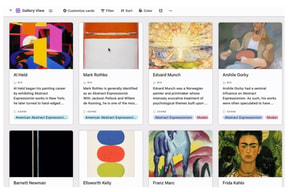






Workflow management is a critical part of any job. It’s what keeps a project moving, and a team motivated to see it through. But, how do you support effective workflow management?
You start with understanding better what tools, platforms, and software are out there that can support your team’s ability to effectively manage workflow and collaborate within their teams and beyond.
To that end, we’ve identified Airtable as a strong market leader in workflow management software. So, let’s dive into Airtable’s features, capabilities, and price points to help you better understand your options.
What Is Airtable?
Airtable is a workflow management application with highly customizable database management tools used predominantly for collaborative project management.
The focus on having accessible, easy-to-use software to help with project management is increasing, and Airtable is a top choice. It features a familiar spreadsheet interface, but unlike traditional spreadsheet software that only records data, Airtable can also help you organize, sync, and manage your data and customize exactly how you need it.
For example, let’s say you’re using Airtable to manage vendor management workflow for an event. This would entail designing the database to include fields for:
- Vendors’ contact details
- Links to their websites
- Inputting key information, such as lead times, product availabilities, and prices
- Uploading order confirmations
- Uploading invoices
- Important notes and comments about the vendor
The option to invite collaborators to this database is also critical so individual users can easily update data in real-time. Having all these features in a single platform means users can clearly follow the progression of a particular project and keep everyone in the team up-to-date on their tasks and next steps.
How Much is Airtable
Airtable’s interface is very flexible and is ideal for numerous industries. While it has been marketed to larger corporations, most users who have had hands-on experience with the platform say that it is just as useful for smaller businesses.
This is reflected in Airtable’s pricing, which follows a monthly subscription model. This subscription cost increases depending on the number of features and ‘seats’ you choose to purchase, making it highly scalable depending on your organization’s needs.
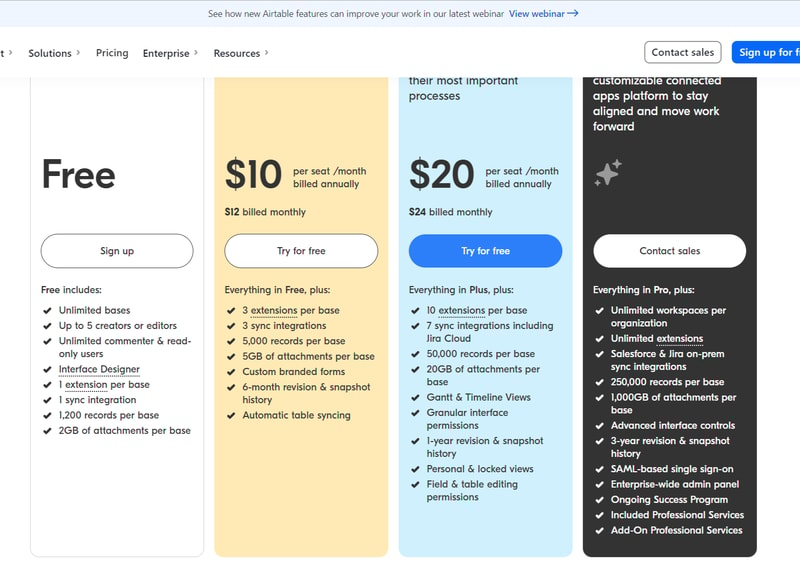
Airtable’s features are grouped into four levels, and the price per seat rises accordingly. A breakdown of each level can be found below:
Note: Airtable has restructured its plans — current tiers are Free, Team, Business, and Enterprise Scale.
Free
- Designed for very small teams or individuals
- Up to 5 editors and unlimited ‘read-only’ users
- Record limits vary by plan
- 2GB of attachments
Team
- For small to medium-sized organizations
- Eliminates information silos within a team by connecting applications
- More advanced collaboration features
- Higher record limits per base
- 5GB of attachments
Business
- For medium to large organizations who need to streamline and collaborate on top-priority data
- More advanced features
- Higher record limits per base
- 20 GB of attachments
Enterprise Scale
- Price is customized to your organization’s needs
- Enterprise-wide admin panel
- For organizations who need a scalable product to keep up with workloads
- Unlimited workspaces per organization
- Highest record limits per base
- 1,000 GB of attachments
See Airtable pricing for current rates.
How Airtable Works
Airtable was built to be as customizable as possible, giving users the ability to display their data in a way that meets their specific needs—whether that means a simple presentation or a more complex one.
Getting started is simple.
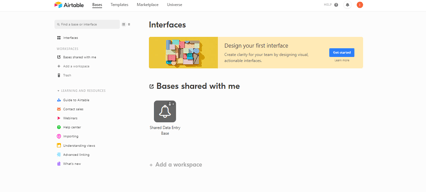
You start with an empty Airtable, which is essentially your ‘base.’ From here, you just fill it with your data. You can either use a template and bring in data from another source or construct a database from scratch. Whatever the case, you can leverage Airtable’s features to tailor the platform to meet your needs. For example, you can use the Interface Design feature to visually present data in a way that makes the most sense to you and your team.
Familiarizing and understanding all of Airtable’s features and capabilities may require some effort, but the payoff is worth it. Taking the time to learn the platform will ensure users have full control over their data and workflow management.
Features
Access to Airtable’s numerous features will depend on your subscription and, subsequently, the scalability of your projects. However, all subscription options should include:
- Unlimited bases
- Sync integrations
- The ability to add attachments
- Revision and snapshot history reporting
- Field and editing permissions
- Extension add-ons (e.g., data visualization or reporting extensions)
Airtable also provides:
Customizable Views
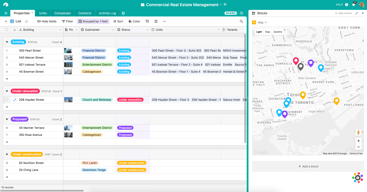
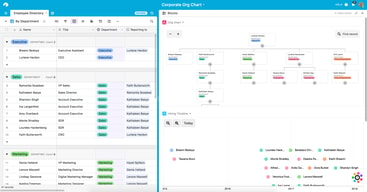
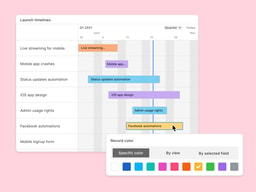
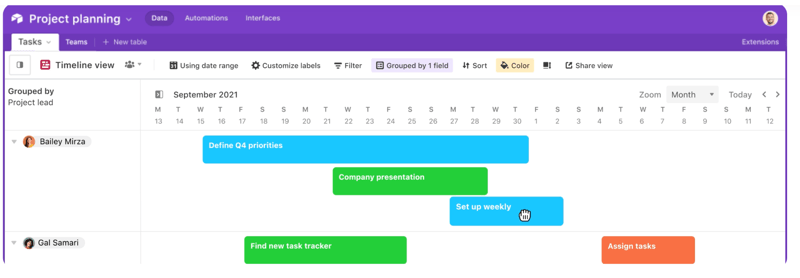
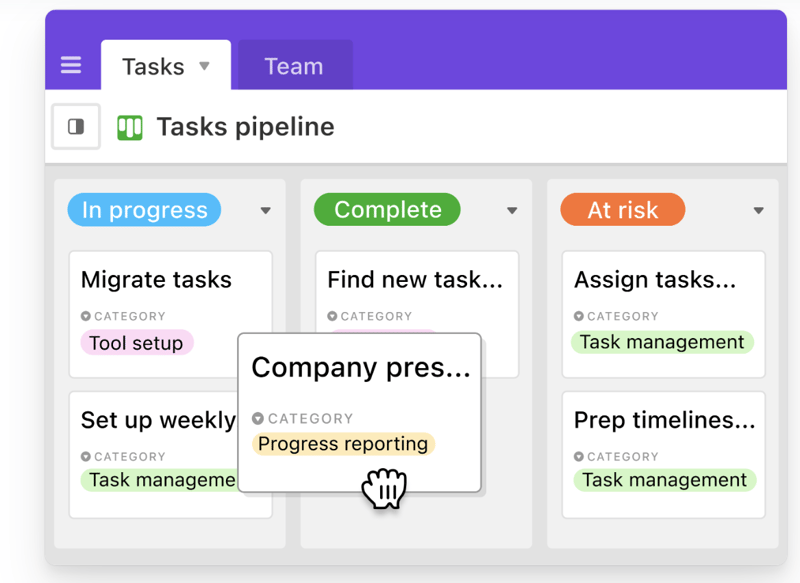
With a click of a button, this feature gives users the flexibility to switch between different data views. Users can view project timelines via the Timeline View, and easily switch to managing team tasks on the collaborative Kanban View. Other viewing options are also available ensuring that you can customize your viewing experience so you can maximize the platform.
The Timeline View
The Kanban View
Automations
Airtable Automations lets users streamline their work processes and boost team efficiency by providing customization options for notifications and creating multi-step workflows. The feature is helpful in terms of tracking project timelines and helping eliminate manual, repetitive tasks. Additionally, it can also minimize the risk of user error.
Syncing
Airtable’s ability to synchronize data means users have a central repository of information that is updated in real-time across all users and departments. It’s a useful tool that promotes seamless collaboration and data integrations, allowing everyone to enjoy a comprehensive understanding of project status or workflows at the speed of need.
Reporting
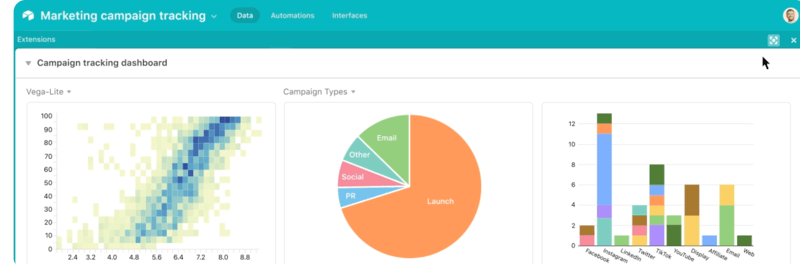
To enhance your project’s reporting capabilities, Airtable’s powerful reporting tools and extensions let users create highly customized reports that visualize your data in a simple understandable way. You can choose from a variety of charts, graphs, and tables to ensure that information is presented in a way that is easy to understand.
Integrations
Airtable offers robust integration that lets you connect the platform to a wide range of software; ensuring that all the project management tools that you use operate seamlessly. Airtable’s integrations mean multiple applications can be streamlined to automatically sync data, share information between different platforms, and automate tasks so workflows can be further improved.
Templates
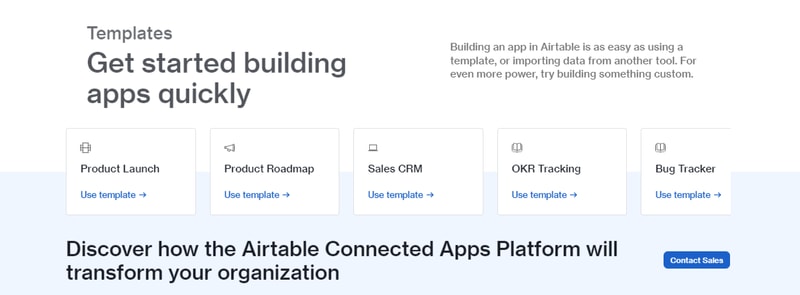
Airtable’s templates can be used to effectively organize every aspect of your project’s workflows. Their pre-designed databases can be used as a great starting point for your projects. Conveniently, Airtable templates are also organized into several categories and industries, which helps you save time and effort from creating a new one from scratch. As always, these pre-populated grids are highly customizable.
Airtable Pros and Cons
Pros
- Facilitates easy collaboration between teams with company-wide visibility of plans, calendars, and workflows.
- Both Google and non-Google users can take advantage of all the features and integrations to support workflow management and collaboration
- Highly customizable bases and effective reporting features
Cons
- The platform’s user interface can be complicated for beginners
- Requires a significant learning curve
AI Features
Airtable has also introduced AI features, including an AI field type for summarization, categorization, and text generation directly within your bases.
Airtable Alternatives
A great way to decide whether Airtable is the right software for you is to compare it to other options in the workflow management space.
Eliminate the hassle of comparing options by choosing from your top choices below. With the ability to review features and relevant information in one place, you can utilize our comprehensive product reviews to gather the necessary data you need to make well-informed decisions.
ClickUp
An all-in-one project management application, Clickup is designed to be used across any industry. From solo users to larger organizations, Clickup focuses on task management to help teams streamline their workflow.
ClickUp offers numerous workflow features and data views, including a built-in Table View to ensure your team always has access to a condensed, actionable snapshot of your projects.
Notion
Designed for smaller teams or individuals, Notion is an all-in-one SaaS note-taking app and database for streamlined project management. Some features include:
- A web clipper so you can easily save images and sites
- A real-time messenger feature
- Allows for category and page hierarchy organization
Hive
With a focus on automation tools, Hive aims to simplify overly complicated work processes through email and task automation. Boasting a user-friendly dashboard, Hive aims to help teams of all sizes automate time-consuming work tasks to give time back to a project’s creation and growth.
A Final Findstack Opinion
Overall, Airtable is a highly comprehensive and customizable workflow management application.
Airtable’s app offers flexibility by allowing you to switch views and integrate reporting extensions, ensuring your data is suitable for various applications. Additionally, its extensive list of integrations enables you to consolidate all your preferred tools and their data in one convenient location.
It’s important to keep in mind, however, that these features are only useful for those willing to take the time to learn them. Airtable’s interface can be quite overwhelming for new users so our advice is to scale to higher subscription packages only after you’ve taken the time to learn the app’s features and familiarize yourself with them.

Compare Airtable with other popular tools in the same category.
Easy to use for team collaboration. We're able to easily communicate with each other through the app and see what everyone is doing.
Nothing! It's a significantly easier platform to use than anything else we previously had tried to use or investigated.
We're able to create an easy to use and edit content calendars that allow for all functions of our organization to see what will be coming up both for our website and all our social media channels. It has made collaboration so much easier than we were previously able to do so.
the user experience and ease of creating a database (which is completely flexible and can accommodate several different uses), the easy connectivity to multiple collaborators and the no fuss experience with uploading different files/attachments to the various records
It is kind of perplexing that there is no offline option, since that seems rather basic and would be a real game changer for field work (I would also appreciate if there was a "single record view", much like filemaker pro)
We are building a database for academic research, and our different collaborators and students can easily contribute to it, as well as organize how those contributions are made
We switched to Airtable from using excel sheet as we are a global membership organization with team members located in different countries. It really helped us to share data on our projects and improve our workflow. It is really easy to use, secure and we can incorporate a lot of different lists into one base.
It takes some time to master all different options and features, but otherwise it is a great tool.
We can work simultaneously with another person without a problem. We could easily connect through automations to other programs we use (Typeform, Mailchimp).
The best aspects of this software are its ability to manipulate plan data into visually compelling and easily decipherable presentations to stakeholders. In addition, the database like nature of the software really helps me to connect all the differing sources of information to easily trace historical records.
I do wish that there were customizable cell types that would track the completion of tasks represented. Yes, there is checkbox feature. However, when tracking project tasks using Airtable, not all tasks are the same for any given project. Having a customizable field type that could allow for the insertion of customizable task lists would be useful. Essentially a checklist.
Currently, I'm using the software to manage the migration, course design, and revision process of online courses. This is proving to be a useful tool for simplifying this complex task.
The database function is perfect for what we need as a small business. Also, the ability to plan social media and assign to coworkers is great.
Currently have no complaints, its easy to use and very functional.
Database was our main aim for signing up with Airtable, but in discovering other uses, we are now using it for social media tracking and finance.
How easy it is to design what you need. Simple to set up and easy to change what needs to be adjusted.
No phone customer service. I had accidentally deleted my main base and was not able to call someone to get it back immediately. I was able to rebuild since I had just started using it. Email communication is pretty quick though.
Organizing medical records. Able to take all of our hard copy forms and have a central location for them.
1) Very rapid deployment; 2) Powerful alternative to Google Sheets; 3) Incredibly easy to use. Airtable is a huge step-up from the single dimension of Google Sheets. It saved our volunteer-run non-profit serving many low-income youth from imploding during a very busy time.
We are still learning Airtable's, so some of these may simply be items we haven't yet discovered. 1) For our needs, a mail-merge integration (such as YAMM on Google Sheets) would be very useful (we'd like to not use GS altogether); 2) Need to format colors, fonts, etc. on a per-cell, per column, or per-row basis; 3) Would love to set and limit the options on Single Select from items on a separate table.
1) Facilitating team collaboration; 2) Works very well with other cloud-based apps using Zapier; 3) Been using primarily as a database, but project management and other features will come in very handy.
Airtable is flexible and easily customizable which is perfect for a young organization that is constantly evolving our systems and processes. It isn't as overwhelming as a huge system would be, but allows us to flexibly link records and create external views.
I wish you could mass-edit records using the checkbox and it would be amazing to be able to email through the system.
We use it as a CRM and ATS. It saves us a lot of messy excel sheets and using email to manage processes.
AirTable has allowed our nonprofit organization to put important and diverse data for our various programs in grantmaking and professional development in one place. Instead of working off of various Excel sheets, we are able to stay organized, streamlining project tasks, outcomes, and disparate details. It's easy to use and has a clean design as well. We appreciate the ability to visualize things differently such as spreadsheet, kanban, or calendar views.
We don't have any real issues with AirTable, but certainly we had to invest some time to best understand and consider best practices for linking data within a base.
In a field where nonprofit organizations often face challenges relating to staff capacity, AirTable has allowed our organization to maximize our staff time and reduce email communication.
We like the simplicity of Airtable and ease of use.
With the time that we have spent so far using Airtable, one wish would be to have the bases connected.
We were using too many spreadsheets that were not connected. Airtable allows us to consolidate our information to a centralized location from where our team can collaborate.
The ability to link anything and everything to everything else, without being complicated and cumbersome. I can get the info I need quickly and easily.
Just one thing...Airtable isn't HIPAA compliant...yet. I work in Healthcare Information Technology (HIT), and I'm still using it in my organization, but not to it's full potential. Once it becomes HIPAA Certified, there will be nothing to dislike.
A level or organization and collaboration like never before, especially with project management.
- Ability to allow various linking for the different tables - Ease of view access, kanban + gallery are my fav after grid view - Collaborators can easily maneuver and edit the various pages
- no capability to insert time - timeline does not allow usage of AM/PM only duration
- CRM with Salespipeline and online database - Allow easy customization across industries
Airtable provides features that Google Forms avoids. The ability to upload files, and then review form data—including uploaded files—just like a spreadsheet is extremely convenient. The ability to color code entries (with Pro version) creates a quick-review of responses to target specific needs at a given time.
Where Airtable falls short is the lack of conditional logic in form responses (e.g. if respondent chooses D, then show this question). Google Forms has made this feature a standard, and yet Airtable seems to actively avoid implementing this functionality. That is truly disappointing.
Cataloging and managing information provided by students in a graduate degree program. By also accepting file uploads, Airtable allows us to create a one-stop student correspondence portal for graduate program administration.
As someone who has limited experience with databases, Airtable was a welcomed option. Easy, flexible, and simply looks great!
The things I dislike would have to be based more on my limited knowledge of dealing with databases and not so much with Airtable itself. Creating formulas is a bit of a learning curve but, again, that says more about me than the program.
As the lead teacher of a program aimed to lead high school kids towards a career in the health field, there's a mountain of data that I need to keep and cross-reference and present to not only the students but also to my team and administration. The ease with which Airtable can let me do this, to say nothing of the printable docs I could make for students and staff, has made this platform indispensable!
Airtable has an amazing ability to be adapted and shaped to fit a growing array of use cases.
Only a minor issue that the gallery, kanban and calendar views aren’t available in iOS version of the app.
Easy and simple visualisation of data is a massive benefit from using Airtable. From workflow processes to sprint showcases and printing hard copies, our team communication effectiveness is both streamlined and enhanced via Airtable.
Airtable has by far been one of the easiest tools to manage and complete tasks/ manage different spreadsheets and database. The filter options are great and the templates help make setting up easy.
We are in the trial phase so we have yet to come across something we don't like.
Our team has been searching for a tool that we can stay on top of team workflow and have transparency of progress and tasks. This tool has the ability to assign tasks to teammates and integrates and easy complete box to check off tasks that have been completed. This is also a great database for keeping all important spreadsheets in one location.
Linking records across tables saves us a huge amount of time assigning and tracking who has attended what trainings and who is has participated in presentations
Not much! It would be great to link across bases.
We do a huge number of outreach presentations with volunteers and staff. This has made a big difference in our ability to schedule and track who, when, and where we are doing presentations across multiple locations where our team is housed.
The versatility. I can see my content calendar as a grid or calendar with the click of a button. Within those views, I can customize the fields to anything I like, which is so helpful when managing multiple social platforms.
I wish records would auto sort by date and time, and I wish you could add a new record between two existing records. This is minor though!
We use Airtable exclusively for our content calendar. I'm able to manage and schedule our social media content as well as blog content in one program. I feel like I'm getting more done and doing less.
My team are used to working from excel spreadsheets, the UX of AirTable is not so far removed from excel that it threatens adoption.
My biggest (and it significant) issue is that linking data is not possible beyond the Base you're working from. This extremely limiting for projects that work across several departments. It's also very customization to the point that it can get rather complex very quickly.
Coordinating staff between two countries and managing projects to establish standardization of processes.
The sharability, intuitiveness, and design of Airtable allow it to be one of the most versatile data management tools.
Only some restrictions still exist, like being able to highlight different rows/columns.
Contact management for different email lists.
The tables can be very powerful and, when properly set up, provide a great way to communicate across the team about the status of specific projects.
If you're used to using regular spreadsheets, there are some limitations/differences that make Airtable confusing. There are also many features that require extra time spent to learn them and training the team.
We use Airtable to track inventory issues, project status, customer requests for products, and really anything else that you could use a basic "list" for that you want to give extra capabilities.
This platform allows you to store and manage a large amount of project data.
It doesn't sync to other platforms we use to store project files.
This platform serves as a location where many people can contribute and manage a large amount of data.
Airtable spread really quickly inside my organization because of how intuitive it is to use. The ability to sort and customize views of project plans made getting an operator’s view and a manager’s view really easy and clear.
Pricing was a little unclear. Something I’m sure they’ll figure out. I also wish it integrated more directly into google apps.
Project management, launch calendars

Airtable is an exceptional product. You can use it for almost anything you need, from a simple to-do list to a complicated spreadsheet. It has capabilities for custom sorting and applying any type of filter you can imagine. I really like the fact that I can integrate it with Slack so I get notifications in my Slack timeline when someone updates a task. It makes it easy to keep everyone up to date on how things are going without having to let them know in multiple locations.
The one dislike I have is their onboarding process. It is fairly annoying when you have been sent an invitation from someone to share a 'base' as they call them, and as soon as you create your account to login and access the base, you are shown multiple videos and 'helpful' tips that it would be nice to be able do dismiss and do later.
I've been using Airtable with a client of mine as a means of project management. It gives a way for both of us to keep track of what is being done as well as update the status and give any feedback. All from right there in the software.
I like the multiple views that Airtable provides -- I organize upcoming deadlines on the calendar, progress toward goals/projects in Kanban view, and meal prep recipes in grid view.
I wish Airtable had integration capabilities with the other platforms I use for work and for my personal life.
The business benefits Airtable provides include the ability to track progress toward common goals with teammates and colleagues without sending individual email or scheduling meetings to discuss each person's progress.
Airtable is entirely easy to manage the database. There are dozens of templates available for any intended use. You can create in your own account a number of databases and invite people to separate bases in the absence of access to everything. Also this service has an excellent mobile application, the functionality of which is at the highest level.
I believe that design can deserve a certain improvement. This is acceptable and easy to use, but in that case it is easy to use, so I would like to have the ability to merge records between databases.
With this platform, we have strong support, which constantly gives us the chance to process any content. We can add investments, large textual information or links to documentation in another table.

Using this platform I can organize our work in a very easy way. I like that platform because we can work more cooperation for individual projects and group of all style. The very useful platform which helps us to use this product for coordinate launches, plan new features, settle research, and stay on the one page.
Actually, I'm not complaining about that product. I really like all working process. Every step going well. Till now everything is good.
With this platform, we use it for all generally projects and were able to make the exact working process and appearance we needed via the team. We can get a much more concrete snapshot of our working group, enabling us to staff people to the right projects and giving them excellent ability to increase.
What I like most about Airtable is its quality. It is convenient and easy to use without sacrificing too much functionality. This allows the user to create a database from scratch or use predefined templates that allow for rapid development. The basics are intuitively laid out, so that when you first use it, you configure it quickly and clearly
If the company is big, the price justifies itself, but for a small company it would be desirable to price cheaper. Also, it would be nice to have a downloadable version of the desktop.
Currently, I use this to manage the workload in my team, as well as to manage content and manage individual projects. It was easy to work in my team, and different views were useful, so they could only see their tasks.
Very easy tool to organize, plan, coordinate upcoming content, events, campaigns, websites and other projects.
The tool does not allow you to link items from different bases, only can link items from tables within the same base.
Airtable helps everyone and everything stay organized and helps us stay on track of projects, makes it easier to plan and organize content and campaigns. Project and task management is much easier. Airtable allows the marketing team to have a single place to keep track of everything that's going on and coming up so we can see timelines and statuses, assess bandwidth, identify gaps in content/campaigns, etc.
As an Operations Manager at a startup where process and rules are changing on a daily basis, AirTable has helped me organize my task list and manage my "internal clients" and their massive expectations.
Still a beginning user, so I may just be missing available tools, but I'd like to be able to trigger reminders when due dates are coming up for certain sprints/projects. Other than that, AirTable is even more helpful that I imagined.
Organization and expectation setting. It has allowed me to group my projects together in multiple helpful views and let other teams realize exactly what I was working on, what my priorities were, and why some requests take longer than they hoped/expected.