

Unclaimed: Are you working at Basecamp?






Basecamp Reviews: 4.1/5 — Solid Choice
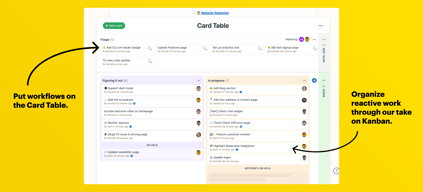
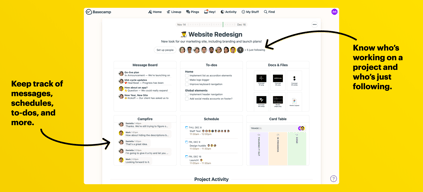
Basecamp has evolved as a project management platform since its launch in 2004 but its mission to help remote teams stay organized, productive, and efficient remains. One new feature that Basecamp recently added is called Basecamp Hill – a visual representation that divides the component of a project into a phase of uncertainty, unknowns, and problem-solving (uphill) and a phase of certainty, confidence, and execution (downhill). This is on top of Basecamp’s core features which include a Message Board, To-dos, Calendar, Documents and Files, Group Chat, and Automated Check-ins. It’s a top-down and bottom-up platform for everyone in a business or organization – from proprietors and C-level executives to project managers and individual team members.





| Capabilities |
API
|
|---|---|
| Segment |
Small Business
Mid Market
Enterprise
|
| Deployment | Cloud / SaaS / Web-Based, Mobile Android, Mobile iPad, Mobile iPhone |
| Support | 24/7 (Live rep), Chat, Email/Help Desk, FAQs/Forum, Knowledge Base, Phone Support |
| Training | Documentation |
| Languages | English |
Basecamp Pros and Cons
- Excellent for schedule and to-do list management
- Automatic check-ins and group chat for remote work
- Helpful message board
- Useful for finding crucial documents
- Easy and customizable environment
- Requires third-party integration for time tracking
- Features need to be a bit more flexible to achieve better functionality

Compare Basecamp with other popular tools in the same category.
I love Basecamp for its user capabilities and how clean and easy to use the platform is. It's really great for communicating with other coworkers, planning different campaigns across different departments or areas of business, and great for keeping track of personal tasks and to-do lists. It also provides a weekly update for things you have to do still on your task list, which is an awesome reminder.
I dislike how it can be a little bit messy, and they email quite often with updates so it would be good to only get a weekly email instead of an email every time someone is active in the company Basecamp. For the most part though, everything is really straightforward and simple. Easy to implement as well, and really easy to navigate.
We're solving how we communicate, task tracking, asset management, project augmentation and just daily to-do performance tracking. The benefits are keeping track within our company and departments, as well as just managing multiple projects and campaigns at the same time and understanding what is necessary for those.
I enjoy being able to have multiple projects to communicate with teams across companies. The todo lists and the calendar are great features that allow us to be more organized and structured in our production process.
Within the calendar I would like to see more recurrence options similar to Outlook calendar scheduling. For the monthly repeating it would be good to repeat every Monday vs having to recur on a specific date. For todos it would be useful to be able to assign a group or multiple people. Additionally with todos it would be nice to have the ability to set who should recieve notifications on the entire todo list vs having to set that up at time of responding to the todo.
Cross communication on projects is the largest problem. In the past we would communicate through email only and had multiple email chains with information getting lost or the incorrect people included on the email. We now have all of that communication going through Basecamp which allows us to include all necessary people and allow easy reference to what was discussed.
It allows in a very easy way to organize the tasks that must be carried out by a certain group or groups together, with the help of a calendar in which they can be ordered with their specific deadlines and dedicated to the corresponding group for that task, also allows easy communication between the different groups and members of these groups and best of all is that everything that is treated on this platform is registered to easily access a conversation or note and see what is treated in it as well as required files or modifications and finally also helps with the control of hours worked which facilitates the control of payments for the company
the platform is very simple and easy to use but trying to download the app for windows 10 I repeatedly came up with an error therefore desists to install it and only use the web version.
In our company we have two groups of developers which one is full time and the other is remote and only attends the company on some occasions, with the help of this platform we could coordinate a project in which both groups should collaborate, determining the tasks and assigning them to each member in order to work in an efficient and orderly way dividing the work into parts so that the flow of
Our team picked up how to use Basecamp extremely quickly and the management was able to stay on top of disparate sub projects and timelines. Minimal learning curve.
For the folks in the office that are up on the latest PM terminology and software, they felt that Basecamp was a little elementary.
We had a ship in a shipyard with multiple inspections and projects. We used Basecamp to track each item while maintaining the big picture of our launch date.
Basecamp is great for keeping people in touch, involved, and out of business they don't want to be involved in
It takes a while to learn the format/ set up of the software
It is great for informing people of what they need to do, be involved in, etc. without many questions involved.
You can organize group projects in one place which is easily accessible - and house documents and assign tasks
I dislike that it can be difficult to find specific tasks if you don’t remember what project it’s in
We are trying to organize group feedback on projects and get them done on time
While using Basecamp I was really impressed with the smoothness of everything. Files, images, conversations all kept neatly together, searchable, allowing us to compartmentalize each project for our clients, and keep those discussions on track. Being able to limit the participants on each project was a huge boost as well, so the people not involved with it wouldn't be swamped by messages and updates on projects they weren't concerned with.
Most of the limitations in Basecamp revolve around its narrow focus - it's great for messaging, task management, etc. It's not so good on reports, invoices, or anything else. It's also not customizable. You're just stuck with the basic Basecamp look. Also, being able to integrate other services, especially full Google Drive Suite implementation, would really push this over the top.
Using Basecamp really helped with direct communication with clients - it allowed us to post updates and minor changes and get approval right away, instead of asking them to come in and look at everything. It also allowed us to ask simple questions or make suggestions, again, without needing to set up an appointment.
I love that this platform is real time. I work full-time from home, so being able to be connected all day to my co-workers live is a huge benefit.
I don’t particularly like that you have to be a member of a certain group to see updates.
Communication is definitely number one. Basecamp saves the time and confusing of multiple emails going back and forth.
Simple to use, with a simple interface that allows you to list and prioritize tasks that lead you to complete your projects, allows you to make assignments to your work team and schedule delivery times, you can open even discussion spaces between members, plus you can verify the consolidated status in a timeline
Something that could improve the software would be to show the progress of the projects in Gantt diagrams instead of in a simple timeline
It develops and stimulates collaboration and teamwork, adds an additional factor of productivity, allows you to organize, saves time, money and reduces to a minimum percentage the contingencies that may affect your project
When working on Basecamp, our team tends to get things accomplished quickly. While we have the option of using email for each post, our team generally does not use this because we all receive a daily email showing us posts from the day before. This process generally solves the issue of following email strings, commenting, filing and trying to stay up on the latest iteration of our team's work. When we do desire to send something quickly, we have the option to choose recipients which allows us to workflow / collaborate quickly and omit those who will see an FYI on the daily report the next day. This program cuts down a lot of excess emailing so comments stay on Basecamp and do not have to flow to email unless you want them to. Emails can be triggered to zero or many pending the post(s) being shared and timeliness.
I've used a similar workflow program called Trello, and because I tend to be a visual person who prefers to look at columns based on subjects, I don't find things as easily on basecamp. However, there is a search field that will allow you to find what you need in a timely manner.
We are working with third parties including attorneys, crowdfunders, writers, sales, ad agencies and Basecamp allows us to collaborate on a variety of items. It's all posted in one place, though you may (or may not) receive emails for each and every item posted. (It shows up on the daily report so you can review at once and maintain focus through your day)
Basecamp makes it super easy to set up projects and assign tasks to individuals. Everyone can clearly see deadlines and to-do list assignments. Great for straightforward projects where everyone can divide and conquer.
It is not the most intuitive to manage hierarchies with multiple sub-tasks within a larger project. I would not recommend to large long-term projects with multiple dependencies
Basecamp helped my team collaborate with other departments and teams to keep us on track for routine project-based work. It was very easy to see when assignments were due and keep up with the current status of the project. This drastically improved effectiveness and eliminated unnecessary emails back and forth.
I love the features. They really have thought of everything a team would need to manage not only projects but teams. The different forms of communication are perfect and the platform as a whole is intuitive and easy to use.
The new clientside of the platform, even though great in theory, is not my favorite. It may just be the way our company utilizes Basecamp as a whole, but communicating with the client within projects is not my favorite. I don't like the old clientside either, where communication is through email. It confused clients and sometimes their replies came back into to Basecamp very weird.
Project management and team communication. Basecamp has made our company realize that we are well equipped to be a remote company. Basecamp makes communication, time tracking, and project management very easy. I love that is central as well. We don't have two have different platforms. One for communication and one for project management. You get it all in Basecamp
Basecamp let us communicate with each other often and easily, making things like updating each other on tasks easy.
Sending images and other attachments can be slow, and finding them can be somewhat difficult.
We were able to talk with each other in a fast manner and get input about advertisements we were planning on putting out.
Basecamp is a great way to organize, manage, and delegate tasks relating to individual projects. We all have many projects to work on and needing to have conversations with co-works about that can get muddy and basecamp helps keep the right conversations in the right places!
It isn't basecamp's fault, but people are the biggest problem. My organization doesn't require it but my department has committed to using it and it is getting better. Unless people are trained well and (almost) forced to use it, the benefits are not as great as they would be if everyone used it as their primary way to communicate.
My team plans conferences virtually and basecamp allows us to have great, contextualized communication. One benefit I've seen relates to a national conference we hosted with 7 locations last year: Our "working group" was able to discuss national norms in our "Team" and then our location-specific planners were able to work through the uniqueness of their locations in the "projects" with their clients.
Basecamp is great for group work -- you can @ anyone in the org, and keep a lot of ad-hoc things that happen in one place, like meeting notes and task lists.
The feature for uploading resources and referring to them isn't that smooth, and it doesn't feel like one of the primary uses or strengths of Basecamp
Managing tasks in a place with transparency, so everyone can see what's being worked on. That transparency piece is the best benefit
I use Basecamp routinely to collaborate on varied sized projects with external partners. Tasks, status, and other shared documents are easy to manage and track, and the UI is very easy to use, no training for casual users required.
Occasionally a bit slow but generally not a problem.
Action item and program tracking.
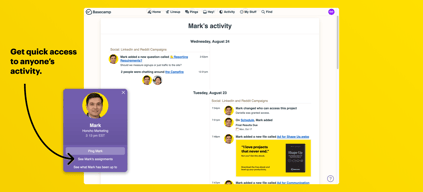
Love that it sends auto reminders to everyone you've assigned tasks to. It's also really nice to be able to click on specific people in Basecamp group and see their latest activities.
Sometimes I receive summaries from projects I'm not super involved in and it junks up my inbox
Making sure all tasks of a large project are done. We're seeing less questions from the team at the in-person meetings
Because of basecamp, our marketing team is able to share updates not only internal but also with our consultant who's working in a different time zone. We can share thoughts, send updates, files, etc. It's a time effective process.
It's kind of hard getting used to the interface, at least it was for me. But once used to it, it's easy.
Collaboration, internal and external as well as sending large files and updates.
I like the ease of use and features. I like the project coordination and ability to store everything related to a project in one place. A separate area to communicate with the client or share the whole project with the client.
Sometimes there isn’t consistency- nothibg bad just annoying. Like some places you can type and hit enter and you can srlect when to post or save a draft snd other areas you hit enter and it posts right away.
Project coordination and storage.
Basecamp has helped us organize a group of volunteers who are serving as an advisory group. We don't meet often so it is a great tool to help us get and stay organized.
I haven't had any features that I dislike thus far. The icon threw me off at first, because it looks like it may be a children's app, but it isn't.
We are solving the problem of organizing a new advisory group. We have been able to make our first meeting more meaningful using the app.
I like that the project can be broken up into what different team members responsibilities will include to make the project run.
I get a lot of emails from Basecamp as reminders, even when I have finished my portion of the project
Basecamp helps keep the team on the same page. it offers quick and easy collaboration for everyone included on the project.
My company loves Basecamp's ability to collaborate with our national partners across every state. Users post discussion items of interest and dozens of people reply to improve our company's communication processes. We also streamline our material sharing by posting everything online so partners can go to one place for the materials instead of digging through emails, file libraries, etc.
I haven't found anything that I dislike at this point.
National collaboration, treamlined communication, networking.
It's anything but difficult to utilize, keeps us sorted out, helps profitability, and is incorporated with our Tick account. The perceivability into everybody's business - it really spurs members to be timely (an enormous factor in venture joint effort) on the grounds that everybody can see who is late.
The cons are probably more about the things it doesn't do. There's not a straight forward way to track the time management of a project.
My inbox and phones are much more silent now, and I can get more work done without having to get side tracked looking for anything.
Basecamp is a great collaborative tool for team projects. I’m Basecamp, you can create message boards for collaboration and use the to do list feature to execute the plans. My creative team heavily used the messages board feature to post our concept ideas for our new projects.
Basecamp is a great tool, but when it comes to project timelines this could be improved.
Organization and structure to our projects
I love that you can tag your colleagues in post and let them see exactly where you are working on leading to a better workplace environment.
I dislike the amount of notifications I give you a email and I can't specify which kind of notifications I actually want to receive
It allows us to work as a team so there for the benefits are substantial and extremely beneficial to our company
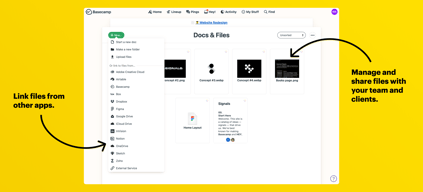
Reasonable inexpensive, flat monthly price. BaseCamp supports a wide variety of integrations with other apps and services. Gets the job done for office collaboration.
Very weak reporting capabilities and sometimes it just is missing the mark. Could be better.
BaseCamp assists us in getting projects done with team members and outside contractors working remotely. Does the job for the right price.
Like i said it is easy to navigate and learn what others are doing at my firm. We have over 100 employees and basecamp keeps everything in one place and is easy to use.
I dislike that basecamp doesn't have separate email notifications for each project. I hate getting emails about something i am not working on.
We solve alot of problems with our team such as learning what others in other departments are working on.
I like the features that Basecamp offers. I am easily able to collaborate with co-workers in one platform to be able to send messages, house different documents, assign tasks, set due dates, plan calendars, etc. (the list goes on!). I think it's very simple and easy to use. With not having used this program before, I was able to quickly pick it up and start using it from day one. As a Project Manager, this tool is a must use in order to coordinate across multiple projects easily.
While the platform is very intuitive and easy to use, to get full use of the product and all of it' many features, it will take some time to learn. Their mobile application could use some upgrades as well.
As a Project Manager, it allowed me increased efficiency and time with help coordinating multiple projects and processes. It's very easy to track progress being made. I am able to make Basecamp work for me as I'm able to create schedules, specific tasks, assign by areas or individual people, set due dates, and then have the system send automatic reminders.
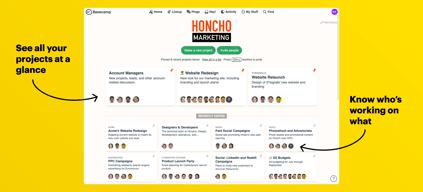
Simple to assign and discuss to-do's. Can see progress across all projects, customers, and team members.
Does not integrate easily with time tracking. However we developed work-arounds to make it work for us. If team members do not meet deadlines, then tasks can fall off the radar.
Managing multiple projects, with multiple contractors and multiple clients. Basecamp helps me assign tasks with a due date, then view a calendar with all upcoming due dates. When a new project comes in, I can estimate when it will be completed based on upcoming due dates.
I like the different sections of the software that allows me to distribute tasks and update information quickly.
Sometimes the layout is a little confusing so I had to look for a specific route.
It provides efficient communication, we build out tasks on there, and share documents.