

Unclaimed: Are are working at CorelDRAW Graphics Suite ?
CorelDRAW Graphics Suite Reviews & Product Details
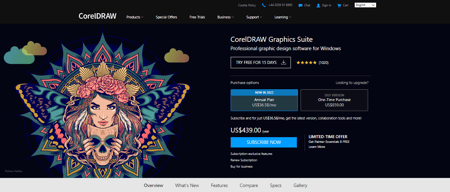
CorelDRAW Graphics Suite is a full-featured design toolkit that lets users create vector illustrations and layouts as well as tools that support photo editing, and typography projects. The platform is offered via a budget-friendly subscription platform that provides incredible ongoing value with instant, guaranteed access to exclusive new features and content, peak performance, and support for the latest technologies.
| Company | Corel Corporation |
|---|---|
| Year founded | 1985 |
| Company size | 501-1000 employees |
| Headquarters | Ottawa, Ontario, Canada |
| Social Media |

| Capabilities |
AI
|
|---|---|
| Segment |
Small Business
Mid Market
Enterprise
|
| Deployment | Cloud / SaaS / Web-Based, Desktop Mac, Desktop Windows, Mobile iPhone, On-Premise Linux |
| Support | 24/7 (Live rep), Chat, Email/Help Desk, FAQs/Forum, Knowledge Base, Phone Support |
| Training | Documentation |
| Languages | English |
CorelDRAW Graphics Suite Pros and Cons
- Great for productivity: The collaborative and productivity features on Corel Draw aren’t just there for show. This software really does make it easier to get connected and make progress on a shared project.
- Versatility: You can use Corel Draw on virtually device, including smooth drawing surfaces, laptops, and desktops.
- Tons of exporting options: You can export up to 48 different file types with Corel Draw, including PNG, JPG, and even CAD for 3D content.
- Huge community collection of assets: The collection of assets available is incredible. You can access fonts, templates, frames, photos, vectors, and brushes. Plus, there’s a full organized library system for keeping everything in the right place.
- No app for your smartphone if you’re working on the move
- Does require a lot of initial learning due to the wide range of features










Compare CorelDRAW Graphics Suite with other popular tools in the same category.
I am working with CorelDraw since version 1.1. Since then the product enhanced more and more. The range of functions/features in combination with it´s price (regardless if subscription or payed-once version) compared to Adobe.
unfortunately there is no Mac OS X version available. So currently Mac users have to run CorelDraw in a virtual machine like VmWare Fusion or any other.
creating business papers, product flyers, web graphics, illustrations.
Corel Draw is an excellent creative tool to use. Its easy to utilize when creating a desired artwork
In order to use Corel Draw you will need practice and train to be able to Understand and enjoy it.
Corel Draw is utilized when brainstorming artworks in the company. Its easy to make changes when needed
I like the simplicity of the program. It is a much more simplified version of adobe illustrator. Much easier to use for simple projects.
I dislike that there isn't a ton of photo editing options, lens's are the only resource I've been able to use to really edit the appearance of something and it feels limited.
We use this as a go to for templates and exporting to our website, it seems to fill the need of both exporting for the web as well as a standard program to use to compile images without making images too large.
The universal buttons that have been used since day one of the software
Lack of ability to easily copy right logos
CorelDRAW has allowed me to make many logos for my clients and design one off things.
Corel is best known for its speed versus its competitor, Adobe Illustrator. Foer every single step command in Corel takes two to three steps in Illustrator. Corel is also superior in importing and exporting into many other graphic formats. It has superb accuracy up to four decimal places, and has excellent dimensioning tools.
The only thing I would add to Corel would be an arc measurement tool.
Corel has proven to me to be the best program for rendering commercial sign drawings, both presentation art and technical drawings
There are plenty of tutorials to help people learn both basic and advanced features. Works well across multiple versions of the software suite
My only complaint on this software is that for personal use it can be a bit pricey, but you certainly get your money's worth
It provides me with the ability to improve processes within my scope of manufacturing to streamline business
I used to use Illustrator - but I was introduced to CorelDraw back in 2008 by a friend who works in the sign industry. Since then, I have found CorelDraw to be far more intuitive and user friendly as a vector based program. I also like that it communicated across various platforms, as you can export your project into just about any file format. I now use this program for 95% of all design projects - with Photoshop picking up the 5% slack for it's photo editing capabilities.
I wish CorelDraw was more friendly on Macs. It runs smoothly on PC platforms, but it lags a bit and sometimes freezes up on Macs.
I use CorelDraw for wire-framing and full design of websites, app prototypes, logos, signs, creating PDFs, and so much more.
Flexibility of Corel to create graphic art
I wish Corel draw and paint were merged together as one program
I use this for creating pdf and jpg art to use for church office functions like creative sign up sheets and newsletters
I have been using this software for over 10 years now, it's incredibly user friendly and I always manage to get the results I'm looking for
Not enough courses cover corel draw, most colleges and online courses only cover adobe products
I am able to get all my graphics problems solved using one program
No need to go to school to use this program very easy to work with vector files
sometimes is too slow and crashes when files are to big or has shadows
I use it on my laptop wherever I go