

Unclaimed: Are you working at Paymo?





Paymo Reviews: 4.6/5 — Highly Rated
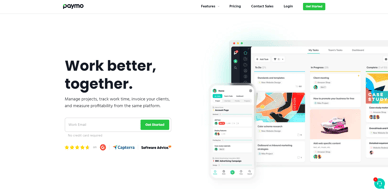
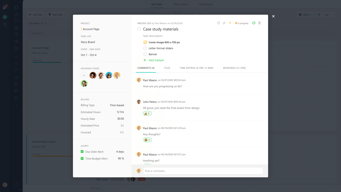
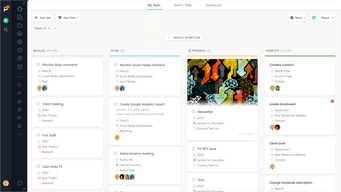
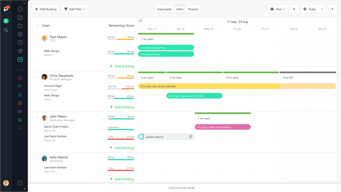
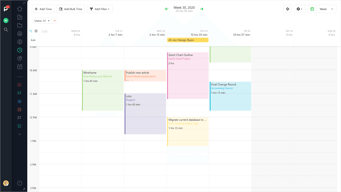
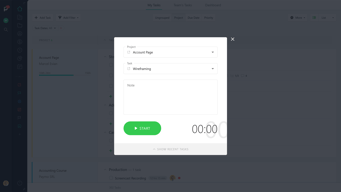
As a project management platform, Paymo has all the functionalities of similar industry-leading tools such as multiple task views, custom workflows, project templates, and tracking, monitoring, and reporting. What separates Paymo from other project management software is its extensive list of project billing features. It offers seamless invoicing from logged billable hours within the system as well as a capability to create accurate costings for new projects. It also has native integrations with top payment processing channels so you can track online payments right from the platform itself. These are all reinforced with a comprehensive list of profitability tracking benefits which include profit margin projection, employee-specific profitability metrics, and a client profitability tracker.





| Capabilities |
API
|
|---|---|
| Segment |
Small Business
Mid Market
Enterprise
|
| Deployment | Cloud / SaaS / Web-Based, Desktop Mac, Desktop Windows, Mobile Android, Mobile iPad, Mobile iPhone |
| Support | 24/7 (Live rep), Chat, Email/Help Desk, FAQs/Forum, Knowledge Base, Phone Support |
| Training | Documentation |
| Languages | English |
Paymo Pros and Cons
- Allows for real time collaboration
- Extensive bird’s eye view of individual tasks
- Supports multiple views
- Features advanced filters and notifications
- While the platform offers a free plan, it does come with a lot of limitations

Compare Paymo with other popular tools in the same category.

Paymo is very easy to setup and to start tracking tasks on projects, loads very fast, has no bugs, it is always online. It's dashboard gives you all the main key indicators you need to see how is your business doing.
Wish notifications could be sent from my own domain instead of the "paymo notifications"
Project task management and cost control, easy invoicing and tracking of invoices. Clients have the option to review timesheets or even check live reports for cost control.
Our company uses paymo to track hours for all our projects. Since our consultants work and live in different areas, this allows them to enter time on the project they worked, by the app or on their computer. Our customers and project managers can see reports of time used at any time since we can simply provide them a link of the report. This makes is simple to calcualte when a project is on target or going over budget. Paymo has been one of our cornerstones to our tool set for at least 6 years.
Dislike is to strong, but I wish there were more features to allow for different types of users. I would like a way to schedule reports to be emailed, I am sure this possibly and integration. Another request would be an "Approval" if there is set # of hours - so hours cannot be entered over the amount.
The benefits of Paymo is it makes time-tracking easy per project. Because we use Paymo to assign project consultants, project managers etc, this tool allows for flexibility in hours.
The rapid response given when you send an email or any question about the app and services.
That you can't do everything on the phone app that you could do on a desktop but it's normal with all services from any competitor.
Typing up invoices every month, timesheets, keeping track and records of estimates, invoices and time of work.
Paymo is easy to use and user-friendly for the past few months since I started using paymo the best thing I like about it offers additional tool rather than PPM Which are billing and invoicing Reliable Affordable
For me we feel great working with paymo great and user-friendly
Time tracking
Reliable, affordable and easy to use, great UI/UX, project management and time tracking is best
Paymo it has been great platform for our team
Time tracking
Paymo is very easy to use and easy to set up, it's a time savior spent on my different clients, perfect price/quality ratio and it's customer support is great and very helpful
Paymo is great if there is any issues is always solved,it really have great customer support
Very user-friendly and best in time tracking
Ever since 2019, Paymo has been a remarkable tool for project portfolio management.
Mobile application on my iOS doesn't encompass all features that are on cloud apps.
Time and expense tracking on projects. Task management. Resource management.
Everything is very well arranged and easy to use.
I like everything. There's nothing I don't like.
With Paymo I find it easy to track my working time for all the projects.
I love the reporting feature that lets me print reports based on specific client or project data across multiple users. Customer support is fast and very helpful.
I've had some challenges with templates but was able to resolve them with the help of customer support.
Paymo allows me to track billable hours for multiple clients and submit accurate reports to our accounting office for invoicing. The ease of use means I spend minimal time on project tracking and billing.
I think the best compliment that can be given is that we've been using it since 2013 and never thought of changing it, always with a high degree of satisfaction.
Nothing, everything matches our expectations
Time tracking and sending reports to customers.
Paymo gives you OPTIONS! It's really been the best out of the 10+ apps we've tried, as it allows us to really manage our projects. We particularly chose Paymo for the Time-Tracking feature. Whether we're working on multiple clients, multiple pay-based projects, or just need to generate a time report....you can do all of this and more with Paymo! We're able to generate an invoice when needed and with Paypal, whether a member of Paypal or not, our clients are able to pay without hassle.
I don't get to use it as often as I'd like. Paymo is awesome and always makes improvements to be better for their customers, so I'm greatly appreciative of their team for that reason!
We're able to manage all of the details of our projects (inactive and active) and that helps in delivering our best work to the client, not having to worry about lost files, inaccurate time tracking, etc.
Time management tools, invoice creation, time tracking projects, and incredible customer service!! Great product all around
Takes a minute to wrap your head around, but with knowledgable people on their team (like Bogi) you understand the platform quickly and efficiently
Keeping my business in check!
I have been using Paymo for years now. After long research this was the best app I found to my needs. Easy to implement and to use. I can add as many projects as I want, tasks, view these in different formats, and never undercharge again thanks to the awesome time tracker. I can add invoices and input payment dates, even when payment has been made in different installments. I can have recurring payments, create estimates, and convert these to invoices. And the price is ideal.
Nothing. I really love the app. Has everything I need.
Creating estimates & invoices in two languages and formats. Following-up on projects so I never miss a deadline. Following-up on payments, I am a one-man show and accounting can be time-consuming. But with Paymo I get everything in one place.
Their customer support is top-notch and provides real answers rather than giving generic FAQ bs
Sometimes differentiating between project is difficult because the colour coding isn't across all UI menus
Generating accurate time records to invoice for projects
The time keeping app and reports are precisely what we needed, at a price point that made sense. (Not sure if that price point is still available to new users).
The app for mobile was not great, buggy... But the newest version seems to integrate well, even if the most needed function (start/stop keeping time) is not front and center in the UI. the desktop app was even worse than the original phone app. I assume it is better now, but the experience was so bad previously that we've seen no reason to try it again instead of the website. Occasionally our autopay for the service fails to go through because our bank/creditcard issuer flags the foreign transaction as unrecognized. We've had to change the card used to pay for this because it happened so often with our primary bank's card.
Time tracking for multiple clients in one tool, with reporting and history. These functions, while probably the most basic in the toolset, are well designed and fit our needs perfectly,
Reliable, affordable, and easy to use. It's packed with features, but at the same time UI/UX is done great, so it's easy to find your way around the web app. I probably use 10% of the features it has, but it is still very much worth it.
Nothing yet. I've been using it for years and there haven't been many issues since the time of beta versions.
Mostly my bad memory and laziness :) Projects tend to take a lot of time, and time tracking software is a must. I'm sure it saved me a lot more than I've invested in the subscription over the years. There are also many small projects that completely slip my mind over time and I would completely forget to invoice if it weren't for Paymo.
I've been using Paymo for years for my business time-tracking, invoicing, and project management. Incredible app! Amazing team! Responsive, streamlined, beautiful interface, fast and efficient. I couldn't imagine running my business without Paymo at this point.
Sometimes when new updates to the platform come out there can be very small discrepancies. But these are very minor and the Paymo team is always fast to respond to bug reports. Ultimately, I just love Paymo!
I do all my time-tracking, invoicing and expensing with Paymo. It makes it easy, simple and fast to keep track of all of my business time and expense logging so that I can spend more time getting back to work and serving my clients.
It is very easy to track time with the timer or add additional time for each project and task.
Tasks are tough to manage because I reuse the tasks the way I am used to
Invoicing my clients is much easier with the reports I can export from the Paymo App.

Great visual project management tool with lots of great features. Was so useful in lockdown to keep our web design and marketing team on track with projects.
Nothing all working smoothly so far happy with the system as a whole.
Working from home with a team is hard! Paymo helps us as a team stay on track with a project.
Simple layout that isn't distracting, allows you to focus on what's important. Well priced and good support.
Mobile app was a bit limited in functionality but that's mainly fixed. No archiving option.
I'm organising all my projects through Paymo and storing all relevant files in the one place, then using that info to invoice.
I really like the desktop widget that lets you track time without opening the full web-ui. The invoicing looks slick and is easily customisable. It's also really useful to generate time reports for any range. The sort and filter functions are excellent.
I only wish the time-rounding feature worked on a task basis e.g. I could round all time I spent on a task to the nearest 30 or 60 mins, instead of rounding each time entry. Currently, rounding each time entry doesn't work for me, because it results in wildly different time figures.
I'm using Paymo to manage time-tracking for projects and then invoicing clients effectively. It's great to have both features in one as it lets you speed up your invoicing workflow.

Paymo is very easy to set up and use. I use it on a daily basis to manage my time spent on different client projects. Paymo has an overview of hours worked, unbilled amounts, milestones, discussions etc so easy to see at a glance progress per project. It is also customisable and has very useful help notes. Invoicing clients is so easy as well - just one click of a button to invoice unbilled time, check the invoice and easily send by email! Paymo keeps a list of invoices sent out which is updated to show status. The invoices can be customised so ready to send to each client. The customer support is fast, I haven't had to use this much but on the odd occasion I have, they have been very helpful, so no worries on that part, which is reassuring. I highly recommend using this project management software, it saves so much time and very easy to use. I wouldn't be without it!
There is nothing I dislike about it. It is easy to use, does what it says, I have nothing to dislike!
I have been using Paymo for about a year now and it has changed my productivity for the better. As a Freelance PA/Project Manager I work for different companies so it is imperative that I can track my time spent on different projects and tasks. Paymo does this easily and with no fuss.

Easy to use, the link between the timesheet and the invoice process is well-done.
Sometimes the widget stop working, but it doesn't last long
II save time
Simplicity of use, but still offers all the things you need to track your work and even more. Desktop app is also a big bonus for me. And time reports that you can share with your clients are amazing.
Sometimes desktop app gets stuck and does not fetch data quickly. But it happens very rarely.
Time tracking for my work. Time reports with spent hours for my clients. Reports are basis for invoicing.
Very easy to use and keep track of work, time and invoicing.
Previously the mobile app version was not as easy to use, but now it's better.
Keep track of multiple projects and easily bill clients.
Paymo has been a trusted solution for my small business for many years. I use Paymo to track projects, log billable and non-billable hours, and to send invoices to my customers. The cost is reasonable and is a better value than other similar products on the market.
It would be nice to be able to white label the invoice links using my own domain name.
Paymo is the primary project management and billing tool that I use in my web design and social media development business. The product is easy to use and makes it easy for me to track billables.
Paymo is very easy to learn and use. We use it to track clients and projects and for all of our time tracking. We have both fixed-rate and hourly projects. We can track both and view our performance either way. It manages teams well so I can see what other users are doing. The interface is clean and efficient. It is easy to create and save various reports which I run regularly.
There isn't anything we don't like. They make regular updates/improvements. The help and chat are available whenever needed. We've used it for years and it keeps getting better.
We track all of our clients, projects, and time sheets. We also use it for some recurring billing for web hosting invoices. I've even had subcontractors using it to track their time on various projects.
J'adore pouvoir facturer directement à partir de mes feuilles de temps, et filtrer mes factures en fonction de mes besoins de comptabilité.
L'app mobile ne permet pas encore de tout faire.
Je gagne un temps fou pour faire mes taxes et mes impots.

Counting my time for each project, using desktop app to do that, create a process with all tasks
to be honnest, nothing, i recommand Paymo to everyone
Thanks to Paymo I know exactly how many times I spent to do each task for each project, everiting is inside Paimo

Very beautiful interface, easy to use, automates templates to create estimates and invoices. It saves me hours every week!
The workflow is project-based, so you first have to create a project BEFORE you create an estimate for it, it's counter-intuitive at first. I wish there was an interactive calendar with drag&drop tasks.
I save a ton of time by creating estimates and invoices from custom templates. The time-tracking app is excellent and very useful.