Unclaimed: Are you working at QuickBooks Desktop Pro?
QuickBooks Desktop Pro Reviews: 4.3/5 — Solid Choice
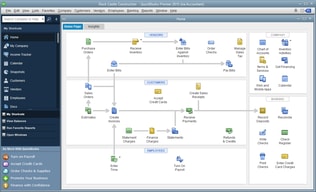
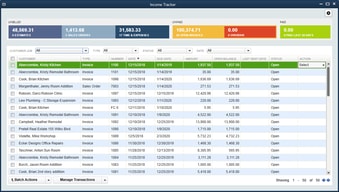
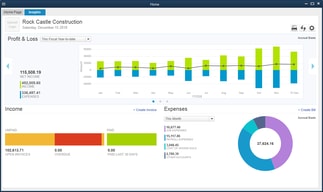
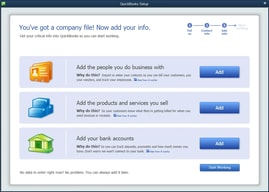
QuickBooks Desktop Pro is a platform that lets users automate key processes in the accounting system, including billing and invoicing. With Desktop Pro, users have the option to link bank accounts, define workflows, and make automated payments for efficiency. This solution also lets users manage employee payrolls via a single application. Other key features include business expense tracking, report generation, and time tracking.
| Company | Intuit Inc. |
|---|---|
| Year founded | 1983 |
| Company size | 10,001+ employees |
| Headquarters | Mountain View, California, United States |
| Social Media |

| Capabilities |
API
|
|---|---|
| Segment |
Small Business
Mid Market
Enterprise
|
| Deployment | Cloud / SaaS / Web-Based, Desktop Windows, On-Premise Windows |
| Support | 24/7 (Live rep), Chat, Email/Help Desk, FAQs/Forum, Knowledge Base, Phone Support |
| Training | Documentation |
| Languages | English |







Compare QuickBooks Desktop Pro with other popular tools in the same category.
Ease of use, intuitive user interface, and ability to switch between payroll weeks easily. You can also easily save, edit, and erase entries.
The data hour entry can be confusing initially; For example, if you enter 8.15 hours, it will enter as 8 hours and 9 minutes, whereas if you enter 8.25 hours, it enters as 8 hours and . So, it automatically adjusts a 100 point system to the 60 point clock system.
It has been great for effort reporting specific time chunks and allocating various project funds to employees. For example if there are 30 projects, you can easily track how much money to give to each employee based on their effort reporting.
I think it flows efficiently and is very intuitive. Smoother running than other verions
It occasionally takes awhile to load, other than that no issues
I use it for general accounting purposes. I use it specifically for Accounts Payable concerns
Automates many parts of my job and makes my life a lot easier
That QuickBooks automatically enters check numbers with no way to turn it off
Creating Financial Statements
Easy to navigate. Reports are easy to customize. Everyone in the office can use it easily without extensive training.
Needs a more modern look. User interface needs improvement.
None
No one will be surprised to know that Quickbooks efficiently handles most transactions and journal entries an makes financial accounting straightforward.
There are some redundancies in functionality but even so it is very functional.
Quick access to our financial data has been a breeze, and I like the ease with which I an make retroactive adjustments and changes.
Ease of use. Step by Step instructions and set up. Best accounting program for at home or start up user. Anyone without accounting knowledge can maintain (then send to your accountant).
I find some report changes to be a little bit of a hassle. There are some moments it freezes, and some times that setting up bank accounts (multiple) and switching between them can be hectic. I wish integration of other products was a little more seamless. Having to upload working (accountant) versions and not being able to make changes until someone else is finished. (dual use)
I love being able to share this with clients. I can instruct them on daily tasks, and they can send me links for importing and I can reconcile. I don't have to be in two places at once.
The fact that it allows a simplification of getting employees correct pay and takes out proper amount of taxes as well as direct deposits checks for employees.
The only thing i dislike is how slow it takes to load.
You can customize reports on different things like paying state and federal taxes and sort through different stats on each employee.
It is the most inclusive accounting/financial software I have found and I have looked for other option that are more simple or cost less
It is clunky and not as steamlined as I would like. There are whole parts I do not need or use. I wish it was more user-friendly or engaging so I wouldn't mind logging in.
I use Quickbooks for all business accounting - inventory, invoicing, customer management, billing

You do not have to have an in-depth understanding of accounting to manage your business finances.
It has become almost mandatory that users upgrade every year, even if the version they are using is working well for them.
Currently it is used for invoicing customers, tracking accounts receivable. I have used it in other places to track inventory, pay bills, and general accounting. I also used it at a non-profit to pay bills, do payroll, and track contributions
I've only used quick books for my accounting needs! It's functionality is universal & it's programming is accessible.
Sometimes installation isn't easy & mistakes aren't easily corrected.
I can do my accounting myself with QuickBooks!
we used it for our small business software and it was relatively easy to use even though I had never used it before, - the journal entries accounts receivable and accounts payable software and functionality was the same as all the other different types of software that I had used in the past so the learning curve was relatively short and easy to pick up on your own.
it was only software for desk top so it was not transfereable i e if you lost your laptop or if you transferred roles to someone else than you won't have any ability to follow through except by sharing the computer
same as what I said above it is desk top oriented so you literally had to share computers in order to have several users work on th software
I find it easy to track and review expenses. I have also used the non-profit edition which has very helpful record keeping.
I dislike that even with a hefty cost, there is no included support for users.
I mostly use the software for billing purposes.
it is simple to use, and provides good reporting
difficult to integrate project management or online timesheets
a good snapshot of how the company is doing financially
Simple interface for creating a set of books and records
Reports need fine tuning so that it isn't impossible to elminate A/R when the bill goes to an asset account.
Easily creates a set of books and records.
Program is easy to navigate and use. I like the simple reports available.
It is limited in it's use for anything above a very small company
Currently, I use it for maintaining the books on a small LLC

This is a well developed mature accounting software, with a minimal amount of learning curve. You will find that it can do anything in the world of finance world for small business. I have learned how to use Quickbooks since I was in college and since then they have just added a bunch of bells and whistles.
They make you buy this every 3 years for literally no reason other then they want more money. Also they MAKE you have a password, and this get kinda Annoying. I'm not working in an industry where my financials are top secret and I should be able to make my own choice to put a password on. THEY SPAM YOU about payroll and getting you to presses your credit cards with them. I don't get why I just can tell them no once and that would be the end of it, this isn't the case
We use QB as our accounting suite. this is the recording of financial transactions for internal and external reporting.
We've used quickbooks for about 10 years and every year there are small changes that make it a little more pleasurable to use and a little easier to use. Over the years haven't seen a major change that will require all of us to re-learn so the additions and changes do not get into they way when we are trying to work. The forms editor is quite good (not perfect); it is easy to enter basic information and payroll is pretty easy to use.
The software crashes a lot. Sometimes it just refuses to start, sometimes it kicks out people "just because" and sometimes it is impossible to get back in until the server or the user's computer is restarted. When quickbooks is installed, a lot of additional unwelcome software is installed on my machine that runs even when I am not using quickbooks at all, that is very annoying. Saving to PDF and emailing from QuickBooks (if you use Outlook) can be challenging and tends to lock up a lot. We use Adobe's "PDF printer" to generate PDFs and never use Quickbooks' Save as PDF function unless we are in a suicidal mood. Their support people is nice but extremely pushy whenever we call for something, always trying to sell something new and extra. Very annoying. Last couple of years they are a bit less pushy but still very annoying sometimes. Lastly, renewing payroll if you want to purchase the renewal through a third party like Amazon or Office Depot or whatever is a labor of patience and love. Intuit will always try to charge you for the payroll update (last time they charged us like $ 400) and then later refund. It always entails calling tech support with the serial # one purchased and well, waste 2-3 hours on the ordeal. This happens every year. So, the software is good and useful but it drives one crazy.
We handle all accounting and payroll with it. We have electronic deposit for employees and e-checks for suppliers so all in all, very helpful.
I like that it doesn't take too long to find and adjust whatever you need and that it communicates with my dispatch software.
Nothing. It's a good program, I have no complaints or questions about this prigr am. It's easy to use.
Tracking all Ap and AT easily
It is easy to find everything you need. And if you cannot, there are online tools to help you find it
It gets outdated very quickly and they bug you to update it. I am not a CPA and therefore do not need the most perfect updated software. My CPA and use my 2014 version and input it into his software. This 2014 version does NOT work with Windows 10. This is ridiculous. So the set up was annoying because I had to move the whole software program and my files to a computer that ran Windows 7.... or upgrade. Are you seeing the theme? Buy windows or buy upgraded QB.
Keeping a balanced budget and ledger. Graphs and charts are great to compare from month to month, and year to year.
It seems to be one of the most widely used programs for small and medium sized businesses , so most people are familiar at least a little bit with it.
It is sometimes clunky and difficult to use
We use for sales/invoicing , preparing quotes for customers and inventory management
We use QuickBooks within our organization. I especially like the Intuit interface and how they interact with each other. Receiving and cataloguing pay stubs in Intuit is very user friendly.
QuickBooks design could use improvement and be more modern.
Payroll and bookkeeping
Easy access right off my desktop without having to go through a web browser.
It doesn't update unless I log in and out each time I open the system.
I love quickbooks in general. It makes invoicing clients super easy and efficient!
This is an easy software to use to create invoices, a lot of basic computer users can do it with no problem. The website with support information is great and most of the advices should work when all the steps have been performed.
The accounts payable and receivable are not the best features. Some bugs might be more complicated for users who doesn't have a lot of experience with computers. Issues with company file may be annoying appearing everytime.
Quickly creates invoices from orders, which are easy to track. Great payment tracking and documentation for audit purposes. Quickbooks also present a lot of options for financial reports, which makes it easier for the day closure and accounting at the end of the month.
consistency in how the software works over the years. simple reporting options and tons of pre-formatted reports.
the software becomes outdated in 3 year cycles so must update to keep connectivity with other services.
all accounting and bookeeping tasks are in one place. also able to review health of the company.
Ease of use, not complicated at all very intuitive. For the most part the best I have used for small/medium business requirements
Depending on the overall requirements desktop pro is lacking a some of the feature set available in other products such as a Sage offering.
We required a central accounting system to keep track of spending, sales, invoicing, financial snapshots etc. QB made it much easier to understand this from the point of view of a non-traditional untrained accountant.
Efficient Cutting of checks- pretty seamless design to input bills and cut checks out
Not the easiest search process. Would love the ability to search for any word in a vendor's name, instead of having to know the full name
Great mechanism to cut checks and monitor expenses. Would love to have a way to integrate it with our income
Quickbooks is the most documented software for accounting purposes for small business. For that reason, I would choose no other accounting software.
Quickbooks isn't user-friendly, and the yearly updates don't offer anything that is spectacular. The biggest reason that I use Quickbooks is that my accountant uses it, my lender is used to it, and there are more help articles and guides out there for QuickBooks that any other accounting software.
We help the elderly age in grace at home and Quickbooks helps us track our finances and manage our expenses.

QuickBooks has a fairly easy user interface. Though it does have a learning curve, the interface has not changed so much over the years to exclude former users from re-adapting to the program quickly.
Quickbooks includes many accounts, but some operations are not available due to its limitations. It is hard to manage capital improvements and asset equity with this product.
Quickbooks has helped with the payroll process. With its constant updates on the latest tax tables, it helps us stay compliant without lost productivity.
Very easy to use & has a very low cost to start.
That it is transaction based and not journal entry driven.
Accurate record keeping

There are still a few things that QuickBooks Desktop does better than the cloud products, if a client only wants to purchase 1 piece of software.
While QuickBooks Desktop does a number of things reasonably well, it does not really do anything really well, for companies w/large inventories or construction companies.
Basic accounting. In-house payroll. QuickBooks Desktop does work really well.