Unclaimed: Are you working at QuickBooks Desktop Pro?
QuickBooks Desktop Pro Reviews: 4.3/5 — Solid Choice
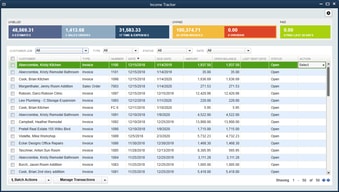
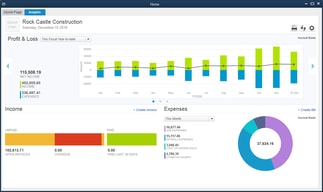
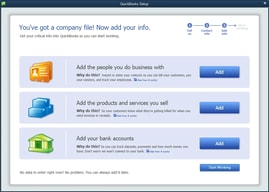
QuickBooks Desktop Pro is a platform that lets users automate key processes in the accounting system, including billing and invoicing. With Desktop Pro, users have the option to link bank accounts, define workflows, and make automated payments for efficiency. This solution also lets users manage employee payrolls via a single application. Other key features include business expense tracking, report generation, and time tracking.
| Company | Intuit Inc. |
|---|---|
| Year founded | 1983 |
| Company size | 10,001+ employees |
| Headquarters | Mountain View, California, United States |
| Social Media |

| Capabilities |
API
|
|---|---|
| Segment |
Small Business
Mid Market
Enterprise
|
| Deployment | Cloud / SaaS / Web-Based, Desktop Windows, On-Premise Windows |
| Support | 24/7 (Live rep), Chat, Email/Help Desk, FAQs/Forum, Knowledge Base, Phone Support |
| Training | Documentation |
| Languages | English |







Compare QuickBooks Desktop Pro with other popular tools in the same category.
The only benefit of using quickbooks is the price. If you are a small business I would highly recommend this product but it is not meant for big companies.
The autofill feature caused me to make many mistakes in entries as my account names were long and the full description was cut off most of the time.
We used this to maintain several of our clients finances.
Easy to imput sales, easy to import information and easy to use in conjunction with other programs
Doesn't always organize merchindise as easy sku number wise
Very customizable when it comes to adding users
It keeps it under our umbrella so we don't need an actual accountant.
Its got a high learning curve. Sometimes classified debts/credits incorrectly.
Small business, just my wife. She handles everything.
A basic system and user friendly, not an overwhelming system and great for smaller companies.
For. Payroll purposes it's antiquated and very manuel.
Has certified payroll capability.
I like the shortcut keys that are available but wish there were better ones.
The interface flow is not very efficient. When I am inputting a large number of invoices, for example, I wish the software was more intuitive.
Quickbooks provides another place for us to document our finances and lets us put in information from several sources.
I like how easy it is to keep track of all of my tenants and members payments or lack of. Makes sure nothing gets missed.
I don't like that you have to pay for all the upgrades I would like. But I understand why.
The automated invoicing cuts down SO much time, I can just set it and forget it until something changes.
QB is very user friendly when it comes to extracting reports and applying filters to customize reports.
QB does not appear to keep an audit trail for all transactions. For instance, invoices previously created can be deleted without posting a reversal to the original posting. I believe this increases risk of accidentally deleting items without realizing it.
It is used for bookkeeping and to generate financial reports. Compared to manual reporting, QB makes it easier to organize accounting records to create useful financial analysis.
Auto-population is such a breeze, and you never lose your work by mistake
QuickBooks will block you out of certain files depending on whether or not you've saved a previous file
Customer information, accounting information, sales
this as a great program for us when we first started. now we have grown and our business runs online. a delsotp top app. i was happy with this at the time.
the basic issue for this app was that its a desktop app. it wasnt helpful when we started to go online. i think they could upgrade this to quick books online and the service would be better.
we were able to train our accounting employees quite well since the app was easy to use. the colors and UI are easy to sue and see.
I love that Quickbooks has gotten more user-friendly as time has gone on. It's very intuitive both to perform standard transactions and to handle less common situations. The program has several useful shortcuts.
I dislike that some things have been overlooked in the nonprofit version of this software. We don't want to send donors "invoices" or "sales receipts" in the standard format, but while I can heavily customize the sales receipt formats, invoices and payment receipts are not customizable at all.
I love that my boss and coworkers and I can be all working on our company file at the same time during busy seasons. It's helped our office efficiency greatly. It also is so easy to reconcile bank statements and credit cards, which used to take ages.
The ability to track corporate expenses and pay employees
adding taxes is not straightforward, and can make things confusing when entering items from other provinces
attributing specific project costs
I liked the layout if the software as well as appearance.
This software was hard to use. Infor-Lawson is a much superior software and user friendly
Not really. Other than the layout, i dont feel like this software is better than infor
I love how easy this software is to learn and use
Nothing, this software works great for maintaining accounts payable and receivable and houses all my payroll needs
Having a centralized place to house all my checking, payable and reconciliation
What I like best about Quickbooks is the cost
To share data, we need a hosted solution and not a web interface
It essentially functions as our ERP. It provides solid, not spectacular, results
I like how the system can be used and organized how you want
more complicated than other programs. Some more training materials would be nice.
Accounting items
Quick books is a great software . I’ve used as400 and accountpro and quickbooks is the way to go
That help is not that easy to reach . Need people in the USA
Help support
I use Quickbooks solely for quoting, there is nothing that I would want that it doesn’t have
It errors out all the time. We have had issues with fixing this with the support team, they say there is a conflict between Quickbooks and Outlook, and that there is no permanent solution at the moment. It’s been four months.
Because I do quoting only, I haven’t discovered anything special beyond the functions I’ve used since I started - creating customers, creating estimates and emailing estimates.
I like how user friendly it is and it only took me a few days to catch on.
I do not like how the screen float around.
Producing financial statements. Detailed information quickly generated into reports.
QBDT is used if you need full function and also depending on you service or business that you provide.
It’s hard to be on multi user function because the program really slows down and doesn’t sync right away.
None at the moment.
Transaction management and bank feeds. Reconciling transactions is still the strength of QB Desktop Pro.
Invoicing. It may be different for a for-profit business, but for a non-profit the Invoicing on QB Online is far more user friendly.
Financial records management.
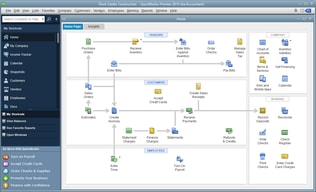
Honestly, there is not much that I like about QuickBooks Desktop Pro. I do like that I can sync with other programs that I use like Filemaker Pro. I also like that the main menu looks like a workflow.
I really prefer QuickBooks Online. I have a hard time seeing how records are linked, and find it difficult that two people cannot work in the file at the same time. Very bad for collaboration.
We are able to link our inventory controls and our Quality system to the GL, which is nice. We can also run payroll through QB Desktop Pro.
Quickbooks is the standard and it does well to run reports and export them over various time periods and so on. Sharing information with others and working with others is easy because of its ubiquity and people's familiarity with it.
Unfortunately, Quickbooks is not great for different types of businesses and industries. Working directly with the general ledger can take some time to get used to. Intuit has become less supportive of the desktop version as they want users to instead use the web for a subscription fee, though it is viewed by many as less robust.
Producing basic financial reports is essential for any business. It lacks ratio analysis and integration with files like Excel to import and confirm information within the system.
Now that I know how to use it, QBs is easy to use. It's just basic business bookkeeping and accounting...not rocket science.
QuickBooks hasn't changed one bit for my needs, but I have to keep buying a new version every 3 years. Why is that? Intuit gouges its customers.
I complete my books for the year and simply create an accountant's copy so he can prepare my annual business taxes.
It is easy to use and performs most tasks necessary to run a business.
My QB has had errors since I installed it. I purchased it and was given an error sign and a number to call. When I call the number they informed me I had to pay $300 or so for technical assistance which just didn't make sense. They sold me a faulty product and wanted me to pay them to fix it.
All accounting is made easy.
I like checking the sales reports tab to see my sales each day and I can look specifically at which items I'm selling the most or least of. I also like checking the food purchases of my clients to see what they previously bought. The invoicing of products is simple and easy. I mainly use quickbooks to ring up clients and check my sales reports and to do purchase orders.
it is kind of time consuming when ringing up a client to go into invoice and then go into receive invoice. I wish there was a way to do that all at once. We also have to type in the kind of card they are using as well as the last four numbers of the card.
I use it all the time for sales reports to see how we are doing as a center in our daily and monthly sales. I also use it to keep track of what my clients are buying to help them more with their weight loss program.
I really can't say I like anything best right now. So many things have changed in the software and not for the good.
All the bugs in the system that cause your daily work to be tripled. Lack of progress payments options. Getting kicked out of the system multiple times a day.
Really not solving anything, only keeping up with the accounting information.
Quickbooks is very user friendly. Anyone could use it because it is so easy. Everything is laid out for you and easy to find. It's a one entry accounting program but it's definitely an easy and cheap solution for a small business.
Quickbooks is one entry accounting. It is too easy for someone at a professional level. Peachtree is far more useful and in the long run, is easier because it is double entry accounting. It saves you time and lets you do so much more.
I have not solved any problems necessarily but the benefits are that it is simple. I would prefer a more complicated program that allows you to do more things.
Ease of use, user-friendly menus, backup storage
Constant updates (payroll), close down systems
Accounting and payroll
I really like the reporting features in QuickBooks. After just a few clicks, I can tell you what was spent and when.
For those of us who aren't accountants (*cough, cough, me*), the jargon is challenging and understanding how to get it best set up is an obstacle. I was able to overcome this, but only because my company paid for training and I have a local CPA and QuickBooks expert I call. If you need help from QuickBooks, there is a fee.
We are able to better track our cash flow and report out on these items. The reports have been beneficial.
It was easy to use, had a low learning curve. I learned to do POs in a day.
It's integration with other programs was not up to par. Had lots of issues which we had to manually resolve.
Invoicing, POs, accounting